Slashdot Mirror
Domain: git-scm.com
Stories and comments across the archive that link to git-scm.com.
Comments · 54
-
Re:Pull requests
It's true that git stores snapshots.
However, if you make a one-line change, it's not going to store new copies of every file in the repository. It only stores a new and old copy of the one file that changed.
https://git-scm.com/book/en/v2...
So yes, there is some duplication, but not the entire repository for each change.
-
Re:Being trendy has a cost
meanwhile back in reality, real projects at real companies continue to successfully manage their code with perforce
TFTFY.
-
Re:Dominant where?
I've never had a problem merging anything since I stopped using subverison... and cvs... and copying files to NAME_DATE_STRING..... https://git-scm.com/
-
(bash|sh|ksh|zsh) && !PowerShell
This is why i'll always respect Apple's decision to build OSX on top of FreeBSD. Apparently they tried to develop a core OS but came up short and 'settled' on BSD. IMO this was brilliant, use what work, don't reinvent the wheel, leverage the power and knowledge of unix! Why didn't Microsoft take this approach, it's like they always have to do it their way but their way ALWAYS ends up being inferior and bug laden. I recently installed git for windows, https://git-scm.com/download/w... it's beautiful, it comes with a whole working unix sub system, bash, ssh, vim, etc... I'm sure even that is superior to PowerShell. Of course I didn't RTFA and haven't used PowerShell, so i'm clueless as to it's actual features...
-
Re:Too little, too late
A good GUI is required for ease of visualization (branching, merging, pretty diffs), but for actually getting work done, git rocks on the command line.
Typical workflow:
git pull
git add .
git commit -am "name: some message"
git pushLather, rinse, repeat.
Anything more obscure, just look it up in the book: https://git-scm.com/book/en/v2
Favorite git GUI? sourcetreeapp.com
-
Re:Version control?
https://git-scm.com/book/en/v2...
Sign Git commits with GPG.
It's not enforced, so you'd need a commit hook or whatever to check commits are signed.
-
Re:git
I don't know that I share the same experience. There are plenty of UI tools that help make git easier to work with, such that I wouldn't have much hesitation in making it the first VCS for a team.
I certainly don't expect them to be doing rebasing, bisecting, or force pushes anytime soon, nor would I suggest they start by setting each other as remotes to take advantage of the distributed aspect. However stage, commit, merge, pull, and push operations on a central origin are all pretty simple, and not much different than they would be doing with any other VCS.
-
Run docker in a virtual machine
I recommend git. It's fast, it's easy, it's decentralized so code cowboy can't burn your project. And there are gui's for it for windows as well: https://git-scm.com/download/g...
Since IT has set the policy to a Windows operating system only server, you've had your hands tied as to what technology you can use. Fortunately for you, you can run Docker on Windows: https://docs.docker.com/instal..., which means you'll have access to tens of thousands docker containers for various purposes such as gitlab: https://github.com/sameersbn/d...
For basic test on the code (Syntax errors, pytest/nose/or alike with coverage (of tests), check coding style) it sounds like what you're looking for might be jenkins: https://en.wikipedia.org/wiki/... and you can create a docker container for running jenkins on your server: https://github.com/jenkinsci/d... or https://wiki.jenkins-ci.org/di...
-
git meets your needs
I think git can meet all of your needs, and personally I love it.
- It's a free, well-established, and well-documented open source project.
- There are plenty of GUIs.
- For inexperienced developers, there are tutorials like this one.
- Here's decent guide to getting password-less authentication via ssh working on Windows to connect to a server running locally on a Windows box (as long as it's running OpenSSH, maybe via cygwin).
- You can use Git hooks to do notifications, run syntax checks, etc. -
git meets your needs
I think git can meet all of your needs, and personally I love it.
- It's a free, well-established, and well-documented open source project.
- There are plenty of GUIs.
- For inexperienced developers, there are tutorials like this one.
- Here's decent guide to getting password-less authentication via ssh working on Windows to connect to a server running locally on a Windows box (as long as it's running OpenSSH, maybe via cygwin).
- You can use Git hooks to do notifications, run syntax checks, etc. -
git meets your needs
I think git can meet all of your needs, and personally I love it.
- It's a free, well-established, and well-documented open source project.
- There are plenty of GUIs.
- For inexperienced developers, there are tutorials like this one.
- Here's decent guide to getting password-less authentication via ssh working on Windows to connect to a server running locally on a Windows box (as long as it's running OpenSSH, maybe via cygwin).
- You can use Git hooks to do notifications, run syntax checks, etc. -
Just use git bundle
-
Re:Right conclusion, wrong reasoning.
Svn blame or git blame is your friend
We are going to be using it with software qa metrics to work out who is generating the most problematic code.
-
Re:Truism
This is a good observation. Perhaps something like Wikipedia, which has been a big success of written "documentation", draws from a very large user base, so the small percentage of people who write still results in a lot of text. It also has a very low barrier to contributing (or at least used to...) For example, I've contributed a large number of small edits to Wikipedia over the years but have never actually written an article, except one I started about some short-lived, long-forgotten David Pogue TV show (good riddance.)
I think the wiki format is modestly successful even in smaller venues, such as an internal corporate wiki, due to this low barrier to entry. Of course, many wikis also are available as de facto documentation for open source projects, and those seem to be more successful in general than the traditional manual-written-by-the-author. We're also seeing free ebooks springing up as manuals (e.g. ), which often are written by folks who are unconnected with the applicable software project.
-
Re:And yet, no one understands Git.
For those who are used to any of the older-style centralized revision control systems, it's a huge gear shift to begin using Git. And yes, it seems needlessly complicated, and seems to get in the way of getting things done. However, once you get over the hump and begin to "git" it [tee-hee], it seems very well designed and is very efficient to use.
To git over the hump, you really need to study it somewhere such as Pro Git. After that, you need some practice, as well some help from a buddy or two. Soon, it will click. After that, it takes some time and effort to truly master it - I've been using it for a couple of years and I don't think I'm quite there yet. But the more I understand it, the more I see the value of it. It's really a Good Thing.
-
Re:Unrelated to Github
Haha, except you're wrong: Git is the name of the project while git is the command line interface for Git. GitHub provides another UI for Git other than git.
Check the man pages or even the website, they're pretty consistent on Git meaning the overall project and git meaning the command line tool. (Not 100%, but - fairly consistent.)
-
Re:YES !!
Clearcase sucks for Java. Anything else sucks for C/C++. Don't even consider Clearcase if you're an Eclipse shop. Don't even consider doing serious C++ job on Git. Just use the right tool and move on.
So... you're saying that anyone using git for a serious C project is an idiot? Hmm...
-
Re:Git is an example of Linus Torvalds at his wors
You conveniently leave out the first part of my comment - that git started out as a quick hack to move linux source control off Bitkeeper, which is proprietary., when people complained It achieved that goal. But that doesn't mean that Linus is now obligated to do the docs - it's a poor use of his time, and as such, simply not a rational option.
The intersection of good coders and good technical writers is not 1:1. That's reality, and no amount of whinging is going to change that. It's why for-profit companies have separate job functions for coding and documenting. So why should we expect the open-source world to apply a less efficient approach?
And really, if it's such a problem for you, why don't you fix it? Or if you don't have the skills, find ways to encourage others to? Even Stallman says there's nothing wrong in paying someone to fix something in open source.
After all, if you're complaining about how hard it is to use, it's because you're either using it, or tried to use it and gave up
-
Re:There are no "remote" exploits for bash
Isn't one of the reasons why you would use git-shell for the git user? If you are running bash for the git user you failed as an admin.
-
git docs
-
Re:April Fools!
The initial checkout from svn doesn't clone the entire history. With git, a shallow clone (--depth 1) doesn't either. Git's smart http transport is bound to be faster than svn, since compression can be applied across multiple files, and if there are similar files in the repository, their common chunks will always be factored out by design. With svn, it's not guaranteed and depends on how file copies/moves were managed.
-
Re:GNU Savannah supports git
Technically git doesn't need any central repository. I never tried it and it should be a real pain but you can distribute patches by mail and git can merge from them. Check "Applying Patches from E-mail".
(Posting as AC to preserve mods) -
Re:Linus
Why would he need a license to use the free software he was already using? The "Linus doesn't back up his data!" bullshit is a myth. His data was backed up. In fact, he uses the most powerful and useful data integrity and replication software on the planet, which he himself designed. The delay was an intentional decision, and was the result of him wanting to investigate the failure more thoroughly.
-
Re:Linus
No need, the one he's using is free.
-
Re:None of that mattered, because
So you are saying why not use a wrapper around git. Well, we've really come full circle now haven't we. Me: git already solves this problem. You: why not use git to solve it! (Sparkleshare) Now, let me tell you why asynchronous use of git is a bad idea. git is making changes on the drive, and commits are atomic. You can easily set up git hooks to automate the process synchronously. There is no reason, and no advantage to, using a separate git repo and storing your whole git repo in a git repo. It is at best going to slow things down, and at worst it will hose your repo. I can never decide if it is hilarious or sad that people think they could teach Linus a thing or two about software development. The likelihood that it is true is very close to 0x00;
-
Re:None of that mattered, because
That is correct. In fact he wrote the code that is the industry standard and uses it every day. How else do you think he is going to continue completion of the project on his laptop.
-
Re:Really?
No. Not really. He has thousands of them all over the internet. How else do you think he is going to finnish the job with his laptop (excuse the pun.)
-
Re:stop trying, use git instead
Or you can use
-
Read 1 chapter of Pro Git
Read 1 chapter of Pro Git (or is it GitPro?) to learn how to setup a git repository that your team can push their changes into. The entire book is online here: http://git-scm.com/book
I didn't know anything about git, but have extensive experience with ssh, rcs, sccs, sourcesafe and was able to get this working for our company in about 15 minutes. That included the time to include step-by-step instructions to our dev about using ssh-keygen, ssh-copy-id, and the 5 "git init" like commands so their push and clones would hit the repo by default.
Now if you **need** a pretty web GUI - I'd as why - but if you need that, you probably want to setup the entire site behind a VPN using no-PKI (public) being the issue.
OpenVPN would be my choice.
-
Gitosis + gitweb.cgi
Gitosis to manage the repositories, gitweb.cgi pointing to your repositories directory if you happen to want web-based read access. There's a nice guide on setting up Gitosis on the Git website.
-
Re:gittorrent
First of all, I apologise for the tone of my post... lkcl's posts frequently attract trolls and, posting at a late hour again, my hasty judgement got the better of me.
When you give your bittorrent client a magnet link with a "btih" (BitTorrent Info-Hash) component, it starts looking up the DHT (asking other peers it's already made contact with) for peers sharing that infohash's torrent. As soon as it finds at least one, it connects to that peer ("joins the swarm") using the BT protocol and asks for the torrent's metadata (the.torrent file's info section). It is at this point where it will pop up a window asking you where to save the torrent and/or which files to download from it.
Given the above, one way that "gittorrent" could work would be the following:
1. Each Git object (file/file tree/commit) would be a separate "torrent", identified by its hash. Information about which peers have which hashes (i.e. objects) would be stored in the DHT. Nothing new for DHT so far. With this in place, you could checkout any individual git file/tree/commit and its history (each git commit references its parent).
2. Here we introduce a DHT protocol extension (let's call it "get_hash_addenda") using which you could get information stored in the DHT (this is the major difference with
3. With these in place, you now have a (very slow) "gittorrent" implementation. Additional extensions/local DHT data caching/assumptions/whatever) would be used to speed the whole thing up. Existing BT trackers (fast peer lookup for a given infohash) would work as is. Existing git daemons would also work, and could also be extended to speak DHT and the BT protocol. All these things map well to existing BT concepts.The protocol(s) used for transferring objects between peers could be the BT protocol (provided we treat each git object as a separate torrent, as lkcl recommended), and/or any protocol already supported by Git (as an analogue of "web seeds").
Example bare bones magnet links:
magnet:?xt=urn:git:<object id>
magnet:?xt=urn:git:<long hex number representing a user>/<repo>[/<branch|tag name>]or even magnet:?xt=urn:git:<user>/<repo>/<branch|tag name>
if a way of having non-spoofable and globally unique nicknames is found (probably in an FCFS fashion).A nice research project on extending BT (which already somewhat implements the "get_hash_addenda" functionality) is Tribler.
The earlier "gittorrent" effort that lkcl criticised can be found here. A cursory glance reveals an emphasis on trackers and almost no mention of DHT, probably due to it being written in 2008.
Disclaimer: All this is from a layman's point of view and horribly inaccurate. The DHT protocol extension especially could probably be avoided using some convention. I've been reading up on how BitTorrent and DHT works lately and, honestly, I can't blame you: apart from the BEPs it's basically UTSL.
-
Re:Ha Ha
You should really take a look at the Pro Git book. http://git-scm.com/book It assumes very little, and should be able to take any developer worth their salt from "lolwhat's source control?" to proficiency fairly quickly.
I did. It's one of the books I'm reading, and one I find very weak. It's all abstract concepts and toy examples, not git solving real problems for a real developer trying to do some real stuff.
My ideal git book would show git being added to an existing project, then used to develop it a little, then to test alternate features, then merge those that worked, going through the whole process of resolving a set of conflicts (real code conflicts, with a real solution, on the real project, step-by-step, not "foo.bar here differs from foo.bar there, solve it and mark as solved then commit" or the some other such generality), setting stable versions, doing stuff on those etc., with extensive discussion of what was going on behind the scenes, at the file system level, of all the people involved, for every high-level activity.
-
Re:Ha Ha
You should really take a look at the Pro Git book. http://git-scm.com/book
It assumes very little, and should be able to take any developer worth their salt from "lolwhat's source control?" to proficiency fairly quickly.
-
Re:Git not version control/sourrce control.
It's not really[...]convenient[...]due to lack of a clear history/ audit trail.
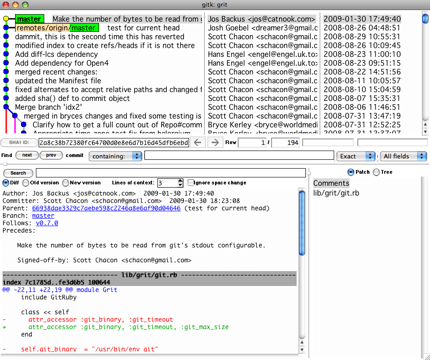
WHAAAAAT? Are you serious? clear history? Have you ever seen git history (hint, it looks like this)? Used the blame command in git? No, of course not.
-
Check Pro-Git
Free ebook, paying print version. http://git-scm.com/book
-
Riddle me this ...If you must have air gaps between the internet and data that must be secured, how do hundreds of thousands of companies process online credit card purchases again? Do you think there are a bunch of drones reading the input and manually typing it into another machine, and if so, how do they guarantee those people don't steal the numbers? You need to learn about Defense in Depth. You also need to learn that if your security measures are an unreasonable hassle, people will circumvent it and nullify it.
"If you have all the code on a machine, then that machine can't be connected to the internet, sorry."
You need to tell that to the rest of the world, who have been doing it that way for decades.
"So for a FOSS project, you don't expose the master copy of the source to the internet."
Really? Again, you don't know how best practices work.
"When it's commercial software the difference is that the source code is commercially valuable (as opposed to just valuable). And just try to guess how carefully that audit trail needs to be guarded."
If only there was a way to do it right! You are missing the whole point, which is that if you make it impossible for people to get and build the code they are working on without jumping through a million hoops, they will simply work around it by grabbing a local copy on their poorly secured machines, including laptops. This is security 101, actually.
Also, there is no commercial viability to stolen proprietary code. Anyone who tries to package it and sell it as their own will be caught. It is also more costly to try to reuse a code base when nobody has any experience with it than it is to simply do it yourself. Only a complete moron would try to steal proprietary and try to leverage it commercially. The only place where an air gap makes sense is between the code signing infrastructure and the rest of the world. An air gap between your code base and your developers is the absolute last thing you want. -
Re:How Much Would What Cost?
In my experience this is the exact opposite. Much free source control software has documentation 'when the developers get around to it'.
In late 2005, git documentation was kinda lacking.
Seven years later in 2012 you buy a copy of "pragmatic guide to git" from you know who, I think there's an oreilly book, Scott Chacon's book is CC licensed and freely downloadable at the link below, but the kernel wiki at the link below is really all you need.
If you have too much money and want literal hand holding I believe there are in-person classes and seminars available. A majority (all?) modern devs already use some form of version control and much like languages learning the 3rd takes about 5% the time of learning the 1st, so simply ask a more experienced coworker. I can teach someone the basics of "how to use git at $work with the cheat sheet" in, eh, 5, 10 minutes tops. If they're too dumb to figure it out given a sheet that shows exactly what to type at exactly what time, I don't want to be stuck cleaning up the mess they would make of the code, so its excellently self limiting in that manner.
-
git
I think git has got what you seek. http://git-scm.com/
-
Re:distributed
you don't have any idea how GIT works, do you ? or maybe you are FUDding ?
two words: distributed and Cryptographic authentication of history
No, I have no idea the cryptographic details of GIT works - I was responding to the information in the post above mine with a hypothetical evil genius scenario in my limited understanding of DVCS (i.e. copies of stuff in multiple places). I am happy to read that it seems the developers of GIT are smarter than those that developed Sourcesafe. Which isn't a herculean feat.
-
Re:distributed
you don't have any idea how GIT works, do you ? or maybe you are FUDding ?
two words: distributed and Cryptographic authentication of history
-
Re:Git documentation lives!
Yay! I spent the last two weeks learning git, and Google kept pointing me to kernel.org for the documentation. Having the site actually up will be nice, although I've already learned everything possible about Git!
Perhaps you should have used the git project's actual site.
-
10 suggestions: For what it's worth
1. Blog your progress. Whatever you did today, blog it. Let people know what you did that worked, or what was faster (Nginx vs. Apache), or what wasn't (ColdFusion?). Don't reinvent the wheel, use WordPress, regardless of whether you like PHP/MySQL or not.
2. Use a subscription/payment management company. You're just a small group of nerds, not accounts receivable clerks. Fastspring, Plimus are free; Chargify, Subsify, Cheddar Getter, BrainTree, Spreedly charge; and Zuora is expensive.
3. Use Google Docs and Slideshare to share documents.
4. Chat. Don't just rely on email. Emails can often read like "this way or the highway". Be collaborative. You can often accomplish more with 15-30min collaboratively as opposed to composing and responding to long emails. Skype, Jabber, SIP
5. Take notes on what you did. Made a server configuration or a setting change in your CMS, your compiler, or whatever? Copy and paste from xterm so you don't have to guess about those commandline switches next time. Take screenshots and make them available to others. Zim, Projly, DokuWiki.
6. Have a phone numbers. If not bog-standard landline phones, take advantage of Google Voice and SkypeOut and SkypeIn (people can call your Skype line on a normal phone number). I realize Google Voice might not be available in South Africa yet.
7. Someone mentioned version control. Use git if you're a cool kid. Or svn if you're old and busted. Read the RedBean book. I've had success in having non-tech colleagues using graphical clients like TortoiseSVN (integrates into Windows Explorer).
8. Write tests. Any member of your team, sitting anyplace, should be able to push a button and run all your tests. Tests document how you're supposed to use a given method, class, etc., especially valuable when you're so far flung. Use JUnit, PHPUnit, FooUnit for your language. Write the tests before you develop, and you're doing Test Driven Development.
9. If you're writing tests, that implies loose coupling, which might require dependency injection. Can be difficult to climb that mountain, but it's worth it when you can just run a test and be sure your project works.
10. Development processes: Scrum, Extreme Programming. UML lets you communicate graphically about objects.
-
Re:Oh
I wouldn't call "git" an alternative technology. It's gone pretty mainstream.
According to the git website major projects that use git include:
-- Linux Kernel (git was started by Linus specifically for the Linux Kernel source)
-- Perl
-- Eclipse
-- Gnome
-- KDE
-- Qt
-- Ruby on Rails
-- Android
-- PostgreSQL
-- Debian
-- X.org
I would call every single one of those projects "mainstream" more than "alternative" any day. They're all widely used. -
Re:git objects don't live in a vacuum
Also, in addition to the actual git source code excerpt I already posted, there is this gem from The git Community Book section on the Object Model:
Objects
Every object consists of three things - a type, a size and content. The size is simply the size of the contents, the contents depend on what type of object it is, and there are four different types of objects: "blob", "tree", "commit", and "tag". -
Re:git objects don't live in a vacuum
Also, in addition to the actual git source code excerpt I already posted, there is this gem from The git Community Book section on the Object Model:
Objects
Every object consists of three things - a type, a size and content. The size is simply the size of the contents, the contents depend on what type of object it is, and there are four different types of objects: "blob", "tree", "commit", and "tag". -
Re:It will never work
I believe that you need to have to have a git object that is the same size to replace your target object with, or git will sense the corruption. I don't have time to look more closely at the moment, but I trust that Linus did
-
Org-mode, Git and Pre-Deletion
I've recently been playing around with Org-Mode for Emacs, and it's wonderful. Of course, I like Emacs, YMMV. As for syncing and keeping history, Git is amazing. Automated merges make life so easy, plus the default distributed mode means I just pull from wherever I was working last and I have everything up-to-date; I actually use Org-Mode and Git on both my Debian Laptop and Nokia N900 (running Maemo).
Something to keep in mind, though, is that you probably don't want to keep track of *everything* (or if you do, you probably want to reduce/distill it to more usable formats). One solution to this is Pre-Deleting Cruft. Try asking yourself, what is important in life? What are the Big Rocks? Once you've identified the big and medium rocks, identify what you can automate so you don't even have to think about it.
-
Learn Git
One of the best software products I've ever learned is git at http://git-scm.com/
I've been moving all of my non-media information over to a few personal git repositories, which I store for a few bucks a month on rsync.net. -
Re:Git
Does reset --soft HEAD~5 remove any revisions from the repository?
No. Not explicitly. The state of the tree would be changed to reflect a past commit. The commits after that commit are still in the history.
If a new commit is done from that past point, the tree sprouts a branch and HEAD becomes assigned to it. Still, the old "abandoned" branch of the history is not deleted. It might however be garbage collected at some point, if no branch name is explicitly assigned to any of the commits in it, since they'd be left "dangling" with no explicit reference, which git will take to mean they're of no interest anymore.
What does the '~5' mean?
It means "go up the history 5 commits from the given place". If the name isn't given, it means from the current place the worktree is at. If a branch name is given, it uses it as reference. In this case HEAD was given, which is the default branch name.
Note that, technically, using HEAD~5 doesn't say anything about where the worktree was at that time, only that we wanna switch to 5 places up the history from wherever HEAD is now. But in this particular example we're discussing we can probably assume the worktree was at HEAD, so ~5 and HEAD~5 mean the same thing: go 5 commits back.
How does the meaning of ~5 change if there are merges or branches in the very recent history?
I'm assuming by "very recent" you mean "within those 5 commits". Good question. Since this reset goes back in history, it has no interest in branches, which are going the opposite direction in the time flow. It's following the parent of each commit in turn.
However, if there were merges, that means one or more of those 5 commits may have 2 (or more) parents. In which case ~5 as specified above would pick the first one and go with that. If the user wants another parent they can use ^N, which picks the Nth parent.
Using ^ and ~ specs together allow the user to specify the "path" back up in history very exactly, because they can be chained. Example: let's say that 2 commits back there was a merge of 2 branches. Using ~5 would go up the first of them, but I want the other one. I would use ~2^2~3, which means: go back 2 commits, then pick the 2nd parent, then use that to go another 3 commits.
reset can also move forward in history, but there's no equivalent to ~ and ^ for forward moves. Not sure for the exact reason, but it's probably because ~ and ^ are also used by diff and log and so on, not just reset, they're a generic way of navigating back history. They're only one of the many ways to specify history positions.
-
Legislative Development with CVS, SVN, Hg, or Git?
Likely the best websites from the US Government...are the Library of Congress site and the Supreme Court site. Both of them are extremely informative, and have a massive wealth of information that is readily available.
Development of legislation is quite byzantine and revision (mis)management during the drafting can make for some very serious readability problems. Currently it is nearly impossible to have time, even for a full-time politician with staff, to have time for their team to individually work through all changes and revisions of a draft of a bill.
Using a version control system (CVS, Subversion, Mercurial, Git) makes it very easy to track individual changes and who made them. It also makes it trivially easy to integrate all the changes and show a snapshot of the current draft or one from any arbitrarily earlier version.
Code bases for large software projects are unwieldy, constantly changing and have many authors yet need full transparency and accountability to succeed. So are drafts of legislation. Using a versioning system in our legislative process is long overdue.