Slashdot Mirror


Opera Gives That C64 Feel

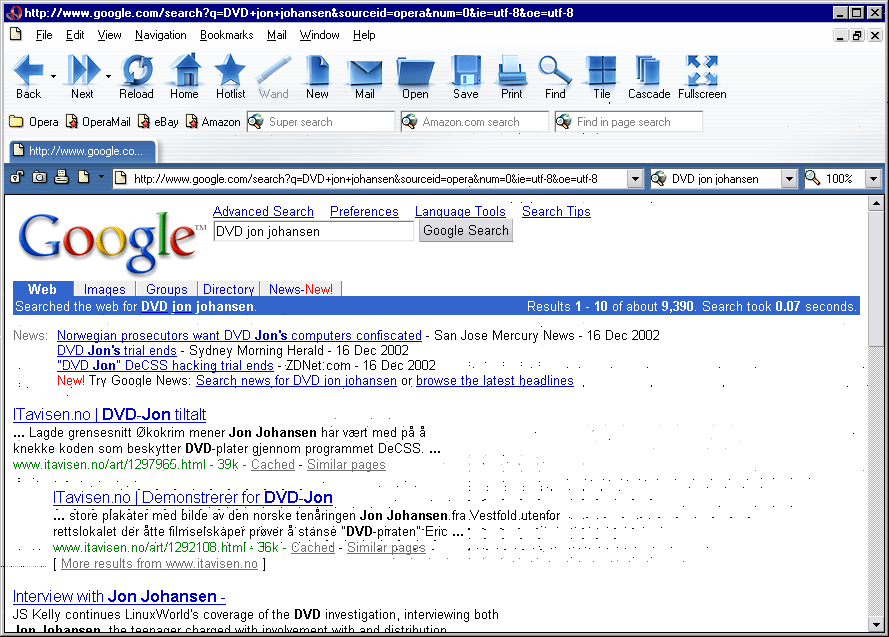
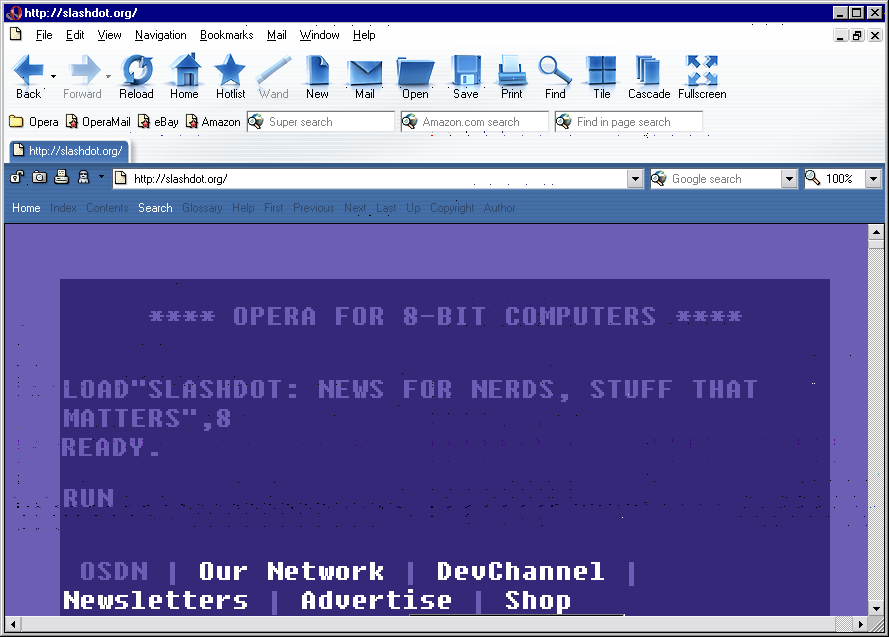
howcome writes "Opera yesterday relased beta2 of the forthcoming 7.0 version. Opera now supports mulitple user style sheets and by selecting "Nostalgia" from the menu all web pages suddenly resemble Commodore 64 (screendump1 screendump2) from 20 years back. Also, there is a handheld emulator to see what a page will look like on a handheld device running Opera. To get you through Christmas, you can also use the "fast-forward" button. Try it on Google (screendump)!"
3 of 362 comments (clear)

  1. But Opera has been getting smaller by Wee · · Score: 5, Informative
    Opera just made a mistake, in my opinion, with that. I liked how they kept the browser streamlined and stripped down; this new feature is, possibly, a sign of creeping featurism and surrender to the forces of software bloat.

    Have you been using Opera recently? Like over the last couple years? The new betas are really pretty speedy and also smaller than the 6.x release versions. I just downloaded the last beta and the latest production release. Here they are:

    [wee@host tmp]$ ls -l
    total 6836
    -rw------- 1 wee wee 3588280 Dec 18 16:06 ow32enen605.exe
    -rw------- 1 wee wee 3397867 Dec 18 16:05 ow32enen700b2.exe

    My boss and I were talking about this very topic. They've apparently re-written the rendering engine from the ground up. We suspect that they use the same engine in the desktop versions as in the embedded versions. Then they tack on JavaScript and Java and the various UI bits to make each platform-specific release.

    Whatever they do, they haven't succumbed to to creature feep. They've done just about the opposite: they started fresh and the result is a faster, leaner browser. Of course, I've only used the windows version a couple times, but it was noticeably nimbler than the 6.x Linux versions.

    -B

    --

    Ash and Hickory, straight-grained and true, make excellent bludgeons, dandy for the cudgeling of vegetarians.

    1. Re:But Opera has been getting smaller by Hektor_Troy · · Score: 5, Informative

      Well, I used 6.x up until 7.0b1 came out, and 7.0 is a lot faster on startup in particular. Like 1 second vs 5 - 8 seconds (this on a 866 MHz PIII with 384 MB RAM).

      Also 6.05 appeared to have a bug, that caused it's downloads to suck up all it's reasources if the server was fast enough, causing you not to be able to do anything while downloading. This is not the case with 7.0b1/2.

      It also has some very neat features with regards to testing websites, such as debug with outline etc. Also it's sidebar can display each and every link on a page.

      I like it. I like it a lot. I switched to Mozilla for a while but went back to Opera for several reasons, and 7.0 really solidifies Operas lead in my eyes. It would be nice however, if the stuff like e-mail and ICQ were plug-ins instead of built in. It might not make a difference wrt size or speed, but it'd be nice :-)

      --
      We do not live in the 21st century. We live in the 20 second century.
  2. Other new stuff by Fweeky · · Score: 5, Informative
    • Improved CSS support -- CSS menus now work pretty much as expected, overflow: scroll works better, and numerous other fixes.
    • Opera now has a password manager! Both HTTP auth and login forms can be saved and filled in automatically later. "Wand" is a bit of a cheesy name for it, though :)
    • Quick Download -- now instead of right clicking, hitting Download, waiting for file dialog to pop up and hitting Save, you right click, hit Quick Download, and it's done for you.
    • Links bar, similar to Mozilla's Page Info -> Links tab. It's a bit primitive at the moment, but it's nice to see they're working on stuff like this.
    • Fast Forward -- fancy <link rel="next"> UI gadget -- if a site uses said links, the Forward button is turned into a Next button, which is nice for browsing things like search results pages and blogs.
    • Improved skins support -- auto-install for new skins, more flexible for users (no more .ini editing if you want to rearrange your buttons, for instance), etc. Someone badly needs to Opera 7-ize Minimalist, though, I'm not a fan of the Aqua look, or the bare-bones "Windows" skin that ships with this beta.
    • The bookmark manager is back, and looking nicer than the Opera 6 one.

    I'm quite impressed with this second beta. With betas like this, IE7 better be damn good to not get yawned at :)