Slashdot Mirror
Domain: dansdata.com
Stories and comments across the archive that link to dansdata.com.
Comments · 538
-
mouse without the mouse?
-
There's obvious conflict here...From the front page of AMD Zone:
While I've been waiting for the site to come up I've put up a new site, AquaPAD.org. This site is meant to support the AquaPAD which I am starting to sell now. I'll have the review up here as soon as the server issues are fixed.
He has a whole new web site created specifically for a device he intends to sell. He's linking to it from a page which reviews that same device. What are the odds the review will be objective? "In conclusion, Aquapads thoroughly suck. Click here to buy one from me at a special review-only price..."
AMD Zone sounds like a great site. I'd trust his reviews. Way more so than Tom's or Anandtech or Dan's data. None of those guys has a deeply personal involvement with the hardware in question.
-B
-
Re:hard drive
Yes, I know about the 1.8 inch drives in the smaller storage widgets, including the iPod. I mention in my review that the whole iPod actually costs about the same as the higher retail prices for a drive like the one it contains
-
Cheap portable mass storageIf it's just the storage you're after, not the MP3 playing, I coincidentally just put up a review of a couple of external boxes that accept a 2.5 inch laptop drive (not really tiny, but not really expensive either...) which both have USB 1.1 and IEEE-1394 connectivity. One of them's pocketable, one of them's bigger and looks like a 3.5 inch drive, for no very good reason. They both let you get 20Gb of decently fast storage (as long as you use the FireWire port) for about half the price of a 5Gb iPod.
-
Cheap portable mass storageIf it's just the storage you're after, not the MP3 playing, I coincidentally just put up a review of a couple of external boxes that accept a 2.5 inch laptop drive (not really tiny, but not really expensive either...) which both have USB 1.1 and IEEE-1394 connectivity. One of them's pocketable, one of them's bigger and looks like a 3.5 inch drive, for no very good reason. They both let you get 20Gb of decently fast storage (as long as you use the FireWire port) for about half the price of a 5Gb iPod.
-
Dan's Data Article
Dan's data has an article which explains CDR quality very nicely
At first, it focuses mostly on strangely colored and oddly shaped cdrs, but at the bottom it has some VERY useful information, including a little utility called cdrid, which identifies WHO REALLY makes the cdr disk. It turns out many differently branded disks are actually made by the same company.
The article also points out that cdrs with a darker dye in them work better. I tend to agree from experience. Typically, I buy Sony CDRS from staples... they're pretty cheap and work good. I also found that the sony ones work fine in most car cd players, while cheap ones don't work at all.
(By the way.... a Plextor 24x burner is only about $150 now... i find that burning cds at lower speeds doesn't improve compatibility, execpt for with cheap disks; but my burner only works up to 8x, so i dont know how faster ones fare). But beware: make sure your drive supports BuRN proof or something similar. There is nothing more aggrivating then having to burn a cd twice because of a buffer underrun. -
Re:Another source for DCR-IP7 info> Looks like the story link is
Yeah, yeah. Always happens. Bookmark the page (it only just went up, so there's no Google cache of it yet), come back later, spend the intervening time sending me money so I can afford a phatter server
> However, Digital Photography Review has this
> story with reams of specs and evaluation data.Um... actually, that just looks like the reformatted press release to me. Phil Askey's camera reviews are superb, I agree, but that isn't one. I think I might have written the first real review of this widget to hit the Web. I'm not betting anything on that, though
To assuage all your poor Server Not Found souls, here's the text of the review's conclusion:
Who's this camera for?
Well, if you want a super-ultra-tiny camera, the DCR-IP7 is pretty much where it's at. But there are Mini DV cameras that aren't a great deal bigger. Sony's own DCR-PC9, for instance, weighs less than 500 grams. JVC's GR-DVP3U weighs 350 grams, and is inconsequentially larger than the DCR-IP7.
Mini DV cameras have better video quality than Micro MV, they're cheaper, they've all got i.LINK ports, and their i.LINK ports actually work with normal DV gear.
So if you just want a minuscule travel-cam, this probably isn't the product for you.
What if you really dig the idea of e-mail from your camera, for some reason?
If you simply must have that feature, then this is the camera for you. Well, this or its bigger cousin, the DCR-PC120.
But seeing as all you can do with this thing's "networking" is connect to a dial-up Internet account, I'm uncertain what use it is for the vast majority of users.
No way are you going to be sending your intrepidly collected reportage from the field to the newspaper office over a mobile phone dial-up connection, even if there aren't any attachment file size limits. And if you're travelling the world, I doubt you want to phone home at great expense in order to send people grainy low-res video clips of your adventures.
Frankly, I found the DCR-IP7 rather frustrating. Not because of usability issues, so much as missed opportunities. Here's this thing with FireWire and USB and Bluetooth, and (alleged) standard file format still and video input and output. And there just aren't enough simple elementary connections between those things. The large print giveth, the small print taketh away.
You should be able to see this camera as a mass storage device via all three interfaces and just copy video from the tape without installing anything but a simple driver. You can't.
You should be able to use the camera as a Windows Video device. You can't.
Heck, you should be able to access the camera with a TWAIN driver. You can't.
And because the camera uses Micro MV, you can connect it via i.LINK/FireWire to a DV device if you like, but it won't bloody work. So everything's funnelled through MovieShaker. Which sucks.
Hey, Sony. Maybe MovieShaker is the talk of the town in Tokyo, or something, but would it kill you to put in an Expert Mode or something next time, and actually have six people test your software before you release it?
You wouldn't think it'd be that hard. Include basic functions. Verify actual operation of said basic functions. Then include happy smiling faces and integrated techno video clip generators, if you must.
If this camera cost a thousand Australian bucks, I'd cut it some slack, but it doesn't. It's stunningly expensive.
The next time I see a Sony device with "Network" and "IP" in its name, I want to be able to just plug it into freakin' Ethernet, OK? Include FireWire and Bluetooth and 802.11b and RS-232 and RFC 1217 if you want, but also put a simple RJ45 socket on the thing and give it a DHCP client and a basic HTTP interface. You can get those features in cheap and cheerful home Internet sharing boxes; I think you could manage to cram them into a camera.
I, for one, would love an instant home-LAN video server camera dingus, especially if it could work as an Internet image source as well, which it could, with that simple little Web server built in. Webcams that can do this exist already - they're expensive, but so's this camera.
Sony can make avant-garde bleeding-edge products that work really well. Their MVC-CD1000 digital still camera with its 77mm CD-R drive, for instance, is still almost as technologically impressive as it was when I reviewed it more than a year ago. But now you can buy new CD1000s for $US650 on eBay. That's half of the original list price.
If the MVC-IP7 can be had for a mere $AUD2250 or so in a year's time, it might be worth getting. Micro MV doesn't have annoyingly bad image quality, and there ought to be more Micro MV-aware software and hardware around in a year, so you won't be stuck with Pokemon-themed McSoftware when you want to edit stuff. Or artificially constrained by silly format barriers.
Right now, though, this camera's the video equivalent of a wild out-there impractical concept car that for some reason has made it into the dealerships. No sane person would want to drive it, but a fool and his money are welcome to try.
If I were you, though, I'd hand the DCR-IP7 back to the booth babe.
Thanks, but no thanks.
-
Also reviewed......by, ahem, me, as part of my monster cooler comparison.
The Zen review is on page four.
-
Also reviewed......by, ahem, me, as part of my monster cooler comparison.
The Zen review is on page four.
-
this is just sillyOk, for starters, those of you who are wanting a Lian-Li case (and I don't blame you, they're sweet) should look here. They're about 20% cheaper than thinkgeek, but more importantly, if you don't support thinkgeek maybe they'll go out of business and stop running those super annoying ads on
Furthermore, I've heard all sorts of horrible things about VIA's KT266 chipset, and now that there are alternatives, there's really no reason to buy it at all. SiS's AMD chipset rocks (if you don't believe me, read this, but if you're going for cost-no-object performance, you'll want one of tyan's mobos w/ AMD's own chipset.
Also, Creative has a new sound card out, and it has built in firewire, and considering that, it's not too much more than the platinum. And you may want to at least consider ATI graphics solutions, esp if you're ever going to run linux on this machine. From the reviews I've read, the 8500 is comparable or better than the GeForce3 in most ways. If everyone starts considering nvidia a foregone conclusion, it won't be long before we don't have a choice at all.
As far as the silent drive thing goes, insulating a device that is supposed to be conduction cooled (ie it conducts heat through its metal casing) is a very bad idea! nuf said.
Finally, those of you considering those nifty round IDE cables may want to read this first.
In closing, I would like to point out that this article was little more than a shameless plug for thinkgeek and pc power and cooling. All of the choices that didn't involve these stores were ill thought out. And you'll notice when it comes to the cpu fan, a very important piece of hardware these days, he didn't even bother telling us what he bought, only that he got it from pc power and cooling!
If Hemos ever had any creditibility, he just pimped it out to thinkgeek and pc power and cooling. Oh well. I guess in these troubled times, ya gotta do what ya gotta do.
-
Re:whatever
Probably should be Dans Data.
-
Check these links out
-
Check these links out
-
Check these links out
-
More Lian Li reviewsMy reviews of other Lian Li cases, in reverse chronological order:
-
More Lian Li reviewsMy reviews of other Lian Li cases, in reverse chronological order:
-
More Lian Li reviewsMy reviews of other Lian Li cases, in reverse chronological order:
-
More Lian Li reviewsMy reviews of other Lian Li cases, in reverse chronological order:
-
Plus Raymund doesnt even know what hes talkn about
It amazes me the amount of 'software' guys who think they're experts but have no idea when it comes to hardware.
Check these examples out:-
- "Do get a pure PCI-bus machine (not a hybrid PCI/ISA design, you sacrifice about 10% of peak performance with those)."
This is pure humbug - you do not get 10% greater performance by buying a motherboard that has ni ISA slots (like those Asus KT boards). Because the fact is that even if they have no ISA slots, they still have a ISA bus built in the southbridge to support legacy stuff like the printer/parrallel port, the serial port/s & the PS2 mouse & keyboard ports. Now as far as the USB ports are concerned, I'm not sure whether they use the ISA bus or the PCI bus.
- "For the power supply, the three of us easily agreed on a vendor: PC Power & Cooling"
Bloody typical. Yet the reality is that the PC Power & Cooling mob are just 'badge engineers' - they re-sell other manufacturers products with their own own brand markings & inflated prices.
For example their full tower case is just a California PC full tower case with a custom bezel on the front.
Now as far as their power supplies are concerned. I remember when they used to sell a 'Silencer' model 275 watt power supply. In fact all it was was a generic 300 watt power supply, de-rated down to 275 watts so it was understressed, so it would cope with retro-actively fitted low speed 'silencer' fan.
As far as powersupplies are concerned I recommend the Enermax 350 watt EG365P-VE(FC) or 450 watt EG465P-VE(FC) power supplies. They have a push/pull dual fan design (a 80mm exhaust fan at the back & a 92mm intake fan at the bottom), which means the fans can run at a much slower (therefore quieter) speed, without losing any cooling performance. The Powersupply comes with a standard motherboard 3 pin senser connector cable, so you can blug it into a spare motherboard fan header, which means ifyou can see what revs one of the power supply fans are running at in you PC monitor applet in you system tray (& it can warn you with an alarm if it fails). Also the powersupply comes with a thermastat on a connector which can be somehow attached to the heatsink or against the CPU core if its a exposed flip-chip type core (as long as it has no heatspreader like the AMD K6 series has), this controls the fan underneath the powersupply & it only runs when necessary. Consequently these power supplies are so bloody quiet you sometimes think its not running.
- They also recommend the Thunder K7 (S2462) Motherboard, which is a huge waste of money as you can buy a very similar motherboard made by the same manufaturer at a much cheaper price (the Tiger MP (S2460) Motherboard). Also the 'Tiger' has a standard ATX connector, rather than the propietry connector that the 'Thunder' has. Which means you can use normal ATX powersupplies, rather than the inflated priced propietry powersupply that the 'Thunder' uses.
- Also, even though this is s'pose to be a 'Ultimate Linux Box', they fail to mention that both IDE floppy drives(if you are using the IDE bus) & SCSI floppy drives (if you are using a SCSI BUS) are avaliable. Even better one can get the LS120 variety which are compatible with both 120MB 'SupperFloppies' & standard 1.4MB standard floppies.
- They spend 4 paragraphs talking about 'Noise Control and Heat Dissipation' without really saying anything. When all they really needed to say that it's best using bigger fans at slower speeds - such as 12 volt 120mm fans running at 7 volts (positive hooked up to the 12 volt line while the negative is hooked up to the 5 volt line). The quietist fans (all other things being equal) by brand are the Papst Simtec bearing fans, the Sanyo Denki fans & the L1A1 versions of the Panaflo fans.
- They recommend a pretty well generic (though above average) Antec case, but this is s'pose to be a ultimate Linux box.
Therfore I recommend the Addtronics 'Server Cases' (their full tower cases) - the 7890 & the 7896. They are great cases with their great cooling options, filtered intakes, butterfly doors & slide out 'mainboard & I/O backplane tray'. Supermicro sell their own badge engineered version of this full tower case.
Other good full tower cases are the all alloy ones made by Lian Li. Such as the Lian Li PC-70 aluminium full tower computer case & the Lian Li PC-76 server case
If a mid tower case is more your style, both Lian Li & Coolermaster maker great alloy ones. They are great for LAN parties. In this regard I recommend the Lian Li PC-60 computer case & the Coolermaster ATC-201SX. Both cases are unbeatable as mid-tower cases - they have everything. I Personally thing a midtower case must have 4 5.25inch drive bays; so you can have both a CD burner & DVD drive, plus 2 HDDs in removable HDD pullout caddies.
For a ultimate box it should have the all alloy (better heat dissapation) twin fan caddies that agains are made by Lian Li. The 3 best models appear to be the RH-620 , the RH-600 , & the RH-29
For the motherboard, I'd recommend one with the SIS 735 'chipset'. Preferably it would have a AGP Pro slot, 6 PCI slots, one shared with a ISA slot at the bottom. It would have BOTH 2 DDR slots & 2 normal SDRAM slots. It would have a integrated RJ45 network connector above the 2 rear USB ports, plus integrated 'hardware' 5.1 sound (IWill have brought out a couple of boards of late with integrated 'hardware' 5.1 sound, they have the 3 standard female jack ports under the midi 'D' plug at the back, plus the extra connects hook up via a ribbon cable & a slot backplane cover). The board would also have integrated SCSI & Firewire like some of the MSI Pro or Turbo or whatever boards have. Plus an extra IDE controller (Promise, Highpoint, etc) so there's the potential for 8 drives (HDD, CD, DVD, LS120, ORB, etc) rather than the standard 4. The extra IDE controller will also have RAID 0,1 & 1+0 options (most have this built in, though its sometimes disabled). All the integrated stuff must have the capability to be disabled, either via jumpers or in the BIOS.
Twin AthonXP/MP CPUs would be the go (the XPs work fine in SMP setups, they just are not certified/supported for such configurations - that's the main difference between the XP & MP, the MPs are certified/supported for SMP use.
That's enough raving for now. -
Plus Raymund doesnt even know what hes talkn about
It amazes me the amount of 'software' guys who think they're experts but have no idea when it comes to hardware.
Check these examples out:-
- "Do get a pure PCI-bus machine (not a hybrid PCI/ISA design, you sacrifice about 10% of peak performance with those)."
This is pure humbug - you do not get 10% greater performance by buying a motherboard that has ni ISA slots (like those Asus KT boards). Because the fact is that even if they have no ISA slots, they still have a ISA bus built in the southbridge to support legacy stuff like the printer/parrallel port, the serial port/s & the PS2 mouse & keyboard ports. Now as far as the USB ports are concerned, I'm not sure whether they use the ISA bus or the PCI bus.
- "For the power supply, the three of us easily agreed on a vendor: PC Power & Cooling"
Bloody typical. Yet the reality is that the PC Power & Cooling mob are just 'badge engineers' - they re-sell other manufacturers products with their own own brand markings & inflated prices.
For example their full tower case is just a California PC full tower case with a custom bezel on the front.
Now as far as their power supplies are concerned. I remember when they used to sell a 'Silencer' model 275 watt power supply. In fact all it was was a generic 300 watt power supply, de-rated down to 275 watts so it was understressed, so it would cope with retro-actively fitted low speed 'silencer' fan.
As far as powersupplies are concerned I recommend the Enermax 350 watt EG365P-VE(FC) or 450 watt EG465P-VE(FC) power supplies. They have a push/pull dual fan design (a 80mm exhaust fan at the back & a 92mm intake fan at the bottom), which means the fans can run at a much slower (therefore quieter) speed, without losing any cooling performance. The Powersupply comes with a standard motherboard 3 pin senser connector cable, so you can blug it into a spare motherboard fan header, which means ifyou can see what revs one of the power supply fans are running at in you PC monitor applet in you system tray (& it can warn you with an alarm if it fails). Also the powersupply comes with a thermastat on a connector which can be somehow attached to the heatsink or against the CPU core if its a exposed flip-chip type core (as long as it has no heatspreader like the AMD K6 series has), this controls the fan underneath the powersupply & it only runs when necessary. Consequently these power supplies are so bloody quiet you sometimes think its not running.
- They also recommend the Thunder K7 (S2462) Motherboard, which is a huge waste of money as you can buy a very similar motherboard made by the same manufaturer at a much cheaper price (the Tiger MP (S2460) Motherboard). Also the 'Tiger' has a standard ATX connector, rather than the propietry connector that the 'Thunder' has. Which means you can use normal ATX powersupplies, rather than the inflated priced propietry powersupply that the 'Thunder' uses.
- Also, even though this is s'pose to be a 'Ultimate Linux Box', they fail to mention that both IDE floppy drives(if you are using the IDE bus) & SCSI floppy drives (if you are using a SCSI BUS) are avaliable. Even better one can get the LS120 variety which are compatible with both 120MB 'SupperFloppies' & standard 1.4MB standard floppies.
- They spend 4 paragraphs talking about 'Noise Control and Heat Dissipation' without really saying anything. When all they really needed to say that it's best using bigger fans at slower speeds - such as 12 volt 120mm fans running at 7 volts (positive hooked up to the 12 volt line while the negative is hooked up to the 5 volt line). The quietist fans (all other things being equal) by brand are the Papst Simtec bearing fans, the Sanyo Denki fans & the L1A1 versions of the Panaflo fans.
- They recommend a pretty well generic (though above average) Antec case, but this is s'pose to be a ultimate Linux box.
Therfore I recommend the Addtronics 'Server Cases' (their full tower cases) - the 7890 & the 7896. They are great cases with their great cooling options, filtered intakes, butterfly doors & slide out 'mainboard & I/O backplane tray'. Supermicro sell their own badge engineered version of this full tower case.
Other good full tower cases are the all alloy ones made by Lian Li. Such as the Lian Li PC-70 aluminium full tower computer case & the Lian Li PC-76 server case
If a mid tower case is more your style, both Lian Li & Coolermaster maker great alloy ones. They are great for LAN parties. In this regard I recommend the Lian Li PC-60 computer case & the Coolermaster ATC-201SX. Both cases are unbeatable as mid-tower cases - they have everything. I Personally thing a midtower case must have 4 5.25inch drive bays; so you can have both a CD burner & DVD drive, plus 2 HDDs in removable HDD pullout caddies.
For a ultimate box it should have the all alloy (better heat dissapation) twin fan caddies that agains are made by Lian Li. The 3 best models appear to be the RH-620 , the RH-600 , & the RH-29
For the motherboard, I'd recommend one with the SIS 735 'chipset'. Preferably it would have a AGP Pro slot, 6 PCI slots, one shared with a ISA slot at the bottom. It would have BOTH 2 DDR slots & 2 normal SDRAM slots. It would have a integrated RJ45 network connector above the 2 rear USB ports, plus integrated 'hardware' 5.1 sound (IWill have brought out a couple of boards of late with integrated 'hardware' 5.1 sound, they have the 3 standard female jack ports under the midi 'D' plug at the back, plus the extra connects hook up via a ribbon cable & a slot backplane cover). The board would also have integrated SCSI & Firewire like some of the MSI Pro or Turbo or whatever boards have. Plus an extra IDE controller (Promise, Highpoint, etc) so there's the potential for 8 drives (HDD, CD, DVD, LS120, ORB, etc) rather than the standard 4. The extra IDE controller will also have RAID 0,1 & 1+0 options (most have this built in, though its sometimes disabled). All the integrated stuff must have the capability to be disabled, either via jumpers or in the BIOS.
Twin AthonXP/MP CPUs would be the go (the XPs work fine in SMP setups, they just are not certified/supported for such configurations - that's the main difference between the XP & MP, the MPs are certified/supported for SMP use.
That's enough raving for now. -
Plus Raymund doesnt even know what hes talkn about
It amazes me the amount of 'software' guys who think they're experts but have no idea when it comes to hardware.
Check these examples out:-
- "Do get a pure PCI-bus machine (not a hybrid PCI/ISA design, you sacrifice about 10% of peak performance with those)."
This is pure humbug - you do not get 10% greater performance by buying a motherboard that has ni ISA slots (like those Asus KT boards). Because the fact is that even if they have no ISA slots, they still have a ISA bus built in the southbridge to support legacy stuff like the printer/parrallel port, the serial port/s & the PS2 mouse & keyboard ports. Now as far as the USB ports are concerned, I'm not sure whether they use the ISA bus or the PCI bus.
- "For the power supply, the three of us easily agreed on a vendor: PC Power & Cooling"
Bloody typical. Yet the reality is that the PC Power & Cooling mob are just 'badge engineers' - they re-sell other manufacturers products with their own own brand markings & inflated prices.
For example their full tower case is just a California PC full tower case with a custom bezel on the front.
Now as far as their power supplies are concerned. I remember when they used to sell a 'Silencer' model 275 watt power supply. In fact all it was was a generic 300 watt power supply, de-rated down to 275 watts so it was understressed, so it would cope with retro-actively fitted low speed 'silencer' fan.
As far as powersupplies are concerned I recommend the Enermax 350 watt EG365P-VE(FC) or 450 watt EG465P-VE(FC) power supplies. They have a push/pull dual fan design (a 80mm exhaust fan at the back & a 92mm intake fan at the bottom), which means the fans can run at a much slower (therefore quieter) speed, without losing any cooling performance. The Powersupply comes with a standard motherboard 3 pin senser connector cable, so you can blug it into a spare motherboard fan header, which means ifyou can see what revs one of the power supply fans are running at in you PC monitor applet in you system tray (& it can warn you with an alarm if it fails). Also the powersupply comes with a thermastat on a connector which can be somehow attached to the heatsink or against the CPU core if its a exposed flip-chip type core (as long as it has no heatspreader like the AMD K6 series has), this controls the fan underneath the powersupply & it only runs when necessary. Consequently these power supplies are so bloody quiet you sometimes think its not running.
- They also recommend the Thunder K7 (S2462) Motherboard, which is a huge waste of money as you can buy a very similar motherboard made by the same manufaturer at a much cheaper price (the Tiger MP (S2460) Motherboard). Also the 'Tiger' has a standard ATX connector, rather than the propietry connector that the 'Thunder' has. Which means you can use normal ATX powersupplies, rather than the inflated priced propietry powersupply that the 'Thunder' uses.
- Also, even though this is s'pose to be a 'Ultimate Linux Box', they fail to mention that both IDE floppy drives(if you are using the IDE bus) & SCSI floppy drives (if you are using a SCSI BUS) are avaliable. Even better one can get the LS120 variety which are compatible with both 120MB 'SupperFloppies' & standard 1.4MB standard floppies.
- They spend 4 paragraphs talking about 'Noise Control and Heat Dissipation' without really saying anything. When all they really needed to say that it's best using bigger fans at slower speeds - such as 12 volt 120mm fans running at 7 volts (positive hooked up to the 12 volt line while the negative is hooked up to the 5 volt line). The quietist fans (all other things being equal) by brand are the Papst Simtec bearing fans, the Sanyo Denki fans & the L1A1 versions of the Panaflo fans.
- They recommend a pretty well generic (though above average) Antec case, but this is s'pose to be a ultimate Linux box.
Therfore I recommend the Addtronics 'Server Cases' (their full tower cases) - the 7890 & the 7896. They are great cases with their great cooling options, filtered intakes, butterfly doors & slide out 'mainboard & I/O backplane tray'. Supermicro sell their own badge engineered version of this full tower case.
Other good full tower cases are the all alloy ones made by Lian Li. Such as the Lian Li PC-70 aluminium full tower computer case & the Lian Li PC-76 server case
If a mid tower case is more your style, both Lian Li & Coolermaster maker great alloy ones. They are great for LAN parties. In this regard I recommend the Lian Li PC-60 computer case & the Coolermaster ATC-201SX. Both cases are unbeatable as mid-tower cases - they have everything. I Personally thing a midtower case must have 4 5.25inch drive bays; so you can have both a CD burner & DVD drive, plus 2 HDDs in removable HDD pullout caddies.
For a ultimate box it should have the all alloy (better heat dissapation) twin fan caddies that agains are made by Lian Li. The 3 best models appear to be the RH-620 , the RH-600 , & the RH-29
For the motherboard, I'd recommend one with the SIS 735 'chipset'. Preferably it would have a AGP Pro slot, 6 PCI slots, one shared with a ISA slot at the bottom. It would have BOTH 2 DDR slots & 2 normal SDRAM slots. It would have a integrated RJ45 network connector above the 2 rear USB ports, plus integrated 'hardware' 5.1 sound (IWill have brought out a couple of boards of late with integrated 'hardware' 5.1 sound, they have the 3 standard female jack ports under the midi 'D' plug at the back, plus the extra connects hook up via a ribbon cable & a slot backplane cover). The board would also have integrated SCSI & Firewire like some of the MSI Pro or Turbo or whatever boards have. Plus an extra IDE controller (Promise, Highpoint, etc) so there's the potential for 8 drives (HDD, CD, DVD, LS120, ORB, etc) rather than the standard 4. The extra IDE controller will also have RAID 0,1 & 1+0 options (most have this built in, though its sometimes disabled). All the integrated stuff must have the capability to be disabled, either via jumpers or in the BIOS.
Twin AthonXP/MP CPUs would be the go (the XPs work fine in SMP setups, they just are not certified/supported for such configurations - that's the main difference between the XP & MP, the MPs are certified/supported for SMP use.
That's enough raving for now. -
Re:Ooh...neat!> I remember you! I wrote you probably about three years ago about some page you had with "warning signs" for troubled teenagers
That'd be this page...
> I think I found you from something to do with about 300 (1000?) sparklers being wired together to create a huge bomb sort of thing...
That'd be this page (and this one)...
> (Please tell me I'm not going crazy!)
You aren't. Well, not any crazier than an artist with a top hat habit is already likely to be.
-
Re:I prefer the kind that shoot> get an RC tank that actually shoots
Aww. There's me thinking "I should probably pimp one of my R/C tank reviews now", and wouldn't you know it, someone goes and does it for me. Whadda guy.
What the heck; I'll pimp another one of 'em anyway:
Tamiya 1/10th scale R/C Sherman tank
Much bigger than the little Plantacro critter, much more powerful than the Marui Airsoft tank, though of course also much more expensive than both of them put together. Tamiya even have a version with turret control, flashing guns and sampled sound effects now (see it here), for people who just can't spend money fast enough.
There are also some nice Russian gentlemen who'll sell you a model tank big enough to ride around on, for $US2500 or so.
-
Re:I prefer the kind that shoot> get an RC tank that actually shoots
Aww. There's me thinking "I should probably pimp one of my R/C tank reviews now", and wouldn't you know it, someone goes and does it for me. Whadda guy.
What the heck; I'll pimp another one of 'em anyway:
Tamiya 1/10th scale R/C Sherman tank
Much bigger than the little Plantacro critter, much more powerful than the Marui Airsoft tank, though of course also much more expensive than both of them put together. Tamiya even have a version with turret control, flashing guns and sampled sound effects now (see it here), for people who just can't spend money fast enough.
There are also some nice Russian gentlemen who'll sell you a model tank big enough to ride around on, for $US2500 or so.
-
I prefer the kind that shootI love RC tracked vehicles. I have no idea why. Anyway, the little guys are neat and all, but if you want the kind of desktop toy you can really play with, get an RC tank that actually shoots.
The T90 is a wee bit big for most desktops, but it plays well on the kitchen counter and the like. Dogs and cats don't mind them unless you shoot them... in which case they don't like you to get the tank down off the shelf at all. The little Airsoft pellets do sting, and leave a mark: my wife ended up with a tiny welt (completely accidentally, of course).
The model itself is very well done and it's easy to put together. No painting needed, though. Contrary to what Dan says (at the link above), the tank does work in grass. It'll climb a stack of books, up to about a 60 degree incline. It'll go right over a bunch of bananas, a 2x4, Doc Martens, etc. Works great on tile, kinda good on carpet (turning isn't so great on carpet). The pellets have a decent range. You can can them bounce off your neighbors house across the street for instance. (Nothing works better for keeping the young kids off your lawn, BTW, than a couple pellets headed down their direction.)
Anyway, fun stuff. You can also get red and green 6mm paintballs for your tank as well. I haven't tried them yet. My wife is upset enough without having to see little red and green splotches all over the house. Maybe for Christmas, though...
-B
-
Keyghost!> Check out www.keyghost.com for an example.
Ooh! Ooh! A chance to troll for site traffic
My review of the Keyghost II Professional is here. It links to my older review of their Security Keyboard, which has a hardware logger built in.
They're a bit expensive, but they're very nifty gadgets, if you feel like being Big Brother for a change.
-
Before you judge small PCs....
While visiting a friend for an extended stay, he lent me his Book PC to anything I needed to do. I thought "Thanks, he won't lend me a laptop or anything, I get stuck with a 'convergence' crap box that probably sucks." I was extremely surprised about how easy and fun this little thing is.
Add a processor, mem, and drive, and it's good to go. Great form factor and most everything is built into the mobo, sound, USB, ethernet, and even a TV out. The intel iCrap chipset needs to go, but other than that, a BookPC with a Happy Hacker keyboard look great and run linux extremely well (except for the modem).
If they only had one for Athlon chips, you'd have an extremely capbale '2nd computer'. I'm going to pick one up the second they have better video cards. -
Hardware Keylogger secret???
Typical for the FBI to think they know more than everybody else does.
A hardware keylogger can be implemented by a student of electrical engineering or any gifted amateur in perhaps a week or so. Typically a PIC microcontroller would be used together with an external serial EEPROM. With e.g. 64KByte EEPROM this would cost about 10 Euro per device and be the size of a sugar cube. The programmer hardware would cost an additional 10 Euro, software is available for free. Larger EEPROMs require a bit more work (maybe an additional day), and are physically larger (2 sugar cubes). Price would be an additional 15 Euro for e.g. 512Kbyte.
And if you don't know how to build your own, you can buy them here. -
The business model......for sites run by big media outfits is tricky.
Big media outfits are congenitally incapable of doing anything in a small way, which means that although sites like ExtremeTech are sure to make a lot more money than sites like, say, mine (Dan's Data), they're going to have to spend a lot more for every dollar they make, and may not manage to break even. Not that I've seen their business plan, or anything. It just seems to be the way to bet.
This could be a good moment for me to plug my own piece on the subject, which was a column I wrote for AustralianIT.com.au (a Murdoch property; big media organisations don't come much bigger than News Limited...), after they told me that I and a large percentage of the rest of the Australian News Interactive staff were getting the sack. For some reason, they didn't want to publish it, so I published it myself
The Register's piece on ExtremeTech says the new site has a staff of 30. If that's accurate, then they've got themselves a big fat tab to cover just for salaries, let alone all of the multiplicitous overheads that big media organisations can't avoid.
Dan's Data, on the other hand, has a staff of one and premises which also contain my bed (I know it's behind all of those motherboard boxes, somewhere). I'll betcha ten bucks I'll still be reviewing Flash memory gadgets, CPU coolers, really expensive video cameras and LED flashlights when ExtremeTech's, um, refocussed its core paradigm into, er, a more reprinting-Ziff-stuff-we-can-get-for-free, uh, dynamic.
-
The business model......for sites run by big media outfits is tricky.
Big media outfits are congenitally incapable of doing anything in a small way, which means that although sites like ExtremeTech are sure to make a lot more money than sites like, say, mine (Dan's Data), they're going to have to spend a lot more for every dollar they make, and may not manage to break even. Not that I've seen their business plan, or anything. It just seems to be the way to bet.
This could be a good moment for me to plug my own piece on the subject, which was a column I wrote for AustralianIT.com.au (a Murdoch property; big media organisations don't come much bigger than News Limited...), after they told me that I and a large percentage of the rest of the Australian News Interactive staff were getting the sack. For some reason, they didn't want to publish it, so I published it myself
The Register's piece on ExtremeTech says the new site has a staff of 30. If that's accurate, then they've got themselves a big fat tab to cover just for salaries, let alone all of the multiplicitous overheads that big media organisations can't avoid.
Dan's Data, on the other hand, has a staff of one and premises which also contain my bed (I know it's behind all of those motherboard boxes, somewhere). I'll betcha ten bucks I'll still be reviewing Flash memory gadgets, CPU coolers, really expensive video cameras and LED flashlights when ExtremeTech's, um, refocussed its core paradigm into, er, a more reprinting-Ziff-stuff-we-can-get-for-free, uh, dynamic.
-
The business model......for sites run by big media outfits is tricky.
Big media outfits are congenitally incapable of doing anything in a small way, which means that although sites like ExtremeTech are sure to make a lot more money than sites like, say, mine (Dan's Data), they're going to have to spend a lot more for every dollar they make, and may not manage to break even. Not that I've seen their business plan, or anything. It just seems to be the way to bet.
This could be a good moment for me to plug my own piece on the subject, which was a column I wrote for AustralianIT.com.au (a Murdoch property; big media organisations don't come much bigger than News Limited...), after they told me that I and a large percentage of the rest of the Australian News Interactive staff were getting the sack. For some reason, they didn't want to publish it, so I published it myself
The Register's piece on ExtremeTech says the new site has a staff of 30. If that's accurate, then they've got themselves a big fat tab to cover just for salaries, let alone all of the multiplicitous overheads that big media organisations can't avoid.
Dan's Data, on the other hand, has a staff of one and premises which also contain my bed (I know it's behind all of those motherboard boxes, somewhere). I'll betcha ten bucks I'll still be reviewing Flash memory gadgets, CPU coolers, really expensive video cameras and LED flashlights when ExtremeTech's, um, refocussed its core paradigm into, er, a more reprinting-Ziff-stuff-we-can-get-for-free, uh, dynamic.
-
The business model......for sites run by big media outfits is tricky.
Big media outfits are congenitally incapable of doing anything in a small way, which means that although sites like ExtremeTech are sure to make a lot more money than sites like, say, mine (Dan's Data), they're going to have to spend a lot more for every dollar they make, and may not manage to break even. Not that I've seen their business plan, or anything. It just seems to be the way to bet.
This could be a good moment for me to plug my own piece on the subject, which was a column I wrote for AustralianIT.com.au (a Murdoch property; big media organisations don't come much bigger than News Limited...), after they told me that I and a large percentage of the rest of the Australian News Interactive staff were getting the sack. For some reason, they didn't want to publish it, so I published it myself
The Register's piece on ExtremeTech says the new site has a staff of 30. If that's accurate, then they've got themselves a big fat tab to cover just for salaries, let alone all of the multiplicitous overheads that big media organisations can't avoid.
Dan's Data, on the other hand, has a staff of one and premises which also contain my bed (I know it's behind all of those motherboard boxes, somewhere). I'll betcha ten bucks I'll still be reviewing Flash memory gadgets, CPU coolers, really expensive video cameras and LED flashlights when ExtremeTech's, um, refocussed its core paradigm into, er, a more reprinting-Ziff-stuff-we-can-get-for-free, uh, dynamic.
-
The business model......for sites run by big media outfits is tricky.
Big media outfits are congenitally incapable of doing anything in a small way, which means that although sites like ExtremeTech are sure to make a lot more money than sites like, say, mine (Dan's Data), they're going to have to spend a lot more for every dollar they make, and may not manage to break even. Not that I've seen their business plan, or anything. It just seems to be the way to bet.
This could be a good moment for me to plug my own piece on the subject, which was a column I wrote for AustralianIT.com.au (a Murdoch property; big media organisations don't come much bigger than News Limited...), after they told me that I and a large percentage of the rest of the Australian News Interactive staff were getting the sack. For some reason, they didn't want to publish it, so I published it myself
The Register's piece on ExtremeTech says the new site has a staff of 30. If that's accurate, then they've got themselves a big fat tab to cover just for salaries, let alone all of the multiplicitous overheads that big media organisations can't avoid.
Dan's Data, on the other hand, has a staff of one and premises which also contain my bed (I know it's behind all of those motherboard boxes, somewhere). I'll betcha ten bucks I'll still be reviewing Flash memory gadgets, CPU coolers, really expensive video cameras and LED flashlights when ExtremeTech's, um, refocussed its core paradigm into, er, a more reprinting-Ziff-stuff-we-can-get-for-free, uh, dynamic.
-
The business model......for sites run by big media outfits is tricky.
Big media outfits are congenitally incapable of doing anything in a small way, which means that although sites like ExtremeTech are sure to make a lot more money than sites like, say, mine (Dan's Data), they're going to have to spend a lot more for every dollar they make, and may not manage to break even. Not that I've seen their business plan, or anything. It just seems to be the way to bet.
This could be a good moment for me to plug my own piece on the subject, which was a column I wrote for AustralianIT.com.au (a Murdoch property; big media organisations don't come much bigger than News Limited...), after they told me that I and a large percentage of the rest of the Australian News Interactive staff were getting the sack. For some reason, they didn't want to publish it, so I published it myself
The Register's piece on ExtremeTech says the new site has a staff of 30. If that's accurate, then they've got themselves a big fat tab to cover just for salaries, let alone all of the multiplicitous overheads that big media organisations can't avoid.
Dan's Data, on the other hand, has a staff of one and premises which also contain my bed (I know it's behind all of those motherboard boxes, somewhere). I'll betcha ten bucks I'll still be reviewing Flash memory gadgets, CPU coolers, really expensive video cameras and LED flashlights when ExtremeTech's, um, refocussed its core paradigm into, er, a more reprinting-Ziff-stuff-we-can-get-for-free, uh, dynamic.
-
Not slashdottedI don't know why people couldn't get to my site for a while (it's fine now); I presume the server just decided to have a depressive episode at that moment. It's on a Hostpro (used to be VServers) box, and I've had Slashdot mentions a few times before (who remembers Pornsweeper?
So get it straight - the server's unreliable, not underpowered
-
My quiet case project : it's an answer ... sort of
Well, it seem these days, most of the power user just care to get something like 200fps in Quake III. Why ? Beat's me ! I'm not on a quest to get the ultimate frame rate, I just want my box to be quiet as possibly can be.
To help you understand my take on the subject, here is the background
My PC has the following components :- A OEM case
- A 235W OEM power supply
- ASUS P3B-F
- Intel Pentium II rated 400Mhz @ 400Mhz
- A cheap OEM SECC2 Heat-Sink made of aluminum
- A 128MB CAS2 no-name DIMM
- Two 32MB CAS3 Samsung DIMM slowing down my memory timing, but preventing the appearance of the all mighty evil SwaP
- A ATI All-In-Wonder Rage128 16MB
- A Creative SoundBlaster Live! Value
- A Realtek 8139 Ethernet NIC
- My beloved USR 56Kbps ISA Real Modem. Sorry but to me a component that uses CPU power to do it's processing instead of taking the load off is not worthy of being in my computer. Not to mention the M$ Win part...
- A Creative 48x CD-ROM drive. It's the loudest damned thing in my computer when it's spinning
- A Quantum Fireball AS PLUS 40GB (7200RPM) in a removable tray
- A Quantum Fireball CX1 10GB (5400RPM) mounted inside the case
- Of course the stupid old 1.44 MB floppy drive only used for booting Tomsbrt in case of emergency
Soon to be
- A Adaptec 2940UW
- A Diamond Monster 3D II for Glide games
It turn out that the Quantum Fireball AS makes less noise than the Quantum Fireball CX1. I still have to figure it out
I use my PC for
- Running Linux and learning as much as time allows me (Jez I had so much time when I was a student... Think of all the time I wasted in High-School running the evil W monster)
- Doing some gaming i.e. : Diablo II, Unreal, UT, Undying (Although that thing is going to cost me a new box)
- Spending numerous nights filling my brain @ Slashdot, Tomshardware, Anandtech, Arstechnica, StorageReview, Developper.Intel.com, and most importantly, hounding the web for all the case manufacturers and their take at a quiet box.
As I'm writing this post, that is probably going to be the base documentation for my Silent Case Project, you're guessing that my sleepless night of browsing have not yielded the desired result.
I've check out many options such as water cooling, moving the PC to the closet, returning to the forest where a PC is pretty far from your everyday quest for survival. None of them suits me.
The objective of my project is to build a case that meets the following criteria
- A silent as possible
- Accessible
- Provides sufficient ventilation to maintain all the components running within thermal specs
- Be light enough to be easily transportable (Let's not forget the Lan parties
To attain those goals I have to
- Read all I can about noise, sound, aerodynamics, PC specs
- Find suitable materials : A case is not just a protection against unwanted fingers and dust ; it must provide EMI shielding, proper grounding, resist to impacts, and fit into my conception of the king of object you want in your bedroom (If you were thinking about plywood and a box of rusted leftover nails, forget it)
- Find the tools or the companies or individuals with the means to work the materials I choose to build the casing
For the sound isolation I was thinking about some kind of foam. Mineral lint would be affective but that takes too much space and it's not the kind of thing I want beside my bed. Form the casing itself, metal is almost inevitable if you want EMI shielding and grounding. And as for you who wonder why I have not mentioned water cooling yet, the greatest source of noise is not my CPU cooler and your just moving the problem out of the case (Nice ; you have water heating up but unless your reservoir is like a bathtub or something you will have to transfer the heat for the water to the air).
That about as far as I am. If you have any idea that might help me, please fell free to send me some bits forming ASCII characters at Prozzaks@operamail.com
To finish up, here is a list of thing that might help people wanting to achieve similar goals
- http://www.formfactors.org/ You should be able to find all the documents regarding the ATX form factor and thermal design guides. A must if you want to build a quiet PC.
- http://developer.intel.com/ Intel has contributed a great deal to the ATX definition ; here you will find many relevant documents including thermal design guides for all Intel processors.
- Etract from my favorite's :
Hardware\cases PC CASE
Fong Kai
PowerOn
Enlight Corporation
dir.yahoo Enclosures Manufacturers
procase
YY Computer
Psi
IN WIN
Amtrade
American Suntek
Addtronics
A-Top Technology, Inc
Nikao
Palo Alto Products
Antec
Lian-Li
amaquest
Koolance
Quietpc
PC Power & Cooling
Hardware\Heat Sinks ALPHA
Cooler Master
AVC
ekl
GlobalWIN
globefan
RDJD
Foxconn
Spring Spread
Sanyo Denki
TITAN
TaiSol
ChipCoolers
Orb a
ElanVital
Hardware\Info\Form Factor Platform Development Support
SSI
WTX
Hardware\Info\Standards Fibre Channel Industry Association
PCI SIG
RAB
serialata
SPEC
Hardware\Info\Storage RAID.edu
Hardware\Info\Cours CS 252 - Graduate Computer Architecture
Hardware\Info The PC Guide!
Hardware Bible
FullOn3D
developer.intel.com
HwB The Hardware Book
United Overclockers
Ars Technica
Tech-Junkie
HardwarePub
Webopedia
Illustrated Guide to the PC Hardware
SysOpt
2CPU
Ace's Hardware
Technical Support - RaidHelp v1.0 - Free RAID Technology Guide
Computer Architecture
OPENCORES.ORG
TechFest
MidWest Micro Support
Hardware\Resalers GeekTek!
Micro-Bytes
ALCO
ABC Micro
2CoolTek
Plycon Computers
TCWO
ABC Micro - Lprix
Case Outlet
The Chip Merchant, Inc
Cimsys
OrdiGros
ALIENWARE
SHENTECH
FireStorm
Hyper Microsystems
TWEAKBOX
Hardware\Reviews Tom's Hardware Guide
Sharky Extreme
StorageReview
HardOCP
AnandTech
SystemLogic
x-bit labs
Active-Hardware
FiringSquad
SocketA
Overclockers Australia
HEXUS
dansdata
SysReview
Hardware\Manufacturers AMD
ASUS
Belkin
MassMultiples
Promise
StarTech
VIA Technologies, Inc
ABIT Computer Corp
Comcase
Micron Semiconductor
ECS
Hardware Freeboxen
-
Model tanks are cheaper
-
Model tanks are cheaper
-
Model tanks are cheaper
-
Shameless self-promotion
I've got a couple of recent pieces on water cooling on my site. This one's a mix-and-match test of a few pieces of cheap(ish) commercially available hardware, with much rambling on the subject of what's doing what to whom; this one covers throwing a Peltier device into the mix, and how to tell if it'll do you any good (executive summary: if you're overclocking a current Athlon, one Peltier, even with a very high rating, probably won't cut it).
-
Shameless self-promotion
I've got a couple of recent pieces on water cooling on my site. This one's a mix-and-match test of a few pieces of cheap(ish) commercially available hardware, with much rambling on the subject of what's doing what to whom; this one covers throwing a Peltier device into the mix, and how to tell if it'll do you any good (executive summary: if you're overclocking a current Athlon, one Peltier, even with a very high rating, probably won't cut it).
-
Re:MS follows Apple's track...
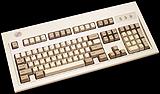
The Keyboard layout is still not the same
Really? This picture of Apple's Extended keyboard (from Apple's website) looks an awful lot like the PS/2 keyboard that IBM introduced in 1987. The G4 keyboard is just a slight (very slight) variation. -
Dang it......here's another Slashdot link to a review of a novelty product I reviewed some time ago.
My review of the goofy PC neon kit also includes a frickin' plasma ball.
-
SheeshI reviewed this thing in September last year - and I wasn't the first.
If Slashdot has to send tons of traffic to reviews of non-new products, why can't they send it to my reviews of non-new products
-
Can't beat Lian Li......if you ask me. Light weight, lots of ventilation, nice looks, easy to work on. Expensive, but so's this Coolerguys thing. You you can retrofit fans easily enough yourself, like I did with this monstrosity.
If you want a small case, the Lian Li PC-31 (review here) is pretty funky. The PC-60 (review here) is still highly portable and has lots of space, and the new PC-70 (review here) is, um, an ideal case for people who really want to impress their fellow gamers. The darn thing still weighs bugger-all, at least until you put an actual computer inside it
-
Can't beat Lian Li......if you ask me. Light weight, lots of ventilation, nice looks, easy to work on. Expensive, but so's this Coolerguys thing. You you can retrofit fans easily enough yourself, like I did with this monstrosity.
If you want a small case, the Lian Li PC-31 (review here) is pretty funky. The PC-60 (review here) is still highly portable and has lots of space, and the new PC-70 (review here) is, um, an ideal case for people who really want to impress their fellow gamers. The darn thing still weighs bugger-all, at least until you put an actual computer inside it
-
Can't beat Lian Li......if you ask me. Light weight, lots of ventilation, nice looks, easy to work on. Expensive, but so's this Coolerguys thing. You you can retrofit fans easily enough yourself, like I did with this monstrosity.
If you want a small case, the Lian Li PC-31 (review here) is pretty funky. The PC-60 (review here) is still highly portable and has lots of space, and the new PC-70 (review here) is, um, an ideal case for people who really want to impress their fellow gamers. The darn thing still weighs bugger-all, at least until you put an actual computer inside it
-
Can't beat Lian Li......if you ask me. Light weight, lots of ventilation, nice looks, easy to work on. Expensive, but so's this Coolerguys thing. You you can retrofit fans easily enough yourself, like I did with this monstrosity.
If you want a small case, the Lian Li PC-31 (review here) is pretty funky. The PC-60 (review here) is still highly portable and has lots of space, and the new PC-70 (review here) is, um, an ideal case for people who really want to impress their fellow gamers. The darn thing still weighs bugger-all, at least until you put an actual computer inside it
-
The sanely-priced version...I reviewed a cheap alternative to "serious" SSDs like this a while ago - the review's here. It's just an adapter that takes a CompactFlash card; CompactFlash cards can do ATA natively. It's cheap, and so are smaller capacity CF cards - all you need for a lot of SSD applications is 8Mb or 16Mb, after all. No battery backup or external PSU needed, plenty fast enough for most purposes, fine for everything but swap file use.
That link again
-
The sanely-priced version...I reviewed a cheap alternative to "serious" SSDs like this a while ago - the review's here. It's just an adapter that takes a CompactFlash card; CompactFlash cards can do ATA natively. It's cheap, and so are smaller capacity CF cards - all you need for a lot of SSD applications is 8Mb or 16Mb, after all. No battery backup or external PSU needed, plenty fast enough for most purposes, fine for everything but swap file use.
That link again