Slashdot Mirror
Domain: linuxfocus.org
Stories and comments across the archive that link to linuxfocus.org.
Comments · 17
-
Re:Short sight
C was not originally designed to be a "portable assembler" across platforms.
Well, I rather believe Mr. Ritchie and Mr. Kernighanhttps://www.coursehero.com/fil...
http://www.linuxfocus.org/Engl...
Wow, that was easy again.
-
Re:Linux IS classified as a form of UNIX though...
Dennis Ritchie includes GNU/Linux when speaking of Unix. Just the word 'Unix' is rather ambiguous. I generally use four sets of terms and try to be specific whenever possible:
1. AT&T UNIX or Bell Labs UNIX. The operating system developed by AT&T/Bell Labs (SysV, Version 7 UNIX)
2. Genetic UNIX. Any operating system that can trace it's history to AT&T UNIX.
3. Branded UNIX or SUS. Any operating system that meets the Single Unix Specification and pays the necessary fees.
4. Unix-like, functional Unix, or *nix. Any operating system that is designed to be have the same functionality and overall design as AT&T UNIX.
GNU/Linux only meets the terms of functional Unix, but being functional Unix is more important than being branded or genetic Unix in most usage, so it's not uncommon to use Unix just to describe functional Unix. -
Unix doesn't *mind* being ugly
Nice little gem here though.
http://www.linuxfocus.org/English/May2004/article335.shtmlBe warned though - unix *likes* being ugly. non-ansi terminals quickly fill with garbage when ansi escape codes are printed to them. The same problem is with using purty' X dialog shells. If you don't have the terminal support, or X session, or X libraries installed, your script becomes useless in a hurry.
-
The open eleven steps to telecommutingFrom my blog Friday, October 28, 2005 The open eleven steps to telecommuting
I have set up and supported remote sites and home based telecommuting. Listen to my advice, listen very carefully and save your sanity.
If your organization is large enough then it is likely that you will have a few older desktop PCs that have been or are due for replacement during an upgrade cycle. PCs that are inadequate for Microsoft XP and Office2003 are more than powerful enough for many current versions of Linux, especially for the role of server. Also second hand PCs with the required specifications are very cheaply acquired.
1) Find an older PC, at least a PII 300 with 256 MB memory, to set up as a headless ( no display or keyboard ) server and firewall. A simple web based interface ( or even an external hardware push button ) can be used by the local users to start/stop the server and internet connection. All other maintenance should be handled remotely via ssh, webmin and VNC.
2) Install a second NIC or connect the modem directly to the server. Connection to the Internet should be through the server and connection to the Office should be through a VPN on the server. Use a dynamic IP service for each site so you can remotely log on to the local server via ssh.
3) Install a new IDE hard drive in a 3.5" removable rack and tray. The drive should be than big enough for the operating system (Linux of course) and copies of some of the local desktop partitions. A telecommuter can shut down the server and bring in the drive during the day to resync and repair.
4) Install a DHCP demon on the local server to allocate local IP addresses, DNS and gateway settings. If the desktops are network boot capable then install TFTP to remotely boot and use Knoppix via PXE and the network. If the desktop OS is constantly crashing, or is infected by malware, the user can select PXE/network boot via the BIOS, and boot into Knoppix. The user can then be instructed over the phone to enable the ssh server to allow remote scan,repair and reimaging of the desktop partitions. The user can use the Knoppix desktop to continue working with full access to files while the the remote administrator fixes/reimages the drive in the background.( Consider hiring someone who knows how to customise Knoppix or another live Linux system for your setup )
5) Partition the desktops with as small as required C: partition ( or in the case of Linux the root partition ) for software. When software is install, use dd and netcat via live Knoppix to copy/clone a snapshot of the partition to the server. You can allocate the remaining free space as a persistent partition where documents are stored.
6) Install and enable remote VNC service on all the platforms, but only allow incoming connections from the local server ( which is redirected over a SSH tunnel ).
7) For local backup, create share directories on the desktop accessible by the server. On the local server create loopback encrypted file systems, unmount and copy the images to the desktops shares in chunks, using redundancy if enough space is available on the desktops. Checksum ( MD5 is enough ) each piece.
8) If the network load to the Office is taking up all the available internet bandwidth or the connection is just too slow then install proxy servers on the local server. You can also consider using a distributed filesystem ( OpenAFS is still the best ) wi -
Linux Focus in several languages, though no PDF
Since 1997, there is Linux Focus Magazine
linuxfocus.org -
Re:LinDash 3 in 1 ?
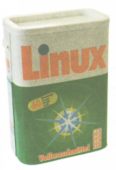
It's not like this is the first time washing powders use operating system names.
-
Not up to Windows yet?
You should read
this article. If linux is set up right then it is much easier to use then Windows. No I am not suggesting that you install Linux on an older persons machine and let them loose but then I don't really suggest that you do that with Windows either. The trick to makeing a computer easy to use for older people (and younger less technical ones is to custumize their interface to suit how they use their computer. Most people really do not need an entire startbar full of possiblities to have to choose from! -
two similar DIY projects with softwareIn these two projects, you hook up wire and sme stuff to the serial port. They both include circuit diagrams, theory (for modifications), and Linux software:
- TTY control: 7 buttons and 3 leds.
I built a simpler version of #2 last week, and it was a lot of fun and very easy! -
Lucent did a virtual OS - Inferno
Inferno's not an OS/Language hybrid but it is a virtualised unix like OS that will run with identical interfaces, including GUI, on differing hardware & software combinations. It will run natively on some hardware [such as my IPAQ] and hosted elsewhere - such as Windows & Linux.
It was a project started before Java and shares many of it's aims but went that one step futher by retaining the concept of an OS where you can read and write files etc.
Dennis Ritchie talks about Inferno and other things
-
Remote OpenGL apps
From: http://www.linuxfocus.org/English/January2002/art
i cle222.shtml#222lfindex3
Currently most Linux graphic card drivers (X servers) do not support hardware-accelerated GLX/OpenGL for remote applications. They do support hardware acceleration for local applications. The effect is that remotely started OpenGL applications are hardly starting at all and are really slow. An exception are the closed source NVidia drivers. They have a direct rendering interface which supports indirect rendering for remote applications.
I use a central server to run my applications and then use X to display them remotely. Is the above excerpt out of date or do any other board manufacturers plan to incorporate the ability to run OpenGL apps from a server?
Brian. -
Re:For future reference...
Linux is a washing powder, didn't you know? Those of you who don't believe me read, read or read
-
Re:NIS/YP..Take your pick.
NIS works great - I would highly recommend it. I agree with the parent poster in that using NIS is the obvious thing to do - the most simplistic google search would reveal that.
http://www.linuxfocus.org/English/July2001/article 148.shtml is a good NIS howto.
http://www.isi.edu/~govindan/cs558/nis/ is a good basic overview.
NIS is a solution that will work on linux, solaris, and windows 2000 - so it is perfect for your application.
-
Here's some useful information...
The most important article:
Realtime data mirroring under Linux
And some other resources...
The Advanced Maryland Automatic Network Disk Archiver (AMANDA)
Creating Filesystem Backups with 'rsync'
Linux Backup -
Re:Why?
I totally agree. Why pay $1000 for something that my cheaper linux box does better anyway?
One thing that will probably stay over those ten years though: most radio sucks.. -
already found prior art
I note that Linux Focus already uses md5 to allow mirrors to check for updates to the pages. See that here.
Did the patent office even try a Google search before stamping its approval on this patent?
-
Using WildcardsI think that wildcards in web applications are not something new.
Take a look at http://cv.developer.ch
I use this possbility for the above project to make users cv available.User aghaffar gets aghaffar.cv.developer.ch, user madmag gets madmag.cv.developer.ch
I dont know why somepeople try to make fool out of themselves by patenting obvious things.
You can read my article on LinuxFocus (January Issue) that talks about these techniques.
-
Use Etherboot?The tutorial on Etherboot at
http://www.linuxfocus
suggests that others have already solved this. You might want to email the author of that tutorial for details?Jonathan