Slashdot Mirror
Domain: videolan.org
Stories and comments across the archive that link to videolan.org.
Comments · 829
-
Re:Why?It's a big post, lemme see if I can cover it all.
Maybe so, I wouldn't know. But in general, OS X supports a lot more Apple hardware than Linux. For example, XFree86 4.1 is still unaccelerated for a lot of video cards in Apple systems, Firewire device support in Linux is flaky, and sound doesn't work under Linux in many systems (particularly laptops).
I disagree with this pretty strongly. Linux PPC runs on essentially any Apple PCI PowerPC machine ever made. MacOS X runs only on recent G3 and G4 models. It doesn't even fully support the DVD decoding hardware in older G3 laptops. It doesn't support the original PowerBook G3 at allApple's new OS doesn't support hardware they were shipping only 18 months ago. Now that's service with a smile! (Reference: System Requirements for MacOS X 10.1)
XFree86 is accelerated for Mach 64, Rage 128, and Radeon which covers all the Macs I care about. 2d drawing, video scaling, colorspace conversion, and 3d OpenGL are all supported. Sound works on everything that OS X supports except the newest iBook.
BS. I've got an iBook with YDL 2.0 and it doesn't even support suspend/sleep mode, nor does it dim the display. It can spin down the disk and blank the display, but that's it.
YDL is the worst Linux PPC distribution you can buy. Get Debian/PPC and install a BenH kernel which supports power management on PowerBooks (and iMacs, Cubes, etc.) Linux powers off my PCMCIA cards when the PowerBook sleeps, where MacOS X does not. If I put my PowerBook to sleep under MacOS X 10.1, my battery will be drained by morning. With Linux it sleeps as long as MacOS 9 does.
BS again. I just watched a DVD on my TV this past weekend driven by the AV connector on my iBook, in OS 10.1. Further, I'd like to know what version of Linux for PPC supports video out on my iBook.
Well that's great for the iBook, but on the PowerBook neither the TV nor the external monitor can play movies, and you also can't play movies on the LCD with a TV or monitor attached. Linux does this just fine. I use VideoLAN which has Altivec acceleration, and incidentally also has an embryonic MacOS X port. Read the Apple Technical Note 60895 "DVD Player 3.0 Does Not Work With External Monitor Connected to PowerBook"
Like what? Are you going to provide any examples, or are you just making stuff up?
Hear me now or hear me later: OS X is *loaded* with local root exploits. Here's one article.
5. How about timely support for future hardware you're likely to buy?
How about support for hardware I just bought a few months ago? Oh wait, that might cut into Steve's personal slush fund.
-
Re:Mac OS X restores fair use for DVDs!
That's just the movie running in Apple's DVD player app. As per the edicts of the MPAA, it does not allow you to take screenshots or recordings. Hopefully these guys will come through with a non-crippled player.
-
Re:Reinstall??
Hopefully, some day, Cyberlink will get around to actually releasing it so that I can pay them some money. Until then, I'm happily using the copy that I war^H^H^H found somewhere...
You might find Videolan an interesting alternative. They don't have menu navigation yet, but apart from that it's a nice player. It plays quite well (though it sounds as though it has higher processor requirements than PowerDVD), has a nice interface with native support for gtk+ and qt, and finally has usable if ugly subtitles. Of the available free players I've found it to be the best.
-
Re:Isn't a windows emulator pointless?Sonicboom wrote: Over the years alot of great apps such as GiMP, StarOffice, etc.. have come along to keep people like me from going back towards using MS Windows.
I don't understand the point of installing MS Windows to run ontop of linux. Sure - it's fun from a software hacker's point of view - but in all sense it is almost a step in the wrong direction.
I'm not discounting the MS oper sys's - they have their place in the world - but for me I can't see the point. I run Linux as an ALTERNATIVE to running MS Windows...What it boils down to is choice. Running an emulator (of whatever kind) gives one even more choice, more freedom. You can have your cake and eat it too. Of course, that still leaves the original question -- Why would anyone who is running a lovely stable operating system like Linux, want to us M$ Windows as well? People have already given a number of reasons:
- To check compatibility with M$ Windows (for example -- to check if your web pages work for those people who do use M$ Windows)
- To run M$ Windows software
- Because a Linux equivalent does not yet exist
- Because you need to be able to exchange data with others using the M$ product (and a good enough Linux equivalent still does not exist)
- Because you have a bunch of existing data (whether that be some WP format or DB format) which it would just take too much effort to convert over to a Linux equivalent
I myself have encountered situations like this. For example, the documentation for a project I work on is required by the client, to be in an M$ Word electronic format. We managed to get them to agree to RTF. We thought, hey, we'll use the same RTF source to produce an online HTML version of the docs, that'll wow 'em! We're a Unix house, we ended up writing our own RTF2HTML converter based on a public skeleton one... we dug into the spec for RTF, finding that, yes, we could link PNG pictures rather than embedding WMF pictures into the RTF files... we produced the HTML, after much wrestling with M$ Word to actually allow us to link the PNG pictures (it kept on wanting to produce WMF as well)... we produced the HTML! And the resultant RTF files... cannot be edited in StarOffice without completely messing them up. StarOffice simply wasn't good enough. I would really like to have a Windows emulator running on my box instead of having to go to the PC at the other end of the office to update the documentation. (Yes, I have raised the possibility of converting the documentation to LyX and producing PDF and HTML, but TPTB haven't gone for it)
Another example: at home, I have a very old version of M$ Access running on my PC, (why get an upgrade when the old one still worked?) which holds information about my video collection (about 500+ tapes). That data has been collected over many years, as my collection has grown, and I need it. I have a few choices:
- I can dual-boot M$ Windows. This is what I currently do, but I am getting tired of it.
- I can run a M$ Windows emulator. (Another pain, because unfortunately WINE won't work on my old software; I've yet to try the others)
- I can convert the entire database into something completely different, like PostgreSQL. This is also a pain, and takes time to do.
Another example: I have a DVD disk on my PC (as many new PCs do). I want to play DVDs on it. Fortunately, with vlc I can, but its featureset is still not not full; it can play DVDs but you don't get the menu screens etc. I am willing to put up with that, but others want more features. If a windows emulation will enable them to run specific software that they like better, surely this is a Good Thing? Freedom of choice!
What it boils down to is what kind of tradeoffs one is willing to make, to get the things you want. And for many, a M$ Windows emulator will give them a solution which saves them time/money/effort/hassle.
-
Re:Methinks not
Try some other programs - I also have not had luck with Xine.
There is the Linux Video Project which produces a DVD player for linux.
There is MPlayer which is capable of playing DVD's...
But the one that I have had the most success with is the VideoLan Client. Despite the name, it is essentially a DVD player for many OS'es, with a built-in CSS decryptor. I have used it very successfully. -
Re:Go DellThe only thing missing from my Thinkpad T22 is the firewire port and slightly lower battery life. Considering the extra features I got over the more expensive powerbook, those are trivial concessions:
1Ghz PIII CPU
DVD drive (and it can actually play DVD's under Windows 2000... and soon under Linux too)
Titanium shell
32GB drive
2 Type I/II/III/Zv card slots
4.7 lbs
4 hour battery (self measured, w/speed step)
SVHS-out
built in ethernet and modem (the newer T23 model has a built in wireless modem and antenna)
1400x1050 display (and will drive an external monitor or projector at 1600x1280)
When I bought my machine, it also came bundled with a top-mount digital camera (the IBM ultraport camera) a leather case, and one of those 8MB USB memory keys.
All that for $3999 Canadian, which at current exchange rates is about $2600USD.
-
Re:still no DVD playbackIt's pre-alpha and according to its own MacOS X port page:
But??!! It sucks! It's f@#$*&£ slow!! It crashes!!!
Well, the OS X port is about 1 month old, and needs lots of improvements to become usable. Please bear with us
So I'm not sure what your point is.
Tim
-
Good to see...
It's really exciting to see several different groups independantly and together...
See, SmartTags(tm) aren't so bad after all. -
Re:ummm...
It bugs me when something is plugged for many different operating systems when I (admittedly not a coder, but I'm not totally clueless) can't compile it for the life of me on a recent stable FreeBSD release. This might not be such a problem if there was any kind of documentation, of any sort, anywhere, regarding other operating systems.
They aren't plugging it for many different operating systems. For each of their ports, they have a brief description of what is working and what isn't. In some cases, some pretty vital features are missing, and they aren't hiding that. VLC ports: BeOS, BSD, Linux, MacOS X, QNX RTOS, Solaris, and Windows. Click on any of those to get the current status of the port. In the case of BSD, it says encrypted DVD input is untested. So you've got a pretty limited selection of DVDs you can get to work, unless someone has managed to get that code working (it is possible they just haven't updated that page).
-
Re:ummm...
It bugs me when something is plugged for many different operating systems when I (admittedly not a coder, but I'm not totally clueless) can't compile it for the life of me on a recent stable FreeBSD release. This might not be such a problem if there was any kind of documentation, of any sort, anywhere, regarding other operating systems.
They aren't plugging it for many different operating systems. For each of their ports, they have a brief description of what is working and what isn't. In some cases, some pretty vital features are missing, and they aren't hiding that. VLC ports: BeOS, BSD, Linux, MacOS X, QNX RTOS, Solaris, and Windows. Click on any of those to get the current status of the port. In the case of BSD, it says encrypted DVD input is untested. So you've got a pretty limited selection of DVDs you can get to work, unless someone has managed to get that code working (it is possible they just haven't updated that page).
-
Re:ummm...
It bugs me when something is plugged for many different operating systems when I (admittedly not a coder, but I'm not totally clueless) can't compile it for the life of me on a recent stable FreeBSD release. This might not be such a problem if there was any kind of documentation, of any sort, anywhere, regarding other operating systems.
They aren't plugging it for many different operating systems. For each of their ports, they have a brief description of what is working and what isn't. In some cases, some pretty vital features are missing, and they aren't hiding that. VLC ports: BeOS, BSD, Linux, MacOS X, QNX RTOS, Solaris, and Windows. Click on any of those to get the current status of the port. In the case of BSD, it says encrypted DVD input is untested. So you've got a pretty limited selection of DVDs you can get to work, unless someone has managed to get that code working (it is possible they just haven't updated that page).
-
Re:ummm...
It bugs me when something is plugged for many different operating systems when I (admittedly not a coder, but I'm not totally clueless) can't compile it for the life of me on a recent stable FreeBSD release. This might not be such a problem if there was any kind of documentation, of any sort, anywhere, regarding other operating systems.
They aren't plugging it for many different operating systems. For each of their ports, they have a brief description of what is working and what isn't. In some cases, some pretty vital features are missing, and they aren't hiding that. VLC ports: BeOS, BSD, Linux, MacOS X, QNX RTOS, Solaris, and Windows. Click on any of those to get the current status of the port. In the case of BSD, it says encrypted DVD input is untested. So you've got a pretty limited selection of DVDs you can get to work, unless someone has managed to get that code working (it is possible they just haven't updated that page).
-
Re:ummm...
It bugs me when something is plugged for many different operating systems when I (admittedly not a coder, but I'm not totally clueless) can't compile it for the life of me on a recent stable FreeBSD release. This might not be such a problem if there was any kind of documentation, of any sort, anywhere, regarding other operating systems.
They aren't plugging it for many different operating systems. For each of their ports, they have a brief description of what is working and what isn't. In some cases, some pretty vital features are missing, and they aren't hiding that. VLC ports: BeOS, BSD, Linux, MacOS X, QNX RTOS, Solaris, and Windows. Click on any of those to get the current status of the port. In the case of BSD, it says encrypted DVD input is untested. So you've got a pretty limited selection of DVDs you can get to work, unless someone has managed to get that code working (it is possible they just haven't updated that page).
-
Re:ummm...
It bugs me when something is plugged for many different operating systems when I (admittedly not a coder, but I'm not totally clueless) can't compile it for the life of me on a recent stable FreeBSD release. This might not be such a problem if there was any kind of documentation, of any sort, anywhere, regarding other operating systems.
They aren't plugging it for many different operating systems. For each of their ports, they have a brief description of what is working and what isn't. In some cases, some pretty vital features are missing, and they aren't hiding that. VLC ports: BeOS, BSD, Linux, MacOS X, QNX RTOS, Solaris, and Windows. Click on any of those to get the current status of the port. In the case of BSD, it says encrypted DVD input is untested. So you've got a pretty limited selection of DVDs you can get to work, unless someone has managed to get that code working (it is possible they just haven't updated that page).
-
Re:ummm...
It bugs me when something is plugged for many different operating systems when I (admittedly not a coder, but I'm not totally clueless) can't compile it for the life of me on a recent stable FreeBSD release. This might not be such a problem if there was any kind of documentation, of any sort, anywhere, regarding other operating systems.
They aren't plugging it for many different operating systems. For each of their ports, they have a brief description of what is working and what isn't. In some cases, some pretty vital features are missing, and they aren't hiding that. VLC ports: BeOS, BSD, Linux, MacOS X, QNX RTOS, Solaris, and Windows. Click on any of those to get the current status of the port. In the case of BSD, it says encrypted DVD input is untested. So you've got a pretty limited selection of DVDs you can get to work, unless someone has managed to get that code working (it is possible they just haven't updated that page).
-
Saw libdvdcss on Freshmeat.net...
This is a pretty novel approach to DVD-decryption. I'm not sure as to the legality of this, but I do know that the server where this code resides is in France, maybe they have a saner intellectual property policy?
I really think that with this release the folks at videolan.org have surpassed the OMS project, which also had an aim of bringing DVD video to the desktop.
-
ClarificationIt took me a few parses to figure out what they meant by "transparent CSS decryption". I kept wondering what the hell "transparent CSS" was and whether it was related to regular CSS.
After browsing through the pages, it seems that they mean that it's something to let you transparently decrypt CSS. The library lets you access a DVD as a block device, as if it didn't have any encryption at all. The page for the library itself is here.
-
videolan
you guys should check out videolan for playing dvd's on linux. It supports encrypted DVD's, and plays subtitles too. check it out: www.videolan.org
-
Another linux DVD program
They forgot to mention another linux dvd program
called VideoLAN (http://www.videolan.org)
works on my system, does css (i think),
and has subtitles. get a pretty decent framerate too.
I saw it annouced over on freshmeat,
but never see anything mentioned about it.
just though I'd post a link.
-Slackergod -
Don't forget VideoLANIt's a nice DVD player that supports on the fly subtitles and language selection, that directly reads your DVD without having to mount it first, reads encrypted DVD (without using DeCSS), has multiple front-ends for different platforms.
I don't know if it's "the best one" or not, but it's the only one I managed to compile AND make work, so I thought I'd mention it.
More info on their web site.
--
Ash nazg durbatulûk, ash nazg gimbatul, -
What about xine? And vlc? And...?
This article sounds like oms brought DVD video to linux.
From a user's perspective, this is simply wrong: I've tried to compile oms for several months now, and I have only had partial success. All the people I asked about OMS had the same problems. Most of the time, the CVS snapshot didn't compile because some sub-parts of OMS were incompatible with others. On good days, it compiled, but had dozens of bugs...
At the same time, other Linux DVD players appeared: xmovie played the
In November 2000, I had my first glimpse on xine. In those days, it was a tiny new project, not even designed to play DVDs "for legal reasons", as the xine people always say. But it had one remarkable feature: It simply worked! I Just had to configure; make; make install and it even played (unencrypted) DVDs. After a few days of searching, I even found the CSS Plugin, which enabled xine to play encrypted DVDs. Again, it was trivial to install...
In the Meantime, there has been a rush of new xine versions. The player has become much more mature, and it supports most features I need for DVD playing, even subtitles. The developer team has been very helpful. They really try to satify user needs. There are precompiled RPM, Slackware and Debian packages. The source is extremely portable, there are people running xine on FreeBSD, or even PowerPC machines.
To make it short: Xine simply works. I never had a reason to switch again...
xine links
xine homepage
css descrambling plugin
"complete xine", xine including the css plugin -
Re:What's the "Lan" in "VideoLan?"Well if you would have bothered to go to the homepage and clicked on the documentation you would see this:
How do I read an encrypted DVD ? It's exactly the same as for a normal DVD. You will need write access to
You need write access to
It will output over X11, but the decoder still needs to be on the same machine as the drive.
Fear my low SlashID! (bidding starts at $500) -
Re:What's the "Lan" in "VideoLan?"Well if you would have bothered to go to the homepage and clicked on the documentation you would see this:
How do I read an encrypted DVD ? It's exactly the same as for a normal DVD. You will need write access to
You need write access to
It will output over X11, but the decoder still needs to be on the same machine as the drive.
Fear my low SlashID! (bidding starts at $500) -
Many options for DVD on Linux
I don't mean to try and take away from the LiViD team. They were the first to start working on a DVD player for linux, and there work has provided the basis but there are several other DVD players for linux. But there are other players which many have reported to be better than oms in the areas of configuration, performance and audio sync. One of these is call VideoLAN which several others have mentioned. It now has css support much like OMS and the performance is suppose to be quite good on lower end system. VideoLAN is not quite as old as OMS but the source was only made available more recently hence less exposure. I believe most of the code in VideoLAN was developed independently of LiViD code except css of course. There is another which has called Xine which is the newest one but reported to be one of the best. I believe this one used the LiVid video and sound system but has tweaked synchronization and performance as well as adding some other feature. This one is also designed to be compatible across several free unix type platforms including *BSD. Note that the standard version of Xine does not come with css support but it can be added with a plugin from here as well as a version with the plugin already built in here. Again what LiViD has done is great but competition as always is good. The only thing I would like to see is some unified plugin standard for these players so that any css plugin could work with any of the DVD players. That way if new DVD's come out that break the current CSS updates could occur much easier for all the projects.
-
Re:Lovely DVD
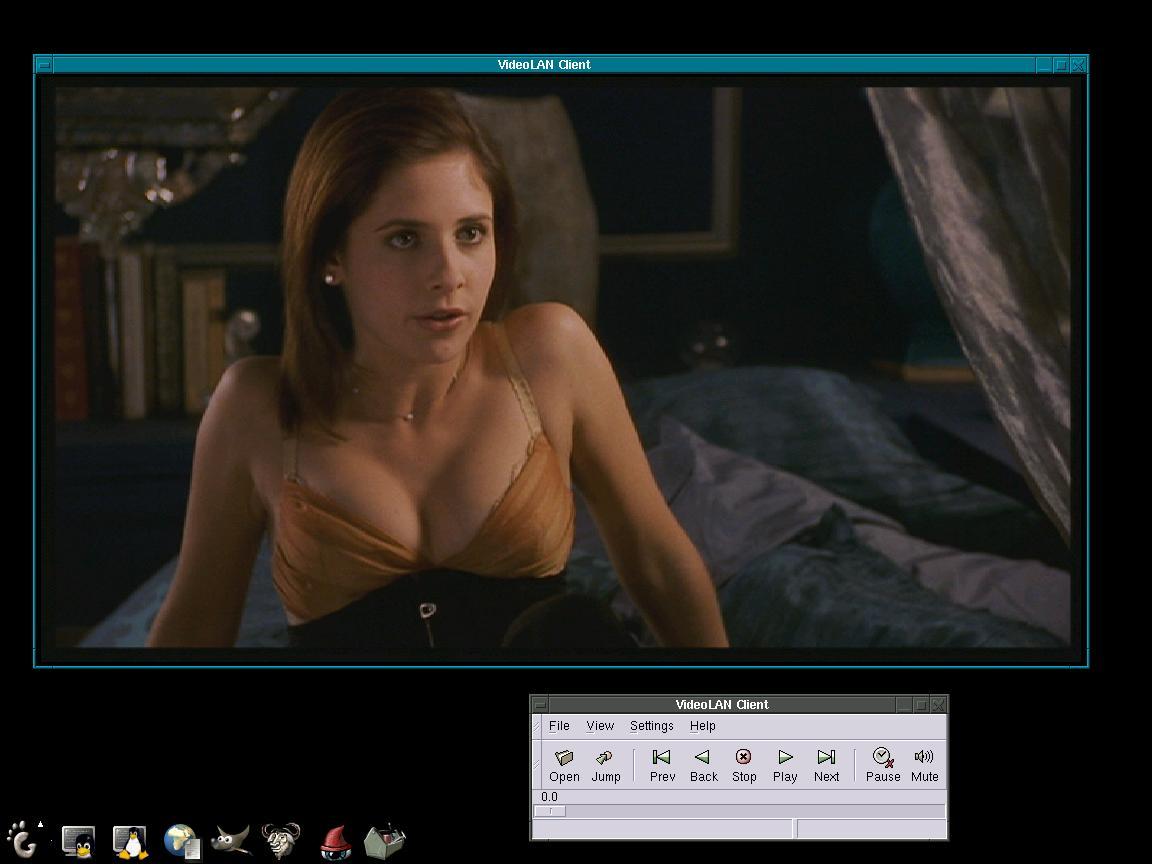
It's from Cruel Intentions. The VideoLAN people have the same here
-- -
LinuxVideo? No. VideoLan, Yes!
I was pretty disappointed with LinuxVideo (LiVid) as I only got 6 fps TOPS on a Duron 700, however, a discrete link in a recent Slashdot story linked to VideoLan.org, and THEY have a client that works and works SPLENDIDLY. I got FULL framerate and EXCELLENT AUDIO as well. I've never turned back!
-
I still like VideoLan
VideoLan uses SDL and plays very smoothly on my 500Mhz laptop, can play directly from encrypted DVDs, and it doesn't require jumping through a lot of hoops to get compiled/running. It's usable now, releases come in reasonable timeframes, and it keeps getting better, I'll stick with it.
-
avifile sucks
avifile may read divx's, but it certainly doesn't work for all windows video CODECs. Have you ever tried getting it to use one other than those it comes bundled with - I hav't been able to get a single additional one to work - then all fail in different ways.
Still, if you do want to use avifile, aviplay and XMPS are not the best players. Try LAMP or XTheatre instead.
There are better options for MPEG also. SMPEG only works for MPEG-1 (as does mtvp). For MPEG-2, try xmovie, xine, or the VideoLan client.
There's also at least 3 Open Source divx (i.e. MPEG-4) CODEC efforts that I'm aware of - I submitted the story yesterday, but it was rejected. -
DVDs players availableHi,
There's videolan that work on many platforms (Linux x86, Linux PPC, framebuffer, SDL, etc. even BeOS) with unencrypted DVDs:- http://www.videolan.org/
- And PowerDVD, a famous DVD player for Windows, announced a DVD player for Linux so, being closed (as I imagine), I guess it'll be able to play encrypted DVDs.