 Slashdot Mirror
Darwin Booting On x86
bjtuna writes "According to this article at the Daily Daemon News, Apple's Darwin is booting on both Intel chips AND Connectix VirtualPC under MacOS." The screenshots are available as is the original link.
← Back to Stories (view on slashdot.org)
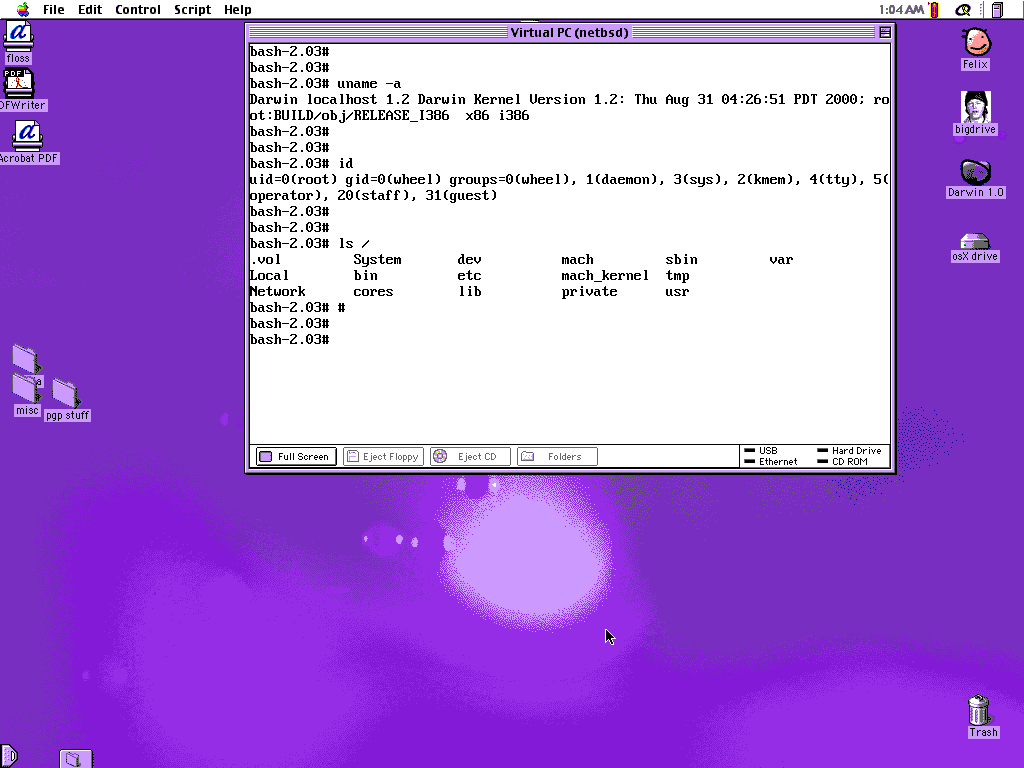
Darwin is still in its earliest stages on x86. If you miss the early days of Linux and *BSD, you might enjoy helping get Darwin going.
If you want to try Darwin for yourself, you'll need
Once you have that hardware, you need to download two images: one for a partition of type AB (20 KB compressed) and one for a partition of type A8 (about 100 MB compressed). Create appropriately sized partitions on your disk (945 blocks and 920304 blocks respectively), and uncompress the images onto those partitions (I used primary partitions; extended partitions might work, too) and try to boot. You can either use lilo, or download a Darwin boot sector.
If you can boot Darwin, then you can begin to explore. If you like to hack on a new OS, or would like to see how Apple's idea of Mach (monolithic kernel) differs from that of the Hurd (microkernel), or even if you'd just like to see things done a different way (e.g., dyld vs. ld.so, netinfo vs. NIS, IOKit vs. ????, etc.), Darwin can be pretty interesting.
For more information on on Darwin, check out Darwinfo or Apple's darwin-devel mailing list.