 Slashdot Mirror
Opera Gives That C64 Feel
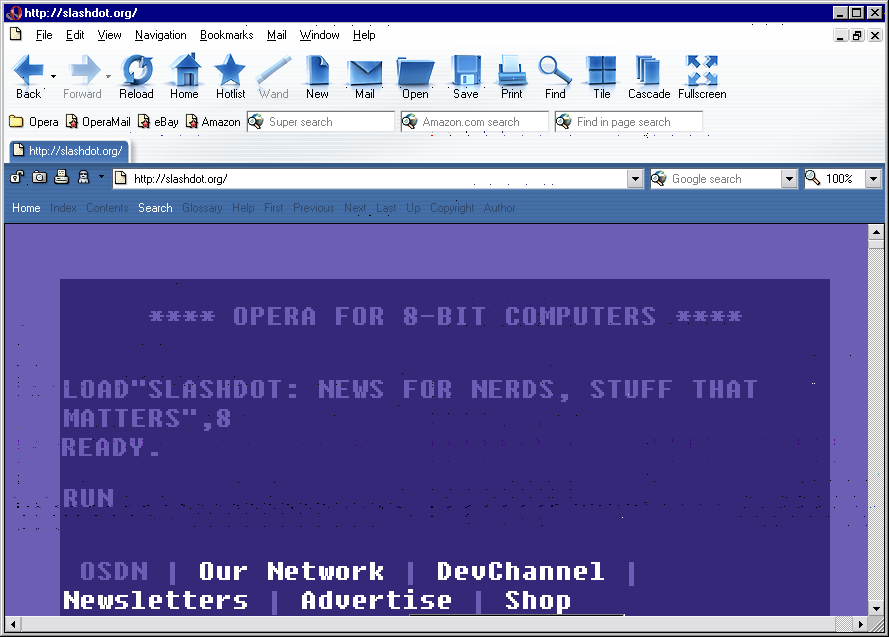
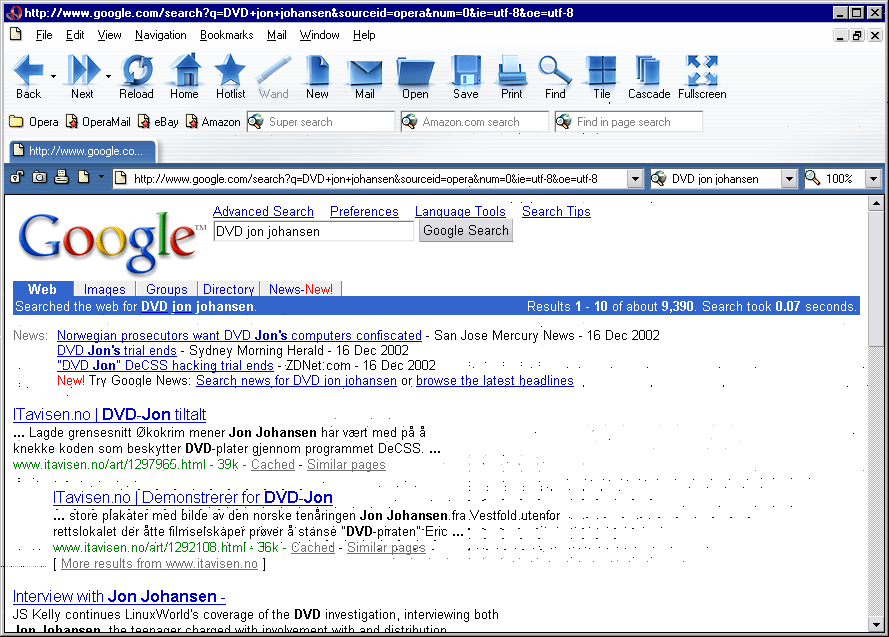
howcome writes "Opera yesterday relased beta2 of the forthcoming 7.0 version. Opera now supports mulitple user style sheets and by selecting "Nostalgia" from the menu all web pages suddenly resemble Commodore 64 (screendump1 screendump2) from 20 years back. Also, there is a handheld emulator to see what a page will look like on a handheld device running Opera. To get you through Christmas, you can also use the "fast-forward" button. Try it on Google (screendump)!"

Read the tutorial at mozdev.org.
--
the strongest word is still the word "free"
Have you been using Opera recently? Like over the last couple years? The new betas are really pretty speedy and also smaller than the 6.x release versions. I just downloaded the last beta and the latest production release. Here they are:
[wee@host tmp]$ ls -l
total 6836
-rw------- 1 wee wee 3588280 Dec 18 16:06 ow32enen605.exe
-rw------- 1 wee wee 3397867 Dec 18 16:05 ow32enen700b2.exe
My boss and I were talking about this very topic. They've apparently re-written the rendering engine from the ground up. We suspect that they use the same engine in the desktop versions as in the embedded versions. Then they tack on JavaScript and Java and the various UI bits to make each platform-specific release.
Whatever they do, they haven't succumbed to to creature feep. They've done just about the opposite: they started fresh and the result is a faster, leaner browser. Of course, I've only used the windows version a couple times, but it was noticeably nimbler than the 6.x Linux versions.
-B
Ash and Hickory, straight-grained and true, make excellent bludgeons, dandy for the cudgeling of vegetarians.
I have to ask - you - why is PNG bad? Really - I'd like to know what you think is bad about it? What would you suggest is better? Windoze BMP for it's small file size maybe?!
Info on PNG
My Kettle
Yes, it was Impossible Mission. Man, I wasted so much time on that game. Here's a good site for it:
http://members.tripod.com/~impossible_mission/
Check one of the other links to the pictures provided in this thread, and you'll see that it is merely a rendering function to display html in a particular manner. It's not even a skin, a la Netscape or RealPlayer, it's nothing more than a manner of formatting the page (in a clunky and unusable manner). In other words, it almost certainly has zero effect on performance.
I've recently started using Pheonix and Mozilla, and have found that both are just as stable as Opera, except they do not have this feature, so my losses are more substantial, sometimes requiring me to search through my browser history to get back to where I was. I know that there is some sort of feature like this with the tabs extension, but it's not obvious how it works, and I never got it to.
_KhlER3L
Here's a little comparasin, as I use both Opera and Pheonix. Some stuff opera does that pheonix doesn't do, or doesn't do as well (that I actually use): 1. switch all graphics on and off 2. switch css on and off 3. zoom in and out Stuff pheonix (and extensions) does that opera doesn't do, or doesn't do as well: 1. turns off specific graphics 2. better tab management (middle click!) 3. better personal bar, (I especially like opening all my newssites at once with a single middle click, and then throwing them away with another single click when I need to move onto another task.) Just chiming in... _KhlER3L
I'm quite impressed with this second beta. With betas like this, IE7 better be damn good to not get yawned at
-
Screen 1
-
Screen 2
These aren't the actual image files (I reduced them from 24bit to 8bit because it halved the filesize, and they fit in an 8bit pallette anyway), but they look the same (see parenthesies).Karma: Excellent (fuck, even in the future moderation doesn't work!)
Great game, so much fun, and surprisingly full of stuff to do and explore. Or maybe it was just because I was like 8 years old.
... You broke your Shuba!
In any case, I loved that game so much that I bought the book. There's an entire series, in fact. The book really explains what was going on in the game. It's an interesting read if you're a Below the Root fan.
Random and weird software I've written.
Anyone can check Opera's specs pages and see that you are lying through your teeth about Opera 7 not being very standards compliant.
Clever signature text goes here.