Slashdot Mirror
Domain: all-day-breakfast.com
Stories and comments across the archive that link to all-day-breakfast.com.
Comments · 48
-
Mouse = a device for focusing xterm windows
WMX
http://www.all-day-breakfast.com/wmx/
Features:
- Lightweight (size measured in Kb, not Mb)
- Unobtrusive. Uncluttered appereance (we need no friggin' icons on our desktop)
- Left-side titlebar preserves space on wide-screen displays
- Multiple desktops
- Root menu for quick launch of applications (just put scripts/symlinks in a directory, the contens will be displayed as a menu) -
Re:Window close/minimize/maximize buttons
Which "everyone else" ?
It's different on Motif, NeXTStep/OpenStep, Win 3.x, MacOS Classic & MacOS X.
Microsoft just copied OS/2 (and switched the buttons around)Let me tell you a reason: "Cascading" Windows. If you have a lot of them, if you want to select one of the windows in the middle of the stack, you're likely to push the "Close Window" [X] button. Never happens when the close window button is on the left.
As all the displays are now Wide Screen, something like WM2, with the window controls on the side would be more appropriate.
-
try wmx
Run wmx.
It's very low footprint, very low frill window manager.
http://www.all-day-breakfast.com/wmx/ -
Re:How about still using C
Speaking as someone who tried to write a small window manager for Gnome and failed, I think Havoc's done an excellent job with Metacity. If you think it's too bloated you can always try hacking Gnome support into wm2. It ain't as easy as it sounds.
-
Re:music/audio on linux:
This was modded insightful?While I know that this is more of a compositing program--at least from what I read so far...as I have shamefully not RTFA
Obviously. If you had, you'd know that it's not intended to be used for composition.
I'm going to take this opportunity to bitch about the one thing that has been keeping me from making the switch to Linux for all these years: Audio Apps
I have no idea what your requirements are. I don't know when you last looked at the Linux music scene. To me, it seems like the pro audio applications available are progressing at a fantastic rate. But without knowing your needs, I don't know whether it's good enough for you.
I'm no industry elitist that demands ProTools. in fact, I hate protools. The interface leaves much to be desires...granted, i'll buffer that (admittedly harsh) opinion: I'm a huge fan of CoolEditPro.....("eww, PC audio"...I can hear it already),
The hot app for professional multitrack audio recording and editing in Linux is Ardour. But if you don't like ProTools, you may not like Ardour, since its interface is very derivative of ProTools.
The underlying audio subsystems are a far cry from what windows offers. And what I experienced with in my limiting dealings with aRTS leaves much to be desired. (Think: latency) And I'm sure that has a lot to do with it....(why hasn't ASIO or an equiv been implemented yet?)
I don't know any Linux audio folks using aRts for their pro-audio work. Instead, the fundamental infrastructure for pro-audio on Linux these days is JACK. JACK is good stuff, designed from the ground up for professional audio work.
Other people have given you info to look at about specific pro-audio applications: Ardour, JAMin, Hydrogen, Rosegarden, etc. -- all of which can interface through JACK. Regarding plugins, there are tons; take a look at the LADSPA website. These plugins can be manipulated in a rack-like GUI interface, if that's what you want.
Regarding latency, I routinely get sub-ms kernel/software latencies; I'm limited by the soundcard's capabilities at this point. Of course, to get good latency performance in Linux, you have to be willing to do things like patch your 2.4 kernel (see e.g. Robert Love's preemptable kernel patch and Andrew Morton's low-latency patch. The 2.6 kernels are supposed to provide low latency from the start; it's not yet clear whether they do.
Many of the apps above are still in development/pre-release stages. In other words, while they're completely useable (and many people are using them to make good music), you should expect bugs. For the most part, the big ones are gone; but still, saving your work frequently is a good idea.
To me, the biggest problem in Linux pro-audio right now isn't applications. They're not done yet, but they're there, and they're advancing at an amazing rate. To me, the biggest problem is the same one that afflicts a lot of open source projects: lack of good documentation. For one example, the Ardour manual is skeletal; many (most?) people figure out how to use it either from their previous experience with ProTools, or from actually looking at the ProTools manual instead. The situation is the same for other projects. Fortunately, there are lots of mailing lists that
-
Re:music/audio on linux:
The equivalent to ASIO in linux is Jack, but comparing Jack to ASIO is to downplay it's functionality. Jack offers much more and is rapidly becoming the wheel around which all Linux-Audio apps revolve.
There are a number of audio production suites in development in Linux-land.
Some notable ones:
- Ardour, audio only, but pretty much feature complete in that arena.
- MusE a pretty advanced all in one (midi and audio) music production environment.
- Rosegarden-4 which has roughly the same feature set and goal as MusE. -
Re:music/audio on linux:
Rosegarden, Is the closest thing to Cubase VST on Linux, it has enormous potential. Unfortunately I have found it prone to random crashes. Maybe when we get a stable release candidate, it will be a goer.
My gripe is that there is no open source linux tracker that comes anywhere close to Med Soundstudio . For a long time there has been rumour of a linux port, but I've not seen any evidence of this other than a "notify me when its available" box.
-
Re:Yeah, right
That's a bit like comparing a word processor with PostScript output to PDF.
Rodegarden is a proper comparison--if not perfect--that runs on Linux (under KDE), and it does, in fact, export to Lilypond... -
Re:Market choice
Chris Cannam, the interviewer in the article, is one of the principal authors of Rosegarden, a free sequencer and music notation editor that runs on Linux. It can output to both Lilypond and MusicXML, among other formats.
-
The state of Linux content production software
It's not all rosy:
Smurf, the Linux soundfont editor/creator, seems to have fallen behind the times, and hasn't been updated to GTK2.
XMMS, the Linux WinAMP clone, seems to be primarily static -- I don't see a lot of development on it these days.
Sound servers are still par for the course -- current sound driver systems like OSS and ALSA cannot fall back to software mixing when all hardware channels have been exhausted. Frequently, general audio use is through asound or aRts, which add latency and make it easier for audio to stutter.
On the up side, the 2.6 kernel brings everyone the low-latency and preempt patches, nice for pro audio work. ALSA (Advanced Linux Sound Architecture, a new set of sound drivers) is standard in 2.6, and the aging OSS/Free is finally deprecated as the official Linux sound API. Hardware mixing, wavetable sample loading, and other things not in OSS/Free are now generally available. JACK, the Linux pro audio server, is mature and being used in a ton of projects.
PlanetCCRMA, an *excellent* source of packaged software for anyone using a Red Hat distro and interested in audio work, has been maintained and has become a good resource.
The Rosegarden MIDI sequencer is now a complete, pro-class set of composition software.
The main content creation areas:
* Page Layout - Scribus is supposed to fill this gap. I really have no idea how it compares to current pro-class page layout software.
* 3D Modeling - I'm personally not a huge Blender fan (not really comfortable with the interface), but it apparently does a good job. I was always kind of sad that front ends for POVRay never really took off, as that's a renderer with a lot of hours put into it. Not sure what the state of CAD is.
* Vector graphics: Sodipodi is slowly getting there, but there's nothing that I can currently think of that's really on par with Illustrator. For the special case of diagrams, Dia does a pretty good job -- as a matter of fact, I find it to be much faster to enter data into Dia than Visio.
* Natural media raster graphics -- Like Painter, software for producing natural-looking artwork on a computer. Essentially nonexistent in the OSS world -- apparently nobody wants to do a thesis on modelling natural media effects mathematically.
* Video Editing -- not sure what the best of breed is here. I'd be interested in hearing from people about what there is.
* Spreadsheet -- from what I've heard, unless perfect Office compatibility is a primary goal, Gnumeric can pretty much handle anything that Excel can.
* Presentation -- Not sure about how current software adds up. Last time I tried OO.org's presentation module, it was too buggy for day-to-day use and inverted a number of elements of an imported Powerpoint presentation.
* Word Processor -- unless Office compatibility is a primary issue, Open Office seems to be acceptable. I used to run into a number of cosmetic bugs, but it seems to have been cleaned up a lot, even if it is still a bit slow and has a widget set that works differently from native sets.
There are a lot of projects out there, and even a lot of promising ones, but there are few areas that open source content creation apps are on par with their commercial counterparts today, unfortunately (well, as I see it). -
Re:Rock on Linux!!!
Another "killer app" is Rosegarden, which is rapidly becoming a suitable replacement for Steinberg Cubase. The Hydrogen sample based drum machine is also worth a mention. The exciting thing is that JACK allows easy multiplexing of things like Rosegarden and Hydrogen, and has kickstarted a whole load of audio and MIDI projects.
My only regret is that my preferred operating system lacks an ALSA compatability layer, so things like JACK and Rosegarden are Linux only at the moment.
Chris
-
Re:themes.orgIndeed, the "other" WMs.. yeah, try grabbing a screenshot of wmx or evilwm and you should get something that looks unusual, even in the bash prompt when you ls -lh
Both are perfectly usable, small, and almost without any runtime configuration. Still, those are my top-2 of window managers. If I did a top-3 list, then Ion would be the third I think.
-
Re:Trollish comment in the article
Cubase would not run under Linux.
The latest versions of Rosegarden (http://www.all-day-breakfast.com/rosegarden/) have proved as stable as Cubase in my experience[1], and the feature set is getting very impressive. Well worth checking out.
[1] Rosegarden is officially unstable, whereas Steinberg ship unstable code as full customer releases.
Chris
-
Re:lets give XEMO a hand
You don't need to revive XEMO, there is another promising open-source music editing application: Rosegarden. After several false starts, development on it now seems to be proceeding well. They've already had a release this year. I'm sure MusicXML support could be added without too much trouble, if it isn't in there already.
-
Re:Virtual machine
-
Re:Can I run Logic on it ?
If it runs Linux, you could probably run Rosegarden.
It's pretty much a clone of an earlier Logic. -
Re:Music Open Source software
Other interesting I forgot ?
Rosegarden
Ardour is appealing for enthusiastic amateurs, because they can grasp the concept easier. But you need something like Rosegarden (MIDI sequencer) to do actual music. -
Re:lighter is better
I use WMX. It has virtual desktops you can switch using mouse wheel or keyboard. It also lets you switch beetween windows in very convenient way (one keystroke or pressing mouse right button).
-
SummaryHere's my summary:
Full featured WYSIWYG notation software:
Finale - this is like the Microsoft Office of music notation - seems easy to use at first, really annoying once you try to do more complicated things, but has thousands of features. No other program has as many features as Finale, even though Finale implements many of them quite poorly. Totally unintuitive and not very Mac-like. Unfortunately, Finale files are the standard file format in the industry, so if you're going to be trading sheet music with other composers, you'll need to have Finale. See also their low-end versions, Finale Allegro and PrintMusic - there's nothing at all wrong with these if you don't need the features they leave out - mainly the ability to work with large scores and do part extraction.
Sibelius - intuitive, Mac-like. Easier to use than Finale, though some things take some getting used to. Not quite as powerful. Buggy - not more so than Finale, but in different ways. In theory it can open Finale files - not sure how well it really works.
Low-end WYSIWYG notation software:
Lime Music Notation
Unix (may work on Mac OS X with Apple's X11):
Rosegarden
Text-based (no GUI, but renders nice output):
Lilypond
Sequencers (may do a little bit of notation):
Logic Audio
Please feel free to add and re-post. If someone wants to compile prices for all of these, that would be great. -
Re:Not to be so specific
Yes. Rosegarden does this. I have not used it very much at all in a long time, but it does work fine, and if they have improved it since I last used it, then it may be a very slick application indeed.
~GoRK -
Re:Not to be so specific
While I think the notation editor really only creates rough draught scores rather than professional, you could check out Rosegarden-4 for GNU/Linux.
It also exports to Lilypond format, which does do professional score typesetting.
Other options can be found here, though some of the apps are bit obscure.
-
Re:Usability
All I can say from the screenshots is that there may be usability issues. Icons are non-instructive, fonts are ugly, window decorations are misguiding (for example, what does the down arrow do ? minimize or close the app ?), etc etc.
I think you're missing the point.
fvwm and friends are not designed for or typically used by lusers. They are intended for and used by people who are in control of their machines and know how to manage them. If we don't like the icons or the window decorations, we'll just change them. My personal favourite, wm2 , does not provide any icons at all, and the only way to configure it is to hack the source and recompile. But it's elegant and it doesn't get in my way.
Yes, so it wouldn't suit everybody. Who cares? I am not everybody, and one size does not fit all.
-
Re:Why aren't we seeing UI innovation in Linux?The Linux community is throwing innovation away. There are things about X that drew me from PC/Mac to Unix/X then Linux back in the early '90s:
- Total configurability... you can choose anything from wm2 to KDE to act as your environment and at least once, you could make your environment behave in almost any way you wanted (remember dotfiles?)
- Nice UI features like focus-follows-mouse, horizontal/vertical maximize, "user placement" of applications (used to always use this in TWM, FVWM, etc.) and so on.
- Total network transparency.
- Multi-display, Xinerama, multiple-input, etc. etc. etc.
- Multiplatform application support (using Basilisk and Crossover, I have Windows applications, Mac OS applications and Linux/Unix applications all on the same desktop).
The Linux community has recently been rabid in its desire to get rid of such things. The "choose your environemnt" philosophy has been sacrificed in favor of the KDE/GNOME wars, and
The current Linux community hates innovation. They wouldn't know innovation if it rose up and bit them in the ass. Anything new and different is seen as a kind of dangerous superceding of Windows, which is apparently what users REALLY WANT and Linux is talked about as being WAAAAAAY "behind" (aside from X-hating, KDE/GNOME-hating posts, witness the diatribes the other day against Unix in general in the Gobo story).
Linux began as almost pure innovation, an OS written from the ground up by GNU and Linus Torvalds. It is network-centric, runs on devices ranging from tiny to supercomputer, supported SMP, software RAID, IPV6, and a million other features before any of the other consumer operating systems. It's still one of the only free pieces of "major" software in the world. The marriage of Unix, new ideas, new technologies and new languages in Linux has created probably the single most productive large-scale computing environment in history, and at one of the lowest price points, too.
And yet Linux users (especially the converts over the last 3-5 years) can't stop moaning about how Linux will never be successful until it apes Windows and MacOS. And then they complain about a lack of innovation...
Methinks Linux users are confused. Or maybe they can't see the forest for the trees. Or something. - Total configurability... you can choose anything from wm2 to KDE to act as your environment and at least once, you could make your environment behave in almost any way you wanted (remember dotfiles?)
-
Re:I have a single question
A popular program, under active development, is Rosegarden4.
I haven't used it much, but I was able to get it to run stably, and talk to my soundcard just fine. Many people on the Linux Audio Users mailing list like it a lot. -
Annoying adjacent linksThe type of fomatting used in this submission is very annoying, and I wish Slashdot editors would stop letting these through:
in-depth technical presentations and demonstrations of many cutting edge Linux audio and MIDI applications.
(The domains are only shown in-line when they're part of the comments, not stories).
- With a high resolution display, you can barely see the pixel or two gap between the underscores. It just looks like one big long link.
- To find out what each link is for I need to mouse-over each one individually. But Slashdot doesn't even make of the TITLE attribute of A tags, so I need to look at some cryptic URL in the status bar to figure out where it will take me!
- The Related Links section is automatically generated from the links within a submission. But it's now rendered useless since it contains link titles such as 'many' and 'cutting'.
-
Re:heh
* MIDI workstation: logic audio | cubase | or even (puke) cakewalk
I've heard that MusE and Rosegarden are pretty decent, though I haven't really used either.
* Powerful trackers: buzz | FT2 | IT
Have you tried SoundTracker? I don't know much about tracking so I wasn't able to evaluate how good it is.
* Advanced outboard softsynths: reaktor | absynth | Q1 | grainlab
What about Spiral Synth Modular?
* Powerful sample editing tools: cool edit/96/pro | soundforge
I think Audacity is pretty capable. There's also WaveSurfer, and Sweep.
Btw, I'd be glad to be wrong, if someone would only point out the links to *stable* and *feature-filled* tools.
I see I've been conned into doing your homework for you. -
Re:Notice the absence of music notation programs
Rosegarden might get there someday, if you can stand the QT interface.
-
Re:why must Linux be all things to all people?
It's nice to dream, but for now and the forseeable future, the software just isn't there
I dunno. There seems to be a lot popping up all over these days.
They give it two years. That's a while, especially if they put a couple of engineers into helping out projects they want included.
There are a couple of MIDI sequencers out there. I'm not a musician, so I haven't played with them, but Rosegarden is from Guillame Laurent, one of the guys behind gtkmm. There's a sound font editor -- Smurf. I was just talking with someone about some mixing/synth software that's supposed to be pretty good for Linux, though the name escapes me ATM.
A host of improvements in Linux 2.6 (which should be out by then), including much better latency (better than Windows) and ALSA (with good hardware mixing and hardware synth support) are just around the corner.
Finally, a Linux box is a nice, stable, you-can-depend-on-it-to-just-work system. If you've got a team, you can tie together boxes to do interesting processing on the audio. Linux is inexpensive, and free (as in beer) software is very attractive, compared to the normally pricy software in the audio field.
Having open source drivers usually means that even old hardware stays supported. This can be a big deal to musicians, who often have a lot of expensive, old audio hardware that they'd like to keep using.
I'd say RH could make a pretty good play. This is assuming that RH is willing to support this to musician types, that they're willing to make a decent setup environment to handle all this, and that they're willing to fund development to fill the few holes in the lineup. -
Re:Rosegarden-4
So far there are only pure MIDI sequencers or 100% recording applications
Several of the "pure MIDI sequencers" actually have some level of audio support: MusE, Jazz++, Rosegarden-4 and Brahms at least do. It's all pretty damn basic at the moment, but there are a few interesting initiatives like JACK (an audio connection toolkit, used by things like Ardour -- we've just got the basics of support for it into Rosegarden) that might help to perk things up in the near future. I think once a few applications get able to talk to one another, we'll have far more interesting prospects.
Caveat: I don't actually understand any of this stuff, I'm a notation guy.
-
Lack of GUI apps
All of the GUI audio apps I've seen for linux are crap compared to professional windows apps. It's about time to do something about it, but is the community of linux-using music-making dsp-coding geeks too small ?
I think the community of linux-using music-making dsp-coding geeks with enough time and good taste to work on quality GUI applications probably is pretty small. Making GUIs is difficult and mostly not much fun; it doesn't fit well with the scratch-your-own-itch style of development, and you have to think about those users all the time. Infrastructure is hard too, but often not quite so damn tedious.
I work on the Rosegarden-4 project, which maybe one day will be "somewhat like" Logic. So far we have yet another half-decent sequencer with MIDI and a bit of audio plus reasonable notation support, and we could definitely use some help. But the potential is there, we're making good progress, and I'm quite excited about the infrastructure, which I really think is becoming good enough and consistent enough to support it.
Projects like DeMuDi surely are mostly a good thing. The software is slowly getting there, and a push towards making it easier to find and install all the bits and bobs you need can surely only help. (Except of course that this is exactly what the mainstream distributions should be doing anyway.)
-
Rosegarden-4
Apart from Brahms there is another nice Sequencer/Note editor for KDE -- Rosegarden: http://www.all-day-breakfast.com/rosegarden/index
. html It is based upon the old (ugly, Xaw) Rosegarden 2.1, which is also available on the above site. -
Re:I want my twm!
I want to be able to do almost nothing, but FAST!
Then you want WM2
Very small, very simple, very fast, very elegant.
-
Re:Make it look like MS Windows and move on?When I still was using Linux as primary OS (I did so for 6 years before XP came out) I was constantly trying to find a window manager that would be faster, easier to use, and have less preferences to fool around with.
I found one. It's called wmx and can be found at http://www.all-day-breakfast.com/wmx.
I did change some colors, and even added some patches to get better gnome-apps support and something, but all in all it's just that, maximum usability with minimum configuration.
I did switch over to XP however, and why ? Because I found the Windows Explorer superior to anything I've ever seen on Linux side. Those little features Microsoft added to XP after W2k raised it above anything I've seen on the OSS side. Sorry kids.
I would suggest, that when adding a new feature, before starting to actually code it, it should be carefully though out how much time you can save by having the feature. IMHO having a address bar in my taskbar to open up a new browser to a specific address saves me more time than the ability to read latest slashdot headlines in a nautilus window.
Think about it. I have a link for slashdot in my taskbar (again) so it takes about the same time to open a browser there that it would take time to open nautilus, only that I get the whole page. I can save a occasional half a second there if I happen to have a window open when I decide to read check slashdot.
OTOH, by not having to start a browser for some misc URL and then type the url in, but being able to type the URL in to a box and open it up a browser automatically saves me about half a second per address. If I was slower with mouse I would save more.
Now count if I open 20 misc URL's a day, and read slashdot once a day..?? It's not much, but it counts.
-
wmx
I like wmx, especially on my laptop.
All the windowing functions can be bound to alt-keys. So, for instance, on my laptop, the otherwise-useless Windows keys pop up menus of commonly used applications and a menu of current windows.
It has multiple virtual desk tops (accessable by key commands. Does gnome/sawfish do that? How? I couldn't figure it out...)
wmx is great for a laptop because of it's unusual window decoration scheme. The title tab is on the left side of each window, not the top. Since vertical screen space is scarcer(sp?) than horizontal, this actually makes sense, though it takes getting used to. -
Neither is PWM (was: blackbox is not lightweight.)
-
Neither is PWM (was: blackbox is not lightweight.)
-
wm2
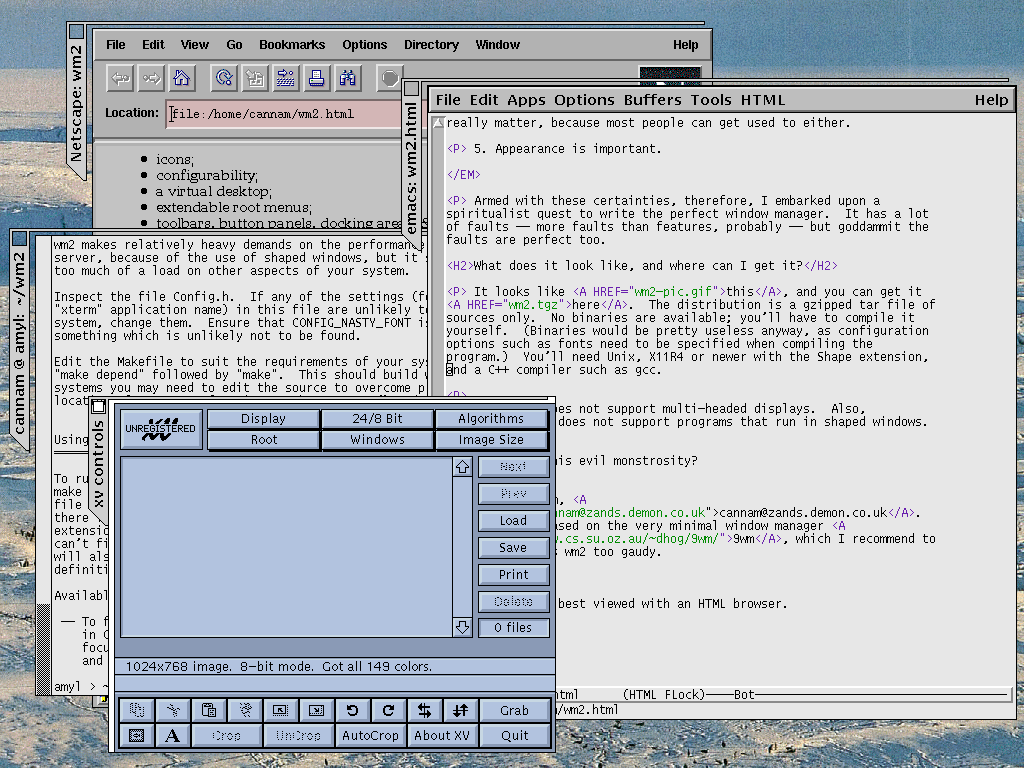
Call me a neandertal if you like, but wm2 is my cup of tea. It's bare bones, with a nifty little twist on the window titles. [screen shot] The same folks bring us wmx for those who want just a little more flesh on them there bare bones. I happily run this on my old 133MHz Thinkpad.
-
wm2
Call me a neandertal if you like, but wm2 is my cup of tea. It's bare bones, with a nifty little twist on the window titles. [screen shot] The same folks bring us wmx for those who want just a little more flesh on them there bare bones. I happily run this on my old 133MHz Thinkpad.
-
Simplicity
(I don't know much about WM development, but...)
Honestly, the only two window managers that I ever felt comfortable with are fvwm (v2 if you like) and twm (didn't find a really good link, but it's standard on NetBSD systems, so you all know what I'm talking about right?). All other managers are just visual fluff that eats memory, occupies the palette, and slows the computer down.
There has been some other really great ideas during the last few years, like the pwm and wm2 (and its sibling, wmx) window managers. They simple, easy to configure, and does NOT rely on tons of extra libraries.
Someone else here was talking about environments, but I just can't see why you would want an extra "environment" on top of the perfectly usable standard Unix environment that's already there... Also, some of them comes packed with applications tailored especially for use within that particular window manager, which in reality turns each "environment" into its own, well, distribution. One can devote a separate CD for GNOME or KDE applications and support libraries, many of which just duplicates the function of already existing Unix commands. Sometimes I think someone ought start a KDE/Linux distribution just to spare everyone else from having to download that extra CD ISO.
Then again, we might be talking about different audiences here. The teenagers might need cool "environments" to get lured into using GNU/Linux, and that might have a positive effect in 5 to 10 years. But I wouldn't be very surprised if the adoption of GNU/Linux (or any other of the free Unices for that matter) by desktop users would be slowed down by offering a vast amount of conflicting graphical environments.
I think it would be a good idea to correct the bugs and stabilise the already existing window manages, maybe even to unify some of the more similar ones. You can make most of the more configurable managers look like each other anyway.
All that you need is some xterm windows.
-
Simplicity
(I don't know much about WM development, but...)
Honestly, the only two window managers that I ever felt comfortable with are fvwm (v2 if you like) and twm (didn't find a really good link, but it's standard on NetBSD systems, so you all know what I'm talking about right?). All other managers are just visual fluff that eats memory, occupies the palette, and slows the computer down.
There has been some other really great ideas during the last few years, like the pwm and wm2 (and its sibling, wmx) window managers. They simple, easy to configure, and does NOT rely on tons of extra libraries.
Someone else here was talking about environments, but I just can't see why you would want an extra "environment" on top of the perfectly usable standard Unix environment that's already there... Also, some of them comes packed with applications tailored especially for use within that particular window manager, which in reality turns each "environment" into its own, well, distribution. One can devote a separate CD for GNOME or KDE applications and support libraries, many of which just duplicates the function of already existing Unix commands. Sometimes I think someone ought start a KDE/Linux distribution just to spare everyone else from having to download that extra CD ISO.
Then again, we might be talking about different audiences here. The teenagers might need cool "environments" to get lured into using GNU/Linux, and that might have a positive effect in 5 to 10 years. But I wouldn't be very surprised if the adoption of GNU/Linux (or any other of the free Unices for that matter) by desktop users would be slowed down by offering a vast amount of conflicting graphical environments.
I think it would be a good idea to correct the bugs and stabilise the already existing window manages, maybe even to unify some of the more similar ones. You can make most of the more configurable managers look like each other anyway.
All that you need is some xterm windows.
-
Linux WindowsHear hear. While I don't really agree about GUIs treating people as idiots, I am sick of Linux copying Windows. Windows is okay, but the GUI fits what the OS is for. To come up with some warped-o GUI for Linux to trick users into thinking it's Win95 and make people feel all warm 'n' fuzzy, is never really going to quite work, because it can never fit the OS as well as the Windows GUI fits Windows. And while wonderful wanky sliding windows and aliased fonts may dazzle your girlfriend or your dog, do they make you work any better? I don't think so.
My favourite WM has been mosquito (similar to wm2) although CDE etc. are probably more pragmatic. I think *wm95 should be outlawed for people's own good
--
Never try to teach a pig to sing. It wastes your time and annoys the pig. -
wm2 and wmx
Two overlooked window manager that I used to use all the time because of their small memory footprint and size are wmx and its little brother wm2 (Usually I preferred wmx).
Now that I have overpowered machines, I use enlightenment, but I used to love that window manager.
I'm getting choked up. <sniff> Maybe I'll try it again. -
wm2 and wmx
Two overlooked window manager that I used to use all the time because of their small memory footprint and size are wmx and its little brother wm2 (Usually I preferred wmx).
Now that I have overpowered machines, I use enlightenment, but I used to love that window manager.
I'm getting choked up. <sniff> Maybe I'll try it again. -
This is the whole reason...
..that I use wm2.
-
Differential X Protocol Compressor (Dxpc)
I've never used Dxpc but my understanding of it is that it compresses all the X11 traffic on the fly. Used in combination with other tactics (e.g. using the lightweight apps/windowmanagers[1] like another poster recommended), should help your situation out.
I think there is some way to channel X11 over SSH, and further to finangle SSH into compressing the data stream, giving you compression as well as security. But I have absolutely no idea how to do that, so you're on your own in that regard.
[1] if you want a lightweight windowmanager, definitely check out wm2, the rpm of which is 58Kb and at runtime (2x xterm, xdaliclock, xload, xsetroot -solid grey25, 1280x1024x16@100dpi) it looks to be taking up about 2.9 megs, of which a hair over a meg is actually shared. Note that wm2 is really minimal but then that's sorta the point.
--
-
OT: the one True Windows Manager
wmx
It's great, I usually run about 10 virtual screens and it doesn't use up any screen real-estate on any of them. My Netscape window is sized right up to 1024X768, and wmx doesn't take any of it for junk it decides I need.
Just the thing for running a 16 copies of gvim (Graphical VI iMproved, for those who don't know), 10 xterms and having a half-dozen Netscape windows open on a 14" monitor (yeah, I'm a cheapskate, honestly I don't see much need for a bigger one with this setup). It is truly the ultimate development environment.
My one nitpick: I've got to get around to hacking on it a bit so when I start up a full-screen sized window, I don't have to manually center it so the tab is offscreen. Luckily, the source is small and quite hackable, so it should be fairly easy. I might also get rid of some of the shaped window stuff I'm sure is slowing it down a bit.
---
Despite rumors to the contrary, I am not a turnip. -
Gnome performace...I have been using Gnome on my home machine: a K6-2/333 with 32Mb of ram, and was also suffering perfomance woes in comparison to KDE on the same system. I think the main issue is memory.
Switching to the default theme helped. I also dumped E and switched to wmx (which is only 82K compiled with Gnome support, no pixmaps, stripped).
The other big gain was setting the default help browser from Netscape to the gnome help browser. (For some reason the control center wouldn't let me do this at first, I eventually editted a text file. It works now). The help browser has some limitations, most noticably no new window on button2, but is OK in general. It would be interesting to try Gnome using Kfm for both help browsing and for desktop icons, since gmc is quite heavy.
Having said that, I never tried themes under KDE, so I don't know if it has the same difficulties. I recently added a cheap 16Mb dimm: having 48Mb makes all the difference.
-
Rosegarden screenshots are stunning!
I recommend you look at this Rosegarden screenshot. Here are some more screenshots.
I have used Rosegarden extensively and think it is superb. The authors, Chris Cannam, Andy Green and Richard Bown wrote Rosegarden for their final-year BSc degree projects at Bath University. Excellent work!