Slashdot Mirror
Domain: damnsmalllinux.org
Stories and comments across the archive that link to damnsmalllinux.org.
Comments · 282
-
Re:You might be a little disappointed then
Sure, at that point you can still do the retarded thing and go "ha ha, so the full install didn't fit and they had to strip it down", but may I point out that the average Linux distro is even bigger than the full XP? SuSE Linux for example (to use an example from everyone's favourite, Novell) comes on a DVD or more than half a dozen CDs. Compressed. So that wouldn't fit there either.
Everyone's already pointed out that SuSE, the entirety of Debian, etc. are only that big because they toss in everything but the kitchen sink. A minimal Debian install takes all of about 10 megs. You can get a feature-rich Debian based distro to fit in about 50 megs.
-
Re:Btw E,mbedded XP takes 300meg
Yes, but Damn Small Linux is 50M, and it is amazingly full-featured. I cannot begin to imagine the software and addons that would be missing in the MS Windows equivalent.
-
Application is the problem
Windows XPe, as the wikipedia entry at which you point says, is a componentized version of Windows. By striping out components, you can reduce it to the bare minimum - just the strict minimum needed to run Win 32 API with the specific drivers needed for such hardware.
And that's where the problem is : Once you've crammed Windows XP inside 32MB of flash, what do you do ?
According to the entry, Win XPe is mostly used for embed device. The kind of device on which you run one single function-specific application, and Win XPe is only here to provide kernel functionnality.
You can use it in ATMs in which case WinXPe is only here to provide a kernel, a graphics driver, an input driver and a network stack. And all you run next to it is a single application that does all the ATM stuff. And nothing else.
Robotics is another even better exemple. Sure it can be cramed into 32MB : because, all you need is a kernel to provide a communication stack and memory management. There's even no display and regular HID devices.
Compared to the Linux world, that's akin to having a system with only a striped down Kernel (with only a couple of necessary drivers compiled in), busybox (to provide all the necessary tools with minimal foot-print) and a micro C-lib and nothing more. All of which you run along a few simplified server inside a router. It's something you could run on This kind of boards.
*BUT* that's *NOT* what the OLPC needs. The OLPC needs to provide a full desktop environment. They a GUI. The need a desktop. They need application to browse the PC, they need graphical wizards to connect to the WiFi mesh. They need a browser, they need a mail clients, and mayber IRC and/or IM too. They need software to display ebooks. They need an office suite that covers most functionality that the kids need to write their own stuff. They need various developing environment (classical C/C++, scripts like Python or Perl, maybe web scripting like PHP) because, all OLPC was initially about was to encourage the kids to hack. Maybe also some multimedia apps.
Not just a single application.
Does this exist on WinXPe ? Yes because it's fully compatible with it's older brother, WinXP Pro. You have plenty of microsoft apps already available that could provide such functionality : Windows Desktop, Explorer, IE7, Outlook express, MSN, XForm viewer, Office, Visual Studio,
But can it all get crammed together inside the OLPC ? Hell no. You'll need a rather beefy setup with eleventeen gazillions of gigabytes just to install this madness. (And that's all functionnality most non-custom Linux distros offer out of the box for a foot-print of only a few gigs).
What the OLPC needs isn't the Microsoft equivalent of an embed linux. What it needs is something similar to Damn Small Linux (or, I guess, what the current customized Red Hat is), id est : most desktop functionnality crammed inside a small space of only a few dozens of MB. *Not* GB.
And thats something WinXPe fails to provide. It only provides the envrionment (kernel, etc.) not all the apps.
If they want to cram WinXPe inside, the would have to put along specialized applications. Applications that already exists in the open-source world, do the needed task nicely, but are NOT made by Microsoft. I would be mostly like just replacing the kernel on the customized Linux distro with a Windows Kernel, and keeping the same apps. And admitting defeat, that they can't provide a fully microsoft alternative.
The closest thing Microsoft could provide is a Windows CE-based solution (and Pocket- / -CE version of office, IE, etc...). And then again it won't be optimal for them because
- Win CE still lacks some functionality that is granted on Linux (hackability, programming and scripting tools in standard with a tiny memory foot print).
- -
Re:I am not the only one with a story like this:
"I have yet to find anything that will mount and wipe the drive."
Have you tried using a linux distro like DSL? - http://damnsmalllinux.org/
I have recovered many a corrupt virus ridden, spyware infested windows box using it. -
Re:Bootable Flash Drive with Debian installed.
Or just use DSL
-
just the usual?
I like SLAX as my general purpose boot-and-go CD, but I'm also getting to like DSL. That will boot fine on older, slower hardware. I find Knoppix is just too big and clumsy anymore {though we should not forget that DSL is based on a trimmed-down Knoppix}.
Some versions of TheOpenCD used to include a bootable, cut-down Ubuntu; but it seems as though they're now concentrating on providing Free software to run on Windows. Which I suppose is better than trying to spread themselves too thin. -
A multitude of discs for a multitude of purposes..
I currently carry around with me:
Kororaa XGL live CD v0.3 and 0.2
There is nothing better than to show off the power of Linux to your friends and the non believers. 0.3 is only ATI cards at the moment, while 0.2 supports both. People are usually impressed by this.
Backtrack 1.0
The best in security analysis live cd's.
Damn Small Linux
Good for older machines
Offline NT Password and Registry Editor
Always good to have when people forget their admin password or something on a windows machine...
Auditor Security collection from the backtrack people. I still have this around because it supports a bit more hardware than backtrack did
Knoppix
Good when you are at public terminals and are kinda paranoid...
I also carry around various install cd's for recent versions of linux. -
My CDs
-
what about damn small linux!Great analysis. They also completely ignore the people who are travelling with DSL or some other linux on a thumb drive, and working that way. Some colleagues are also doing this with Ubunutu, but I don't like the bloat. But clearly people have been doing this for a while -- so the idea of carrying just your settings with you is really primitive -- why not carry your whole OS?
In my mind, there's no question that this is the REAL future of computing. Why would you carry a computer anywhere, except for a portable to work in weird places? Otherwise you just need to carry your env. Eventually of course, every computer will be networked -- and then you'll just log in and your settings will be downloaded, but till then, you can even carry Windows on your thumb drive if you so choose. So what's so special about carrying your settings? -
Re:report from the trehches
You should really be looking at Puppy Linux or Damn Small Linux.
-
Re:trade in some of those machines!
Damn Small Linux DSL for short http://www.damnsmalllinux.org/ Has run on most every old PC that I have tried it on, And to get Windows 95 to run on anything less than a 486 with less than 8 MB of RAM you are basically running MS-DOS, and ANY version of Linux with out the GUI will run on most any 386DX with 4 MB of RAM, So I would say that Worst case scenario it could be done, but when most people refer to "Windows 95 Era" computers they are usually referring to at least a 133Mhz with 16 MB of RAM and most of the time referring to a 200Mhz + with 32 MB of RAM, which will run DSL quite nicely. But as you had said looking for a community donation would be a good thing to do, Craig's list is a great resource for this kind of thing, also there are several businesses that would be glad to take a tax break of way more than the PCs are worth to donate their Old used PC's.
-
Re:Upgrading boxes
Easy: Damn Small Linux Runs on a 333Mhz Pentium CPU with 32MB of memory
-
Re:trade in some of those machines!
Damn small linux actually installs and runs on 486's, with a gui. Linky goodness http://www.damnsmalllinux.org/486.html
-
Re:trade in some of those machines!
Oh, cmon. I think we can assume that these are at least P1-100s. Do you remember what the load times were like for the "recommended" 486? Somewhere on the order of 5 minutes for startup, if I recall correctly.
Besides, he can always run something like Damn Small Linux, which runs on a 486. No one is expecting ubuntu, or anything pretty, but for simple word processing and checking email, it's probably way more than enough.
-
Re:what's a good LIVE cd for old laptops?
I dunno how old your laptop is, but try Damn Small Linux
The base system is about 50mb, and comes with quite a few programs (such as web browser and text editor), but is extendable with installable modules (like firefox and openoffice). I have seen it run on old 486's, so if your laptop is newer then that, you should be fine. It will run from liveCD, RAM or directly from the hard disk (once installed). -
Re:2 solutions
Damn Small Linux (wonderful distro) has a small shop selling ready-built diskless Mini-ITX systems - just add a USB key with DSL on it and you're good to go. Of course, at $281 for systems like this you could go buy the parts yourself and have a surplus amount of cash for Wasabi nuts, but meh, if you don't have the time...
They even have a completely fanless computer.
(I am in no way affiliated with the DSL team unless you count recurring donations) -
Re:2 solutions
Damn Small Linux (wonderful distro) has a small shop selling ready-built diskless Mini-ITX systems - just add a USB key with DSL on it and you're good to go. Of course, at $281 for systems like this you could go buy the parts yourself and have a surplus amount of cash for Wasabi nuts, but meh, if you don't have the time...
They even have a completely fanless computer.
(I am in no way affiliated with the DSL team unless you count recurring donations) -
Damn Small
I dunno, I ran Damn Small in a VM to try it out and it's that: small, fast, simple. Might work for what you're doing. It boots from 2 x 1.44 MB floppies, CD, USB pen drive, etc., and it requires no HDD and very little RAM. It includes a web browser (sorry, don't recall which one), supports PPP, and I'd guess you shouldn't have much trouble installing any extra apps you need. Only bad things I can think of are that the version I tried out didn't include mkfs (not too difficult to work around) and I think you have to jump through a few hoops to get the source code (stuff five bucks in an envelope, tho I didn't search very hard for the source
-
Here's a truely silent system for $245and this one even comes with a CPU!
http://damnsmalllinux.org/store/Mini_ITX_Systems/
M ini_ITX_BareBones_ComputerI have a silent M10000 system, which is similar to this one, which makes a perfect MythTV front end.
-
much of the same
Portable Firefox (as has been mentioned) and a bootable and under-windows capable version of DSL.
-
A little of Everything
I've got a 1GB PNY attache and the first thing I put is of course a linux distro (DSL). And some windows utilities, things that can handle ISO images, writing floppy images. But the other half of that is personal stuff. I keep resumes of myself and some family members, my favorite wallpapers, some emulators (Nester, Dgen, KGB, Snes9x) and so on. And of course, a certain video file, with the name and extension obfuscated.
-
Re:Patch available
Perhaps we should expand the old joke a bit.
Windows XP Home patches: http://www.ubuntu.com/
Windows XP Pro patches: http://www.gentoo.org/
Windows NT4 patches: http://www.debian.org/
Windows 3.1 patches: http://www.damnsmalllinux.org/
This way we can troll both sides of the fence. -
Empirical evidence?The report of my death was an exageration -- Mark Twain
I know that the the Ubuntu numbers that are usually reported are silly, because they are based on Distrowatch, which as 10 year Linux user, was a site I had never been to before questioning the Ubuntu installation numbers, and being refered there.
I also know that you have no interest in getting into a "measuring" contest -- because fedora is not about that. BUT if it were about that -- what do you think is a good way to measure "popularity" of a distro? Any numbers that say that DSL is more popular that Debian, automatically get's questioned in my book. Don't get me wrong, I love DSL, and Debian and even Distrowatch -- I'm just not ready to believe that what is being reported is an accurate representation of who's running what.
-
The $100 Laptop
You people should OLPC website more.
The laptop will only have 500mb flash drive, 128mb dram, 500mhz amd processor, wireless network, and linux. It probaly uses DSL or some form of it since it only needs 50mb flash drive and 128mb of ram. The screen on it is similar to cheap dvd players. So, how much could something like that cost?
Read more at their site. -
Re:Yeah sure...
Try Damn Small Linux?
It's got a poor choice of name for home users, but look at the specs!
I quote:
DSL is a very versatile 50MB mini desktop oriented Linux distribution.
Damn Small is small enough and smart enough to do the following things:
Boot from a business card CD as a live linux distribution (LiveCD)
Boot from a USB pen drive
Boot from within a host operating system (that's right, it can run *inside* Windows)
Run very nicely from an IDE Compact Flash drive via a method we call "frugal install"
Transform into a Debian OS with a traditional hard drive install
Run light enough to power a 486DX with 16MB of Ram
Run fully in RAM with as little as 128MB (you will be amazed at how fast your computer can be!)
Modularly grow -- DSL is highly extendable without the need to customize -
Re:Yeah sure...
I ran Linux in a much more constrained environment back in 1993 (4MB RAM with ample swap, 40MB Disk, 386, laptop) and it ran at a decent speed with a decent set of applications (yes, even back then).
I'd be *really* surprised if Linux today couldn't fit in your environment. But you'll likely have to forget KDE/GNOME. They're *nice* but not necessary. My old system used FVWM which is still perfectly capable (I was used it last year on Solaris -- there's even a Win95-like config), although now there are slicker alternatives like XFCE and IceWM which are also available and better supported by default on many distros.
Here are a few alternatives to consider which are more targetted to your needs. You might want to them all out and see which one you like best:
https://wiki.ubuntu.com/Xubuntu
http://www.puppylinux.org/user/viewpage.php?page_i d=1
http://www.vectorlinux.com/
http://www.damnsmalllinux.org/ -
Re:Yeah sure...
Are you sure you have to use Windows?
Linux has had a web browser almost as long as it had a telnet client. Which was ever since it had networking -- most Linux implementations use the BSD telnet client, which is based on the PD NCSA telnet client. Windows 98 also has a modified NCSA telnet client built-in.
You could try Damn Small Linux on one of those old boxes. You might just be surprised by what it can do. -
Re:Unlikely
"Linux can't pick up the slack when MS turns off support for old OSes, because the top Linux distros stopped catering for that level of hardware years ago."
You're right. That's why I'd recommend something like Damn Small Linux or some of the other "tiny" distributions mentioned in a previous slashdot article. Running the big distributions is probably an exercise in frustration, but DSL, for example, runs just fine in 32MB of memory and a 200 MHz cpu. I've even run it without a swapfile in 24MB of memory. Anything that runs Win98 at a sensible speed will run DSL well. Peripheral support might be an issue, but if you just want a secure web browser and simple word processing platform, it works. -
Re:Yeah sure...
You might want to try http://www.damnsmalllinux.org/ on that machine if it's only really used for surfing and e-mail. I have a few P166 and P400 laptops running it now and it works great. Quite peppy on those machines. It's designed to be a "Live CD" so you can test it out. If you like it, it can be installed on a computer from the same disk.
Now if your Dad's GF's Daughter (we call them Great Aunts here) doesn't like the word "damn" in the name, then that may be a problem. But I'm sure she said that word many times while dealing with the viruses. -
Re:Good
Oh, yeah. Stuff like Damn Small Linux, Beatrix and (formally) Knoppix? They don't help anyone.
-
Re:PuppyLinux with 2.6?From dsl N http://www.damnsmalllinux.org/dsl-n/f/viewtopic/3
. html1. Kernel 2.6.11 and modules
2. Mozilla Suite 1.7.12, browser,mail,irc,etc.
3. Mplayer 3.3.5 audio and video
4. Leafpad 0.7.9 editor/notepad
5. Abiword 2.2.7 wordprocessor
6. Gnumeric 1.4.3 spreadsheet
7. gTFP 2.0.18 ftp client
8. gaim 0.77 IM client
9. Xpdf 3.0.0 pdf viewer
10.Emelfm 0.9.2 file manager
11.Xpaint 2.7.6 paint program
12.Cups 1.1.14 printing
13.unionfs supported as an optional boot parameter
14.MyDSL system of extensions
15.Frugal Installs
16.USB Pendrive Install
To me that makes DSL very 2003, it's playing catch up in my books.Update Your Books.
-
DSL and DSL-N
Last month the DSL developers released DSL-Not, a.k.a. DSL-N 0.1 RC1. It's 83.5MB of DSL coated with GTK sugar. Yummy!
Actually, looks like DSL-N is more than just GTK sugar, from its web page, DSL-N features a modern kernel with more hardware support, in addition to more apps, like MPlayer, Gaim, and gFTP.
It's also worth mentioning that the original DSL uses a lightweight GUI toolkit called FLTK and Lua for its tools, interesting! -
DSL and DSL-N
Last month the DSL developers released DSL-Not, a.k.a. DSL-N 0.1 RC1. It's 83.5MB of DSL coated with GTK sugar. Yummy!
Actually, looks like DSL-N is more than just GTK sugar, from its web page, DSL-N features a modern kernel with more hardware support, in addition to more apps, like MPlayer, Gaim, and gFTP.
It's also worth mentioning that the original DSL uses a lightweight GUI toolkit called FLTK and Lua for its tools, interesting! -
Re:R.I.P. Windows 98
I was just thinking about file sizes today. I just upgraded/installed Ubuntu 6.06 today and downloaded all of the additional packages I need from repositories to keep me going for a while. I currently have 2.2 GB of my / partition filled. That's not just a bare OS--it's all of the office, graphics, audio, video, and miscellaneous software I need. And yeah, M$ is recommending you have 15 GB free for Vista. I can't imagine what I could do with that much space on my GNU/Linux systems. Instead I just store photos and video on my hard drives. If you're looking for something in the 50 MB range, try DSL.
-
Re:which distro?
Maybe you should try DSL! http://www.damnsmalllinux.org/
-
The Answer for Joe Sixpack
I'll be ignoring the fact that for every "Sixpack" in the family, the odds are much better these days that a nerd exists in the family to help him.
Has anybody ever tried DSL Linux yet?
I did, and on several laptops I got free (as in beer) with a street value of $50 each. I'm unable to check all the model numbers at the moment. One ia a Toshiba Tecra with a P166, the next is a Compaq Presario (PII 450, I think), and an eMachines eSlate 450.
With a copy of DSL Linux and a D-Link Compact Flash wi-fi card in a PCMCIA adapter for wireless networking, I was able to get each computer to boot to DSL Linux from CD and have an IP address assigned automatically and was running Firefox and Sylpheed for web and email access. I was actually surprised that it picked up the wi-fi card so easily. I've always had to jump through hoops configuring a PCMCIA connected card.
DSL Linux is really a nice distro to turn nearly any wired PC into an Internet workstation. -
USB thumb-drive?5 simple steps:
- Obtain 2GB usb thumb drive
- partition 512MB[FAT/FAT32] and 1.5GB
- install DSL on 1.5GB partition; store windows utilities on 512MB partition
- ...?
- Profit!
-
Solution: Reuse old PCs as routers or PVRs!
Rather than throw old PCs into the trash and fueling the waste problem find new uses for them.
For example, old PCs 386 or later, can be reused as a router/firewall. They provide excellent security for your home LAN while keeping it out of the waste pile. Being floppy based, Freesco does NOT require a hard disk! Install the software and reuse the PC or give it to someone who will. See:
http://www.freesco.org/
http://en.wikipedia.org/wiki/FREESCO/
Later PCs, such Pentium 400 MHz or later, can be reused as MythTV PVRs by adding an inexpensive TV tuner ($20-$30) I have gotten PCs as old as P2 266MHz 128 MB to have some limited PVR functionality. (contact me if interested in old PC PVRs)
http://amicus.sourceforge.net/
Practically any PC, 386 or better, can run lightweight Linux distributions such as DSL or Debian for general purpose computing.
http://damnsmalllinux.org/
http://debian.org/
These are just three low cost methods I have personally used to recycle old computers. Use your imagination and Google, and you can see there are many other options too. Don't throw it away, make the old PC into something useful reuse it or give it to someone who will!
Andrew Lynch -
Re:What??? never heard of DSL then?
While DSL is fine for the regular hacker, I dont know if a 10 year old will be confortable with it...
Have you tried DSL lately? It comes with a nice GUI. Remember that the people these PCs are for did not previously own a M$ or any other computer, so it does not have to be something familiar.
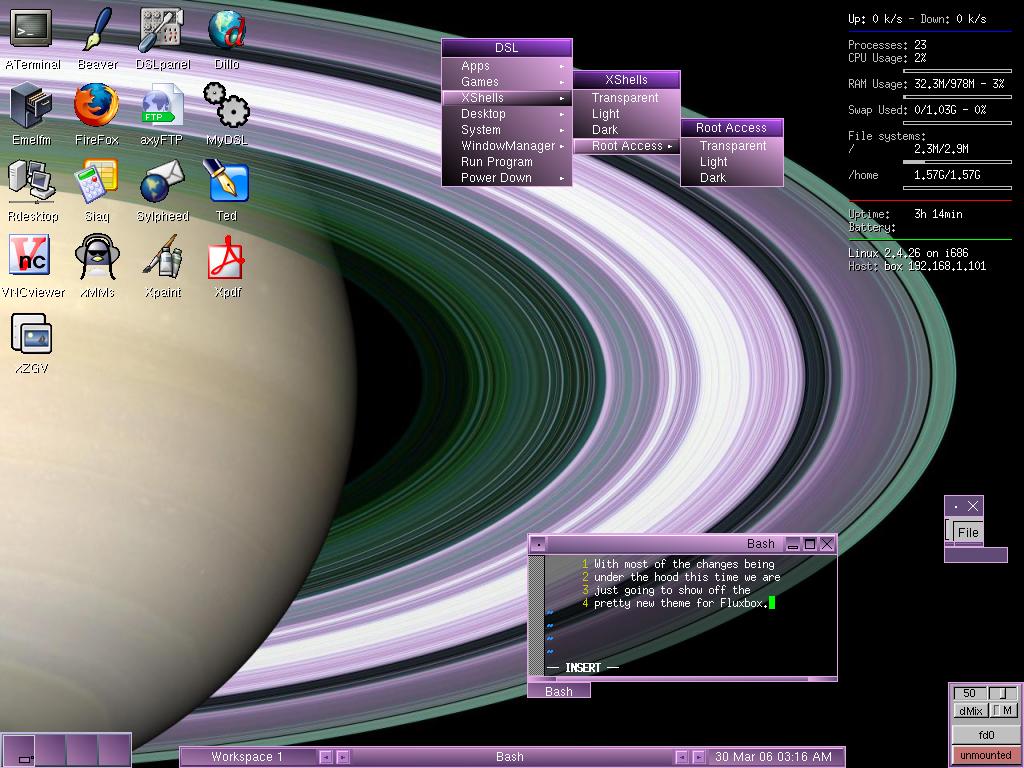
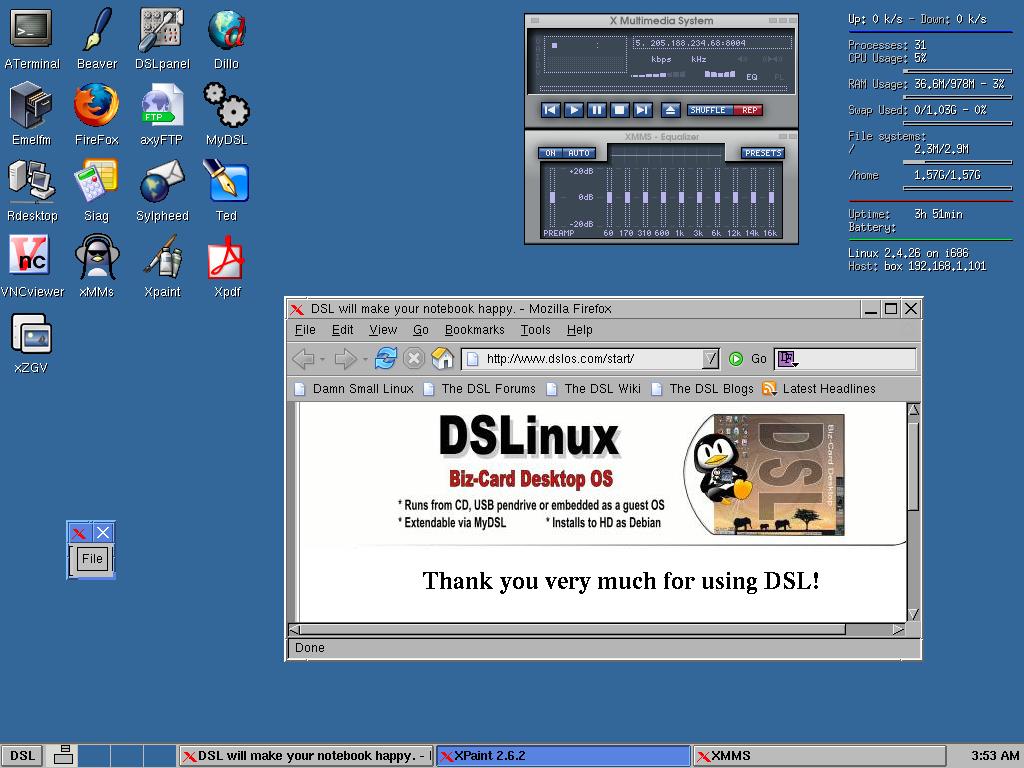
To see how it looks: http://www.damnsmalllinux.org/dsl-2.3.jpg and http://www.damnsmalllinux.org/dsl-2.3jwm.jpg
If you are able to click a mouse, you are able to use it and I am sure any 10 year old will figure out how to do that and much more. -
Re:What??? never heard of DSL then?
While DSL is fine for the regular hacker, I dont know if a 10 year old will be confortable with it...
Have you tried DSL lately? It comes with a nice GUI. Remember that the people these PCs are for did not previously own a M$ or any other computer, so it does not have to be something familiar.
To see how it looks: http://www.damnsmalllinux.org/dsl-2.3.jpg and http://www.damnsmalllinux.org/dsl-2.3jwm.jpg
If you are able to click a mouse, you are able to use it and I am sure any 10 year old will figure out how to do that and much more. -
Damn Small Linux (50MB)
Well, if he don't like what's out there - he's the prof with lots of grad student slaves, ah - I mean assistants.
IF Damn Small Linux, at 50 MB is still too big for him,
he can reverse engineer some GEOS type O.S. user interface.
Anyone up for making a GEOS Linux distribution?
Strip all the extras from Linux, and give it a GEOS type interface instead of KDE or Gnome,
add in color, firefox, and a trimmed down version of the Open Office Suite, it should be good to go.
Considering the GEOS GUI was running on C>64 machines back in 1985,
he should have no problem hand coding his own version of DCLL [Damn Cheap Laptop Linux]!
I thought some of these MIT guys were tech geeks, after all ? -
He's half right, but still wrong.
Unix in all its incarnations has always been a highly modular architecture; like a hi-fi system composed of separates rather than a ghetto-blaster. If you know you won't be listening to any LPs or Walkman cassettes, just CDs, you can build a hi-fi system with just a CD player, amplifier and speakers -- and you haven't got the excess baggage of sound sources you won't be using.
The Linux kernel is also modular. You can build device drivers right into the kernel for speed, or have them as loadable modules for convenience.
A distribution's "standard" kernel must by necessity incorporate enough drivers to be able to boot up on a wide variety of hardware, because the distributor can't know in advance what it is being used on. And most distributions don't start by compiling a kernel tailored absolutely to your system. {Gentoo fanboys in 5
In that respect Negroponte is spot-on. We're just a bunch of spoilt, lazy westerners who can afford plenty of RAM and drive space. That's a sign that Linux is becoming successful: in the early days, Linux was run mainly on older kit, sometimes even salvaged from skips, because that was the best anyone could afford. Success will change you, however hard you try not to let it.
But since these machines will be electronically identical, it ought to be easy to create a custom kernel with drivers for only the devices actually installed. It might even be worth hacking X so as to support only the built-in display {sure, it's fun running printerdrake to set up someone else's printing from your desktop; but the way these things will be networked wirelessly, chances are they'll be near enough as you can just walk across and sort it out}.
If you want to see what can be done in not much disk space, check out Slax Popcorn Edition or Damn Small Linux.
Those who are prepared to take the time, can still shoehorn a lot of functionality into not much space. There are already appliances running customised versions of Linux on microcontrollers; and these are being made in much smaller numbers than the proposed Negroponte laptop. So it will definitely be worth the effort to trim away some of the excess, even if nothing else comes from it that can be applied to other areas. -
Chinese will beat Negroponte to the finish line!
I am writing this in an internet cafe in Khartoum Sudan. I had to bite into this one. Nicolas Negroponte is a brilliant guy but I think he has been listening too much to RedHat.com executives. They think only in terms of Gnome or KDE desktops which are bloated. After all Red Hat mainly produce for Multinational Businesses who can afford state of the art hardware. You can run lighter desktops such as fluxbox or xfce. Incidentally the Chinese might beat Negroponte to the finish. They are looking like making a linux laptop for US 187 already: http://www.sci-tech-today.com/news/A-Linux-Laptop
- for--187-/story.xhtml?story_id=10000B5Y3P5W Plus this: http://cebitvideo.com/?p=20 I can tell you my Local Sudanese Security Officer would give anything to have my HP laptop multi-booting Ubuntu/Fedora/FreeBSD and dare I say it Windows. At the moment teaching him the Linux Professional Institute tutorials from the IBM website. The guy is a sponge for information. Probably try to get him a job at my organisation in The Hague so he can afford an education at Leicester University's Security Management Program by which time he can go back into the UN System as a Professional Grade Officer. He will probably finish up being my boss! I have been surprised by the number of Linux/BSD nerds I have met in the internet cafe! Two sites of interest for Low Resource Linux for the third world or poorly funded non-profits in the developed world: http://www.damnsmalllinux.org/ http://www.rule-project.org/ There seems to be a lot of Americans on this site who think all Africans live in mud huts and are all starving. There are a lot of smart people here and a when the government gets out of the way quite a lot of entrepeneural skill. Africa's problem is predominantly corruption and our Western Governments are pretty much responsible for that. In particular big oil companies. There are a lot of evil people in government here...but the same could be said of the USA, UK and Australia for that matter. For the record I am dual/national Australian/British and if I could I would denationalise altogether. -
Re:Damn Small has no Damn GUI
You have no idea what you are talking about. DSL has a GUI, and it is very functional and usable.
Just take a look at http://www.damnsmalllinux.org/dsl-2.3.jpg
I hope you're a troll, rather than an ignorant nay-sayer.... -
WTF is DSL?
I wouldn't be surprised if he hadn't heard about it; I hadn't heard of it. You could have mentioned that DSL stands for Damn Small Linux, a 50 MB desktop Linux distribution intended for use on a business card PCs, flash drives and other small portable media.
-
That depends...
...on whether Negreponte is a novice or not. If he is, then yes, he's very possibly out of luck, since software designed for novices needs more functions by definition, and thus, has to be bigger.
If on the other hand he already knows a thing or two, (or isn't afraid of learning) then he will find that minimalistic systems are actually one of Linux's primary strengths, at least in my observation. He could probably use this as a base, and then for X use apt-get to install ROX Filer, metacity, (as a background for ROX) and fbpanel as his start menu. Or, if he wants most of that done for him, he could install FVWM instead of metacity and fbpanel, and still use ROX as an explorer clone. Mind you, this is only one possible option, and most people reading this would probably think I'm insane and ask why I don't simply advocate fluxbox/xfce etc. This is a problem with myriad possible solutions.
He'd probably also need to install gtk for Abiword etc, but that doesn't necessarily have to be a problem. There are also any number of lightweight image viewers around as well...he should check freshmeat. For web browsing, there's also dillo.
Hence, what he wants is more than possible. He might have to do a bit of surfing, but then again, with the magic of apt-get, he probably doesn't even need to do that. -
Re:What??? never heard of DSL then?You came across as ignorant on two counts:
- The project isn't aimed at starving kids in Africa.
- DSL means Damn Small Linux.
-
true really
i've noticed the same thing. maybe they will have to stick to something like Damn Small Linux, but i bet someone has already pointed this out.
some linux releases are bigger than windows, especially as they are shipping new versions sooner, but at least there is this stripped down one for pc's that are meant to be 'obselete' such as reclaimed hardware in charitable organisations. -
Re:Now I'm worried....
firefox can be as buggy as hell for all I care
I boot my browsing OS from CD on a laptop with no HD.
What they gonna do ? Post as me on -
This is reasonably easy to cope with
DamnSmallLinux is designed to run off compact flash cards. Most operations happen in RAM with a backup to the flash happening infrequently. http://www.damnsmalllinux.org/ I've been using it for a thin client for a few months now with no problems. It amuses me to be able to have a spare drive that's cheap and easy to pop in if I mess something up.