Slashdot Mirror
Domain: demon.nl
Stories and comments across the archive that link to demon.nl.
Comments · 134
-
Antiword
As long as images aren't an issue, you could use Antiword to convert it into a (somewhat) styled text file. That's what I did when I ran into the same thing with BIOS updates.
-
Even closer to the concept...
Fireball XL5 demonstrated its application in the early 60s!
-
Re:sooo...
If you want to run Word, you need to accept the Word EULA and the Windows EULA and the anti virus EULA and the printer driver EULA and the, well, you get the drift.
What? That makes no sense. I don't have to accept any EULA except for the software I choose to use.
The only time when somebody has to apply the GPL to their own work is when they want to create derivative work. Try that with Word - and no, macro's don't count.
Are you being intentionally obtuse here?
Of course you can't create a derivative work from Word. You can with the Programmer's version of antiword, but if you do (and you distribute it), you have to license that derivative work under the GPL. Hence viral.
I really get the feeling that the connotation of the word is the problem here. Everyone jumps up against labeling the GPL as viral because it sounds bad, and once you've formed an opinion on something, it's often hard to change it.
-
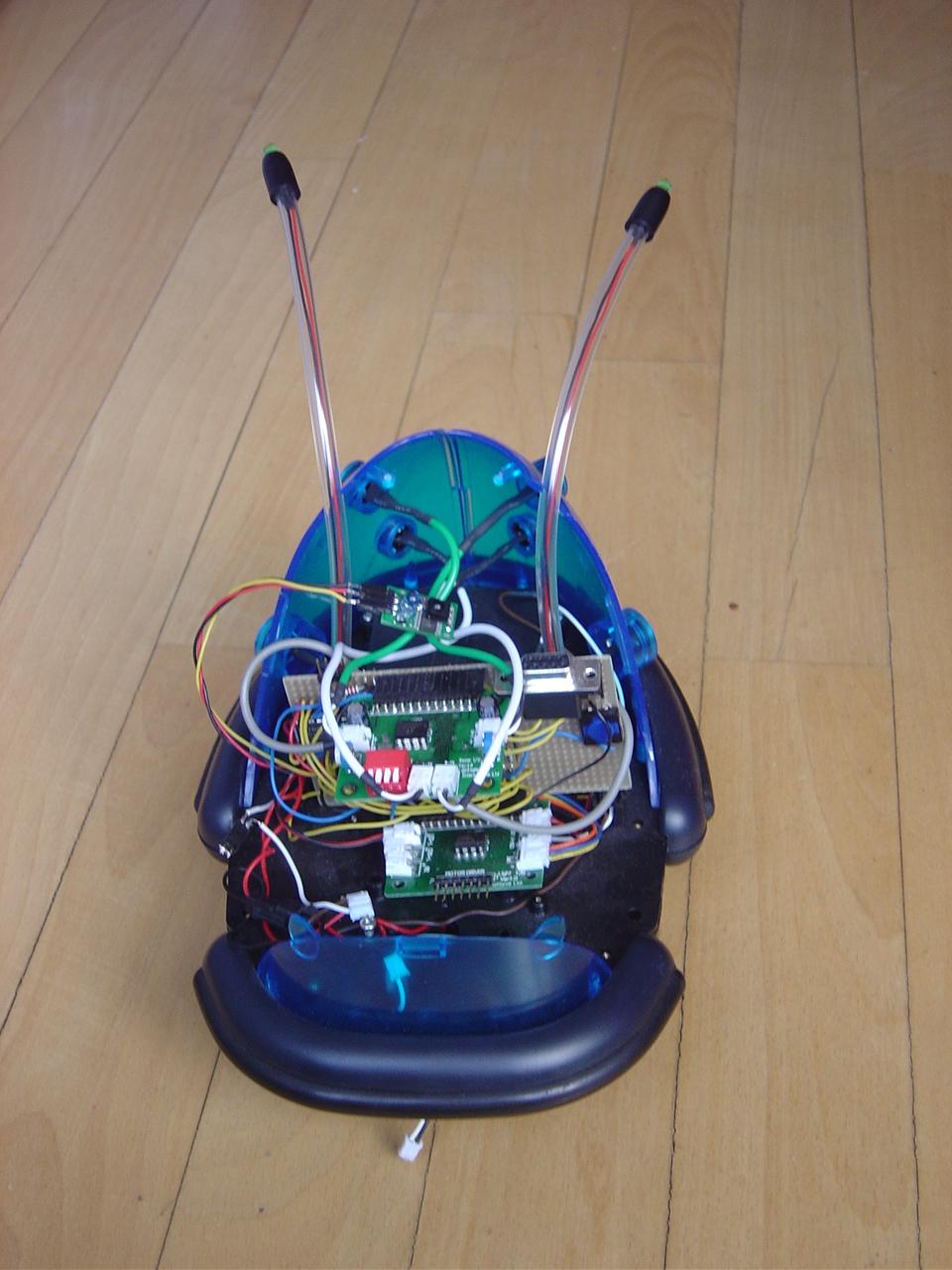
Cybot? Oh yeah, i built one of those, beat you!
So, did anyone else get one of these to build up for the fun of it?
CybotI have mines packed away safely, awaiting the day when the uprising occurs.
Then i will attach lasers to it and add laser control functions to its boards. -
You're confusing Office Suites.
In particular, Sun Microsystems licensed information about the format of Office files from Microsoft, to gain better compatibility.
No. Both Open- and Star- Office use their own MS-Office readers. (I was under the impression that some of the work on wvWare has helped developing OOo's but I'm not sure. I might be confusing with antiword). Nothing licensed from Microsoft.
3rd party non-OSS code was used to provide a reader for WordPerfect's Office suite.
StarOffice uses a 3rd party closed source reader.
Whereas OOo has more recently incorporated the function thank to a separate opensource project (libwpd if my memory still works).Given the fact that WordPerfect had an important share in some specific markets (international organisations), and that in the beginning OOo still lacked official support for it, it might have made more sense to Google to opt for StarOffice instead.
Note:
In a similar fashion, StarOffice feature 3rd party proprietary support for Grammar check.
Whereas Language Tool is developed for OOo.
Given that LanguageTool still isn't part of stock OOo, this too may have weighted in favor of StarOffice. -
Re:OpenType Fonts
Check out exljbris. I hate sharing a good source, but he deserves the recognition. Amazing fonts, most are free, and many inlude ligatures, custom kerning, etc. Very high quality, probably higher than most paid fonts!
-
Re:Tactics aside...
People ride cars because they are convenient - they go from point to point as desired and they don't make the user bend to their schedule. They are private. They are comfortable, they don't have the smelly guy in the next seat.
People use Windows because it is convenient. It comes preinstalled on the machine and runs all their applications and most hardware comes with a driver for it. You don't need to take special steps to use evil "closed source binary blob drivers" or wait for reverse engineers to write an open source driver. If closed source drivers don't work, you can take the product back and get a refund or download a fix rather than listen to people lecture you how it is not Linux's fault that things don't work right.
Hardware vendors like it because it doesn't them release all their specifications to the public and they can test their driver once on a small number of supported Windows versions and know it will work on them - how do you test a binary driver on 'Linux'? It is convenient and you don't have to listen to open source community leaders ranting about conspiracies against the 'movement', or kernel maintainers making changes that break hardware support for ideological reasons.
-
Re:Linus...
Summary: A stable API doesn't mean you're weighed down with cruft, and any argument based on that premise is nonsense. Any intelligent person making that argument is really saying that they think all drivers should be GPL.
Exactly.
It was written by Greg Kroah Hartman who famously broke the Philips webcam driver, causing the maintainer to quit.
-
Fixed or false? Test shows no backscatter.
Did anyone attempt to actually verify the veracity of this story? Or was it simply fixed just minutes or hours ago? I just did a manual SMTP session to all of gmail.com's listed and reachable Mail eXchange (MX) servers, and RCPT TO to a bogus address gets immediately rejected every time. No backscatter is generated by any of the MX servers. Here is the proof. (I tried to include it in the comment, but couldn't get past the lameness filter.)
-
Re:Free software's "killer app" is this:
Linux does not have a single line of code -- not even one -- that is intended to make the computer harder to use.
Well there have certainly been patches that make Linux hard to use.
Greg Kroah Hartman deleted the hook that the Philips web cam driver used to use. That means users can't use it, except in a really crippled way.
http://www.smcc.demon.nl/webcam/ -
Re:Grandstanding.
The iPhone allegedly runs Mac OS X, and it's well known that Mac OS X includes many GPL'ed programs including much of the GNU userspace stuff.
Care to point which parts of the GNU userspace stuff those are, then?Sure, but Slashdot's lameness filter won't let me, so I made a webpage: GNU userspace in Mac OS X. Summary: programs such as cmp, diff, grep, groff, gzip, info, and tar are all GNU versions in the default install of Mac OS X.
Oops, seems I committed the cardinal sin of telling the truth, considering my grandparent comment has been modded down to -1. And now I'm about to do it again!
-
Re:patents, usability
The thing is, things don't stay fixed. The same old problems constantly get revisited when someone looks at something semi-widely accepted and decides the code is too ugly and makes a rewrite that doesn't add anything from the user's point of view but forces them to relearn another system.
Hmm, that reminds me of a sad story.
http://www.smcc.demon.nl/webcam/ -
Re:you nailed it
You're right, but businesses distrust open source for deeper reasons than that. With proprietary software, if it changes in a way which angers paying customers, you know it will change back since the company that sells it will be under pressure. You can't rely on that with free software - the maintainers may decide to change it in a way they feel is better but inconveniences you the user. Now if you're a programmer, you could just fork it. But if you're a manager you're screwed.
With something widely used, most changes will anger other people first, so you don't even need to threaten the vendor, just leave updates on. You also know the upsides and downsides before you use it too, and you can pay someone who's install it in a way that satisfied other customers.
Free software is different. It changes quickly, and there's no guarantee you'll be able to find someone who will support the new version. Or even the old version. There's free support on the mailing lists and via email, but the culture there may come as a shock if you're the sort of manager that fixes problems by yelling at the vendor until they fix them
Now I can see Jerry Taylor is the customer from hell, but if he ranted this way to a commercial vendor would they be as rude as this? Would they put the whole conversation on the web? -
Re:Clip art in fax cover pagesAt the end of the day it's about file formats. People need to be able to read MS Word and Excel documents accurately; you argue against it as much as you like, but this is the requirement.
If that was the only issue at stake, he wouldn't be interested in OOo in the first place. He'd only need antiword, and something like this method of reading xls files. The objective here, however, is probably to be able to author MS Word documents as well. Otherwise he'd probably be using LaTeX.
-
Re:How will the NDA work ?
Binary blobs with an open-source shim. People get a bad taste in their mouth because of difficulties getting nvidia or ati (specifically ati) binary drivers to work. However, I think that if the binary drivers were prepared by someone who actually knows what he's doing (say, a Linux kernel dev) instead of a corporation that treats Linux users like second-class customers (and who in all fairness wants to focus on the hardware), users would have a lot easier time getting them to work.
Linux devs could also insist on a no-BS distribution agreement that allows them to ship the binary driver with distros without the hassles you see with proprietary drivers today, if not the kernel itself somehow (not sure of the policy on binary stuff in the kernel). I know the old pwc driver was like this; it was removed I think mostly for political reasons, you can see for yourself: http://www.smcc.demon.nl/webcam/
-
Re: Antiword or Catdoc
Well I use Linux so I dont have MS Office but I extract the text from MS Word documents using Antiword or Catdoc and then read them in Vim.
Antiword: http://www.winfield.demon.nl/
Catdoc: http://www.45.free.net/~vitus/software/catdoc/
Add this to your
autocmd BufReadPre *.doc set filetype="msword"
autocmd BufReadPost *.doc silent %!antiword "%"
autocmd Filetype msword call s:MyMSWordSettings()
function! s:MyMSWordSettings()
set readonly
set hlsearch!
endfunction
For RTF documents, check out UnRTF: http://www.gnu.org/software/unrtf/unrtf.html -
Re:The never ending story
-
Re:Bad Reason Then
In fact even Antiword can't read *all" word documents - and that's about as comprehensive as you can get. Having said that, in practice I've never come across a
-
Command Line Programs; evince
CLI programs are REALLY useful to look at "hidden" content.
'pdftotext' comes with xpdf & is even available natively on windows.
Similarly, for MS Word documents, you may use 'antiword', 'catdoc', and 'wv'.
These programs are quite nice in that they can easily batch-process a lot of documents & then you can go grepping through them for interesting tidbits.
(On the GUI front, evince deserves a plug. It uses the same poppler backend as xpdf and kpdf. I used to use tiny & fast xpdf for most of my pdf viewing, but evince has a few nice features which xpdf lacks & has become my personal favorite pdf viewer.) -
a better, better workaround
Use something like AntiWord if you just need to read. Here
-
Re:This is why I use Windows
Well, some corrections from another "Anonymous Coward"...
(Except I actually sign my initials on my posts, so, not totally 'anonymous' here, & by no means a coward (I don't create an account here, because that makes you TOO trackable around here, & there are those I don't want bugging me here (there are those, lol, so I make it tougher on them to find me is all)).
Anyhow - here goes:
"Explorer is so deeply embedded into Windows it's scary. If you dig through the registry, you'll find a key/value that says something along the lines of "explorer %1"." - by Anonymous Coward on Saturday January 21, @10:11PM
I just searched my ENTIRE registry, for exactly what you posted - not found once!
Fact is, I copied via Ctrl+C what you posted (explorer %1), & did a regedit.exe search on it... nothing found, 3x, just to be sure!
I think you just erred on the exact entry. There are other entries that "associate" files in Windows with specific
Lastly, on this point - do you think that the desktop shells in Linux like Gnome or KDE don't work in this manner as well (launching files by association)?
Vulnerabilities like this one which this slashdot article is about, show this is possible on KDE (for instance) as well!
"There's so many ways to screw over a Windows system, it's not even worth worrying about. All it takes is 1 bug, in either Explorer, ActiveX, the kernel, or whatever, and the rest of the system is at the mercy of the software running the show." - by Anonymous Coward on Saturday January 21, @10:11PM
And, there's FAR LESS THAN A MILLION WAYS TO SECURE IT, for instance, this page:
http://www.avatar.demon.nl/APK.html
(And, you don't need to purchase a "hardened version" of Windows for it because those same hardening tweaks work for Windows 2000/XP/Server 2003, & you don't need to have anything like SELinux either for it to work for greater security on Windows (more on this one later, on the point of SE Linux)).
And, there is a million ways to do screw ANY OS, especially via malicious hacks possible in software's themselves (not just known virii/malware/spyware either)... consider this:
A software that overwrites hosts file entries (or, like the QHOSTS virus, redirects the location of the TRUE hostfile, to a bogus one) for example - don't think it doesn't happen. It does.
Fact is, You said it yourself:
"All it takes is 1 bug, in either Explorer, ActiveX, the kernel, or whatever, and the rest of the system is at the mercy of the software running the show." - by Anonymous Coward on Saturday January 21, @10:11PM
You think that can't happen on other OS' too?
What the heck do you think Remote Exploits are & what this thread is potentially about (about the vulnerability found in Linux)??
They have been present on Linux as well & still may be, but still undiscovered (such as buffer overflow types, which this Slashdot article is about)!
(Once it's "inside" your system (or, exploits a program with for instance, a buffer overflow possible in it) & a virus detector/malware/spyware isn't aware of? It can do what it wants, especially if it runs under Admin priveleges (or, whatever priveleges you as the current user you login as, has)).
"There's undocumented 'Microsoft preferred' APIs of the system IE uses, which reach deep down into the system." - by Anonymous Coward on Saturday January 21, @10:11PM
What you are referring to are called "Dependencies", and if you think that softwares that run on ot -
this is a list of webcam software for linux.
-
Re:Javascript is a security problem? IT CAN BE...
Agreed on javascript...
And, unfortunately so, it gets abused here & there, but in places you would NOT expect... like in malicious adbanners on sites as well!
I've been writing to TURN JAVASCRIPT OFF IN YOUR WEBBROWSER since the mid-90's in fact, first here (as article #1 from NTCompatible.com illustrated & I put it up for speed & security optimizations to your OS & apps there in 1997 first):
http://64.233.161.104/search?q=cache:BWFk5yhHJhYJ: ntcompatible.com/article1.html+%22Alexander+Peter+ Kowalski%22&hl=en
And, more currently (far more thorough article, it started from that one's foundations) here:
http://www.avatar.demon.nl/APK.html
For Windows NT-based OS (2000/XP/Server 2003) users - it ALL just works for better security (and speed) of your overall PC operations...
APK
P.S.=> Like yourself? I "saw it coming"... sometimes, you can just tell that potentially good things will get abused! It's for the overall good though imo, I will take the 'high road' on that because it allows the developers to study the flaw, & hopefully fix it, in whatever type of software it is out there that gets a hole found in it, or a potential one... apk -
Re:In other news Want past "Warp EAL4" security?
Windows Server 2003 SP #1 + hotfixes is awesome as is!
Hell, it runs more software & hardware out there than any other OS hands-down & no questions asked, from laptops & desktops to server farms & entire corporations datasystems/lifeblood via info. mgt. + doubles as an excellent arcade rig too boot, lol!
(Especially in its limited services turned-on by default workstation "lite" install is stable & 99.999% uptime rated & a long-time descendant of C2 secure NT-based OS' before it - if you need server components? You just 'add water' (yes, it's THAT easy via wizards)).
The "SCW" (security configuration wizard) makes it even moreso, easily.
Why's Microsoft ontop? SIMPLE:
Super-Flexible, well documented API's + IDE development toolkits in TONS of RAD languages (my fav types for GUI &/or Console mode app development right up to enterprise class infosystems), & now excellent prebuilt add-on's toolkits for most any task imagineable, many freeware no less (not just freeware apps, which Win32 has the MOST of) but development tools - where from all apps of all kinds spring forth - the minds of developers on many levels for any imagineable purpose possible on these machines.
Anyhow, back-on-track to the MAIN subject here:
Want to GET TO WHERE THEY WERE TALKING ABOUT IN THE ARTICLE (i.e.-> WAY impenetrable?)?
Read here, it'll get you there, 110% guaranteed (as far as you want to take it from its notes if you follow & implement them):
http://www.avatar.demon.nl/APK.html
For a non-server, personal use computer setup on a highspeed cablemodem or DSL connection to the internet from the home? Bar-none, it WILL get you to what the interviewee responded with & what it would take to get to the levels they spoke about.
*
I know - I use it, wrote it, & it works (& MUCH of what it does, such as services cutoffs? Windows SCW (mentioned above) now does)... Well, try it yourself, find out.
Especially on the version called "Windows Server 2003" with SP #1 + hotfixes (all & recent) applied.
APK
P.S.=> Want to go past "Warp EAL4" (as I call it, lol, I'm PAST that) level secureness online?
Again: Check & apply what that URL has in it, never get virus/spyware/malware OR mainly, hacked again, via OS weakness, especially online with a constant connection running... such as DSL or cablemodem.
Consider it a freebie, that works! apk -
Re:lacking security?
See this url:
http://it.slashdot.org/comments.pl?sid=170545&thre shold=-1&commentsort=0&tid=172&mode=thread&pid=142 12709 [slashdot.org]
On your points about email? I've dually answered yours & the other fellow's point there.
E.G.-> There's ways to make email attachments safer (personal practices & circumstance I outline where it is safe, such as sending attachments from work, home to yourself, or being contacted in regard to them first) first of all.
Secondly, you should run an email patrolling capable AntiVirus product in addition to it having a memory resident process scanner, which will catch "from disk" loads into memory as well, also.
Lastly, you can also set your email to send & receive (in Outlook 2003 @ least) to use either
Plenty more as well & where was this all listed before you guys tried to attack me on it?
RTFA:
http://www.avatar.demon.nl/APK.html [demon.nl]
*
(It's ALL in there, plus more, on your points about email dangers & how to protect yourself better on that front as well)
APK
P.S.=> I don't open emails not written in English either (my native tongue as a U.S. Citizen, etc./et all), because if I do not even understand their subject line? WELL, that means I don't really even know what the heck it's about (most of the time, it's spam though anyhow - I see some of that, but not much - IF I really wanted a "foolproof" email name though, to stop the spam? I'd use something like interspersing the letters of my name with my birthdate, e.g.-> a0l1e3x6k5@hotmail.com, as ones like those generally are NOT reproduceable by typical spam mailers & not usually on anyone's mass-mailer lists either, they help)... apk -
Re:lacking security?
Or, they probably mean they just follow what is written here @ this URL below, taking the 1/2 hour to implement its techniques (fully explained):
Jesus Christ! Why not just install linux and get an OS that works out of the box? More user friendly too.
http://www.avatar.demon.nl/APK.html -
Re:lacking security?
"They probably mean many people use Linux. You know, no antivirus, no antispyware..." - by Crayon Kid (700279) on Thursday December 08, @08:58AM
Or, they probably mean they just follow what is written here @ this URL below, taking the 1/2 hour to implement its techniques (fully explained):
http://www.avatar.demon.nl/APK.html
THEN, you get what you stated & it works, on Windows 2000/XP/Server 2003, no questions asked.
Using it, you simply are "closing the doors" to it being possible, or AS POSSIBLE as the default setup of various Win32 OS (specifically NT/2000/XP, since Windows Server 2003 follows much of what is stated in that article) is not as 'strong' as it can be proofing your system vs. various threats online!
(I've been using that setup for years now, & not a single infection because of it - that, & being saavy about opening attachments in emails from folks you know & trust ONLY, & the same with programs you may download also.)
Between good practices, patching your OS + apps (time consuming but worth it) keeping them up-to-date, as well as running antivirus/antispyware that covers email & filesystems AND, not accepting attachments from strangers on networks like IRC) & doing what's in that article step-by-step, you're pretty solid security-wise.
* Keep that all in mind, & you don't get nailed by malware/spyware/virus, etc.- et all, period. Especially patching/updating your apps & libs your apps &/or OS call - they too, in their API's & code, can be vulnerable as well as the core OS files & functions.
By the way - Here @ slashdot not TOO long ago, there was an article stating Windows & Linux security was "neck & neck", see here:
http://linux.slashdot.org/article.pl?sid=05/07/14/ 1639242&tid=172&tid=109&tid=106&tid=218
APK
P.S.=> By the way, there are more secured versions of Linux available as well, such as SELinux:
http://www.nsa.gov/selinux/
The point it even exists, means that Linux' default installs from other vendors DO present possible avenues of infections/infectors also in their default setup... and, Linux DOES have infectors specific to it as well, see here:
http://linux.slashdot.org/article.pl?sid=05/11/08/ 140203&tid=220&tid=106
"Linux Lupper.Worm In the WIld"
Nuff said! Worms, virus', &/or malware's out there for Linux as well as Win32 OS, period... hence, doubtless part of the "WHY" SELinux exists @ all!
apk -
Re:Here's a thought
Oh, really?
Windows Server 2003 & SQL Server 2000 (both fully patched/up-to-date) were shown to be more secure than Linux(s) running either Oracle OR other DB's, & here @ slashdot only a few days ago!
So much for Windows being a "house of sand" foundation for applications design and lack of security!
Shoring up Windows itself is easy enough to do. The SCW (security configuration wizard) is an EXCELLENT starting point on Windows Server 2003!
It makes securing the OS itself, simple to do (as well as sensible. W/out me getting into ALL of what it does (such as unneeded services cut-offs & registry hacks for security that are KNOWN to work better for security than default configurations Windows ships with), it works, & easily.
For even MORE comprehensive security @ the OS level, you can use sites like this one (it works and is very comprehensive as well as organized):
http://www.avatar.demon.nl/APKTuneup.html
Now, as far as securing your CODE? You do and CAN build it into your code, removing business logic as much as possible from client-side forms/code & storing it as much as possible on the ServerSide for one example, & watching out for buffer overflow type exploitable code as another.
There are SPECIFIC things you can & really HAVE TO DO + watch out for.
I wonder how many applications of this nature you have written based on your statement, as well as your knowledge of securing the OS platform you are running on.
Typical "Pro-Linux" F.U.D. from slashdot is what I am hearing from you, without having done it yourself, I strongly suspect.
APK -
Re:Well Windows Server 2003 has SCW, look into it
"would point to secure Linux and say that Microsoft doesn't have anything that competes in this arena" - by FatherOfONe (515801) on Wednesday November 16, @05:05PM
You should be better informed: Windows Server 2003 has the security configuration wizard, & it does a VERY good job of this, easily via a point-n-click GUI that has a decent amount of "intelligence", & especially in the area of cuttong off unnecessary services & yes, more.
This does an even BETTER job of it, if you take 1/2 hr. to apply its settings:
http://www.avatar.demon.nl/APK.html
Additionally, if you did not notice (on the topic of security here from this article)?
Did you note that a fully patched Windows Server 2003 SP #1 + hotfix/updates in combination with SQLServer 2000 (no less an older version, and I would wager SQLServer 2005 is even more secure because MS has put SO much stress on it) was more secure than BOTH Linux setups running IBM DB/2 & also Oracle??
So much for Windows being less secure - because if you read & noted that as I did? The problems weren't DB-Engine related, but rather OS core/kernel level problems in the arena of security!
That just illustrated (via a legit test) which OS core is more secure, & Windows Server 2003 won, hands-down, most of the time if not ALL of them in this test!
APK -
Re:Give me a fucking break
"I've been seeing this damn report hailed all over the Internet for the last few days as Microsoft saying Unix is better than Windows, but apparently nobody has actually read the report." - by Wonko42 (29194) on Friday November 11, @02:05PM
No doubt, I am glad you did... & I agree with MANY of your points in fact & had to reply to them!
"For one thing, Windows is not slower than Unix in most of the tests." - by Wonko42 (29194) on Friday November 11, @02:05PM
True again! BUT, many here @ slashdot (at least amongst the UNIX/BSD/LINUX zealots, or even MacOS X ones) seems to want to state that!
"It's slower than Unix in some of the tests and faster in others." - by Wonko42 (29194) on Friday November 11, @02:05PM
Exactly!
"For another, these benchmark results are for low-level things like spawning processes and threads." - by Wonko42 (29194) on Friday November 11, @02:05PM
Right on, but that IS what this was about - the diff. in CPU cycles needed/required on each platform for PROCESS creation (not threads, which is NT's basic atomic unit of execution - NOT PROCESS FORKS as is the default in UNIX & its original design, as well as Linux/BSD as well iirc)
SO, Talk about comparing apples to oranges!
Personally, I will take NT-based OS' thread based smallest unit of execution over process forks, anytime... threads are lightweight processes is why!
Design right, avoiding 'race conditions' & blocking serialized ops, in your code?
Well, You can (more than just potentially) get more done @ once...
After all, MOST modern OS are DESIGNED WITH THREAD USE IN MIND!
(And, NT-based OS' started out with that as its foundation... unlike UNIX/BSD/LINUX!)
"Any programmer who knows anything about Unix and Windows will tell you that threads are cheaper in Windows and processes are cheaper in Unix, because that's how they were designed." - by Wonko42 (29194) on Friday November 11, @02:05PM
Exactamundo, & you're speaking to one, right here in fact.
That's the overall/basic point I made above & so did you, & I am merely seconding you here!
"So of course Windows is going to be slower than Unix at creating processes, and of course Unix is going to be slower than Windows at creating threads." - by Wonko42 (29194) on Friday November 11, @02:05PM
Right again - it's ALL about fundamental OS architecture & design, & the principles used on LINUX/UNIX vs. Windows NT-based OS varies wildly here.
Again - I'll take threads over processes most every time (provided they are used properly in code of apps, drivers, or the OS itself).
They give you MANY arms to do work with, & ones that cost less than process forks.
"The only thing worth reporting about this thing is the performance of Singularity, which looks like it's shaping up to be an excellent modern kernel." - by Wonko42 (29194) on Friday November 11, @02:05PM
Agreed 110% - it ought to give the likes of BSD based OS truly QUITE the 'run for their money', security/stability-wise!
(Though I know this is already QUITE possible in Windows 2000/XP/Server 2003 with just about 1 hour of work per this page):
http://www.avatar.demon.nl/APK.html
What is there in that URL, WORKS, period, for securing an NT-based OS...
I.E.-> Windows NT-based OS' can be JUST as secure as any of them for the most part, & run far more hardwares + softwares than any of the UNIX variants &/or knockoffs, as well as other OS on other platforms.
Windows NT-based OS = Flexibility/ubiquity + speed & security = best of all worlds, overall. They're just a more capable/all-around OS family, period.
BACK ON SINGULARITY DESIGN (from what I have read so far on it & being constructed largely of 'safe' code, & even parts of the OS core/kernel being this way (yes, there is a speed penalty, but hardware will make up for it eventually, seen this be -
Re:The reason not to upgrade is...
I agree - I have been using Windows Server 2003 since it's MSDN releases & have it patched fully (SP#1 & all hotfixes up to 11/08/2005) & am as pleased as can be with it on this setup:
Intel Pentium 4 3.2ghz CPU
512mb Micron matched-pair DDR Ram
GeForce 6800 GT OC by BFG video
Western Digital 74gb "Raptor" 10,000 rpm SATA disk #1
Western Digital 36gb "Raptor" 10,000 rpm SATA disk #2
SONY DRU-810 DvD+/- RW 16x burner/reader
CENATEK "RocketDrive" 2gb Solid-State disk #3 (temp+caching ops/paging file partitions)
That's ALL running in this OS' default install of "workstation/pro" model fully tweaked/tuned + secured via hardware (LinkSys switched router based on CISCO stateful inspection technologies) & software firewalls + port level filtering, &/or software + OS
(Running stable/reliable as hell & fast + plenty of apps, what more could you want?)
I mean, I don't think it needs anything & does what I need it to, & has taken me 2++ years to get setup this way internally!
(That's as far as software, tweaking it & not just OS (stuff like compilers + office suite settings, game hacks/tweaks + more))
*
Windows Server 2003 just has stood that 'test of time' by staying up & running to get it this way over 2003-2005 currently!
(Heck, the way it's looking is, odds are, that I probably never will need my GHOST image of it as long as those disks keep humming right 100%)...
I say that, because the OS & securing it? Never a problem, I use what's in the URL below is why & IT WORKS (I have not gotten virus ridden OR hacked in years):
http://www.avatar.demon.nl/APK.html
IMO, & experience/bottom-line? MS has it RIGHT this round, & by this point in time?
There is TONS of proven info. & techniques to keep it safe/secure too, just like any OS really, (if you take the time to do it RIGHT above & beyond OS default settings...)
IF they can make VISTA that much better than this is now for me? I will buy, no doubt about it... question is, will they make it so??
Kind of TOUGH to beat "perfection" & one that's improving CONSTANTLY (via updates/patches, etc.-et all)
APK
P.S.=> So, all that said? I agree, @ least thusfar (using it since late 2003 this way here)... it kicks butt!
Will I go VISTA? Maybe one day, but I have found that Windows Server 2003 is pretty much ALL "Windows NT" based OS can be for my needs now in the 21st century... it will be a DIFFICULT sell for MS imo this round!
(BUT, I've said that before when 2000 arrived... so, we'll see I suppose!)... apk -
IRC has its merits
IRC, as far as I am concerned from having spent many a year on them helping others & learning as well, is a good place to learn & share ideas on things technical regarding computers imo!
In fact, I spent a good portion of the mid to late 1990's there modding/adminning one on Dalnet in #Windows95 (a Win32 OS tech help channel that K. Mardem Bey endorsed as that network's "official Win32 OS help channel" or something like that, as its title & standing on that network).
It was a good crew there initially, but like all things, nothing lasts forever - that channel no longer holds that designation for that IRC network afaik, but when it did it was a great place to go for tech help & just making friends with common interests.
What did I get out of that experience?
Well, MOSTLY, I personally learned a great deal on how Tcp/IP works, and that was because the #Linux channel would start "hack fights" with us weekly, w/out fail...
Programming wasn't a "big topic" there, & I think I may have been only 1 of 2-3 coders that went there to THAT particular channel, so it wasn't something of note being discussed there a great deal.
That end of things I learned on my own more & more as time passed, in coding.
However, that channel was LOADED with network administrators & network security & forensics personell, & I took advantage of it, & learned from and WITH them, regularly.
IRC helped me "round out" my skills in computers as far as I am concerned.
IMO, a computer person today cannot just "be a coder" or "be a network administrator/tech/engineer" but, has to be most ALL of those things... yes, a "return to yesteryear/the old days" when the computer guy @ any particular shop wasn't a specialist in some particular area, but a jack-of-all-trades.
You have to understand (to a decent degree @ least) most ALL of the particulars in computing today, in order to function & contribute as well as be marketeable in this field.
The attacks by the #Linux channel I mention (mainly each time a new Win32 OS vulnerability turned up & they would exploit them) earlier on?
That, in turn, taught me to start looking for various ways to seal off & secure Windows NT-based OS!
That research on my end resulted in this article I put up for others for years to use in how to do so as well, securing their Windows NT-based (NT/2000/XP/Server 2003):
http://www.avatar.demon.nl/APK.html
It works, enjoy the read... much of it came from researches based on being attacked on IRC, so good did come out of "the bad"...
Anyhow - So, some good comes out of the bad (being attacked by the #Linux folks regularly & it was bad, one time resulting in my system actually being compromised - but, the guy who did it was nice enough to point out HOW he did it to me).
I learned much as did my colleagues @ that channel over the years we spent there sharing our knowledge with one another.
IRC is good stuff (or, used to be @ least), as a whole, & is a far faster medium than say, forums boards like this or email, mainly imo because it's in "realtime", & instantaneous information exchange, no waiting @ all (provided the folks you want to talk with are present that is).
The only thing that bugs me nowadays about it is the dangers present on it, & they are there and real, so watch out what you get from others there via DCC transfers is all I can say!
(DCC's typically not something to trust out there, & a vector for 'infectors' that is typically utilized, so watch what you get offered there... it could be a trojan horse, is all I can say).
APK -
Re:Archive Search
For those of you who are forced to use the
-
MS is contradicting themselves...
Would be if a group of people got together and developed a module to convert from MS Word to/from OpenDoc format, and then released it as open source -- i.e. doing what MS claims is impossible or undesirable. Maybe it would be possible to extend the antiword project?
I love the rationale given by MS -- because MS software "pays special attention to compatibility with older documents". Here's a question: if that task is SO difficult, isn't it symptomatic of a serious problem with older MS Word document formats, because they are so difficult to accomodate? And is Office 12 any better? And who cares if OpenDocument is not compatible with older versions of Word? Files saved with newer versions of Word aren't compatible either (though things have gotten better since the 95/97/2000 days, after extensive user complaints).
To me, all of this sounds like one more reason to run away from such an inscrutable and version-fussy format, in order to preserve future compatibility. The sooner all those -
Re:So like...
and the CVT has been around since 1959: http://www.ritzsite.demon.nl/DAF/DAF_cars_p1.htm
-
Antiword
Again as someone mentioned there is antiword which is here http://www.winfield.demon.nl/index.html
-
Re:PDF?
"Print to PDF" seems to be the function that would solve all of these problems, but so would any others. Think you *could* print to a TIFF, PDF, virtually any image type with a *nix Word compatible program - then you can scan the image and OCR it to plain text. Antiword (mentioned by another
However, if someone is getting the idea for another open source project to solve this dilema then I'd suggest something that can render DOC to HTML on the server side. That would allow those who just know how to "setup" a webserver to sit back and let the software deal with people's problem with not using standard types. Parse the Word, Wordperfect, OpenOffice, RTF, whatever and render it in HTML. This would allow anyone in a company dump the document on the server/share and let it be viewed by anyone else.
But there are limitless options like this http://www.doc-api.com/ found on google... -
antiwordantiword is nice
-
Re:Use antiword
I tried it before, but it merely spit out keystrokes and mouse gestures.
Oh wait! You're serious. -
Re:more like Wolf in a Penguin Suit
"The Borg Motor Corp." - by ch-chuck (9622) on Monday August 08, @12:34PM
First of all, that IS funny!
(And I am VERY "Pro Microsoft", but still funny... childish, but funny. Best humor I have seen MS called in a LONG time...)
Resistance to them, is futile: Accept it.
"tells thier customers that "Quality is Job One", they tell their employess that "Safety is Job One", but they tell their stockholders the truth, that "Profits are Job One". Msft has a long history of doing anything to accomplish Job One, and there's nobody they won't shake hands with then stab-in-the-back to do it." by ch-chuck (9622) on Monday August 08, @12:34PM
They lived up to those promises though, especially to their stockholders.
Windows Server 2003's awesome, I use it, so as far as your points on safety & security? I have to say you're WAY off... especially if you follow this URL's recommendations to "harden" it even further than its 'Security Configuration Wizard' can/does:
http://www.avatar.demon.nl/APK.html
(It works - I haven't caught any virus/malware/spyware in years! I used to get told I was "stupid" years ago, e.g.-> by Arstechnica forums members, for doing things like turning off services I didn't use (which is part of that URL's points to do) & now? Seems EVERYONE's doing it, including MS as I point out via their SCW tool in Windows Server 2003)...
It's FULL of what I saw alot of what is in that document coming & it worked WAY ahead of time, before the flaws I figured would come, came to be...
The services part (and turning off java/javascript & activeX use as well as services) ever since Windows NT 3.51 in fact!
(Albeit, there were a HELL of a lot less services in THAT version of the OS by comparison to today, but, also a hell of a lot less features &/or capability).
"This lab manager makes 1) good pr for a company will tons (billions) of ill-gotten gain to throw around and 2) helps them understand the competition better in order to win contracts that someone else may get." - by ch-chuck (9622) on Monday August 08, @12:34PM
Chuck? That's business man!
Ms has GREAT product, however they acquired it... legally, mind you, thru buyouts or licensing technologies, or buying out the VERY BEST in the way of talent from DEC or Borland (e.g.-> Anders Hejlsberg & Dave Cutler)... or, just plain coding their stuff themselves.
There is a REASON Microsoft OS' run on 90% of the worlds computers (servers AND end-user desktops combined) man... it's good stuff!
*
Sometimes, you "Linux/Unix/BSD" (sometimes, rarely, even MacOS X ones) just blow me away... you are SUCH zealots in your jihad against MS, that even when one of your OWN says "Microsoft is not bad" you will try to cut his head off etc.!
I mean, even though I am as I state above "VERY Pro-MS/Win32" etc./et all? I still like & now respect Linux & MacOS X... even though much of what is in them now??
Breaks the rules you state yourself!
E.G.-> (Sorry Mac folks, but I gotta) MacOS X switching to a BSD based core... from System 7/8/9 type!
Want more, but from the LINUX (or even BSD) side instead? Here we go:
(Especially the ones about the OpenBSD/FreeBSD crowd trying to tell me that their OS are "impenetrable" which is TOTAL b.s. ->
http://slashdot.org/comments.pl?sid=155314&thresho ld=-1&commentsort=0&tid=201&mode=thread&pid=130478 06
E.G. from that OpenBSD debate above-> Give me a browser with a hole in it (such as FireFox 1.05 had VERY recently)? Especially either a remote execution possible one, or even a buffer overflow one, & I can either run something with holes in it (local type) like systrace has on OpenBSD as of this ye -
Re:No Thanks
You CAN get on the net, down to THIS set of services ONLY:
(A direct quote from an article I wrote and built up over the years, & SAME BASIC STUDY/EXPERIMENT as Dr. Mark Russinovich's now, ONLY on this YEARS ago , circa 1999-2001 @ the URL below)
http://www.avatar.demon.nl/APKTuneup.html
"WoW! On a sort of "off-note", today I learned I can run Win2k & STILL GET ONLINE, DO GAMING ONLINE, WebSurf etc. & only run 4 services! At this point, I am already connected to the net on a cablemodem and hooked into the net...don't do this unless you are on cablemodem (not for dialup users)
The minimum ones are:
---------------------
DHCP Client
DNS Client
Plug & Play
Remote Procedure Call (RPC)
---------------------
If you're on a dialup modem ISP rather than cable or DSL, this is not recommended this "off-note" section (as I used to disable WINS services to stop NetBIOS attacks in NT 4.0 Devices control panel icon, which controls drivers in NT 4 (Or, you could unbind WINS from TcpIP in networking)! I also used to unbind Tcp/IP NetBIOS helper to stop those attacks, this is the more sensible route!)"
*
APK -
Re:Non-Technical Users Don't Understand
I don't have to imagine, been using these for years (solid-state drives by CENATEK), they're AWESOME, if you apply them 'creatively':
E.G.-> Creative Uses of RAMDisks article from 1996-1997 I wrote for EEC Systems/SuperSpeed.com:
http://www.functional-it.com/ramdisk.htm
(EEC Systems/SuperSpeed.com (makers of SuperDisk &/or SuperCache) used those ideas to place as finalists in Microsoft's Tech Ed 2000 & 2001 two years in a ROW, consecutively, as finalists in the hardest category there - SQLServer Performance Enhancement.)
That article of mine for them was in addition to re-engineering (changing mathematics & parameterizations engine/algorithm) of their BEST software product called "SuperCache" to be 40% more efficient/powerful/effective (this was a paid contract)!
BOTH products reviewed as "excellent" in Windows NT magazine (now Windows IT Pro mag) April 1997 issue "Back Office Performance" no less!)
Ironically, that review in Windows IT Pro mag (known as Windows NT mag back then) on their software products was by a fellow featured on that page JUST above my bottommost review of it "Creative Uses of RAMDisks" & how to effectively USE them:
A Mr. John Enck
Who is a technical editor for Windows IT Pro magazine.
And, here as an actual review I did of CENATEK's unit for your reference as well:
http://www.avatar.demon.nl/cenatek.html
(CENATEK knew who I was already, I wrote software based Ramdisk systems years before, but wanted one of these, to apply in the manner consistent with the article for EEC Systems/SuperSpeed.com, because... they WORK!)
What do you get from these, in general? Well, check it:
Faster access times, fast defrags, fast temp ops, fast webpage caching, and yes, faster paging as well.
*
APK
P.S.=> The URL's I post are fairly "short & to the point" but can give you guys ideas above & beyond what I've seen mentioned here so far... but I did see ones I did not even SCRATCH myself! Figures, you guys do diff. stuff than I do... e.g.-> Some of the photoshop & music rendering nuts here made some GREAT points imo! apk -
Re:Let me think.
I've got one like that ASUS one, but it's by CENATEK. Are they useful? Yes.
I use them for the following tasks:
1.) Pagefile.sys on first 1gb partition
2.) %TEMP% & %TMP" ops in TEMP folder on 2nd partition
3.) EventLogs logging (and all other app or OS level logging possible) placed onto 2nd partition in LOGGING folder
4.) Print Spooler location on 2nd 1gb partition
5.) %COMSPEC% on 1st 1gb partition (remainder is 5mb std. that MS won't allow you to fill during formatting, so this cmd.exe copy functions as my environmental, always in memory, command interpreter)
6.) Webbrowser temp caching ops area
(That's for "home use") & more, listed here, that can be applied in 'industrial environs' as well:
http://www.functional-it.com/ramdisk.htm
Originally, that page was hosted @ EEC Systems (now known as SupeSpeed.com, who produce the wares SuperDisk & SuperCache (the latter is their MOST awesome product, a better block level device driver cache than the native NT-based Os' one is, everytime in tests, & knocks its BLOCK off on a side note)) for a decade or so, & lists MANY techniques for using these tools in software OR hardware for better performance.
I wrote up that review on "Creative Uses of RAMdisks" & was featured next to Windows IT Pro mag technical editor Mr. John Enck (who, by the way, also reviewed the 2 products by SuperSpeed.com (then EEC Systems) in Windows NT Magazine issue April 1997 entitled "Back Office Performance" excellently)...
I later improved SuperCache by up to 40% better/more efficient operations via programming a granularity tuner for it (like you could do in the DOS days with SmartDrive)... worked out well, pleasure to work with their staff, especially Mr. Eric Dickman their CEO.
BUT, tjat's all "off track/off on a tangent" history... the point is?
You can use these "bad boys" for much better than default performance... & not just in theory.
In the case of the list of ideas I posted up there in that URL? EEC/SuperSpeed.com, in the years 2000 & 2001 @ Microsoft Tech-Ed, consecutively placed as a finalist in the hardest category there is there:
SQL Server Performance Enhancement... 2 years in a row, via the application of the very ideas I extolled in that article URL above.
Now, many of you brought up costs - they ARE, admittedly, "USURIOUS"...
So, how did I get mine @ a MUCH reduced cost? For writing up the article for CENATEK (a competitor to SuperSpeed.com/EEC Systems really, because BOTH organizations produce software based ramdisks, as I had myself & they knew who I was when I wrote both companies in fact).
I was paid for the work on SuperCache re-engineering its algorithm/engine mathematics for 40% increase, receiving iirc, $1,000 for 1 week's work tops... & for CENATEK?
For the review - I was given a HUGE break on the cost of it. Better than 50% in fact iirc.
So, for me? It was worth it... for the performance enthusiast for whom cost is NO object? I say go for one... but @ costs over 4 digits? Most folks have to decline & I do NOT blame them.
Too bad, if they did drop down as much as $100 each? I'd suggest nailing one... they CAN and DO work for FAR BETTER THAN NORMAL PERFORMANCE FOR A GREAT MANY THINGS when applied as I did in my article regarding them from 1996-1997, & even today!
*
APK
P.S.=> And, are they faster than Raptors? BY FAR! I know, I have both a 36gb bootdrive WD 10,000rpm 8mb buffered raptor, & a 74gb 'big brother' of that one with same 10k rpm speed & 8mb buffer... biggest diff.'s in speed? Access times! Defrags only take seconds as well... my review of them, for your reference, is here (featured on CENATEK's FRONT PAGE OF THEIR SITE AS WELL "an independent user's review"):
http://www.avatar.d -
Re:Preemptive strike...
This is something that affected myself as well:
I built a toolset that did pretty well over @ ZDNet/CNET's download.com called "APK Windows Tools 2002++" & it rated out 5-5 stars & all that stuff...
Latest build Summer 2005 re-release here, just for the hell of it:
http://www.avatar.demon.nl/APKWin2kTools2002SR7Fin al.exe [demon.nl]
Well, later (back in 2002 etc.)?
I get this letter from attorney's @ Microsoft, stating basically this:
"We demand that you change the name of your toolset from its current name, to one that uses "for Windows" it its title"
I was like, wtf? Does Microsoft also own the patent on the Windows in my home as well?? The name of my tools IS "APK Windows 2000 Tools" NOT "Microsoft Windows 2000 Tools", which is the name of YOUR OS folks...
Needless to say, I did end up changing the name of my toolset to & crumbled under the pressure:
"APK System Tools FOR WINDOWS 2002++ SR-7"
That was around 2002 because of this threat from Microsoft! That action DID end up causing me some difficulties too, with the name switch (more later on that).
(After all - I personally don't have the monetary might to combat the fleet of attorneys MS has on their payroll/retainers for their legal machine).
This bugged me a bit though & affected alot for me, having to change the name of that utilities suite!
Much as when Borland change their name to "Inprise" for a bit there a few years back & then finally, back to "Borland" again... believe it or not?
Name brand familiarity & recognition, matters.
E.G.-> When I changed the name of my toolset, this caused me problems with end-users looking for latest updates/upgrades... With many people writing me with things like:
"Where is it now, etc. I cannot find it online & is there a latest update"
Affecting me on search engines etc. for my wares being found by end users, etc.
What bugged me THE MOST however, of all of that?
Is that I tend to "champion" Microsoft alot online vs. say, Linux/Unix/BSD zealots...
* & yet MS' gave me a hard time about that!
APK
P.S.=> Sometimes, I wonder about that myself... this smiley face things? It's another one that makes you go "hmmmm?"
I don't personally think it is very good "p.r." for MS as well trying to patent something like emoticons... anymore than them trying to "own" the word "Windows" itself which I was affected by badly imo, @ first @ least for about 6 months having to change it all over the web where it was hosted etc. which believe it or not?
Is a PAIN!
E.G.-> Also, having to redo the interfaces & string resources in the files (35 -
Re:They want for us to hate them, it must be
This is something that affected myself as well:
I built a toolset that did pretty well over @ ZDNet/CNET's download.com called "APK Windows Tools 2002++" & it rated out 5-5 stars & all that stuff...
Latest build Summer 2005 re-release here, just for the hell of it:
http://www.avatar.demon.nl/APKWin2kTools2002SR7Fin al.exe
Well, later (back in 2002 etc.)?
I get this letter from attorney's @ Microsoft, stating basically this:
"We demand that you change the name of your toolset from its current name, to one that uses "for Windows" it its title"
I was like, wtf? Does Microsoft also own the patent on the Windows in my home as well?? The name of my tools IS "APK Windows 2000 Tools" NOT "Microsoft Windows 2000 Tools", which is the name of YOUR OS folks...
Needless to say, I did end up changing the name of my toolset to & crumbled under the pressure:
"APK System Tools FOR WINDOWS 2002++ SR-7"
That was around 2002 because of this threat from Microsoft! That action DID end up causing me some difficulties too, with the name switch (more later on that).
(After all - I personally don't have the monetary might to combat the fleet of attorneys MS has on their payroll/retainers for their legal machine).
This bugged me a bit though & affected alot for me, having to change the name of that utilities suite!
Much as when Borland change their name to "Inprise" for a bit there a few years back & then finally, back to "Borland" again... believe it or not?
Name brand familiarity & recognition, matters.
E.G.-> When I changed the name of my toolset, this caused me problems with end-users looking for latest updates/upgrades... With many people writing me with things like:
"Where is it now, etc. I cannot find it online & is there a latest update"
Affecting me on search engines etc. for my wares being found by end users, etc.
What bugged me THE MOST however, of all of that?
Is that I tend to "champion" Microsoft alot online vs. say, Linux/Unix/BSD zealots...
* & yet MS' gave me a hard time about that!
APK
P.S.=> Sometimes, I wonder about that myself... this smiley face things? It's another one that makes you go "hmmmm?"
I don't personally think it is very good "p.r." for MS as well trying to patent something like emoticons... anymore than them trying to "own" the word "Windows" itself which I was affected by badly imo, @ first @ least for about 6 months having to change it all over the web where it was hosted etc. which believe it or not?
Is a PAIN!
E.G.-> Also, having to redo the interfaces & string resources in the files (35 -
Re:How About.
That's good for Linux, & you "Jedi" (or, are you the Sith? Depends on your point-of-view, now, doesn't it?) can use that.
Here is what I use for my own system @ home, with some variation, it can be applied to Microsoft-Style networks as well (minding the NetBIOS/LanManager stuff in its content if you have a home LAN or larger one @ work):
Like your ideas for Linux? This one just cuts off the doorways into the system basically, & a BIT more:
All you need to do, is these steps, with a 1/2 hour time using regedit &/or notepad @ most, check it, & never get infected AGAIN (on Windows no less), ever, & most certainly NOT in 4 minutes time as was said here recently!
I posted this for those that have been victims because it works... @ least until nothing NEW that's malicious comes along that beats this list that is, & it's worked for myself & others online for 8 years running now almost in its techniques, which ALL work harmoniously in conjunction simultaneously with one another/concurrently... what "spooks" me some? Rootkit technology - that's GOING to appear in the virii of tomorrow, guaranteed: More on that towards the end & my opinions on it!
APK Online Security 20-points basic checklist. A combination of things really, layered security is the idea!
DETAILS:
http://www.avatar.demon.nl/APK.html [demon.nl] [demon.nl]
SUMMARY:
1.) IP Security Policy in place for adbanner servers blocking OR other "undesirable" IP addresses.
2.) A custom adbanner blocking HOSTS file with 35,000++ entries in it with known banner ad servers in it (which have been shown in some cases even as bearing malicious javascript etc. in them as well as just plain slowing you down as you surf the web by calling out to DNS' servers for URL to IP resolution & loading their remote data).
3.) Tcp/IP filtering @ the IP Stack levels (UDP & TCP) allowing ONLY port 80. Need others? Open then up, this is all I need personally here.
4.) Using up to date AntiVirus & AntiSpyware.
5.) Using
6.) IE Restricted Zones (added to via
7.) Custom adbanner filtering Cascading Style Sheets in webbrowsers when possible (via Opera).
8.) ZoneAlarm Pro or Native Windows Firewall. ZA is the better overall, the Windows one works though.
9.) Disable Java-javascript &/or ActiveX-activescripting in your webbrowsers.
Sorry webmasters, but too many holes popup here and ONLY IE gets that enabled here for Windows Update really only or sites that "demand" I use either. You will also find, as a bonus, that your webbrowser speeds go up IMMENSELY, with java &/or javascript (active X too) turned off. By FAR, it's way faster.
10.) Making sure the Operating System is up-to-date/fully hotfix or service pack patched.
11.) Disabling uneeded services (especially remote oriented ones, e.g.-> Remote Registry, Messenger service (this WILL hit you in minutes & I have seen this on initial setups getting folks online, generally JUST a message though not payload carrying), UPnP, RDP & yes, Terminal Services vulnerabilities) gaining not only memory & CPU cycles back, but also security:
The terminal services & RDP one are recent, MS is aware of them, & has "workarounds": That which I suggest in this point, see here:
http://www.infoworld.com/article/05/07/18/H -
Re:What does that make the Windows TCO? Thoughts
Average lifespan of a Windows computer - 4 minutes?
Beg to differ!
All you need to do, is these steps, with a 1/2 hour time using regedit &/or notepad @ most, check it:
Never get infected AGAIN (on Windows no less), ever, & most certainly NOT in 4 minutes time as was said here recently & now!
I posted this for those that have been victims because it works...
(@ least until nothing NEW that's malicious comes along that beats this list that is, & it's worked for myself & others online for 8 years running now almost in its techniques, which ALL work harmoniously in conjunction simultaneously with one another/concurrently... what "spooks" me some? Rootkit technology - that's GOING to appear in the virii of tomorrow, guaranteed: More on that towards the end & my opinions on it)!
APK Online Security 20-points basic checklist. A combination of things really, layered security is the idea!
DETAILS:
http://www.avatar.demon.nl/APK.html [demon.nl] [demon.nl]
SUMMARY:
1.) IP Security Policy in place for adbanner servers blocking OR other "undesirable" IP addresses.
2.) A custom adbanner blocking HOSTS file with 35,000++ entries in it with known banner ad servers in it (which have been shown in some cases even as bearing malicious javascript etc. in them as well as just plain slowing you down as you surf the web by calling out to DNS' servers for URL to IP resolution & loading their remote data).
3.) Tcp/IP filtering @ the IP Stack levels (UDP & TCP) allowing ONLY port 80. Need others? Open then up, this is all I need personally here.
4.) Using up to date AntiVirus & AntiSpyware.
5.) Using
6.) IE Restricted Zones (added to via
7.) Custom adbanner filtering Cascading Style Sheets in webbrowsers when possible (via Opera).
8.) ZoneAlarm Pro or Native Windows Firewall. ZA is the better overall, the Windows one works though.
9.) Disable Java-javascript &/or ActiveX-activescripting in your webbrowsers.
Sorry webmasters, but too many holes popup here and ONLY IE gets that enabled here for Windows Update really only or sites that "demand" I use either.
10.) Making sure the Operating System is up-to-date/fully hotfix or service pack patched.
11.) Disabling uneeded services (especially remote oriented ones, e.g.-> Remote Registry) gaining not only memory & CPU cycles back, but also security:
Microsoft is even into this one now, evidenced by Windows Server 2003 Security Configuration Wizard run by the installation of SP #1 final onto it.
(I've been doing it for YEARS now, better than a decade since Windows NT 3.51 in fact: It WORKS!)
12.) Using restricted Registry &/or FileSystem ACL rights to disks/folders/files + Registry Hives.
13.) Amending secpol.msc & gpedit.msc security polices local to my system for better security.
14.) Using User-Rights & restricting them to my usual logged on user & the system entity SID itself only on most rights, denying all other groups.
15.) Applying registry hacks known to fortify the system BOTH remotely & locally per Microsoft guides for this on Windows Server 2003 for "OS Hardening" &/or "Tcp/IP Hardening".
16.) Being sure applications are up-to-date & patched current as well.
17.) Lastly here, by using a LinkSys BEFSX41 "NAT" & true CISCO technologies based stateful-packet-inspecting firewall router!
18.) Disabling NetBIOS over Tcp -
Re:highly anticipated?
Do you know how EASY it is to harden a Windows workstation? You "Pro Linux/UNIX" gossiping women need a little lesson, & here it is (and Linux, unless SELinux (and there are prehardened versions of NT based OS' too you know)):
With a 1/2 hour work with regedit &/or notepad @ most, check it:
Take 30 minutes and do this, never get infected AGAIN (on Windows no less), ever, & most certainly NOT in 12 minutes time as was said here recently & I posted this for those that have been victims because it works... (@ least until nothing NEW that's malicious comes along that beats this list that is, & it's worked for myself & others online for 8 years running now almost in its techniques, which ALL work harmoniously in conjunction simultaneously with one another/concurrently)!
APK Online Security 20-points basic checklist. A combination of things really, layered security is the idea!
DETAILS:
http://www.avatar.demon.nl/APK.html [demon.nl]
SUMMARY:
1.) IP Security Policy in place for adbanner servers blocking OR other "undesirable" IP addresses.
2.) A custom adbanner blocking HOSTS file with 35,000++ entries in it with known banner ad servers in it (which have been shown in some cases even as bearing malicious javascript etc. in them as well as just plain slowing you down as you surf the web by calling out to DNS' servers for URL to IP resolution & loading their remote data).
3.) Tcp/IP filtering @ the IP Stack levels (UDP & TCP) allowing ONLY port 80. Need others? Open then up, this is all I need personally here.
4.) Using up to date AntiVirus & AntiSpyware.
5.) Using
6.) IE Restricted Zones (added to via
7.) Custom adbanner filtering Cascading Style Sheets in webbrowsers when possible (via Opera).
8.) ZoneAlarm Pro or Native Windows Firewall. ZA is the better overall, the Windows one works though.
9.) Disable Java-javascript &/or ActiveX-activescripting in your webbrowsers.
Sorry webmasters, but too many holes popup here and ONLY IE gets that enabled here for Windows Update really only or sites that "demand" I use either.
10.) Making sure the Operating System is up-to-date/fully hotfix or service pack patched.
11.) Disabling uneeded services (especially remote oriented ones, e.g.-> Remote Registry) gaining not only memory & CPU cycles back, but also security:
Microsoft is even into this one now, evidenced by Windows Server 2003 Security Configuration Wizard run by the installation of SP #1 final onto it.
(I've been doing it for YEARS now, better than a decade since Windows NT 3.51 in fact: It WORKS!)
12.) Using restricted Registry &/or FileSystem ACL rights to disks/folders/files + Registry Hives.
13.) Amending secpol.msc & gpedit.msc security polices local to my system for better security.
14.) Using User-Rights & restricting them to my usual logged on user & the system entity SID itself only on most rights, denying all other groups.
15.) Applying registry hacks known to fortify the system BOTH remotely & locally per Microsoft guides for this on Windows Server 2003 for "OS Hardening" &/or "Tcp/IP Hardening".
16.) Being sure applications are up-to-date & patched current as well.
17.) Lastly here, by using a LinkSys BEFSX41 "NAT" & true CISCO technologies based stateful-packet-inspecting firewall router!
18.) Disabling NetBIOS over Tcp/IP & stopping Client for Microsoft Netw -
Re:In Soviet Russia...
Opera 8.02!
http://www.opera.com/
It's the FASTEST browser out there, well designed, year in & year out winning the webbrowser performance contests online in most of the categories, and efficient also!
It's also (like FireFox) INCREDIBLY feature-laden, but also the BEST performance-wise...
Buying Opera's ALOT like buying a Ford Mustang 5.0/4.6:
You get an 'instant hotrod' outta the factory, headers + supercharger etc. built in & wins the most street races!
It's NOT free, but it IS worth every penny spent on it imo...
Now, people? Don't get me wrong:
I love FireFox because it's free, and because of the XUL 3rd party addon community around it. BUT, that same "featureset" slows it down (try load a ton of them or the 'heavier' ones, & see what happens to FireFox's ordinarily EXCELLENT performance) and it's a damn fine programming artifact. I've spoken directly to their coders & helped point out a bug & solve it with them on a particular site, and they emailed me RIGHT that day, and also showed @ the website to help fix it and talk with us all (ntcompatible.com):
Talk about SERVICE, personable service. I think FireFox AND Opera? Are browsers built by websurfers FOR websurfers... amateurs too!
Firefox is great also, for the same reason I admire Linux & KDE for - they all show that humanity is NOT just a "greed machine"!
That we CAN pull together & do excellent things for the art & science of it...
Those projects DO show we're not ALL that bad, & things like SETI@Home, FireFox, & yes (even though I am a Win32 man) Linux, & KDE evidence this for me!
Going off track on tangents, time to get back on now:
However, FireFox is imo, heading for the same crap IE hit, not only because of representing a large body of users now, & thus 'greater attack surface area'? BUT, not only that, but this VERY 3rd party community & XUL imo?
Well imo, it "opens the doors" to what has plagued IE in the past via ActiveX, malwares & exploits... time will tell if I am right or wrong here, but I was years ago about "java's impenetrable sandbox" as well as javascript...
Heck, even about adbanners because of scriptbombs in them etc.
(and, like in all browsers? Java holes & javascript as well, which I ALWAYS turn off in ALL browsers, sure I lose the ability to use SOME sites, but so what? I am not rebuilding my system every 4 weeks or so either... I can actually make progress because of this).
NOW, Alot of people may be 'angry' with me here about some of my statements... however, I can reply this:
I have not turned up a bug in ages because of it & other things I do to secure my system, details in next URL, (& takes only 1/2 hour to do with notepad.exe & regedit.exe really):
http://www.avatar.demon.nl/APK.html
(I have done some other posts recently here outlining the details & summary of what that lists, & it's HOW to secure your system, and YES, IE even, against malware/virus/spyware, with some VERY simple techniques that take 1/2 @ most to implement!)
* Convincing enough? GO OPERA!
APK
P.S.=> It's less attacked, faster, multiplatform, efficient in memory & totally feature laden... cheap buy imo, for ALL that, & a safer webbrowser that's tweakable as hell! apk -
Re:Malware == Moolah
Yup, alot of "mom & pop" smaller shops say that to me in this area as well... BUT, you guys do what you're asked, & you clean it, or grab their data and restore the OS & programs + said backed up data.
(BUT, you don't make it so it prevents it for them, because those same "ignorant innocents" as I call them (not idiots like alot of folks here did, you were "green" once too, you know!) ARE your financial 'bottom-line' keeping you going! I can understand that, but it's ALMOST up there with the older lady who takes her car into the shop, they fix her problem, but... bust another thing or make it so it will shortly, so she HAS TO COME BACK IN & THEY FLEECE HER MORE! Not quite as bad, but it's up there)...
This is for ALL of those folks:
Take 30 minutes and do this, never get infected AGAIN (on Windows no less), ever, & most certainly NOT in 12 minutes time as was said here recently & I posted this for those that have been victims because it works...
Don't get yourselves infected, not again, ever (@ least until nothing NEW that's malicious comes along that beats this list that is, & it's worked for myself & others online for 8 years running now almost in its techniques, which ALL work harmoniously in conjunction simultaneously with one another/concurrently)!
APK Online Security 20-points basic checklist. A combination of things really, layered security is the idea!
DETAILS:
http://www.avatar.demon.nl/APK.html [demon.nl]
SUMMARY:
1.) IP Security Policy in place for adbanner servers blocking OR other "undesirable" IP addresses.
2.) A custom adbanner blocking HOSTS file with 35,000++ entries in it with known banner ad servers in it (which have been shown in some cases even as bearing malicious javascript etc. in them as well as just plain slowing you down as you surf the web by calling out to DNS' servers for URL to IP resolution & loading their remote data).
3.) Tcp/IP filtering @ the IP Stack levels (UDP & TCP) allowing ONLY port 80. Need others? Open then up, this is all I need personally here.
4.) Using up to date AntiVirus & AntiSpyware.
5.) Using
6.) IE Restricted Zones (added to via
7.) Custom adbanner filtering Cascading Style Sheets in webbrowsers when possible (via Opera).
8.) ZoneAlarm Pro or Native Windows Firewall. ZA is the better overall, the Windows one works though.
9.) Disable Java-javascript &/or ActiveX-activescripting in your webbrowsers.
Sorry webmasters, but too many holes popup here and ONLY IE gets that enabled here for Windows Update really only or sites that "demand" I use either.
10.) Making sure the Operating System is up-to-date/fully hotfix or service pack patched.
11.) Disabling uneeded services (especially remote oriented ones, e.g.-> Remote Registry) gaining not only memory & CPU cycles back, but also security:
Microsoft is even into this one now, evidenced by Windows Server 2003 Security Configuration Wizard run by the installation of SP #1 final onto it.
(I've been doing it for YEARS now, better than a decade since Windows NT 3.51 in fact: It WORKS!)
12.) Using restricted Registry &/or FileSystem ACL rights to disks/folders/files + Registry Hives.
13.) Amending secpol.msc & gpedit.msc security polices local to my system for better security.
14.) Using User-Rights & restricting them to my usual logged on user & the system entity SID itself only on most rights, den