Slashdot Mirror
Domain: fvwm.org
Stories and comments across the archive that link to fvwm.org.
Comments · 70
-
Re:I don't think this [release] matters at all...
If he just wants a good windows managers I would suggest going old school, really old school.
-
Re:Larry Ellison's cat
The only cats who can program are the FVWM Cats.
all other cats are copycats. -
Re:This is what I'd like to see.
The problem is that the default Ubuntu GNOME window manager is trying to emulate Windows, but it's different, so they think it's going to be like Windows, but are surprised when "Hey, this doesn't work like it does on XP!" You need to give them something better than a Windows UI clone. You're one "apt-get" away from Unix-style WMs available for Ubuntu like AfterStep, FVWM, Enlightenment, or FluxBox. Getting accustomed to classic X window managers (not "I'm copying Windows" window managers) will not only show them "We're not on Windows anymore," but require them to see that there's more to the computing world than Windows.
Imagine you woke up one morning and found yourself in China. It's different, but you know it's different. If people in China act differently or have different customs, the language is different, places have different names, someone can just explain that you're in China, and even if you didn't know a thing about China, you would know that it's a foreign country and you need to learn some new things. New Linux users would understand it better, too. "I'm on Linux, things are different. This makes perfect sense. Why should Linux be exactly like Windows? VHS and Betamax are different, British cars are different, Linux is different too." Now if you suddenly woke up in a place that looked at first glance just like America (assuming you're American), and Wal-Mart becomes the most expensive store, people speak backwards Esperanto, and drive on the left side of the road, you would be confused, and maybe a little scared, wondering why these familiar-looking things suddenly act so strangely. It's the same thing with GNOME.
GNOME gives a false sense of familiarity, which would tend to scare users away. If users say that "Linux" is scary, it's probably because GNOME doesn't act how they expect. They wouldn't even mention something like AfterStep, because they probably don't even know about AfterStep OR know that the window manager could be easily replaced. There's nothing "automagic" about Windows. Windows takes just as much time to learn as any of these, and Windows is so 1995, anyway.
AfterStep
OpenWindows
Enlightenment
WindowMaker
FluxBox
FVWM
Your users (I'm guessing) probably never used anything except for Windows. Maybe the reason why they never got interested in computers is because of the unintuitive Windows 95 interface. Maybe they'd find one of these more intuitive. -
Make WinXP look like KDE; Make GNOME look like .
Make WinXP look like KDE http://www.tech-atom.com/windows/ultimate-linux-transformation-pack-for-windows-xp.html
Make GNOME look like WinXP http://ubuntu.online02.com/xpgnome
Make WinXP look likeUbuntu http://pc-hacks.blogspot.com/2007/10/make-up-over-your-windows-look-like.html
Make WinXP look like Enlightenment http://www.litestep.net/
Make Linux look like Win95 http://fvwm.org/
It all makes my head hurt.
-
speed
Well I can't imagine it would be screaming fast, though there is little technical information on the Sugar GUI. It would really be good to see even a simple comparison vs fluxbox or something similar. Fluxbox ran nicely on a 333 MHz PII w/128MB of RAM that I used to have. However, we had in the early 80's reasonably fast, if simple, GUIs that ran in <32 KB of RAM on 8-bit 1 MHz CPUs, so even smaller is possible.
The lightweight fvwm and other window managers are definitely simple enough, the question remains can the be made all simple, candy-looking. Again, though, what are the requirements for Sugar and how does it compare?
-
Re:fvwm, tkdesk
-
Re:the 'f' was for feeblehttp://www.fvwm.org/history.php
Originally, the "F" in fvwm stood for "feeble". But then...
-
Re:the 'f' was for feeble
'feeble' is but one of the f-words that can be inserted.
The FVWM FAQ does, in fact, state that the original author has "forgotten" what the original f-word was:
http://fvwm.org/documentation/faq/#1.1 -
FVWM-Crystal is nice, but...
Fvwm-Crystal is really nice, it shows how powerful and flexible Fvwm can be while still being light and fast. But its main drawback is that when something goes wrong, you are screwed unless you know Fvwm very well, and this is not something easy to achieve (for those who don't know Fvwm, just look at the man page.
Also, while we are on the subject of Fvwm, check out Metisse, a nice experimental Fvwm-based OpenGL desktop. I'm not sure if it's still actively maintened though. It would be a nice thing too if they ported it to Xgl.
-
One comment, already slow, so...
FVWM-Crystal is an eye-candy, functional and ultra-fast desktop environment for GNU/Linux, based on FVWM. Crystal can be used even on very old machines, thus it is a noticeable alternative to popular desktop choices like XFCE or Fluxbox.
Pic 1. FVWM-Crystal default desktopHistory
FVWM is one of the oldest window managers for the X Window System. It is actually so old that even the creators don't remember what the first letter of the acronym stands for. FVWM acronym is often evaluated to "Flexible Virtual Window Manager". If you like, you can however put any other word there. Some examples include: "Fine", "Freaky", "Favorite", "Furious", "Functional", etc
FVWM is known for its configurability. It provides a countless number of options making it possible to personalize your desktop to a very large extent. It even has it own scripting language and a shell (called FVWM console) which can be exploited by advanced users to interactively change the desktop looks and behavior. For programmers, there is an API available for creating new applets for FVWM, written in Perl.
The default FVWM looks is very minimalistic. There is just a blank desktop and a menu accessed with a right mouse button. In order to appreciate this great window manager you need to visit the FVWM-themes website, where you can see multiple screenshots of modified FVWM desktops, as well as download numerous themes. Here are just a few interesting examples:
- FWVM which Windows XP looks and FVWM with MacOS looks - themes by user sa from xmission.com
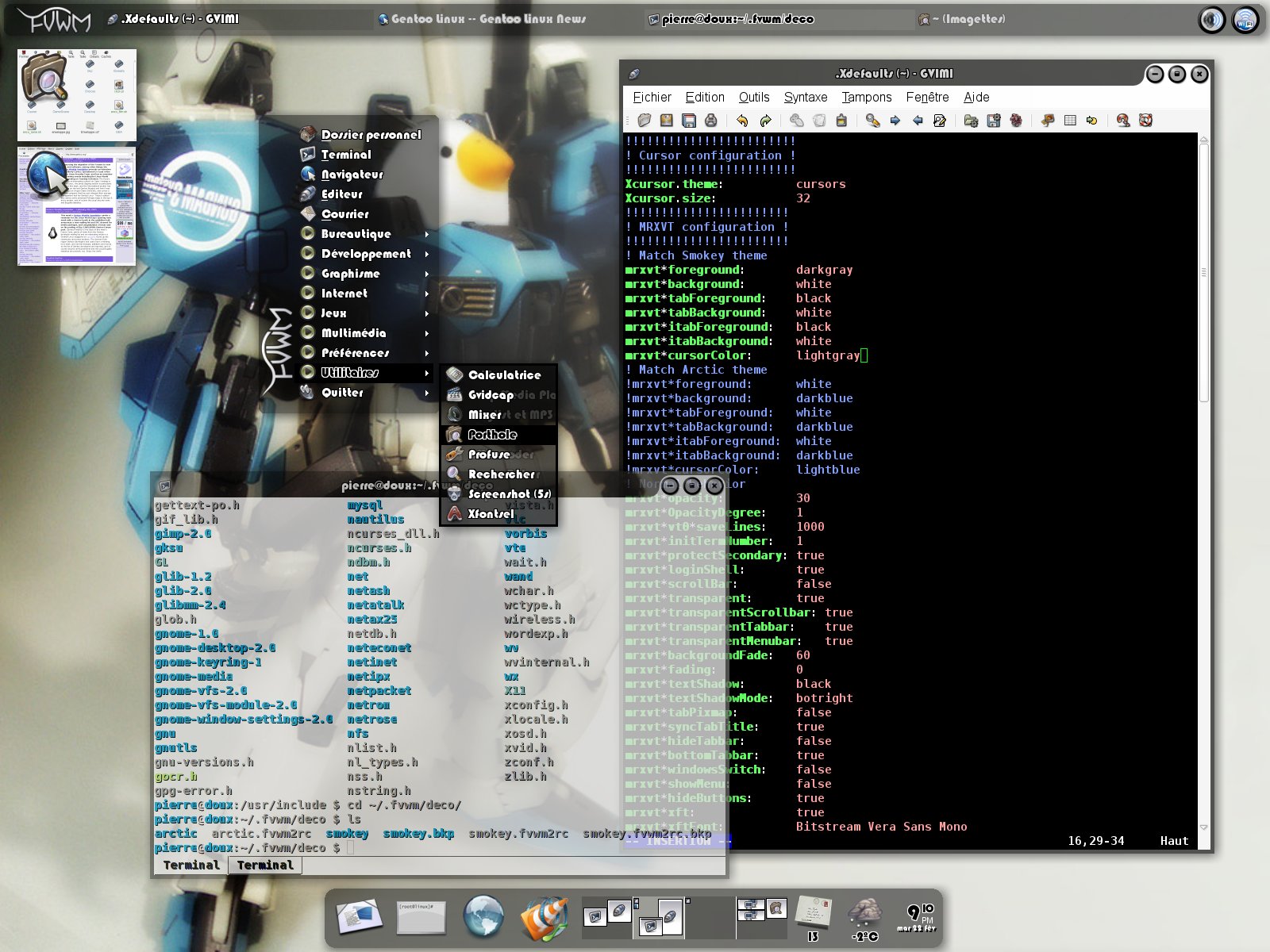
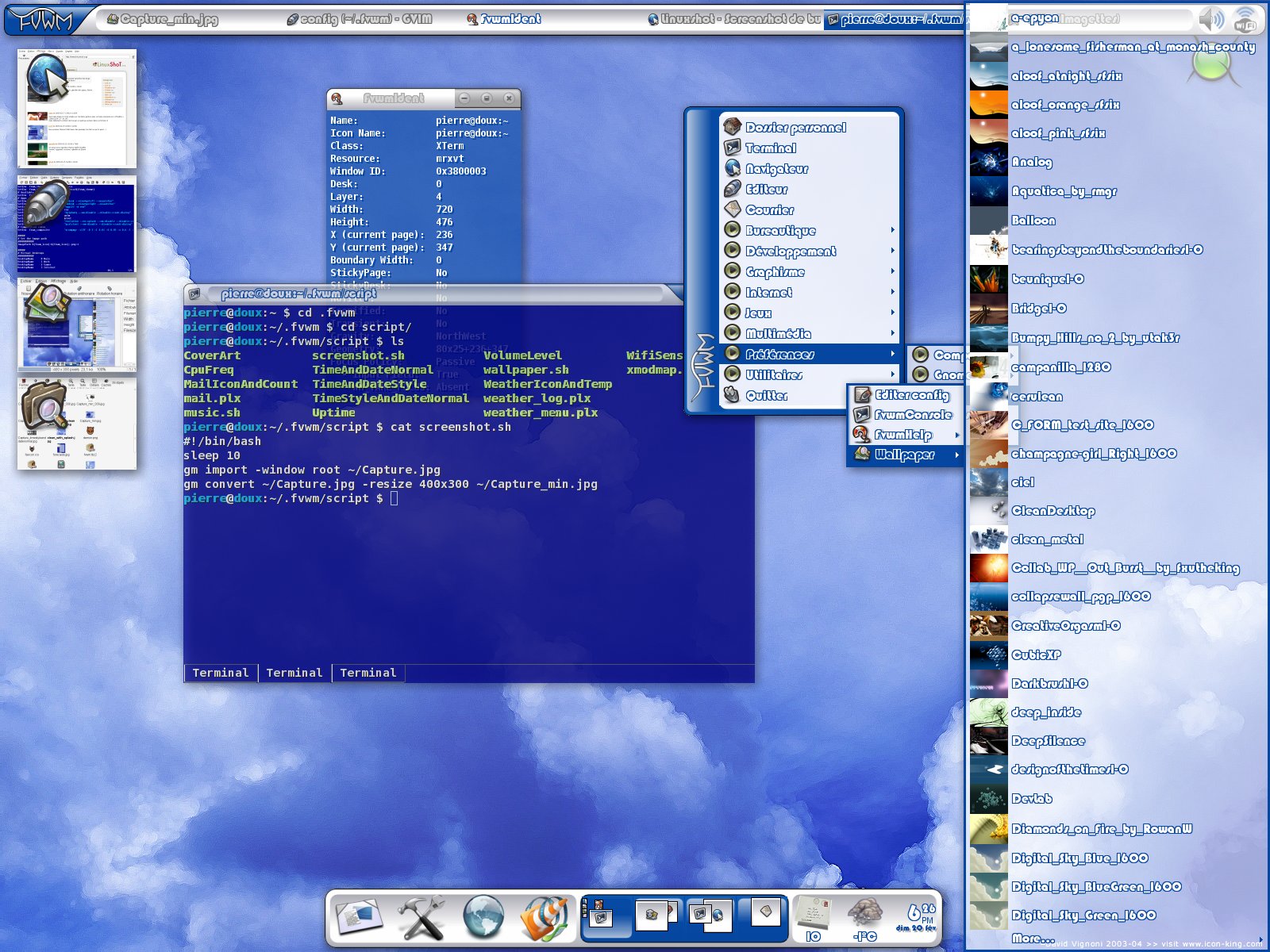
- Smokey and Artic - original themes created by Pierre Eric Marchandet, with transparency enabled
- Another interesting theme created by Tril from ironphoenix.org, using a matrix of virtual desktops (3×3) and WindowMaker-like docks.
FVWM-Crystal, which is the subject of this article, has been originally created as an FVWM theme as well. However, it evolved to something much more complex. Currently Crystal is integrated with a bunch of external tools like music players, desktop toolbars, file managers, terminals and more, so we decided to call it a minimalistic desktop environment with FVWM as the window manager. Following this path, it should be compared with GNOME or XFCE rather than Fluxbox, WindowMaker and such. But, to be precise, it's actually something in between.
Pic 2. FVWM-Crystal with NautilusWhy Crystal?
Good question, like a politician would say. We have dozens of window managers for X and a few full-featured desktop environments. Why should you care for yet another not very popular program doing the same thing? Well, there are a couple of reasons why, actually.
- FVWM-Crystal is fast. It boots-up a few times quicker than GNOME or KDE and takes up a dozen times less memory. This is however a feature of most lightweight window managers. Nothing too fancy.
- FVWM-Crystal looks really great. The whole desktop is transparent by default, includin
-
That depends...
...on whether Negreponte is a novice or not. If he is, then yes, he's very possibly out of luck, since software designed for novices needs more functions by definition, and thus, has to be bigger.
If on the other hand he already knows a thing or two, (or isn't afraid of learning) then he will find that minimalistic systems are actually one of Linux's primary strengths, at least in my observation. He could probably use this as a base, and then for X use apt-get to install ROX Filer, metacity, (as a background for ROX) and fbpanel as his start menu. Or, if he wants most of that done for him, he could install FVWM instead of metacity and fbpanel, and still use ROX as an explorer clone. Mind you, this is only one possible option, and most people reading this would probably think I'm insane and ask why I don't simply advocate fluxbox/xfce etc. This is a problem with myriad possible solutions.
He'd probably also need to install gtk for Abiword etc, but that doesn't necessarily have to be a problem. There are also any number of lightweight image viewers around as well...he should check freshmeat. For web browsing, there's also dillo.
Hence, what he wants is more than possible. He might have to do a bit of surfing, but then again, with the magic of apt-get, he probably doesn't even need to do that. -
Re: Ah, the age-old battleI'm a geek who likes productivity and I use Gnome. It's nicer looking, and cleaner. Which is not to say that it's lack of customization doesn't piss me off, and I've tried moving to KDE a few times, but KDEs look & feel is just... icky.
Thanks, arkanes, for posting this; it's clarified my thinking on this issue a bit. I love GNOME, but there's no real customization[1]. I hate KDE, but there are a million options. What's the source of my love of GNOME and my hate for KDE?
KDE feels wrong.
That makes either zero sense or a sixth sense, but there's something in KDE that drives me nuts. It's as if KDE is playing a supersonic buzz that I can't hear consciously. Whenever I use it, it feel like things are happening just outside of my conscious perception. I want to ask the interface, "What are you doing? Aren't you supposed to be just sitting there?"Morpheus: I know exactly what you mean. Let me tell you why you're here. You're here because you know something. What you know you can't explain. But you feel it. You've felt it your entire life. That there's something wrong with the world. You don't know what it is but it's there, like a splinter in your mind driving you mad. It is this feeling that has brought you to me. Do you know what I'm talking about?
That is exactly how I felt when I used KDE. What is the Katrix?
When Patrick removed GNOME from Slackware, I decided to try KDE; I wanted an option in case I decided not to keep GNOME current manually. KDE's bazillions of options were, at first, thrilling, but I eventually left because it just felt wrong. (I went back to the emacs of windows managers, fvwm. My personal customizations aren't as good-looking as GNOME, but now my desktop does exactly what I tell it, exactly when I tell it.)
[1] I think someone's already mentioned that there's a GNOME trend against --geek_opts going back to at least the metacity/sawfish switch... why not just have an advanced options option, like gtk-gnutella or All-In-One Sidebar? -
Re:The rumors of KDE/Gnome's demise..
Blackbox! Hah! I use the far more basic FVWM. And not any 'ole FVWM. No, I use FVWM 1, which hasn't been updated since 1996. This is an extremely productive setup for me (albeit not easy-to-learn; but ni modo because I already learned it in 1995). And very lightweight--it's even more lightweight than Windows XP. I guess X has so much overhead that Windows can do a lot more at the same level of CPU power.
-
Interestingly enough...This could easily be done with a certain fvwm configuration.
More specifically one would have to compile in libstroke support for the mouse-gestures use metisse for the window-folding effects. After some configuration, one could do many of the very same (or at least nearly the same) things described in the article.
Anyone care to try?
-
Re:Best performing linux distro?
I believe you'll be wanting something like ROX or FVWM to break yourself in (these have GUI support and configuration, and tend to be much lighter than the big guns), and then switch to one of the nice lightweights (some examples: Blackbox, Fluxbox, or--my personal favorite--pekwm) once you're more comfortable with the OS.
Good luck! -
Re:Okay now...A while ago in a local LUG we talked about Linux-side systems that do things like this. Really, the best place for this is the display-manager, although it might need tighter integration with the screensaver to work well.
On the other hand, Linux can be set up so that login/logout is really fast, especially if you use good hardware and a lightweight windowmanager like, oh, say, FVWM, along with a session manager. You won't necessarily get your documents back at the same page and line after a logout/login sequence, but no information will be lost. I've seen Windows take five minutes to "apply the system security policy" or whatever; if Linux or any Unix takes less than 30 seconds to display a usable desktop, something is probably broken, for instance a bogus NFS mount.
-
Re:Theme constraints?
Of hand, does anyone know of a WM that's relaly easy to customize, but also very flexible?
FVWM has a minimal core, but is infinitly flexible and customizable. I always
end up coming back to it.
http://www.fvwm.org/ -
Re:Theme constraints?
Try FVWM, highly configurable and much recommended.
-
Re:How lightweight, if it requires gtk+?
-
Re:Less window manipulationInteresting. More generally, what if you have a transparent editor window covering a firefox window, and if you keep your mouse in the editor window, but move the mouse wheel, then firefox's text would scroll?
Of course, you'd have to have some intelligent window manager that knew if the scroll event should go to the editor or to the firefox window underneath, or both even. I wonder if such an intelligent event multiplexer could be written as a fvwm module in perl (or maybe some other scriptable WM). Food for thought.
-
fvwm
last time i heard E was a drug. i honestly think fvwm is a much better wm. but, last time i heard opinions were like assholes.
-
seems appropriate....
"the name [...] reminds me of Windows ME"
That seems appropriate, since it sounds like most of his complaints boil down to: "it's not enough like Windows." (Except for the ones that boil down to: "it needs to have a bunch of options that you'll only ever use once out cluttering the interface all the time." Frankly, I'd rather do my configuration with a text editor, and have it out-of-sight, out-of-mind the rest of the time, which is probably why I use XEmacs as my file manager, inside good ol' FVWM - both heavily customized).
Still, I see no reason why this guy shouldn't go ahead and build his little project. It'll be an interesting experiment, and maybe useful things will come out of it. And if not, well, maybe the fact that it didn't will be useful information. -
Re:Gnome should have 2 modes.
Instead of fighting for one [single] UI, Gnome should have two modes: beginner and expert.
Gnome already has an expert mode, it's called fvwm.
I much prefer the emacsiness of fvwm -- like 16 million workspaces with 6 desktops each, complete access to all of that with any keyboard or mouse combinations I configure -- but I kept trying gnome because the gtk apps all use the gnome-control-center display settings. Then I added
I configure gtk apps like firefox by running gnome-control-center, and the rest of the interface, like mouse and keyboard, with
Here are a few screenshots from the fvwm screenshots page (these were my inspiration to start learning fvwm): 1 2 3 4 5. -
Re:Gnome should have 2 modes.
Instead of fighting for one [single] UI, Gnome should have two modes: beginner and expert.
Gnome already has an expert mode, it's called fvwm.
I much prefer the emacsiness of fvwm -- like 16 million workspaces with 6 desktops each, complete access to all of that with any keyboard or mouse combinations I configure -- but I kept trying gnome because the gtk apps all use the gnome-control-center display settings. Then I added
I configure gtk apps like firefox by running gnome-control-center, and the rest of the interface, like mouse and keyboard, with
Here are a few screenshots from the fvwm screenshots page (these were my inspiration to start learning fvwm): 1 2 3 4 5. -
Re:Gnome should have 2 modes.
Instead of fighting for one [single] UI, Gnome should have two modes: beginner and expert.
Gnome already has an expert mode, it's called fvwm.
I much prefer the emacsiness of fvwm -- like 16 million workspaces with 6 desktops each, complete access to all of that with any keyboard or mouse combinations I configure -- but I kept trying gnome because the gtk apps all use the gnome-control-center display settings. Then I added
I configure gtk apps like firefox by running gnome-control-center, and the rest of the interface, like mouse and keyboard, with
Here are a few screenshots from the fvwm screenshots page (these were my inspiration to start learning fvwm): 1 2 3 4 5. -
Re:Gnome should have 2 modes.
Instead of fighting for one [single] UI, Gnome should have two modes: beginner and expert.
Gnome already has an expert mode, it's called fvwm.
I much prefer the emacsiness of fvwm -- like 16 million workspaces with 6 desktops each, complete access to all of that with any keyboard or mouse combinations I configure -- but I kept trying gnome because the gtk apps all use the gnome-control-center display settings. Then I added
I configure gtk apps like firefox by running gnome-control-center, and the rest of the interface, like mouse and keyboard, with
Here are a few screenshots from the fvwm screenshots page (these were my inspiration to start learning fvwm): 1 2 3 4 5. -
Re:Gnome should have 2 modes.
Instead of fighting for one [single] UI, Gnome should have two modes: beginner and expert.
Gnome already has an expert mode, it's called fvwm.
I much prefer the emacsiness of fvwm -- like 16 million workspaces with 6 desktops each, complete access to all of that with any keyboard or mouse combinations I configure -- but I kept trying gnome because the gtk apps all use the gnome-control-center display settings. Then I added
I configure gtk apps like firefox by running gnome-control-center, and the rest of the interface, like mouse and keyboard, with
Here are a few screenshots from the fvwm screenshots page (these were my inspiration to start learning fvwm): 1 2 3 4 5. -
Re:Gnome should have 2 modes.
Instead of fighting for one [single] UI, Gnome should have two modes: beginner and expert.
Gnome already has an expert mode, it's called fvwm.
I much prefer the emacsiness of fvwm -- like 16 million workspaces with 6 desktops each, complete access to all of that with any keyboard or mouse combinations I configure -- but I kept trying gnome because the gtk apps all use the gnome-control-center display settings. Then I added
I configure gtk apps like firefox by running gnome-control-center, and the rest of the interface, like mouse and keyboard, with
Here are a few screenshots from the fvwm screenshots page (these were my inspiration to start learning fvwm): 1 2 3 4 5. -
Re:Gnome should have 2 modes.
Instead of fighting for one [single] UI, Gnome should have two modes: beginner and expert.
Gnome already has an expert mode, it's called fvwm.
I much prefer the emacsiness of fvwm -- like 16 million workspaces with 6 desktops each, complete access to all of that with any keyboard or mouse combinations I configure -- but I kept trying gnome because the gtk apps all use the gnome-control-center display settings. Then I added
I configure gtk apps like firefox by running gnome-control-center, and the rest of the interface, like mouse and keyboard, with
Here are a few screenshots from the fvwm screenshots page (these were my inspiration to start learning fvwm): 1 2 3 4 5. -
Re:An important difference# your choice of how your desktop environment looks
themes?
More than themes--completely different desktop environments. Sure, GNOME & KDE are pretty much Macish/Windowsish--but fvwm2, ion (my personal favourite) or emacs (which can run without X, and provides an entire operating environment: mail, news, web, calendar, appointments, program editing, compiling, debugging, word processing &c) are entirely different.
With free software, one has real, meaningful choice--not just 'paint the windows another colour' (my problem with much of the KDE/GNOME stuff), but actual radically different behaviours. This means that your environment can be customised for what you do. A truck's cockpit is not like a car's, and neither's is like a subway train's--why must every user's environment be the same?
-
Linux used to be very fast.
Try running RedHat 5.2 on a 486/66 w/32MB of ram. That system boots faster (almost 2x) than a 300MHz PII with 512MB ram on RedHat 9. Not to mention that this is the kernel on the distro CD without optimization. If you like win 95/98 and have a slow system use fvwm. Avoid GNOME if you don't have infinite patience.
-
Re:I prefer KDE
Let me be the critic of your desktop.
***kin lame.
I understand that you envy to OSX. But at least be consistant.
1. Right toolbar is looking like outer space. Clock and icons on it
don't belong to this setting.
2. Menu spripes are way too dark and font style is way of to be part of
such setup.
3. Ripped off Mac icons. Very inovative
4. All not Apple icons look but ughly
5. Icon being resized and coveringothers is way off to be usable.
6. Terminal is unreadable.
Nothing but very bad OSX ripoff. I think some OSx owners could even be
insulted with it.
And do please, learn the magic.
image1
image2
let's say in a minute and both are way more original and consistant. And featuring icons ripped of deviantart
-
my list goes to elevenit's not completely exhaustive, but I can get by once I have the following
- pico for quick editing before I've got X up and running.
- NEdit the best programmers' text editor ever!
- fvwm2 a good, fast, customizable window manager (I suffer through twm until this is in place)
- ddd a simply wonderful front-end to gdb.
- mozilla my browser of choice, warts and all (though konquerer is giving me second thoughts)
- xscreensaver nothing makes me happier than xmatrix.
- xpdf simple PDF viewer, no frills.
- ROX-filer a fast and simple file system browser (though I've been leaning towards konquerer for about a year)
- unclutter makes the mouse cursor disappear after several second of inactivity.
- xv in case I need to fiddle with image files.
- xine in case I need to watch a movie.
On top of this I have a set of configuration files archived for several of the above programs (i.e. fvwm2 and NEdit) and general system setup (fstab, XFree86, and bash/sh profile).
- pico for quick editing before I've got X up and running.
-
If you think that's good...If you like KDE, then you'll love fvwm, which has all the important stuff from KDE, but is superior in terms of disk utilization and runtime.
Give it a try!
-
FVWM
There is a collection of desktop screenshots at fvwm.org.
I would suggest taking a close look at Tavis Ormandy's Desktop which has translucency (due to a patch to the 2.5 source) and thumbnails for icons.
Also: Google is your friend. Try 'linux desktop screenshot' or '$WINDOWMANAGER screenshot', where $WINDOWMANAGER = 'kde', 'gnome', 'fvwm', 'openbox', 'xfce', 'sawfish', 'twm', 'ratpoison', 'ion', 'windowmaker', etc.
-
FVWM
There is a collection of desktop screenshots at fvwm.org.
I would suggest taking a close look at Tavis Ormandy's Desktop which has translucency (due to a patch to the 2.5 source) and thumbnails for icons.
Also: Google is your friend. Try 'linux desktop screenshot' or '$WINDOWMANAGER screenshot', where $WINDOWMANAGER = 'kde', 'gnome', 'fvwm', 'openbox', 'xfce', 'sawfish', 'twm', 'ratpoison', 'ion', 'windowmaker', etc.
-
Re:winder if a new DE will come out of this
God please.... I'm sick of the so-called "usability" and supposed "performance" of KDE and GNOME. I feel like I'm using some college sophomore's re-interpretation of MS Windows. If somebody came along and made a lightweight, dynamic windowing system and desktop environment for Linux, with real usability and minimalism, I'd shit my pants!
Personally, I prefer fvwm to all other GUIs. It is lightweight, easy to configure, stable, backwards compatable, and portable. It is also far more usable for me than any of the others I have tried, and that geos for KDE and GNOME as well.
-
Gnome is lookin' good!I've stayed far away from the KDE/Gnome debate for the past couple years, choosing instead to stick with simple, stripped-down window managers like fluxbox and FVWM.
But a buddy was showing me some of his favorite GTK themes on his Gnome desktop, and I have to admit that I was impressed. Unfortunately, when I checked to see how many packages I'd have to install for Gnome, there were over 30 -- Mozilla was one of the dependencies!
So, can any
-
That's the way to go IMHO...
I'm really a Gnome fan.
I was thinking that KDE was a bit bloated, a bit ofuscated..
I explain my choice in this Perfect Desktop text
But I must agree that KDE 3.2 seems to be really on the good way and I think I will try it the day of the release. Good Job KDE people. I really like the plastic theme. IMHO, keramik was "fat".
Well, I find this screenshot really interesting.
Don't you think that Gnumeric is more "easy " than Kspread ? There's two rows of icons in Gnumeric : File icons and actions icons.
In Kspread is not so easy, you have icons anywhere.. that's really the bad point of KDE for me and why I prefer Gnome for beginners. Think about it.
Anyway.. Good job guys !
PS : anyway, gnome and KDE aren't anything ! I can't live without FVWM . -
yeah, shuatry fvwm
I don't care what anyone says, It's quick, small, and configurable
-
FVWM
dont forget fvwm, create your own mouse gestures, 'Strokes', and bind them to any action/command.
KICKS ASS. -
FVWM
dont forget fvwm, create your own mouse gestures, 'Strokes', and bind them to any action/command.
KICKS ASS. -
Re:expose
-
Re:lighter is better
I run a simple Fvwm environment on everything I have.
Heh, I hate to tell you this, but I had a quick look at FVWM and FVWM isn't simple any more! It's now got themes (as in window decorations)! And png support! Even the menu looks half-decent!
Who'd have thought it
-
There is No Monolithic `Linux'The fundamental error this columnist makes is twofold: first, that there is no monolithic `Linux corporate entity'; second, that the goal of this non-existent entity is to convert everyone to Linux.
`Linux' (really, free software in general) is not a person; it is not a corporation; it is the emergent product of thousands of developers. There is no central direction. There is no-one to enforce any silly dicta which come down the pike. It's freedom, baby: everyone doing his own thing, and thereby producing something great and Free. Sure, it has rough edges, but it's truly Free.
Even if one looks at the `Linux' community as a self-directed organism, is its goal conversion from Windows? Is its goal dumbed-down software? No: the goal of the free software community is freedom--and we have that. It is for proprietary software users to come to us; not for us to come to them. If users wish to remain lusers, so be it: we will help them become better, but we will not worsen ourselves.
How would he--or any other person advocating uniformity--propose to enforce a common standard on all? By violence? The basic issue is that we do not all agree on what is good. I like Ion; you like fvwm2; he likes sawfish. Which would you choose? Each has its pros and cons. Each is infinitely better than the utterly loathsome metacity.
As long as there is freedom, there will not be uniformity. Since freedom is the highest good of free software, free software will never be uniform. Particular collections might be (witness the GNU Project, whose tools mostly follow the same conventions), but the whole will never be.
This is a good thing, because freedom is good, and choice is good, and people are different. To those with brains, freedom and choice are exhilarating--who cares for those without?
BTW, WTF's up with
-
X?
Seems to me that this is moronic. A window manager to me is like the style settings in windows. You can choose single or double click, the style of windows borders, the format of text.
What should be standardized is the interface between window managers and the X servers.
What I'm worried about is all the backdoor forx of X, directfb, and xouvair (or whatever it's called).
People should have the choice of lots of different window managers. It's the reason I moved to Linux years ago. I don't see a reason to change that. I do see a reason to make sure that the X servers are:
a) Not forked
b) Guaranteed compatible with window managers
I personally think all window managers should be created without toolkits/bloatware libraries. eg. -gtk, or qt. I like simple window managers that can be compiled without downloading and compiling crap bloatware.
My personal favorite window manager is fvwm. If people want a choice of WM's, give them the choice. If people want to standardize, let them use RedHat Bluecurve GUI or Lindows I guess. Anything other than Win2k is a better choice for me.
It gets harder and harder to create a custom sig without using the sig field everytime. -
Re:X Programming In C
Just what we need... Another window manager when we already have a good one!
Although, it is always nice to have some peaceful quiet fun, rather than those rowdy programmers writing operating systems. Plus, they never learn from looking at other operating systems code. -
Missing the point!
Poster is missing the point. Fvwm is not a minimalist WM! There are several minimalist WMs out there, and many of them are fairly nice, if that's your cup of tea. I think larswm is a pretty nice one, and the grandaddy of them all is 9wm. And there are a bunch of others, including, apparently, EvilWM. But Fvwm is not a minimalist WM! It's a full-featured WM that happens to use an amazingly small amount of memory. It does this by being highly modular, so that only the features you actually use get loaded. It's also amazingly configurable, considering how little memory it uses. (Another amazingly-powerful-considering-how-little-memory-
i t-uses WM is Window Maker -- I'm always amazed at how little memory this feature-filled WM uses.)
And looking at evilwm's web page, I have to say, there is no way I'd consider switching from fvwm. Their choice of hard-coded defaults do not match what I want. If someone wrote a minimalist WM that did have all the defaults set to what I want, then I might consider switching, but these guys aren't even close. (And even then, I'd have to find third-party equivalents for the fvwm modules I use, like the buttonbar.) -
Why FVWM mattersA lot of folks seem to think that Windows represents the pinnacle of GUI aesthetics, and that everything else (except Apple) should try to copy it. These folks look down on fvwm as "not even as good as Windows 3.1".
I don't agree. I like the Unix desktop at its most Unixy - clean, efficient andminimal. No need to waste pixels catering for an idiot when this desktop is the interface for a computer professional. But if I wanted to waste some pixels, and I have in the past, I'd waste them on stuff that looks cool to my aesthetic, not what looks reassuring to some marketer trying to soothe the average user.
If you want to understand the "real" window managers, like fvwm, Afterstep, etc., realize three things:- They aren't trying to be "as good as Windows 3.1". They're in a totally different space. Just because they run on PC hardware now doesn't mean they partake of the PC mentality. These WM's can be configured from minimal to maximal, but at maximal they express a strong aesthetic that's quite different from consumer OS's.
- Forget about "user friendliness". Real WM's are delicately balanced between aesthetics and efficiency, leaving little room for user-friendliness, which means accomodation to beginners. Let beginners use Gnome/KDE if they're unwilling to learn, or learn the real stuff if they're willing. More importantly, real user friendliness requires the WM to know things about applications, the machine, etc. I prefer my WM ignorant and agnostic - a mere conduit for my actions.
- Don't judge them by how they "look". They don't look like anything - they're quite user-tunable, which is half the fun. The screenshots only give hints of the scope of customization. The feeling of running a desktop that you built is completely different from the feeling you get looking at someone else's desktop.
I don't like CDE very much, but CDE is clean and technical-looking in a way that Windows isn't. Almost everyone would happily go from CDE to KDE or Gnome, but I'd feel some loss of Unix flavor.
(I've ignored the fact that fvwm works with Gnome - you could have the fvwm coolness and the Gnome user-friendliness, I guess.)
I'm currently running fluxbox at work and AfterStep at home. I like a lot of what I see in the fvwm release - it seems the good window managers are converging and adopting the best features.
I know there will always be a small group that thinks as I do, but I'm afraid we're not communicating very well. Tons of newcomers are pouring into Linux, and most of them have only seen Microsoft Windows. Therefore they're inclined to view the desktop through a Microsoft lens, even as they criticize Microsoft.
I don't like Microsoft software. I find it disgusting from concept to execution, from GUI aesthetics to file formats. I don't want anything on my machines to look like that. - They aren't trying to be "as good as Windows 3.1". They're in a totally different space. Just because they run on PC hardware now doesn't mean they partake of the PC mentality. These WM's can be configured from minimal to maximal, but at maximal they express a strong aesthetic that's quite different from consumer OS's.
-
FVWM stands for ... from the FAQFVWM FAQ - what does FVWM stand for?
1.1 What does FVWM stand for?
A: "Fill_in_the_blank_with_whatever_f_word_you_like_
a t_the_time Virtual Window Manager". Rob Nation (the original Author of FVWM) doesn't really remember what the F stood for originally, so we have several potential answers:--Pat / zippy@cs.brandeis.edu