Slashdot Mirror
Domain: pjrc.com
Stories and comments across the archive that link to pjrc.com.
Comments · 124
-
Re:"The Wayback Machine"Are you ashamed of what you did back then, when you were young and foolish?
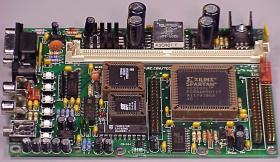
I am. Well, sorta anyway. My site has all of the pages that have ever appeared, all the way back to 1995. For example, this circuit board schematic page got a lot of hits in 1995. For years, I got emails from people who attempted to build it... a few were success but most were failures. So, in 1997 I redesigned the board/schematic so that it would be much easier to build and troubleshoot, and then I made another new rev in 1999 (because the flash rom chip became obsolete).
Based on lots of user feedback, I redesigned it yet again in 2001, mainly to increase the speed, add more memory to be C compiler friendly, and I added the most user-requested feature, a port to plug in a standard LCD.
Today, those old pages (well, still need to update the '99 ones) have a message at the top of the page that tell the visitor they're viewing obsolete material and strongly suggests they follow a link to the new version of the circuit board, which is easier to build (added in 1997), uses parts that are currently available on the market (added in 1999), and has more features (added in 2001).
An archive of the original 1995 page, even archived in 1996, isn't going to warn the poor user about the usability improvements added in 1997, the part that became obsolete in 1999, and the nice new features that were added in 2001. At the very least, it'd be proper for archive.org to link to the current version of the page (if it's on-line)... but even that would be difficult since the site moved from a university to its permanent domain name in 1999 (the old site keep a redirect for a couple years, but even that is gone now).
So, while it sucks that someone might find that old material and suffer though all the problems that have been corrected and miss out on the improvements of the last several years, it doesn't suck enough that I'd hire a lawyer, or even bother to tell them to exclude my material.
But I can understand how a large company would not want its old products displayed with the then-current literature in a way that might confuse potential customers.
-
Re:"The Wayback Machine"Are you ashamed of what you did back then, when you were young and foolish?
I am. Well, sorta anyway. My site has all of the pages that have ever appeared, all the way back to 1995. For example, this circuit board schematic page got a lot of hits in 1995. For years, I got emails from people who attempted to build it... a few were success but most were failures. So, in 1997 I redesigned the board/schematic so that it would be much easier to build and troubleshoot, and then I made another new rev in 1999 (because the flash rom chip became obsolete).
Based on lots of user feedback, I redesigned it yet again in 2001, mainly to increase the speed, add more memory to be C compiler friendly, and I added the most user-requested feature, a port to plug in a standard LCD.
Today, those old pages (well, still need to update the '99 ones) have a message at the top of the page that tell the visitor they're viewing obsolete material and strongly suggests they follow a link to the new version of the circuit board, which is easier to build (added in 1997), uses parts that are currently available on the market (added in 1999), and has more features (added in 2001).
An archive of the original 1995 page, even archived in 1996, isn't going to warn the poor user about the usability improvements added in 1997, the part that became obsolete in 1999, and the nice new features that were added in 2001. At the very least, it'd be proper for archive.org to link to the current version of the page (if it's on-line)... but even that would be difficult since the site moved from a university to its permanent domain name in 1999 (the old site keep a redirect for a couple years, but even that is gone now).
So, while it sucks that someone might find that old material and suffer though all the problems that have been corrected and miss out on the improvements of the last several years, it doesn't suck enough that I'd hire a lawyer, or even bother to tell them to exclude my material.
But I can understand how a large company would not want its old products displayed with the then-current literature in a way that might confuse potential customers.
-
Re:"The Wayback Machine"Are you ashamed of what you did back then, when you were young and foolish?
I am. Well, sorta anyway. My site has all of the pages that have ever appeared, all the way back to 1995. For example, this circuit board schematic page got a lot of hits in 1995. For years, I got emails from people who attempted to build it... a few were success but most were failures. So, in 1997 I redesigned the board/schematic so that it would be much easier to build and troubleshoot, and then I made another new rev in 1999 (because the flash rom chip became obsolete).
Based on lots of user feedback, I redesigned it yet again in 2001, mainly to increase the speed, add more memory to be C compiler friendly, and I added the most user-requested feature, a port to plug in a standard LCD.
Today, those old pages (well, still need to update the '99 ones) have a message at the top of the page that tell the visitor they're viewing obsolete material and strongly suggests they follow a link to the new version of the circuit board, which is easier to build (added in 1997), uses parts that are currently available on the market (added in 1999), and has more features (added in 2001).
An archive of the original 1995 page, even archived in 1996, isn't going to warn the poor user about the usability improvements added in 1997, the part that became obsolete in 1999, and the nice new features that were added in 2001. At the very least, it'd be proper for archive.org to link to the current version of the page (if it's on-line)... but even that would be difficult since the site moved from a university to its permanent domain name in 1999 (the old site keep a redirect for a couple years, but even that is gone now).
So, while it sucks that someone might find that old material and suffer though all the problems that have been corrected and miss out on the improvements of the last several years, it doesn't suck enough that I'd hire a lawyer, or even bother to tell them to exclude my material.
But I can understand how a large company would not want its old products displayed with the then-current literature in a way that might confuse potential customers.
-
Re:the biggest difference between VHS and DVD is... it costs many times more to distribute 100GB per month than it does to distribute 10GB per month.
It you were to pay for a Dedicated Server at RackShack, it's cost you $99 (plus a one-time setup of approx $200).
Since that $99 buys 400 Gbyte/month of bandwidth at RackShack, distributing 100 GB would not only not cost "many times more"... it would cost exactly the same $99 as 10 GB.
Of course, there is the minor issue of their AUP prohibiting distribution that infringes copyright... but if it were 10 or 100 GB of something you has the right to distribute, 10, 100 and even 400 GB would cost exactly the same, if you used RackShack!
Just to give one more example, stepping up from the bargain basement to Verio's Dedicated Hosting (which happens to be how amy own website is hosted), you'd pay $395 per month which includes 50 Gbytes of bandwidth. Verio sells bandwidth in $150 GB allocations for $150, so 10 GB would cost you $395 and 100 GB would cost $545. That happens to be a 38% increase, which is hardly "many times more".
FWIW, I got a great deal at Verio in the dot-com bust and they sold me an older dedicated server at approx 1/2 of the normal rate, so in my case going to 10 GB to 100 GB would approximately double my bill. (my site uses about 15 Gbyte/month, and it's slowly and steadily growing as the site expands and more people find it)
There are thousands of other companies on the net offering hosting for larger and higher bandwidth sites.... but here's at least two solid examples that flatly disprove the absurd notion that 100 GB costs a lot more that 10 GB.
-
End of my MP3 player project ??
If this thing goes through, it'll probably mean the end of my little mp3 player project. I was planning to do quite a bit of reverse engineering on several car stereo decks to add support to emulate various CD changer control protocols (all open source, of course). If this crazy legistration goes through, I'll probably have to throw in the towel. I wonder if it'll even be legel to keep the web pages up with the schematic, source code, etc??
-
Re:PJRC MP3 is similar for even less $$$
-
Re:PJRC MP3 is similar for even less $$$
-
PJRC MP3 is similar for even less $$$
Checkout the PJRC MP3 player at this link for
a very similar player that costs less and is completely open source.
I've been using my PJRC MP3 player for about a year now in my VW New
Beetle. Great fun. -
Spin them up BEFORE you try to boot
You might try building a device like this which would allow you to interface directly with the drive controller. [If you don't need something as complex as shown at that link, I'm sure with the references linked from there, you could put together something].
By doing this, you could apply power to your drives before you boot, and use something similar to what's described above to spin them up.
This would allow you to control the high current draw by spinning the drives up in whatever order you'd like before you electrically remove the "spinner-upper" from the drive electronics and allow the computer to boot normally. (This is assuming that a 2nd spin-up signal from the BIOS wouldn't freak out the drive.)
You can find an IDE Hardware Reference & Information Document here.
To be very honest, I can't really see anybody implementing something as complex and convoluted as what's described above, particularly for multiple drives - but a properly programmed PIC chip or development board, with a bunch of IDE headers for the drives, that could spin up the drives however you'd like, then pass-through the original IDE signals from the motherboard, at boot time - POTENTIALLY, Potentially Could
You can see another suggestion of mine for this project here.
Good luck! -
The PRJC open source MP3 Player (Cheaper)
I've installed a mp3 player in a friends car, and have also built myself a stereo component. I searched high and low for something that fit my price range and I came across this little bad boy.
This is the PRJC 8051 based MP3 player. For $150 bucks you get a small board with a IDE interface and Fully open source software. I'm not a programmer, i'm a hardware monkey as the developers call me, but I do know the buzzwords they like to hear like it can be compiled with cygwin, flash upgradeable, ect. The neat thing about this is if you have old 72 pin simms laying around they can be used for extra buffer space. I'm not an audiophile, but we're talking MP3 here, needless to say the sound quality is good. You can hook up cheap LCD displays to it (cheap as in 5 to 10 bucks) On top of all that you can add ANY IDE hard drive to it as long as it's formatted fat32. mount -t fat32
I'm glad to see slashdot reporting on these types of open source mp3 players, in these hard economic times just walking into fry's and buying what you want is no longer a reality.
-
Re:How about
y is this modded to zero?
http://www.pjrc.com/
does have some cool stuff. -
Open Source PlayerIf your MP3 player was open source, you wouldn't have to worry about it doing undesirable things behind your back... or at the very least you could hack on it to make it do whatever you want.
There actually is an open-source MP3 player. It's not a shiny polished product like a Rio, but I can say with 100% confidence that is has absolutely no SDMI features, since I designed it!
Ok, mod me down for shameless self promotion now.
-
Build it yourself
I ran into the same situation some time ago. Tho, I was interested as a portable MP3 player, as well as a portable mass storage solution. Some of the retail MP3 players double as mass storage devices but still didn't quite fit the bill.
And then I found the PJRC High Capacity MP3 Player! You get full control, well, because you have to build it. It has IDE connectors for both standard and laptop hard drives, can be run off AA bateries or +12 DC (from car), has a headphone jack and RCA jacks, and a RS232 serial port for shell access to the firmware (upgradable). It has a LCD attatchment, but as you may read from the site the firware for it is still in devel (allthough it looks to work quite well). Honestly, I haven't ordered mine yet because I'm waiting for a break from work to have time to play. In the mean time, I'll just keep looking at the pictures. -
Build it yourself
I ran into the same situation some time ago. Tho, I was interested as a portable MP3 player, as well as a portable mass storage solution. Some of the retail MP3 players double as mass storage devices but still didn't quite fit the bill.
And then I found the PJRC High Capacity MP3 Player! You get full control, well, because you have to build it. It has IDE connectors for both standard and laptop hard drives, can be run off AA bateries or +12 DC (from car), has a headphone jack and RCA jacks, and a RS232 serial port for shell access to the firmware (upgradable). It has a LCD attatchment, but as you may read from the site the firware for it is still in devel (allthough it looks to work quite well). Honestly, I haven't ordered mine yet because I'm waiting for a break from work to have time to play. In the mean time, I'll just keep looking at the pictures. -
Why not build your own?
http://www.pjrc.com/tech/mp3/
Links to site on building your own custom built in hardware player. Check out the links to the other sites too. -
Paul and Robin's Place - 8051, MP3, Midi Drumshttp://www.pjrc.com/ - there are tons of technical projects here. A short list:
- My Homebrew MP3 Player
- Forget about tiny flash memory, a full-sized hard drive is the only way to go! Here's my the new MP3 player board that reads standard FAT32 formatted hard drives, is designed to support a large DRAM buffer and to run from batteries, and is flash firmware upgradable.
- The MIDI Drum Machine
- The MIDI Drum Machine, designed and constructed in the Fall of 1991, was my first major 8051 based project. With some help from a musician, it turned out to be a very successful project, as you'll be able to see.
- 8051 Microcontroller Goodies
(free stuff)
- The 8051 microcontroller family offers a very flexible and easy-to-use architecture which is still very popular, despite newer, much more "powerful" processors. Here are some of my tools, projects and bits of 8051 code which you may find useful.
- CCD Array Reader
- A circuit which interfaces a linear 128 pixel optical CCD Array detector to the parallel port of a computer. It features high-speed operation, automatic level corrections and gain control, and generally it works quite well.
- Making Printed Circuit Boards
- I etch printed circuit boards, using low-cost chemicals and equipment. Here's a guided tour of the process.
- My Homebrew MP3 Player
-
Paul and Robin's Place - 8051, MP3, Midi Drumshttp://www.pjrc.com/ - there are tons of technical projects here. A short list:
- My Homebrew MP3 Player
- Forget about tiny flash memory, a full-sized hard drive is the only way to go! Here's my the new MP3 player board that reads standard FAT32 formatted hard drives, is designed to support a large DRAM buffer and to run from batteries, and is flash firmware upgradable.
- The MIDI Drum Machine
- The MIDI Drum Machine, designed and constructed in the Fall of 1991, was my first major 8051 based project. With some help from a musician, it turned out to be a very successful project, as you'll be able to see.
- 8051 Microcontroller Goodies
(free stuff)
- The 8051 microcontroller family offers a very flexible and easy-to-use architecture which is still very popular, despite newer, much more "powerful" processors. Here are some of my tools, projects and bits of 8051 code which you may find useful.
- CCD Array Reader
- A circuit which interfaces a linear 128 pixel optical CCD Array detector to the parallel port of a computer. It features high-speed operation, automatic level corrections and gain control, and generally it works quite well.
- Making Printed Circuit Boards
- I etch printed circuit boards, using low-cost chemicals and equipment. Here's a guided tour of the process.
- My Homebrew MP3 Player
-
Paul and Robin's Place - 8051, MP3, Midi Drumshttp://www.pjrc.com/ - there are tons of technical projects here. A short list:
- My Homebrew MP3 Player
- Forget about tiny flash memory, a full-sized hard drive is the only way to go! Here's my the new MP3 player board that reads standard FAT32 formatted hard drives, is designed to support a large DRAM buffer and to run from batteries, and is flash firmware upgradable.
- The MIDI Drum Machine
- The MIDI Drum Machine, designed and constructed in the Fall of 1991, was my first major 8051 based project. With some help from a musician, it turned out to be a very successful project, as you'll be able to see.
- 8051 Microcontroller Goodies
(free stuff)
- The 8051 microcontroller family offers a very flexible and easy-to-use architecture which is still very popular, despite newer, much more "powerful" processors. Here are some of my tools, projects and bits of 8051 code which you may find useful.
- CCD Array Reader
- A circuit which interfaces a linear 128 pixel optical CCD Array detector to the parallel port of a computer. It features high-speed operation, automatic level corrections and gain control, and generally it works quite well.
- Making Printed Circuit Boards
- I etch printed circuit boards, using low-cost chemicals and equipment. Here's a guided tour of the process.
- My Homebrew MP3 Player
-
Paul and Robin's Place - 8051, MP3, Midi Drumshttp://www.pjrc.com/ - there are tons of technical projects here. A short list:
- My Homebrew MP3 Player
- Forget about tiny flash memory, a full-sized hard drive is the only way to go! Here's my the new MP3 player board that reads standard FAT32 formatted hard drives, is designed to support a large DRAM buffer and to run from batteries, and is flash firmware upgradable.
- The MIDI Drum Machine
- The MIDI Drum Machine, designed and constructed in the Fall of 1991, was my first major 8051 based project. With some help from a musician, it turned out to be a very successful project, as you'll be able to see.
- 8051 Microcontroller Goodies
(free stuff)
- The 8051 microcontroller family offers a very flexible and easy-to-use architecture which is still very popular, despite newer, much more "powerful" processors. Here are some of my tools, projects and bits of 8051 code which you may find useful.
- CCD Array Reader
- A circuit which interfaces a linear 128 pixel optical CCD Array detector to the parallel port of a computer. It features high-speed operation, automatic level corrections and gain control, and generally it works quite well.
- Making Printed Circuit Boards
- I etch printed circuit boards, using low-cost chemicals and equipment. Here's a guided tour of the process.
- My Homebrew MP3 Player
-
Paul and Robin's Place - 8051, MP3, Midi Drumshttp://www.pjrc.com/ - there are tons of technical projects here. A short list:
- My Homebrew MP3 Player
- Forget about tiny flash memory, a full-sized hard drive is the only way to go! Here's my the new MP3 player board that reads standard FAT32 formatted hard drives, is designed to support a large DRAM buffer and to run from batteries, and is flash firmware upgradable.
- The MIDI Drum Machine
- The MIDI Drum Machine, designed and constructed in the Fall of 1991, was my first major 8051 based project. With some help from a musician, it turned out to be a very successful project, as you'll be able to see.
- 8051 Microcontroller Goodies
(free stuff)
- The 8051 microcontroller family offers a very flexible and easy-to-use architecture which is still very popular, despite newer, much more "powerful" processors. Here are some of my tools, projects and bits of 8051 code which you may find useful.
- CCD Array Reader
- A circuit which interfaces a linear 128 pixel optical CCD Array detector to the parallel port of a computer. It features high-speed operation, automatic level corrections and gain control, and generally it works quite well.
- Making Printed Circuit Boards
- I etch printed circuit boards, using low-cost chemicals and equipment. Here's a guided tour of the process.
- My Homebrew MP3 Player
-
Paul and Robin's Place - 8051, MP3, Midi Drumshttp://www.pjrc.com/ - there are tons of technical projects here. A short list:
- My Homebrew MP3 Player
- Forget about tiny flash memory, a full-sized hard drive is the only way to go! Here's my the new MP3 player board that reads standard FAT32 formatted hard drives, is designed to support a large DRAM buffer and to run from batteries, and is flash firmware upgradable.
- The MIDI Drum Machine
- The MIDI Drum Machine, designed and constructed in the Fall of 1991, was my first major 8051 based project. With some help from a musician, it turned out to be a very successful project, as you'll be able to see.
- 8051 Microcontroller Goodies
(free stuff)
- The 8051 microcontroller family offers a very flexible and easy-to-use architecture which is still very popular, despite newer, much more "powerful" processors. Here are some of my tools, projects and bits of 8051 code which you may find useful.
- CCD Array Reader
- A circuit which interfaces a linear 128 pixel optical CCD Array detector to the parallel port of a computer. It features high-speed operation, automatic level corrections and gain control, and generally it works quite well.
- Making Printed Circuit Boards
- I etch printed circuit boards, using low-cost chemicals and equipment. Here's a guided tour of the process.
- My Homebrew MP3 Player
-
Fraud SucksTogether with Robin, I run a small e-commerce site. We have a conventional visa merchant account with our bank. I can say from experience that fraud really sucks. When a fraudlent transaction occurs, somebody is going to lose money. With a conventional merchant account, most of the time the merchant is the one who will end up bearing all the loss.
It's easy for guys like our infamous slashdot editor to comment:
I find PayPal pretty annoying today - a lot of the anti-fraud, privacy-invasive measures which this article applauds make Paypal much less enticing to me than it used to be.
Well, that's an armchair critic opinion if I've ever heard one. PayPal is now less enticing to "michael of slashdot".
The cold reality of the world is that there's a small number of crooks out there who will commit fraud, given the opportunity. Any party in the transaction who may be exposed to the potential for a loss would be acting irresponsibly by not taking reasonable measures to detect fraud before making the transaction.
In the conventional visa merchant world, the consumer is protectedby the fact that their bank will handle their dispute with the merchant and issue a chargeback to the merchant to recover the funds.
The bank is protected by their ability to issue a chargeback to the merchant. If the bank believes the merchant may not have the funds to cover chargebacks, they will hold a "reserve", which basically means they won't give the merchant some portion of their money for many months, sometimes even a year or two! (we had this shitty situation when we got started and consquently had to carry quite a bit more debt than we expected as we weren't getting the money for most of the products we sold!)
The merchant isn't really protected by much of anything in the conventional visa transaction, other than their own efforts to verify that the buyer really is the legitimate cardholder and that the goods are shipped to the correct destination. Actually, a card swipe and signature are more-or-less proof that the buyer received the goods, but with internet and mail order sales, it's a risky business for the merchant.
PayPal is in a tough situation, being in the middle of a transaction. It's really amazing that they can make this work at all, built on top of the conventional infrastructure which puts most of the risk onto the seller's side. They really need to do everything they can to detect and prevent fraud... even if it doesn't appeal to michael's tastes.
PS: I will agree that it's very un-cool to take personal customer information and use it for any purpose other than the reason it was provided. We don't do this, partly based on ethical grounds, partly because we're so small that there's no incentive, but mostly because nothing is more important than satisfied customers.
-
Why not just build your own?
You can also assemble your own mp3 player pretty easily and put whatever hard drive you like on it. I was just re-reading the old "Hackable Christmas Presents" story from not too long ago, and saw this link:
http://www.pjrc.com/tech/mp3/
The board that's sold here only cost $150. And 80 gig hard drives only go for $139 on pricewatch.com. You would have to make your own case, but so what? Plus, the firmware is GPL'ed and flashable. What more could you need?
$800 just seems way too expensive to me. -
If you like this one...
Check out pjrc's board
This site is slashdotted, so I can't really see what they've got. I did find in google's cache a copy of the image on that page though.
It looks like this player does not have much buffering to speak of. So it wouldn't be very useful for a portable player. This one looks like a commendable effort, but I'd recommend PRJC.com if you're doing a portable player - large SDRAM means you can spin down the drive. Plus it's open source! -
Re:What they don't tell youHave you looked into AS31? Not sure on the license but source is available (I suspect it may be GPL). AS31 and several other Linux based tools including an 8051 simulator are available here.
-all dead homiez -
MP3 PlayerAn open-source MP3 player circuit board, perhaps?
Ok, mod be down for shameless self promotion! But you gotta admit, it doesn't get much more hackable than this. -
Re:I don't understand your critic to GPLI see you're posting quite a bit, so you'll probably see this message and reply (at least I hope you will)
The GPL works when no one is trying to capitalize and exploit it. In instances like those, the GPL is pointless, and GPL'ing your code is akin to hanging a sign on your ass saying "screw me over".
Most of the code I've released for free is microcontroller firmware, and I just put it into the public domain so it can get combined with proprietary code without any strings attached.
The result has been that my little 8051 microcontroller web page has grown in popularity over the years and regularily swaps with a page at Reynold's as the #1 or #2 search result at google (for the query "8051"). A few years ago we started selling circuit boards and pre-programmed chips.
Long ago the site was hosted at a university (for free), and they refusted to continue hosting it. That was about the same time the boards started selling. In the last year, the web site has actually been able to pay for it's (rather spendy) hosting and other expenses, and soon the site will pay me back for all the electronic parts and other expenses over the last couple years.
I won't be rich from this, and in fact I probably won't ever be able to quit my day job and do it full time... but seeing it stand on its own financially is a long way from "screw me over", and it's almost all due to giving away source code, schematics, and know-how for free (public domain, not even GPL'd) and somewhere along the way enough people wanted to buy the circuit board. I never intended to sell anything when I stated the site in 1995, but after getting message after message asking for a source for the special parts or if I would make just one board for them, I had to do something. It's all worked out quite well.. and while it can be a lot of work at times, it's something I started simply to share my own projects and ideas with others for free.
-
Re:Need to Get Priorities StraightI am not the original poster, of whom JohnZed asks:
Do you personally spend lots of time trying to get Microsoft-supported games to work on Linux? I sure don't.
I did buy the official linux quake3 from the shelf at Fry's, only days after it appeared. I spend "lots of time"... well, about two evenings, of installing various Mesa, libgart, kernels, Xfree versions, etc. In the end, I played it for a few hours at the lowest resolution and lowest quality and the 'bots kicked my ass. I was truely impressed by the visual quality of the high quality settings, but I never did manage to get more than a few frames per second on my matrox g400 (selected specifically because of matrox's good disclosure to the xfree team).
JohnZed does have a good point, that "we" suggests involvement as a developer in the project. As my own little (non-game) project has been building up a user base, I see a lot of users with strong opinions about development. It's easy to brush them off as "back seat drivers" or "armchair critics", but sometimes, some of them actually write a bit of code and get involved in the project... and it's hard to predict which ones those will be.
-
Hosting Images From (A Higher Bandwidth) ServerMy little web site is hosted from a slow 128k frame relay link. Doing this gets the server on my LAN, which really is needed to enable me to spend my free time working on it. As the traffic has grown (now about 150k pageview/month), my low bandwidth link couldn't keep up. The simple solution was to move the images to a higher bandwidth server.
If you poke around in the html you'll see that the images are hosted at "www.inetarena.com/~pjrc", and of course my site is "www.pjrc.com". Saddly, this web bug thingy will probably tell you that I'm conspiring with inetarena.com to track you, when in fact they're just my ISP providing some server space for the images. There are not web bugs on my site.
I really ought to set up the image server with a domain name like images.pjrc.com. That costs extra (ISPs love to find things to charge for that don't cost anything)... but the cost isn't the primary concern. My little ISP has changed admins and they're not as stable as one might expect paying for frame relay service. I'll probably move to a new ISP soon, and that'll be a good time to set up a proper name for the image server.
The point is that it makes a lot of sense for a site to host bandwidth hogging files from a different server. In my case, it's to facilitate spending my creative energy in my free time on the site (didn't do much on it for a couple years without direct access to the server). I regularily poke around looking at people's html source, and I've seen several major sites use a different server for images, PDF files, etc. It's not an uncommon practice, and there's a lot of good reasons to do it other than tracking users. From what I can see, it looks like the folks at the Privacy Foundation aren't aware of this.
-
Re:Tips
It would be possible to use a microcontroller to send the play command to the IDE port, i'm just not sure how much of the bus you'd have to implement or how expensive it would end up being.
well, you can do it with a cheap 8051 microcontroller.
Take a look at Using an IDE Hard Drive with a 8051 Board and 82C55 Chip article at Paul's 8051 Code Library.
There is also a High Capacity MP3 player -
Re:Tips
It would be possible to use a microcontroller to send the play command to the IDE port, i'm just not sure how much of the bus you'd have to implement or how expensive it would end up being.
well, you can do it with a cheap 8051 microcontroller.
Take a look at Using an IDE Hard Drive with a 8051 Board and 82C55 Chip article at Paul's 8051 Code Library.
There is also a High Capacity MP3 player -
Re:Tips
It would be possible to use a microcontroller to send the play command to the IDE port, i'm just not sure how much of the bus you'd have to implement or how expensive it would end up being.
well, you can do it with a cheap 8051 microcontroller.
Take a look at Using an IDE Hard Drive with a 8051 Board and 82C55 Chip article at Paul's 8051 Code Library.
There is also a High Capacity MP3 player -
Re:Fraud DetectionRobin already posted one follow up, but I thought I'd add just a little more...
First of all, our site does in fact have this tiny page with a bit of a privacy policy, though it's focus is mostly about the use of a cookie to track the on-line ordering session. Unfortunately, our little web site suffers from dozens of usability issues. I recently purchased Jakob Nielson's book (the green and blue one) and I've got a giant list of things to improve about the web site. I just added a more complete privacy policy to the list. Of course, adding a better navigation system to the site is more important, since nobody can really find the tiny privacy policy page that already exists. Saddly, there's never enough time to do everything, and for at least the next couple months, improvements to the MP3 player firmware are the top priority. (also, the privacy policy isn't 100% accurate, as we do need to share the customer's info with the bank to process the charge, and with UPS or the USPS to ship the package, and we have no control over what they might do). It is also common practice for US banks to compile lists of spending habits of their card holders, which is completely out of our control.
We certainly wouldn't sell our customer list to a company like Digikey, Jameco, etc. That is mentioned on the tiny privacy/cookie policy page. We also never include images or java applets from other sites anywhere on our pages, which is the primary method that is used to track users' web browsing habits. I've never even considered using banner ads, even when it was widely believed they could generate revenue, mainly because I hate animated images. There is only one animation on the entire site, figure 14 on this page. I told myself it'd be a cold day in hell before I ever did an animation, but in this case it really is a valuable visualation of what happens, and I coded the java applet to pause if you click on it.
Since we sell circuit boards and special chips, mostly only interesting to hardware hackers, we attract quite a number of very sophisticated users. I've noticed that a small but not insignificant number have their own domain names AND appear to generate a custom email specifically for their order. Presumably they do this to see if we give the address to anyone else. Of course, we do not, but it's interesting to see these special addresses every now and then. I get about 4-5 spams daily (get rich quick, mortgage rates dropped, legal cable tv descrambler, sex pills, etc)... someday I ought to start doing those custom addresses to see who's selling the names.
"singularity" raises a good point about being cautious of dealing with a merchant who will ship to a different address than the one on the credit card. Most merchants will do this, and there are two common cases. The most common is someone ordering with their personal credit card, where the card's address is their home, and the shipping address is their workplace, which isn't far away. The other common case is students, who have a card with an address at their home, but they need delivery to their campus. These are quite common and we've shipped many orders this way without any problems. Because these legitimate cases are so common, I think it's worth the extra effort (and risk) to allow them.
An AC posted (what looks like a bit of a troll) about the home billing address, college campus shipping address case. The truth is that these are very common cases and when it's the same name on the card, it's not in the least bit suspicious. When the billing name and shipping name are significantly different, or the addresses are in different countries, things aren't so clear. Every case is a judgement call, and even some cases with addresses in different countries are reasonable (customer has a friend in the US who will be visiting soon and will hand carry the item to avoid high customs/duty charge). I suppose you can't please everyone (like this AC), but we do try quite hard to strike a balance between good service (shipping quickly, often the same day) and avoiding fraudlent transactions (where the bank will issue a charge-back, causing us to lose the money and pay a significant fee).
Even though the bank will almost always get the merchant to cover any loss, they are still exposed to some risk if the merchant can't pay (can you say "failing dot com"?) or they can't make the merchant pay, perhaps because they're in another country. The banks and credit card processing companies do an excellent job of watching for fraud. I'm sure there are plenty of guys at the Direct Marketing Association for have dreams about a giant database of all card holder's purchasing history at their disposal, but today the banks have this data and they do a great job of using it to detect and prevent fraud without disclosing private information to the merchants.
Well, that's enough rambling on. I keep telling myself to cut back on my slashdot intake... and get back to work on the MP3 player code.
-
Re:Fraud DetectionRobin already posted one follow up, but I thought I'd add just a little more...
First of all, our site does in fact have this tiny page with a bit of a privacy policy, though it's focus is mostly about the use of a cookie to track the on-line ordering session. Unfortunately, our little web site suffers from dozens of usability issues. I recently purchased Jakob Nielson's book (the green and blue one) and I've got a giant list of things to improve about the web site. I just added a more complete privacy policy to the list. Of course, adding a better navigation system to the site is more important, since nobody can really find the tiny privacy policy page that already exists. Saddly, there's never enough time to do everything, and for at least the next couple months, improvements to the MP3 player firmware are the top priority. (also, the privacy policy isn't 100% accurate, as we do need to share the customer's info with the bank to process the charge, and with UPS or the USPS to ship the package, and we have no control over what they might do). It is also common practice for US banks to compile lists of spending habits of their card holders, which is completely out of our control.
We certainly wouldn't sell our customer list to a company like Digikey, Jameco, etc. That is mentioned on the tiny privacy/cookie policy page. We also never include images or java applets from other sites anywhere on our pages, which is the primary method that is used to track users' web browsing habits. I've never even considered using banner ads, even when it was widely believed they could generate revenue, mainly because I hate animated images. There is only one animation on the entire site, figure 14 on this page. I told myself it'd be a cold day in hell before I ever did an animation, but in this case it really is a valuable visualation of what happens, and I coded the java applet to pause if you click on it.
Since we sell circuit boards and special chips, mostly only interesting to hardware hackers, we attract quite a number of very sophisticated users. I've noticed that a small but not insignificant number have their own domain names AND appear to generate a custom email specifically for their order. Presumably they do this to see if we give the address to anyone else. Of course, we do not, but it's interesting to see these special addresses every now and then. I get about 4-5 spams daily (get rich quick, mortgage rates dropped, legal cable tv descrambler, sex pills, etc)... someday I ought to start doing those custom addresses to see who's selling the names.
"singularity" raises a good point about being cautious of dealing with a merchant who will ship to a different address than the one on the credit card. Most merchants will do this, and there are two common cases. The most common is someone ordering with their personal credit card, where the card's address is their home, and the shipping address is their workplace, which isn't far away. The other common case is students, who have a card with an address at their home, but they need delivery to their campus. These are quite common and we've shipped many orders this way without any problems. Because these legitimate cases are so common, I think it's worth the extra effort (and risk) to allow them.
An AC posted (what looks like a bit of a troll) about the home billing address, college campus shipping address case. The truth is that these are very common cases and when it's the same name on the card, it's not in the least bit suspicious. When the billing name and shipping name are significantly different, or the addresses are in different countries, things aren't so clear. Every case is a judgement call, and even some cases with addresses in different countries are reasonable (customer has a friend in the US who will be visiting soon and will hand carry the item to avoid high customs/duty charge). I suppose you can't please everyone (like this AC), but we do try quite hard to strike a balance between good service (shipping quickly, often the same day) and avoiding fraudlent transactions (where the bank will issue a charge-back, causing us to lose the money and pay a significant fee).
Even though the bank will almost always get the merchant to cover any loss, they are still exposed to some risk if the merchant can't pay (can you say "failing dot com"?) or they can't make the merchant pay, perhaps because they're in another country. The banks and credit card processing companies do an excellent job of watching for fraud. I'm sure there are plenty of guys at the Direct Marketing Association for have dreams about a giant database of all card holder's purchasing history at their disposal, but today the banks have this data and they do a great job of using it to detect and prevent fraud without disclosing private information to the merchants.
Well, that's enough rambling on. I keep telling myself to cut back on my slashdot intake... and get back to work on the MP3 player code.
-
Xilinx takes 15 minutes to route my FPGA design!That's right, 15 minutes to compile a circuit diagram into a FPGA chip, using a 800 MHz Pentium3 (512 megs ram, 10k rpm SCSI drive, other high-end hardware) The design uses a XCS10XL chip, which is among the smallest devices they make today. It actually only takes 2 minutes to compile the circuit if the timing contrains aren't used in the placement and routing, but how useful is that?
The design in question is a custom DRAM controller, DMA controller, IDE interface, and MP3 serial bitstreaming output (DMA based), in my little homebrew mp3 player project.
Ok, not exactly a killer app, running FPGA placement and routing, but that 1.5 GHz Pentium 4 can't come soon enough! I can't imagine how anybody ever manages to design with those really large FPGA chips!!
-
Re:What's the alternative to banners?
If you're a guy with a website that you want to see grow by having more bandwidth and disk space without having a corporate sponsor who's willing to pay for it, the only way is banner ads.
I have a little web site, which was started about 6 years ago, that's mostly free resources for electronics projects, programming firmware, and similar technical subjects. For almost 4 years, it was hosted at a university web site, which cost me nothing, but 2 years ago they were no longer willing to host it, and I had to start paying. The site runs on it's own local-to-us server (not virtual hosted), so it's not exactly cheap to run, but I really need that local access to expend the creative energy to author reasonable web pages.
Well, over the years people have sent emails from time to time, asking where to get some of the parts and materials shown on the pages. A couple years ago, shortly before moving the site, a friend-of-a-friend agreed to offer a couple of parts from his site, which had other e-commerce going on. Their price was much too high and their service wasn't so good. They eventually sold the boards they had paid to get made, and I decided to set up shop myself.
Robin (girlfriend, partner, accountant) tells me that we've actually made a tiny profit, after having paid for the site hosting and all the other expenses. Of course, that tiny profit is based on working for free, but hey, I did that before.
Now I'll agree that this model can't work for a lot of sites, like news sites, but it is sort-of working for us. The point is that banner adds are not the only way. My site has never carried a banner ad, and probably never will. Maybe someday we'll even make enough money that I can work on producing new material full time instead of just doing it on-the-side. As it is, I'm pretty damn excited that it's managing to cover the expenses, which I had been paying out-of-pocket !!
If you're interested in the site, here's a link.
-
SpecsThe article says:
As a result, when you turn the drive on and off regularly, it should last much longer and wear less, according to Maxtor. The company rates the drive for at least 50,000 on/off cycles with a component design life of at least five years.
Is that really good? this IBM 37 gig drive, for example, as a "Contact start stop (at 40 C)" spec of 40000. Maybe I just got lucky, so let's try another samplem this time at seagate.... hmm, not a lot of 5400 rpm drives, let's give try this one, ST340823A , which features "3-D Defense System, Protects users' data, increases reliability and eases handling" (whatever that means). The specs are on a PDF file, which says 50000 "Contact Start-Stops".Maybe I just got lucky, picking a couple drives at random from these sites? Maybe a "Contact Start Stop" is different from Maxtor's new 50000 "on/off cycles" ??
I tried to look up the similar spec for my little Hitachi DK23AA-12 laptop drive, which I've abused in so many ways while working my my little homebrew mp3 player (ok, shameless plug)... but Hitachi doesn't seem to have a spec about the number of times you can start/stop the drive. Just for one last try, I pulled up one of IBM's laptop drives, the Travelstart 20GN (page also covers larger models), and they have a spec of 300000 "Load/unload cycles". I wonder if a "load/unload cycle" is similar to a "contact start stop".
Sometimes I wonder if hard drive specs (other than formatted capacity) really mean much anyways.
-
I used FAT32 for my similar projectKomi, I hope your MP3 player project goes well. If you haven't already seen Peter Kovac's MP3 Projects Web Site, you should certainly check it out.
For the last several months, I've been working on my own MP3 player project which is similar to yours. It was mentioned here on slashdot a few months ago. My design uses a 8051 microcontroller to control everything, Xilinx FPGA to move data around quickly, and the STA013 chip to decode the mp3 data. The design uses a 72-pin SIMM to store data, though I'm only just now getting code to effectively manage caching megabytes of data. My code is open-source (GPL), and you can download firmware source code here. I'm hoping to make an initial release with the completely re-writen FAT32 and IDE drivers in just a few days.
I've spent many many long hours and many dozens of all-night sessions hacking on this little project, and I think I can safely say from experience that FAT32 makes sense for a hard drive based MP3 player project. I'll explain, in the context of just a brief history of my filesystem hacking... there's a very detailed project history on-line.
My first attempt at the player was this old design, which I started in December 1999. You can read about it at the web page, but filesystem wise, it didn't use one. I wrote the MP3 files directly onto the sectors of the drive with a little perl script (redirected to
It is very easy to do this non-filesystem approach, so as a student project, you should certainly try to do this first. Many student projects run out of time, so I'd really suggest you do raw sectors and get some sounds coming out, and then if you have time, try for a real filesystem.
The old design worked pretty well, but it did have limitations. The raw sector approach and perl script meant that all files had to be copied to the drive at once (because the script packs them one after the next.... and the firmware just plays sectors one after the next and doesn't even worry about which ones are what tracks, until you press a button). The 8051 microcontroller wasn't fast enough to play 256 kbps (14.7 MHz, standard slow 1:12 cycle architecture). I've seen several other projects on the net using a 20-some Mhz Dallas high-speed 8051, most notably Anton Verheijen's SoundBastard player. I wanted even better performance than that, but at low power with a large DRAM buffer, so that I could play from batteries.
Well, my new design does it the hard way. I stayed with the slow 8051, and cut the clock speed in half (lower power). I added a Xilinx FPGA chip, which I used to make a custom DRAM and DMA controller. The DMA allows the IDE drive to be read pretty quickly (2.45 Mbyte/sec is damn fast relative to the power used), and the DMA allows large blocks of MP3 data to be sent to the STA013 chip with very low CPU overhead... which is necessary since it's so slow.
Getting back to the subject at hand, filesystems, I used a very simple firmware approach with this new fancy hardware. The simple (and limited) firmware is still more or less the current rev, but I'm getting darn close to a near total rewrite that will be really cool. But, the point is that there are some simple and not-to-hard ways to read FAT32 filesystems. I'll ramble on a bit about it, even though this post is getting long enough that it probably doesn't all appear unless you click for more.
The first thing I did to simplify the FAT32 code was to require that the drive be fully defragmented. The thought was that it's not too hard to run defrag before you shut down and pull the drive from your PC. Even if you don't like having to run defrag, consider that it's taken me quite a while (probably longer than you project's deadline) to write the more complex code, so starting with a fully defragmented requirement is probably a good idea. If you have lots of time or you're really good (and fast) you'll always be able to improve the code and remove the requirement for defrag later. (BTW, does anyone know of a linux based FAT32 defrag utility)
Microsoft's defrag doesn't defragment directories, so you've still got to deal with following the cluster chains for directories, but the good news is that to play a file, you get its starting cluster from the directory (somehow... I'll get to that), turn the cluster number into the sector number (LBA is much easier than CHS, if you didn't already know), and then just read sectors and play them, one after the next as you decrement a counter for the file size (which also comes from the directory).
Now, in the interest of keeping things simple, so you can get something working before you student project deadline is up, I'd suggest you use a pretty large cluster size, and make all the filenames fit short msdos names (8.3 sucks, but you can improve things after your initial success). If you use short names, each file will only consume 32 bytes in the directory, so a 16k cluster size will be able to hold about 512 filenames.
For for your very first FAT32 attempt, you'll read the volume ID to learn a few critical numbers, which includes the first cluster of the root directory and a couple things you'll need to turn cluster numbers into sector numbers. The official FAT32 specification from Microsoft tells you which bytes mean what and what formulas to use. As you read it, their frustration with lots of poorly-written FAT code shows though...
So, you'll grad the MBA (first sector, LBA=0), read the partition table to find out where the FAT32 volume starts, and then read its volume ID, and your two goals are to learn the first cluster number where the root directory starts, and the info you need to be able to turn that cluster number (and others) into the LBA number so you can fetch them. When you use the formulas from Microsoft's FAT32 spec, don't forget to add the offset due to the start of the partition, as their formulas don't include that (as I found out the hard way).
Now if you've used short filenames, big clusters, and only a couple hundred files, then the entire root directory will fit into that one cluster! You read the directory to find the filenames, and for each one you get the two critical numbers you need, the first cluster and the file size. To play each one, turn the cluster into LBA, and divide the size by 512 (round up) for a count of how many sectors to play, and just start reading the sectors in order and send them to your decoder until you've done them all. Repeat for each file.
Now that does have quite a number of limitations, but it completely avoids having to read any FAT sectors. With a fully defragmented drive and the entire root directory in just one cluster, you should be able to very easily get something working where a standard PC can write the drive (without the ugly perl script).
My current code (0.5.1, available for free download, including GPL'd source) does follow cluster chains for directories, but not for files. It is pretty simple, though there is the added complexity of reading the FAT sectors. As I mentioned earlier, I'm very close to releasing a near-complete rewrite of the project, which will use the FAT for both files and directories, and it includes a malloc/free that's used by the FAT32 code to cache both FAT sectors and clusters. When you're ready to try something more complex, this free code may help you (assuming you can live with the GPL), but initially you should keep the project simple.
Also, early in my project I wrote this page with detailed how-to instructions for interfacing an 8051 with a IDE drive. I recently wrote this how-to page about using the STA013 MP3 decoder chip, which may help if you're planning to use the STA013.
I hope some of my on-line material and code helps, and I hope your project turns out to be a success.
-
I used FAT32 for my similar projectKomi, I hope your MP3 player project goes well. If you haven't already seen Peter Kovac's MP3 Projects Web Site, you should certainly check it out.
For the last several months, I've been working on my own MP3 player project which is similar to yours. It was mentioned here on slashdot a few months ago. My design uses a 8051 microcontroller to control everything, Xilinx FPGA to move data around quickly, and the STA013 chip to decode the mp3 data. The design uses a 72-pin SIMM to store data, though I'm only just now getting code to effectively manage caching megabytes of data. My code is open-source (GPL), and you can download firmware source code here. I'm hoping to make an initial release with the completely re-writen FAT32 and IDE drivers in just a few days.
I've spent many many long hours and many dozens of all-night sessions hacking on this little project, and I think I can safely say from experience that FAT32 makes sense for a hard drive based MP3 player project. I'll explain, in the context of just a brief history of my filesystem hacking... there's a very detailed project history on-line.
My first attempt at the player was this old design, which I started in December 1999. You can read about it at the web page, but filesystem wise, it didn't use one. I wrote the MP3 files directly onto the sectors of the drive with a little perl script (redirected to
It is very easy to do this non-filesystem approach, so as a student project, you should certainly try to do this first. Many student projects run out of time, so I'd really suggest you do raw sectors and get some sounds coming out, and then if you have time, try for a real filesystem.
The old design worked pretty well, but it did have limitations. The raw sector approach and perl script meant that all files had to be copied to the drive at once (because the script packs them one after the next.... and the firmware just plays sectors one after the next and doesn't even worry about which ones are what tracks, until you press a button). The 8051 microcontroller wasn't fast enough to play 256 kbps (14.7 MHz, standard slow 1:12 cycle architecture). I've seen several other projects on the net using a 20-some Mhz Dallas high-speed 8051, most notably Anton Verheijen's SoundBastard player. I wanted even better performance than that, but at low power with a large DRAM buffer, so that I could play from batteries.
Well, my new design does it the hard way. I stayed with the slow 8051, and cut the clock speed in half (lower power). I added a Xilinx FPGA chip, which I used to make a custom DRAM and DMA controller. The DMA allows the IDE drive to be read pretty quickly (2.45 Mbyte/sec is damn fast relative to the power used), and the DMA allows large blocks of MP3 data to be sent to the STA013 chip with very low CPU overhead... which is necessary since it's so slow.
Getting back to the subject at hand, filesystems, I used a very simple firmware approach with this new fancy hardware. The simple (and limited) firmware is still more or less the current rev, but I'm getting darn close to a near total rewrite that will be really cool. But, the point is that there are some simple and not-to-hard ways to read FAT32 filesystems. I'll ramble on a bit about it, even though this post is getting long enough that it probably doesn't all appear unless you click for more.
The first thing I did to simplify the FAT32 code was to require that the drive be fully defragmented. The thought was that it's not too hard to run defrag before you shut down and pull the drive from your PC. Even if you don't like having to run defrag, consider that it's taken me quite a while (probably longer than you project's deadline) to write the more complex code, so starting with a fully defragmented requirement is probably a good idea. If you have lots of time or you're really good (and fast) you'll always be able to improve the code and remove the requirement for defrag later. (BTW, does anyone know of a linux based FAT32 defrag utility)
Microsoft's defrag doesn't defragment directories, so you've still got to deal with following the cluster chains for directories, but the good news is that to play a file, you get its starting cluster from the directory (somehow... I'll get to that), turn the cluster number into the sector number (LBA is much easier than CHS, if you didn't already know), and then just read sectors and play them, one after the next as you decrement a counter for the file size (which also comes from the directory).
Now, in the interest of keeping things simple, so you can get something working before you student project deadline is up, I'd suggest you use a pretty large cluster size, and make all the filenames fit short msdos names (8.3 sucks, but you can improve things after your initial success). If you use short names, each file will only consume 32 bytes in the directory, so a 16k cluster size will be able to hold about 512 filenames.
For for your very first FAT32 attempt, you'll read the volume ID to learn a few critical numbers, which includes the first cluster of the root directory and a couple things you'll need to turn cluster numbers into sector numbers. The official FAT32 specification from Microsoft tells you which bytes mean what and what formulas to use. As you read it, their frustration with lots of poorly-written FAT code shows though...
So, you'll grad the MBA (first sector, LBA=0), read the partition table to find out where the FAT32 volume starts, and then read its volume ID, and your two goals are to learn the first cluster number where the root directory starts, and the info you need to be able to turn that cluster number (and others) into the LBA number so you can fetch them. When you use the formulas from Microsoft's FAT32 spec, don't forget to add the offset due to the start of the partition, as their formulas don't include that (as I found out the hard way).
Now if you've used short filenames, big clusters, and only a couple hundred files, then the entire root directory will fit into that one cluster! You read the directory to find the filenames, and for each one you get the two critical numbers you need, the first cluster and the file size. To play each one, turn the cluster into LBA, and divide the size by 512 (round up) for a count of how many sectors to play, and just start reading the sectors in order and send them to your decoder until you've done them all. Repeat for each file.
Now that does have quite a number of limitations, but it completely avoids having to read any FAT sectors. With a fully defragmented drive and the entire root directory in just one cluster, you should be able to very easily get something working where a standard PC can write the drive (without the ugly perl script).
My current code (0.5.1, available for free download, including GPL'd source) does follow cluster chains for directories, but not for files. It is pretty simple, though there is the added complexity of reading the FAT sectors. As I mentioned earlier, I'm very close to releasing a near-complete rewrite of the project, which will use the FAT for both files and directories, and it includes a malloc/free that's used by the FAT32 code to cache both FAT sectors and clusters. When you're ready to try something more complex, this free code may help you (assuming you can live with the GPL), but initially you should keep the project simple.
Also, early in my project I wrote this page with detailed how-to instructions for interfacing an 8051 with a IDE drive. I recently wrote this how-to page about using the STA013 MP3 decoder chip, which may help if you're planning to use the STA013.
I hope some of my on-line material and code helps, and I hope your project turns out to be a success.
-
I used FAT32 for my similar projectKomi, I hope your MP3 player project goes well. If you haven't already seen Peter Kovac's MP3 Projects Web Site, you should certainly check it out.
For the last several months, I've been working on my own MP3 player project which is similar to yours. It was mentioned here on slashdot a few months ago. My design uses a 8051 microcontroller to control everything, Xilinx FPGA to move data around quickly, and the STA013 chip to decode the mp3 data. The design uses a 72-pin SIMM to store data, though I'm only just now getting code to effectively manage caching megabytes of data. My code is open-source (GPL), and you can download firmware source code here. I'm hoping to make an initial release with the completely re-writen FAT32 and IDE drivers in just a few days.
I've spent many many long hours and many dozens of all-night sessions hacking on this little project, and I think I can safely say from experience that FAT32 makes sense for a hard drive based MP3 player project. I'll explain, in the context of just a brief history of my filesystem hacking... there's a very detailed project history on-line.
My first attempt at the player was this old design, which I started in December 1999. You can read about it at the web page, but filesystem wise, it didn't use one. I wrote the MP3 files directly onto the sectors of the drive with a little perl script (redirected to
It is very easy to do this non-filesystem approach, so as a student project, you should certainly try to do this first. Many student projects run out of time, so I'd really suggest you do raw sectors and get some sounds coming out, and then if you have time, try for a real filesystem.
The old design worked pretty well, but it did have limitations. The raw sector approach and perl script meant that all files had to be copied to the drive at once (because the script packs them one after the next.... and the firmware just plays sectors one after the next and doesn't even worry about which ones are what tracks, until you press a button). The 8051 microcontroller wasn't fast enough to play 256 kbps (14.7 MHz, standard slow 1:12 cycle architecture). I've seen several other projects on the net using a 20-some Mhz Dallas high-speed 8051, most notably Anton Verheijen's SoundBastard player. I wanted even better performance than that, but at low power with a large DRAM buffer, so that I could play from batteries.
Well, my new design does it the hard way. I stayed with the slow 8051, and cut the clock speed in half (lower power). I added a Xilinx FPGA chip, which I used to make a custom DRAM and DMA controller. The DMA allows the IDE drive to be read pretty quickly (2.45 Mbyte/sec is damn fast relative to the power used), and the DMA allows large blocks of MP3 data to be sent to the STA013 chip with very low CPU overhead... which is necessary since it's so slow.
Getting back to the subject at hand, filesystems, I used a very simple firmware approach with this new fancy hardware. The simple (and limited) firmware is still more or less the current rev, but I'm getting darn close to a near total rewrite that will be really cool. But, the point is that there are some simple and not-to-hard ways to read FAT32 filesystems. I'll ramble on a bit about it, even though this post is getting long enough that it probably doesn't all appear unless you click for more.
The first thing I did to simplify the FAT32 code was to require that the drive be fully defragmented. The thought was that it's not too hard to run defrag before you shut down and pull the drive from your PC. Even if you don't like having to run defrag, consider that it's taken me quite a while (probably longer than you project's deadline) to write the more complex code, so starting with a fully defragmented requirement is probably a good idea. If you have lots of time or you're really good (and fast) you'll always be able to improve the code and remove the requirement for defrag later. (BTW, does anyone know of a linux based FAT32 defrag utility)
Microsoft's defrag doesn't defragment directories, so you've still got to deal with following the cluster chains for directories, but the good news is that to play a file, you get its starting cluster from the directory (somehow... I'll get to that), turn the cluster number into the sector number (LBA is much easier than CHS, if you didn't already know), and then just read sectors and play them, one after the next as you decrement a counter for the file size (which also comes from the directory).
Now, in the interest of keeping things simple, so you can get something working before you student project deadline is up, I'd suggest you use a pretty large cluster size, and make all the filenames fit short msdos names (8.3 sucks, but you can improve things after your initial success). If you use short names, each file will only consume 32 bytes in the directory, so a 16k cluster size will be able to hold about 512 filenames.
For for your very first FAT32 attempt, you'll read the volume ID to learn a few critical numbers, which includes the first cluster of the root directory and a couple things you'll need to turn cluster numbers into sector numbers. The official FAT32 specification from Microsoft tells you which bytes mean what and what formulas to use. As you read it, their frustration with lots of poorly-written FAT code shows though...
So, you'll grad the MBA (first sector, LBA=0), read the partition table to find out where the FAT32 volume starts, and then read its volume ID, and your two goals are to learn the first cluster number where the root directory starts, and the info you need to be able to turn that cluster number (and others) into the LBA number so you can fetch them. When you use the formulas from Microsoft's FAT32 spec, don't forget to add the offset due to the start of the partition, as their formulas don't include that (as I found out the hard way).
Now if you've used short filenames, big clusters, and only a couple hundred files, then the entire root directory will fit into that one cluster! You read the directory to find the filenames, and for each one you get the two critical numbers you need, the first cluster and the file size. To play each one, turn the cluster into LBA, and divide the size by 512 (round up) for a count of how many sectors to play, and just start reading the sectors in order and send them to your decoder until you've done them all. Repeat for each file.
Now that does have quite a number of limitations, but it completely avoids having to read any FAT sectors. With a fully defragmented drive and the entire root directory in just one cluster, you should be able to very easily get something working where a standard PC can write the drive (without the ugly perl script).
My current code (0.5.1, available for free download, including GPL'd source) does follow cluster chains for directories, but not for files. It is pretty simple, though there is the added complexity of reading the FAT sectors. As I mentioned earlier, I'm very close to releasing a near-complete rewrite of the project, which will use the FAT for both files and directories, and it includes a malloc/free that's used by the FAT32 code to cache both FAT sectors and clusters. When you're ready to try something more complex, this free code may help you (assuming you can live with the GPL), but initially you should keep the project simple.
Also, early in my project I wrote this page with detailed how-to instructions for interfacing an 8051 with a IDE drive. I recently wrote this how-to page about using the STA013 MP3 decoder chip, which may help if you're planning to use the STA013.
I hope some of my on-line material and code helps, and I hope your project turns out to be a success.
-
I used FAT32 for my similar projectKomi, I hope your MP3 player project goes well. If you haven't already seen Peter Kovac's MP3 Projects Web Site, you should certainly check it out.
For the last several months, I've been working on my own MP3 player project which is similar to yours. It was mentioned here on slashdot a few months ago. My design uses a 8051 microcontroller to control everything, Xilinx FPGA to move data around quickly, and the STA013 chip to decode the mp3 data. The design uses a 72-pin SIMM to store data, though I'm only just now getting code to effectively manage caching megabytes of data. My code is open-source (GPL), and you can download firmware source code here. I'm hoping to make an initial release with the completely re-writen FAT32 and IDE drivers in just a few days.
I've spent many many long hours and many dozens of all-night sessions hacking on this little project, and I think I can safely say from experience that FAT32 makes sense for a hard drive based MP3 player project. I'll explain, in the context of just a brief history of my filesystem hacking... there's a very detailed project history on-line.
My first attempt at the player was this old design, which I started in December 1999. You can read about it at the web page, but filesystem wise, it didn't use one. I wrote the MP3 files directly onto the sectors of the drive with a little perl script (redirected to
It is very easy to do this non-filesystem approach, so as a student project, you should certainly try to do this first. Many student projects run out of time, so I'd really suggest you do raw sectors and get some sounds coming out, and then if you have time, try for a real filesystem.
The old design worked pretty well, but it did have limitations. The raw sector approach and perl script meant that all files had to be copied to the drive at once (because the script packs them one after the next.... and the firmware just plays sectors one after the next and doesn't even worry about which ones are what tracks, until you press a button). The 8051 microcontroller wasn't fast enough to play 256 kbps (14.7 MHz, standard slow 1:12 cycle architecture). I've seen several other projects on the net using a 20-some Mhz Dallas high-speed 8051, most notably Anton Verheijen's SoundBastard player. I wanted even better performance than that, but at low power with a large DRAM buffer, so that I could play from batteries.
Well, my new design does it the hard way. I stayed with the slow 8051, and cut the clock speed in half (lower power). I added a Xilinx FPGA chip, which I used to make a custom DRAM and DMA controller. The DMA allows the IDE drive to be read pretty quickly (2.45 Mbyte/sec is damn fast relative to the power used), and the DMA allows large blocks of MP3 data to be sent to the STA013 chip with very low CPU overhead... which is necessary since it's so slow.
Getting back to the subject at hand, filesystems, I used a very simple firmware approach with this new fancy hardware. The simple (and limited) firmware is still more or less the current rev, but I'm getting darn close to a near total rewrite that will be really cool. But, the point is that there are some simple and not-to-hard ways to read FAT32 filesystems. I'll ramble on a bit about it, even though this post is getting long enough that it probably doesn't all appear unless you click for more.
The first thing I did to simplify the FAT32 code was to require that the drive be fully defragmented. The thought was that it's not too hard to run defrag before you shut down and pull the drive from your PC. Even if you don't like having to run defrag, consider that it's taken me quite a while (probably longer than you project's deadline) to write the more complex code, so starting with a fully defragmented requirement is probably a good idea. If you have lots of time or you're really good (and fast) you'll always be able to improve the code and remove the requirement for defrag later. (BTW, does anyone know of a linux based FAT32 defrag utility)
Microsoft's defrag doesn't defragment directories, so you've still got to deal with following the cluster chains for directories, but the good news is that to play a file, you get its starting cluster from the directory (somehow... I'll get to that), turn the cluster number into the sector number (LBA is much easier than CHS, if you didn't already know), and then just read sectors and play them, one after the next as you decrement a counter for the file size (which also comes from the directory).
Now, in the interest of keeping things simple, so you can get something working before you student project deadline is up, I'd suggest you use a pretty large cluster size, and make all the filenames fit short msdos names (8.3 sucks, but you can improve things after your initial success). If you use short names, each file will only consume 32 bytes in the directory, so a 16k cluster size will be able to hold about 512 filenames.
For for your very first FAT32 attempt, you'll read the volume ID to learn a few critical numbers, which includes the first cluster of the root directory and a couple things you'll need to turn cluster numbers into sector numbers. The official FAT32 specification from Microsoft tells you which bytes mean what and what formulas to use. As you read it, their frustration with lots of poorly-written FAT code shows though...
So, you'll grad the MBA (first sector, LBA=0), read the partition table to find out where the FAT32 volume starts, and then read its volume ID, and your two goals are to learn the first cluster number where the root directory starts, and the info you need to be able to turn that cluster number (and others) into the LBA number so you can fetch them. When you use the formulas from Microsoft's FAT32 spec, don't forget to add the offset due to the start of the partition, as their formulas don't include that (as I found out the hard way).
Now if you've used short filenames, big clusters, and only a couple hundred files, then the entire root directory will fit into that one cluster! You read the directory to find the filenames, and for each one you get the two critical numbers you need, the first cluster and the file size. To play each one, turn the cluster into LBA, and divide the size by 512 (round up) for a count of how many sectors to play, and just start reading the sectors in order and send them to your decoder until you've done them all. Repeat for each file.
Now that does have quite a number of limitations, but it completely avoids having to read any FAT sectors. With a fully defragmented drive and the entire root directory in just one cluster, you should be able to very easily get something working where a standard PC can write the drive (without the ugly perl script).
My current code (0.5.1, available for free download, including GPL'd source) does follow cluster chains for directories, but not for files. It is pretty simple, though there is the added complexity of reading the FAT sectors. As I mentioned earlier, I'm very close to releasing a near-complete rewrite of the project, which will use the FAT for both files and directories, and it includes a malloc/free that's used by the FAT32 code to cache both FAT sectors and clusters. When you're ready to try something more complex, this free code may help you (assuming you can live with the GPL), but initially you should keep the project simple.
Also, early in my project I wrote this page with detailed how-to instructions for interfacing an 8051 with a IDE drive. I recently wrote this how-to page about using the STA013 MP3 decoder chip, which may help if you're planning to use the STA013.
I hope some of my on-line material and code helps, and I hope your project turns out to be a success.
-
I used FAT32 for my similar projectKomi, I hope your MP3 player project goes well. If you haven't already seen Peter Kovac's MP3 Projects Web Site, you should certainly check it out.
For the last several months, I've been working on my own MP3 player project which is similar to yours. It was mentioned here on slashdot a few months ago. My design uses a 8051 microcontroller to control everything, Xilinx FPGA to move data around quickly, and the STA013 chip to decode the mp3 data. The design uses a 72-pin SIMM to store data, though I'm only just now getting code to effectively manage caching megabytes of data. My code is open-source (GPL), and you can download firmware source code here. I'm hoping to make an initial release with the completely re-writen FAT32 and IDE drivers in just a few days.
I've spent many many long hours and many dozens of all-night sessions hacking on this little project, and I think I can safely say from experience that FAT32 makes sense for a hard drive based MP3 player project. I'll explain, in the context of just a brief history of my filesystem hacking... there's a very detailed project history on-line.
My first attempt at the player was this old design, which I started in December 1999. You can read about it at the web page, but filesystem wise, it didn't use one. I wrote the MP3 files directly onto the sectors of the drive with a little perl script (redirected to
It is very easy to do this non-filesystem approach, so as a student project, you should certainly try to do this first. Many student projects run out of time, so I'd really suggest you do raw sectors and get some sounds coming out, and then if you have time, try for a real filesystem.
The old design worked pretty well, but it did have limitations. The raw sector approach and perl script meant that all files had to be copied to the drive at once (because the script packs them one after the next.... and the firmware just plays sectors one after the next and doesn't even worry about which ones are what tracks, until you press a button). The 8051 microcontroller wasn't fast enough to play 256 kbps (14.7 MHz, standard slow 1:12 cycle architecture). I've seen several other projects on the net using a 20-some Mhz Dallas high-speed 8051, most notably Anton Verheijen's SoundBastard player. I wanted even better performance than that, but at low power with a large DRAM buffer, so that I could play from batteries.
Well, my new design does it the hard way. I stayed with the slow 8051, and cut the clock speed in half (lower power). I added a Xilinx FPGA chip, which I used to make a custom DRAM and DMA controller. The DMA allows the IDE drive to be read pretty quickly (2.45 Mbyte/sec is damn fast relative to the power used), and the DMA allows large blocks of MP3 data to be sent to the STA013 chip with very low CPU overhead... which is necessary since it's so slow.
Getting back to the subject at hand, filesystems, I used a very simple firmware approach with this new fancy hardware. The simple (and limited) firmware is still more or less the current rev, but I'm getting darn close to a near total rewrite that will be really cool. But, the point is that there are some simple and not-to-hard ways to read FAT32 filesystems. I'll ramble on a bit about it, even though this post is getting long enough that it probably doesn't all appear unless you click for more.
The first thing I did to simplify the FAT32 code was to require that the drive be fully defragmented. The thought was that it's not too hard to run defrag before you shut down and pull the drive from your PC. Even if you don't like having to run defrag, consider that it's taken me quite a while (probably longer than you project's deadline) to write the more complex code, so starting with a fully defragmented requirement is probably a good idea. If you have lots of time or you're really good (and fast) you'll always be able to improve the code and remove the requirement for defrag later. (BTW, does anyone know of a linux based FAT32 defrag utility)
Microsoft's defrag doesn't defragment directories, so you've still got to deal with following the cluster chains for directories, but the good news is that to play a file, you get its starting cluster from the directory (somehow... I'll get to that), turn the cluster number into the sector number (LBA is much easier than CHS, if you didn't already know), and then just read sectors and play them, one after the next as you decrement a counter for the file size (which also comes from the directory).
Now, in the interest of keeping things simple, so you can get something working before you student project deadline is up, I'd suggest you use a pretty large cluster size, and make all the filenames fit short msdos names (8.3 sucks, but you can improve things after your initial success). If you use short names, each file will only consume 32 bytes in the directory, so a 16k cluster size will be able to hold about 512 filenames.
For for your very first FAT32 attempt, you'll read the volume ID to learn a few critical numbers, which includes the first cluster of the root directory and a couple things you'll need to turn cluster numbers into sector numbers. The official FAT32 specification from Microsoft tells you which bytes mean what and what formulas to use. As you read it, their frustration with lots of poorly-written FAT code shows though...
So, you'll grad the MBA (first sector, LBA=0), read the partition table to find out where the FAT32 volume starts, and then read its volume ID, and your two goals are to learn the first cluster number where the root directory starts, and the info you need to be able to turn that cluster number (and others) into the LBA number so you can fetch them. When you use the formulas from Microsoft's FAT32 spec, don't forget to add the offset due to the start of the partition, as their formulas don't include that (as I found out the hard way).
Now if you've used short filenames, big clusters, and only a couple hundred files, then the entire root directory will fit into that one cluster! You read the directory to find the filenames, and for each one you get the two critical numbers you need, the first cluster and the file size. To play each one, turn the cluster into LBA, and divide the size by 512 (round up) for a count of how many sectors to play, and just start reading the sectors in order and send them to your decoder until you've done them all. Repeat for each file.
Now that does have quite a number of limitations, but it completely avoids having to read any FAT sectors. With a fully defragmented drive and the entire root directory in just one cluster, you should be able to very easily get something working where a standard PC can write the drive (without the ugly perl script).
My current code (0.5.1, available for free download, including GPL'd source) does follow cluster chains for directories, but not for files. It is pretty simple, though there is the added complexity of reading the FAT sectors. As I mentioned earlier, I'm very close to releasing a near-complete rewrite of the project, which will use the FAT for both files and directories, and it includes a malloc/free that's used by the FAT32 code to cache both FAT sectors and clusters. When you're ready to try something more complex, this free code may help you (assuming you can live with the GPL), but initially you should keep the project simple.
Also, early in my project I wrote this page with detailed how-to instructions for interfacing an 8051 with a IDE drive. I recently wrote this how-to page about using the STA013 MP3 decoder chip, which may help if you're planning to use the STA013.
I hope some of my on-line material and code helps, and I hope your project turns out to be a success.
-
I used FAT32 for my similar projectKomi, I hope your MP3 player project goes well. If you haven't already seen Peter Kovac's MP3 Projects Web Site, you should certainly check it out.
For the last several months, I've been working on my own MP3 player project which is similar to yours. It was mentioned here on slashdot a few months ago. My design uses a 8051 microcontroller to control everything, Xilinx FPGA to move data around quickly, and the STA013 chip to decode the mp3 data. The design uses a 72-pin SIMM to store data, though I'm only just now getting code to effectively manage caching megabytes of data. My code is open-source (GPL), and you can download firmware source code here. I'm hoping to make an initial release with the completely re-writen FAT32 and IDE drivers in just a few days.
I've spent many many long hours and many dozens of all-night sessions hacking on this little project, and I think I can safely say from experience that FAT32 makes sense for a hard drive based MP3 player project. I'll explain, in the context of just a brief history of my filesystem hacking... there's a very detailed project history on-line.
My first attempt at the player was this old design, which I started in December 1999. You can read about it at the web page, but filesystem wise, it didn't use one. I wrote the MP3 files directly onto the sectors of the drive with a little perl script (redirected to
It is very easy to do this non-filesystem approach, so as a student project, you should certainly try to do this first. Many student projects run out of time, so I'd really suggest you do raw sectors and get some sounds coming out, and then if you have time, try for a real filesystem.
The old design worked pretty well, but it did have limitations. The raw sector approach and perl script meant that all files had to be copied to the drive at once (because the script packs them one after the next.... and the firmware just plays sectors one after the next and doesn't even worry about which ones are what tracks, until you press a button). The 8051 microcontroller wasn't fast enough to play 256 kbps (14.7 MHz, standard slow 1:12 cycle architecture). I've seen several other projects on the net using a 20-some Mhz Dallas high-speed 8051, most notably Anton Verheijen's SoundBastard player. I wanted even better performance than that, but at low power with a large DRAM buffer, so that I could play from batteries.
Well, my new design does it the hard way. I stayed with the slow 8051, and cut the clock speed in half (lower power). I added a Xilinx FPGA chip, which I used to make a custom DRAM and DMA controller. The DMA allows the IDE drive to be read pretty quickly (2.45 Mbyte/sec is damn fast relative to the power used), and the DMA allows large blocks of MP3 data to be sent to the STA013 chip with very low CPU overhead... which is necessary since it's so slow.
Getting back to the subject at hand, filesystems, I used a very simple firmware approach with this new fancy hardware. The simple (and limited) firmware is still more or less the current rev, but I'm getting darn close to a near total rewrite that will be really cool. But, the point is that there are some simple and not-to-hard ways to read FAT32 filesystems. I'll ramble on a bit about it, even though this post is getting long enough that it probably doesn't all appear unless you click for more.
The first thing I did to simplify the FAT32 code was to require that the drive be fully defragmented. The thought was that it's not too hard to run defrag before you shut down and pull the drive from your PC. Even if you don't like having to run defrag, consider that it's taken me quite a while (probably longer than you project's deadline) to write the more complex code, so starting with a fully defragmented requirement is probably a good idea. If you have lots of time or you're really good (and fast) you'll always be able to improve the code and remove the requirement for defrag later. (BTW, does anyone know of a linux based FAT32 defrag utility)
Microsoft's defrag doesn't defragment directories, so you've still got to deal with following the cluster chains for directories, but the good news is that to play a file, you get its starting cluster from the directory (somehow... I'll get to that), turn the cluster number into the sector number (LBA is much easier than CHS, if you didn't already know), and then just read sectors and play them, one after the next as you decrement a counter for the file size (which also comes from the directory).
Now, in the interest of keeping things simple, so you can get something working before you student project deadline is up, I'd suggest you use a pretty large cluster size, and make all the filenames fit short msdos names (8.3 sucks, but you can improve things after your initial success). If you use short names, each file will only consume 32 bytes in the directory, so a 16k cluster size will be able to hold about 512 filenames.
For for your very first FAT32 attempt, you'll read the volume ID to learn a few critical numbers, which includes the first cluster of the root directory and a couple things you'll need to turn cluster numbers into sector numbers. The official FAT32 specification from Microsoft tells you which bytes mean what and what formulas to use. As you read it, their frustration with lots of poorly-written FAT code shows though...
So, you'll grad the MBA (first sector, LBA=0), read the partition table to find out where the FAT32 volume starts, and then read its volume ID, and your two goals are to learn the first cluster number where the root directory starts, and the info you need to be able to turn that cluster number (and others) into the LBA number so you can fetch them. When you use the formulas from Microsoft's FAT32 spec, don't forget to add the offset due to the start of the partition, as their formulas don't include that (as I found out the hard way).
Now if you've used short filenames, big clusters, and only a couple hundred files, then the entire root directory will fit into that one cluster! You read the directory to find the filenames, and for each one you get the two critical numbers you need, the first cluster and the file size. To play each one, turn the cluster into LBA, and divide the size by 512 (round up) for a count of how many sectors to play, and just start reading the sectors in order and send them to your decoder until you've done them all. Repeat for each file.
Now that does have quite a number of limitations, but it completely avoids having to read any FAT sectors. With a fully defragmented drive and the entire root directory in just one cluster, you should be able to very easily get something working where a standard PC can write the drive (without the ugly perl script).
My current code (0.5.1, available for free download, including GPL'd source) does follow cluster chains for directories, but not for files. It is pretty simple, though there is the added complexity of reading the FAT sectors. As I mentioned earlier, I'm very close to releasing a near-complete rewrite of the project, which will use the FAT for both files and directories, and it includes a malloc/free that's used by the FAT32 code to cache both FAT sectors and clusters. When you're ready to try something more complex, this free code may help you (assuming you can live with the GPL), but initially you should keep the project simple.
Also, early in my project I wrote this page with detailed how-to instructions for interfacing an 8051 with a IDE drive. I recently wrote this how-to page about using the STA013 MP3 decoder chip, which may help if you're planning to use the STA013.
I hope some of my on-line material and code helps, and I hope your project turns out to be a success.
-
Re:MP3 what about vorbis & M$ playbackbugg writes
It seems that many projects, especially the hobby ones floating online, are using a specific-purpose DSP designed for mp3 decoding- the MAS3507d, the STA013, etc. I'd argue in a heartbeat that this is a mistake, and that a general purpose DSP can be significantly cheaper with still enough power to do mp3, and can be updated by software to decode other formats (limited by the power of the DSP, of ocurse).Mine is one of those players you mention. I used the STA013 chip. There's a few compelling reasons to use the STA013 or MAS3507D. First of all, you get a really high quality decoder without having to write code, which is difficult and requires the expensive ISO standard (I paid $170 for it). Witness the poor performance of the NJB on slightly corrupt MP3 files that winamp and the STA013 can play just fine (and Creative spent a lot). The free MP3 decoder software all uses floating point. Floating point DSPs are very expensive. A second motivation is that the STA013 and MAS3507D use less power than a general purpose DSP chip. Third, these chips include the royalty paid to Thompson, which you don't get if you write the code yourself. Finally, I do not believe there is a MP3-capable programmable DSP chip that's "significantly cheaper" (at 100 qty, say) than the STA013. Perhaps you will reply to this and give a part number of a programmable DSP (don't forget the cost of external flash memory if it doesn't have built-in in-circuit upgradable flash memory).
Perhaps WMA and Ogg will be a big deal someday, but so far, the vast majority of people I've had contact with want cool user-interface features. Of course, I'm working to get there, and it's a damn good thing I designed the board to be flash upgradable!
Someday maybe MS will force WMA on everyone, perhaps right after their antitrust case is dismissed? But consider the a closed-source upgradable design is worthless if the company holding the code doesn't spend the time and money to create the upgrade. How likely is it that you'll get Vorbis decoding from a commercial closed-source implmentation??
-
Re:Lame lame lameYour inflated wage is a product of market dynamics, skilled computer workers are in short supply
You are wise to "grab your share" before the market drops outSince the mid 80's, there's been a decline in the number of students interested in engineering and computer programming. There's been a steady increase in the complexity of systems, requiring more and more skilled engineers. This hasn't just been the last few years. Maybe the trend will change... maybe the need for engineers will decrease, and maybe more students will be interested in learning technical skills. Maybe the economy will take a down turn and maybe there will be some cutbacks, but the overall trend of increasing complexity and lower student enrollment doesn't seem to be changing. Lots of "Maybe". The recent tech-IPO craze appears to have been a short-lived fad, but the larger trend is a steady increase in complexity, leading to a need for more skilled engineers, and there's no reason to believe that will change. Engineering studies seem to be "too hard" to a great number of students... perhaps that perception will change, but so far it seems like there's no end in sight.
Maybe that's just wishful thinking on my part
BTW: I did finish school, and in the last couple years as an undergrad, and in some of the grad work the courses were valuable, but most of the good learning has been in doing my own projects.
-
Re:There are already _millions_ of 8-bit java VMsWhen I saw the Dallas 8051-based 8-bit Java about 4 months ago, I was pretty amazed, though I haven't actually done any coding with it. The 8051 is a pretty slow chip, and I program it with assembly. I believe their 8-bit Java runs on a souped-up greatly enhanced 8051 variant, but still an 8-bit microcontroller.
I just read the press release, and it looks like Hemos added the "world's first" part, which this certainly is not, since the Dallas TINI has been on the market for a while now.
-
Re:Domain Squatting is a Postmodern diseaseIt certainly is valuable to have a relatively short domain name, and one that is somewhat pronouncable. A couple years ago, when my little web site could no longer be hosted at the university, all four letter names even somewhat pronouncable were taken, so Robin and I went for PJRC, taking a couple of our initials each.
A while ago, a couple people mentioned that someone had taken my domain name and was selling it. It turns out that, not being pronouncable, PRJC is a common misspelling, and these bastards are squatting on it, along with nearly every other imaginable combination of four letters. I sent them an email asking if they'd be willing to sell PRJC, thinking maybe I'd throw $100 or maybe even $200 at it... more than ten times what they probably paid for it in their bulk purchasing. They wanted $2000. They were willing to entertain "reasonable" offers, which more or less means four digits.
Lately, I've been doing a little bit of looking at the web logs, and it looks like the traffic comes from more or less three places:
- Search Engines: vast majority of visitors leave quickly
- Links: this how people who really are interested in the site usually find us
- Archiver Programs: a lot of people run programs like Teleport Pro to grab a complete copy of the site
In the last several months, we've started selling parts, circuit boards and kits for a couple the projects, and it certainly seems like the best way to spend money to promote the site is with an affiliate program. I'll probably end up doing a bit of cgi coding sometime in the next several months and add something like this. Even if we end up sending out $100/month (if we actually sold enough stuff in a month to pay that much, I could quit my day job and work on the web site full time!).... that'd be a lot better use of money than giving it to those damn squatters.
So, dear reader, if you've got any experience setting up one of these affiliate programs or you've had good or bad experience participating in them, please drop me a message with your experiences.
-
No Honor Among ThievesRobin and I went to see it last night. We read a couple reviews, 1 star, so we had a couple drinks at dinner, and we stopped by a bar next to the theater for a couple more.
No amount of drinking (short of passing out) could have made up for the suckiness of the file!
The one tiny amusing part, at least for me, as the No Honor Among Thieves bit, reminding me of that little picture somewhere in the old books I played from oh-so-long-ago.
-
Re:theindexI agree, there's a lot of personal pages that have a lot of really valuable info (will list some below). My personal pages have been on the net since Sept '95, originally hosted at OSU, but for the last couple years with my own domain name. I've put a lot of work into them, and at least for their specialized topics, I think they're at least reasonable, perhaps better than a good portion of the more mainstream commercial sites I've seen.
Having worked so much on my personal pages, and having seen others that are really great, it's a bit distubing to hear an attitude like "all of the best of the Internet
There certainly are a lot of cases of personal sites that are arguably better than a good portion of their commercial counterparts. Phil's Photo.net comes easily to mind. Jakob Nielsen's Useit.com is probably another well known example. How about mp3projects.com, which is hosted on freeservers.com.
So I'm wondering what is it, exactly, that makes a personal website, well, a personal site that they're above indexing?
- Contact info for the author, instead of a generic webmaster@ ??
- Having the tilde ("~") in the URL?
- Authored by a real person who cared instead of a by-the-hour web consulting firm?
- Not selling any products?
- Not being a company or institution (w/ a logo)?
- A main page lacking over-done graphical design and/or flash-based intro?
- Black-n-Yellow "Under Construction" signs?
Still, the attitude expressed about personal websites is a bit disturbing. You'd think folks building an index of the net would know a bit more about some the truely great personal sites.
-
Re:theindexI agree, there's a lot of personal pages that have a lot of really valuable info (will list some below). My personal pages have been on the net since Sept '95, originally hosted at OSU, but for the last couple years with my own domain name. I've put a lot of work into them, and at least for their specialized topics, I think they're at least reasonable, perhaps better than a good portion of the more mainstream commercial sites I've seen.
Having worked so much on my personal pages, and having seen others that are really great, it's a bit distubing to hear an attitude like "all of the best of the Internet
There certainly are a lot of cases of personal sites that are arguably better than a good portion of their commercial counterparts. Phil's Photo.net comes easily to mind. Jakob Nielsen's Useit.com is probably another well known example. How about mp3projects.com, which is hosted on freeservers.com.
So I'm wondering what is it, exactly, that makes a personal website, well, a personal site that they're above indexing?
- Contact info for the author, instead of a generic webmaster@ ??
- Having the tilde ("~") in the URL?
- Authored by a real person who cared instead of a by-the-hour web consulting firm?
- Not selling any products?
- Not being a company or institution (w/ a logo)?
- A main page lacking over-done graphical design and/or flash-based intro?
- Black-n-Yellow "Under Construction" signs?
Still, the attitude expressed about personal websites is a bit disturbing. You'd think folks building an index of the net would know a bit more about some the truely great personal sites.