Slashdot Mirror
Domain: shellfront.org
Stories and comments across the archive that link to shellfront.org.
Comments · 29
-
Re:this is kinda weird
why don't you skip all the hard stuff and just build a complete interface replacement for XP or Vista
i don't get it are you talking about a new shell/graphical interface like geoshell, liteshell,
and all the others which can be easily found on this page http://www.shellfront.org/
i know what the goal is of ReactOS, to create an open-source free Windows alike os
and they are obviously doing an incredible job, they are kinda reverse-engineering windows if i can call it that
but ILuvRamen i really don't understand what you're saying, please explain -
Litestep Lua scripting
The freeware windows shell, Litestep, now has a lua scripting module to do those tasks that you could probably have done before, but way faster.
http://www.shellfront.org/modules-list.php can provide you with the module, for those that are interested. -
You might try some alternate shells...
I haven't used any myself in quite a while, but there are alternative shells for windows that replace explorer (start menu et al) that are very unixy. I used to use LiteStep, which made it seem a lot like AfterStep. I even had a theme that made it seem kinda' WindowMaker-y (though it was a bit cheesy). I'm not current, don't know what's "the best" these days, but it's a direction you might want to look in to, if you're employers will let you do it.
-
Re:Hey, let's all take turns bashing Microsoft!
Can I do that in Windows? Uh, no.
Uh, yeah. -
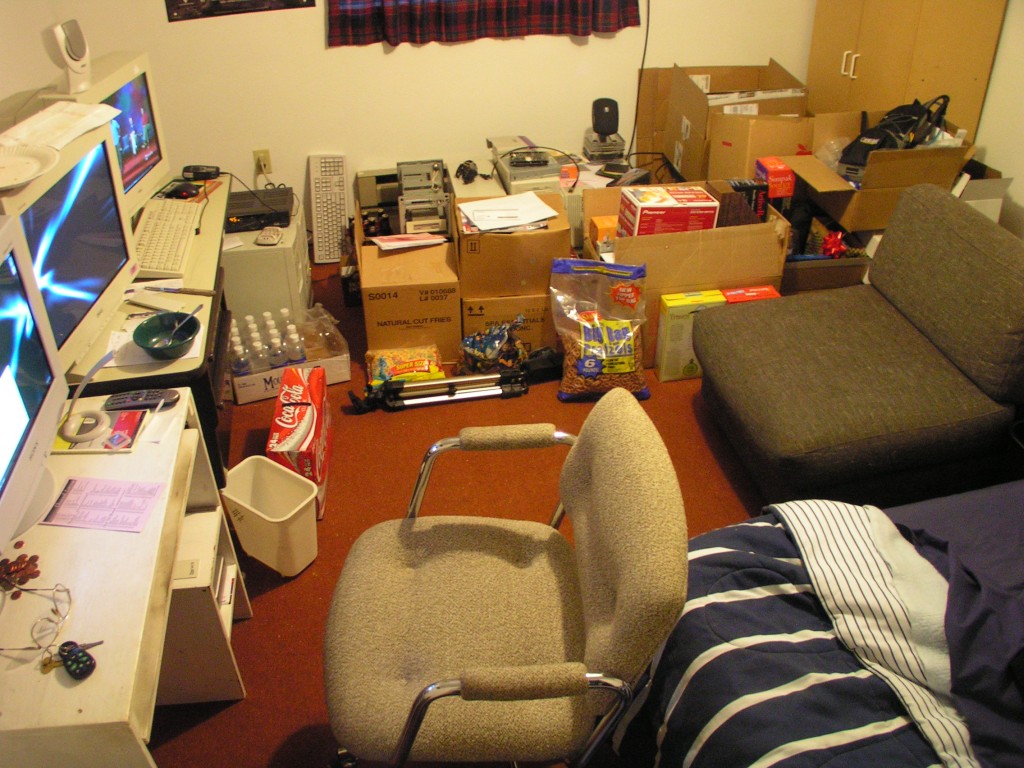
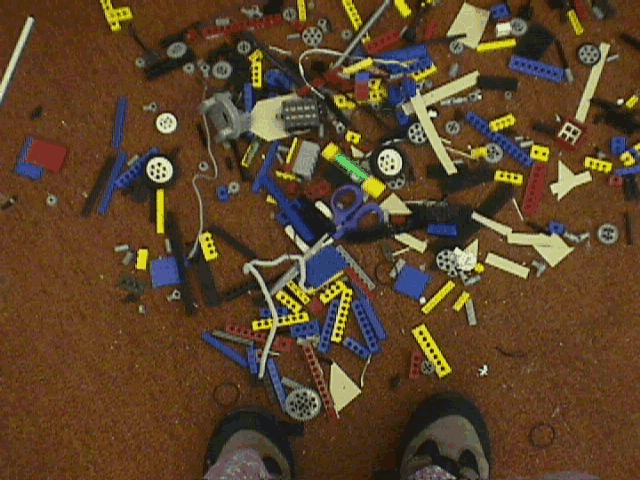
Alternate Ask Slashdot StoryHi Slashdot. Cleaning my room is the new project my mom assigned me. The mess is based upon food storage and lack of used food disposal, combined with pieces of computer hardware, toys, and my new wide-area storage method for Legos. So far I have to clean it up myself, but I need someone else to do it for me!
This category is otherwise known as "Ask Slashdot... to do your work."
-
sad.
Wtf? Where are all the Litestep comments?
Since apparently no one's heard of or uses it, Litestep is like fluxbox on Windows and precludes the need for explorer.exe to be running.
Here's an installer.
Here's a module site.
Here and here are some themes for it.
Seriously people. If only the lightweight Linux desktop environments were half as pretty as Litestep. -
litestep
When I was running WinXP on a 1.3Ghz Celeron M laptop, even with all the gui stuff turned off, it still ran slow. I blame the Intel Extreme 2 shared video. Anyways, I installed litestep because I had read its amazingly efficient. It effectively replaces your shell. It behaves much like a light weight X-windowing system.
For more about replacement shells, check Shellfront -
LiteStep
LiteStep
hasn't been mentioned? Fantastic replacement for the Windows shell. -
Re:skins
It's been done. Try http://www.shellfront.org/ for a few. Litestep seems to be the most popular and long-lived.
-
Re:Great for Linux, but bad for MS
LiteStep, GeoShell, bb4win, and countless others are available as shell replacements for windows. I have been using LiteStep for about 5 years, and it even made win98 look stable. Very fast, very configurable, modular, and much prettier than the plain default explorer startmenu.
ShellFront and Desktopian are great places to start. -
Re:Not for the faint of heart
If you want to see what a customizable desktop SHOULD be, you need to try Litestep, which unfortunately only runs under Windows. It's definitely geared towards people who want more eyecandy than this guy, but you really can make your desktop look and act pretty much however you want. Check out the vast variety of screenshots on Litestep.com and the list of modules at Shellfront's module archive. It may be possible to do the same under X using a variety of different applications scripted to all start on login, but personally I have no idea where to find what I'm looking for. For instance, I click on the left edge of the screen (even with a window maximized) and I get a popup menu containing a list of programs and places to navigate to. I press (windows button + spacebar) and a single-line command prompt appears ready for a variety of input, including regular command line stuff, Litestep-specific commands, web address or search to open in the default browser, etc... All this together with a taskbar/clock/system tray/media controls/virtual desktops/whatever, in any graphical/spatial configuration you define. Granted the command prompt in Unices is an effective replacement for some of the functionality, but it doesn't take care of all of it and certainly doesn't provide for the flexible eye-candy.
If someone wants to rebut me by telling me how to configure all of this in Linux, I'll definitely boot up my Linux partition and try it out. -
Miranda - IM client
Miranda of course. It's an open-source IM client that currently supports ICQ, and MSN, a Yahoo plugin is also in the works. It's lightweight, incredibly customizable and no stupid ad anywhere.
You might want to include VirtualDub, in case they want to do some simple encoding or audio ripping from videos, or just to find out what damn codec a video file uses.
Lastly, there's Litestep for those who want a prettier and more customizable shell. -
LiteStep roxors my soxors
I love LiteStep and use it all the time. Recently development has been slowed by hack attempts against the largest LS sites, but no worries: LS is already far more stable that the standard Windows GUI. I LOVE IT in short
now the obligatory LS links:
Desktopian
FPN
LiteStep.net
ShellFront -
Serenade and others
There's a surprising number of other shells out there besides just GeoShell and Litestep. Not just because I write it, but from what others tell me, Serenade is one of the most stable and user-friendly. As with anything under development, it's a work in progress, but it's very usable. You might consider checking it out at Courtah.net. There are some nice themes at Skinbase. SharpE is also a nice shell, but lacks some customization abilities. I don't prefer Litestep because I think it's too disorganized (but it's the foundation of the community), and Geoshell is a nice shell despite forcing you to configure everything through the registry. In short, try many of them out, just make sure you read the directions on how to get your old shell back _carefully_. Look on ShellFront or Desktopian for more info/links.
-
Re:Litestep
there's been a bit of work recently to recreate the Explorer desktop as a module. Nothing's been released yet though. Until then, you can use a module such as icon or folderview (check the module list
-
Re:I'll save you some breath
Yes, unfortunately you do need a licensed copy of 95 to legally make later versions work they way I and many others want it to work - but for MS that is not a problem, being that they own the copyright they could make it available in any way they want. They could come out with XP light in a week if they wanted it, without the integration. That's the whole point, though, they want to shove this 'integration' down the throats of everyone that uses their OS, in order to control the internet. This is why they were convicted in the first place, and any 'remedy' that leaves them free to continue doing what they were convicted for is nothing more than a farce.
Why should MS give a fuck what anyone thinks? Not happy with their version of explorer.exe? It's called GNU/Litestep [note: the preceding link was generated by RMS-Link-Approver]
They can write explorer.exe however the fudge they want to; if someone doesn't like the little address bar at the top of the screen, they can delete explorer. Windows doesn't need explorer (and in that case it doesn't even need IE core components either) to FUNCTION; however, explorer and other apps do.
Imagine if Linux didn't come with any dependency libraries. -
WTH Are Shells?Explorer is a shell... but so many people can't stand it that we created our own
Regarding the question about how MS deals with these shells: Well, the simple answer is that they don't. It keeps us off their back
Now, there are actually a ton of shells (see the list) out there for Windows, and most are open source in some way or other. The most popular (and one of the oldest) win32 shells is Litestep, which is GPL'd.
For a somewhat decent overview of shells from a windows user's point of view, check out forum topic on deviantART. Alternative Windows Shells basically just replace the Explorer.exe file as the Windows shell... usually also resulting in the replacement of the well known taskbar, start menu, and desktop. Instead, you can use the tools provided by the shell to build your own interface. Shells are very similar to X desktop environments. They do not replace the Windows like a WM does. For general news and info regarding Windows shells, check out the following sites:
Desktopian.org also covers Windows and shells news in-depth, along with some *nix related news.
Litestep is the oldest shell still in active development. It is by far the most popular shell (with an estimated 10,000+ users) and the most customizable shell (outside of Graphite). You can create almost whatever interface you want, thanks to the 300+ 3rd party modules for the shell. Litestep also has great support through the LS Mailing List and the IRC channels (#fpn, #ls2k, and #ls_help on irc.openprojects.net). Make sure to check out the following sites for Litestep:
- Graphic Language
- JoeBlade
- Litestep.net
- ShellFront
- LS Documentation
- LS FAQ
- The Module List - Module List with descriptions (a little out of date and incomplete, but better for most people)
- the Litestep Installer - a must to get Litestep installed and configured. Make sure to download 'OTS compatible' themes.
The second most popular replacement shell is geOShell, which is largely a minimalist's shell. It has a GUI configuration for most things. geOShell's main site is geoshellx.com. All information can be found there. They are also supported through the geoshellx.com forums and their IRC channel (#geoshell on irc.openprojects.net).
Most win32 shells out there today are either derived from Litestep or geOShell in some way or other. However, there have been two blackbox 'ports' recently to Windows:
Both of these shells natively support blackbox themes are very fast and light to run.It's impossible for me to explain everything here. However, for any *nix users who need to run Windows as well, these shells offer a great alternative to that drab and boring Explorer desktop. Win32 alternative shells even let you have your X desktop on Windows.
Now, the advantage to Object Desktop (namely DesktopX and objectbar is that it doesn't require that you replace your shell (which is a registry key change in NT and a system.ini file edit in 9x). Configuration is accomplished by a GUI. DesktopX is extremely configurable. Keep in mind that running Object Desktop will use up excessive cpu and/or memory. They can do almost anything, but will also use up resources... unlike most shells.
Hope this helps. Many *nix users are completely unaware of the Windows open-source community and of shells in general. We hope this will eventually change.
-
WTH Are Shells?Explorer is a shell... but so many people can't stand it that we created our own
Regarding the question about how MS deals with these shells: Well, the simple answer is that they don't. It keeps us off their back
Now, there are actually a ton of shells (see the list) out there for Windows, and most are open source in some way or other. The most popular (and one of the oldest) win32 shells is Litestep, which is GPL'd.
For a somewhat decent overview of shells from a windows user's point of view, check out forum topic on deviantART. Alternative Windows Shells basically just replace the Explorer.exe file as the Windows shell... usually also resulting in the replacement of the well known taskbar, start menu, and desktop. Instead, you can use the tools provided by the shell to build your own interface. Shells are very similar to X desktop environments. They do not replace the Windows like a WM does. For general news and info regarding Windows shells, check out the following sites:
Desktopian.org also covers Windows and shells news in-depth, along with some *nix related news.
Litestep is the oldest shell still in active development. It is by far the most popular shell (with an estimated 10,000+ users) and the most customizable shell (outside of Graphite). You can create almost whatever interface you want, thanks to the 300+ 3rd party modules for the shell. Litestep also has great support through the LS Mailing List and the IRC channels (#fpn, #ls2k, and #ls_help on irc.openprojects.net). Make sure to check out the following sites for Litestep:
- Graphic Language
- JoeBlade
- Litestep.net
- ShellFront
- LS Documentation
- LS FAQ
- The Module List - Module List with descriptions (a little out of date and incomplete, but better for most people)
- the Litestep Installer - a must to get Litestep installed and configured. Make sure to download 'OTS compatible' themes.
The second most popular replacement shell is geOShell, which is largely a minimalist's shell. It has a GUI configuration for most things. geOShell's main site is geoshellx.com. All information can be found there. They are also supported through the geoshellx.com forums and their IRC channel (#geoshell on irc.openprojects.net).
Most win32 shells out there today are either derived from Litestep or geOShell in some way or other. However, there have been two blackbox 'ports' recently to Windows:
Both of these shells natively support blackbox themes are very fast and light to run.It's impossible for me to explain everything here. However, for any *nix users who need to run Windows as well, these shells offer a great alternative to that drab and boring Explorer desktop. Win32 alternative shells even let you have your X desktop on Windows.
Now, the advantage to Object Desktop (namely DesktopX and objectbar is that it doesn't require that you replace your shell (which is a registry key change in NT and a system.ini file edit in 9x). Configuration is accomplished by a GUI. DesktopX is extremely configurable. Keep in mind that running Object Desktop will use up excessive cpu and/or memory. They can do almost anything, but will also use up resources... unlike most shells.
Hope this helps. Many *nix users are completely unaware of the Windows open-source community and of shells in general. We hope this will eventually change.
-
WTH Are Shells?Explorer is a shell... but so many people can't stand it that we created our own
Regarding the question about how MS deals with these shells: Well, the simple answer is that they don't. It keeps us off their back
Now, there are actually a ton of shells (see the list) out there for Windows, and most are open source in some way or other. The most popular (and one of the oldest) win32 shells is Litestep, which is GPL'd.
For a somewhat decent overview of shells from a windows user's point of view, check out forum topic on deviantART. Alternative Windows Shells basically just replace the Explorer.exe file as the Windows shell... usually also resulting in the replacement of the well known taskbar, start menu, and desktop. Instead, you can use the tools provided by the shell to build your own interface. Shells are very similar to X desktop environments. They do not replace the Windows like a WM does. For general news and info regarding Windows shells, check out the following sites:
Desktopian.org also covers Windows and shells news in-depth, along with some *nix related news.
Litestep is the oldest shell still in active development. It is by far the most popular shell (with an estimated 10,000+ users) and the most customizable shell (outside of Graphite). You can create almost whatever interface you want, thanks to the 300+ 3rd party modules for the shell. Litestep also has great support through the LS Mailing List and the IRC channels (#fpn, #ls2k, and #ls_help on irc.openprojects.net). Make sure to check out the following sites for Litestep:
- Graphic Language
- JoeBlade
- Litestep.net
- ShellFront
- LS Documentation
- LS FAQ
- The Module List - Module List with descriptions (a little out of date and incomplete, but better for most people)
- the Litestep Installer - a must to get Litestep installed and configured. Make sure to download 'OTS compatible' themes.
The second most popular replacement shell is geOShell, which is largely a minimalist's shell. It has a GUI configuration for most things. geOShell's main site is geoshellx.com. All information can be found there. They are also supported through the geoshellx.com forums and their IRC channel (#geoshell on irc.openprojects.net).
Most win32 shells out there today are either derived from Litestep or geOShell in some way or other. However, there have been two blackbox 'ports' recently to Windows:
Both of these shells natively support blackbox themes are very fast and light to run.It's impossible for me to explain everything here. However, for any *nix users who need to run Windows as well, these shells offer a great alternative to that drab and boring Explorer desktop. Win32 alternative shells even let you have your X desktop on Windows.
Now, the advantage to Object Desktop (namely DesktopX and objectbar is that it doesn't require that you replace your shell (which is a registry key change in NT and a system.ini file edit in 9x). Configuration is accomplished by a GUI. DesktopX is extremely configurable. Keep in mind that running Object Desktop will use up excessive cpu and/or memory. They can do almost anything, but will also use up resources... unlike most shells.
Hope this helps. Many *nix users are completely unaware of the Windows open-source community and of shells in general. We hope this will eventually change.
-
WTH Are Shells?Explorer is a shell... but so many people can't stand it that we created our own
Regarding the question about how MS deals with these shells: Well, the simple answer is that they don't. It keeps us off their back
Now, there are actually a ton of shells (see the list) out there for Windows, and most are open source in some way or other. The most popular (and one of the oldest) win32 shells is Litestep, which is GPL'd.
For a somewhat decent overview of shells from a windows user's point of view, check out forum topic on deviantART. Alternative Windows Shells basically just replace the Explorer.exe file as the Windows shell... usually also resulting in the replacement of the well known taskbar, start menu, and desktop. Instead, you can use the tools provided by the shell to build your own interface. Shells are very similar to X desktop environments. They do not replace the Windows like a WM does. For general news and info regarding Windows shells, check out the following sites:
Desktopian.org also covers Windows and shells news in-depth, along with some *nix related news.
Litestep is the oldest shell still in active development. It is by far the most popular shell (with an estimated 10,000+ users) and the most customizable shell (outside of Graphite). You can create almost whatever interface you want, thanks to the 300+ 3rd party modules for the shell. Litestep also has great support through the LS Mailing List and the IRC channels (#fpn, #ls2k, and #ls_help on irc.openprojects.net). Make sure to check out the following sites for Litestep:
- Graphic Language
- JoeBlade
- Litestep.net
- ShellFront
- LS Documentation
- LS FAQ
- The Module List - Module List with descriptions (a little out of date and incomplete, but better for most people)
- the Litestep Installer - a must to get Litestep installed and configured. Make sure to download 'OTS compatible' themes.
The second most popular replacement shell is geOShell, which is largely a minimalist's shell. It has a GUI configuration for most things. geOShell's main site is geoshellx.com. All information can be found there. They are also supported through the geoshellx.com forums and their IRC channel (#geoshell on irc.openprojects.net).
Most win32 shells out there today are either derived from Litestep or geOShell in some way or other. However, there have been two blackbox 'ports' recently to Windows:
Both of these shells natively support blackbox themes are very fast and light to run.It's impossible for me to explain everything here. However, for any *nix users who need to run Windows as well, these shells offer a great alternative to that drab and boring Explorer desktop. Win32 alternative shells even let you have your X desktop on Windows.
Now, the advantage to Object Desktop (namely DesktopX and objectbar is that it doesn't require that you replace your shell (which is a registry key change in NT and a system.ini file edit in 9x). Configuration is accomplished by a GUI. DesktopX is extremely configurable. Keep in mind that running Object Desktop will use up excessive cpu and/or memory. They can do almost anything, but will also use up resources... unlike most shells.
Hope this helps. Many *nix users are completely unaware of the Windows open-source community and of shells in general. We hope this will eventually change.
-
WTH Are Shells?Explorer is a shell... but so many people can't stand it that we created our own
Regarding the question about how MS deals with these shells: Well, the simple answer is that they don't. It keeps us off their back
Now, there are actually a ton of shells (see the list) out there for Windows, and most are open source in some way or other. The most popular (and one of the oldest) win32 shells is Litestep, which is GPL'd.
For a somewhat decent overview of shells from a windows user's point of view, check out forum topic on deviantART. Alternative Windows Shells basically just replace the Explorer.exe file as the Windows shell... usually also resulting in the replacement of the well known taskbar, start menu, and desktop. Instead, you can use the tools provided by the shell to build your own interface. Shells are very similar to X desktop environments. They do not replace the Windows like a WM does. For general news and info regarding Windows shells, check out the following sites:
Desktopian.org also covers Windows and shells news in-depth, along with some *nix related news.
Litestep is the oldest shell still in active development. It is by far the most popular shell (with an estimated 10,000+ users) and the most customizable shell (outside of Graphite). You can create almost whatever interface you want, thanks to the 300+ 3rd party modules for the shell. Litestep also has great support through the LS Mailing List and the IRC channels (#fpn, #ls2k, and #ls_help on irc.openprojects.net). Make sure to check out the following sites for Litestep:
- Graphic Language
- JoeBlade
- Litestep.net
- ShellFront
- LS Documentation
- LS FAQ
- The Module List - Module List with descriptions (a little out of date and incomplete, but better for most people)
- the Litestep Installer - a must to get Litestep installed and configured. Make sure to download 'OTS compatible' themes.
The second most popular replacement shell is geOShell, which is largely a minimalist's shell. It has a GUI configuration for most things. geOShell's main site is geoshellx.com. All information can be found there. They are also supported through the geoshellx.com forums and their IRC channel (#geoshell on irc.openprojects.net).
Most win32 shells out there today are either derived from Litestep or geOShell in some way or other. However, there have been two blackbox 'ports' recently to Windows:
Both of these shells natively support blackbox themes are very fast and light to run.It's impossible for me to explain everything here. However, for any *nix users who need to run Windows as well, these shells offer a great alternative to that drab and boring Explorer desktop. Win32 alternative shells even let you have your X desktop on Windows.
Now, the advantage to Object Desktop (namely DesktopX and objectbar is that it doesn't require that you replace your shell (which is a registry key change in NT and a system.ini file edit in 9x). Configuration is accomplished by a GUI. DesktopX is extremely configurable. Keep in mind that running Object Desktop will use up excessive cpu and/or memory. They can do almost anything, but will also use up resources... unlike most shells.
Hope this helps. Many *nix users are completely unaware of the Windows open-source community and of shells in general. We hope this will eventually change.
-
WTH Are Shells?Explorer is a shell... but so many people can't stand it that we created our own
Regarding the question about how MS deals with these shells: Well, the simple answer is that they don't. It keeps us off their back
Now, there are actually a ton of shells (see the list) out there for Windows, and most are open source in some way or other. The most popular (and one of the oldest) win32 shells is Litestep, which is GPL'd.
For a somewhat decent overview of shells from a windows user's point of view, check out forum topic on deviantART. Alternative Windows Shells basically just replace the Explorer.exe file as the Windows shell... usually also resulting in the replacement of the well known taskbar, start menu, and desktop. Instead, you can use the tools provided by the shell to build your own interface. Shells are very similar to X desktop environments. They do not replace the Windows like a WM does. For general news and info regarding Windows shells, check out the following sites:
Desktopian.org also covers Windows and shells news in-depth, along with some *nix related news.
Litestep is the oldest shell still in active development. It is by far the most popular shell (with an estimated 10,000+ users) and the most customizable shell (outside of Graphite). You can create almost whatever interface you want, thanks to the 300+ 3rd party modules for the shell. Litestep also has great support through the LS Mailing List and the IRC channels (#fpn, #ls2k, and #ls_help on irc.openprojects.net). Make sure to check out the following sites for Litestep:
- Graphic Language
- JoeBlade
- Litestep.net
- ShellFront
- LS Documentation
- LS FAQ
- The Module List - Module List with descriptions (a little out of date and incomplete, but better for most people)
- the Litestep Installer - a must to get Litestep installed and configured. Make sure to download 'OTS compatible' themes.
The second most popular replacement shell is geOShell, which is largely a minimalist's shell. It has a GUI configuration for most things. geOShell's main site is geoshellx.com. All information can be found there. They are also supported through the geoshellx.com forums and their IRC channel (#geoshell on irc.openprojects.net).
Most win32 shells out there today are either derived from Litestep or geOShell in some way or other. However, there have been two blackbox 'ports' recently to Windows:
Both of these shells natively support blackbox themes are very fast and light to run.It's impossible for me to explain everything here. However, for any *nix users who need to run Windows as well, these shells offer a great alternative to that drab and boring Explorer desktop. Win32 alternative shells even let you have your X desktop on Windows.
Now, the advantage to Object Desktop (namely DesktopX and objectbar is that it doesn't require that you replace your shell (which is a registry key change in NT and a system.ini file edit in 9x). Configuration is accomplished by a GUI. DesktopX is extremely configurable. Keep in mind that running Object Desktop will use up excessive cpu and/or memory. They can do almost anything, but will also use up resources... unlike most shells.
Hope this helps. Many *nix users are completely unaware of the Windows open-source community and of shells in general. We hope this will eventually change.
-
WTH Are Shells?Explorer is a shell... but so many people can't stand it that we created our own
Regarding the question about how MS deals with these shells: Well, the simple answer is that they don't. It keeps us off their back
Now, there are actually a ton of shells (see the list) out there for Windows, and most are open source in some way or other. The most popular (and one of the oldest) win32 shells is Litestep, which is GPL'd.
For a somewhat decent overview of shells from a windows user's point of view, check out forum topic on deviantART. Alternative Windows Shells basically just replace the Explorer.exe file as the Windows shell... usually also resulting in the replacement of the well known taskbar, start menu, and desktop. Instead, you can use the tools provided by the shell to build your own interface. Shells are very similar to X desktop environments. They do not replace the Windows like a WM does. For general news and info regarding Windows shells, check out the following sites:
Desktopian.org also covers Windows and shells news in-depth, along with some *nix related news.
Litestep is the oldest shell still in active development. It is by far the most popular shell (with an estimated 10,000+ users) and the most customizable shell (outside of Graphite). You can create almost whatever interface you want, thanks to the 300+ 3rd party modules for the shell. Litestep also has great support through the LS Mailing List and the IRC channels (#fpn, #ls2k, and #ls_help on irc.openprojects.net). Make sure to check out the following sites for Litestep:
- Graphic Language
- JoeBlade
- Litestep.net
- ShellFront
- LS Documentation
- LS FAQ
- The Module List - Module List with descriptions (a little out of date and incomplete, but better for most people)
- the Litestep Installer - a must to get Litestep installed and configured. Make sure to download 'OTS compatible' themes.
The second most popular replacement shell is geOShell, which is largely a minimalist's shell. It has a GUI configuration for most things. geOShell's main site is geoshellx.com. All information can be found there. They are also supported through the geoshellx.com forums and their IRC channel (#geoshell on irc.openprojects.net).
Most win32 shells out there today are either derived from Litestep or geOShell in some way or other. However, there have been two blackbox 'ports' recently to Windows:
Both of these shells natively support blackbox themes are very fast and light to run.It's impossible for me to explain everything here. However, for any *nix users who need to run Windows as well, these shells offer a great alternative to that drab and boring Explorer desktop. Win32 alternative shells even let you have your X desktop on Windows.
Now, the advantage to Object Desktop (namely DesktopX and objectbar is that it doesn't require that you replace your shell (which is a registry key change in NT and a system.ini file edit in 9x). Configuration is accomplished by a GUI. DesktopX is extremely configurable. Keep in mind that running Object Desktop will use up excessive cpu and/or memory. They can do almost anything, but will also use up resources... unlike most shells.
Hope this helps. Many *nix users are completely unaware of the Windows open-source community and of shells in general. We hope this will eventually change.
-
Re:IE is just a shell
Granted, there's not only a single shell available for the unicies. But Microsoft Explorer is hardly the only shell available for Windows.
Litestep is probably the most popular alternative shell for Windows; one I personally made dedicated use of for years. Don't like litestep? Choose from any one of the 65 other shells available (at least half of which are currently in development.) -
Re:IE is just a shell
Granted, there's not only a single shell available for the unicies. But Microsoft Explorer is hardly the only shell available for Windows.
Litestep is probably the most popular alternative shell for Windows; one I personally made dedicated use of for years. Don't like litestep? Choose from any one of the 65 other shells available (at least half of which are currently in development.) -
Re:You're running on old hardware right?
I don't run explorer.exe on my windows box at all. I use an open source 32-bit shell called Litestep. It is infinitely configurable and themeable. There are tons of themes to download, or you can dive right in and edit the rc files yourself. You can make it look like any Linux WM or desktop environment. I love desktop-click popup menus, which is one of the countless modules available. The main litestep.net site is down right now, but checkout Shellfront for info and links on Litestep and a few other replacement shells for windows. If you know Win32 programming, grab the source and dive in, the dev team is in a bit of disarray at the moment.
chavo -
Re:Let me bind this to a toggle key on my keyboard
Sure thing: First, install LiteStep, then get apptrans.dll installed. You can then assign a hotkey (or multiple hotkeys) to turn a window partially transparent. Best of all you can get a number of themes that already feature transparency, in addition to looking pretty cool.
-
Re:The concept of "files" is the problem...
There are many free shell alternatives, most of which sport a VWM.
shellfront has links to many of them, tho LiteStep seems to be the most popular:
Cloud:9ine
core
DarkStep
Dimension
geOShell
IceSphere
Litestep
Outsider
PureLS
Serenade
SharpE -
its about time
I'm constantly "tiling/arranging" my workspace and have written/used various programs that'll remember the placement of my windows, so next time I open them it organizes it correctly.
For those complaining about small monitors. Ever hear of a Virtual Window Manager (and similar)? That should be second nature for most X users, and for Windows alt shell users.
But, yah... the current overlapping window standard has got to go. What I see in the SS of that ION WM seems to be my type of interface.