 Slashdot Mirror
Ask Slashdot: Best SOHO Printer Choices?
rueger writes "I can remember trading up from a daisy-wheel printer to dot matrix, and can remember when Jerry Pournelle used to say 'Buy the most expensive HP printer you can afford.' Mine was a 4P. Times have changed, though, and I'm looking for trustworthy advice before buying a couple of new printers. Specifically, a B&W Laser with sheet feed scanner, and a color inkjet with a solid flatbed scanner for copying music. We want solid, reliable machines that will give a few years of small office service, that have reasonably cheap consumables, and that will "just work" with Windows and Linux. Network ready of course. Let me expand. These days there seems to be no market leader in printers — they tend to be cheap disposable items. Part of the reason is that it is hard to find any real user reviews of these machines — most of the comments on Best Buy or other sites are full of fanboy enthusiasm, or extreme negativity — nothing that can be relied on. Between those, and the sock puppets, and the astroturfing, there's nothing I'd trust. I do trust Slashdot, though, for things like this. People here are able to offer realistic advice and experience that can usually tell the story. So, I ask: who's making good printers these days?"

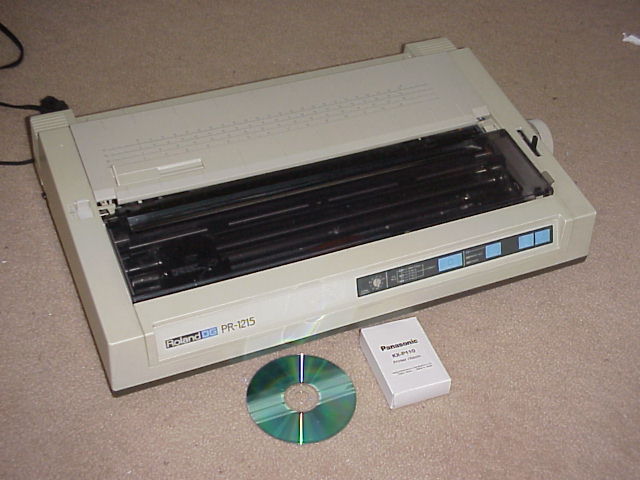
Kyocera.
They're not cheap but they just need toner, everything else lasts forever.
Nobody beats their price per page. I've seen companies who print 50.000 pages a month throw out new HP printers to replace them with Kyoceras because it saved them money after only a couple of weeks to pay for the 'old' and new printer.
I did a lot of doctor's office programming and I always included a Kyocera free with the apps because then I'd never get any calls about printer problems.
they just don't get it.
Samsung CLX-3175 - color laser printer, flatbed scanner.
Prints great, scans great, all-in-one nice machine. Toner is not too expensive and for light-to-moderate load, this thing works great, I have it for 5 years now and not a single problem.
Make of that what you will...
The right to offend is far more important than the right not to be offended. (Rowan Atkinson)
Rule1: You brought an inkjet and use it heavily, it would have been cheaper to buy a laser in the long run.
Rule2: You brought an inkjet and rarely use it. You now spend so much on cleaning the heads that a laser would have been cheaper in the long run.
I have in the past owned an inkjet, these days if I want a photograph printing, I use an online photographic printing service and get my prints delivered to my door printed on real photographic paper. By the time you factor in the cost of the printer, inks and paper it works out just the same for a better result.
Also anything without a ethernet port is a piece of junk not worth considering.
I can't comment on the cost of consumables, but the office where I work has had a couple of Brother MFC lasers. The Brother site has linux drivers and I've been able to do everything the Windows users can do. These 2 printers get used a lot and have held up well.
I'll second Kyocera. The drums eventually need replacing, but even then they're cheap to run and damn near bulletproof.
For the inkjet, I'd recommend talking to a local vendor of continuous ink supply systems about what they'd recommend. Continuous feed bulk ink systems are *much* cheaper than paying obscene amounts per cartridge.
I'm looking for a multipurpose B&W printer, laser, for home.
My current choice is the Brother MFC-7460DN , also good for SOHO.
It's a multipurpose B&W laser printer, 26ppm print; 35-sheet Auto Document Feeder; Duplex print, Fax, colour scanner.
It looks like people have less problems with this brand/model than some others, so I think I buy it
http://www.consumerreports.org/
I can't tell you what to get, but I can tell you to stay away from Canon.
Eventhough Canon is getting better at supporting Linux, it is no where near any of the other major manufacturers. Last Canon printer I had (can't remember the model number) only started to work under linux after it was discontinued.
Brother laser with networking handles my print load with minimal sweat/bucks. Brother toner & drums ain't cheap but aftermarket saves you here. When replacing drum with a good value cheaper one -- take apart new drum kit and place drum into original carriage for trouble free front/back print operation.
and a color inkjet with a solid flatbed scanner for copying music
Forget about inket altogether.
Just use a colour laser, toner is much cheaper than ink, and most modern mid- to high- range laser printers have a good enough quality even for photos.
(If it's single pass, and has a high dpi, you're okay).
In addition of the price, there's a technical advantage of laser: you can print at any pace you want, as seldom as once per month if you want (or even rarer) all the way up to what your printer can mechanically sustain before falling apart (most printers can take quite some abuse, well within the needs of SOHO). Ink can dry and clog printing head or ink channels. Either you'll *HAVE TO* print at least a few page now and then to keep the ink flowing. Or you'll have a printer which will automatically run through a clean/un-clogging cycle (spitting some ink into a reservoir) or you'll need to replace completely clogged cartridges/printerheads. You can store a laser printer unused in you basement for as long as you wish, whereas an Inkjet will always cost some (expensive) ink, even if you don't use it.
If you really must buy a inkjet and cannot buy a colour laser for some obscure reason, at least try to go for a brand where the ink refill is just that: ink. (some Epson would be a random exemple). At least the refills are not too expensive, and because it's an open market, you can find a whole range of options. Including dead cheap no-name refills of dubious quality, but also refills from cheaper 3rd parties which are known to make good inks (and probably have been already in the ink business even back when fountain pens have been introduced)
*ABSOLUTELY* avoid any brand where you replace the whole cartridge (ink + printing head). There is a very small marginal advantage in that (new cartridge means a brand new CLEAN printing head, and shorter paths between ink and head means less risk of clogging). But in virtually every brand, the cartridge has some electronics built-in, which is used as a crude for or DRM and anti-tamper. That means that you're in a locked market (no 3rd party licensed to sell cheaper heads, difficult to refill your self and persuade the electronics that the cartridge is (again) new). And thus, such brands tend to pump up catridges' price like crazy, so much you'll wonder if their ink is made out of unicorn blood. (Up to the point that a whole printer refill could cost more than the printer and would probably have throw away a lot of the old ink anyway).
"Sufficiently advanced satire is indistinguishable from reality." - [Tips: 1DrYakQDKCQ6y52z6QbnkxHXAocMZJE61o ]
I would say it is the Epson WF 3540. First of all, it has two sided ADF scan - which is damn useful for getting rid of all those bills by scanning them and also very rare for a printer at this price point. Secondly, you can connect a CISS ink system for bulk printing and refillable ink tanks. You will be able to buy non-OEM refillable ink cartridges anyway, plus the fact that all the different colors have different cartridges means that you want be overpaying for just printing a lot of black and white. It has Android and iPhone apps for the usual wireless printing. It has gotten good reviews for its build quality, particularly its scanner head hinges.
I'm not old enough for a daisy-wheel (although my dad had one, and I remember it from when I was tiny) ...but I've owned a lot of printers over the years, and I tend to be the go-to guy to set up and configure those of family and friends.
;)
;) Bottom line, whatever printer you get, make sure you can buy non-OEM consumables readily.
First off, the only reason to have an inkjet is for photo printing. But the consumables are rediculous, so only get one if you can get third party ink at reasonable prices. Also plan on printing something at least once or twice a month, or the heads will clog, necessitating wasting even more ink! I'll just print out a cute picture or webcomic to put up the fridge if I have nothing else. And I may not bother buying a new one in the future... but I have an old epson 6-color (CMYKcm) printer that's almost 10 years old and still works great (as long as you don't let the heads dry out)... which also takes super-cheap generic ink. Newer ones can have issues with DRM chips in the ink cartridges which can make it harder to get generics sometimes. YMMV. But it costs me less to print a full page photo on cheap glossy-photo or matte paper, then it would to order it online, so I've stuck with it.
But for any normal printing (i.e. NON-PHOTO), you're going to want to use laser printers exclusively. Their more durable, much much much faster (a 8x11 photo in hi quality on the ink jet takes something akin to 12 minutes to print)... on a laser, everything is blindingly fast.
You also definitely want to find a laser printer with cheap non-OEM toner that's readily available. I have two laser printers for day-to-day printing, a cheap ass low-end 600dpi brother (which is perfect for text buisness documents, word processing, printing the ocassional groupon or amazon return lable, etc) and generic replacement toner is dirt cheap. Even the drums are very reasonably priced. Use this for standard monochrome documents (comes out to under $0.01 a page (not including paper, and assuming %5 coverage, standard text documents, not solid black, etc))
I also have a nice office color laser (full duplex is a bonus in these larger higher-capacity office printers). There a lot of options here, look for a refurbished one online. (Also verify you can get generic toner) Mine was $300 and comes to about ~$0.06 a page.
Are you getting a theme here?
---
the pen is mightier than the sword, the sword is mightier than the court, the court is mightier than the pen.
First up, let's get this out of the way: all inkjet printers are cheap (and nasty) because they are loss-leaders for consumables.
I used to swear by HP but they've started this nasty habit of discontinuing ink cartridges after about three years, forcing you to buy a new printer because you can no longer get "original" cartridges for it.
On Windows I like Canon printers. But forget about trying to use the CD/DVD-printing Pixma series on Linux - while you can print on paper and labels just fine there is insufficient adjustment in the printer driver config files to allow proper alignment/registration when you wish to print directly on a CD/DVD, meaning you have to plug it into a Windows machine and use Canon's crappy CD Label Printer software that looks and behaves like a Windows 3.1 reject.
I'll be due for a new printer as soon as I can't get cartridges for my current HP OfficeJet. And this time I'm seriously considering a Samsung laser printer, or perhaps a Kyocera.
Why do you need a colour inkjet for copying music? I don't think I've ever seen sheet music where the colour is important - to the extent that about three quarters of the sheet music I've ever seen (and I've seen a fair bit) has been photocopied on a black and white copier.
I guess if you're copying for sale then you might think that colour decoration / presentation is important. But if you're doing this as a business, you should be using something more amenable to high volume than a colour inkjet printer.
Slashdot - News for Nerds, Stuff that Matters, in ISO-8859-1 Has just realised that beta makes this signature redundant
Best printer for reliability and cost per page. They also have a great warranty service.
50% of my printer usage is to print images onto printable DVDs. AFAIK, there is no laser printer which will do this.
3rd party ink is cheap enough that I'm not too worried about cost. And so far the chipped cartridges don't give me too much trouble (Last 3 printers have been Epson).
It'd be very useful to know what volume of printing you estimate each printer will be used for.
Slashdot - News for Nerds, Stuff that Matters, in ISO-8859-1 Has just realised that beta makes this signature redundant
At work, we nog have a Xerox WorkCentre 6605DN. Scanning (with feeder), duplex, network, PostScript and Fax. It was a mere 650€. which is damned fine. From what I hear the consumables aren't that expensive (but not dirt cheap)... at least, I didn't get any complaints from accounting.
Ahhh...the great dumpster continuum. Many a free computer will be found there. -- sowth (748135)
HP has lost it. The printers are cheap, not inexpensive, and the drivers are horrible bloatware.
I bought a Brother 5250 with network and tumble (print on both sides of a page).
Works flawlessly with Linux/OSX/Win.
Though I know of an Kyocera BW Laser bought ~ 1990 which still works fine as long as you don't bust its RAM by printing images.
Don't even know if this model is still available, seeing as we bought ours a long time ago (can't even remember when). Just feed in a new toner cartridge every month or so, and keep the paper feeder fed.
Several years ago, I moved from an inkjet printer to a (color) laser printer. At home, for private use. I've never looked back, and these days I have no f&%$! idea why people buy injket printers.
It's got higher quality, it's cheaper per page, a toner lasts forever, and I can fire it up after not having used it for three months and it'll print - no cleaning required.
I personally own an OKI and am happy with it, but I agree with you that there is no true market leader. Online reviews can't be trusted, so I went with the technical data. Maybe that's a workable approach for you, just go for the facts?
Assorted stuff I do sometimes: Lemuria.org
Already people are perpetuating a lot of myths.
- Laser ist cheaper than Inkjet
This is not true. A cheap color laser has very expensive toner needs whereas an expensive inkjet printer can be cheaper than many color lasers. If you cheaply want to print color the Epson B510DN is a goot choice. It is not so great for photos though and as with any Inkjet it wants to be used regularily.
If you want a color laser you have to buy a very expensive model to achieve cheap toner costs. This is only interesting if you have to print enough color pages,
Personally I would buy an Kyocera FS-1370 for cheap black and white laser printing. As mentioned by a post above this, it only needs toner and cheap refills are available without loss of quality. A new toner cartridge wheighs like a pound and it's all toner. But if you buy a cheap color laser from Kyocera the toner costs a lot.
For cheap color printing I would buy the above mentioned Epson.
And I woul buy a dedicated scanner.
If space constrains make you buy an all in one machine for scanning copying and color printing. I would get an Lexmark X748de It's expensive but the toner costs are OK. YOu can even use it as a b/w laser without feeling too bad. Lexmark has a rightfully deserved bad reputation for their small printers because ink was very expensive. Their professional models are great, though and the repair service is good.
ha ha... that 4P hell of a workhorse! 10K pages is nothing!
every color printer by HP has been total shite. ugh.... go with Epson.
I still have my HP Laserjet 4p. It's a great printer. I have no problems with it and never have. And to look back at how old it actually is? Wow. It's impressive. And toner? I have plenty. Home use just isn't that much you know? And I do have a color printer as well, but the toner is expensive and I just don't need color that often.
Nice thing about laser printers -- they can sit on a shelf a lot longer.
SOHO needs a printer like the titanic needs an iceburg. consider what you're doing:
electricity: even the most energy efficient lasers use more than 600 watts of power while printing, and even more in warmup phase. small colour laser requires a motor to turn a cartridge drum in most cases, much like a tiny carousel.
media: this cant be stressed enough. the price of paper might not seem backbreaking but printers beget printing. for laser printers you may get more prints per cartridge but those cartridges run about $80 at their cheapest, cant be thrown in a landfill and if they fail mechanically, have to be recycled regardless of prints remaining. the ink for an inkjet printer routinely rivals the price of heroin.
for SOHO consider picking up a cheap external modem and running a hylafax server to pick up correspondance from the dinosaurs still using fax machines. if its too technical, try using any of the fax-to-email services hat exist online. Buy a used scanner on ebay and sign your name, then scan it. whenever you get a fax simply overlay the signature or initial as necessary into the document. I did this for 4 years and no one who used a fax machine ever noticed or cared. send documents in PDF or better through email, and discourage snail mail correspondance whenever possible (trust me, your paper recycling bin will thank you.) its your SOHO, so shun partners and service providers that cant step into the 21st century with you.
if you need shipping labels printed then consider USPS kiosks or various shipping stores. theyre much more well equipped to deal with your shipping needs than you are anyhow. this goes for any label or signage. I cant count the number of small businesses I've had to deal with that laser print their own stock and somehow think it breaks even. Eventually companies will want your labels to include RFID tags or 2d barcodes, both of which your laser will cost a fortune to do in software licensing and burned up RFID tags.
Good people go to bed earlier.
"I do trust Slashdot, though, for things like this. People here are able to offer realistic advice and experience that can usually tell the story."
You must be new here.
The Dell 3115cn is an all in one color laser and I use it for home. It is not inexpensive, but has been bullet proof over the last year. Networkable, scanning, SMB, email and more. After the initial toner ran out, I purchased 3'd party "rainbow packs" and have had no issues using non Dell toner.
Now at work we use Kyocera 550's and they are tanks, but not something you would wat in your home.
I found this link ( http://theoatmeal.com/comics/printers ) from the comments section of this ( http://www.howtogeek.com/174232/htg-explains-why-is-printer-ink-so-expensive/ ) article. Hope it helps.
Brother makes a line of Laser printers (Monochromatic) which have features of the 90's printers, all in one very compact unit, for below $100
Very reliable, uses ethernet or WIFI,
I just piked up the 2270dw from brother. Very reliable, quite cheap, and feature rich. Took me less than 30 seconds to set it up.
Since everyone is sharing anecdotal stories, I'll throw in my two bits. I have an HP ColorSmart C7280 and I love it. It's an inkjet, and we usually print fairly regularly, but it does still run through it's little maintenance run now and then. And photos look great usually. I use it for scanning fairly often as well, and it has a flatbed and a feeder. I wouldn't mind a laserjet, but I haven't sat down to figure out costs and determine if the quality would be as nice.
I will shred my adversaries. Pull their eyes out just enough to turn them towards their mewing, mutilated faces. Illyria
Brother inkjets may not be quite the top of quality but they take fake ink just fine and seem robust enough to cope with it.
No need to worry about chips or refilling just buy the well reviewed cartridges off amazon and slot them in.
It only has to last one set of fake cartridges and you are in profit compared to almost any other printer and a set of official ink. Then the rest is gravy. You save a fortune and no hassle.
...An open hardware effort in this field. (Or at least a well known one.) All the focus with open hardware is on 3D printing, you'd think there would be at least one project aiming to make an open source inkjet or laser printer with the goal of having something sturdy and cheap to operate. I know it's likely there are patents and such in the way, but it seems like it can't be that hard to figure out. Is it just that people don't want to get their hands dirty with an inky smeary mess while experimenting, or is it still too hard to get the price point low enough in terms of a home-built piece of hardware vs. the so-so quality and disposable nature of what is on the commercial market?
Yet you'd think there would be at least one well known effort in regards to specialty printing. Large format printers are definitely still expensive enough that a DIY project might be worth doing.
Whatever you do, don't buy an Epson Inkjet printer. Ten years ago, I would recommend those to anyone, but these days, they have built in all kinds of tricks to get you to buy as much ink cartridges as possible.
I have an Epson Style Office BF300 all-in-one, which was pretty cheap, and prints and scans pretty well, but if you run out of colour ink, it won't print B&W anymore. If it decides that you have printed enough pages with your cartridge, it will refuse to print. If you use an ink cartridge which is not an official Epson cartridge, it will work for a while, and then suddenly (possibly after a driver upgrade) tell you that the cartridge can't be recognised.
For me, these things always happen at the worst possible time. While it works, it's great, but if you want a printer you can rely on, forget Epson.
I spent a lot time comparing network laser printer/copy/scanner multi-function devices looking which one was best supported in Linux for the office and Brother is the best I have found. HP has Linux drivers for most of their printers, and Canon has software too, but my goal was to have the easiest possible setup without having to install their software on every single workstation. With Brother I only had to configure CUPS with the ppd file they provide and that's all, I choose in each program if I want to print duplex or if it's in color or B/W. You can scan from the computer too, but I like more the scan-to-FTP or scan-to-USB feature that gives you directly a PDF file to attach or save without having to to install or use any scanning software. To check the current status / usage / stats you just have to connect to the printer's web server.
In any case, before buying anything i would look if it's supported and HOW it is done. It's not enough that it supports Linux, for example the software that Canon provides sucks, it creates it's own printer queues, messes with stuff I don't understand and seems to be completely broken (I gave up and never managed to print a single page with it). Then I got a Brother DCP-9040 and i'm really happy since then
Solid Ink
I have a Xerox sold ink printer and holy shit the print quality is awesome for monochrome and color, and the ink sticks never dry up and last ages.
But yes, they are expensive, and yes a laser printer will be cheaper and last longer between needing more ink.
I strayed from the 'just buy HP' mantra for a few years, but am back there now for the past year. Don't bother with the inkjet, just get a colour laser.
I work for one of the Manufacturers, and I can tell you that at the SOHO level they're pretty much all the same. They all have their positives and negatives though none really related to the function of printing or standout. In fact most of the manufacturers re-badge the print engines and add their own features for which can be good and bad (good if they pull it of, bad if there are compatibility issues between the engine and controller Firmware).
NOTE: stay clear of inkjet cause they just cost you a fortune.
My usual question to people in your market is "Why do you need a printer"? Unless there is a specific legal requirement which is daily business, you don't actually need a printer. There are a host of ways to communicate without printing out reams of paper (ie email). Of course this is different in every country, so check what "legal needs" you have for hard copies before deciding. The other point is that in most cases an account at your local print shop can often suffice for incidentals, just save to PDF and get them to print it out, it will cost a lot less, and they usually offer pretty decent contract rates based on minimum volumes (can can often include mailing services if eg it's like an invoice run).
(remember I work for a manufacturer of printer products, so I don't say the above lightly).
Finally, if it's a must, get a Multifunctional network device, that was you'll have all the doc input/output functions you need, and make sure that the printer works with whatever "special" systems you use on your network (ie anything not Microsoft related, and even then sometimes Microsoft)
I don't have to print a lot and if I had a large job I would just go to the copy store. Generally, I just go to the store and buy the cheapest printer I can find. Prices seem to run between $40-$80. If its on sale then that is just great as between Christmas, the 4th of July, and back to school sales there is often a deal to be had. I go home with my new printer and print with it until I run out of toner. The starter toners are often small cases but some printer toners cases are bigger than others and Google can help with this. When I run out of toner I go out and buy a new printer. Its cheaper than buying toner refills. Plus, I don't have to replace parts that wear out on poorly designed machines. I can donate the 'old' printer for another win. I often get a lot of great features with the new printer. Yes, its a horrible waste but then you are probably aware that there are no good options from printer manufacturers.
So, I ask: who's making good printers these days?
Pretty much all the well-known brands
What you should ask is...
So, I ask: who's making the cheapest toners these days?
The cost of running a printer is much higher than the purchase cost (if not, then a laser printer is not for you)
Look for the price-per-page of toner and see if there are third party toners available for your specific model.
Also make sure the toner model is popular enough for third party vendors to keep making them.
Slashdot social media options: AIM, ICQ, Yahoo, Jabber and Mobile Text. Why no MySpace?
Also, I've seen SOHO Kyocera laser printers with a flat bed scanner under the document feeder. You won't need both types. [But stick to their proper network printers. There's a newer range for small offices, and many functions may not work properly over a network, only 1:1. Whether that means Kyocera is starting down the path of shitty consumer models, I don't know.]
If you print a lot of non-photo colour, pump for a colour laser. If you only print a bit of colour, occasionally but on demand, buy a cheap consumer inkjet or photo-printer every 3-12 months depending on use and plug it into a spare laptop, not the network. (I've had reasonable luck with entry-level ($50) Canon MFPs not drying out from lack of use. But cheap Epsons and HPs can't seem to handle not being used regularly.)
"Must last several years" is the wrong thinking with inkjets. Treat them as disposable, save yourself grief. If you get more than 12 months out of it, bonus. If not, who cares.
Science is all about firing a drunk pig out of a cannon just to see what happens.
Get something with PostScript support. That pretty much guarantees the thing will print, now and later, certainly any Unix, any other OS probably too. Can get away with very simple lpr configs too.
And it's available on pretty cheap printers these days, though obviously not on "winprinters" that depend on the driver to do all the lifting bar the putting stuff on paper part--you don't want those anyway as they might not work with the next version of windows either.
Apparently various "linux" (in casu freedesktop) apps now produce pdf instead of postscript, but that's no matter, since the printable part is a subset of postscript; the same stuff with loops and such removed and compression added, and so trivially convertable to postscript for printing. For that reason it'd be extremely strange to find a printer that would print pdf but not postscript.
Personally I picked the hp 2200d (and ended up with a dt), which is the last model in (that market segment as hp sees it) with unchipped toners, is hp so likely to have toners available for a long time, was available cheaply second hand, does postscript and has a duplexer, and has an EIO slot for a jetdirect. Extra memory and a jetdirect would've been nice, but it does USB and so works well enough for the few times a year that I need it.
But the niceties aside, the one thing that really matters is making sure it does PostScript. Even if you only ever install the thing once, the difference in hassle is worth it. That this requirement mostly wipes out the oh-so-cheap-but-screwing-you-on-the-ink inkjets is just happy coincidence, I'm sure.
I've owned an Oki MC160n for three years now and I absolutely love it. The only issue I have had is if the paper guide in the built-in paper tray isn't snug on either side of the paper, it will tend to jam, so you need to make sure the paper guides aren't sloppy. Other than that, it does every Multi-Function terrific - built-in 10/100 Ethernet, scan to email (PDF or JPG/TIFF), fax, copy, color, black and white, etc.
I recently replaced all four toners from the original low volume versions to the high volume versions and I don't expect to need to replace those for a long, long time.
Just buy a damn HP Laserjet and move on with your life.
Several thousand printers, several dozen models, several decades on 1 server running AIX using 1 god damn HP 4000 driver and it just fucking works.
I'm talking about printing at a very large hospital system in a very large city.
Printing is a non-issue.
I picked up an old HP 1020 a couple of weeks back, dirt cheap second hand (about $35). Consumables are really inexpensive, even HP branded. It still works perfectly.
I've used a Samsung ML2251N printer, monochrome laser, for a few years now - probably no longer sold, but it's successor might be worth checking. It's a networked printer with in my case a postscript interpreter, but it can also handle parallel port and I think USB.
Entirely reliable, cheap to buy, very cheap to run, handles envelopes (straight-through feed path) and standard paper.
The last (very old) Epson inkjet I had dealings with was kind of tricky - its jets blocked pretty easily if it wasn't used constantly, and apparently that entailed a new print head.
Will
I should mention that the printers with built-in Postscript "just work" under any kind of *nix. No more specific drivers, font problems, bad picture scaling etc. I have 2 of them (bw and color) and I remember a Windows-only device and Ghostscript driver for it as a terrible nightmare.
Unfortunately, I've never seen a cheap Postscript printer-scanner.
After the stack of somewhat dead inkjetprinters reached the ceiling of my basement, I decided to get the printer my mom had been using for 5 years without a problem (apart from the plug falling out once:P). That was a Samsung. I've been using it for 2 years and it's awesome. Would highly recommend it.
Also got myself an A3 Konica-Minolta color laser printer but that may be a bit pricey for your needs. Would also highly recommend this.
Whatever you do, don't get an inkjet. Probably any laserprinter with proper driver support (linux support!) and a network connection is just fine.
0x or or snor perron?!
I gave up on commercial printers when feeding and maintaining them became too steep for the service they provide. Refilling is sloppy, irregular in quality, and is only a part of it.
I think that's due to the modern commercial "capitalist", "western", version of old "Iron Curtain" dictatorships outlawing typewriters and mimeographs. The cost is meant to impede or curtail the people from printing too easily or cheaply. Ditto for the sharing of ideas and information. The interests involved would range from the printing industry, to plain (rotten) vanilla 'control of information'.
I'm sure the same hobbles will apply to fabbing, er, I mean, 3d printing as well.
Some low end B&W photocopier/scanner/printers seem to last for years without hassles. Getting it second hand is an option since some places are ditching them for colour. Most brands, apart from those run by idiots that leave to go into politics, will take postscript or even PDF so you can print to them with anything from an Atari ST up without having to care about drivers.
For an Office. Sure. But at home I don't like having a laser printer buzzing away. They create a lot more pollution in the form of nanoparticles and ozon than an inkjet printer.
On the other hand, at home you'll print a lot less pages than in an office. Thus generating less noise and dust.
And the laser printer can just stay where it is fine (toner doesn't age). Whereas, as said before, an InkJet will either have do go on self-cleaning cycles and waste some of its "unicorn-blood-priced" ink, or risk ending up being clogged, which will require you to change the cartridges and throw away the remaining ink.
I was told (by a workplace safety expert) that laser printers should ideally always be in their own, well ventilated, room.
If you're that much affraid, you can still keep the abominable printer in its own closet or cupboard (advandage: the material needed to clean dust spill in case of mishandling toner replacement is in the same closet).
(For the extra paranoid: but a vacuum cleaner's HEPA filter [to filter dust] and a fan blowing out of the cupboard [to keep the pressure gradient lower and keep dust particle in] - that should enormously lower the amount of particles in the air)
But if you find laser printers scary, think also about all the evil solvent that are inside the ink and that evaporate as the ink dries.
"Sufficiently advanced satire is indistinguishable from reality." - [Tips: 1DrYakQDKCQ6y52z6QbnkxHXAocMZJE61o ]
We are a Kyocera shop, using everything from FS1370s to TASkalfa 5550Cis, and while I'm no fan of their firmware/software, the hardware does take a beating.
How is it no one has linked to The Wirecutter? This website answers your query. I see it as the new Byte in some ways.
http://thewirecutter.com/reviews/the-best-multifunction-printer-is-the-epson-workforce-wf-3520/
http://thewirecutter.com/reviews/brother-hl-2270dw-best-laser-printer/
http://thewirecutter.com/reviews/best-photo-inkjet-printer/
Boing boing boing....
First off I'm probably the only expert on this matter here so listen carefully. Almost nobody does a proper job of advertising or supporting Linux. It it is supported properly it is by coincidence. Even my favorite (HP) isn't advocating free software. They merely make it easy to check which are truly free software friendly.
The one reason I continue returning to HP is because the company does a good job of tracking which printers will hold me hostage to the company and which I can reasonably expect will be supported down the road (regardless of HP's continued support for them).
Five things to check before buying a printer:
1. Check the Minimum HPLIP version and make sure your distribution and version have at least this (most printers won't support Ubuntu 12.04 that are on the market now)
2. Check the Support level from HP lists it as Full
3. Make sure where it says Recommended? that it says Yes
4. At the bottom it says Driver plug-in and you want to make sure it says None
5. Again at the bottom check Requires firmware download is No
http://hplipopensource.com/hplip-web/recommended.html
If nothing else- ThinkPenguin sells a few models (no lasers at the moment) and they all work with Ubuntu 12.04, Trisquel 6, Linux Mint 13, etc. For those who don't know these are the long term supported releases.
If you're handy, you can get amazing deals on full size business machines. I currently use a Ricoh Afficio 2238c for my heavy use work. It was $1000 and only needed about $200 in parts. It is 38ppm, color, duplexing, and can handle 11x17. It has an ADF and 11x17 flatbed which would be nice for the sheet music. I pair that with an HP4100 dtn that is better for short runs and turns on faster. I have a 4600dn too, but don't really use it anymore. The older HPs are really a steal and have cheap aftermarket consumables.
Does everyone really just know that SOHO = "Single Owner Home Office" (took a bit of Google fanciness to get around the neighborhoods in London & NYC).
To answer the OP's question, I've had great luck with my Canon Pixma MP495. Canon *did write* Linux firmware/software, it's just not available through their US site for whatever reason (it's also kludgy as hell, but it gets the job done).
Agreed on Kyocera. Once we moved to them for the majority of our clinic's printing, we had a measured 90% decrease in printer problems. It also is a good idea to find a local printer maintenance company that specializes in Kyocera printers as I have found that when there is a problem it is generally a worn out part that is causing it. Which speaks volumes about the quality of the printers as they wear out before they break something. I have never seen them fail to the point of disabling the printer without having printed well over 10000 pages first. Our current Kyocera with the record for the most pages printed is somewhere above 1 Million pages printed.
Communism will never work. People LIKE to own things.
Honestly, because you can write them off yearly and replace them yearly. a $99.00 color laser or even the B&W ones are perfect and you can use the hell out of them knowing that if it fails then only $99.00 to get a new one. Offbrand refills are 1/3rd the cost and if they blow up the printer who cares, IT's only $99.00
Unless you are doing extreme volume and need things like 11X17 duplex and document management it is purely stupid to buy a higher end printer.
Do not look at laser with remaining good eye.
Get a HPLJ2300DTN. There's millions of them out there in surplus because they don't break down. You can get rebuild kits for when the feed rollers get tired. Fast, reliable, speaks multiple protocols, networked. Couple hundred bucks. Toner is cheap as hell.
"You're right," Fisheye says. "I should have set it on 'whip' or 'chop.'"
I've been using one of these for some months now and am very happy. I recommended it to a colleague recently and he like it too. It is an inkjet with flatbed and ADF scanner, fax and WiFi. It works really well on Windows 7 for me but Linux drivers are available. Separate ink cartridges and there are usually compatibles available for Epson printers.
After becoming disgusted with the price of inkjet cartridges, I bought a brother MFC-9320CW, which is a very capable multi-function color laser printer. The current cost is about $800 which seems moderate for all it can do. However, I found that I immediately had to buy $150 of replacement cartridges for it because it comes with "teaser" cartridges that don't only work for a ridiculously short time. And the replacement cartridges didn't last long either.
I wasn't happy about that, but I soon discovered that the cartridges have a "flag gear" on them that the printer uses to prevent you from using all the ink in the cartridge - it simply refuses to print. But you can reset the flag gear about three times before the cartridge is truly empty. (Search for "TN-210" on YouTube to see a video about resetting the flag gears - it only takes a couple of minutes once you get good at it.)
The teaser cartridges don't come with flag gears, but those can be bought separately for about $3 per cartridge. You can also buy a cartridge refill kit for about $30 that will refill two blacks and one each of the three colors. This is a bit of trouble (and mess), but it does work. (I never had any luck refilling inkjet cartridges.)
The printer is such a tank that I suspect that Brother loses money on the printer itself. So, if you like to beat the system and don't mind a little trouble (and mess), the method here would be:
- buy the printer at the typical loss-leader price
- buy flag gears for the teaser cartridges and learn how to install/reset them via YouTube
- buy refill kits to refill the teaser cartridges and keep refilling them as shown on YouTube
Alternatively, you could by third-party used cartridges. Resetting the flag gear still would be an essential skill, though.
Canon makes good cameras.
Canon makes good projectors.
Canon makes good inkjet printers.
And... Canon makes good multi-capable printer-scanner-fax-sheet fed-flatbed-etc. capable machines. Also, they don't gouge you on ink like Epson does.
The CEO of Epson was quoted a few years ago as saying that printers are "vending machines for ink." F U Epson.
Replaced my HPLJ4+ with a ML-2855ND some years ago now. No problems with reliability. Similar form-factor to the LJ4, more power efficient. Our usage is light to medium - it got most usage when my wife was working on her doctorate.
Owl tried to think of something wise to say, but couldn't.
As a school we now tend to buy only Kyocera and HP with a few brother laser printers. The Kyocera FS-3920 keeps going and it gets kids loading lined hole-punched paper, card, sticky lables etc.. The most recant one has only done 190,000 pages but has only emailed us twice to go fix a jam. 2x kid grabbed paper before it was taken back in for duplex print and it ripped. Otherwise feed it toner every 25,000 pages and load paper.(new drum every 300,000 pages) They have linux drivers but i must confess i have not loaded them on either the linux boxes the school has.
HP are ok but some printers are to be avoided aka 'Buy the most expensive HP printer you can afford.' but also stick to non home printers as they tend to make the toner longer.
inkjet forget - preview on B/W or color laser then order online or at the local supermarket.
Little secret, Dell Laser Printers are generally re-branded Xerox or Lexmark. I've been running a Dell Color Laser 2130cn that cost me $400 originally in 2005 for 8 years now only changing the ink maybe 4 times so far (ok no I don't print all that much). But the sucker has never failed me one.
Google whatever Dell printer that interest you, you can generally find people mention what printer its a rebrand of.
> I can remember trading up from adaisy-wheel printer todot matrix
You could print diagrams, but would have to put up with awful letters. I would leave a blank spot and paste in or draw a diagram.
(-1: Post disagrees with my already-settled worldview) is not a valid mod option.
I've spent way too many days of my life trying to deal with persuading printers and scanners to work with Linux. Unix printing has always been as dubious as its networking/file handling is good. Postscript? Not the unix community's best idea ever. Nevertheless, unix printing nowadays is acceptable except that manufacturers seem to regard unix printer drivers for their hardware as an an after thought. Having said that, I bought an HP-1102W a few years ago because the 20 year old HP-2P was on life support and HP unit was on sale. That was despite a great deal of ill-will that HP had generated when I had to support a few dozen of it's nasty unrepairable ink-jets with their ever changing, unrefillable ink cartridges. Not to say that their Linux driver actually worked on my old version of Slackware, but HP had obviously put some effort into it and it almost worked. I think it might have worked on one of the mainstream Linux distributions. I was able to get the printer going by installing/configuring with Windows -- which worked flawlessly -- then digging out a third party translator for Postscript to the printer protocol.
Then there's CUPS. But at least CUPS actually does an decent job of managing and routing printouts if you can get your printer set up properly and can tolerate the clunky http: interface. And it's free, so I reckon it'd be impolite to bitch too much about it.
My advice. The suggestion made by others of a printer with postscript support might have merit, but search the web first to make sure that the postscript support actually works well and isn't just window dressing. If possible avoid, printers using uncommon protocols like SPL where broadbased support is iffy (although the shareware rkkda driver does work on my two SPL printers and splix may work for some people sometimes). The suggestion of a low end color laser printer over an inkjet probably has merit. If possible, buy a printer where third party refilled cartridges are available. Specific models? I dunno. If you can find any specific model where users say Linux just works, I'd pay a bit extra for one if those.
Manufacturers? I dunno. At least HP seems to be trying to support Unix, but others may do better.
BTW, those indestructable HP printers of yore -- at least the HP-II,HP-iii lines were built around Canon print engines.
You can't see ANYTHING from a car, You've got to get out of the goddamned contraption and walk...Edward Abbey
You do realize, in the post-Snowden era, that the NSA probably already forwarded your Slashdot submission along with your social security number and those of your 8 closest relatives to the RIAA, dont you? :-P
I hear good things about Kyocera, but I'll put in a plug for Brother. They're the only printer manufacturer that let you replace the drum and toner separately AFAIK.
(I have a model from the cheap end -- an HL-2510N -- and its text quality is very good even with toner save on. (Toner save means death to diagrams though.) They regularly win the top spot for the quality part in reviews, too.)
I've been using a Brother MFC-9120CN for a few years now and have yet to encounter any problem with it. It was reasonably priced when I bought it and does everything I could ever want from a laser printer. Needless to say, I appreciate Brother for making full-featured Linux drivers available as well.
The question did not limit recommendations to printers in production.
If my color laser printer came from Goodwill and it works, I'm a happy camper.
No brain, no pain.
I was trying to copy music with my scanner, but the reflection off the disk burned it out.
my old home samsung has separate toner cartridges for every color (separate from the drum).
world was created 5 seconds before this post as it is.
I still have one here for occasional duties. It spent most of its life at an insurance company, so would have been absolutely hammered for about 20 years prior to getting it. Still works perfectly and without fuss. I believe you can still get toner for them as well.
I doubt you will want to do this, but you could also go down the semi-disposable route of buying very cheap old colour lasers and throwing them out again when they run out of toner. I bought an enormous old Konica Magicolor (with ethernet, duplexer and all assortments of bells & whistles) for £1 a couple of years back with this in mind and am still waiting for it to run out of toner. I suspect Windows will stop supporting it long before I run out of toner.
Just stay away from inkjets, they're absolutely hopeless.
Here in Thailand inkjet printers retrofitted with continuous ink supply system are popular. Big ink tanks glued to the side of the printer, plastic hoses supply ink to printing head. With this mod if you print a lot you will have to refill those big tanks about once a year with very cheap ink.
This is a nice suggestion and an alternative to the "Shick, Gilette" world of non-commercial SOHO printers.
"Flyin' in just a sweet place,
Never been known to fail..."
Prefer Ricoh or Xerox over the Kyocera they typically run 100k before I see any problems where the kyocera usually has problems starting around 15k. Quality is just better, and the machines are made for offices with built in accounting on them. But overall, you Find a Xerox VAR or value added re seller and figure out if your volume makes sense for such machines.
Also, if you have a lot of printers, copiers etc. on the network, get a VAR to cough up FM-Audit for free it's a .net based printer data tracking software that keeps track of errors prints, coverage, power usage, etc. All they typically ask for is the permission to place a bid on your printing equipment when you replace it. One that I know will do it is a company I used to work with near Lawrence Livermore Labs www.eisonline.net
They have printing service here. I don't know the spec but it's quite cheap and their printers are definitely better than all of puny home printers.
I picked up an HP Laserjet 5550DTN for £400 recently off ebay. Only had 14000 pages on the clock.
It's huuuuge but it's A3 colour, duplex, built like a tank and really fast. 3rd party toners are dead cheap and I have no issues with them.
Worth looking at used models if they are from a good seller and low mileage.
-- Sig Sig Sputnik
When I am shopping for a new printer, I always go to see what the replacement cartridge is going to cost before I buy.
Just to throw in my two cents worth of advice. I totally I agree with the assertion that laser printers are the best investment in terms of ROI. Those toners do last forever, do not need any maintenance other that a vigorous shake-up once in a while to fix up banding problems and they have high quality outputs. However, I still find inkjets printers necessary. Especially for print jobs requiring different page sizes other than the regular letter and legal sizes. I would invest in a good color multi-function laser printer for my regular B/W printing and my general photocopying (b/w and color) needs and get an inkjet printer capable of doing wide formats paper (and smaller) sizes (CD/DVD). I highly recommend the Epson Stylus and Stylus Pro inkjets products and the HP OfficeJet and OfficeJet Pro laser MFP products. You get one of these two pairs and you'll be set up for life for all your office printing and photocopying needs, b/w and color. And the output quality and speed on these products are off the charts.
As music formats tend to large format sizes (10x14, quite often), if you are really scanning sheet music on a regular basis you should get a stand-alone scanner. Depending on the format of the music you want to print, you might also consider a large format inkjet. I used to own an HP OfficeJet that could do 11x17. It was definitely worth it and I passed it on to another composer after I got new tech.
For those of you who are not composers, color is often useful in a score as a means of highlighting or giving instructions. Mozart even wrote scores in colored ink. In music of the 14th century ars subtilior there were often notes that are white, black, or red; in that notation the color actually means something about time duration. Staff lines were sometimes red.
It was with the invention of the printing press that colored music notation as a standard disappeared, as a two-tone process conflicted first with Petrucci's moveable musical type system and later with the hand engraving system, that has only just gone away in the last decade when Finale and Sibelius finally got good enough to look professional. (By conflict, I mean that economics were the major factor in only using one color of ink, even after color photolithography came around as a technology.)
Okidata has had separate drum and toner since the 80s.
Disclosure: I worked there back in the 90s.
I have a Brother 9840-CDW and I must say it's a reliable beast. I can scan/copy/print from my Mac and my wife's nasty windows boxes.
Tiller's Rule: Never use a word in written form that you've only heard and never read. You will end up looking foolish.
I've had the daisy wheel. The dot matrix. The inkjets. (HP 722C was an awesome workhorse but darn that parallel port.) I had Alps that printed metallic inks. And various others. My absolute worst experience was with a Dell color laser. HORRIBLE. Print quality always had defects. Never really worked right. Would refuse to print based on hitting an estimated 2000 pages (regardless of print quality and ink availability).
I replaced that with an HP CM1415 FNW wireless multi-function color laser. It was one of the first to be able to print from your iPhone. The quality is decent. Has a touch screen control. Ink is expensive, but I've printed hundreds and hundreds of copies long long after the ink is low warning with next to no difference in print quality. And loading of new toner cartridges is a breeze. Pull out a drawer, remove the color you need to replace, drop in the new one.
For a $299 printer, this was one of the best buys I've made.
http://h10010.www1.hp.com/wwpc/us/en/sm/WF10a/18972-18972-3328064-12004-3328083-4089171.html
As much as I despise both companies, they have their place in printers.
At home we have a cheap HP 4620 multi-function unit that is wifi and USB only. Works with Apple's AirPrint for iOS devices which is huge for me. It has been a pain to deal with, but it can handle the basics ok for light duty, must-have-a-printer needs.
At work we have a Redundant Array of Inexpensive Printers with the compact Samsung duplex laser printers. $99 each, and pretty fast. Cost per page is comparable to our 15-year old Canon workhorse, but much faster for graphics. They die and you get another one.
Wildly overkill for SOHO when the submitter is talking about the level of inkjets.
Science is all about firing a drunk pig out of a cannon just to see what happens.
This printer has lasted a long time.
Uses inexpensive ink, and common print head.
http://www.chonday.com/Videos/the-writer-automaton
amazing that no one has mentioned Lexmark printers. and that should tell you all you need to know about them.
I'm also a huge fan of the Kyoceras in an office environment. Rock solid and dependable and the cost per page is very low. I've yet to have any trouble with their drivers but they could use a bit of improvement in that area from an ease of use/ease of administration standpoint. If they spent a little time improving their website that would go a long way.
In an office environment I'm also a fan of purchasing through local dealers and getting a support contract. Most outfits will give you a per-page price that includes toner, maintenance, and even lease cost if you want to go that route. Do this for ALL paper handling devices (Copiers, high speed scanners, printers, fax machines, etc) - Paper handling devices are money sinks and knowing your costs is worth a little overhead. You may think you can save money supporting your own printers, but the first time any serious maintenance needs to be done your imagined savings will evaporate. ALL paper handling devices seeing any non-trival use need a lot of regular maintenance if you depend on them. In an office, don't think of printers as devices. Think of printing as a service.
For cheap/home use I'm a fan of Brother laser printers. Low price, dependable, reasonable toner costs. No cheap printer will last for ever but I've had by far the best luck with Brother devices. Their drivers are great, and updated frequently. (Linux support too!) The network support is nothing short of fantastic. Even the cheapest printers support a laundry list of services (Just spit out a network diag page and look for yourself)
The scanner will not work if any of the ink cartridges need to be replaced, and the ink in the cartridge will eventually dry out, even if it is not being used at all, making the scanner inoperative as well.
File under 'M' for 'Manic ranting'
If you want to go inkjet there are great deals out there. the trick is to shop for the ink first before buying the printer. The best deal can be had if you can find a printer that has a good supply of cloned ink cartridges - not refills. For about $40 bucks on some printers you can get 20 or more ink cartrides. Once you find models with cheap ink then look at the reviews ofr the printer to make sure it isnt a dog. One example: Canon Pixma MX892, great printer, lots of 3rd party inexpensive ink that just works.
Second reccomendation, don't buty a network printer without some sort of display, nothaving a display to report network or other printing problems just is asking for additional time trying to figure out what is wrong with your printer.
"Enjoy what you're doing! If it becomes drudgery, you're doing it wrong!" - Jim Butterfield
I have set up brother printers on Linux machines before for family, they are pretty good. One was a USB only and got plugged in to a dd-wrt router and scanning/printing work great over the network. Other one's got an Ethernet port, works great too. The drivers are simple to install but as a warning for a novice: there is some command line stuff for setting up the scanner, and the web site for downloading the drivers isn't the friendliest... but they do officially support Linux! Just noting this because the poster wants a Linux/windows printer specifically.
Twinstiq, game news
Can anyone give me a link to a good web page that describes how network printers work?
Let's say I have two Linux desktops and I want them to share a network printer on a LAN, and I need it to work even if there's no external Internet connection. Can I send e-mail to the printer? -- if so, how would the e-mail setup work? (Remember, no external Internet.) Would the printer expose a NETBIOS name that I could use? If it has a NETBIOS name, what packages would I install to be able to print to it? Or could I configure it to have a static IP address -- if so, would I use CUPS to manage it, or would I need another package? Or maybe the configuration is all done via HTTP using a browser?
Would I expect different manufacturers to have significantly different network printer features? Or have they all settled on a standard way to do it? Like for example, is there a very good chance that no matter what printer I get, it will have a configuration page I can access over HTTP (like a router does)?
They make great ceramic knives too.
Kyocera, which I have never used seems to be winning on the new printer front here, but I was given a few slightly used HP 4xxx series printers and just upgraded one into a monster, the thing works great, is cheap to run and may outlive me.
I am sure some Ebay searching or even craigslist could turn up several of these. With cheap parts from China they should run forever.
I got myself a Brother A3 multifunction scanner/printer. Through away the factory cartridges, fitted some refillables ... top up with generic bottled ink. Loaded up the latest Linux driver for both functions and it's all sweet. I can burn through as much paper as I like now. Everything's cheap. :)
I wouldn't use it for photo printing but it's perfect for everything else. I'm forever printing diagrams, charts and datasheets. Using colour for everything is so much better than the old lasers at work.
PS: It does require a regular cleaning cycle on just the black for some reason. I read somewhere these model printers have a habit of getting air-locks. But it clears easy so no biggie.
I would say Kyocera but having had a series of failures on the 5 in our current office including a Hard Drive failure in one today! I'm less inclined to recommend them. On the other hand we have one big cannon that is about 6 years old now and has never missed a beat all we ever do to it is put in fresh toner and empty the toner collection container.
I've recommended a lot of the Brother laser printers over the years - they're inexpensive to purchase and use, easy to configure, and they have solid driver support even at the low end (I've been burned by cheap HP lasers with crappy driver support in business environments). Another feature that the networked multifunctions have is scanning to FTP destinations - I've been astonished how many "business" multifunctions require proprietary client software running on a PC as a scan destination.
The one drawback of the Brother printers is that for heavy use they may not be suitable - they have some parts that are supposed to be replaced at 100,000 pages that would cost as much as a new printer, but I've had a couple older ones still creaking along at ~175,000 pages. I just regard it as a "maintenance kit" for the printer that in fact is a new printer, and they still come out cheaper in a lot of cases. Also, don't get the absolute lowest-end of the Brother multifunctions, I've seen at least one of those be a GDI printer instead of PCL/PS - read the specs.
If you're not sure how many pages/month you'll do, just consider how much paper you purchase - if you're running a box per month, look higher-end for printers.
Finally, a tip: you'll want to configure the printer via network interface (admin/access), because there are settings not available through the control panel - most notably, the default behavior when it reaches the "end" of a toner cartridge is to stop printing, but you can change this to "Continue" through the web interface.
fencepost
just a little off
I have had good luck with Samsung lasers. Had an ML-1210 for many years as well as others. Just had to change toner every year or 2.
I'm going to recommend jumping one level up (street price there shouldn't be much difference), especially if you're going to be doing ANY faxing - the 7860 has built-in PCL & PS emulation and has a 33.6kbps fax modem vs the 14.4 in the 7460. The 7460 is a GDI printer with everything being done in the driver instead.
The PCL & PS emulation basically mean that no matter what you can use it in some way with just about any system - it may not be perfect, but anything can print with those.
fencepost
just a little off
You're correct in saying that printers are now cheap, in every meaning of the word. But 90% of that cheap is on the physical side, which shouldn't matter for SOHO applications.
I bought an HP LaserJet 100 Color MFP M175nw.
As far as printers go, it's visually attractive. It's got a flatbed and sheet feeder scanner, and while the scans ain't exactly colour accurate, it's certainly great enough for business purposes. The print speed is perfectly fine too. The paper tray is fairly small, but in SOHO I can easily keep a stack nearby. As a physical specimen, I wouldn't trust it in a large office environment -- leaning on it, stealing it, and constantly loading it with paper and toner would make it a hassle. But in my environment, those aren't issues.
In the end, I get what I wanted -- a colour laser printer. It was easily obtained. It was ~$200 with 30% toner. Replacement toney is easily ordered and very inexpensive -- it takes four small toner cartridges that total about $250. It takes about 30 seconds to change each one -- again, fine for SOHO. I print approximately 400 pages per month. The toner lasts me over a year.
I've been using this printer for close to two years now. No complaints.
Canon All in one. The printing works easily in Linux. You install a driver and it just works in Ubuntu. I never got the network scanning to work in Linux though. Works well in Windows as well. I don't use the wireless option (it is hard wired into my network). I have heard people complain about the wireless strength in reviews. http://www.amazon.com/Canon-imageCLASS-MF4890dw-Wireless-Monochrome/dp/B008YD1V76/ref=sr_1_2?ie=UTF8&qid=1382541608&sr=8-2&keywords=canon+all+in+one+laser+printer
NEVER buy a printer that does not have an LCD display.
Otherwise you'll end up counting obscure sequences of flashing lights to diagnose a malfunction instead of a proper error message.
God forbid you have to reset the firmware - "Hold the "Feed" button in for 5 seconds after the power light gives 2 long - 3 short - 2 long flashes" - or "if after turning on the printer you see 4 flashes of power light and 6 yellow fault light flashes....".
$#&^(! THAT .... Not to mention that trying find out what ALL of the light sequences mean is a blood sport all on its own.
Recently my Canon pixma 5220 printer-head failed just about a month after the warranty expired so I found myself in need of a replacement. My primary criteria were a compact size, the ability to print tabloid size prints, and because I don't use the printer very often, the use of as little ink as possible for printer-head cleaning. Its really annoying to try and print something after a few weeks of non-use only to be told that a cartridge that was running low, is now completely empty. I settled on the Brother MFC-J4410dw which i picked up for $110 as Brother was running a $40 promotion on it. PC Mag gave it a editors choice. The only drawback is that graphics quality is not great but personally I find that when it comes to photos no printer can match the quality of online print stores for the money per print.
Going from daisy wheel to dot matrix is trading down, not up.
I'd recommend a monochrome laser (I use a Samsung) for actual printing and an all-in-one for color printing/scanning/faxing. Inkjet ink is just too expensive for day-to-day printing.
It's like saying, "Yea multi-tools are nice, but you might want an actual knife or an actual screwdriver if you plan on using them much."
Competition Good, Monopoly Bad.
"and a color inkjet with a solid flatbed scanner for copying music"
How do you copy music with a flatbed scanner?
Paul: Father... father, the sleeper has awakened! - Dune
If you're in the market for a small workgroup color laser I highly recommend the HP LaserJet m551dn.
It's around $800 up front but with a life expectancy of >10 years it's worth every penny. The print quality is excellent, it's nearly silent, and the JetDirect has tons of features for authentication. authorization and auditing allowing restrictions to be set on usage. You can even control who is allowed to use color vs monochrome.
As for scanning the $100 HP OfficeJet 6700 works and is completely supported in Windows, OS X and Linux (with hplip).
The criteria you have posted corresponds quite closely with requirements we have.
After very careful evaluations, and considerable time spent on investigations, we recommend Brother line and/or the Samsung line of good quality B/W Lasers and Colour Inkjet printers that work ell on windows, Mac OSX AND Linux. This last part is critical since for some time Canon and Epson have noticeably not had Linux drivers, or one has to do contortions and jump through hoops to get proper drivers. Xerox are very good value in laser class printers but have limited choices with InkJets.
Lexmark has been in similar category for some time, however I am uncertain about the quality and length of warranty, which maybe quite different from even one year ago.
Very reasonable prices on Laser and Inkjet re-placement "cartridges, including "high yield" (full cartridges) are readily available from Amazon, Costco with Staples and Cartridge World offering generally higher prices.
HP printers by specifications comparison are over-priced, Epson does not have enough B/W lasers.
Get a pre-Carly Laserjet. They're built like tanks and are cheap to operate.
I am becoming gerund, destroyer of verbs.
I said goodbye forever to the hell of inkjets almost a year ago and got a Brother B&W laser with auto-duplexing. It's a simple, no-nonsense device that just works and they provide drivers for everything. I have it installed on a Debian desktop that I use as a print server, among other things. Brother makes B&W and color multi-functions as well, and I'm sure they're equally excellent devices.
The skimpy, factory-included toner is only just now telling me it's low, but, hey, it will still try to print until it's absolutely dead, unlike many inkjets that lie to you about low ink and refuse to print until you buy more at a higher unit cost than bull semen.
Friends don't let friends by inkjets.
I have been using a Ricoh AP2600N for about the last 8 years. Got it because it was able to pull 35 pound stock. Works w/ Linux & Apple. Still using it today.
http://nwbagpipes.com/
Prefer Ricoh
I am NOT impressed with the Ricoh we have in my office. It continually flashes this error about "Cannot install this software" on the display, and the technicians say there's no way to get rid of it. It jams frequently. The thing loves to beep loudly and frequently about EVERYTHING (and yes, it is in the cube behind me). It isn't bad, but it isn't what I'd consider "good" either.
(Full info: It is a Ricoh Aficio MP C5501. Yes, this is probably beyond the kind of thing the OP was looking for, but I'm mostly posting to give my feedback on the brand.)
One of them broke off while replacing the toner cartridge for the very first time rendering the printer unusable. I haven't looked at Brother's printers since. The price was right but the quality of the hardware wasn't up to snuff.
Our company has about 6 Brother laser printers of various sorts. They're workhorses. They are reasonably priced and I've gotten excellent mileage out of them with good reliability. I have a Brother HL-4150CDN sitting next to me that I print about 1000-2000 pages a month with and has worked for nearly 3 years without any problems. My only real complaint with them is that they declare the toner cartridge to be out of ink before it actually is out of ink and will not print until it is replaced.
I wouldn't touch an inkjet with a barge pole except for a few very specific circumstances.
Sadly, most of HP's new printers don't print unless you install their non-free driver. This includes their laterjet printers.
HP used to be the most reliable for free software drivers, but not anymore.
Expert in software patents or patent law? Contribute to the ESP wiki!
For me, the deciding factor in purchasing a printer has always been the cost of toner cartridges. I found far too many vendors were willing to "dump" a printer for a cheap price and then soak you on toner later.
Surprise, surprise: my last (and current) printer is an HP LaserJet 1200. Toner is now getting hard to find after nearly a decade of use, but is still available for around $90 a cartridge, which lasts a good 2 years or so at my print volume.
I do not fail; I succeed at finding out what does not work.
I'll second the vote for Brother. I have a HL-2170W (monochrome workgroup laser printer with wired and wireless networking). It's been working great for years. I don't print much, but it's been very reliable when I need to print anything. My toner supposedly ran out over a year ago, and I just put a piece of tape over the thing that lets it see it's out of toner, and it just keeps printing. I have a new toner package ready to go, but just haven't needed it.
Depending on how small your SOHO is, this could be worth getting. It's cheap, laser, networked, and works with linux with no issue at all. I have no idea about multifunction printers though (those with built in scanners).
I bought an HL-2170W a few years ago after comparing consumables prices; out of consumer brands, Brother definitely came out on top. You do have to replace the drum eventually too, which can get a bit pricey relative to the cost of the machine, but it helps that the machine's completely no-nonsense—it doesn't try to foist any fancy interfaces on the home user, and it's got a somewhat disturbingly long list of ways to submit print jobs when running in network mode (directly to the printer via FTP? what?) And it's easy to get off-brand replacement toner that's high-quality and cheap, too; they don't invent new cartridge types for every piece of equipment they make.
Bio questions? Ask me to start a Q&A journal. Computer analogies available for most topics!
I've owned 4 different HP color lasers, and last year replaced one that had died after just 2 years' worth to a cheap $350 Samsung ($200 cheaper than the HP with ethernet and OSX + Windows drivers). Print quality is terrible, 3rd party remanufactured / refilled cartridges from ebay are quite cheap but produce washed out colors and sometimes toner that doesn't stick to the page. My next printer will likely be another HP, if I have the money for it.
Remember kids, if you're not paying for the service, YOU ARE THE PRODUCT THAT IS BEING SOLD.
Laser printers are still much more expensive to buy than inkjets.
Not really true anymore. You can get a very good basic laser printer for about US$60-90. I just bought a pair of Brother laser printers for about $75 each and they work great. Even a good color laser can be had for about US200-300.
Sure after 10,000 pages they're cheaper but most inkjets never make it that far
Kind of shooting your argument in the foot there. First set of ink cartridges you have dry out on you prematurely (which WILL happen if you don't print regularly) will erase any cost difference. And if you do print a lot then a laser very quickly becomes the economic choice. There are a few people for whom inkjets sort of make sense but not many. Inkjets are good if you are using them to regularly print high quality pictures. They also are good as large plotters. Otherwise I can't really think of a use case that makes much sense. If you only print very occasionally an inkjet is a REALLY stupid purchase and super wasteful as well. Most inkjets I've used are built really really poorly so you'll end up throwing them out even if you ignore the outrageous cost of ink.
Lasers are also bulkier.
Again, not actually true in many many cases. Most lasers are comparably sized to inkjets with similar performance and features. Doesn't matter whether you are talking about just printers or multi-function units. Inkjets might be a bit smaller but the difference is usually pretty minor.
I've had really good runs with Brother printers. At my business I'm using a Brother HL 5370DW hooked up to my POS system which prints invoices for customers. Set it to toner saver and even the included half full toner lasted me something like 3000 pages. I print like 10-30 invoices per day 7 days per week.
by TheSpoom (715771) Uncaring Linux user here. I have nothing to add to this but please continue. *munches popcorn*
Show me the calculation, I'm not convinced.
What is the use case? Color or B&W? How many pages per month? Printing text, pictures or graphics?
When I replaced our inkjet at work with a color laser printer the payback was basically about 2500 pages (the first set of toner cartridges) to erase the price premium of the laser. I did the math just out of curiosity. Plus it allowed me to use the printer in circumstances where it didn't make economic sense before (ink cost too much). Add in the fact that the laser was FAR faster, has a larger paper tray, could print duplex and was network capable and it was pretty much a no brainer.
We replaced every inkjet in my office with a laser. For basic B&W printing we use some basic Brother laser printers that cost about $75 when on sale and print 3000 pages per toner cartridge.
Inkjets have some very narrow use cases where they make sense. Printing high quality photos is the most common. A good inkjet will print images better than a consumer grade laser printer.
no printer aficionado here, but i got a cheap mono-laser samsung printer that can also scan and you connect it
via wifi.
obviously everything will get 0wned sooner or later. rather it was some "cheap" gear then not when that happens.
anyways, it's pretty stable and comes with an AWESOME (official samsung) android app. print pdfs from android with it and
preview / adjust / real scan with that samsung app via wifi also. mac OSX can print to it via wifi too!
I've been relatively impressed with my Epson Workforce WF-3540. It works flawlessly in a SOHO environment, and with Apple hardware (Mac's, iPads, iPhones, and iPod Touches). The AirPrint feature is a great technology enabler for small businesses. In a medical office for instance, doctors could maintain records with an iPad and beam patient instructions or prescriptions right to a printer in the exam room.
I originally didn't think I would need wireless printing, but it has proven to be indispensable if you want to integrate an iPad, iPod Touch, iPhone, or Android device into your business.
Black and white laser: Brother 5250DN, includes ethernet interface. Works just fine with mac, windows, and linux. I have printed over 20,000 pages on mine, and I have only needed three toner cartridges. This printer is as simple and plug-and-play as it gets and it works great. You can feed in envelops and such if you need to. And if you cover the optical window on the toner (where it checks the toner level), you can print a lot more on each one. Since this printer accepts generic post script, you can print out of the box with any computer build since 1995 using a generic postscript driver and get most of the functionality if not all. If you want to read the printer status then install the brother drivers, which are very good and work on all modern platforms.
Scanner (and color inkjet): Canon MX870. The scanner is worth the price alone, as it can do bulk scanning, BOTH SIDES ("full duplex"), of a stack of paper. I used this in school all the time to archive my notes and old tests. If you have a nice photo or something, you can use the normal flatbed and get very high resolution -- probably overkill at the highest setting for most cases as the files can be enormous. You can also put in a USB drive or memory card and print off it. To be honest, I think our older Epson was a better photo printer, but this one is not bad at all. The scanner though, it's just as good as it gets for the price. The full duplex scanning is very very useful, I think for a business it would be invaluable to be able to just put in a stack of bills or sheet music or what have you and hit "scan" and get a PDF out of it. Lastly, this printer has wifi and ethernet built-in, and yes, you can use the scanner over the network, although I think most people will find this isn't as useful as it sounds.
Inkjets are disposable. If you only use them once every few weeks, your heads will be so hopelessly clogged in just a few months that you'll have to junk it. That's false economy; it doesn't take very long even at one $60-printer-per-year before you've exceeded the cost of a small-but-good, duplex-capable color laser, e.g. a Konica Minolta 1650EN (*), particularly when you factor in the high cost of ink. Unless you have a specific need for the look of ink, I'd just steer clear of it entirely.
(*) Note that I have not personally used that particular laser except for seeing print samples at a conference, but I own its big brother, the 7450 II grafx, and would highly recommend it if you need a large-format color laser. For printing music, the ability to do 11x17 folio printing is really useful.
Check out my sci-fi/humor trilogy at PatriotsBooks.
This is not true. A cheap color laser has very expensive toner needs whereas an expensive inkjet printer can be cheaper than many color lasers.
I defy you to find a case where on a per page basis the ink is even close to as cheap as from a laser. B&W or color, doesn't matter. The toner cartridges for the color laser printer I have next to me cost about $75-85 each and they print about 3500 pages. That is about $0.02 per page versus the average around $0.08 per page with inkjets (look it up). You can buy a printer equivalent to the one I have from the same manufacturer for just over $225 right now.
If you want a color laser you have to buy a very expensive model to achieve cheap toner costs.
Demonstrably not true if you are comparing to any inkjet. You can get a very good color laser printer these days for $250 or less. I have a Brother HL-4150CDN right next to me that you can get for $250 new and the cost per page is very economical and the toner is (relatively) reasonable.
I have a Samsung CLX3175FN. It has separate toner cartridges for each color.
It is frustrating, it will have plenty of black, but will not print a B/W document if is it out in one of the color cartridges.
The front door is hard to close, if you do it gently, it will not register, only if you slam it.
Sadly, most of HP's new printers don't print unless you install their non-free driver. This includes their laterjet printers.
HP used to be the most reliable for free software drivers, but not anymore.
Do you have more info on this? Last time I was in the market (which was a couple years ago), HP had far and away the best free driver support. They contribute them upstream instead of making you download separate files and try to install them, and everything "just worked". My multi-function laserjet prints, scans, and duplexes, all over the network, with zero configuration or bother from me.
They have an entire website dedicated to their efforts to support open source, their list of supported printers has any recent printer I can find, and their most recent release notes indicate they're still adding features, printers, and supported distros (notably Ubuntu 13.10 Beta and OpenSuse 13.1 Beta).
They do have a list of printers which are are unsupported due to IP issues but those still seem to be far and away the exception, not the rule.
Fantastic camera lenses as well - Voigtlander and Zeiss are both licensed and manufactured by their Cosina subsidiary.
I have had two over the last twenty years. Still going strong and working great. http://www.ricoh-usa.com/products/models_listing.aspx?cid=25
Chris Sheppard
For high quality laser color printing you can't go wrong with a Konica Minolta magicolor. I know of many photographic studios that use these to do their proofing work before sending it off to the lab for professional printing. They have a good balance of high quality, cheap consumables (for the level of quality you get), and high volume output. Black output/toner is more expensive then a monochrome laser, but still much cheaper then an inkjet. Very capable and reliable devices. Be sure you size the printer correctly, as a replacement fuser unit is a very costly consumable for these devices.
Years ago HP printers used to be very reliable. Those days are over.
Buy a used commercial color laser (I've had good luck with Xerox Phasers and Lexmark machines) and get a scanner or cheap MFP.
Supplies tend to be far cheaper on slightly older machines as people dump them on eBay when they ugrade, and the printers themselves will usually have absolutely nothing wrong with them. They can also be repaired pretty chealy, since maintenance consumables and parts printers are more common with used machines.
Mostly, look for low page counts when you're getting used machines and you'll be golden.
I'm going to also put in a vote for Brother for laser printing. I have found that they are very durable, they work fine with the inexpensive third party toner, and they are inexpensive to buy. for the last 4 years, I have been using a Brother 7360N. It has been rock solid. It works with Windows/OSX/Linux. My wife was doing a lot of home loan document signings last year, so we went through a period where she was printing 300 to 400 pages a day with no problems. I get my toner at Supplies Outlet.
For color, unless you are printing photographs, I would recommend getting away from Inkjet. Even if you are, you might want to consider avoiding inkjet. Inkjet printers simply fail. They break if you use them too much. They break if you use them too little. They break if you use them just right. And, the ink is some of the most expensive stuff on the planet. Color laser doesn't bleed like inkjets, so you might see a bit more pixalization, but it is way cheaper to use laser, and the printers don't break as easy.
The final piece is the sheet fed scanner. If you are doing nothing but 8.5 x 11 sheets of paper, the Multi-function printers/scanners are fine. If you have odd sized paper, or you have a lot of scanning to do, so laber is more expensive than the scanner, I highly recommend the Fujitsu ScanSnap line of scanners. I scan every single receipt that I get. I used to try scanning them in my Brother MFC-7360n. It worked, but it was massively labor intensive. Long receipts would require cutting and pasting. The scans would either be all cockeyed, or even more labor was needed to line things up. I had to use the flatbed because the receipts would not run through the sheet feeder. I got the Fujitsu ScanSnap s1500 for ~$400 at Costco. It had a tough time convincing myself to spend that much money on a scanner, once I did I found it was well worth it. Scanning that used to take an hour, now took 10 minutes. It would take all different sized reciepts at the same time. It would automatically straighten the image, and it would auto-detect whether the scan needed to be b&w or color. There really is a difference between the scanner that comes in a $200 Multi-Function printer and the canner that costs ~400.
Most authorities believe that the name derives from a former hunting cry.
When I was in the UK, someone shared with me this little gem: Americans think 50 years is old, Brits think 50 miles is far.
They have 536 black for photo printing and 536 black for regular printing and they are not the same.
The 4 color package, the 3 colors fit my printer, the black did not. I had to get a separate black cartridge and throw away the one that
came in the 4 pack.
It hurts to throw away stuff that is more expensive than gold.
It screwwed whatever savings I thought I would get buying them in a package.
As an aside, the 1650EN is a GREAT printer.
Just download the PPDs from their website and load them into CUPS/windows/etc and it JUST WORKS. I've never had a printer "just work" on linux before this one. Sure, the non-postscript version is a bit cheaper, but not having to deal with vendor drives is a major plus. You could probably print to this thing from everything from a VAX to Windows 25 whenever that comes out.
Just leave the CD it comes with in the shrinkwrap - generic drivers work fine for postscript, are fully-featured, and won't leave 27 new icons on your desktop and 5 daemons running 24x7.
Been through three HP printers. First one worked pretty well, but wasn't cheap. The second I had to return to the store as there as there was no way to setup the WIFI from Linux without WPS (not supported as being a security threat). Reliability on the most recent one has been very poor - the contacts on the print cartridges seem to fail regularly. Very disappointed in HP. I've had success with a older Brother laser. Nothing recent.
If you want a B&W laser for efficiency go high capacity cartridge and separate drum. Brother machines are fine, but few of them have cartridges over 4000 pages. The real saving comes in when the toner holds 6000 or higher. Canon, Xerox are both fine brands as well. (though dont get the wax based Xerox machines) For inkjet it completely depends on your usage. Epson makes machines with odd features but print great at high resolution and carry small and expensive PPG cartridges. HP has some midgrade photo printers and some very high efficiency machines (Officejet 7500 etc) I dont like Lexmark or Kodak. Features dominate the inkjet models so look for features you need to be sure they will be there. But each model has unique quirks. The Officejet series seems to like to forget they are on a network, Epsons dont have the comprehensive software you might expect. Kodaks like to kill their printheads... Be wary of some high end HP inkjets, they are pretty versions of very low end models with low quality prints and inks. The envy series in particular.
So I manage a fleet of over 2000 devices. Most of them are going to be HP printers, some are Canon, Ricoh and Konica Minolta copiers.
So you're looking for a BW Laser and a color inkjet with flatbed scanner. I assume the inkjet in color because it's costs less upfront? My advice would be to avoid the inkjet all together - as you can see in everyone's comments, they're no good even though they are affordable at first glance. Look into a solid Color Laser device.
So now with the inkjet out of the way, you say you want to copy music - how big of a platen area do you need? If you need a large area 11x17, you'll run into some trouble as that size is usually found on copiers and everything else smaller on printers. If you can get away with letter or legal size, then you're still in good shape to look at a color laser device. But if you absolutely need a device with 11x17, consider looking at a laser device and separate flat bed scanner - might be a cheaper way to go if you need 11x17.
As far as HP devices go, they have quite a range of products. So you should ask yourself how much do you really expect to copy/print? Don't know how to go about it? Think about how many reams of paper you go through in a period of time and you'll get a good estimate. Next, spec out the models available at the time of purchase. Now find one that is comparable with your needs as well as one specced better. Odds are, you'll find more use for a quick color laser printer. You don't want to end up with something that was expensive up front and cost prohibitive to replace. So make sure you choose something more than adequate for your needs.
Take into consideration the total cost of ownership. Speaking about HP devices, they're fairly simple to deal with. Look at the cost of toner Vs, their toner yields. Check out how much the maintenance kits cost. Generally speaking, you'll be able to swap out these parts in any HP. All HP kits come with instructions that have drawings, so even non-technical people can replace fusers or rollers.
One of the things that is persistent in this fleet is the client has purchased devices for use outside of their intended duty cycle. The best way to put it is like this, if a printer says a "duty cycle" is 30k pages a month, that is meant to be understood that the printer will fail in a month if it does 30k impressions. We have over 90 unique models in this fleet and there are 2000 and 3000 series printers (laser) that are being abused. They have so many impressions per month that we blow through parts for them. Even the 4000 series (4014, 4015, 4515) that are work horses get blown up in the same manner - doing more work that is intended. So it's not that the device is junk, just that they're doing more work than was intended by them manufacturer. But some reviews will have you believe a printer is of terrible quality/nature because it didn't stand up to their rated duty cycle.
Of course you'll want network capability - avoid wireless connectivity as it may cause you frustration from slow print speeds. Duplex is important and can cost you more on a model if you need it. Do you need stapling as well?
Going by reviews only is difficult and misleading at best. You have people at many different levels of experience and technical understanding but with no way of knowing where they're really coming from for the most part. So I would suggest to build a matrix that has upfront cost, which includes a full set of toner (because the starter toner the machine comes with is only a fraction of what a normal toner has), cost of parts, capabilities and finally, size. Then arrange those in the order that are most important to you. Keep in mind, over time an inkjet will cost you more by not being used often.
I personally have been using Epson inkjet printers for many years - only for their ability to print on CD media. But I do have a BW HP LaserJet 4345 at home which does print/copy/scan. It is on my network and I am able to scan to email or network folder. Keep in mind that you may have to hav
answer: no one.
I picked up an HP Laserjet 1000 that was being discarded, presumably because the latest version of Windows doesn't support it. I set up a Raspberry Pi microserver running CUPS to connect it to my home network. I've been printing heavily for six months with no problems. I haven't needed to replace any parts or toner, and the quality is surprisingly good.
Epson makes a great inkjet, but that ink dries out FAST. Before I bought a laser, I loved them because they worked with any operating system and the ink cartridges were cheaper because they were just that, ink cartridges. They didn't have the print head built in like many other inkjets. However, their ink dries up FAST. It would only take a month of non-use and the ink cartridge would be worthless. After a couple-three replacements, the ink lines would be clogged with dried ink. Going through school, I would have to buy a new printer twice a year before I finally invested in a laser.
==================
Hippie Logger Jock
==================
I got a Brother InkJet, and the driver was so terrible, that it's sitting unused. Perhaps their Laser printers are better.
P.S.: Not only was the driver terrible, but I had to jump through seven hoops to even get it to install. On a Debian system. And during the installation I ran across a message saying (paraphrase:)"This deb file is substandard. Please contact the manufacturer for an improved version.", but I'd just downloaded it and there wasn't any other choice.
So I can't recommend Brother InkJets.
I think we've pushed this "anyone can grow up to be president" thing too far.
I have a separate Xerox A4 work group level laser printer which has cheaper per page printing costs, driver support and endurance; an HP A3+ work group level inkjet for the same reasons and a separate affordable Epson A4 fat bed scanner. The only problem from the perspective of a SOHO user with a little older machine is the number of required USB ports, with hardware dongles and sticks.
My experience with Brothers is limited to laser MFDs, but with that caveat: Some Brothers support postscript (under the term "BR-Script" because trademark law is hilarious), and those ones are great. Download the .ppd, and boom, you're running -- Just Like It Should Be. Some of them don't, and it's a bloody circus getting their drivers up and running.
The hardware's solid, I've really got no complaints in this regard, about either the castrated or ps-supporting versions. But if the model you're looking at doesn't support "BR-script", run away or you will have cause to tear out your hair.
Their 3100 class printers have been very good to me.
This thing is bad ass, bulletproof, one of the cheaper per page printing costs, does color, is twain compliant, etc. The only problem I have with it is that it won't let you accept faxes to any microsoft server, it has to be a workstation.
That list is a con. Here's an example of a printer which is listed as having "Full" support and being "Recommended" for users of GNU/Linux:
http://hplipopensource.com/hplip-web/models/laserjet/hp_laserjet_professional_p1102.html
"Driver plug-ins are released under a proprietary (non-open) license"
You run "hpsetup -i" and it displays a GPL notice, because the hpsetup program is free software, then it tries to download a proprietary binary blob driver and when you say no thanks, you're left with a useless HP printer that doesn't print.
Maybe HP decided to give up on free software when Bdale Garbee left HP last year. A real pity.
Expert in software patents or patent law? Contribute to the ESP wiki!
Inkjets are disposable.
I avoid creating electronic waste, so I don't own a printer.
I print things at work -- probably 2 pages per month, at most. When that's not an option, £0.20 at the local internet café / print shop will take a long, long, long time to reach the cost of even the cheapest printer.
About a decade ago, Kyocera's ethernet cards were just plain rubbish. Very picky which version and configuration of lpr they even talked to, and broke so frequently that we had to keep a few spares around. Otherwise they were pretty good, but I'd say the same about the old HP Laserjets (4, 5, 4050). If you want a serious "business" printer, check out Konica Minolta.
Three Squirrels
Is it me or do the local electronic stores (Best Buy, Fry's Electronics, etc.) do not sell this brand?
Ant(Dude) @ Quality Foraged Links (AQFL.net) & The Ant Farm (antfarm.ma.cx / antfarm.home.dhs.org).
Highly recommend looking at TurboPrint as a linux printer driver replacement. I have been using it with my Canon Pixma and it is easier to set up than Windows.
Yes, it is commercial, but you do get what you pay for.
http://www.turboprint.info/
These drivers will let you reduce your ink comnsumption drastically.
One of my local shops has a deal on a Canon inkjet with continuous ink system for a 50% markup over just the printer. Just the first set of cartridges after you finish off the "starter" cartridges (ie almost empty when new) that come with the printer will set you back more than that if you buy genuine cartridges. And refilling cartridges is a hassle - most of the companies offering refill kits play the same stupid games as the printer manufacturers, with cartridge reset tools that contain counters so you have to buy a new one every 5 or so refills.
I've gotten a good 5 years (and counting) out of an HP Photosmart printer. I bought it because my wife, a graphic designer, wanted to burn CDs with her portfolio when she was looking for a new job, and print some nice logo thing on it to make it more professional-looking. We don't use it much anymore, and more frequently as a scanner when we do, but it can go a long while without any printing and still put out a nice quality page/photo. I guess we lucked out on this one.
The reason I still prefer HP is that you get a new print head with every cartridge. I use my printer so rarely that, if the ink dries on the print head, it's easily replaced with the new cartridge, I can accept the higher-priced cartridge because of this. Now, if you were doing a lot of printing, then Epson or Kyocera or other manufacturers that don't include the print head in the cartridge would be the way to go.
Avoid HP. They now put small computer chips on every ink cartridge, which allows them to distinguish their cartridges from another brand. Those embedded chips also allow the printer to distinguish a new ink cartridge from one that has been refilled. The result? My $160 OfficeJet printer refuses to work with a non-HP ink cartridge, AND it refuses to work with most refilled cartridges. Luckily, I found a bit of a hack on the Internet - every time I print something, I have to physically go to the printer and open and close the access door for the ink cartridges. That at least lets me use HP cartridges that have been refilled at a local refilled-ink-cartridge store. But the hack doesn't work for refillable cartridges that can be purchased cheaply online.
Personally, I will never buy ANY HP product again.
Inkjets are probably fine. But the lasers suck.
For color, unless you are printing photographs, I would recommend getting away from Inkjet. Even if you are, you might want to consider avoiding inkjet. Inkjet printers simply fail. They break if you use them too much. They break if you use them too little. They break if you use them just right. And, the ink is some of the most expensive stuff on the planet. Color laser doesn't bleed like inkjets, so you might see a bit more pixalization, but it is way cheaper to use laser, and the printers don't break as easy.
I decided a few years ago that printing photographs is not reason enough to consider an inkjet. Our last two printers have been Canon inkjets with separate ink tanks, and they have printed acceptable quality text for home use with cheap ink. I used to bother with refilling them, until I discovered the dirt-cheap ink available from Amazon. Sometimes the ink is effectively free (or better), as Staples gives a $2/tank credit for recycling empty ink tanks.
To get decent photos, however, requires official inks and good quality photo paper, which makes the per-print price at least or more than a "real" photo print.
Compare the cost of consumables to what Snapfish can do, especially considering the quality. If I can't afford to wait 3-4 days for them to be mailed, I can send a batch of photos to Wal-Mart or Walgreen's, and pick them up in an hour for 15 cents apiece. At prices like those, I am more than willing to let them maintain the printers and buy the paper and ink.
We bought a Lexmark Prospect Pro 205 (Printer, Scanner, Fax, Copier) about 2,5 years ago and it has served us really well. The printhead is not integrated in the ink cartridges and it has four separate ink cartridges, so one doesn't waste half empty colours. It's of course really for SOHO use, but has wifi, which we exclusively use to print from both Ubuntu (mostly) and Windows (occasionally). We scan quite a lot as well.
It has a 5 year warranty and Lexmark support have been great the once or twice we needed it.
The only problem we've had is that Lexmark in South Africa don't support Ubuntu, but in the US full support is available. So we've been using the US site for the Ubuntu drivers. The Linux support is not great, but the printer itself has served us really well.
HP home/personal/soho printers are cheap crap. But they still make reasonably good departmental class printers. Try to locate printers that state support for PCL5 and/or PCL5e; odds are that older and more generic drivers will work fine with them. Be very wary of any printers that are PCL6 only, or that state they require computer side drivers (windows-only printers, like the ancient Winmodems that had software drivers do the work and so were useless on any other OS).
But be wary about fonts if you intend to do text printing; HP has been stripping out 'standard' fonts that used to come with all PCL5 printers, making them available only under PCL6, which is at least somewhat proprietary, and it can be a real bitch trying to find out specifically which fonts are still present under PCL5/5e on a given printer.
Ah, thanks for that. It really is a pity, even more so that they go to such great lengths to hide it. Digging around a bit more from your example I found this page which explains in detail which printers require the binary plug-in and what functions it's used for.
I'm going to disagree here, at least if you're in the UK.
I had a Kyocera FS-C5200DN. I have had no end of trouble with it and Kyocera support:
* Defective firmware. If connected to a Linux server, the printer would reject any job and throw a Service Required fault (which turned out to be an assert failure). I was informed by the local Kyocera distributor that there was a firmware update, which I needed to contact Kyocera to get. Their response was initially to deny everything. I asked how to request a service callout under the warranty - I was given a list of Kyocera repair agents. Every single one of them was dedicated to business customers - not a single one of them would do a residential callout. One went as far as claiming their Kyocera repair contract prohibited them from doing so.
* Complete loss of several colours. There's a sensor on the developer unit which tells the printer when the hopper is low on toner. An Archimedian screw type mechanism in the toner cartridge feeds the toner, and a motor in the printer turns that via a gear. When the sensor fails, the printer thinks there's always toner in the dev unit, even when there isn't. Once again I tried to raise a service call - the printer had a month left on the guarantee. Kyocera's response was that the invoice date was irrelevant, they worked from the manufacturer date - which meant in their opinion, my warranty had ended four months prior. Once again I was given a list of service agents, and none would accept a callout. Once again, "the contract prohibits us from doing residential callouts for Kyocera hardware".
* Image registration shifting on every job. The printer needs "calibrating" -- aligning the four toner images against each other. This started shifting on every print job, sometimes every page. I called once more, and was quoted £150 for a service call-out. Nope.
This morning, the network interface card failed completely. The printer has run a total of 57,000 pages in less than five years.
Had Kyocera supported their product, I'd have bought another in a heartbeat. As it stands, I'm not going to touch their products with a barge pole. Their after-sales support sucks -- quite honestly, it seems that once they have your money, they couldn't care less. If you're a business customer they'll suck up beyond belief (they'll suck up even more if you have a support contract), but home-office customers? Forget it.
The only reason I managed to keep this thing running for five years is because I found someone on the FixYourOwnPrinter forum who worked at a Kyocera repair shop; they very kindly emailed me the service manual and firmware update and a few service notes. Every single problem I had is documented in those notes. Sadly the repair procedures involve parts I can't get (Kyocera will only sell parts to authorised repair agents). So the printer's being scrapped and replaced with a Samsung CLP-680ND. At least that's a cheap printer to start with... far easier to eat the cost of the machine if it all goes pear-shaped later on (the Kyocera cost about £650 with carriage and such added on).
- Phil Pemberton (philpem)
- www.philpem.me.uk
And it's easy to get off-brand replacement toner that's high-quality and cheap, too
We are fond of our Brother HL 4150CDN. Where do you get high-quality, cheap toner?
Circle the wagons and fire inward. Entropy increases without bounds.
Can't really comment on that particular format, but there's decent off-brand TN-360 on Amazon and in copious seedy small ink refill stores.
Bio questions? Ask me to start a Q&A journal. Computer analogies available for most topics!
I bought a Samsung color laser for $200 three years ago, and the original toner cartridges that came with it lasted for 5 boxes (2500 sheets) of prints.
Fast, excellent image quality, rock solid reliable.
At that price, an ink jet is like throwing money away.
I have a Canon MX7600 which is pretty reasonable, ink doesn't last forever (it's an inkjet), but it's better than any other I've owned. In terms of features it's pretty good (double sided sheet feed scanner, flatbed scanner, double sided print, secondary paper feed, ethernet). The only let down is the software, on Windows it's mostly OK though there's a few annoyances with the drivers, but Linux support is not really there. Did once get some features working with drivers from another Canon printer but that's it.
Have had great luck with my first B&W Samsung SCX-472x. Printer was $300 on close-out from Fry's. Print jobs initiate and complete quickly and the $44 cartridges print reams of paper before needing to be replaced. Looking forward to buying another Samsung printer.
Since when is 10,000 pages considered a lot for a printer?
That's what, just 2 boxes of paper?
Kid-proof tablet..
My $50 Brother inkjet uses cheap (~$10 shipped for 7 carts? Thankyouverymuch!) ink, and works like a champion, and does a self-clean every day at 11:00AM (which solves, completely, the "it breaks if you use it too little" problem).
I'd like to say that I'd rather have a laser printer (and indeed, have owned a Laserjet III and a 5N, each with over a million pages printed, and each of which were old enough to drive by the time I retired them), but meh: I just don't print enough stuff to bother with a laser printer anymore.
I used to make maps for driving and print photos and print documentation and....now, I don't do any of that stuff. For maps I have Waze, Google Maps, or Garmin. For photos, I just send them out over teh Intarwebs to Wal-Mart and pick them up with my shopping after their Fuji wet-process photographic printer spits them out.
Documentation doesn't need printed, because unlike a decade ago, I've got multiple ways of viewing a PDF, at least one of which is always with me at all times: At most, I print out a few pages of wiring diagrams just because it's handy to spread them out on a table, or tuck into a clipboard for use when my hands are covered in grime.
Actual business? Meh. I conduct business with email: I haven't licked an envelope in years.
I've used this cheap Brother inkjet for a couple of years, now. I've got about $75 in it including ink and paper and the original cost of the printer. It groks Wifi, the drivers aren't too annoying, and it just works.
It also scans and copies, and if I still had a phone line, it would fax. Huzzah.
My only complaints are that neither the printer nor the scanner does duplexing.
*shrug*
Kid-proof tablet..
I have had wonderful results with Brother devices. Even their simple home laser printer is a great design, and the toner refills are not expensive. The shopping mall cartride refillers refill the cartridges for about the same price that I can buy a pair of them at Costco.
My duplex printer has never jammed. And has high density.
Leslie Satenstein Montreal Quebec Canada
I know, everyone hates Dell but I've had a 3010CN color laser for years, perhaps five or more, printed 8800 sheets and it's still chugging along. Toner is $45, much less than for the Brother or Samsung mono printers I got for the kid's uni days, and last at least 2,000 sheets. The thing has Ethernet, weighs a ton but is always there when I need it. Never printed much in color and won't pay the price for the replacement color toner either but it's there if I need it. By the way, the first toner lasted for 3300 sheets, must have been extra capacity.
Agreed on Kyocera.
Once we moved to them for the majority of our clinic's printing, we had a measured 90% decrease in printer problems. It also is a good idea to find a local printer maintenance company that specializes in Kyocera printers as I have found that when there is a problem it is generally a worn out part that is causing it. Which speaks volumes about the quality of the printers as they wear out before they break something. I have never seen them fail to the point of disabling the printer without having printed well over 10000 pages first. Our current Kyocera with the record for the most pages printed is somewhere above 1 Million pages printed.
Are Kyocera printers Linux friendly ??
As a long time linux user and user of printers I decided to weigh in with my 2 cents. For my money, the Brother HL-2270DW laser printer is the best and most economical printer that I have every owned. It can be bought on sale for around $100. Supplies outlet sells replacement laser cartidges for $14.95 plus shipping. Also it is really easy to get it to do duplex printing as opposed to most home printers I've used, it is a reasonably fast whether you are using duplex or not. It is networkable though wireless or wired connection. This is my own quirk, but it does envelopes reliably. it works well with Linux, OSX, or windows desktop operating systems.