Slashdot Mirror
Domain: directfb.org
Stories and comments across the archive that link to directfb.org.
Comments · 133
-
DirectFB - OpenGL?
Looks like DirectFBGL is 16 months old, although XDirectFB has a v1.0rc5 that's only 6 months old. I can't tell how you'd "make install" the two together, and whether existing apps would "just work", but someone else seems to be working on it.
-
Re:XGL?
You sound like the kind of person who would really like to use directfb.
-
Re:Novell Linux
Support the alternative!
[/shameless zealotry] -
Re:I wish.
-
DirectFB information
From the DirectFB homepage, modules section, it says it has native support for Matrox upto G550 and nowhere mentions Parhelia support. This does not mean you lack ability to use DirectFB on your Parhelia if it is VESA compliant: from the DirectFB-Readme, provides,
DirectFB needs a Linux kernel with frame buffer support. Check the
documentation in the kernel tree (/usr/src/linux/Documentation/fb/) on
how to enable the frame buffer device for your graphics card.
The generic VESA frame buffer device does not support mode switching
and you will not get hardware acceleration. To make DirectFB work with
veasfb, you should add the following lines to
append="video=vesa:ywrap,mtrr"
'ywrap' enables panning with wraparound.
'mtrr' enables setting caching type for the frame buffer to write-combining.
vga=791
This sets the mode on startup. 791 means 1024x768@16, 788 means 800x600@16.
All VESA Video Modes:
Bits 640x480 800x600 1024x768 1280x1024 1600x1200
8 769 771 773 775 796
16 785 788 791 794 798
32 786 789 792 795 799
Other frame buffer devices support mode switching. DirectFB will only
support modes listed in your
entry found is used.
There are many known system setups where there is openGL support in DRI and no native 2D support for DirectFB, yet DirectFB can use VESA compatibility and allow applications to use VESA+DRI for accelerated openGL (and even GLX, with a hack to combine XDirectFB and DirectFBGL) in such a way as XFree86 can use the X_VGA16 server. If your Parhelia supports VESA, then you can use DirectFB. I don't know how anyone can simply "try it", due to the variation in Linux environments. Perhaps, try creating a seperate Linux partition and OS and manipulate DirectFB onto it. I use Linux From Scratch on a Alpha 164UX, and as well have available Debian 3.0 and RedHat 7 and GNU/HURD and all three *BSD. I mostly use Linux From Scratch on experimental software because it doesn't have any breakable components (.DEB/.RPM) and LFS is MUCH easier to repair because it is more simple. To begin with, did Matrox build Parhelia's accelerated-openGL driver as a closed-source DRI module? If Matrox used a DRI design, then it should work with DirectFB no problem. Oh and just to remind you, the DirectFB project also implemented its own native X Server, XDirectFB, and it works pretty well and lets you have all your favorite GNOME/KDE/etc X Clients connect to DirectFB just as they did in XFree86 or Xig or MetroLink. If you aren't enthused with XDirectFB, there is nothing stopping anyone from making XFree86 use a framebuffer device and co-exist with DirectFB. -
DirectFB information
From the DirectFB homepage, modules section, it says it has native support for Matrox upto G550 and nowhere mentions Parhelia support. This does not mean you lack ability to use DirectFB on your Parhelia if it is VESA compliant: from the DirectFB-Readme, provides,
DirectFB needs a Linux kernel with frame buffer support. Check the
documentation in the kernel tree (/usr/src/linux/Documentation/fb/) on
how to enable the frame buffer device for your graphics card.
The generic VESA frame buffer device does not support mode switching
and you will not get hardware acceleration. To make DirectFB work with
veasfb, you should add the following lines to
append="video=vesa:ywrap,mtrr"
'ywrap' enables panning with wraparound.
'mtrr' enables setting caching type for the frame buffer to write-combining.
vga=791
This sets the mode on startup. 791 means 1024x768@16, 788 means 800x600@16.
All VESA Video Modes:
Bits 640x480 800x600 1024x768 1280x1024 1600x1200
8 769 771 773 775 796
16 785 788 791 794 798
32 786 789 792 795 799
Other frame buffer devices support mode switching. DirectFB will only
support modes listed in your
entry found is used.
There are many known system setups where there is openGL support in DRI and no native 2D support for DirectFB, yet DirectFB can use VESA compatibility and allow applications to use VESA+DRI for accelerated openGL (and even GLX, with a hack to combine XDirectFB and DirectFBGL) in such a way as XFree86 can use the X_VGA16 server. If your Parhelia supports VESA, then you can use DirectFB. I don't know how anyone can simply "try it", due to the variation in Linux environments. Perhaps, try creating a seperate Linux partition and OS and manipulate DirectFB onto it. I use Linux From Scratch on a Alpha 164UX, and as well have available Debian 3.0 and RedHat 7 and GNU/HURD and all three *BSD. I mostly use Linux From Scratch on experimental software because it doesn't have any breakable components (.DEB/.RPM) and LFS is MUCH easier to repair because it is more simple. To begin with, did Matrox build Parhelia's accelerated-openGL driver as a closed-source DRI module? If Matrox used a DRI design, then it should work with DirectFB no problem. Oh and just to remind you, the DirectFB project also implemented its own native X Server, XDirectFB, and it works pretty well and lets you have all your favorite GNOME/KDE/etc X Clients connect to DirectFB just as they did in XFree86 or Xig or MetroLink. If you aren't enthused with XDirectFB, there is nothing stopping anyone from making XFree86 use a framebuffer device and co-exist with DirectFB. -
DirectFB information
From the DirectFB homepage, modules section, it says it has native support for Matrox upto G550 and nowhere mentions Parhelia support. This does not mean you lack ability to use DirectFB on your Parhelia if it is VESA compliant: from the DirectFB-Readme, provides,
DirectFB needs a Linux kernel with frame buffer support. Check the
documentation in the kernel tree (/usr/src/linux/Documentation/fb/) on
how to enable the frame buffer device for your graphics card.
The generic VESA frame buffer device does not support mode switching
and you will not get hardware acceleration. To make DirectFB work with
veasfb, you should add the following lines to
append="video=vesa:ywrap,mtrr"
'ywrap' enables panning with wraparound.
'mtrr' enables setting caching type for the frame buffer to write-combining.
vga=791
This sets the mode on startup. 791 means 1024x768@16, 788 means 800x600@16.
All VESA Video Modes:
Bits 640x480 800x600 1024x768 1280x1024 1600x1200
8 769 771 773 775 796
16 785 788 791 794 798
32 786 789 792 795 799
Other frame buffer devices support mode switching. DirectFB will only
support modes listed in your
entry found is used.
There are many known system setups where there is openGL support in DRI and no native 2D support for DirectFB, yet DirectFB can use VESA compatibility and allow applications to use VESA+DRI for accelerated openGL (and even GLX, with a hack to combine XDirectFB and DirectFBGL) in such a way as XFree86 can use the X_VGA16 server. If your Parhelia supports VESA, then you can use DirectFB. I don't know how anyone can simply "try it", due to the variation in Linux environments. Perhaps, try creating a seperate Linux partition and OS and manipulate DirectFB onto it. I use Linux From Scratch on a Alpha 164UX, and as well have available Debian 3.0 and RedHat 7 and GNU/HURD and all three *BSD. I mostly use Linux From Scratch on experimental software because it doesn't have any breakable components (.DEB/.RPM) and LFS is MUCH easier to repair because it is more simple. To begin with, did Matrox build Parhelia's accelerated-openGL driver as a closed-source DRI module? If Matrox used a DRI design, then it should work with DirectFB no problem. Oh and just to remind you, the DirectFB project also implemented its own native X Server, XDirectFB, and it works pretty well and lets you have all your favorite GNOME/KDE/etc X Clients connect to DirectFB just as they did in XFree86 or Xig or MetroLink. If you aren't enthused with XDirectFB, there is nothing stopping anyone from making XFree86 use a framebuffer device and co-exist with DirectFB. -
DirectFB information
From the DirectFB homepage, modules section, it says it has native support for Matrox upto G550 and nowhere mentions Parhelia support. This does not mean you lack ability to use DirectFB on your Parhelia if it is VESA compliant: from the DirectFB-Readme, provides,
DirectFB needs a Linux kernel with frame buffer support. Check the
documentation in the kernel tree (/usr/src/linux/Documentation/fb/) on
how to enable the frame buffer device for your graphics card.
The generic VESA frame buffer device does not support mode switching
and you will not get hardware acceleration. To make DirectFB work with
veasfb, you should add the following lines to
append="video=vesa:ywrap,mtrr"
'ywrap' enables panning with wraparound.
'mtrr' enables setting caching type for the frame buffer to write-combining.
vga=791
This sets the mode on startup. 791 means 1024x768@16, 788 means 800x600@16.
All VESA Video Modes:
Bits 640x480 800x600 1024x768 1280x1024 1600x1200
8 769 771 773 775 796
16 785 788 791 794 798
32 786 789 792 795 799
Other frame buffer devices support mode switching. DirectFB will only
support modes listed in your
entry found is used.
There are many known system setups where there is openGL support in DRI and no native 2D support for DirectFB, yet DirectFB can use VESA compatibility and allow applications to use VESA+DRI for accelerated openGL (and even GLX, with a hack to combine XDirectFB and DirectFBGL) in such a way as XFree86 can use the X_VGA16 server. If your Parhelia supports VESA, then you can use DirectFB. I don't know how anyone can simply "try it", due to the variation in Linux environments. Perhaps, try creating a seperate Linux partition and OS and manipulate DirectFB onto it. I use Linux From Scratch on a Alpha 164UX, and as well have available Debian 3.0 and RedHat 7 and GNU/HURD and all three *BSD. I mostly use Linux From Scratch on experimental software because it doesn't have any breakable components (.DEB/.RPM) and LFS is MUCH easier to repair because it is more simple. To begin with, did Matrox build Parhelia's accelerated-openGL driver as a closed-source DRI module? If Matrox used a DRI design, then it should work with DirectFB no problem. Oh and just to remind you, the DirectFB project also implemented its own native X Server, XDirectFB, and it works pretty well and lets you have all your favorite GNOME/KDE/etc X Clients connect to DirectFB just as they did in XFree86 or Xig or MetroLink. If you aren't enthused with XDirectFB, there is nothing stopping anyone from making XFree86 use a framebuffer device and co-exist with DirectFB. -
DirectFB information
From the DirectFB homepage, modules section, it says it has native support for Matrox upto G550 and nowhere mentions Parhelia support. This does not mean you lack ability to use DirectFB on your Parhelia if it is VESA compliant: from the DirectFB-Readme, provides,
DirectFB needs a Linux kernel with frame buffer support. Check the
documentation in the kernel tree (/usr/src/linux/Documentation/fb/) on
how to enable the frame buffer device for your graphics card.
The generic VESA frame buffer device does not support mode switching
and you will not get hardware acceleration. To make DirectFB work with
veasfb, you should add the following lines to
append="video=vesa:ywrap,mtrr"
'ywrap' enables panning with wraparound.
'mtrr' enables setting caching type for the frame buffer to write-combining.
vga=791
This sets the mode on startup. 791 means 1024x768@16, 788 means 800x600@16.
All VESA Video Modes:
Bits 640x480 800x600 1024x768 1280x1024 1600x1200
8 769 771 773 775 796
16 785 788 791 794 798
32 786 789 792 795 799
Other frame buffer devices support mode switching. DirectFB will only
support modes listed in your
entry found is used.
There are many known system setups where there is openGL support in DRI and no native 2D support for DirectFB, yet DirectFB can use VESA compatibility and allow applications to use VESA+DRI for accelerated openGL (and even GLX, with a hack to combine XDirectFB and DirectFBGL) in such a way as XFree86 can use the X_VGA16 server. If your Parhelia supports VESA, then you can use DirectFB. I don't know how anyone can simply "try it", due to the variation in Linux environments. Perhaps, try creating a seperate Linux partition and OS and manipulate DirectFB onto it. I use Linux From Scratch on a Alpha 164UX, and as well have available Debian 3.0 and RedHat 7 and GNU/HURD and all three *BSD. I mostly use Linux From Scratch on experimental software because it doesn't have any breakable components (.DEB/.RPM) and LFS is MUCH easier to repair because it is more simple. To begin with, did Matrox build Parhelia's accelerated-openGL driver as a closed-source DRI module? If Matrox used a DRI design, then it should work with DirectFB no problem. Oh and just to remind you, the DirectFB project also implemented its own native X Server, XDirectFB, and it works pretty well and lets you have all your favorite GNOME/KDE/etc X Clients connect to DirectFB just as they did in XFree86 or Xig or MetroLink. If you aren't enthused with XDirectFB, there is nothing stopping anyone from making XFree86 use a framebuffer device and co-exist with DirectFB. -
X driver option issue
Many X auto-configuration utilities will detect a graphics accelerator and enable the driver with an option for it to be safe on performance. Some drivers can't be enabled at full performance on a number of graphics accelerator and motherboard combinations. Check your
-
well, duh! there is xdirectfb you turds...
hey, didnt everyone hear the last time i shouted that XDirectFB does X compatibility for DirectFB? all we (as in everyone using X11 right now) has to do is fuck XFree86 RIGHT NOW and start using DirectFB.
gtk2 has been ported to run nativly on DirectFB so all (most) gtk2 apps already run nativly. just all the rest of those other apps need to run in the X server (XDirectFB) till someone ports them over. -
well, duh! there is xdirectfb you turds...
hey, didnt everyone hear the last time i shouted that XDirectFB does X compatibility for DirectFB? all we (as in everyone using X11 right now) has to do is fuck XFree86 RIGHT NOW and start using DirectFB.
gtk2 has been ported to run nativly on DirectFB so all (most) gtk2 apps already run nativly. just all the rest of those other apps need to run in the X server (XDirectFB) till someone ports them over. -
well, duh! there is xdirectfb you turds...
hey, didnt everyone hear the last time i shouted that XDirectFB does X compatibility for DirectFB? all we (as in everyone using X11 right now) has to do is fuck XFree86 RIGHT NOW and start using DirectFB.
gtk2 has been ported to run nativly on DirectFB so all (most) gtk2 apps already run nativly. just all the rest of those other apps need to run in the X server (XDirectFB) till someone ports them over. -
There's a nice discussion about X......in a poll from a week or two ago:
I post this here mostly to clarify any misconceptions that folks might have about XF86. On the other hand I say bravo to anyone who can provide an alternative to XF86. We could use one. Even if this project turns out not to be "it". Personally I'm holding out for this one. And keep in mind folks, do not throw the baby out with the bathwater!
-
This little interest?
I know this didn't make it to the front page, but is there really this little interest in embedded Linux, or non-X11 GUI systems?
I for one can't say I've ever really been too excited about MicroWindows or this PIXIL system built on top of it. We've not seen any PDAs that use it, although the Royal Linux PDA was supposed to use PIXIL/MW, it never saw the light of day.
X11 is entrenched. There have been a number of free alternatives for a long time:PicoGUI, MicroWindows (w/ NanoX [X11 API emulation] or PIXIL apps), Qt/Embedded, DirectFB w/ GTK+, Squeak (and on top of it, Dynapad), W Window System, Berlin/Fresco Window System, MGR and others. Many of these have been around for 10 years or more.
Yet, what does almost everyone use on Linux or Unix? X. Relative to the X11 install base, there is a miniscule minority of folks using Qt/Embedded + Qtopia on their PDAs, but even so it still a crappy solution when you consider how poorly Qt/E is suited to PDAs.
About as many Zaurus users are using Squeak as a windowing system. Perhaps more using Squeak, not sure. They may not use it as a X11 replacement, but they're using it all the same.
PicoGUI is the bomb. Although, it sounds like it may be going dormant for a while. One of the most promising of non-X11 windowing systems out there, but still no one uses it.
When will we have a project like this that really goes somewhere? Anyone have any bets? -
Qt on DirectFB
You might want to have a look at this new QtDirectFB screenshot:
http://www.directfb.org/screenshots/FirstQt.png
I'm really looking forward to having the KDE libraries independent from QtX11.
Best Regards,
Denis Oliver Kropp -
Stop it, all-together
Run along over to DirectFB, grab the framebuffer code and modules for your card, or just use their default VESA Framebuffer (works on everything), then try out the XDirectFB module for X Window System ontop of their Framebuffer. Already, DRI/accelerated openGL works by use of their DirectFBGL interface for Matrox G200/G400/G450/G550 and support for DRI/accelerated openGL will be around within a month (work in progress, almost released to public).
If you don't believe me, here are the direct links to what you need or should see:
DirectFB graphics support list (project page)
DirectFBGL (openGL Framebuffer abstraction layer for DRI project's openGL)
XDirectFB (alternative X Server! Works fast and verry compatible!)
Accelerated openGL screenshots (Quake3 works without X Window System, although hacked to abstract!) -
Stop it, all-together
Run along over to DirectFB, grab the framebuffer code and modules for your card, or just use their default VESA Framebuffer (works on everything), then try out the XDirectFB module for X Window System ontop of their Framebuffer. Already, DRI/accelerated openGL works by use of their DirectFBGL interface for Matrox G200/G400/G450/G550 and support for DRI/accelerated openGL will be around within a month (work in progress, almost released to public).
If you don't believe me, here are the direct links to what you need or should see:
DirectFB graphics support list (project page)
DirectFBGL (openGL Framebuffer abstraction layer for DRI project's openGL)
XDirectFB (alternative X Server! Works fast and verry compatible!)
Accelerated openGL screenshots (Quake3 works without X Window System, although hacked to abstract!) -
Stop it, all-together
Run along over to DirectFB, grab the framebuffer code and modules for your card, or just use their default VESA Framebuffer (works on everything), then try out the XDirectFB module for X Window System ontop of their Framebuffer. Already, DRI/accelerated openGL works by use of their DirectFBGL interface for Matrox G200/G400/G450/G550 and support for DRI/accelerated openGL will be around within a month (work in progress, almost released to public).
If you don't believe me, here are the direct links to what you need or should see:
DirectFB graphics support list (project page)
DirectFBGL (openGL Framebuffer abstraction layer for DRI project's openGL)
XDirectFB (alternative X Server! Works fast and verry compatible!)
Accelerated openGL screenshots (Quake3 works without X Window System, although hacked to abstract!) -
Stop it, all-together
Run along over to DirectFB, grab the framebuffer code and modules for your card, or just use their default VESA Framebuffer (works on everything), then try out the XDirectFB module for X Window System ontop of their Framebuffer. Already, DRI/accelerated openGL works by use of their DirectFBGL interface for Matrox G200/G400/G450/G550 and support for DRI/accelerated openGL will be around within a month (work in progress, almost released to public).
If you don't believe me, here are the direct links to what you need or should see:
DirectFB graphics support list (project page)
DirectFBGL (openGL Framebuffer abstraction layer for DRI project's openGL)
XDirectFB (alternative X Server! Works fast and verry compatible!)
Accelerated openGL screenshots (Quake3 works without X Window System, although hacked to abstract!) -
Stop it, all-together
Run along over to DirectFB, grab the framebuffer code and modules for your card, or just use their default VESA Framebuffer (works on everything), then try out the XDirectFB module for X Window System ontop of their Framebuffer. Already, DRI/accelerated openGL works by use of their DirectFBGL interface for Matrox G200/G400/G450/G550 and support for DRI/accelerated openGL will be around within a month (work in progress, almost released to public).
If you don't believe me, here are the direct links to what you need or should see:
DirectFB graphics support list (project page)
DirectFBGL (openGL Framebuffer abstraction layer for DRI project's openGL)
XDirectFB (alternative X Server! Works fast and verry compatible!)
Accelerated openGL screenshots (Quake3 works without X Window System, although hacked to abstract!) -
Why DirectFB instead of X?
For anyone who doesn't understand why you would use anything other than X, take a look at ByzantineOS, which uses DirectFB for rendering in low powered Internet and home entertainment appliances.
-
Benchmarks?
I've always wanted faster 2D performance in Linux - it's one of those things that makes the desktop feel nicer to use. But I can't find many benchmarks of directFB vs X. Apart from this
Which is just on the Matrox G400, which isn't that common a card. Are there more? If not, why not publish an extensive list of benchmarks with many cards and settle the X performance question?
-
Re:GDK vs. GTK
Not exactly. GDK is an *abstraction* layer with multiple backends, the X11 one being the most prominent. To quote from the GTK/GNOME developers' website: "Instead of directly building on top of the X Window System, GTK+ introduces an intermediate layer, GDK, which isolates GTK+ from the details of the windowing system. This simplifies things for the programmer and increases portability." See the webpage. Through GDK backends, GTK has been ported to MSWindows as well as DirectFB(see also here).
I hope that helps. -
GTK also has a DirectFB Project
The GTK on DirectFB project can be found at:
www.directfb.org/gtk.xml
The screenshots look similarly nice, but unfortunatley without any additional eye candy in tight t-shirts.
I had also read a month or so ago that work is underway to port the gnome libraries over to DirectFB. If I remember correctly, because of the extensive use of the gdk library in Gnome, there weren't too many Gnome libraries that still depend on X. However, it still probably won't be trivial to convert the remaining ones, or it would have already been done. -
Re:Good start, but not useful yet
There's also an implementation of GDK, or something. (I don't completely understand GDK vs. GTK.) Take a look at the GTK+ link on DirectFB's homepage. Apparently we can also run GNOME apps on DirectFB.
Ian
-
Re:Before all the flamers get in.
GTK has already been ported to DFB.
-
Re:Sounds cool, but...
The argument of "what's out there isn't good enough" doesn't fly either. You have the source to fix it and make it better!
Quick show of hands please: How many people have tried to "fix" the X Window System?
Many people feel that X11 is a bloated, unmaintainable hack. It is absolutely full of cruft.
My hope is that this effort gains enough of a foothold that it attracts developers that can put a WINE-like layer on it to translate KDE or QT calls. Then, as people migrate from lower-level toolkit libraries (Athena Widgets, TCL/TK, etc.) to higher-level libraries, it becomes simple to port their apps to an O/S like Syllable that doesn't have all the cruft that comes with an underlying X11 layer. Now, I realize that's a bit far fetched, but it is a step in what I feel is the right direction.
Yes, it is extra work to develop a new O/S, but the GNU/Linux crowd is inextricably tied to X11. If it takes a new O/S to see the benefits of a simpler graphical subsystem, then I say its worth it. DirectFB could be the answer for Linux, but doesn't get the attention or support I feel it should. (Hey, Trolltech, how about a QT port?) For those of you with your favorite X11 apps that don't have a port yet, DirectFB even has a rootless X-server.
FWIW, I use X11, but I don't program with it. Everyone I know of that does program with it complains about it. They say its bloated, difficult to program at the lower levels, and generally complain about its cruftiness. Use of higher level libraries are making these types more and more scarce, which I think is a good thing. -
Re:Sounds cool, but...
The argument of "what's out there isn't good enough" doesn't fly either. You have the source to fix it and make it better!
Quick show of hands please: How many people have tried to "fix" the X Window System?
Many people feel that X11 is a bloated, unmaintainable hack. It is absolutely full of cruft.
My hope is that this effort gains enough of a foothold that it attracts developers that can put a WINE-like layer on it to translate KDE or QT calls. Then, as people migrate from lower-level toolkit libraries (Athena Widgets, TCL/TK, etc.) to higher-level libraries, it becomes simple to port their apps to an O/S like Syllable that doesn't have all the cruft that comes with an underlying X11 layer. Now, I realize that's a bit far fetched, but it is a step in what I feel is the right direction.
Yes, it is extra work to develop a new O/S, but the GNU/Linux crowd is inextricably tied to X11. If it takes a new O/S to see the benefits of a simpler graphical subsystem, then I say its worth it. DirectFB could be the answer for Linux, but doesn't get the attention or support I feel it should. (Hey, Trolltech, how about a QT port?) For those of you with your favorite X11 apps that don't have a port yet, DirectFB even has a rootless X-server.
FWIW, I use X11, but I don't program with it. Everyone I know of that does program with it complains about it. They say its bloated, difficult to program at the lower levels, and generally complain about its cruftiness. Use of higher level libraries are making these types more and more scarce, which I think is a good thing. -
Re:IPV6...pah!
If that's all you need, go play with DirectFB. It's even 3D accelerated if set up correctly, and has GNOME working.
-
Directfb/fresco?
These two projects are trying to develop "real" alternatives to X.
Fresco is dead, but Directfb already has full gnome support, X emulation, mplayer support, alpha blending, and hardware accelleration and because it uses the same technology as the penguin logo on bootup, its fast!. This is a REAL alternative to X, and I hope you give it more support.
Directfb homepage -
OpenGL 3D interface?
Just like Enlightnment E17? Or like Transluxent? Or just as DirectFB (yeah, I know it's not OpenGL, but who cares?:).
So who is "innovative" now? -
Re:I've always supported that argument
Now if you move the video driver into the Linux kernel, replacing say the experimental framebuffer drivers, we would (1) have a great platform for console games with really good driver support, (2)make the X leaner and more general.
I'm just curious: Where does the video driver get loaded when you "modprobe" it? Hrm, lemme check man pages: oh, right. "insmod (8) - install loadable kernel module." And in case you hadn't noticed, Linux is a great gaming platform - the games are missing, not the technology.
Though not as uninformed, illogical and haphazardly destructive as the topic article which spawned it, your comment is wrong. Do some research, find out what's what, and make an informed argument; it sounds like you are reusing other people's assertions which are either outdated, wrong, narrow-minded or misunderstood.
However, despite this there are small nuggets of logic which you didn't quite manage to cover up; maybe you should look up some of the projects on directfb.org and see if they tickle your fancy.
-
Re:X works great for me
Under Mac OS X 10.2, start playing a DVD. Check your CPU usage.
Now make a terminal semi-transparent. Drag it over the top, and watch the DVD play through.
Check your CPU usage. It hasn't changed.
My linux XFree-based desktop can't do that.
I think the future of linux desktops may lie with DirectFB and their rootless X server. All the remote functionality/backwards compatibility, only with a new, clean, and clever rendering engine.
May I say, I am constantly using Apple X11. The X protocol is great, and despite what some say, perfect for a practical world. It's just the XFree86 engine that's showing its age.
-
Re:I used Debian 1.3
Yep
-
Maintaining XFree86
I spent a brief time working as a contractor for a Linux distributor (now defunct). During that time, I was given the task of maintaining portions of XFree86's XInput and DRI code. What I saw, I didn't like.
Efforts to extend XFree86 to support modern graphics capabilities (XRender, Xft, R&R) are floundering because the level of skill needed to develop and maintain them is simply too high. The XFree86 codebase reinvents many wheels, is difficult to maintain and really does carry a lot of legacy footwork that makes it difficult to work with.
That said, XFree86 works amazingly well for what it is. I just don't think XFree86 development is sustainable. The same effects can be achieved with a thin layer like DirectFB without the overhead. You get the same functionality, usually better performant and with far less code necessary in the implementation. Network transparency can easily be provided by modern component object models like GNOME's Bonobo and KDE's Kparts, with the added bonus that clients are thin and so still usable over a high-latency network.
I wouldn't go so far as to call XFree86 obsolete, but the technologies upon which it's based certainly are. -
Petition ATI and nVidia.
No 3D drivers are available for Win2k on the Alpha platform, neither for Windows NT 4.0 and previous versions. I don't mean to be rude, but why aren't you using freeBSD or Linux with Framebuffer-DRI? I'll happily explain below. The reason why the latest and greatest graphics accelerators do not work on Alpha is because most of the BIOS on Alpha computers were initially built for the older 16bit extension VGA BIOS. Sad to say, shortly afterwards all the graphics designers started implementing "32bit VGA BIOS extensions" and so the X86 VGA BIOS emulation in all the Alpha computers' BIOS simply can't use one of those graphics accelerators.
To get started on using some fast 3D on your Alpha, the DRI project (http://dri.sourceforge.net) has recently separated itself from XFree86! Yes, now hardware-accelerated openGL (provided by DRI) is working independent of an X Server! So far, framebuffer can now be used with DRI. Now to enlighten you on the drivers... Most graphics accelerators will operate on the Alpha platform using the DRI. The intial problem to begin with is that all these "modern" graphics accelerators are using the *cough* "32bit X86 VGA BIOS" and the problem is there is no way to disable that later VGA BIOS in favor of an older one. As provided by the DRI, graphics is computing on the DRI-enabled graphics accelerator and is simply copied to a X Server's 2D canvas, a framebuffer device, or *gasp* displayed full-screen. To use a DRI-enable graphics accelerator on the Alpha platform as well as others, the graphics accelerator's VGA BIOS must be out-right disabled and a true VGA graphics adaptor must beforehand accompany your 3D crunching workhorse right beside it. The purpose is to have DRI using a 3D accelerator and the openGL is tunneled and output on the nice and compliant framebuffer/2D canvas provided by the VGA adaptor.
The best choices for VGA are often your only choices on Alpha; the whole point is we are bipassing an obvious compatibility problem in an Alpha computer's BIOS. Reading from the DirectFB homepage, we should note that only our nice and friendly Matrox G200 and below is supported in framebuffer. The 3Dfx Voodoo3 is using the later 32bit VGA BIOS, as well as the TNT/2/GeForce.XXX, Rage 128, and the others are unknown to me. The purpose I intend in using a graphics accelerator that has a well-implemented framebuffer driver is because WE NEED TO WEAN XFREE86 AND ALL X SERVERS TO USING FRAMEBUFFER DRIVERS AND NOT BE THE SOLE PROVIDERS OF GRAPHICS. As of note, the chipsets based on ATI's Rage Pro 3DLabs' (Texas Instruments Chip) Permedia/Permedia2, and S3's Virge/*X are a good provider of VGA, but to my knowledge they are not supported on the DirectFB. Sure, the Rage Pro and S3 Virge may be receiving hardware-accelerated GLX from the Utah-GLX project, but that service is dependant on XFREE86 OR SOME X SERVER PROVIDER! WEAN X SERVERS AWAY FROM DIRECTLY SCREWING WITH YOUR HARDWARE! MAK THEM USE FRAMEBUFFER! IGNORE THE MAN BEHIND THE CURTAIN!
To date, the best choice for an excellent standards-compliant VGA is of Matrox Mystique/Millenium/G100/G200/G400/G450/G550 and nothing else! Buy a PCI Matrox 4MB VGA adaptor for $10 on Yahoo Auctions or eBay. Most Alpha systems do not have AGP, but those that do should make good use of the AGP as their secondary/DRI-enable graphics crunching device. Users that have AGP to their disposal will have the choice of anything, but notice that their are no DRI drivers for the GeForce.XXX; only utah-glx driver comes close to supporting some of nVidia's features but nVidia doesn't give anyone information. ATI is your best bet and I'm happy to say they are doing an excellent job today, pick what you want from them and use the DRI drivers. For systems that don't have AGP, buy a Radeon 7000/7500/9000 and disable its integrated VGA BIOS by force! To do that, you need to contact ATI. I will not help you do it because I can't fit my disclaimer of liability, should you break somthing on my advice and blame me, on this page and I am short of time now...bye and good luck.
Remember, you can do this with not just the Alpha platform, the Sparc, MIPS, PowerPC, and others that can interface to PCI devices that can use the DRI.
Sincerily,
The Alpha Troll -
Petition ATI and nVidia.
No 3D drivers are available for Win2k on the Alpha platform, neither for Windows NT 4.0 and previous versions. I don't mean to be rude, but why aren't you using freeBSD or Linux with Framebuffer-DRI? I'll happily explain below. The reason why the latest and greatest graphics accelerators do not work on Alpha is because most of the BIOS on Alpha computers were initially built for the older 16bit extension VGA BIOS. Sad to say, shortly afterwards all the graphics designers started implementing "32bit VGA BIOS extensions" and so the X86 VGA BIOS emulation in all the Alpha computers' BIOS simply can't use one of those graphics accelerators.
To get started on using some fast 3D on your Alpha, the DRI project (http://dri.sourceforge.net) has recently separated itself from XFree86! Yes, now hardware-accelerated openGL (provided by DRI) is working independent of an X Server! So far, framebuffer can now be used with DRI. Now to enlighten you on the drivers... Most graphics accelerators will operate on the Alpha platform using the DRI. The intial problem to begin with is that all these "modern" graphics accelerators are using the *cough* "32bit X86 VGA BIOS" and the problem is there is no way to disable that later VGA BIOS in favor of an older one. As provided by the DRI, graphics is computing on the DRI-enabled graphics accelerator and is simply copied to a X Server's 2D canvas, a framebuffer device, or *gasp* displayed full-screen. To use a DRI-enable graphics accelerator on the Alpha platform as well as others, the graphics accelerator's VGA BIOS must be out-right disabled and a true VGA graphics adaptor must beforehand accompany your 3D crunching workhorse right beside it. The purpose is to have DRI using a 3D accelerator and the openGL is tunneled and output on the nice and compliant framebuffer/2D canvas provided by the VGA adaptor.
The best choices for VGA are often your only choices on Alpha; the whole point is we are bipassing an obvious compatibility problem in an Alpha computer's BIOS. Reading from the DirectFB homepage, we should note that only our nice and friendly Matrox G200 and below is supported in framebuffer. The 3Dfx Voodoo3 is using the later 32bit VGA BIOS, as well as the TNT/2/GeForce.XXX, Rage 128, and the others are unknown to me. The purpose I intend in using a graphics accelerator that has a well-implemented framebuffer driver is because WE NEED TO WEAN XFREE86 AND ALL X SERVERS TO USING FRAMEBUFFER DRIVERS AND NOT BE THE SOLE PROVIDERS OF GRAPHICS. As of note, the chipsets based on ATI's Rage Pro 3DLabs' (Texas Instruments Chip) Permedia/Permedia2, and S3's Virge/*X are a good provider of VGA, but to my knowledge they are not supported on the DirectFB. Sure, the Rage Pro and S3 Virge may be receiving hardware-accelerated GLX from the Utah-GLX project, but that service is dependant on XFREE86 OR SOME X SERVER PROVIDER! WEAN X SERVERS AWAY FROM DIRECTLY SCREWING WITH YOUR HARDWARE! MAK THEM USE FRAMEBUFFER! IGNORE THE MAN BEHIND THE CURTAIN!
To date, the best choice for an excellent standards-compliant VGA is of Matrox Mystique/Millenium/G100/G200/G400/G450/G550 and nothing else! Buy a PCI Matrox 4MB VGA adaptor for $10 on Yahoo Auctions or eBay. Most Alpha systems do not have AGP, but those that do should make good use of the AGP as their secondary/DRI-enable graphics crunching device. Users that have AGP to their disposal will have the choice of anything, but notice that their are no DRI drivers for the GeForce.XXX; only utah-glx driver comes close to supporting some of nVidia's features but nVidia doesn't give anyone information. ATI is your best bet and I'm happy to say they are doing an excellent job today, pick what you want from them and use the DRI drivers. For systems that don't have AGP, buy a Radeon 7000/7500/9000 and disable its integrated VGA BIOS by force! To do that, you need to contact ATI. I will not help you do it because I can't fit my disclaimer of liability, should you break somthing on my advice and blame me, on this page and I am short of time now...bye and good luck.
Remember, you can do this with not just the Alpha platform, the Sparc, MIPS, PowerPC, and others that can interface to PCI devices that can use the DRI.
Sincerily,
The Alpha Troll -
Re:X-less QTWhy not translate all that work to the desktop and start now on the plan of phasing out the X windowing system from unix GUIs. I'm not saying we take drastic steps now, but we'd be stupid to take no steps to transition the desktop to QT all the way down.
You're ignoring the fact that Qt is only GPLd when using X11. You're ignoring a lot of facts actually.
X windows reminds me of the space shuttle. It's big and old and we know it won't last forever, but we hide our heads in the sand and we don't want to hear about it. Well, that's a really stupid attitude, especially since there is such an inviting alternative.
If you're going to compare X to the space shuttle. then the Linux framebuffer would be a light Cessna aircraft. X has features, it has hardware support, it has apps. DirectFB (presumably what you are talking about) does not.
Finally, remember that it's actually GTK that works on the Linux framebuffer - not Qt. See for yourself. Qt is only GPLd when running on X, the code to make it work on the framebuffer isn't under the GPL afaik.
-
Re:I'll have to see the bandwidth tests first.
What about DirectFB? They have their patched version of GTK+ that will allow it to work with their framebuffer library.. looks neat, I wonder if Gnome can run on it. Someone care to explain to me how they all (Gnome, GTK+, the "screen-device") work together? AFAIK Gnome talks to GTK, and GTK talks to X, or in this case DirectFB. I guess it would be neat, only 58 days before my exams are behind me and I can get to play with these.
-
WindowMaker
I like my WindowMaker. It's not a Win95/XP clone like KDE and Gnome tried to be. But they aren't fully Win95/XP clone that they tried for either, they all moved on. Gnome has multiple panels, as does KDE(ok, they keep up with each other instead of diverting, to me that is kind of pointless), as does Windows. But with Gnome and KDE is makes more sense to use the multiple panels, with Windows there really isn't a reason except to make it look better.
I do agree with Dvorak that WIMPs is a bad idea, but I do think that it is one of the best concepts out there. Although I don't have icons except when I minimize a window. What I would like is a scrolling desktop(and a CPU that could even support it if I coded it). I want to watch my MPlayer Window _over_ the Mozilla Window, but if I move the mouse towards the scrollbar(where MPlayer is covering), the Moz window would move over or the Mplayer window would dynamically shrink, to transparency would occur allowing me to use the scrollbar without having to move the mplayer window.
Everyone thinks that 3-D Window Managers are next. I say 3-d accelerated Window Managers, but having a box with windows on each side _really_ doesn't cut it in my book. It's neat. It's neat to program. It's neat to play with. Gotta get back to work now, good-bye. Just because 3-d is a big gaming thing and not used for regular Windows does not make it "The Next Big Thing(tm)" in my book.
What I would like to see, and this is off-topic, is XML menu specification. So you can download, install a program, and then install a menu item for it with whatever Window Manager you are using. It just needs a few fields. If someone wants to go with this idea and wants me to help(put my money where my mouth is) just e-mail me and I've got no problem.
What I also want to see is the death of X-Windows. It's served it's term, but it isn't getting any better. I want to see DirectFB succeed, but it needs to be multi-platform. I'm on FreeBSD so I can only run it under SDL ontop of X-Windows. But FreeBSD has something similar in the works set for probably 6.0 or whenever the person finishes it.
Communication and features between other type of hardware, specialized, would be great. And the framework to support it. Example, FingerWorks has some great products and great concepts. Once I get the money I'm going for their keyboard. I'd like to see a framework to make it work with any GTK, Gnome, KDE, GNUStep, and a generic library to add support for it to any program. That way have a custom gesture(when it is created) that will allow you to launch a program. I want to be able to hit numlock twice(Example) and type in 0805040206 and launch a program of my choice. For me, memorize 5 numbers, adding a '0' before it, and typing that in is much faster than moving the mouse, opening the menu, finding it, and clicking it. The generic framework, standardized would be best, would add the ability for, say, Mozilla to receive the two numlocks, to realize that it is a registered event handler, and to pass it off to the framework and do what is asked. Say, even passing it off to the 'server' so to speak to figure out what to do, although I think if it was implemented on a window manager level it would be best. That way you have a generic framework to work with as far as developers go, possibly a generic XML exporter of all your functions that you've specific(scanning the bar code, with your CueCat, of your favorite foot powder say, brings up userfriendly), and a generic XML importer to bring into the Window Manager. But having it Window Manager based, so that it fits in with Accessibility theory(I believe?). It _is_ a part of KDE Control Panel, it _is_ a part of Gnome Control Panel, it _is_ a part of that little WindowMaker configuration program. Easy for developers, easy for users, easy to switch between.
Sorry for the long post. -
Re:That'd be nearly there...
DirectFB has support for multiple applications running at the same time. This has been around for quite some time now but was considered experimental. Lately the IPC layer (dubbed Fusion) was changed from SysV IPC to a kernel space implementation. This gave a huge improvement on speed and stability and I'm now using it all the time. Check this screenshot showing The GIMP and a plug-in (GIMP plug-ins are separate processes) running on the same DirectFB desktop.
-
Re:A good alternative!
DirectFB has support for OpenGL for quite some time now. Check out this page.
-
Re:Fundamental differences will always divide Win/
not necessarily, you could definitly ditch X w/o having to ditch gtk, just check out directfb. They have gtkfb, which is a framebuffer gtk implementation.
-
Re:Proof of concept
What about directfb?
-
Re:I've heard X-Windows complaints before...Well, there's directFB. Technically a library not a windowing system, but gtk+ can run atop it, so if u don't mind recompiling
The main problem with X is that it tries to do too much, and suffers as a result. But from my experience it does the job and I'm quite happy with it (particularly for running old SGI boxen as dumb X-terminals)
-
Re:Looks like we need a poll
-
Re:Why you want 128MB.Well, there is XDirectFB which, as far as I can see, does at least some of the things you described. Each window is an OpenGL texture whose opacity can be easily modified (creating a very cool alpha transparency effect and presumably using a whole lot of GPU power), with window movements being hardware accelerated and expose events disabled (since each window actually has its own backing store, contents never need to be redrawn upon exposure). I don't know how accelerated this is compared to your average XP box or X 4.2.0, but it does sound good to me
P.S. I hereby solemnly swear that I do not know crap about this issue and might just be talking out of my ass. Since this puts me well above the average Slashdotter at -1, I think it's just fine.
-
Re:So what? Still no alpha channel?From the DirectFB web-site, they support Matrox G200/G400/G450/G550, ATI128, Voodoo 3, NeoMagic, Savage and CyberPro.
An OpenGL X-server would support any cards which have an accelerated OpenGL driver available (including a GeForce).
Myself I have an ATI Radeon and a nVidia GeForce4 and both manage to work with DirectFB (admiterdly the nVidia needs a patch but that is a packaging issue).
-
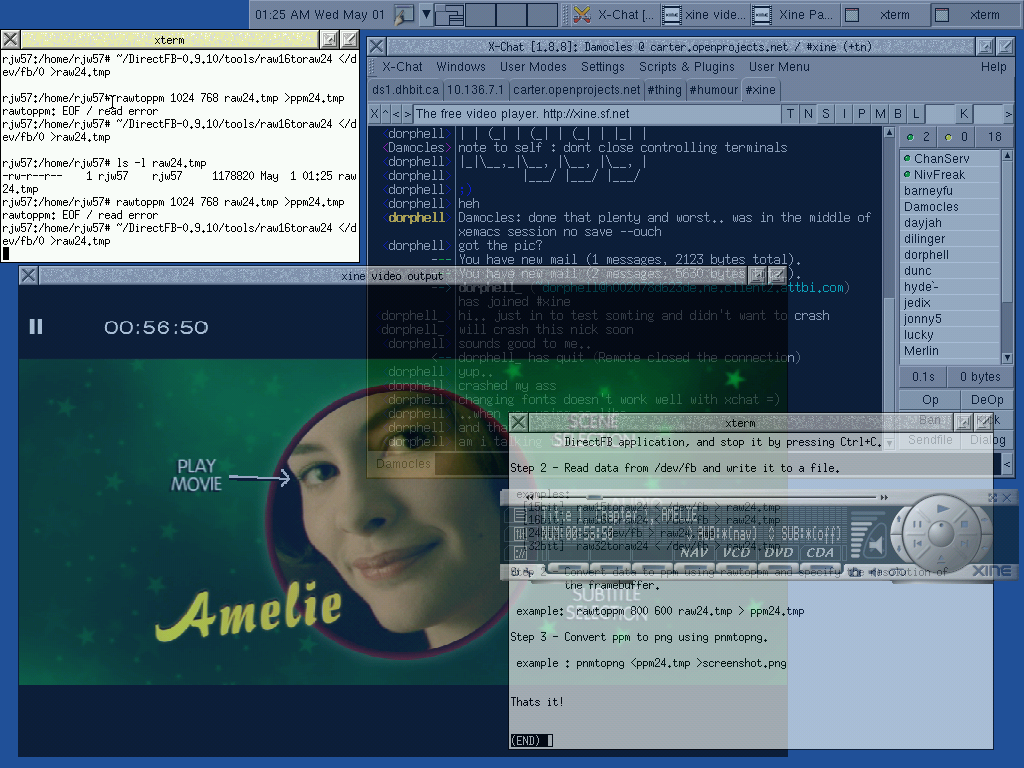
Re:So what? Still no alpha channel?Not a great deal if you just wanted it to work. Writing a rootless X server where each window is an OpenGL texture is certainly possible (with a similar amount of work to the XDirectFB rootless server for DirectFB). With the DirectFB server translucency is certainly possible (screenie).
If the X-server was written using OpenGL textures, they could be mapped onto any mesh and hence the Genie effect would be fairly easy to implement.