Slashdot Mirror
Domain: freedownloadscenter.com
Stories and comments across the archive that link to freedownloadscenter.com.
Comments · 12
-
Kye - one of my favorites
-
Re:ISO?
It's not the pdf generator that makes the thumbnails, its your reader...
This is incorrect. Thumbnails are a stream inside the PDF format that are optionally displayed by the reader. They are well documented in the PDF specs. You can even download programs that will add thumbnails to documents that do not have them.That said, your reader will only display the thumbnails by default if there isn't a proper index.
If I'm understanding you correctly, you're actually taking a damaged file and loading it into Acrobat. When that happens, Acrobat will attempt to repair the file. Part of that repair is its normal editing procedure of creating thumbnails. (Personally I wish that Acrobat didn't do repairs as it would create pressure on certain software vendors *cough*quarkimlookingat*cough*you*cough* to FIX their PDF output features.)
A word to the wise: You're better off using a third party program to add the thumbnails. Damaging the file to invoke Acrobat's repair feature can give some... unfortunate results. -
Thanks for uploading this
"im just dropping by,nice post!" http://www.freedownloadscenter.com/Multimedia_and
_ Graphics/Video_and_Animation_Tools/Fruit_iPhone_Ri pper_Suite.html -
x-desk
I have used x-desk 1.4 which I liked because it was lightweight and seem to have a fast refresh when switching (it also normally kept the windows in the taskbar in the same order which some virtual desktop programs have problems with). Development was halted, so it's kinda dead, but it still works great: http://www.freedownloadscenter.com/Shell_and_Desk
t op/Virtual_Desktop_Managers/X_Desk.html Suggest you change the default to "alt-arrow" for changing desktops. -
Vern
-
Re:VMWare is no good
I have been a VMWare user for a few years now, as well as MS virtual PC, and tinkered with MS Virtual Server for some time... So far, the utilities i have found for VMWare have been very useful and havent found any for MS products, though i really havent looked. I found this product called MakeVM last week or so. It runs on a live windows box and clones straight to a VMware Virtual Hard drive, over network.
so far i have used this on 4 legacy machines, and moved them straight to my VMWare host running on linux with samba, and had them all cloned and running in 2 days with no downtime. could have been less since i waste alot of time readin these articles..
then i came across this utility diskmount to map drives to virtual disks in the event that i need to do so, which has been rather handy...
I use the free version on windows in my office for testing, on my windows and linux servers, at home on Ubunutu, and never had a problem with it with any guest OS. In addition, the fact that i can boot a guest OS directly from my windows hard drive through my Ubuntu session gives it extra points since i never have to reboot my computer
VMWare is definitely the product i am sticking with... -
Re:100% opensourceHey, you're in luck! Just download the 1/2 megabyte freeware program ToX and point-and-click your way towards converting Unix linefeeds to DOS. Or if you're lucky enough to have Unix shell access, just type
sed -e "s/\$/`echo -e '\r'`/" unixfile > dosfile
-
mostly games, but some cartoons and science...
My daughter has been pushing a mouse around since she was 2, and here are the top hits in our house...
There were some decent kid-appropriate cartoons in the wired.com/animation section, which was a nice break from the DisneyWarner machine. They are gone, which is sad, since they still have that three-legged dog called Webmonkey limping around.
Goof ball is a shareware, non-violent, dexterity building game, and it teaches some simple rules about gravity and colliding spheres that are probably good to have ingrained at a young age. It's actually a set of 6-8 ball games, so there's a lot to learn, ever for a grown up kid.
I found that Mame is an excellent source, since a lot of the games are easy, non-violent, non-indoctrinating into the DisneyWarner ad machine, and, uh, free.
That being said, my kids also go to a couple games on the Disney.crap site, though only under strict supervision, and only to a fraction of the offerings. I try to minimize their exposure to it, but some of the games/puzzles/activities are ok.
Shockwave games are usually better, but you have to sort of pre-screen the pages to make sure you have all of the inappropriate ad servers blocked.
Outside of games, NASA has an excellent kids' section, with models to build, pictures, projects, etc.
Zoo and aquarium sites are ok too, plenty of educational material with enough pictures to keep them entertained. -
Re:fix the file selection
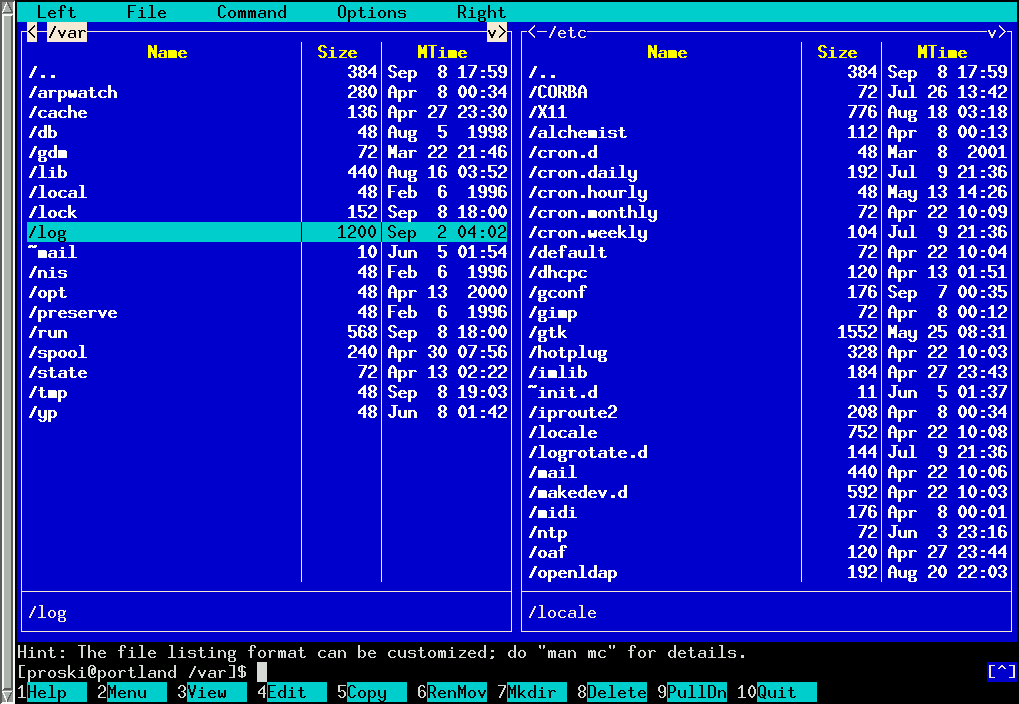
Yep, no one uses split pane file managers.
-
Good text readers..Try ETextViewer, Tom's eTextReader or even Metapad (www.liquidninja.com ?)..
I personally prefer Tom's eTextReader myself, have read some fairly large texts on it (Gibbons Decline and Fall of the Roman empire, for example). you can set background colours, it actually renders the pages like a book (double columns).. YMMV, but I read a lot of texts off the screen and I havent found anything better.. This assumes that you're using Win32, of course.
For a Palm OS device, Weasel Reader rocks..
-
Good text readers..Try ETextViewer, Tom's eTextReader or even Metapad (www.liquidninja.com ?)..
I personally prefer Tom's eTextReader myself, have read some fairly large texts on it (Gibbons Decline and Fall of the Roman empire, for example). you can set background colours, it actually renders the pages like a book (double columns).. YMMV, but I read a lot of texts off the screen and I havent found anything better.. This assumes that you're using Win32, of course.
For a Palm OS device, Weasel Reader rocks..
-
Re:"Has anything like this been written?"
What better way to be easy on your eyes than to have your computer read to you? I use a text-to-speech reader for E-texts. The free versions (as if I would buy software!) Readplease 2000 -Can read very long passages, very good for reading e-texts (I've used it to read for 1/2 hour without intervention before, maybe longer) Readplease 2003 Sorry, they only work with Windoze(TM). I recommend you install both versions. Readplease 2000 is better for reading books, Readplease 2003 has better visibility (that is if you are going to read along with it instead of just listen) but can only reading chunks of text smaller than 16000 bytes.