Slashdot Mirror
Domain: maketecheasier.com
Stories and comments across the archive that link to maketecheasier.com.
Comments · 23
-
Re:Neither Google Drive nor OneDrive runs on Linux
Yet on the system I'm typing this from, I can open a terminal and type "dnf install onedrive" and a nice, simple open source client will download and install.
https://www.maketecheasier.com...
Fedora 29, file comes from the base distro repo, not even an add on.
-
Re: Last good Windows OS
Gesus christ. Do you use this OS? Do you use it regularly? Is it the "Professional" version?
I can set the "Active Hours". The active hours are configured so that within any 24 hour block there will always be a period of time outside the active hours. Microsoft uses this period of time to apply forced updates, some (not all) of which will reboot the system, REGARDLESS OF WHAT IT IS DOING.
How do you not understand this?
Here are some related articles on the topic. Most interest is from users wanting to stop Windows restarting unexpectedly.
https://www.laptopmag.com/articles/stop-windows-automatic-reboots
https://www.maketecheasier.com/stop-windows10-forced-updates/ [Note that Group Policy Editor was later disabled in the "Professional" version]
https://www.windowscentral.com/how-prevent-windows-10-rebooting-after-installing-updates
https://www.makeuseof.com/tag/disable-forced-restarts-windows-update/
If you can be bothered to read them, notice that most of these "solutions" involve disabling updates, or, applying registry hacks that may work for the current version, but could be disabled in the next release.
I don't know about you, but I refuse to fight with my OS. I have much better things to do with my time.
[Cue the "Like Post On Slashdot" rebuttal. He he, this is rec time
-
Re:Price of Free
The problem is no one in the greater open source community cares about children games as it serves no means to an end. So kids are left with games that provide some sort of monetary value to their creators.
5 Best Linux Software Packages for Kids Even a trivial Google search proves you wrong. And at least some are for Windows, so it's not even a "must use Linux" thing.
None of this is true, but for kids that grow up in homes where lying is not the norm, they see all advertisements as truthful.
Yea, I guess it starts with the parents. You believe the advertised lies about "the greater open source community", and you can't be assed to do any sort of a search. Or you're incompetent as a parent, and you can't be assed to do any sort of a search. Take your pick.
-
Re:As usual, they are decades late
For instance, there are nice GitHub desktop clients for Mac and Windows. But as for Linux? Nope - command-line only.
You're talking out of your ass.
https://www.tecmint.com/best-gui-git-clients-git-repository-viewers-for-linux/
https://www.slant.co/topics/242/~best-graphical-git-clients-for-linux
https://www.maketecheasier.com/6-useful-graphical-git-client-for-linux/
-
Re: one file disable
It takes more than that. MS Firewall doesn't permit blocking of MS IP addresses. You can get various applications like Wireshark, CPorts to see where the open ports are and how much data is being sent to goodness knows where. Then it is a case of killing off those processes and deleting the relevant software modules. The Windows Firewall combines ports, address ranges with policy groups, administrator groups, a vague "level of security".
Unfortunately, Windows 10 is "self-healing", so just because you delete a directory doesn't mean it won't come back. You also have to disable Windows Update. But Windows Update can be restored to auto mode the next time you do a manual update. So you have to move the directory you want to disable to a new name, zip it up, delete it and create a text file with the name of the directory you want to block.
You also have to dig into the registry and set various flags manually since Windows menu options don't provide direct mode selection.
Other critical applications like display drivers also seem to create Windows telemetry, so they have to be removed after the driver is installed. You have to dig into the system services menu to disable all those things like Samba, Avahi, LLDP, LLSP,Windows 10 will also seem to "trickle-download" applications in the background. There is a directory called WindowsApps which many users have discovered to contain up to 2.5 Gigabytes of applications they never used, and even worse was auto-connecting to the internet (eg. WindowsPhotos.exe) The directory itself is owned by the WindowsInstaller user, then application directories, shortcuts and data files are owned by different accounts such as Administrator and System. Deleting this directory required recursively changing ownership and permissions until each and every directory was deleted (This may have been due to latency in the journaling file system).
This is what I know this week. It's an ongoing battle. BTW, I do have a dual-boot system with Linux.
-
Re:USB to sata dongle plus 2TB SSD
--Umm, you do realize that SSDs are:
a) WAY expensive for backing things up to, and
b) An un-powered SSD drive will eventually degrade and LOSE ITS DATA in a fairly short amount of time (for Backup purposes)? This gets worse with Triple-level-and-up (TLC) Cell structures, BTW. They basically need an electric refresh to keep the cell structure from flipping to another position.
--Depending on the temperature/humidity it's stored in, SSD degradation could be detected in as low as several months or - if you're lucky - possibly as much as a couple of years. But if you don't fire it up every so often and run a data-consistency check, how would you know if your files are succumbing to bit-rot?
--There are many, many more options for backups that don't cost *nearly* as much as SSDs - that's not really what they're intended for. I can see buying an SSD if you want faster startup times on your PC, are into gaming, or you do a lot of virtualization suspending/resuming (R/W multiple gigabytes) every day. SSD's are designed to be faster than spinning disks, NOT necessarily long-lasting without power.
--For now, it looks like the best thing to do is keep your data online, have multiple rotating backups, store some stuff off-site, and copy data from old-drive to new-drive before it breaks. (I would even say real-time Mirroring or RAIDing is getting to be essential for any disk over 1-2TB.) But if you're storing your main backups on SSD media, you're over-spending *and* may be risking data loss if you don't power up the drive every so often.
--JMHO, but I would look into something like M-DISC for reasonable amounts of long-term archival storage. 4.7GB DVD M-Discs were made to the highest standard; 51% sure about the 25GB Blu-Ray M-Discs, not sure about the 100GB BD-R multi-layer discs. (Cloud backup is OK I guess as long as you don't mind 3-letter-agency snooping and you don't have a slow Internet with data caps, but encryption is definitely recommended before uploading.)
Refs:
http://www.makeuseof.com/tag/h... -
Re:Vote with your feet
Chromium is the open-source twin of Chrome. Don't know what sort of anti-marketing/anti-tracking plugins it provides, but it's potentially an option if you want less bloat. You could also look at Pale Moon and other Firefox-based browsers.
-
Re:It's not Linux-based
Even the earliest distributions of Linux-based operating systems in the early 1990s required a couple of floppies.
From one extreme to the other. Even in the late 90s and early 00s it was possible to boot a linux system from a single floppy. Heck there's even a distribution named fd-linux. Not just the kernel either. I remember having a full network routing OS with firewall and the works boot from a single floppy.
I'm not really sure what your point is or what extremes you're referring to. You also seem to be unaware that floppy disks vary hugely in size. Common sizes on PC hardware varied from 360 KiB up to 1.44MiB. Obviously, one would need three of the former to hold as much as one of the latter. Perhaps you're trying to imply that what I said was incorrect.
According to http://www.maketecheasier.com/...:
The earliest known distribution was by HJ Lu in early 1992. It consisted of two floppies: a “boot” disk to boot the system and a “root” disk that contained the filesystem, and from which it actually ran.
All of this is beside the point, which is that every Linux-based operating system has required many times the storage space claimed in the article.
-
Re:kill -1
The SIGHUP signal is sent to a process when its controlling terminal is closed. It was originally designed to notify the process of a serial line drop (a hangup). In modern systems, this signal usually means that the controlling pseudo or virtual terminal has been closed.[3] Many daemons will reload their configuration files and reopen their logfiles instead of exiting when receiving this signal.[4] nohup is a command to make a command ignore the signal.
these signals
Signals are a limited form of inter-process communication used in Unix, Unix-like, and other POSIX-compliant operating systems. A signal is an asynchronous notification sent to a process or to a specific thread within the same process in order to notify it of an event that occurred. Signals have been around since the 1970s Bell Labs Unix and have been more recently specified in the POSIX standard.
are required for POSIX compliance, so not only are they required for UNIX programing, but for windows as well. Usually if I'm going to kill a process manually, i just use
kill -9
, which sends the SIGKILL
The SIGKILL signal is sent to a process to cause it to terminate immediately (kill). In contrast to SIGTERM and SIGINT, this signal cannot be caught or ignored, and the receiving process cannot perform any clean-up upon receiving this signal.
a more agressive, "the only way to be sure is to nuc em from orbit" thing.
-
Re:So we should ditch Ubuntu and then
> FWIW, I still can't configure GRUB 2 easily.
--I feel like I'm risking replying to a troll here, but perhaps you haven't heard of grub-customizer ?
https://answers.launchpad.net/grub-customizer/+faq/1397> Linux does not run well on old hardware, and really doesn't run well anymore (period).
--Yeah, I'm calling BS.
http://www.maketecheasier.com/distros-for-old-computers/ -
Keep Your PC Safe from Rogue PDF Files
-
Re:Does it still have the deal-breaker?
How to Use KDE Plasma Activities (a little old)
The Mystery of KDE Activities (apparently you aren't alone)
How to use KDE 4 Desktop Activities (really short if you are in a hurry)
A Bit on KDE Activities (More recent, more critical. I like it)
I've been using KDE for quite a while and I'll admit I don't really use Activities a whole lot right now. I do on multi-monitor setups but that's because it does it automatically. But in the sense of setting them up - I've only played with it and I'm not 100% sold on how useful it will be to me personally but these my help you get a handle on whether or not you think they are good for your style of computing. -
I can't make magnet links work
I found instructions on various sites for how to do it, but none of them work.
I run Firefox (9.0.1), Fedora and Azureus. I don't really want to change that combination. No matter what I add to the about:config of firefox, it always says there is no application associated with the magnet: URI handler.
Okay, just as I was writing this, I thought "what if Firefox is now relying on the OS to manage this the way it does for the mailto: handler?" Sure enough, I found a way.
http://maketecheasier.com/open-magnet-link-in-browser/2010/02/19
I hope this helps someone else.
-
Re:Could open your system up to malware like Linux
Someone has thought of the kids!! http://maketecheasier.com/doudoulinux-a-fun-linux-distro-for-kids/2010/11/26
-
Re:It's change for the sake of change
Lion has a different model. We can use that one as well.
instead mean dialog windows, I've never had this problem. An app in another Space will pop up an alert/error in its own Space and bounce the Dock icon. Works like a charm.
Not my experience at all. And things like "bring all to front" may not even expose the notification window.
As for the majority of your comment, you are intermixing: a network protocol and hardware abstraction layer (X), the windowing manager (not sure which ones you used), and the GUI (stuff like gconf). You original claim was about virtual desktop management on OSX vs. Unix. Virtual desktops on Unixes come well before there were any GUIs. Here is an example of configuring exactly what you are excited about from a window manager that is essentially unchanged for the last 18 years virtual desktops in window maker.
If you want to look at one that's more modern (only about 5 years old): x-monad tour.
Now the GUIs add additional levels. For example KDE has the notion of activity so you can tie applications dealing with specific data to windows. So for example a word processor opening files a particular directory can automatically different windows. That's beyond application configuration.
[configuration]... I want to enjoy using it. I don't want to tolerate it, and that's exactly what I have to do when I use Unix / X / Windows.
For enjoyment I don't think you can beat OSX. That is a different question than "most power". I may enjoy using OSX more, but OSX window managers don't hold a candle to modern tiling window managers, where each virtual desktop can have different window management behaviors. OSX barely even has behaviors that are configurable.
-
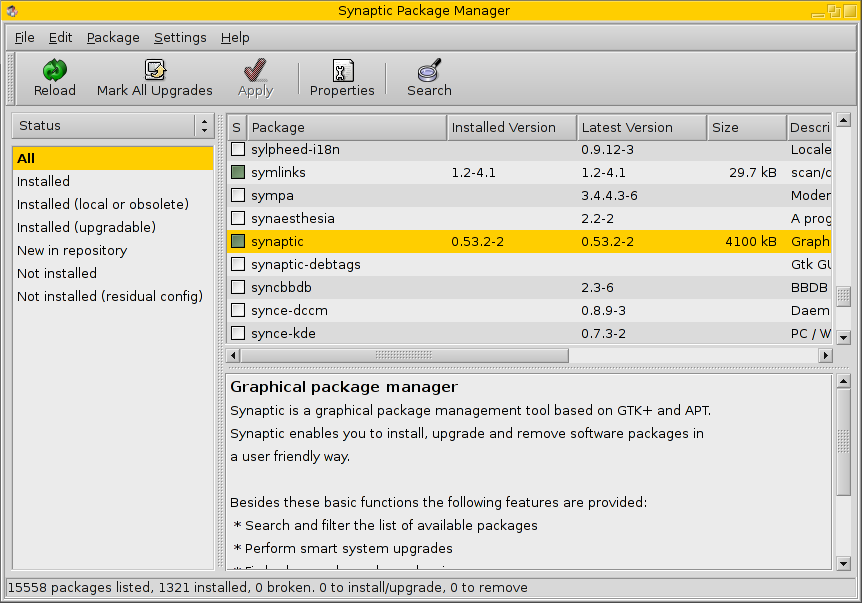
Re:Why no Synaptic for OS X? ..... Or Windows?
-
Re:Why no Synaptic for OS X? ..... Or Windows?
-
Re:Why no Synaptic for OS X? ..... Or Windows?
-
Re:Too late
Kopete (KDE4 version at least) have the ability as well via the Jabber/XMPP protocol (from which you can also connect to GTalk and various other Jabber based services).
Tutorial here. -
Re:Linux.
...or make your Linux look like a Mac:
http://maketecheasier.com/turn-your-ubuntu-intrepid-into-mac-osx-leopard/2009/01/08
-
Thought I'd clarify something though.
With x86-64 you can run 32-bit apps seamlessly.
I've been researching about installing Ubuntu Studio on my computer and one of the things I came across is that there are not 64 bit versions of some software and there are problems running 32 bit versions on 64 bit Ubuntu. I found this article on how to How to Run 32-bit Apps in 64-bit Linux.
Falcon
-
Re:Virtualbox
When our business doubled in size we switched to VirtualBox from Parallels 3. Not only is it quicker but it is more stable and its support of different network interfaces and USB devises is clearly superior. We run Eclipse, Apache and all sorts of other development tools on it to do special Windows only development. We also use it as a main support tool. Also don't overlook the fact that you can have multiple 32bit VMs running at the same time - something that Parallels can't do.
However as I said in the post you replied to Virtualbox does not do something that is important to me, the ability to run a second OS in a VM in one OS that is setup to dualboot. As I said I may install Ubuntu as a second OS to dualboot my Mac. If I do I will want to run Ubuntu in a VM while Leopard is running, as well as the reverse, run Leopard in a VM when Ubuntu is booted up. According to the Virtualbox forums Virtualbox can not do that. Let me rephrase that, none of the threads I read said it could be done and how to. Some said it was impossible and others suggested it might be possible but did not say how. And I found the forums by Googling virtualbox bootcamp. Trying virtualbox dualboot leopard doesn't return what I'm looking for either. I did find this which says how to do it using an external drive. However my Mac is a MacBook Pro and I may not be able to take and use an external drive everywhere I can take the laptop. As it is I replaced the hdd the MBP came with with a bigger drive, the 160GB drive it came with I replaced with a 320GB drive. Using Bootcamp and Disk Utility I'll partition it into 3 partitions, 2 partitions about 50GB each for each OS and the rest for user files.
MacTech dropped a clanger by not including VirtualBox!
I'll second that!
Falcon
-
Re:The Support and Training Issue
If a student works on a document on a Linux box at school and then takes it home to work on they'll be in for a shock.
I never had this problem, whether I used Linux, OS X , or Windows in school or at home. And yes, I used all three OSes both in school and at home. Now I have another advantage, I can run all three OSes on the same computer, and using a virtual machine I can run them at the same tyme. I'm typing this on a Mac running Leopard and have been thinking about installing Ubuntu on it to make it a dualboot PC. If I do I can run Ubuntu inside Leopard by using one of a number of VMs. Many store that sell Macs also sell Parallels and VmWare. Vrtualbox is an open source VM that works on all three OSes.
Falcon