Slashdot Mirror
Domain: mspencer.net
Stories and comments across the archive that link to mspencer.net.
Comments · 21
-
Re:Dungeons of Daggaroth
There's a PC port of Dungeons of Daggorath, authorized by the original creators of the game. See http://mspencer.net/daggorath/dodpcp.html for more information.
-
Re:FPS from 1980
Sounds like you're referring to Dungeons of Daggorath. I used to play it myself, and actually got down to the fourth level where the wizard Daggorath was. I think I beat him on one occasion.
Anyway, for those who are interested, an attempt was made to re-create the game. You can find "Dungeons of Daggorath PC-Port", here.
-
Re:FPS from 1980
Dungeons of Daggorath.
Hours and hours of "a space l" and "a space r" depending on which hand you had your sword/weapon in. Good times.
PC Port project here:
-
You want 8-bit fear? Try Dungeons of Daggorath
Have you ever played Dungeons of Daggorath for the Tandy CoCo? One of the earliest first-person real-time 3D games, and still one of the most intensely creepy and haunting gaming experiences I've ever had, thanks in part to the graphics (as well as the game's terrific use of sound). I think the abstracted, pseudo-wireframe graphics made the monsters even more menacing.
(No need for an emulator to try this one -- PC and Linux versions are available here, and you can get the OS X port here.) -
"According to NetApplications" -- bah!
I have long distrusted these shady stats companies that provide these figures with absolutely no way to check their validity. I poked around a bit on netapplications.com, and although they don't actually tell you outright, I gather that their Firefox statistics come from corporate websites that they host(?). Needless to say, there might be a huge bias here (e.g. the types of companies in bed with NetApplications might be biased towards having a large influx of corporate users on IE, or something like that).
So what to do about this lack of statistics? A couple months ago I wrote a bot that crawled webalizer statistics pages, harvested the results, loaded them into MySQL, and produced aggregate browser statistics by month. To make a long story short, I had difficulty getting enough Webalizer pages to make for a really good study (my bot was just scraping Google), but I showed around ~20% Firefox usage. Results here. If there's interest in this project, it could easily be revived.
-
Re:Anyone remember Dungeons of Daggorath?
Dungeons of Daggorath probably gave me the most enjoyment of any game ever. A pc port was made (both a linux and a windows version) but the site where it was still hosted until very recently is not up at the moment. http://mspencer.net/daggorath/dodpcp.html In case it comes back (there were forums there as well). http://members.tripod.com/~Frodpod/index-2.htmlst
i ll seems to be up, though not updated in some time. -
Linux Advanced Routing and Traffic Control.
http://lartc.org
It's difficult to understand, much less set up, but essentially the stuff from this site can solve your problem by tightly controlling outbound traffic (since it is possible to have perfect control over what packets you release to the network) and by loosely attempting to control inbound traffic (since it isn't really possible to perfectly control what packets other people send you).
For example, my home setup has four priority classes:
Class 0:10 is for high priority traffic: ping replies, TCP ACK packets, and online gaming.
Class 0:20 is for everything not otherwise classified.
Class 0:30 is for BitTorrent traffic -- lower than normal, but higher than all the other p2p stuff. I do this because BitTorrent traffic is very likely to be directly related to a file I'm personally interested in.
Class 0:40 is for lowprio.mspencer.net and other misc filesharing programs. If the rest of the Internet connection is busy, class 0:40 ends up with around 24 kbit/sec out of my total 640 kbit/sec upstream.
I guarantee you can adapt this as needed, so each user has a fair slice of upstream available, but if someone's not using their slice then everybody else can split it. (So at 4 AM one user can still get the whole line speed, but at peak usage everybody gets the same bandwidth.)
The other side of the coin is ingress policing. I don't have a lot of experience with this, but you'll almost definitely need it. Basically the policing module tries to slow inbound packets by throttling the outbound acknowledgements. It's not perfect but it can help.
Some filesharing programs incorrectly state they are "firewalled" when you use a setup like this. Instruct the user to just tell his client to retest so it can confirm he's not firewalled.
My final paper for my 4000/8000 level networking class was regarding my traffic shaper. Maybe it'll help.
http://mspencer.net/traffic-shaper.doc in Word 2000 format.
http://mspencer.net/traffic-shaper.txt in plain text.
--Michael Spencer -
Linux Advanced Routing and Traffic Control.
http://lartc.org
It's difficult to understand, much less set up, but essentially the stuff from this site can solve your problem by tightly controlling outbound traffic (since it is possible to have perfect control over what packets you release to the network) and by loosely attempting to control inbound traffic (since it isn't really possible to perfectly control what packets other people send you).
For example, my home setup has four priority classes:
Class 0:10 is for high priority traffic: ping replies, TCP ACK packets, and online gaming.
Class 0:20 is for everything not otherwise classified.
Class 0:30 is for BitTorrent traffic -- lower than normal, but higher than all the other p2p stuff. I do this because BitTorrent traffic is very likely to be directly related to a file I'm personally interested in.
Class 0:40 is for lowprio.mspencer.net and other misc filesharing programs. If the rest of the Internet connection is busy, class 0:40 ends up with around 24 kbit/sec out of my total 640 kbit/sec upstream.
I guarantee you can adapt this as needed, so each user has a fair slice of upstream available, but if someone's not using their slice then everybody else can split it. (So at 4 AM one user can still get the whole line speed, but at peak usage everybody gets the same bandwidth.)
The other side of the coin is ingress policing. I don't have a lot of experience with this, but you'll almost definitely need it. Basically the policing module tries to slow inbound packets by throttling the outbound acknowledgements. It's not perfect but it can help.
Some filesharing programs incorrectly state they are "firewalled" when you use a setup like this. Instruct the user to just tell his client to retest so it can confirm he's not firewalled.
My final paper for my 4000/8000 level networking class was regarding my traffic shaper. Maybe it'll help.
http://mspencer.net/traffic-shaper.doc in Word 2000 format.
http://mspencer.net/traffic-shaper.txt in plain text.
--Michael Spencer -
Libraries, whatever...
I'm going to get modded down into oblivion for saying this, but whatever.
For some reason I see a bunch of
In the words of the parent:
The books you find will have references, and you can follow those to immense amounts of material more specifically related to the angle you've chosen. And none of it is on Google.
Know what? I'm calling bollocks on this attitude. Wake up folks. It's the 21st century, not the 17th. I'm a college student. I've been there, done that. I know it's f-in tough to be forced to crank out a bunch of bullshit papers. That's life. But the Internet has made it all easier. If I need to look up information on, say, Hamlet, volumes of information are a few clicks away. Yeah, I've heard the usual jabber about how the barrier to entry on the Internet is practically nonexistant and anyone can publich any useless crap, yadda yadda yadda.
Again, wake up people. That's what google and Pagerank is for. I'm not a total idiot. I know bullshit online when I see it. Moreover, if I look an opinion online over, and I think it's enlightening, there's a pretty good chance that my Professor will too. Yeah, if I wanted to invest hours and hours in a three page paper I could go out through the cold and snow to the library, hunt through the antiquated card catalogue for what I'm looking for, and actually read a real resource for factual, honest-to-god information.
Forget it. Know where I turn to when I can't figure out what the hell is wrong with my network card? Where I go when I want to know trivia, like whether the original Goldfish were "cheddar" or "plain"? Right. It ain't the public library. And it's the same place I go when I want to find some useful information about Hamlet or any other serious research, for that matter. Instead of manually flipping through pages of some damn research books I've got the clusters of Google grep'ing through god only knows how many pages. Yeah, there are crazy ideas out there, but again, I'm not an idiot. And neither is Google for that matter. Pagerank is your friend, library-lovers.
And another thing. The parent whined about how there's not enough material available online due to copyright crap.
US and world copyright laws are keeping almost all the content from being eligible for online publication, even if their profit windows are long closed.
He's absolutely right. Libraries will be dead the minute copyright law gets toned down to a 10 year span and every legal book on the planet has been OCR'ed. In the meantime, put your stuff out there for free. It makes a difference. Write a big research paper? An English paper? Science paper? Put it under GPL/Creative Commons/BSD/whatever, and let people have it. You don't need it anymore. Don't be so damn possessive. You won't be able to take the stupid papers with you when you die.
I'm not just blowing smoke. I do this on my own site. Yeah, the papers I've put out are just stuff that I or others have written, but it helps. Information is a good thing. Let Google decide if your paper is good enough to show up in a search. -
Re:Its small for a laptop, but HUGE for a PDA
Don't know if anyone cares, but here's an example of the screen resolution.
http://mspencer.net/stuff/c700res.jpg
That's my thumb in the picture. Fifteen lines of text fit in the width of my thumb.
(For the record...I did eventually get MAME working, but it runs slow on Qtopia. I'll have to try it on that new X11 ROM and see if it runs at more than 40% speed. )
--Michael Spencer -
Re:Get realistic here
I'm starting to think I shouldn't have even replied to this user's other post.
: : You give vague guidelines for what you're seeking, like for example, you want to input kana and have it output kanji. You must be a beginner, because you don't seem to realize there is no one-to-one correspondence between words written in kana and kanji.
That's completely normal. That's how Japanese people do it. You press keys on your keyboard that indicate kana, hit the space bar, and it suggests a kanji. If it suggests a kanji you didn't intend, hit the space bar again and get the next most likely.
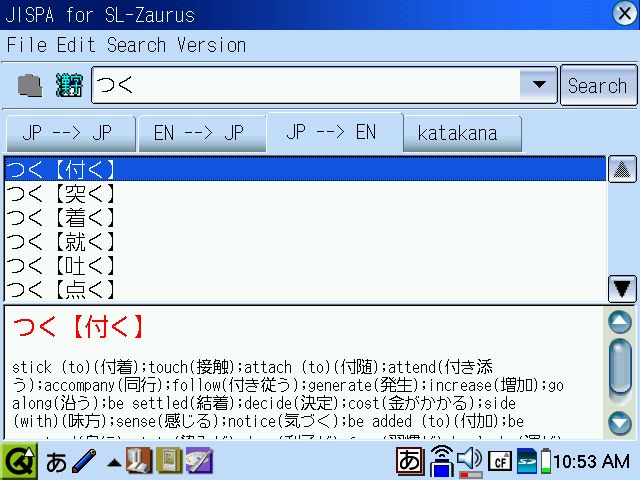
A dictionary helps with that -- it doesn't hurt. For example, I looked up 'tsuku'. (Those letters at the top are simple phonetic characters "tsu ku" -- they don't each have a meaning, they're like letters of the alphabet. Sounds only.) The dictionary shows me a ton of different kanji that have the same pronounciation. If I click a different kanji up top, I get its meaning on the bottom.
Completely normal. The poster suggested that because the person who submitted the article wants to do this, they must be a beginner and so shouldn't get a dictionary.
That statement is a pretty likely sign that we're being trolled. One can't both insult someone else for being inexperienced and not knowing what they want, and also make that kind of mistake. Interested moderators might also want to look at this post if you think this guy is trolling, or at least being excessively negative (and wrong about it) on purpose. (He's probably right about "denshi jiten" though.) -
Re:Get a Zaurus SL-C760
Hmm...it seems you're mostly right. No place better than slashdot to get a correction I suppose
In support of what you said: it turns out Jisho is correct, but that denshi jiten is also right. No wonder Japanese exchange students were looking at me funny, but not correcting me, when I said "denki jisho". It's a shame nobody said anything to me before you did, but thanks for the correction. *memorizes denshi jiten*
Strange, though, but the default menu option for the dictionary calls it Jisho.
You're probably also technically correct about kanji handwriting recognition. I'm just a third semester student, and I can usually sketch out an unfamiliar kanji well enough for the Zaurus to understand it. Sometimes I put two strokes where one goes, sometimes I put one stroke where two strokes go, sometimes I get the order wrong. Almost always, for unfamiliar kanji, the one I wanted isn't the first one that comes up. I just tap the kanji with the pen and it shows me a list of other possibilities.
If the one I need isn't in there, I look at any similirities between the ones that *are* in the list, and make sure my next attempt at writing it looks different from that.
So I think you're right...it probably does really take about four years to be able to do that accurately and reliably. I think I'm right also -- if the student has a little bit of skill, the Zaurus's handwriting recognition is smart enough to look past most mistakes. By contrast, the simple handwriting recognition in the Zaurus app KanjiNirvana doesn't tolerate *any* errors.
I don't know if you've used the Zaurus's kanji handwriting recognition, but apparently Zauruses are famous for theirs. I make a lot of handwriting mistakes, especially with new and unfamiliar kanji, and the Zaurus picks up what I intended most of the time -- when I'm already kinda familiar with the stroke order. The Zaurus picks up what I meant to write about a third of the time, when I'm unfamiliar with the stroke order and just roughly copying down what I see, and don't mind scrolling through a list of alternates.
So I'd say: if this is your first semester learning kanji, I don't think you'll be able to use the handwriting recognition the way I do. If this is your second semester or later of studying kanji, go for it. It's my second semester also, and it works for me. -
Re:Get a Zaurus SL-C760
Hmm...it seems you're mostly right. No place better than slashdot to get a correction I suppose
In support of what you said: it turns out Jisho is correct, but that denshi jiten is also right. No wonder Japanese exchange students were looking at me funny, but not correcting me, when I said "denki jisho". It's a shame nobody said anything to me before you did, but thanks for the correction. *memorizes denshi jiten*
Strange, though, but the default menu option for the dictionary calls it Jisho.
You're probably also technically correct about kanji handwriting recognition. I'm just a third semester student, and I can usually sketch out an unfamiliar kanji well enough for the Zaurus to understand it. Sometimes I put two strokes where one goes, sometimes I put one stroke where two strokes go, sometimes I get the order wrong. Almost always, for unfamiliar kanji, the one I wanted isn't the first one that comes up. I just tap the kanji with the pen and it shows me a list of other possibilities.
If the one I need isn't in there, I look at any similirities between the ones that *are* in the list, and make sure my next attempt at writing it looks different from that.
So I think you're right...it probably does really take about four years to be able to do that accurately and reliably. I think I'm right also -- if the student has a little bit of skill, the Zaurus's handwriting recognition is smart enough to look past most mistakes. By contrast, the simple handwriting recognition in the Zaurus app KanjiNirvana doesn't tolerate *any* errors.
I don't know if you've used the Zaurus's kanji handwriting recognition, but apparently Zauruses are famous for theirs. I make a lot of handwriting mistakes, especially with new and unfamiliar kanji, and the Zaurus picks up what I intended most of the time -- when I'm already kinda familiar with the stroke order. The Zaurus picks up what I meant to write about a third of the time, when I'm unfamiliar with the stroke order and just roughly copying down what I see, and don't mind scrolling through a list of alternates.
So I'd say: if this is your first semester learning kanji, I don't think you'll be able to use the handwriting recognition the way I do. If this is your second semester or later of studying kanji, go for it. It's my second semester also, and it works for me. -
Re:Get a Zaurus SL-C760
Hmm...it seems you're mostly right. No place better than slashdot to get a correction I suppose
In support of what you said: it turns out Jisho is correct, but that denshi jiten is also right. No wonder Japanese exchange students were looking at me funny, but not correcting me, when I said "denki jisho". It's a shame nobody said anything to me before you did, but thanks for the correction. *memorizes denshi jiten*
Strange, though, but the default menu option for the dictionary calls it Jisho.
You're probably also technically correct about kanji handwriting recognition. I'm just a third semester student, and I can usually sketch out an unfamiliar kanji well enough for the Zaurus to understand it. Sometimes I put two strokes where one goes, sometimes I put one stroke where two strokes go, sometimes I get the order wrong. Almost always, for unfamiliar kanji, the one I wanted isn't the first one that comes up. I just tap the kanji with the pen and it shows me a list of other possibilities.
If the one I need isn't in there, I look at any similirities between the ones that *are* in the list, and make sure my next attempt at writing it looks different from that.
So I think you're right...it probably does really take about four years to be able to do that accurately and reliably. I think I'm right also -- if the student has a little bit of skill, the Zaurus's handwriting recognition is smart enough to look past most mistakes. By contrast, the simple handwriting recognition in the Zaurus app KanjiNirvana doesn't tolerate *any* errors.
I don't know if you've used the Zaurus's kanji handwriting recognition, but apparently Zauruses are famous for theirs. I make a lot of handwriting mistakes, especially with new and unfamiliar kanji, and the Zaurus picks up what I intended most of the time -- when I'm already kinda familiar with the stroke order. The Zaurus picks up what I meant to write about a third of the time, when I'm unfamiliar with the stroke order and just roughly copying down what I see, and don't mind scrolling through a list of alternates.
So I'd say: if this is your first semester learning kanji, I don't think you'll be able to use the handwriting recognition the way I do. If this is your second semester or later of studying kanji, go for it. It's my second semester also, and it works for me. -
Re:Get a Zaurus SL-C760
Hmm...it seems you're mostly right. No place better than slashdot to get a correction I suppose
In support of what you said: it turns out Jisho is correct, but that denshi jiten is also right. No wonder Japanese exchange students were looking at me funny, but not correcting me, when I said "denki jisho". It's a shame nobody said anything to me before you did, but thanks for the correction. *memorizes denshi jiten*
Strange, though, but the default menu option for the dictionary calls it Jisho.
You're probably also technically correct about kanji handwriting recognition. I'm just a third semester student, and I can usually sketch out an unfamiliar kanji well enough for the Zaurus to understand it. Sometimes I put two strokes where one goes, sometimes I put one stroke where two strokes go, sometimes I get the order wrong. Almost always, for unfamiliar kanji, the one I wanted isn't the first one that comes up. I just tap the kanji with the pen and it shows me a list of other possibilities.
If the one I need isn't in there, I look at any similirities between the ones that *are* in the list, and make sure my next attempt at writing it looks different from that.
So I think you're right...it probably does really take about four years to be able to do that accurately and reliably. I think I'm right also -- if the student has a little bit of skill, the Zaurus's handwriting recognition is smart enough to look past most mistakes. By contrast, the simple handwriting recognition in the Zaurus app KanjiNirvana doesn't tolerate *any* errors.
I don't know if you've used the Zaurus's kanji handwriting recognition, but apparently Zauruses are famous for theirs. I make a lot of handwriting mistakes, especially with new and unfamiliar kanji, and the Zaurus picks up what I intended most of the time -- when I'm already kinda familiar with the stroke order. The Zaurus picks up what I meant to write about a third of the time, when I'm unfamiliar with the stroke order and just roughly copying down what I see, and don't mind scrolling through a list of alternates.
So I'd say: if this is your first semester learning kanji, I don't think you'll be able to use the handwriting recognition the way I do. If this is your second semester or later of studying kanji, go for it. It's my second semester also, and it works for me. -
Re:Looking Sharp
I've had a C700 for about three months now. (has it really been three months?)
On a normal desktop keyboard, it took me 16 seconds to type the code you pasted. On the C700 keyboard (which is exactly the same form factor as the C750/C760, just different colors) it took me 41 seconds to type that with the unit held in my hands, and 38 seconds to type with it sitting on the desk.
So yeah, you ain't kidding . . . it hurts.
If it's all you have, though, it's better than nothing. (I'm pretty sure the original poster knows all this -- I'm just sharing my experiences.) I've created, compiled, tested, and turned in a C program for a class, completely on the C700. Took me about twice as long as it would've taken if I could've used a full-size computer . . . but I'm not allowed to use a C compiler on bank computers at work, and the time would've been spent reading slashdot anyway.
Hint: there are no open or close curly braces printed on the C700 keyboard, but you can get those characters by holding down Fn and Shift and pressing the keys with angle brackets. Helps to use an editor like MinIDE ( http://www.killefiz.de/zaurus/showdetail.php?app=2 49 ) which can be set to type a close brace when you type an open brace automatically.
(this bit is offtopic, but . . . . I tinkered with my Dynamism converted C700 and figured out what was changed, and then made a howto that describes how to implement most of those changes by hand. No downloads, no copyright violation. http://mspencer.net/stuff/c700conv.html )
--Michael Spencer -
Anti-Aliased Fonts for Phoenix on Linux/i386
If you want to use anti-aliased fonts with Phoenix 0.5 on Linux for x86, you can grab pre-built Xft-enabled binaries.
Xft Enabled RPMs and tarballs built under RedHat 8.
Xft Enabled tarball built under Debian unstable.
If you aren't running RedHat 8 or Debian unstable, then you may have to do some work to get these pre-built binaries to run.
I am running the Debian unstable Xft-enabled Phoenix 0.5 binary. It works just fine, and looks ever so good. -
Re:Hot CoCo anyone?
No Hot CoCo for me.. but countless hours of typing in those lines...
2030 DATA FE,FF,2E,3B,BB,BB,FF,EF,....
with the psychedelic cursor on that nuklear-green background.
I miss my Rainbow!
At least we now have a half decent Daggorath clone. -
There is no problem with passwordsThe problem is with the authentication mechanism. Any normal word or few letters is fine for a password if the authentication mechanism uses a secure authenication mechanism that prevents dictionary attacks. As long as service can be denied after a few failed attempts then short memorable passwords can have a long lifetime. There are several of these mechanisms available including... And my own public domain effort... Maybe its time to fix the systems rather than the users?
-
Optional security features in p2p clients
Perhaps this is why we need security features in peer-to-peer clients.
Blocks was an example of a filesharing client with too much security. It was well-designed and cross-platform, but required too many resources and too much security for...well, anybody except the most advanced users. It would be very difficult to find the IP number of someone sharing certain content on the Blocks network. It's also almost impossible to even find a file on the Blocks network.
Perhaps what we need is optional security. Some users are going to want to form a mixnet, and only directly communicate with trusted peers. Some people want encrypted disk caches, so if their computers are seized, it'll be impossible to tell exactly what they're sharing. Conversely, some people would like an easy way to tell whether content is copyright-protected and shouldn't be traded, without directly notifying anyone that they've come into contact with the content.
I've outlined some security concepts in a quick page I've put together: http://mspencer.net/fs. It's a work in progress, and is very long (22 KB and growing) with almost no index or table of contents. But if peer-to-peer filesharing is a topic you are enthusiastic and excited about, you'll find the page very interesting. (There are no ad banners at all on that page -- just text, except for my email address. I put my email address in a graphic, to spam-proof it.)
From the page:
Does all of this seem seedy? Do you think people will assume that anyone who participates in any of this extra security or identity protection is automatically a criminal? Remember that this is what computers do -- they take complicated things, and take the manual labor out of them. Sure, some of these methods may seem like seedy criminal behavior turned digital -- but this behavior is usually criminal in real life because it's so costly! It takes time and effort to route anonymous messages around -- take a 'layered' envelope out of the mailbox, unwrap only one envelope leaving (an envelope still inside, possibly with more envelopes inside that), and mail it out again. Pass things around by word-of-mouth only. Use aliases. In real life, these things are difficult to do and take time and effort...so it can be concluded that the people doing them probably need the extra security or protection. That is, they're probably doing something illegal, so the extra 'cost' is worth it. But this is digital -- these are computers we're talking about. It's very easy to let the computer stand out on the streetcorner for us. We're not peddling high-value illegal material -- many of us merely don't want certain advertising companies using our personal information to enhance their seedy business. This 'shifty behavior' becomes worthwhile at the half-penny-per-transaction level, because computers do all the work. Were it the real world, this same kind of 'shifty behavior' would only be justified at the tens-of-dollars-per-transaction level.
Such a system is possible, if enough motivated and excited people get together: adapt and borrow concepts from other projects. The other projects out there (MojoNation, Freenet, Blocks, ELF, and many more) have wonderful concepts and design, and they do a very good job of solving a particular problem with filesharing. But they don't solve all of the problems.
Perhaps if enough p2p project developers are inspired to bring their concepts together into one system, we'll finally rid our gift culture of these pesky intellectual property lawyers.
On a related note...I just thought of this really evil way to abuse three existing services (WWW, DNS, and Akamai proxying) to provide a kinda-anonymous web site:
1) Use an existing DNS zone to point an NS record for a subdomain to a special kind of DNS server. (Perhaps *.anon.mspencer.net)
2) Create a special DNS server (special software, or just firewalled) that is only allowed to hand out DNS query replies to Akamai servers.
3) Publish a URL:
http://a1.g.akamaitech.net/6/6/6/6/lmnop1.anon.m sp encer.net/piratestuff/bigfile.iso
It would be impossible to get the true location of lmnop1.anon.mspencer.net unless Akamai servers were cooperating with you.
--Michael Spencer
(remove the first three letters from the email address above.) -
Optional security features in p2p clients
Perhaps this is why we need security features in peer-to-peer clients.
Blocks was an example of a filesharing client with too much security. It was well-designed and cross-platform, but required too many resources and too much security for...well, anybody except the most advanced users. It would be very difficult to find the IP number of someone sharing certain content on the Blocks network. It's also almost impossible to even find a file on the Blocks network.
Perhaps what we need is optional security. Some users are going to want to form a mixnet, and only directly communicate with trusted peers. Some people want encrypted disk caches, so if their computers are seized, it'll be impossible to tell exactly what they're sharing. Conversely, some people would like an easy way to tell whether content is copyright-protected and shouldn't be traded, without directly notifying anyone that they've come into contact with the content.
I've outlined some security concepts in a quick page I've put together: http://mspencer.net/fs. It's a work in progress, and is very long (22 KB and growing) with almost no index or table of contents. But if peer-to-peer filesharing is a topic you are enthusiastic and excited about, you'll find the page very interesting. (There are no ad banners at all on that page -- just text, except for my email address. I put my email address in a graphic, to spam-proof it.)
From the page:
Does all of this seem seedy? Do you think people will assume that anyone who participates in any of this extra security or identity protection is automatically a criminal? Remember that this is what computers do -- they take complicated things, and take the manual labor out of them. Sure, some of these methods may seem like seedy criminal behavior turned digital -- but this behavior is usually criminal in real life because it's so costly! It takes time and effort to route anonymous messages around -- take a 'layered' envelope out of the mailbox, unwrap only one envelope leaving (an envelope still inside, possibly with more envelopes inside that), and mail it out again. Pass things around by word-of-mouth only. Use aliases. In real life, these things are difficult to do and take time and effort...so it can be concluded that the people doing them probably need the extra security or protection. That is, they're probably doing something illegal, so the extra 'cost' is worth it. But this is digital -- these are computers we're talking about. It's very easy to let the computer stand out on the streetcorner for us. We're not peddling high-value illegal material -- many of us merely don't want certain advertising companies using our personal information to enhance their seedy business. This 'shifty behavior' becomes worthwhile at the half-penny-per-transaction level, because computers do all the work. Were it the real world, this same kind of 'shifty behavior' would only be justified at the tens-of-dollars-per-transaction level.
Such a system is possible, if enough motivated and excited people get together: adapt and borrow concepts from other projects. The other projects out there (MojoNation, Freenet, Blocks, ELF, and many more) have wonderful concepts and design, and they do a very good job of solving a particular problem with filesharing. But they don't solve all of the problems.
Perhaps if enough p2p project developers are inspired to bring their concepts together into one system, we'll finally rid our gift culture of these pesky intellectual property lawyers.
On a related note...I just thought of this really evil way to abuse three existing services (WWW, DNS, and Akamai proxying) to provide a kinda-anonymous web site:
1) Use an existing DNS zone to point an NS record for a subdomain to a special kind of DNS server. (Perhaps *.anon.mspencer.net)
2) Create a special DNS server (special software, or just firewalled) that is only allowed to hand out DNS query replies to Akamai servers.
3) Publish a URL:
http://a1.g.akamaitech.net/6/6/6/6/lmnop1.anon.m sp encer.net/piratestuff/bigfile.iso
It would be impossible to get the true location of lmnop1.anon.mspencer.net unless Akamai servers were cooperating with you.
--Michael Spencer
(remove the first three letters from the email address above.)