Slashdot Mirror
Domain: openoffice.org
Stories and comments across the archive that link to openoffice.org.
Comments · 2,060
-
Dear Mr Gates
Have your engineers been good enough to fix these ones yet?
Or should I continue to advise anyone who is doing any important statisical analyses (eg medical research, construction engineering or even any non-trivial finance) to on no account process their numbers with your number processing program
I call you for 9 years on crucial bugs in your most popular and best piece of software.
Gnumeric
OpenOffice.org
KSpread -
Re:More platforms to come...
I tried to display a Japanese document with using Japanese fonts, but I can't.(Mojibake occurred.)
OpenOffice.org has a project of l10n and i18n. Does TextMaker have a framework of i18n?
-
Re:More than just convenience
Yes, there is a version available for Mac OS X
http://porting.openoffice.org/mac/ooo-osx_download s.html -
Re:OpenOffice supports Hebrew
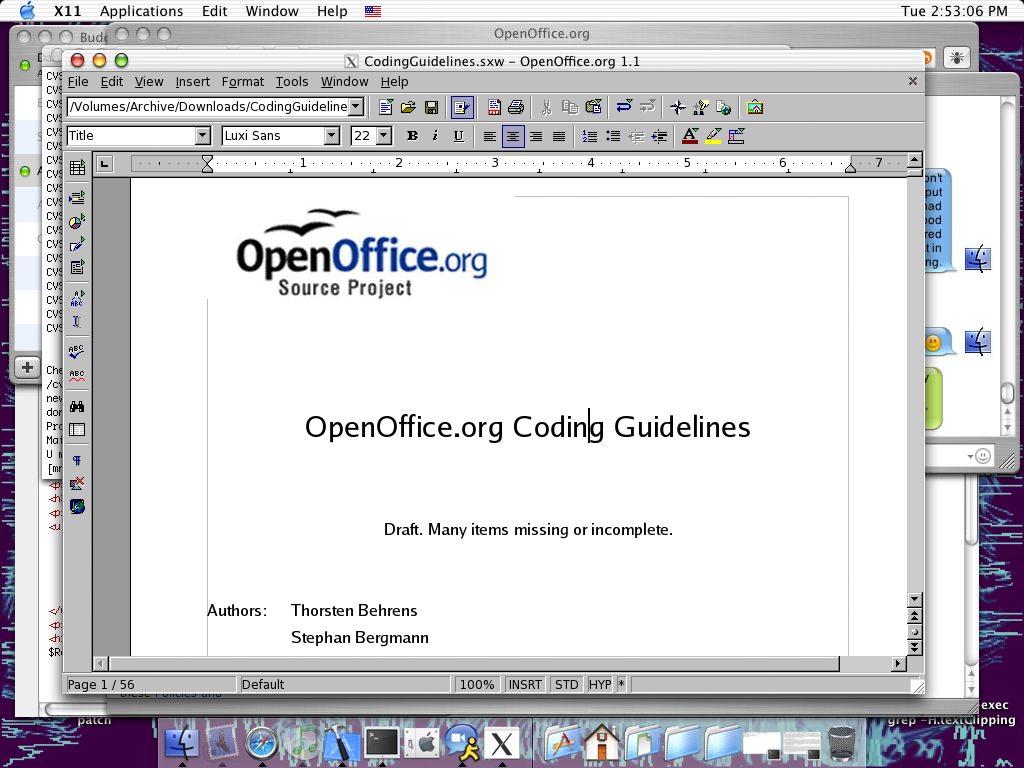
OOo isn't native on OSX. The development has been postponed indefinately (or 2004), I don't recall.
Needless to say, OOo runs under OSX with X11, but then again, it looks and feels horrible. I'm an OOo advocate, but running it on OSX in the present time is not very smart. -
Re:Upgrade
-
Still waiting for the OS X version..
Looks like there's still a ways to go though.
-
Re:I am downloading it now.
Try a CD. They're not that expensive, and may well be worth it if you're on dialup.
-
Re:Birthday Wish
> I bet Mr. Memory Is Cheap has broadband, too.
Yep.
> I even tried downloading the
> where I could hopefully unzip it and delete all the crap I
> didn't want.
Good luck. The zip file contains a large number of archive files. i.e. There's nothing to delete. Besides, what would you delete? It's an integrated office suite. The only things you can get rid of and still get it to run are language packs and a few small utilities (such as Palm support).
> Wadding everything into a single, gigantic file is
> convenient for some people, but it just doesn't work for
> me.
If I might make a suggestion, a cdrom of OOo would go a long way toward solving your problem. Not sure where in the world you are, but they seem to be pretty cheap.
> (MinGW is worse, because their single, gigantic file is an
>
> unzip it.)
Cygwin lets you pick and choose your components. Besides, the Cygwin GCC is easier to use than MinGW.
> Incidently, is the software actually called OpenOffice.org,
> or does everyone tack on the ".org" TLD out of habit?
Strangely enough, it is actually part of the name. My W.A.G. (Wild Ass Guess) is that OpenOffice is too generic to trademark. Alternatively, Sun may have thought the name to be "more hip" or something.
Oh, and BTW. Memory *is* cheap. -
Re:Birthday Wish...sadly, it's still lacking database software, unless you count StarOffice's ADABAS package.
Adabas is just a database backend and not very important, though I admit it would be nice to bundle one of the existing open source backends just to remove the need to fetch and install one.
Backends that are currently supported by both StarOffice and OpenOffice include MySQL, Postgress, and any data source exposed by ODBC 3.0, JDBC, ADO, dBase, or if you want to go low tech flat CSV files.
When most people say they want an Access-like tool, they mean a frontend, something that OpenOffice and StarOffice already have.
To help you out, the main database section of OpenOffice.org has atips and tricks section.
Then, there are the forums that have some very interesting threads on the subject...
-
Re:Birthday Wish...sadly, it's still lacking database software, unless you count StarOffice's ADABAS package.
Adabas is just a database backend and not very important, though I admit it would be nice to bundle one of the existing open source backends just to remove the need to fetch and install one.
Backends that are currently supported by both StarOffice and OpenOffice include MySQL, Postgress, and any data source exposed by ODBC 3.0, JDBC, ADO, dBase, or if you want to go low tech flat CSV files.
When most people say they want an Access-like tool, they mean a frontend, something that OpenOffice and StarOffice already have.
To help you out, the main database section of OpenOffice.org has atips and tricks section.
Then, there are the forums that have some very interesting threads on the subject...
-
Re:Birthday Wish...sadly, it's still lacking database software, unless you count StarOffice's ADABAS package.
Adabas is just a database backend and not very important, though I admit it would be nice to bundle one of the existing open source backends just to remove the need to fetch and install one.
Backends that are currently supported by both StarOffice and OpenOffice include MySQL, Postgress, and any data source exposed by ODBC 3.0, JDBC, ADO, dBase, or if you want to go low tech flat CSV files.
When most people say they want an Access-like tool, they mean a frontend, something that OpenOffice and StarOffice already have.
To help you out, the main database section of OpenOffice.org has atips and tricks section.
Then, there are the forums that have some very interesting threads on the subject...
-
You can even buy it cheap..
..by looking here:
CDROM Vendors.
I'm on that list, but that's why I'm posting this anonymously. -
Three cheers for
Three cheers to SUN for being one of the few companies to "get" Free Software licensing. I think it was the then CEO, at a gnome confernce:
"I have three letters to describe our licensing scheme: G - P - L!" [to much applause]
Here's the original announcment.
Ciaran O'Riordan -
Prediction Fulfilled!
Open Office has a Format Painter. The feature is called "Fill Format".
It is called "Fill Format" and it is located in the "Format Stylist". To find it, from the pull down menus, select: Format -> Stylist (or F11). In the dialog that appears, the "Fill Format" icon is the third from the right. The button is a toggle - so click once to turn the feature on, and click again to turn it off. Once it is on, select the style from the list that you want to fill with, then click into the text area that you want to change.
Doesn't anyone read documentation anymore?
-
Re:Geek != businessman
This is what you are looking for. It runs windows programs on Linux! There is also Crossover office which can run Microsoft Office and games. Its shareware.
Also try OpenOffice 1.1, Its support for document format is very good, and unlike older versions its not slow.
Just remember, I made the switch, so can you -
Tell your colleagues about OpenOffice.org
Microsoft currently has complete market dominance over Office products, but excellent alternatives do exist. Tell your friends and coworkers about them!
- OpenOffice.org is completely free, and has the word processor, spreadsheet, draw, presentation etc. you'll need to get the same functionality as MS Office. It also loads MS files quite well, even PowerPoint. This is the only office product I use for all my educational and business needs.
- Corel WordPerfect Office is also a great product, and even has a downloadable trial version. I've always thought WordPerfect is one of the best word processors out there because of its reveal codes feature...
-
Some tips.
My project recently celebrated its first year o being Open Source (http://www.jsyncmanager.org. While I've been working on this project for the last 6 years now, it's only been in the last year that I've had to deal with other people working with my code, and managing their efforts. A few things I've learned along the way which might be helpful:
- The people who work with you on your project are volunteers, so you have to treat them as such. Sometimes they'll have more important things to do than work on your project, which can, at times, make deadlines a difficult thing to enforce. It alos means you have to show appereciation for their efforts -- if they don;t feel they're getting something out of their time, they'll drop whatever they're working on and leave the project.
- Expect at least 75% of the people who offer to help to end up doing absolutely nothing. I've had lots of people with great ideas and apparant energy offer to help with my project. I'll take the time to get them setup with the various permissions and resources, and may then never hear from them again (some of the more polite ones will appologise for not being able to be active in the project). Don't take it personally -- when people aren;t getting paid, sometimes their excitement at joining an interesting project outweights their actual desire to do any work
- If someone leaves your project, regardles of wether they contributed anything or not, thank them for taking the time to join in the first place. Even non-contributors have their hearts in the right place.
- Try to build up a solid core of developers, and then delegate. If at all possible, put different people in charge of different areas, giving them as much creative control as possible. Make these people you "leiutenants". This is particularily important for those development areas you either aren;t good at, or simply aren't interested in.
In my project, my core strengths are with the base synchronization protocol stack and engine -- the really low-level stuff. That's my domain. Some of the things that hold no interest to me include the user interface portions of the project. Thus, I put someone in charge of UI development, giving them full creative control (although I'n known to offer feedback
Build a community, and build bridges to other development communities that may find your project useful in their own projects. You never know where it might take you, or who might discover your project through another project. The jSyncManager (my project), for example, has ties to the jUSB Project, and OpenOffice.org'q Glow Groupware Client. Scratch their backs, and they'll scratch yours (and if your project needs an open, platform-neutral Palm handheld data synchronization facility, let me know
- Become a shameless promoter of your project. Bring aboard someone who knows a thing or two about marketing. Write up press releases every time you meet a significant milestone, or make a significant release, and send them out into the wild through every channel you know (just don't abuse them -- no spamming via e-mail or newsgroups, as that just pisses people off),
- Write good documentation. Better yet, get a volunteer who can write good documentation
- Have fun, and make sure your volunteers are having fun as well. Share the credit and prestige with everyone who makes a contribution, no matter how small or insignificant. Make sure people are doing the types of work they want to do as much as possible.
- Have fun!
I hope this helps!
Yaz.
-
Re: Java naming
I pretty much used the example DocumentConvert.java in the OpenOffice SDK. You can get it here:
OpenOffice SDK -
my 10
Without a doubt, for an office suite, use OpenOffice.org
To be honest when it come to web browsing, email and news, I am happy with the Internet Explorer suite
I am also happy with Media Player as well
For a popup blocker, I use PopupPopper
For a download manager, I use LeechGet 2003
All over system tweaking, X-teq X Setup
For graphics manipulation, go forGIMP for Win32
Unfortunatelty the GIMP is not viewer friendly, so as a viewer (even though it is nagware), I like Poylview
Page defrag I automatically starts up each reboot
For compression decompression, use UltimateZip
-
My "must have" util Cds
"I'm buying a new mid-grade laptop computer, which I plan to dual-boot between Windows XP Home and Mandrake 9.x. Before its arrival in a few weeks I'm trying to think of what 'essential' software I'll need to make a usable home system. In general I'd like to spend as little money as possible (free is good). As far as my needs, think 'typical family PC' without an emphasis on gaming. I know I can get something like Open Office for word processing, presentation, etc. needs, but is there such a good thing as a good free virus checker? A good free email client? A handy web browser? What would you consider the top 10 (or so) pieces of software for a new home system, bearing in mind that I need software for both the Windows and Linux side of things?""
These are the files I keep on my "Esential CDs" that I bring around to help out other non-techs (Windows users) people. (Of course because they are financially broke after paying $200 for their Operating System, they want everything else to be free.)
Anti-Virus: The best free antivirus program I have found AVG Anti-Virus 6.0
Office Suite: (Word Processing, SpreadsThe quick brown fox jumped over the lazy dog.
The quick brown fox jumped off the edge. The quick brown fox ran off with all his toysheet, Slideshows, etc.)
Open Office 1.1
CD/DVD data/audio Burner: (and doubles as a CD image creator
BurnAtOnce 0.99a
CD/DVD image loader/emulator (perfect for people who often misplace their CDs): (loads
DAEMON Tools 3.41
MultiMedia Player (Mpeg, Mp3, AVI, etc.)Winamp Classic 2.91
or for audio only Foobar 2000 0.7
Zip Extractor:Ultimate Zip or7 Zip 3.11
Download Accelerator:Star Downloader v1.42
Internet Browser: (other than IE) Mozilla 1.4 or Opera 6.20
System Statistics: (Motherboard, Memory, BIOS, Video, Software info, etc)AIDA32 3.80
E-mail (other than Outlook Express)Thunderbird 0.2 or Pegasus Mail 4.12
Spyware/Adware killer:Ad-aware 6 or Spybot Search & Destroy 1.2
Pop-up Killer/Browser Enhancer (for IE)Google Toolbar 2.0.102
PDF document reader:Adobe Acrobat 6.0
FTP program (other than IE and the command line FTP)Winsock FTP LE 5.08 or FileZilla 2.2.1
Internet Chat Programs (other than Windows Messenger)Gaim 0.70or Trillian Basic 0.74E
Firewall Software:ZoneAlarm 3.7.211
or if you have Highspeed Internet, a spare 200mhz PC, and two network cards laying around...ClarkConnect 2.0
CD Ripper / MP3 Creator CDex 1.51
Graphics Editor (other than Paint) The Gimp
Graphics viewer (other -
my list
AVG AntiVirus (free for home use)
Mozilla.org: Suite (browser, mail/news); Firebird (browser); Thunderbird (mail/news) [all free]
OpenOffice.org office suite (free)
Kerio Personal Firewall (free for home use)
WinAMP multimedia (free)
Trillian IM client (AIM, ICQ, IRC, MSN, Y!) [free version available]
AdAware privacy protector (free for home use)
AnalogX random ultilities(many freebies)
There doesn't seem to be a huge lack of free products that ship with most Linux distros, and I don't use it as a general OS enough to point to anything specific, hence most of my list (but not all) is Windows only. Sorry.
-bZj -
I feel dirty posting this but Oh Well...
Oh, I'll blow the dust off my Windows notes and blog;- CygWin. The Linux-like environment for Windows.
Mozilla. Use this for mail, news, and browsing if you like.
Firebird. for FAST browsing.
WS FTP Light. A FREE, FTP client that works great.
Filezilla. which is TRULY free and does sftp as well.
PuTTY. a free SSH client for Windows.
TTSSH. is a much less clunky ssh client than PuTTY.
iXplorer. freeware secure FTP client
VNC hello!? remote controll software.
Tight VNClike the original, only FAST.
GNU-EMacs for Windows. just trust me
Dev-C++a free C++ compiler for those who can't afford VS.
NetHack. as someone here said, you MUST have NetHack installed on everything...
Free-AV.free Anti-Virus software for Windows, (mandatory these days). or
AVG Free edition. another free Anti-Virus software for Windows.
Zonealarm. my favorite Personal Firewall,, really!. or
Kerio. another firewall that some seem to like. or
Sygate. yet another firewall. whatever floats your boat.
Boingo. to see where the closest hotspot is, hehe.
OpenOffice 1.1 the Microsoft Office KILLER
Winamp 2.x for audio/video usage in Windows, stay away from the new one
Mark's Adding Machine is much better than the Windows calculator.
SpyBot Search & Destroy The best Ad-ware / Spyware removal tool we've found, "IE is unusable without".
Ad-Aware another spy-ware app "alas poor Windoze."
Trillian a favorite IM, since we're all chatters @ heart. or
GAIM since trillian hogs resources, "bad piggy!".
Gimp image creation/editing. Who needs Photoshop anyway?
EnZip freeware Zip Utility, Stop nagging you WinZip!!
Iview is a great little image viewer. or
Irfanviewone of the best image viewer out there for Windows.
Audacity is a great little sound editor.
Virtual Dub. a great video editor.
cDex gotta rip those cd's for the RIAA!
MAME for games, period. Free. You can buy some ROMs, or *ahem* ask around. and finally
XPantiSPY since XP is E-V-I-L.
And FINALLY, don't trust me! Trust the experts;
Go to the Pricelessware site maintained by the alt.comp.freeware Usenet group.
The - CygWin. The Linux-like environment for Windows.
-
My List for Everyday Use
These are some of the free (speech or beer) software I'd install on a family, non-gaming machine:
- Web Browser: Mozilla or Mozilla Firebird
- E-mail: Mozilla (cross-platform), Mozilla Thunderbird (cross-platform), Evolution (Gnome), or KMail (KDE)
- Office Suite: OpenOffice.org
- Media Player: QuickTime (Windows), Zinf (cross-platform), RealPlayer (cross-platform), WinAmp (Windows), MPlayer (Windows), XMMS (Linux)
- Image Viewer: IrfanView (Windows)
- Instant Messaging: Gaim (cross-platform)
- Personal Information Management: Palm Desktop Software (great PIM suite even if you don't own a Palm)
- Other: Acrobat Reader (although I'm weary of their DRM), Java 2 Runtime Environment, Macromedia Flash and Shockwave players, Ad-Aware (spyware remover for Windows), ZoneAlarm, Sygate Personal Firewall (firewall, alternative to ZoneAlarm), Grisoft AVG Anti-Virus, FileZilla, WinRAR (not free, shareware with nag window), Ofoto desktop software (basic photo album and touch-ups, even if you don't use Ofoto's online services)
Some other software I'd install on my own desktop (dev), in decreasing order of importance:
- Cygwin, bascially all packages
- UltraEdit32 (45-day trial shareware)
- TightVNC
- Ghostscript and GSView
- Java 2 SDK
- Eclipse
- Borland JBuilder Personal
- ActiveState Perl, Python, Tcl/Tk (yes, even though they are in Cygwin), Jython
- GIMP
- POV-Ray
- At least one of Apache, Tomcat, or Plone (Zope)
- HTTrack (a website copier)
-
top 10.
Browser: Mozilla Firebird 0.6.1 (or 0.7 nightly build)
Email: Thunderbird 0.2 (or 0.3 nightly build)
Office Suite: Open Office 1.1
SSH Client: Putty 0.53b
Graphics: Irfan View 3.85 or GIMP 1.2.5
Music: Winamp 2.91
Virus Scanner: AVG 7.0
Instant Messenger: Psi 0.9 or Trillian Basic 0.74E or gaim 0.70
Non-Copywrited Music downloads
Video Player (paired with an ATI Video card): ATI MMC 7.6
FTP : LeapFTP 2.7.4
ok so that was 11 -
10 Applications Every Windows PC Should Have1. Anti-Virus Program (AVG if you don't want to pay, Norton or Mcafee if you do)
2. Firewall (I use Zonealarm)
3. Mozilla or Firebird and Thunderbird
4. Openoffice
5. Winamp
6. Ad-aware
7. Nero Burning ROM if you have a CD-R or CD-RW
9. A PDF Viewer (such as Acrobat Reader)
10. A install disk for your favorite Linux Distro. Windows Sucks!
-
Re:Be realisticThis just isn't true anymore. OpenOffice.org is a perfectly capable office suite and recent compatability with Office has been pretty good in most cases. Performance has also improved, and will be perfectly acceptable on a relatively new computer.
Outside of Office software, Audacity is a great free audio editor
SciTE or the java-based Jedit are good text editors.
The GIMP is a good image editor, available here for Windows.
Mozilla or one of its components for mail/web browsing
For media playing you might want to try Zinf (formerly FreeAmp), Foobar2000 (nice light weight music player), WinAMP for Windows. MPlayer is a good video player for Linux (and Windows) and XMMS is a capable music player for Linux.
Celestia is a nice space exploration program.
Jabber is good for instant messaging or Trillian or GAIM if you need to chat on MSN, AIM, ICQ etc.
GNUCash is a capable accounting program.
Oh yeah, and for email, I suggest setting up an IMAP server on an old machine and using that to store your email. This can be quite difficult, though allows you to browse your email from Linux and Windows. Thunderbird is rock solid and good even though only in the early stages of development.
-
Windows suggestions
Mozilla, powerful and free web browser/mail suite.
OpenOffice, powerful office suite.
Ad-Aware for keeping spyware (Gator etc) out.
BitTorrent for all your P2P needs.
ZomeAlarm a good firewall.
Avast! Antivirus good AV app, free for home use.
TextPad powerful and easy-to-use text editor.
SmartFTP powerful and free FTP client.
On top of these, I always install these non-free apps (non-development related):
Paint Shop Pro all the relevant functionality from Photoshop at a much better price.
Klient the best IRC client. Ever.
Some people have mentioned:
CygWin - a home, non-dev PC doesn't need it
VNC - a home, non-dev PC doesn't need it, and it has security issues
Dev-C++ - not needed on a home PC, it's for development.
NetHack - huh!?
Boingo - the article submitter didn't mention anything about having a WLAN card, so why would he need to find hotspots?
Winamp - redundant since Microsoft released WMP9, which I've found to be just as fast, more stable than WA3, and better at playing movies. Of course, YMMV, and some people prefer to stay away from MS stuff for ideological reasons. -
Some stuff
If you're running a Windows box, then the following is mandatory. I even have it all burned to a CD to give to friends. Some free/speech, some free/beer, some shareware.
ZoneAlarm - You MUST have a software firewall for Windows.
Mozilla - I think you know this one by now
OpenOffice.org - Ibid
PuTTY - Not the best interface, but Free ssh/scp client
WinZip - I think XP has its own unzipper, but I suggest WinZip anyway for people. Mostly because I don't deal with people who use XP. I refuse to do computer support for friends who use XP. (I'm making an exception by even talking to you. )
On the Mandrake side, I like using Konqueror. Honestly, the KDE suite, OpenOffice.org, and xmms should give you everything you need for everything. -
Some ideas
For the Linux side anyway, my apologies if you already know about some of these, just throwing them out there. Also some of these have windows versions (Mozilla, Open Office, GAIM, Thunderbird, Firebird, etc).
Email - Evolution, Mozilla Mail, or Thunderbird
If you want something that looks like Outlook (and even acts like it in most places) use Evolution. Mozilla Mail is included in Mozilla and Thunderbird is like Firebird, but for mail.
WWW - Mozilla or Firebird
These 2 you can't really go wrong with. Also for good measure make sure lynx is installed for console web browsing
IM - GAIM
THere's also Everybuddy, but I perfer GAIM
Office - Open Office or KOffice
Open Office is slightly more well rounded but KOffice is pretty slick IMHO.
Media - XMMS, mPlayer, Winamp
Everyone knows Winamp for MP3s on Windows. XMMS is a Winamp like program for Linux. mPlayer is for movies (and also audio) that plays MOST formats.
Use the following links to research
Mozilla, Firebird, and Thunderbird
GAIM
XMMS
mPlayer
Open Office
Evolution and other Ximian products
Hope this was helpful. -
A Few
-
My Choices
- OpenOffice to cover word processing and other office utilities.
- Pegasus for email.
- Mozilla Firebird for the browser.
- PuTTY to connect to your linux server (you do have one of those, right?).
- Winamp to play your music.
- ActivePerl because Perl scripts are so damn handy, regardless of the platform.
-
Some free and some Free
Some free, Free and not so free applications:
Webbrowser Mozilla Firebird (Win / linux)
Email Eudora (win) Evolution (linux)
Office suite OpenOffice.org 1.1 (win / linux)
SSH client putty (win) openssh (linux)
Videoplayer VLC (win / linux) or BSPlayer (win) and Xine (linux)
Editor Textpad (windows) Kate (linux)
Chat Jabber PSI (win / linux)
Firewall Kerio (win)
Anti virus F-Secure (not free) (win)
- Ost -
My Opinions:
My Personal Opinions (Apps I can think of):
Mozilla Thunderbird: Email client that's still in Alpha but has never given me one problem.
Mozilla Firebird: Greatest web browser around today. Here are some reasons why.
Krusader/Windows Commander: Great file managers. Windows Commander is (obviously) the windows original and Krusader is the KDE based *nix one.
Open Office: You already mentioned this one
GAIM: Best IM client avaliable (I know this isn't exactly productivity software).
AVG Anti-Virus : Free non-commerical use anti-virus.
PuTTY: Telnet/SSH/Rlogin, everything you need for remote access.
XMMS/Winamp: Media Players
I am still looking for good financial software. Microsoft Money is the best I've found so far.
cuban -
Re:Top ten Windows apps to install.
I completely agree with the above poster's advice. Add in:
OpenOffice 1.1
and
Winamp 2.x for audio/video usage in Windows, or
XMMS 1.8 for audio/video usage in Linux. -
Two here
Openoffice and Zonealarm.
-
Re:MOD PARENT UP
You have a good point. Looking at their site, StarOffice was created by a company(?) called StarDivision. It appears you are correct. I can't tell, but is OpenOffice a fork of StarOffice or what?
-
That would be the one...
...where you load a wonky Excel sheet, and as well as somehow cruelling Excel completely, you find that Word has gone stupid as well?
Ths is something that I've never seen happen with the OpenOffice.org suite. The worst that loading a dud document will do is freeze OOo, once, and it seems to be able to survive that a lot better than MS-Office (ie, it will gronk on a corrupted doc less often). -
Re:This makes my spine tingle...
Reluctant Doc files?
Use either
Crossover office to run Microsoft Office on linux
or
OpenOffice 1.1, now much faster, with improved Doc support. It seems to handle everything I chuck at it!
Games?
Use wine(x)! Severeal Game companies are contributing to it already to make it work with their games!
There is NO reason to use Windows these days, and Microsoft knows this, thats why its FUDDING linux to death! -
Extra Spin CycleTwo things are going to come out of this.
First, there will be a further clamp down on what is convered in the media and how it is spun: "To Microsoft, the threat is bad publicity, and they are going to produce a security system that deals with the threat," he said. [Schneier] said.
Realize also that Microsoft in all likelihood is going to try to make the option DRM patch mandatory, if for no other reason than to lock out competitors. ""Windows 2003 may be secure, but the level of security it provides could break backwards compatibility."
The last thing MS wants is for people to go over to the new version of OpenOffice.org or to avoid the hidden payloads in WMP9 by using Ogg. Office2003 and WMP9 are essential vectors in getting the "optional" DRM patch into Windows machines.
-
1.1 RC5 is the same as 1.1 final
Those who downloaded 1.1 RC5 for win32 can save themselves a 63.5 MB download and simply rename OOo_1.1rc5_Win32Intel_install.zip to OOo_1.1.0_Win32Intel_install.zip as they share the same checksum "4e38b597c1e646d07bb83153b73fe5d3".
I am not sure about the other platforms but I wouldn't be surprised if it were the same. Find out by checking out the OpenOffice 1.1 final MD5sums list.
Riding the first post to save bandwidth and unnecessary downloads.
-
Re:Does it still use GPC?
Appears to have been long since resolved. See:
discuss@openoffice.org -
Re:Compatibility with MS Office?
I've found it to be quite useful for even most semi-complex documents that I had in
-
Re:Neat!
There are two issues here.
The headless box. Run soffice -help to get a list of command line options. Or go here to see a list of command line options. On Windows running soffice -help brings up a window showing command line options.
OOo can be programmed from Basic, Java, and Python. I have done all three. On Windows, you can use any Windows Automatation language, such as Visual Basic, Microsoft Visual FoxPro, Delphi. I personally have used Visual FoxPro to script OOo. Someone on OOoForum has used Ruby on Windows to script OOo.
The API has a steep learning curve, but it is very powerful and capable. I have run a java program that can be run on one computer, and connect to an OOo running on another computer to create drawings of mazes. The two computers don't have to be running the same OS. Or you can run both the java program and OOo on the same computer.
If you download the SDK, there is a Java example called DocumentConverter.java. There is also a document converter Servlet in the SDK examples.
Here are a few places to start.
Deloper's Guide
Online API reference
OOo Developer
api.openoffice.org
udk.openoffice.org
Software Developer's Kit
Finally, go hang out on OOoForum.org in the Macro's and API section. I frequent that and answer a lot of questioons and post code fragments and examples there. -
Re:Neat!
There are two issues here.
The headless box. Run soffice -help to get a list of command line options. Or go here to see a list of command line options. On Windows running soffice -help brings up a window showing command line options.
OOo can be programmed from Basic, Java, and Python. I have done all three. On Windows, you can use any Windows Automatation language, such as Visual Basic, Microsoft Visual FoxPro, Delphi. I personally have used Visual FoxPro to script OOo. Someone on OOoForum has used Ruby on Windows to script OOo.
The API has a steep learning curve, but it is very powerful and capable. I have run a java program that can be run on one computer, and connect to an OOo running on another computer to create drawings of mazes. The two computers don't have to be running the same OS. Or you can run both the java program and OOo on the same computer.
If you download the SDK, there is a Java example called DocumentConverter.java. There is also a document converter Servlet in the SDK examples.
Here are a few places to start.
Deloper's Guide
Online API reference
OOo Developer
api.openoffice.org
udk.openoffice.org
Software Developer's Kit
Finally, go hang out on OOoForum.org in the Macro's and API section. I frequent that and answer a lot of questioons and post code fragments and examples there. -
Re:Neat!
There are two issues here.
The headless box. Run soffice -help to get a list of command line options. Or go here to see a list of command line options. On Windows running soffice -help brings up a window showing command line options.
OOo can be programmed from Basic, Java, and Python. I have done all three. On Windows, you can use any Windows Automatation language, such as Visual Basic, Microsoft Visual FoxPro, Delphi. I personally have used Visual FoxPro to script OOo. Someone on OOoForum has used Ruby on Windows to script OOo.
The API has a steep learning curve, but it is very powerful and capable. I have run a java program that can be run on one computer, and connect to an OOo running on another computer to create drawings of mazes. The two computers don't have to be running the same OS. Or you can run both the java program and OOo on the same computer.
If you download the SDK, there is a Java example called DocumentConverter.java. There is also a document converter Servlet in the SDK examples.
Here are a few places to start.
Deloper's Guide
Online API reference
OOo Developer
api.openoffice.org
udk.openoffice.org
Software Developer's Kit
Finally, go hang out on OOoForum.org in the Macro's and API section. I frequent that and answer a lot of questioons and post code fragments and examples there. -
Re:Neat!
There are two issues here.
The headless box. Run soffice -help to get a list of command line options. Or go here to see a list of command line options. On Windows running soffice -help brings up a window showing command line options.
OOo can be programmed from Basic, Java, and Python. I have done all three. On Windows, you can use any Windows Automatation language, such as Visual Basic, Microsoft Visual FoxPro, Delphi. I personally have used Visual FoxPro to script OOo. Someone on OOoForum has used Ruby on Windows to script OOo.
The API has a steep learning curve, but it is very powerful and capable. I have run a java program that can be run on one computer, and connect to an OOo running on another computer to create drawings of mazes. The two computers don't have to be running the same OS. Or you can run both the java program and OOo on the same computer.
If you download the SDK, there is a Java example called DocumentConverter.java. There is also a document converter Servlet in the SDK examples.
Here are a few places to start.
Deloper's Guide
Online API reference
OOo Developer
api.openoffice.org
udk.openoffice.org
Software Developer's Kit
Finally, go hang out on OOoForum.org in the Macro's and API section. I frequent that and answer a lot of questioons and post code fragments and examples there. -
Re:Neat!
There are two issues here.
The headless box. Run soffice -help to get a list of command line options. Or go here to see a list of command line options. On Windows running soffice -help brings up a window showing command line options.
OOo can be programmed from Basic, Java, and Python. I have done all three. On Windows, you can use any Windows Automatation language, such as Visual Basic, Microsoft Visual FoxPro, Delphi. I personally have used Visual FoxPro to script OOo. Someone on OOoForum has used Ruby on Windows to script OOo.
The API has a steep learning curve, but it is very powerful and capable. I have run a java program that can be run on one computer, and connect to an OOo running on another computer to create drawings of mazes. The two computers don't have to be running the same OS. Or you can run both the java program and OOo on the same computer.
If you download the SDK, there is a Java example called DocumentConverter.java. There is also a document converter Servlet in the SDK examples.
Here are a few places to start.
Deloper's Guide
Online API reference
OOo Developer
api.openoffice.org
udk.openoffice.org
Software Developer's Kit
Finally, go hang out on OOoForum.org in the Macro's and API section. I frequent that and answer a lot of questioons and post code fragments and examples there. -
Re:Neat!
There are two issues here.
The headless box. Run soffice -help to get a list of command line options. Or go here to see a list of command line options. On Windows running soffice -help brings up a window showing command line options.
OOo can be programmed from Basic, Java, and Python. I have done all three. On Windows, you can use any Windows Automatation language, such as Visual Basic, Microsoft Visual FoxPro, Delphi. I personally have used Visual FoxPro to script OOo. Someone on OOoForum has used Ruby on Windows to script OOo.
The API has a steep learning curve, but it is very powerful and capable. I have run a java program that can be run on one computer, and connect to an OOo running on another computer to create drawings of mazes. The two computers don't have to be running the same OS. Or you can run both the java program and OOo on the same computer.
If you download the SDK, there is a Java example called DocumentConverter.java. There is also a document converter Servlet in the SDK examples.
Here are a few places to start.
Deloper's Guide
Online API reference
OOo Developer
api.openoffice.org
udk.openoffice.org
Software Developer's Kit
Finally, go hang out on OOoForum.org in the Macro's and API section. I frequent that and answer a lot of questioons and post code fragments and examples there. -
Re:Neat!
There are two issues here.
The headless box. Run soffice -help to get a list of command line options. Or go here to see a list of command line options. On Windows running soffice -help brings up a window showing command line options.
OOo can be programmed from Basic, Java, and Python. I have done all three. On Windows, you can use any Windows Automatation language, such as Visual Basic, Microsoft Visual FoxPro, Delphi. I personally have used Visual FoxPro to script OOo. Someone on OOoForum has used Ruby on Windows to script OOo.
The API has a steep learning curve, but it is very powerful and capable. I have run a java program that can be run on one computer, and connect to an OOo running on another computer to create drawings of mazes. The two computers don't have to be running the same OS. Or you can run both the java program and OOo on the same computer.
If you download the SDK, there is a Java example called DocumentConverter.java. There is also a document converter Servlet in the SDK examples.
Here are a few places to start.
Deloper's Guide
Online API reference
OOo Developer
api.openoffice.org
udk.openoffice.org
Software Developer's Kit
Finally, go hang out on OOoForum.org in the Macro's and API section. I frequent that and answer a lot of questioons and post code fragments and examples there. -
however...
For non-geeks it'll be a while: Projected OS X native availability of OpenOffice.org 2.0 is currently Q1 2006.