Slashdot Mirror
Domain: icrontic.com
Stories and comments across the archive that link to icrontic.com.
Comments · 25
-
The product
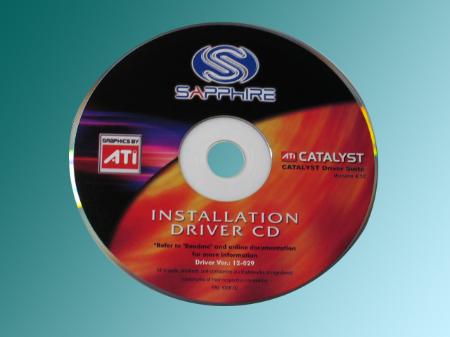
Here's an image of their current prototype sapphire disk.
-
Re:The message this sends me
Every time I hear "hardware accelerated" associated with the browser, I feel as though they have essentially given up trying to unbloat their browser and operating system so they are trying to make up for it by pushing off such tasks to the hardware.
So fine, indeed, that Safari has already added it, and Firefox, Chrome and Opera are all scrambling to implement it.
Seriously, have you even seen the demos? It's not about "needs acceleration to be as fast as other browsers" at all. It's about "5-10x faster than browsers without acceleration".
-
Re:Windows Upgrades
There is a workaround for that.
http://icrontic.com/articles/upgrade-the-windows-7-rc-to-retailIndeed there is. You can find it here: http://www.ubuntu.com/getubuntu/download
-
Re:Windows Upgrades
There is a workaround for that.
http://icrontic.com/articles/upgrade-the-windows-7-rc-to-retail -
Re:The Way Dual Core Works
Forgot to link this article to maybe help you understand http://icrontic.com/articles/dual_core
-
Build your own tower
Well that's an easy question with an easy answer...
-
Whoa - Microsoft is Unhappy!
Check out the quote at the bottom of this page: "SCREENSHOTS REMOVED DUE TO MICROSOFT REQUEST".
I suppose using the Print Screen key is now a circumvention device or something....
Jouster -
Winbeta.org
FWIW, I think winbeta.org posted these screenshots and movies of the new OS in action (to quiet the naysayers) about 2 or 3 weeks ago. Now it looks like they've had some sort of datawipe as of 10/30 (but I imagine some form of them are still available on their IRC channel - I'll leave that to someone else to confirm or deny). As I understand it Icrontic had them and was asked to remove them. For anyone that cares to try, the old link was here. *shrug*
-
Re:Mirrors
When you go to the Icrontic link you see:
With the help of the folks at WiNBETA we were able to get our dirty little hands on some Windows Longhorn screenies.
These are *legit* and actual screenshots -- no photoshop action here folks.
This article is quoted from WiNBETA here.
SCREENSHOTS REMOVED DUE TO MICROSOFT REQUEST
That was fast work by Microsoft -
Mirrors.
I seem to be getting the remnants of the website and it's pointing to two mirrors. Obviously, the original website is having problems catering to slash-traffic, so it's best if you go to the other two sites instead.
As for additions, there seem to be a funky looking clock and a program list on the side. Nice addition, if you ask me, getting sick of the Start button myself...
-
Mirrors
Since its as slow as windows is heres the mirrors they list on the page with all the graphics (huh?) http://www.icrontic.com/modules.php?op=modload&na
m e=Sections&file=index&req=viewarticle&artid=112&pa ge=1
http://www.tech-critic.com/modules.php?name=News&f ile=article&sid=358&mode=&order=0&thol d=0
but they slow as well... -
*Full* article text follows (part 2 of 3)
Choosing Chips Pt. 3
It's easy to see that assumptions may lead a consumer to believe that the INTEL product is a better processor. These basics may have some validity on paper but not so in the real world. Why the lesson on MHz, die size, bus speeds and cache? The lesson is not which processor is better. The lesson is to not make performance assumptions based in the belief that bigger numbers are better.
AMD has changed the fact that more MHz means better. As mentioned previously, side by side processor comparisons between INTEL and AMD chips prove this. The 64-dollar question is why?
By using a layman's analogy once again, an INTEL CPU engine may run at a higher RPM (MHz) but it doesn't have the equivalent torque to match the high RPM (MHz). An AMD processor may run at a lower megahertz but it does have better torque. This is an incredibly simplified explanation but it gives the needed broad brush strokes. AMD technology on how the processor is geared allows their processors to rival and, in some cases, surpass INTEL processors that are clocked at a much higher frequency.
So how does a consumer decide upon which processor? It's safe to say that the majority of PC buyers only care that it works and works fast enough for their needs. The average consumer either doesn't understand or could care less about Front Side Bus Speed, how many transistors there are, or how small a die is. A lot of PC buyers also do not realize that there is another choice beyond what is widely and visibly available on store shelves. AMD vs. INTEL marketing and product awareness is another topic altogether and best left alone lest we travel down another long road.
To berate a point, AMD has shown that in today's marketplace GHz is not the defining mark of a processor. The important piece to the education puzzle is how each of these processors compares in benchmark tests especially introducing the performance to cost side of the equation. There are many comparisons that pit the AMD processor against rival INTEL in the never-ending battle of who's the best. Read a couple of these reviews and they will show in the multitude of benchmark tests that these processors trade off pole positions. In one test AMD may edge out INTEL and in another INTEL may come out ahead. In most the difference between the two is a matter of seconds, frames, or a handful of points. In real world everyday performance there would be an almost unnoticeable difference in most applications when comparing similar processors.
Bar graphs may show who's ahead but it's important to look at the physical numbers before making a decision. Ask yourself who's ahead and by how much and in what particular application. A 2.8 GHz INTEL processor may achieve more frames per second than an AMD 2600+ in Quake but without insult, the difference is small and most likely unnoticed by the user actually playing the game unless their goal is boasting rights.
That being said what would be another deciding factor? The AMD processor is priced far more competitively than the INTEL processor which means there's more money left over to pocket or spend on more RAM, a better video card or another hard drive.
Processor Prices*
AMD
INTEL
Athlon XP 2600+ (2.13 GHz)
$300
Pentium 4 2.8 GHz
$537
Athlon XP 2400+ (2 GHz)
$200
Pentium 4 2.53 GHz
$240
Athlon XP 2200+ (1.8 GHz)
$146
Pentium 4 2.4 GHz
$206
Athlon XP 2100+ (1.73 GHz)
$112
Pentium 4 2.2 GHz
$202
Athlon XP 2000+ (1.67 GHz)
$59
Pentium 4 2.0 GHz
$161
Athlon XP 1900+ (1.6 GHz)
$78
Pentium 4 1.9 GHz
$154
Athlon XP 1800+ (1.53 GHz)
$64
Pentium 4 1.8 GHz
$139
Athlon XP 1700+ (1.47 GHz)
$59
Pentium 4 1.7 GHz
$125
Athlon XP 1600+ (1.43 GHz)
$52
Pentium 4 1.6 GHz
$117
Athlon XP 1500+ (1.4 GHz)
$53
Pentium 4 1.5 GHz
$102
*Prices in USDfrom www.pricewatch.com August 31, 02 Socket A/478 processors.
But you may think GHz to GHz again and wonder why you are paying $200 for an AMD 2400+ (2 GHz) when for another $6 more the 2.6 GHz Intel processor is available. A buyer may think that $6 for another point four GHz may be better. But that's just not the case. Read a review or three and there will be a performance picture that will form. Combine the performance/price analysis with your expectations and then the answer should be clearer.
The final scoff any nay-sayer of AMD product may volunteer is that of stability. Many consumers state the reason for choosing INTEL is due to the perception that INTEL systems are more stable and require less driver updates and tweaking. This may have been the case years ago but is completely false at present. Any system can be properly set up and IF LEFT ALONE will or should continue to operate as intended. AMD systems are stable. If a consumer purchases a pre-configured AMD system from a reputable source they are going to have the same stability experience as if they purchased a pre-configured INTEL system. Large pre-configured PC suppliers go to great lengths to ensure that all of the components as sold work reliably with each other right out of the box. Intel is also the dominant force with far more processors per PC than AMD. Software and hardware developers would choose to align and optimize their product with the processor product that is in more homes and businesses. It's a marketing move. If a consumer chooses to build the computer from individually purchased components then they run the same risk of hardware conflicts and problems regardless of processor choice.
Which processor is better? Which truck is better, Chevy or Ford? I don't think an overall clear-cut winner can be crowned but when trying to build a powerful system within a budget we think of ourselves as smart shoppers by getting the most with AMD.
The mother of all boards
Selecting an AMD based system has other advantages. AMD based motherboards offer a wider range of motherboard configuration options than rival INTEL based motherboards. Which AMD driven motherboard is a matter of the requirements mixed with a dash of personal experience, a pinch of recommendations from friends, a paragraph or twenty from the forums and a page or four or sixty of research.
I admit I've had a preference for ABIT product. I've grown to rely on ABIT for their stability and flexibility. They offer a wide range of choices to suit almost any need. The ABIT AT7 was supplied to us for this system which proved to be really good...and really bad.
CPU
- Supports AMD-K7 Athlon
- Supports AMD-K7 Duron Socket A 200 MHz FSB Processors
Chipset
- VIA KT333 / VIA VT8233A
- Supports Ultra DMA 33/66/100/133 IDE protocol
- Supports Advanced Configuration and Power Management Interface (ACPI)
- Accelerated Graphics Port connector supports AGP 2X(3.3V)and 4X(1.5V)mode (Sideband) device
- Supports 200/266/333 MHz (100/133/166MHz Double Data Rate) Memory Bus Setting
Ultra DMA 133/ RAID
- High Point HPT374 IDE Controller
- Ultra DMA 133MB/sec data transfer rate
- RAID 0 (striping mode for boosting performance)
- RAID 1 (mirroring mode for data security)
- RAID 0 + 1(striping and mirroring)
Memory
- Four 184-pin DIMM sockets support PC1600/PC2100/PC2700 DDR DRAM modules
- Supports DDR333 unbuffered DRAMs up to 2GB and registered DRAMs up to 3GB
- Supports 6 banks up to 3GB DRAMs for unbuffered DDR200/266 modules
- Supports 8 banks up to 3.5GB DRAMs for registered DDR200/266 modules
Audio
- Realtek ALC650 (AC-Link)
- Supports 6CH DAC for AC3 5.1 CH purpose
- Professional digital audio interface supporting 24-bit SPDIF OUT
- Card Reader (Optional)
- Supports Memory card (MS or SD) Interface
- Supports SONY Memory Stick Interface/ SD Memory Card Interface
- Supports Compact Flash ROM Interface
System BIOS
- SoftMenu III Technology to set CPU parameters
- Supports Plug-and-Play (PNP)
- Supports Advanced Configuration Power Interface (ACPI)
- Supports Desktop Management Interface (DMI)
- Write-Protect Anti-Virus function by AWARD BIOS
LAN
- On board Realtek 8100B single chip Ethernet controller interface
- 10/100Mb Operation
- User friendly driver included
Multi I/O Functions
- 2 Channels of Bus Master IDE Ports supporting up to 4 Ultra DMA 33/66/100/133 devices
- 4 Channels of Bus Master IDE Ports supporting up to 8 Ultra DMA 33/66/100/133 (RAID 0/1/1+0) devices
- 4 USB 1.1 Connectors
- On board VIA VT6202 USB 2.0 header for four extra USB channels
- Three 1394a fully compliant cable ports at 100/200/400 megabits per second
- Audio connector (Line-in, Center/Sub, Surround Spk , Front Spk , Mic-in)
Miscellaneous
- ATX form factor
- 1 AGP 1.5v slot, 3 PCI slots
- Hardware monitoring - Including Fan speeds, Voltages, System environment temperature
Motherboard Pros and Cons
It boils down to a few obvious reasons why this board made the top of the list. The AT7 has the capacity to support an obscene amount of hard drive space. When working in broadcast design with uncompressed video it's going to be needed. External storage solutions of any substance are extremely expensive. The AT7 could feasibly run eight 160 Gigabyte drives off the highpoint controller. That's over a terabyte of hard drive space which is almost 1000 hours of video at DVD quality. As I said before...it's an obscene amount of hard drive space. Data integrity is of a concern but a mirrored array can be easily set up. As a rule, in a professional work environment, projects should and are backed up to external media as completed.
The AT7 has 4 USB headers which is becoming commonplace but is always of benefit. The AT7 also features USB 2.0 support and it's good to have technology that looks forward anticipating options rather than falling quickly into obsolescence.
Two built-in 1394a (FireWire) ports were of great value. Shoving large files (400-800 MB) around a network can be excruciatingly slow. A quick solution was to transfer data to an external FireWire drive and then walk the drive from system to system as it was required and that isn't too often. It's a reusable and fast conduit for large file transfer between the graphic workstations and the edit suite, MAC or PC. It's true. Not every business is perfect and the IT folks just haven't got around to connecting the graphic design workstations with the non-linear suites on their own large bandwidth network.
The AT7 came with other onboard features that presented a cost effective solution compared to purchasing 3rd party PCI cards and these include surprisingly good 6 Channel sound and NIC.
There is only one caution with the AT7 and one issue.
The AT7 does not have parallel or serial ports on the back plane. It is a legacy free motherboard. If there is a need to attach these types of peripherals then the AT7 will disappoint.
The issue with the AT7 was of questionable support of the new AMD Thoroughbred processors. The AT7 wasn't totally compatible with this new series of processors. It was extremely unstable with any amount or combination of DIMMS of Registered ECC ram. Unbuffered RAM in any amount or combination would eventually generate a HARDWARE MALFUNCTION blue screen. This occurred every 3-5 hours for no apparent reason. It is hoped that a future BIOS will fix this or future AT7 boards have been tweaked at the assembly plant.
Please note that a 1900+ Palomino processor functioned beautifully with 4 DIMMS of 256 MB PC2100 memory in either Registered ECC or unbuffered sampling. The AT7 test system chugged magnificently through render after render without a problem. I hope ABIT is focused on the concerns pointed out and will hopefully have a solution soon.
A Clear Choice
If you have the power to do more then you have the power to create more. The final product is then not limited in look and feel by the hardware.
This comment comes from the art director and makes me cringe as powerful hardware costs powerful bucks. Complex 2D and 3D work has a tendency to eat video cards for breakfast. A fast gaming card usually does not have the supporting features and will quickly expose its shortcomings under a task especially in 3D design. Enter a powerful Matrox Parhelia at a significantly less than powerful cost.
A clear choice
The background on the Matrox Parhelia 512 comes from Icrontic's initial review.
The Parhelia-512 is the world's first 512-bit Graphics Processing Unit packed with 256 MB DDR on board. A 256-bit memory interface shoveling out a hefty 17.6 GB/s 275 MHz memory bandwidth.
Matrox is well known for their world class DualHead dual monitor support and now they have taken it one step further by adding a third monitor. The third monitor opens up a new era of gaming that Matrox has dubbed Surround Gaming. How are they going to do this and maintain frame rates AND take gaming environments to the next level? Matrox created a Quad Vertex Shader Array made up of four 128-bit vertex shader engines. Add the highest quality trilinear and anistropic filtering through their 64 Super Sample Texture Filtering. Matrox also boasts that their 36-Stage Shader Array is the most complex rendering engine ever built. Smooth it all out with 16x Fragment Antialiasing (FAA-16x).
SURROUND GAMING obviously wasn't a priority in a video card for broadcast design. It wouldn't be productive for the designers to be fragging away in Quake instead of doing their work. But they still did anyway. The term used was research but I didn't believe that for a minute. Below Softimage XSIoccupies two monitors and the third is available for Illustrator. This is very handy for changing any textures inside Softimage.
Another phrase floating about the Matrox offices these days is SURROUND DESIGN. In the past PC monitors got larger as graphic designers needed more elbow room to work. Then came two monitors providing space to place and there isn't a system in the author's design department that isn't dual monitor. If it's single monitor then it's for e-mail and that's because that hardware hasn't been replaced yet.
Then in came the Parhelia sporting triple monitors and the designers looked at me as if I was nuts. Sebastian MacDougal of Matrox explains:
Matrox Parhelia and Surround Design are enjoying a lot of support from design focused Independent Software Vendors (ISV's) who agree that the more you can see, the more productive you will become. The ability to either spread a project across three displays or having the ability to place various windows strategically across your desktop for better organization is something that workstation users have been asking for, for years. However, in the past it required using multiple cards which drastically reduced performance, and unless you are using Parhelia, this is still the case with competing graphics solutions today. But perhaps the most substantial benefit for the ISV's that we work so closely with is that Surround Design, in most cases, requires no direct intervention at the SW level in order to get it to work, meaning it is very easy for most ISV's to support and the advantages are enormous. To give you an idea, with the current 1.01 driver, Parhelia and Surround Design is optimized for: Softimage|XSI , 3ds max, AutoCAD and Microstation, with many other applications to follow shortly. At Siggraph 2002 in San Antonio Texas, the reception on the part of attendees to Parhelia and Surround Design was tremendous and it is completely understandable. An interesting analogy is how designing on one monitor is similar to a horse with blinders, having three displays just opens things up and allows you to be more productive.
Initially the designers didn't know what to do with the third monitor but in time they began using the extra display each in their own way. Due to the fact that the system had sufficient power and resources they could work in two or three programs simultaneously. For example After Effects is much easier to work in over two monitors and, thus, the third monitor allowed for Photoshop or Illustrator to remain open and easily accessible to adjust or create any elements for use within the After Effects project. The Parhelia has the memory size and graphics processing power to allow for smooth interaction with these programs. Combine this with the strength of the CPU and available system RAM and many a designer were kept happy.
How a user may work with three monitors is up to them but a third desktop enables a user to work within a program that is better suited for two monitors AND keep access to other tools without having to minimize or hide the main program. For example Adobe After Effects stays open in two monitors and Photoshop remains accessible on the third. Pictures above speak louder than words.
One of the Parhelia's strong selling features is, what Matrox has termed, GigaColor. This feature and its benefits were expanded upon in Icrontic's first review.
Dig around and there's a feature that most may not pay attention to but for the 2D/3D graphics professional and even the home user it will mean stunning images right to the desktop. Matrox hung the term 10-bit GigaColor on it. To you and me it is 10-bit video technology and it runs through a very speedy dual integrated 400 MHz 10-bit RAMDAC. That leaves the competition many MHz back. 10-bit technology is the same technology that allows for precise picture control in home theatre DVD players. 10-bit technology can partially be found in high-end video cards that cost thousands of dollars.
The difference is that Parhelia-512 delivers 10-bit technology through the entire card.
It must be told that 10-bit GigaColor still remains a bit of a mystery though it has been literally beaten into my ears by the kind folks over at Matrox. 10-bit GigaColor provides for an increase in the shades of any given color from the standard of 256 to 1024. The color palette leaps up from 16.7 million to 1 billion. This is a benefit when acquiring images such as through the use of a scanner where image control will be to a greater precision at time of capture. A greater range of the shades of a color is available thus greater control over what is kept or discarded is possible. This would primarily benefit print and magazine pre-press artists.
But sadly we people in television deal in comparatively grainy and low rest images and the benefits of GigaColor didn't jump out and bite us on the nose. For the record the designers did notice the desktop appeared more saturated and colorful when it was pointed out to them. You have to understand that designers work with what they have. Technology is not such a big deal. They care about what they can do with it rather than what it has under the hood. Though we would be much more satisfied if the rest of the computer system moved to 10-bit color base but that would mean new technology for
There is good news on the horizon about GigaColor according to Matrox.
Upcoming OS's from Microsoft (i.e. Longhorn) will include support for greater than 8-bit per color channel precision at the desktop level, which is why you are seeing more and more companies include support for higher precision color depths. But of course, we were the first and are the first shipping product to offer that functionality, and as we make our own boards you know you'll get the right components for sustained image quality
The designers were quick to adapt to the flexibility the Parhelia offered and enjoyed working in an environment that produced clear, crisp images to the desktop. The only drawback is each of them would like a Parhelia of their own and 3 digital flat panels. That means a few more dollars added to this year's capital purchase forms. More paperwork....just what I enjoy.
Keeping Cool
The heatsink is also just another player in the heat game. As the Case Cooling Tweaks articles point out the correct choice of a PC case and additional fan modifications can help win the battle against heat and noise.
On the Case
Breaking out of the beige box...the right way.
AMK Computers came to the table with the SX1000 and set up a workstation case that delivers looks, cooling efficiency and a few other treats. The base SX1000 case comes standard with
- Space 4 drives in a removable bay
- Space for a zip and floppy in a removable bay.
- fan mounts (two front-two rear)
- space for 4 external 5.25 inch drives
- locking access panel
- locking front drive cover
To this AMK added:
- A side window with 2 more fans
- A top blowhole
- VBLOCK sound dampening material
- Cable Loom
- Rounded cables
- Digital Doc 5
- Enermax 465 PSU (FC)
- Fan filters
The neon lights were thrown in for this article just to make the case look better. I think they add a few MHz here and there due to the fact the case looks faster.
Seven fans plus the two Enermax PSU fans and heatsink fan may seem like a lot and loud. Quite the opposite as all the case fans were kept to ADDA 25 CFM/ 25 dBA specifications and regulated by the Digital Doc 5 fan controller. When the fans were not needed they were shut off. Only two fans, the top exhaust blowhole fan and one of the rear exhaust fans, were kept constantly running. (In addition to the PSU and heatsink fans). The two always on fans provided continual airflow yet emitted a minimum of noise. Again the computer in non-stress applications or when not rendering ran at below 30 dBA...less than a normal whisper.
The heatsink is warmed by the processor as the system was stressed. The fin design of the CAK4-76T allowed for the tips of the Digital Doc 5 thermistors to be inserted between the fins. This did not block airflow but this configuration allowed the Digital Doc 5 to directly read the temperature of the heatsink. Fans were turned on or off in a preset order to compensate for the increases or decreases in temperature. A full roar my cat was louder.
The last cooling tweak was to apply the WPCRSET tweak to enable the CPU halt command. This halts the processor and allows it to drop 5-10 degrees Celsius off pre-tweak levels. Besides updating the drivers the WPCRSET tweak was the only software OS hack if it could be called that.
In order to test this configuration a SOFTIMAGE project followed by an After Effects project were rendered out. The Softimage render took approximately 50 minutes (the first flat peak) and the After Effects render (the second peak) took 10 minutes. The following graph shows the temperatures never exceeded 46 degrees Celsius (23.5 C room temperature) which is only a 10-12 degree Celsius increase over base line temperature. That's a very satisfactory result especially with a system that operates through a range of 25-35 dBA.
The neon lights are available as an option and it was rather humorous watching designers and other employees wander by, stop, and back up to take a second look. Most came in and peered into the side window of the PC and said the word cool a lot. It is true that these people know of nothing other than the beige box. They asked why the window? The answer was why not?
Computers can become very dusty even in apparently clean offices. Filters are the solution to greatly cut down on the amount of dust that collects and clogs a PC after months of use. Filters do reduce airflow but they are worth it. A picture is worth a thousand words and this was the result of only 3 weeks of operation. The fans these filters covered were also not spinning at all times. This dust was the result of what was sucked into the case (or tried to be) from the airflow generated by the back plate and PSU fan. The filter on the left is clean and the one on the right...ugh.
The plethora of benchmark programs can be important when determining what does what task faster or better. These are specific assessments of individual functions. For this article it was decided to add a few more of what is our assessment of real world tests. It was also thought important to show how a change in one particular component could affect end results. It is hoped that the result of these tests will help you assess priorities in system configuration to match the priorities in system expectations.
The test system.
- AMD 2100+ Thoroughbred Core Processor
- AMD 1900+ Palomino Core Processor
- ABIT AT7 motherboard
- Matrox Parhelia 512 triple head video card in single head mode* 1.01.69 beta driver
- 2 x 512 MB Micron PC2100 RAM
- Sony 52x CD
- LG 32x10x40x CDRW
- 16 x DVD (not included in pricing)
- 40 GB Maxtor ATA133 Hard Drive
- 60 GB Maxtor ATA133 Hard Drive
- 2 x Samsung 950p 19 Monitors
- USB Keyboard and Logitech USB wireless Optical Mouse
- Globalwin CAK4-76T HSF
- AMK SX1000 modded PC case (window, fans, cables, loom)
- Enermax 465 Watt FC PSU
- Windows XP Professional build 2600 updated
- Digital Doc5
*dual and triple monitors enabled for Adobe After Effects and Softimage benchmarks only.
Programs used:
- Sisoft Sandra 2002
- ZD Media Business Winstone 2001
- ZD Media Content Creation Winstone 2001
- MadOnion 3DMark 2001 SE
- Quake III Arena
- Passmark Performance.
- Commanche 4
- Serious Sam: the Second Encounter
- GL Excess
- Drone Z
- SpecviewPerf 7.0
- PSBench
- Adobe Photoshop 7.0
- Adobe After Effects 5.5
- SoftimageXSI 2.0.1
- MediaCleaner Pro 5
The above benchmark programs are publicly available. For more about Ziff Davis and the etesting labs program go here.
- Supports AMD-K7 Athlon
-
*Full* article text follows (part 2 of 3)
Choosing Chips Pt. 3
It's easy to see that assumptions may lead a consumer to believe that the INTEL product is a better processor. These basics may have some validity on paper but not so in the real world. Why the lesson on MHz, die size, bus speeds and cache? The lesson is not which processor is better. The lesson is to not make performance assumptions based in the belief that bigger numbers are better.
AMD has changed the fact that more MHz means better. As mentioned previously, side by side processor comparisons between INTEL and AMD chips prove this. The 64-dollar question is why?
By using a layman's analogy once again, an INTEL CPU engine may run at a higher RPM (MHz) but it doesn't have the equivalent torque to match the high RPM (MHz). An AMD processor may run at a lower megahertz but it does have better torque. This is an incredibly simplified explanation but it gives the needed broad brush strokes. AMD technology on how the processor is geared allows their processors to rival and, in some cases, surpass INTEL processors that are clocked at a much higher frequency.
So how does a consumer decide upon which processor? It's safe to say that the majority of PC buyers only care that it works and works fast enough for their needs. The average consumer either doesn't understand or could care less about Front Side Bus Speed, how many transistors there are, or how small a die is. A lot of PC buyers also do not realize that there is another choice beyond what is widely and visibly available on store shelves. AMD vs. INTEL marketing and product awareness is another topic altogether and best left alone lest we travel down another long road.
To berate a point, AMD has shown that in today's marketplace GHz is not the defining mark of a processor. The important piece to the education puzzle is how each of these processors compares in benchmark tests especially introducing the performance to cost side of the equation. There are many comparisons that pit the AMD processor against rival INTEL in the never-ending battle of who's the best. Read a couple of these reviews and they will show in the multitude of benchmark tests that these processors trade off pole positions. In one test AMD may edge out INTEL and in another INTEL may come out ahead. In most the difference between the two is a matter of seconds, frames, or a handful of points. In real world everyday performance there would be an almost unnoticeable difference in most applications when comparing similar processors.
Bar graphs may show who's ahead but it's important to look at the physical numbers before making a decision. Ask yourself who's ahead and by how much and in what particular application. A 2.8 GHz INTEL processor may achieve more frames per second than an AMD 2600+ in Quake but without insult, the difference is small and most likely unnoticed by the user actually playing the game unless their goal is boasting rights.
That being said what would be another deciding factor? The AMD processor is priced far more competitively than the INTEL processor which means there's more money left over to pocket or spend on more RAM, a better video card or another hard drive.
Processor Prices*
AMD
INTEL
Athlon XP 2600+ (2.13 GHz)
$300
Pentium 4 2.8 GHz
$537
Athlon XP 2400+ (2 GHz)
$200
Pentium 4 2.53 GHz
$240
Athlon XP 2200+ (1.8 GHz)
$146
Pentium 4 2.4 GHz
$206
Athlon XP 2100+ (1.73 GHz)
$112
Pentium 4 2.2 GHz
$202
Athlon XP 2000+ (1.67 GHz)
$59
Pentium 4 2.0 GHz
$161
Athlon XP 1900+ (1.6 GHz)
$78
Pentium 4 1.9 GHz
$154
Athlon XP 1800+ (1.53 GHz)
$64
Pentium 4 1.8 GHz
$139
Athlon XP 1700+ (1.47 GHz)
$59
Pentium 4 1.7 GHz
$125
Athlon XP 1600+ (1.43 GHz)
$52
Pentium 4 1.6 GHz
$117
Athlon XP 1500+ (1.4 GHz)
$53
Pentium 4 1.5 GHz
$102
*Prices in USDfrom www.pricewatch.com August 31, 02 Socket A/478 processors.
But you may think GHz to GHz again and wonder why you are paying $200 for an AMD 2400+ (2 GHz) when for another $6 more the 2.6 GHz Intel processor is available. A buyer may think that $6 for another point four GHz may be better. But that's just not the case. Read a review or three and there will be a performance picture that will form. Combine the performance/price analysis with your expectations and then the answer should be clearer.
The final scoff any nay-sayer of AMD product may volunteer is that of stability. Many consumers state the reason for choosing INTEL is due to the perception that INTEL systems are more stable and require less driver updates and tweaking. This may have been the case years ago but is completely false at present. Any system can be properly set up and IF LEFT ALONE will or should continue to operate as intended. AMD systems are stable. If a consumer purchases a pre-configured AMD system from a reputable source they are going to have the same stability experience as if they purchased a pre-configured INTEL system. Large pre-configured PC suppliers go to great lengths to ensure that all of the components as sold work reliably with each other right out of the box. Intel is also the dominant force with far more processors per PC than AMD. Software and hardware developers would choose to align and optimize their product with the processor product that is in more homes and businesses. It's a marketing move. If a consumer chooses to build the computer from individually purchased components then they run the same risk of hardware conflicts and problems regardless of processor choice.
Which processor is better? Which truck is better, Chevy or Ford? I don't think an overall clear-cut winner can be crowned but when trying to build a powerful system within a budget we think of ourselves as smart shoppers by getting the most with AMD.
The mother of all boards
Selecting an AMD based system has other advantages. AMD based motherboards offer a wider range of motherboard configuration options than rival INTEL based motherboards. Which AMD driven motherboard is a matter of the requirements mixed with a dash of personal experience, a pinch of recommendations from friends, a paragraph or twenty from the forums and a page or four or sixty of research.
I admit I've had a preference for ABIT product. I've grown to rely on ABIT for their stability and flexibility. They offer a wide range of choices to suit almost any need. The ABIT AT7 was supplied to us for this system which proved to be really good...and really bad.
CPU
- Supports AMD-K7 Athlon
- Supports AMD-K7 Duron Socket A 200 MHz FSB Processors
Chipset
- VIA KT333 / VIA VT8233A
- Supports Ultra DMA 33/66/100/133 IDE protocol
- Supports Advanced Configuration and Power Management Interface (ACPI)
- Accelerated Graphics Port connector supports AGP 2X(3.3V)and 4X(1.5V)mode (Sideband) device
- Supports 200/266/333 MHz (100/133/166MHz Double Data Rate) Memory Bus Setting
Ultra DMA 133/ RAID
- High Point HPT374 IDE Controller
- Ultra DMA 133MB/sec data transfer rate
- RAID 0 (striping mode for boosting performance)
- RAID 1 (mirroring mode for data security)
- RAID 0 + 1(striping and mirroring)
Memory
- Four 184-pin DIMM sockets support PC1600/PC2100/PC2700 DDR DRAM modules
- Supports DDR333 unbuffered DRAMs up to 2GB and registered DRAMs up to 3GB
- Supports 6 banks up to 3GB DRAMs for unbuffered DDR200/266 modules
- Supports 8 banks up to 3.5GB DRAMs for registered DDR200/266 modules
Audio
- Realtek ALC650 (AC-Link)
- Supports 6CH DAC for AC3 5.1 CH purpose
- Professional digital audio interface supporting 24-bit SPDIF OUT
- Card Reader (Optional)
- Supports Memory card (MS or SD) Interface
- Supports SONY Memory Stick Interface/ SD Memory Card Interface
- Supports Compact Flash ROM Interface
System BIOS
- SoftMenu III Technology to set CPU parameters
- Supports Plug-and-Play (PNP)
- Supports Advanced Configuration Power Interface (ACPI)
- Supports Desktop Management Interface (DMI)
- Write-Protect Anti-Virus function by AWARD BIOS
LAN
- On board Realtek 8100B single chip Ethernet controller interface
- 10/100Mb Operation
- User friendly driver included
Multi I/O Functions
- 2 Channels of Bus Master IDE Ports supporting up to 4 Ultra DMA 33/66/100/133 devices
- 4 Channels of Bus Master IDE Ports supporting up to 8 Ultra DMA 33/66/100/133 (RAID 0/1/1+0) devices
- 4 USB 1.1 Connectors
- On board VIA VT6202 USB 2.0 header for four extra USB channels
- Three 1394a fully compliant cable ports at 100/200/400 megabits per second
- Audio connector (Line-in, Center/Sub, Surround Spk , Front Spk , Mic-in)
Miscellaneous
- ATX form factor
- 1 AGP 1.5v slot, 3 PCI slots
- Hardware monitoring - Including Fan speeds, Voltages, System environment temperature
Motherboard Pros and Cons
It boils down to a few obvious reasons why this board made the top of the list. The AT7 has the capacity to support an obscene amount of hard drive space. When working in broadcast design with uncompressed video it's going to be needed. External storage solutions of any substance are extremely expensive. The AT7 could feasibly run eight 160 Gigabyte drives off the highpoint controller. That's over a terabyte of hard drive space which is almost 1000 hours of video at DVD quality. As I said before...it's an obscene amount of hard drive space. Data integrity is of a concern but a mirrored array can be easily set up. As a rule, in a professional work environment, projects should and are backed up to external media as completed.
The AT7 has 4 USB headers which is becoming commonplace but is always of benefit. The AT7 also features USB 2.0 support and it's good to have technology that looks forward anticipating options rather than falling quickly into obsolescence.
Two built-in 1394a (FireWire) ports were of great value. Shoving large files (400-800 MB) around a network can be excruciatingly slow. A quick solution was to transfer data to an external FireWire drive and then walk the drive from system to system as it was required and that isn't too often. It's a reusable and fast conduit for large file transfer between the graphic workstations and the edit suite, MAC or PC. It's true. Not every business is perfect and the IT folks just haven't got around to connecting the graphic design workstations with the non-linear suites on their own large bandwidth network.
The AT7 came with other onboard features that presented a cost effective solution compared to purchasing 3rd party PCI cards and these include surprisingly good 6 Channel sound and NIC.
There is only one caution with the AT7 and one issue.
The AT7 does not have parallel or serial ports on the back plane. It is a legacy free motherboard. If there is a need to attach these types of peripherals then the AT7 will disappoint.
The issue with the AT7 was of questionable support of the new AMD Thoroughbred processors. The AT7 wasn't totally compatible with this new series of processors. It was extremely unstable with any amount or combination of DIMMS of Registered ECC ram. Unbuffered RAM in any amount or combination would eventually generate a HARDWARE MALFUNCTION blue screen. This occurred every 3-5 hours for no apparent reason. It is hoped that a future BIOS will fix this or future AT7 boards have been tweaked at the assembly plant.
Please note that a 1900+ Palomino processor functioned beautifully with 4 DIMMS of 256 MB PC2100 memory in either Registered ECC or unbuffered sampling. The AT7 test system chugged magnificently through render after render without a problem. I hope ABIT is focused on the concerns pointed out and will hopefully have a solution soon.
A Clear Choice
If you have the power to do more then you have the power to create more. The final product is then not limited in look and feel by the hardware.
This comment comes from the art director and makes me cringe as powerful hardware costs powerful bucks. Complex 2D and 3D work has a tendency to eat video cards for breakfast. A fast gaming card usually does not have the supporting features and will quickly expose its shortcomings under a task especially in 3D design. Enter a powerful Matrox Parhelia at a significantly less than powerful cost.
A clear choice
The background on the Matrox Parhelia 512 comes from Icrontic's initial review.
The Parhelia-512 is the world's first 512-bit Graphics Processing Unit packed with 256 MB DDR on board. A 256-bit memory interface shoveling out a hefty 17.6 GB/s 275 MHz memory bandwidth.
Matrox is well known for their world class DualHead dual monitor support and now they have taken it one step further by adding a third monitor. The third monitor opens up a new era of gaming that Matrox has dubbed Surround Gaming. How are they going to do this and maintain frame rates AND take gaming environments to the next level? Matrox created a Quad Vertex Shader Array made up of four 128-bit vertex shader engines. Add the highest quality trilinear and anistropic filtering through their 64 Super Sample Texture Filtering. Matrox also boasts that their 36-Stage Shader Array is the most complex rendering engine ever built. Smooth it all out with 16x Fragment Antialiasing (FAA-16x).
SURROUND GAMING obviously wasn't a priority in a video card for broadcast design. It wouldn't be productive for the designers to be fragging away in Quake instead of doing their work. But they still did anyway. The term used was research but I didn't believe that for a minute. Below Softimage XSIoccupies two monitors and the third is available for Illustrator. This is very handy for changing any textures inside Softimage.
Another phrase floating about the Matrox offices these days is SURROUND DESIGN. In the past PC monitors got larger as graphic designers needed more elbow room to work. Then came two monitors providing space to place and there isn't a system in the author's design department that isn't dual monitor. If it's single monitor then it's for e-mail and that's because that hardware hasn't been replaced yet.
Then in came the Parhelia sporting triple monitors and the designers looked at me as if I was nuts. Sebastian MacDougal of Matrox explains:
Matrox Parhelia and Surround Design are enjoying a lot of support from design focused Independent Software Vendors (ISV's) who agree that the more you can see, the more productive you will become. The ability to either spread a project across three displays or having the ability to place various windows strategically across your desktop for better organization is something that workstation users have been asking for, for years. However, in the past it required using multiple cards which drastically reduced performance, and unless you are using Parhelia, this is still the case with competing graphics solutions today. But perhaps the most substantial benefit for the ISV's that we work so closely with is that Surround Design, in most cases, requires no direct intervention at the SW level in order to get it to work, meaning it is very easy for most ISV's to support and the advantages are enormous. To give you an idea, with the current 1.01 driver, Parhelia and Surround Design is optimized for: Softimage|XSI , 3ds max, AutoCAD and Microstation, with many other applications to follow shortly. At Siggraph 2002 in San Antonio Texas, the reception on the part of attendees to Parhelia and Surround Design was tremendous and it is completely understandable. An interesting analogy is how designing on one monitor is similar to a horse with blinders, having three displays just opens things up and allows you to be more productive.
Initially the designers didn't know what to do with the third monitor but in time they began using the extra display each in their own way. Due to the fact that the system had sufficient power and resources they could work in two or three programs simultaneously. For example After Effects is much easier to work in over two monitors and, thus, the third monitor allowed for Photoshop or Illustrator to remain open and easily accessible to adjust or create any elements for use within the After Effects project. The Parhelia has the memory size and graphics processing power to allow for smooth interaction with these programs. Combine this with the strength of the CPU and available system RAM and many a designer were kept happy.
How a user may work with three monitors is up to them but a third desktop enables a user to work within a program that is better suited for two monitors AND keep access to other tools without having to minimize or hide the main program. For example Adobe After Effects stays open in two monitors and Photoshop remains accessible on the third. Pictures above speak louder than words.
One of the Parhelia's strong selling features is, what Matrox has termed, GigaColor. This feature and its benefits were expanded upon in Icrontic's first review.
Dig around and there's a feature that most may not pay attention to but for the 2D/3D graphics professional and even the home user it will mean stunning images right to the desktop. Matrox hung the term 10-bit GigaColor on it. To you and me it is 10-bit video technology and it runs through a very speedy dual integrated 400 MHz 10-bit RAMDAC. That leaves the competition many MHz back. 10-bit technology is the same technology that allows for precise picture control in home theatre DVD players. 10-bit technology can partially be found in high-end video cards that cost thousands of dollars.
The difference is that Parhelia-512 delivers 10-bit technology through the entire card.
It must be told that 10-bit GigaColor still remains a bit of a mystery though it has been literally beaten into my ears by the kind folks over at Matrox. 10-bit GigaColor provides for an increase in the shades of any given color from the standard of 256 to 1024. The color palette leaps up from 16.7 million to 1 billion. This is a benefit when acquiring images such as through the use of a scanner where image control will be to a greater precision at time of capture. A greater range of the shades of a color is available thus greater control over what is kept or discarded is possible. This would primarily benefit print and magazine pre-press artists.
But sadly we people in television deal in comparatively grainy and low rest images and the benefits of GigaColor didn't jump out and bite us on the nose. For the record the designers did notice the desktop appeared more saturated and colorful when it was pointed out to them. You have to understand that designers work with what they have. Technology is not such a big deal. They care about what they can do with it rather than what it has under the hood. Though we would be much more satisfied if the rest of the computer system moved to 10-bit color base but that would mean new technology for
There is good news on the horizon about GigaColor according to Matrox.
Upcoming OS's from Microsoft (i.e. Longhorn) will include support for greater than 8-bit per color channel precision at the desktop level, which is why you are seeing more and more companies include support for higher precision color depths. But of course, we were the first and are the first shipping product to offer that functionality, and as we make our own boards you know you'll get the right components for sustained image quality
The designers were quick to adapt to the flexibility the Parhelia offered and enjoyed working in an environment that produced clear, crisp images to the desktop. The only drawback is each of them would like a Parhelia of their own and 3 digital flat panels. That means a few more dollars added to this year's capital purchase forms. More paperwork....just what I enjoy.
Keeping Cool
The heatsink is also just another player in the heat game. As the Case Cooling Tweaks articles point out the correct choice of a PC case and additional fan modifications can help win the battle against heat and noise.
On the Case
Breaking out of the beige box...the right way.
AMK Computers came to the table with the SX1000 and set up a workstation case that delivers looks, cooling efficiency and a few other treats. The base SX1000 case comes standard with
- Space 4 drives in a removable bay
- Space for a zip and floppy in a removable bay.
- fan mounts (two front-two rear)
- space for 4 external 5.25 inch drives
- locking access panel
- locking front drive cover
To this AMK added:
- A side window with 2 more fans
- A top blowhole
- VBLOCK sound dampening material
- Cable Loom
- Rounded cables
- Digital Doc 5
- Enermax 465 PSU (FC)
- Fan filters
The neon lights were thrown in for this article just to make the case look better. I think they add a few MHz here and there due to the fact the case looks faster.
Seven fans plus the two Enermax PSU fans and heatsink fan may seem like a lot and loud. Quite the opposite as all the case fans were kept to ADDA 25 CFM/ 25 dBA specifications and regulated by the Digital Doc 5 fan controller. When the fans were not needed they were shut off. Only two fans, the top exhaust blowhole fan and one of the rear exhaust fans, were kept constantly running. (In addition to the PSU and heatsink fans). The two always on fans provided continual airflow yet emitted a minimum of noise. Again the computer in non-stress applications or when not rendering ran at below 30 dBA...less than a normal whisper.
The heatsink is warmed by the processor as the system was stressed. The fin design of the CAK4-76T allowed for the tips of the Digital Doc 5 thermistors to be inserted between the fins. This did not block airflow but this configuration allowed the Digital Doc 5 to directly read the temperature of the heatsink. Fans were turned on or off in a preset order to compensate for the increases or decreases in temperature. A full roar my cat was louder.
The last cooling tweak was to apply the WPCRSET tweak to enable the CPU halt command. This halts the processor and allows it to drop 5-10 degrees Celsius off pre-tweak levels. Besides updating the drivers the WPCRSET tweak was the only software OS hack if it could be called that.
In order to test this configuration a SOFTIMAGE project followed by an After Effects project were rendered out. The Softimage render took approximately 50 minutes (the first flat peak) and the After Effects render (the second peak) took 10 minutes. The following graph shows the temperatures never exceeded 46 degrees Celsius (23.5 C room temperature) which is only a 10-12 degree Celsius increase over base line temperature. That's a very satisfactory result especially with a system that operates through a range of 25-35 dBA.
The neon lights are available as an option and it was rather humorous watching designers and other employees wander by, stop, and back up to take a second look. Most came in and peered into the side window of the PC and said the word cool a lot. It is true that these people know of nothing other than the beige box. They asked why the window? The answer was why not?
Computers can become very dusty even in apparently clean offices. Filters are the solution to greatly cut down on the amount of dust that collects and clogs a PC after months of use. Filters do reduce airflow but they are worth it. A picture is worth a thousand words and this was the result of only 3 weeks of operation. The fans these filters covered were also not spinning at all times. This dust was the result of what was sucked into the case (or tried to be) from the airflow generated by the back plate and PSU fan. The filter on the left is clean and the one on the right...ugh.
The plethora of benchmark programs can be important when determining what does what task faster or better. These are specific assessments of individual functions. For this article it was decided to add a few more of what is our assessment of real world tests. It was also thought important to show how a change in one particular component could affect end results. It is hoped that the result of these tests will help you assess priorities in system configuration to match the priorities in system expectations.
The test system.
- AMD 2100+ Thoroughbred Core Processor
- AMD 1900+ Palomino Core Processor
- ABIT AT7 motherboard
- Matrox Parhelia 512 triple head video card in single head mode* 1.01.69 beta driver
- 2 x 512 MB Micron PC2100 RAM
- Sony 52x CD
- LG 32x10x40x CDRW
- 16 x DVD (not included in pricing)
- 40 GB Maxtor ATA133 Hard Drive
- 60 GB Maxtor ATA133 Hard Drive
- 2 x Samsung 950p 19 Monitors
- USB Keyboard and Logitech USB wireless Optical Mouse
- Globalwin CAK4-76T HSF
- AMK SX1000 modded PC case (window, fans, cables, loom)
- Enermax 465 Watt FC PSU
- Windows XP Professional build 2600 updated
- Digital Doc5
*dual and triple monitors enabled for Adobe After Effects and Softimage benchmarks only.
Programs used:
- Sisoft Sandra 2002
- ZD Media Business Winstone 2001
- ZD Media Content Creation Winstone 2001
- MadOnion 3DMark 2001 SE
- Quake III Arena
- Passmark Performance.
- Commanche 4
- Serious Sam: the Second Encounter
- GL Excess
- Drone Z
- SpecviewPerf 7.0
- PSBench
- Adobe Photoshop 7.0
- Adobe After Effects 5.5
- SoftimageXSI 2.0.1
- MediaCleaner Pro 5
The above benchmark programs are publicly available. For more about Ziff Davis and the etesting labs program go here.
- Supports AMD-K7 Athlon
-
*Full* article text follows (part 2 of 3)
Choosing Chips Pt. 3
It's easy to see that assumptions may lead a consumer to believe that the INTEL product is a better processor. These basics may have some validity on paper but not so in the real world. Why the lesson on MHz, die size, bus speeds and cache? The lesson is not which processor is better. The lesson is to not make performance assumptions based in the belief that bigger numbers are better.
AMD has changed the fact that more MHz means better. As mentioned previously, side by side processor comparisons between INTEL and AMD chips prove this. The 64-dollar question is why?
By using a layman's analogy once again, an INTEL CPU engine may run at a higher RPM (MHz) but it doesn't have the equivalent torque to match the high RPM (MHz). An AMD processor may run at a lower megahertz but it does have better torque. This is an incredibly simplified explanation but it gives the needed broad brush strokes. AMD technology on how the processor is geared allows their processors to rival and, in some cases, surpass INTEL processors that are clocked at a much higher frequency.
So how does a consumer decide upon which processor? It's safe to say that the majority of PC buyers only care that it works and works fast enough for their needs. The average consumer either doesn't understand or could care less about Front Side Bus Speed, how many transistors there are, or how small a die is. A lot of PC buyers also do not realize that there is another choice beyond what is widely and visibly available on store shelves. AMD vs. INTEL marketing and product awareness is another topic altogether and best left alone lest we travel down another long road.
To berate a point, AMD has shown that in today's marketplace GHz is not the defining mark of a processor. The important piece to the education puzzle is how each of these processors compares in benchmark tests especially introducing the performance to cost side of the equation. There are many comparisons that pit the AMD processor against rival INTEL in the never-ending battle of who's the best. Read a couple of these reviews and they will show in the multitude of benchmark tests that these processors trade off pole positions. In one test AMD may edge out INTEL and in another INTEL may come out ahead. In most the difference between the two is a matter of seconds, frames, or a handful of points. In real world everyday performance there would be an almost unnoticeable difference in most applications when comparing similar processors.
Bar graphs may show who's ahead but it's important to look at the physical numbers before making a decision. Ask yourself who's ahead and by how much and in what particular application. A 2.8 GHz INTEL processor may achieve more frames per second than an AMD 2600+ in Quake but without insult, the difference is small and most likely unnoticed by the user actually playing the game unless their goal is boasting rights.
That being said what would be another deciding factor? The AMD processor is priced far more competitively than the INTEL processor which means there's more money left over to pocket or spend on more RAM, a better video card or another hard drive.
Processor Prices*
AMD
INTEL
Athlon XP 2600+ (2.13 GHz)
$300
Pentium 4 2.8 GHz
$537
Athlon XP 2400+ (2 GHz)
$200
Pentium 4 2.53 GHz
$240
Athlon XP 2200+ (1.8 GHz)
$146
Pentium 4 2.4 GHz
$206
Athlon XP 2100+ (1.73 GHz)
$112
Pentium 4 2.2 GHz
$202
Athlon XP 2000+ (1.67 GHz)
$59
Pentium 4 2.0 GHz
$161
Athlon XP 1900+ (1.6 GHz)
$78
Pentium 4 1.9 GHz
$154
Athlon XP 1800+ (1.53 GHz)
$64
Pentium 4 1.8 GHz
$139
Athlon XP 1700+ (1.47 GHz)
$59
Pentium 4 1.7 GHz
$125
Athlon XP 1600+ (1.43 GHz)
$52
Pentium 4 1.6 GHz
$117
Athlon XP 1500+ (1.4 GHz)
$53
Pentium 4 1.5 GHz
$102
*Prices in USDfrom www.pricewatch.com August 31, 02 Socket A/478 processors.
But you may think GHz to GHz again and wonder why you are paying $200 for an AMD 2400+ (2 GHz) when for another $6 more the 2.6 GHz Intel processor is available. A buyer may think that $6 for another point four GHz may be better. But that's just not the case. Read a review or three and there will be a performance picture that will form. Combine the performance/price analysis with your expectations and then the answer should be clearer.
The final scoff any nay-sayer of AMD product may volunteer is that of stability. Many consumers state the reason for choosing INTEL is due to the perception that INTEL systems are more stable and require less driver updates and tweaking. This may have been the case years ago but is completely false at present. Any system can be properly set up and IF LEFT ALONE will or should continue to operate as intended. AMD systems are stable. If a consumer purchases a pre-configured AMD system from a reputable source they are going to have the same stability experience as if they purchased a pre-configured INTEL system. Large pre-configured PC suppliers go to great lengths to ensure that all of the components as sold work reliably with each other right out of the box. Intel is also the dominant force with far more processors per PC than AMD. Software and hardware developers would choose to align and optimize their product with the processor product that is in more homes and businesses. It's a marketing move. If a consumer chooses to build the computer from individually purchased components then they run the same risk of hardware conflicts and problems regardless of processor choice.
Which processor is better? Which truck is better, Chevy or Ford? I don't think an overall clear-cut winner can be crowned but when trying to build a powerful system within a budget we think of ourselves as smart shoppers by getting the most with AMD.
The mother of all boards
Selecting an AMD based system has other advantages. AMD based motherboards offer a wider range of motherboard configuration options than rival INTEL based motherboards. Which AMD driven motherboard is a matter of the requirements mixed with a dash of personal experience, a pinch of recommendations from friends, a paragraph or twenty from the forums and a page or four or sixty of research.
I admit I've had a preference for ABIT product. I've grown to rely on ABIT for their stability and flexibility. They offer a wide range of choices to suit almost any need. The ABIT AT7 was supplied to us for this system which proved to be really good...and really bad.
CPU
- Supports AMD-K7 Athlon
- Supports AMD-K7 Duron Socket A 200 MHz FSB Processors
Chipset
- VIA KT333 / VIA VT8233A
- Supports Ultra DMA 33/66/100/133 IDE protocol
- Supports Advanced Configuration and Power Management Interface (ACPI)
- Accelerated Graphics Port connector supports AGP 2X(3.3V)and 4X(1.5V)mode (Sideband) device
- Supports 200/266/333 MHz (100/133/166MHz Double Data Rate) Memory Bus Setting
Ultra DMA 133/ RAID
- High Point HPT374 IDE Controller
- Ultra DMA 133MB/sec data transfer rate
- RAID 0 (striping mode for boosting performance)
- RAID 1 (mirroring mode for data security)
- RAID 0 + 1(striping and mirroring)
Memory
- Four 184-pin DIMM sockets support PC1600/PC2100/PC2700 DDR DRAM modules
- Supports DDR333 unbuffered DRAMs up to 2GB and registered DRAMs up to 3GB
- Supports 6 banks up to 3GB DRAMs for unbuffered DDR200/266 modules
- Supports 8 banks up to 3.5GB DRAMs for registered DDR200/266 modules
Audio
- Realtek ALC650 (AC-Link)
- Supports 6CH DAC for AC3 5.1 CH purpose
- Professional digital audio interface supporting 24-bit SPDIF OUT
- Card Reader (Optional)
- Supports Memory card (MS or SD) Interface
- Supports SONY Memory Stick Interface/ SD Memory Card Interface
- Supports Compact Flash ROM Interface
System BIOS
- SoftMenu III Technology to set CPU parameters
- Supports Plug-and-Play (PNP)
- Supports Advanced Configuration Power Interface (ACPI)
- Supports Desktop Management Interface (DMI)
- Write-Protect Anti-Virus function by AWARD BIOS
LAN
- On board Realtek 8100B single chip Ethernet controller interface
- 10/100Mb Operation
- User friendly driver included
Multi I/O Functions
- 2 Channels of Bus Master IDE Ports supporting up to 4 Ultra DMA 33/66/100/133 devices
- 4 Channels of Bus Master IDE Ports supporting up to 8 Ultra DMA 33/66/100/133 (RAID 0/1/1+0) devices
- 4 USB 1.1 Connectors
- On board VIA VT6202 USB 2.0 header for four extra USB channels
- Three 1394a fully compliant cable ports at 100/200/400 megabits per second
- Audio connector (Line-in, Center/Sub, Surround Spk , Front Spk , Mic-in)
Miscellaneous
- ATX form factor
- 1 AGP 1.5v slot, 3 PCI slots
- Hardware monitoring - Including Fan speeds, Voltages, System environment temperature
Motherboard Pros and Cons
It boils down to a few obvious reasons why this board made the top of the list. The AT7 has the capacity to support an obscene amount of hard drive space. When working in broadcast design with uncompressed video it's going to be needed. External storage solutions of any substance are extremely expensive. The AT7 could feasibly run eight 160 Gigabyte drives off the highpoint controller. That's over a terabyte of hard drive space which is almost 1000 hours of video at DVD quality. As I said before...it's an obscene amount of hard drive space. Data integrity is of a concern but a mirrored array can be easily set up. As a rule, in a professional work environment, projects should and are backed up to external media as completed.
The AT7 has 4 USB headers which is becoming commonplace but is always of benefit. The AT7 also features USB 2.0 support and it's good to have technology that looks forward anticipating options rather than falling quickly into obsolescence.
Two built-in 1394a (FireWire) ports were of great value. Shoving large files (400-800 MB) around a network can be excruciatingly slow. A quick solution was to transfer data to an external FireWire drive and then walk the drive from system to system as it was required and that isn't too often. It's a reusable and fast conduit for large file transfer between the graphic workstations and the edit suite, MAC or PC. It's true. Not every business is perfect and the IT folks just haven't got around to connecting the graphic design workstations with the non-linear suites on their own large bandwidth network.
The AT7 came with other onboard features that presented a cost effective solution compared to purchasing 3rd party PCI cards and these include surprisingly good 6 Channel sound and NIC.
There is only one caution with the AT7 and one issue.
The AT7 does not have parallel or serial ports on the back plane. It is a legacy free motherboard. If there is a need to attach these types of peripherals then the AT7 will disappoint.
The issue with the AT7 was of questionable support of the new AMD Thoroughbred processors. The AT7 wasn't totally compatible with this new series of processors. It was extremely unstable with any amount or combination of DIMMS of Registered ECC ram. Unbuffered RAM in any amount or combination would eventually generate a HARDWARE MALFUNCTION blue screen. This occurred every 3-5 hours for no apparent reason. It is hoped that a future BIOS will fix this or future AT7 boards have been tweaked at the assembly plant.
Please note that a 1900+ Palomino processor functioned beautifully with 4 DIMMS of 256 MB PC2100 memory in either Registered ECC or unbuffered sampling. The AT7 test system chugged magnificently through render after render without a problem. I hope ABIT is focused on the concerns pointed out and will hopefully have a solution soon.
A Clear Choice
If you have the power to do more then you have the power to create more. The final product is then not limited in look and feel by the hardware.
This comment comes from the art director and makes me cringe as powerful hardware costs powerful bucks. Complex 2D and 3D work has a tendency to eat video cards for breakfast. A fast gaming card usually does not have the supporting features and will quickly expose its shortcomings under a task especially in 3D design. Enter a powerful Matrox Parhelia at a significantly less than powerful cost.
A clear choice
The background on the Matrox Parhelia 512 comes from Icrontic's initial review.
The Parhelia-512 is the world's first 512-bit Graphics Processing Unit packed with 256 MB DDR on board. A 256-bit memory interface shoveling out a hefty 17.6 GB/s 275 MHz memory bandwidth.
Matrox is well known for their world class DualHead dual monitor support and now they have taken it one step further by adding a third monitor. The third monitor opens up a new era of gaming that Matrox has dubbed Surround Gaming. How are they going to do this and maintain frame rates AND take gaming environments to the next level? Matrox created a Quad Vertex Shader Array made up of four 128-bit vertex shader engines. Add the highest quality trilinear and anistropic filtering through their 64 Super Sample Texture Filtering. Matrox also boasts that their 36-Stage Shader Array is the most complex rendering engine ever built. Smooth it all out with 16x Fragment Antialiasing (FAA-16x).
SURROUND GAMING obviously wasn't a priority in a video card for broadcast design. It wouldn't be productive for the designers to be fragging away in Quake instead of doing their work. But they still did anyway. The term used was research but I didn't believe that for a minute. Below Softimage XSIoccupies two monitors and the third is available for Illustrator. This is very handy for changing any textures inside Softimage.
Another phrase floating about the Matrox offices these days is SURROUND DESIGN. In the past PC monitors got larger as graphic designers needed more elbow room to work. Then came two monitors providing space to place and there isn't a system in the author's design department that isn't dual monitor. If it's single monitor then it's for e-mail and that's because that hardware hasn't been replaced yet.
Then in came the Parhelia sporting triple monitors and the designers looked at me as if I was nuts. Sebastian MacDougal of Matrox explains:
Matrox Parhelia and Surround Design are enjoying a lot of support from design focused Independent Software Vendors (ISV's) who agree that the more you can see, the more productive you will become. The ability to either spread a project across three displays or having the ability to place various windows strategically across your desktop for better organization is something that workstation users have been asking for, for years. However, in the past it required using multiple cards which drastically reduced performance, and unless you are using Parhelia, this is still the case with competing graphics solutions today. But perhaps the most substantial benefit for the ISV's that we work so closely with is that Surround Design, in most cases, requires no direct intervention at the SW level in order to get it to work, meaning it is very easy for most ISV's to support and the advantages are enormous. To give you an idea, with the current 1.01 driver, Parhelia and Surround Design is optimized for: Softimage|XSI , 3ds max, AutoCAD and Microstation, with many other applications to follow shortly. At Siggraph 2002 in San Antonio Texas, the reception on the part of attendees to Parhelia and Surround Design was tremendous and it is completely understandable. An interesting analogy is how designing on one monitor is similar to a horse with blinders, having three displays just opens things up and allows you to be more productive.
Initially the designers didn't know what to do with the third monitor but in time they began using the extra display each in their own way. Due to the fact that the system had sufficient power and resources they could work in two or three programs simultaneously. For example After Effects is much easier to work in over two monitors and, thus, the third monitor allowed for Photoshop or Illustrator to remain open and easily accessible to adjust or create any elements for use within the After Effects project. The Parhelia has the memory size and graphics processing power to allow for smooth interaction with these programs. Combine this with the strength of the CPU and available system RAM and many a designer were kept happy.
How a user may work with three monitors is up to them but a third desktop enables a user to work within a program that is better suited for two monitors AND keep access to other tools without having to minimize or hide the main program. For example Adobe After Effects stays open in two monitors and Photoshop remains accessible on the third. Pictures above speak louder than words.
One of the Parhelia's strong selling features is, what Matrox has termed, GigaColor. This feature and its benefits were expanded upon in Icrontic's first review.
Dig around and there's a feature that most may not pay attention to but for the 2D/3D graphics professional and even the home user it will mean stunning images right to the desktop. Matrox hung the term 10-bit GigaColor on it. To you and me it is 10-bit video technology and it runs through a very speedy dual integrated 400 MHz 10-bit RAMDAC. That leaves the competition many MHz back. 10-bit technology is the same technology that allows for precise picture control in home theatre DVD players. 10-bit technology can partially be found in high-end video cards that cost thousands of dollars.
The difference is that Parhelia-512 delivers 10-bit technology through the entire card.
It must be told that 10-bit GigaColor still remains a bit of a mystery though it has been literally beaten into my ears by the kind folks over at Matrox. 10-bit GigaColor provides for an increase in the shades of any given color from the standard of 256 to 1024. The color palette leaps up from 16.7 million to 1 billion. This is a benefit when acquiring images such as through the use of a scanner where image control will be to a greater precision at time of capture. A greater range of the shades of a color is available thus greater control over what is kept or discarded is possible. This would primarily benefit print and magazine pre-press artists.
But sadly we people in television deal in comparatively grainy and low rest images and the benefits of GigaColor didn't jump out and bite us on the nose. For the record the designers did notice the desktop appeared more saturated and colorful when it was pointed out to them. You have to understand that designers work with what they have. Technology is not such a big deal. They care about what they can do with it rather than what it has under the hood. Though we would be much more satisfied if the rest of the computer system moved to 10-bit color base but that would mean new technology for
There is good news on the horizon about GigaColor according to Matrox.
Upcoming OS's from Microsoft (i.e. Longhorn) will include support for greater than 8-bit per color channel precision at the desktop level, which is why you are seeing more and more companies include support for higher precision color depths. But of course, we were the first and are the first shipping product to offer that functionality, and as we make our own boards you know you'll get the right components for sustained image quality
The designers were quick to adapt to the flexibility the Parhelia offered and enjoyed working in an environment that produced clear, crisp images to the desktop. The only drawback is each of them would like a Parhelia of their own and 3 digital flat panels. That means a few more dollars added to this year's capital purchase forms. More paperwork....just what I enjoy.
Keeping Cool
The heatsink is also just another player in the heat game. As the Case Cooling Tweaks articles point out the correct choice of a PC case and additional fan modifications can help win the battle against heat and noise.
On the Case
Breaking out of the beige box...the right way.
AMK Computers came to the table with the SX1000 and set up a workstation case that delivers looks, cooling efficiency and a few other treats. The base SX1000 case comes standard with
- Space 4 drives in a removable bay
- Space for a zip and floppy in a removable bay.
- fan mounts (two front-two rear)
- space for 4 external 5.25 inch drives
- locking access panel
- locking front drive cover
To this AMK added:
- A side window with 2 more fans
- A top blowhole
- VBLOCK sound dampening material
- Cable Loom
- Rounded cables
- Digital Doc 5
- Enermax 465 PSU (FC)
- Fan filters
The neon lights were thrown in for this article just to make the case look better. I think they add a few MHz here and there due to the fact the case looks faster.
Seven fans plus the two Enermax PSU fans and heatsink fan may seem like a lot and loud. Quite the opposite as all the case fans were kept to ADDA 25 CFM/ 25 dBA specifications and regulated by the Digital Doc 5 fan controller. When the fans were not needed they were shut off. Only two fans, the top exhaust blowhole fan and one of the rear exhaust fans, were kept constantly running. (In addition to the PSU and heatsink fans). The two always on fans provided continual airflow yet emitted a minimum of noise. Again the computer in non-stress applications or when not rendering ran at below 30 dBA...less than a normal whisper.
The heatsink is warmed by the processor as the system was stressed. The fin design of the CAK4-76T allowed for the tips of the Digital Doc 5 thermistors to be inserted between the fins. This did not block airflow but this configuration allowed the Digital Doc 5 to directly read the temperature of the heatsink. Fans were turned on or off in a preset order to compensate for the increases or decreases in temperature. A full roar my cat was louder.
The last cooling tweak was to apply the WPCRSET tweak to enable the CPU halt command. This halts the processor and allows it to drop 5-10 degrees Celsius off pre-tweak levels. Besides updating the drivers the WPCRSET tweak was the only software OS hack if it could be called that.
In order to test this configuration a SOFTIMAGE project followed by an After Effects project were rendered out. The Softimage render took approximately 50 minutes (the first flat peak) and the After Effects render (the second peak) took 10 minutes. The following graph shows the temperatures never exceeded 46 degrees Celsius (23.5 C room temperature) which is only a 10-12 degree Celsius increase over base line temperature. That's a very satisfactory result especially with a system that operates through a range of 25-35 dBA.
The neon lights are available as an option and it was rather humorous watching designers and other employees wander by, stop, and back up to take a second look. Most came in and peered into the side window of the PC and said the word cool a lot. It is true that these people know of nothing other than the beige box. They asked why the window? The answer was why not?
Computers can become very dusty even in apparently clean offices. Filters are the solution to greatly cut down on the amount of dust that collects and clogs a PC after months of use. Filters do reduce airflow but they are worth it. A picture is worth a thousand words and this was the result of only 3 weeks of operation. The fans these filters covered were also not spinning at all times. This dust was the result of what was sucked into the case (or tried to be) from the airflow generated by the back plate and PSU fan. The filter on the left is clean and the one on the right...ugh.
The plethora of benchmark programs can be important when determining what does what task faster or better. These are specific assessments of individual functions. For this article it was decided to add a few more of what is our assessment of real world tests. It was also thought important to show how a change in one particular component could affect end results. It is hoped that the result of these tests will help you assess priorities in system configuration to match the priorities in system expectations.
The test system.
- AMD 2100+ Thoroughbred Core Processor
- AMD 1900+ Palomino Core Processor
- ABIT AT7 motherboard
- Matrox Parhelia 512 triple head video card in single head mode* 1.01.69 beta driver
- 2 x 512 MB Micron PC2100 RAM
- Sony 52x CD
- LG 32x10x40x CDRW
- 16 x DVD (not included in pricing)
- 40 GB Maxtor ATA133 Hard Drive
- 60 GB Maxtor ATA133 Hard Drive
- 2 x Samsung 950p 19 Monitors
- USB Keyboard and Logitech USB wireless Optical Mouse
- Globalwin CAK4-76T HSF
- AMK SX1000 modded PC case (window, fans, cables, loom)
- Enermax 465 Watt FC PSU
- Windows XP Professional build 2600 updated
- Digital Doc5
*dual and triple monitors enabled for Adobe After Effects and Softimage benchmarks only.
Programs used:
- Sisoft Sandra 2002
- ZD Media Business Winstone 2001
- ZD Media Content Creation Winstone 2001
- MadOnion 3DMark 2001 SE
- Quake III Arena
- Passmark Performance.
- Commanche 4
- Serious Sam: the Second Encounter
- GL Excess
- Drone Z
- SpecviewPerf 7.0
- PSBench
- Adobe Photoshop 7.0
- Adobe After Effects 5.5
- SoftimageXSI 2.0.1
- MediaCleaner Pro 5
The above benchmark programs are publicly available. For more about Ziff Davis and the etesting labs program go here.
- Supports AMD-K7 Athlon
-
Re:Finally
-
Re:No, now begins the wait for...
> Starcraft 2!
You won't have to wait that long, plus WC3 contains a sneak peak of SC2. Check it out! Orcs and exploding sheep in space! (it's apparently an easter egg in wc3 retial, but the screenshots are pretty cool)
Starcraft 2 Teaser -
Re:Horay for Server administration
I couldn't get on to the pages after the first, due to MySQL being screwed, *but*, you can view the printable version on their site to read the whole thing.
-
Direct links and a quoteThe cooler...
Good things
As you can see the MX-EVA3 can take care of some very high heat load. It is by far the best extreme cooling solution on the market today. I've used all sorts of cooling to get to the top and I was under the impression that my 220 pelt and chilled water cooler was bringing my chip to its limits. I was wrong.
With the MX-EVA3 you can eliminate the use of pelts, extra power supplies and water. Now you use just one simple evaporator hook up.
It also is pretty good for space. It fits under your case so all you're doing is adding about 9 inches to the height of your case. As far as the noise level it is very tolerable for any Xtreme Overclocker. This can only be written up as a good thing.
Bad things
I'll start with the instructions. They are very good for condensation proofing but that's about it. There are no instructions for adjusting the Digital Display as far as setting the boot temperature or setting what ever it is you can set with the 4 buttons on the Digital Display. This would be nice to know.
They have no recommendation on moving your 4 AMD CPU tabs which in my opinion is a critical must.
Mounting is a bit tough but if you take your time you can get it right. It's always a scary moment when it comes to risking frying your CPU. I'm sure the Intel 478 mounting may be a lot easier.
-
Direct links and a quoteThe cooler...
Good things
As you can see the MX-EVA3 can take care of some very high heat load. It is by far the best extreme cooling solution on the market today. I've used all sorts of cooling to get to the top and I was under the impression that my 220 pelt and chilled water cooler was bringing my chip to its limits. I was wrong.
With the MX-EVA3 you can eliminate the use of pelts, extra power supplies and water. Now you use just one simple evaporator hook up.
It also is pretty good for space. It fits under your case so all you're doing is adding about 9 inches to the height of your case. As far as the noise level it is very tolerable for any Xtreme Overclocker. This can only be written up as a good thing.
Bad things
I'll start with the instructions. They are very good for condensation proofing but that's about it. There are no instructions for adjusting the Digital Display as far as setting the boot temperature or setting what ever it is you can set with the 4 buttons on the Digital Display. This would be nice to know.
They have no recommendation on moving your 4 AMD CPU tabs which in my opinion is a critical must.
Mounting is a bit tough but if you take your time you can get it right. It's always a scary moment when it comes to risking frying your CPU. I'm sure the Intel 478 mounting may be a lot easier.
-
Direct links and a quoteThe cooler...
Good things
As you can see the MX-EVA3 can take care of some very high heat load. It is by far the best extreme cooling solution on the market today. I've used all sorts of cooling to get to the top and I was under the impression that my 220 pelt and chilled water cooler was bringing my chip to its limits. I was wrong.
With the MX-EVA3 you can eliminate the use of pelts, extra power supplies and water. Now you use just one simple evaporator hook up.
It also is pretty good for space. It fits under your case so all you're doing is adding about 9 inches to the height of your case. As far as the noise level it is very tolerable for any Xtreme Overclocker. This can only be written up as a good thing.
Bad things
I'll start with the instructions. They are very good for condensation proofing but that's about it. There are no instructions for adjusting the Digital Display as far as setting the boot temperature or setting what ever it is you can set with the 4 buttons on the Digital Display. This would be nice to know.
They have no recommendation on moving your 4 AMD CPU tabs which in my opinion is a critical must.
Mounting is a bit tough but if you take your time you can get it right. It's always a scary moment when it comes to risking frying your CPU. I'm sure the Intel 478 mounting may be a lot easier.
-
Re:upgrades?
I doubt it...
Haven't you seen the anandtech piece on it? The thing is t-i-n-y...
here's a site where they actually crack one open.
maybe they'll offer it in other revisions (like how the N64 had that expansion port), but I doubt it... I'm sure the new board they're working on won't be compatible with the rest of the GC hardware... but we could get lucky... -
Offtopic XBox serverOfftopic somewhat, but some people are halfway there to upgrading the XBox to a decent Linux server.
Note this article for information on connecting USB keyboards and mice, what shorting the debug pins does on the keyboard, and replacing that measly ATA33 hard drive cable with an ATA100 (surprise, surprise: it actually increased performance
-
Re:the good toms hardwareNo other tech site [besides Tom's Hardware] has anywhere near the ability to do stuff like this.
You might want to look at icrontic.com or at this blurb about how to use trace tape to unlock the Athlon XP. I know I saw the latter something like a week before I saw the Tom's Hardware article.
-
Re:Drawbacks?The key to overclocking without blowing your hardware is to do it _conservatively_. Altering your CPU voltage in
My suggestion to those who are interested in getting started is to get a motherboard with a good reputation in the OC space (Abit KA/KT7, actually, pretty much anything from Abit, recent Asus boards are also good) and READ. Read a lot. The Unofficial Abit KA7 FAQ and others like it for your mainboard will be invaluable sources of information. Like hacking software, overclocking will teach you a lot about your hardware. The idea of "overclocking safely" is simply to gain this knowledge without frying your hardware!
Once you're into it, you might find the Cerberus Test Control System useful for overclocking under Linux. (shameless-author-plug). It will ruthlessly beat your system into submission with tests that will stress the core system components most often tuned in overclocking.
-
Handy mirror sites