Slashdot Mirror
Domain: tifaq.org
Stories and comments across the archive that link to tifaq.org.
Comments · 16
-
Sad story
I've often wondered what had happened to Dragon "Naturally Speaking", I'll soon know.
Back when, I tried both Dragon and ViaVoice. Didn't care much for either as they didn't meet my needs - voice macros.
I used IN3 (IN cube) http://www.tifaq.org/speech/windows.html I think it was Windows XP that
finally broke it, It was fantastic, small in size very little over head and it did voice macros very well.
It's interesting that the link above refers to NaturallySpeaking Professional Solutions as belonging to L&H.
(Information last checked: Feb'01).
The link (also never updated) I'm used to getting for IN3 was to a college, as it appeared to be a college project.
I guess it's finally been taken down. Excellent piece of software. -
Re:The problem solved by QWERTY makes faster typin
Fully ACK, the weird tilt is kind of driving me nuts because it so obviously just doesn't make any sense and would be easy to fix. Even the ergonomic split keyboards don't fix it.
The really annoying part for me is that my 'perfect' keyboard was already build, detachable numpad, trackball in the middle, matrix layout, split layout... all the good stuff I miss on my current keyboard. Sadly its just a prototype that never entered production.
-
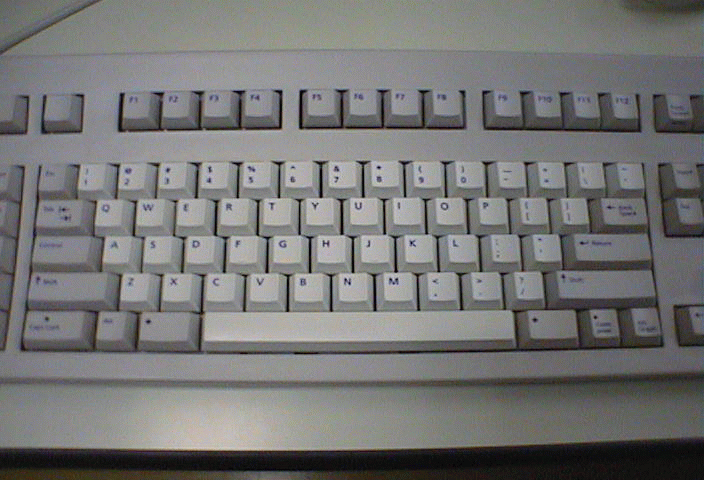
Re:I have enough trouble with keyboards alreadyNo such luck. There's only one each of CTRL and CAPS LOCK, and they're both on the left Here's an image and here's another. As I said, it's a major mystery why they moved CAPS LOCK to the bottom row (it's only been in the middle since the invention of the typewriter!), but what really drives me crazy is not having the backspace key in the top row.
Believe it or not, there are folks who love this arrangement, and spend hundreds of bucks so they can use Sun keyboards on their PCs!
Sun does make a "PC" keyboard for people like me, but if there's a USB port I prefer to plug in my own Goldtouch keyboard.
-
Blind and Deaf
When it comes to deaf members of our community, I can't see them suffering a real "handicap" in regards to using any available OS. As stated over and over in many threads.... OS's are more visual and less audio. Sound cards wouldn't matter to a member of the deaf community since in reality, they serve no purpose. With that said...
An OS of the blind is not in need of a monitor since there is nothing to see per se. However there are certain things they can do that would allow them to be as efficient as one who has vision.
The paradigm of a blind person comes down to the extreme use of two senses, hearing and touch.
These two senses are what you have to build your whole OS around. The ability for them to hear and touch.
Input - Is one of the most important features to a computer. You have to be able to input information so the computer can put it all together. The first attribute I will concentrate on is touch.
1. I link you to this site as it has many one handed solutions to typing. I am most impressed with the Chording Keyboards for what I have in mind. As I am using the standard OS model we use today.
2. The second step as I see it is to have a rather nice size active braile board that can constantly change at a rapid rate for navigation through said OS. This board will display a desktop so to speak. In braile it will be written through out the board what they are "feeling" or what we would be looking at.
So if we were gonna use windows as a model the board would display like in the top left hand corner the My Computer Icon. At this stage it would be printed in braile on the board as to where they were touching. With a simple push on that location the board would change appropriately to what is available in that location for navigation.
However you wanna keep it simple. You can't get all elaborate on the user. It has to be straight forward and to the point of what they are engaged in touching.
In doing this you can actually (with some imagination) simulate many programs for touch purposes. Excel can be laid out through the pins and they can data entry these areas through touching.
Audio - is an equally important feature that can be used with the board or as an alternative to the board. Voice navigation that is near flawless. I refer to it being right on and not nearly right on. Voice navigation similar to what OS/2 Warp 4 displayed to where a user can open anything that has an audio tag on it. So if I need to get to a folder deep in the hard drive directory without the senseless pushing of the braile pad, I can just say that folders name and it opens.
Voice navigation allows for faster movement throughout the OS.
The real key to an OS of this nature is to allow a member of the blind community to be apart of its entire design. Not just one member but many members. Allow them to help build it and test how it will come out. Whlie us that can see think some things would be good. (Like everything I mentioned, the might suck for someone who can't see). We have to allow them to be in full, 100% participation with the design of these computers as it is what they would use.
In closing, Microsofts handicap features suck. All of them. If that is their idea of helping the handicap then they failed worse than anyone could possibly imagine. You need a fluid voice playback when reading text, not the gimp voice that is all staggery throughout any reading. -
Re:Only going to work if it became standard
Have you even read the typing injury FAQ? Do you have a good doctor, or one who's just trying to take your money?
It's not about "bad and less bad". You shouldn't be doing it differently in different places. You should be doing it right everywhere. You don't have to be doing it wrong for very long to hurt yourself. A few hours a day is plenty.
Normally I'd just be argumentative with you for fun, but really, you should be doing more research if you think that. Start here. -
Re:My optical mouse isn't going anywhere
I for one would love a trackpoint, trackpad or even trackball on my keyboard, not because its a better pointing device then my mouse, but because for a lot of things I simply don't need all the precision that I get with a mouse. To move a window, move focus to another window or to move my pointer to another input box in some webform I don't find it much effective to reach out and grab my mouse, it would be much more effective if I could simply get control over my pointer via a little finger move. A split keyboard offers more then enough room to place some kind of pointing device inbetween the split, however most keyboards simply waste that space for nothing. And sadly this little prototype never hit the shelves either.
-
Well, I don't agree.
Well, I'm not sure, but my 9 months of CTS might contradict this finding.
Let me just start off by saying that you wouldn't want to wish CTS on your worst enemy. It's not a pleasant experience.
That out of the way, I can say, without a doubt, that typing was the cause of my CTS.
I was hacking up an Ericsson PABX controller for many many hours for many many days. I wasn't taking breaks, I wasn't stretching, and I was using a mouse and a normal keyboard.
At first my hands went numb on a Friday. I thought it was strange, but my wrists were fine and feeling was restored after the weekend.
About 3 weeks later, I suddenly got this huge amount of pain in my right wrist. The next day my whole right hand was paralised, and I took 2 weeks off work.
I returned to work after having trained Dragon NaturallySpeaking to program C with Emacs. After about a week, my voice was gone, and my throat hurt like hell. So I gave up on that.
I got an MS Natural Keyboard. It helped. I got a trackball and used my left hand instead of my right hand. That helped.
I also discovered an amazing program called Workrave that forced me to take breaks. I highly recommend that people use this program. Prevention is a good thing.
So anyway, it's been 9 months. I've been to physiotherapists, chiropractors, hand therapists, hand surgeons, etc. None have really fixed the problem. But it's "managable" now.
Anyway, I'm probably looking at some form of surgery in the next few months as I seem to be stuck in a "rut", having good wrist days and bad wrist days.
The moral of my story: if you're typing a lot, and you're not taking breaks, then you're in for an aweful experience. Do some stretches and stuff as well. Seems to help. CTS isn't fun. Very depressing at times.
Oh yeah, I'm 20. I've been programming for maybe 6 years. So you don't necessarily have to be old to get a form of RSI.
Oh, another good resource is the Typing Injury FAQ. -
Re:My solution
-
Iyengar Yoga helps
As a certified Iyengar yoga teacher I can recommend Iyengar Yoga.
In special medical classes you learn poses that heal/prevent CTS.
See this article by a computer programmer and this article by a teacher. -
Ergonomics
My Aeron is fantastic. As another poster pointed out, you can't just sit down and expect miracles. You've got to adjust it to your own body. Not that I'm claiming they will work for everybody. I just know that my whole office has one, and everybody seems to like them.
If you've got ergonomic issues, it's critical that you get the problems fixed. Otherwise you're looking at life changing permanent damage to your back, hands, or whatever. I've just been through hand therapy, and believe me, nothing scares me more than the thought of losing the use of my hands. I'm a programmer, systems administrator, and piano player. My hands are a critical part of my livelyhood. Plus I want to be able to pick up my kids someday!
Check out www.tifaq.org. It's a great resource on general ergonomics, as well as a central place to find things like chairs and keyboards and pointing devices. -
Handy links on alternative keyboarding...
The CTD Resource Network has a very fine examination on all kinds of keyboards, including several like the one you're looking for. These are all, as to be expected, quite pricey, but each has something to offer to everybody.
The Alternative Keyboard FAQ
I fully agree that too many 'ergonomic' keyboards still require typists to squeeze their shoulders together. I would really love a typing solution that let me place my hands wherever I please (like a motion-sensitive pair of gloves, or a pair of flexible mats), so I can reposition my arms however I like (on my lap, at my sides) and not lose any typing speed. -
names and numbers
I agree that the proposition is completely backwards: we should be replacing phone numbers with urls, and not the ohter way around...
how about
"phone://voice.company.com/department/person.tel "ok. har har.
Apparently they were thinking about portable phones and w@p services. Their point was that it is easier to tap numbers on a phone than words. which is true. but i think phones will evolve a bit in the next few microseconds to make such an idea unnecessary.
IMHO, if you have screen realestate big enough to comfortably browse for information, there is a way to fit some kind of intelligent input system that would make it easy to type, at least an URL.
T9 software is already pretty neat, and things will get better.
if you are interested in typing efficiently in small spaces:
so, i don't think alternative URL systems are necessary. rethinking cellphone input is, however.
adrien cater
boring.ch -
Ergonomic information
For those of you who are interested in being as ergonomically correct as possible, you might want to check out the Typing Injury FAQ Home Page.
There's information there about furniture, keyboards, mice, etc., as well reasons why you want an ergonomically correct environment
My department just got the Aeron Chair from Herman Miller, and they are not only very comfortable, but easy to configure and reconfigure, so that you don't keep the same posture throughout the day. I highly recommend them, although they run about $750 per chair. -
Carpal Tunnel Related linksHere are some useful links for those feeling hand/wrist/shoulder/back pain from computer use.
- "What I did about my hurt wrists"
- Typing Injury FAQ
- Stretchin g Exercises
- Posture, Movement and Ergonomics
-- -
Alternative Keyboard FAQ
http://www.tifaq.org/keyboards.html
Once I started to get wrist pain for 10 hour coding days, I had to switch to a better keyboard. Since work had lots of M$ keyboards around I decided to try it and was very unimpressed. It just feels cheap. Surprisingly, I really liked the ergonomic keyboards from CompUSA (EP35015G). The layout is a little more intuitive, the keyboards a bit higher and the buttons a little more solid.
If you're a heavy emacs user or you just don't like the way your keyboard is layed out, make sure you check out xmodmap (under NetBSD, I know there's something equivalent under Linux) and remap those keys (who really needs a capslock? mine's ctrl). No more pinkie stress. Now if I could just remap the windows keys to something useful. -
Carpal tunnel not the only RSIIt pays to see a specialist; I see an orthopedist myself. General practictioners often don't know much about typing injuries. The first GP I saw heard "it hurts when I type" and immediately diagnosed carpal tunnel and prescribed wrist braces. The only problem was, the pain kept getting worse.
When I saw an orthopedist, he said "You don't have carpal tunnel, but you will if you keep wearing those braces." I had either extensor tendinitis (1992 diagnosis) or radial tunnel syndrome (1999). In either case, the pain is in the upper forearm, not the wrist, and treating the wrist does no good at all; in fact, it was inducing a different typing injury!
So make sure you get a diagnosis for your pain, and that the treatment is making the pain better, not worse.
If you're specifically having mouse problems, you might consider the Dr. Mouse (formerly Anir Mouse). I tried and discarded a couple of alternate pointing devices before I settled on this.
See the Typing Injury FAQ for further pointers.