Slashdot Mirror
Domain: tomshardware.com
Stories and comments across the archive that link to tomshardware.com.
Comments · 3,394
-
Not so
Clean (Distilled), water is an insulator. In fact, toms hardware inmersed a computer in water in their article Strip Out The Fans, Add 8 Gallons of Cooking Oil. Just used distilled water, and not tap water - as you shouldn't be using tap water, anyways since it eats away at the parts of a water cooling system.
As long as you don't have free electrons, you won't be passing current. -
Re:I call bullshit on youI called BS on the report based on my perception that the report was intended to bash MS and specifically vista. Again, I'm not defending MS because I like them or their products... I'm saying this because I don't like FUD reports.
Straight from the article (from the PDF linked above)
All systems were completely reinitialized before tests using default values
While I normally would rather see benchmarks done on a freshly booted machine, this does not make sense in testing User Interface Friction, as Pfeiffer defines it (on page 4 under the background section of the report): "the difference in fluidity and productivity that can be observed..."
When testing this way Vista's readyboost and other optimizations that pre-load commonly used programs/data is completely ignored. Tom's Hardware looked at Vista's ReadyBoost feature and showed http://www.tomshardware.com/2007/01/31/windows-vis ta-superfetch-and-readyboostanalyzed/page5.html that the first time opening Office 2007 or Open Office (admittedly with 512Mb ram) can take 10 seconds, but by the third time this dropped to 3-4 seconds. If all the tests were performed after a fresh reboot then it's not representative of how the end user would use the computer (excluding Windows since it crashes all the time, see I told you I wasn't just defending MS
Menu Latency - Again straight from the report (Page 6)
Menu latency was measured by accessing menus and submenus according to varying usage patterns (single submenu, two specific submenus in different menus, three different submenus in 3 distinct menus). Each operation was executed several times in succession, and each set of operations was clocked several times
And from page 5
All tests were preformed using the standard system installation and configuration
They clearly included the configurable delay before drawing a menu as part of the comparison between the OS's. Granted they used the default settings between OS's, I know XP is 400ms, but if the default settings are different in Vista/OSX, this test could simply be a check of this default delay.
All of their tests have one individual performing/repeating each task, taken to the extreme they could have had mac fans as the tester(s) and easily skewed the results towards buying OSX instead of Vista. -
Printer Friendly
http://www.tomshardware.com/2007/02/14/raid_recov
e ry/print.html
I don't know why TH has printer friendly pages that they don't ever link to. -
flash faster than hdd?
right, i'll believe that when winged primates fly out of my rectum... access time is one thing, but actual read/write speed is another.
http://www.moka5.com/reviews/2006/11/usbstick4.htm l
(ignore the selected drives)
http://www23.tomshardware.com/storage.html?modelx= 33&model1=676&model2=676&chart=34
right, i'm going to kill a flashdrive just so my windows will run more swiftly.
(i know this is more of the same, but i can't resist) way to go microsoft; for your next trick, are you going to shoot your other foot? -
Improve?
This benchmark article shows that SuperFetch and ReadyBoost can help improve app launch times a bit, but mostly only if you have woefully tiny amounts of RAM in your computer.
However, this slew of benchmarks shows Vista to be slower across the board then XP. -
Improve?
This benchmark article shows that SuperFetch and ReadyBoost can help improve app launch times a bit, but mostly only if you have woefully tiny amounts of RAM in your computer.
However, this slew of benchmarks shows Vista to be slower across the board then XP. -
All of that was already available on XP
"UI prettiness"
Lots of 3rd party companies like Stardock already do this.
"indexed searching"
Use google Desktop search or Windows Desktop Search
"an attempt at proper admin"
That's been available forever on 2k/XP. Guess what? Vendors are STILL forcing you to run things a admin. I guess kudos to MS for finally not giving root access to every user *sigh*.
"quick access mini-apps"
Google desktop search, whatever-task-toolbar from whoever. Been there done that.
"more included applications"
All of the big apps like WMP 11, IE7, etc are available for XP. There are free alternatives for many of the other things. Picasa owns Windows Photo Gallery. The other apps fall into the "nice to have something" category vs being legitimate Ilife competitors.
"parental controls"
Good idea, we'll see how well vendors support it.
"speech recognition"
Wider adoption is IMHO a good thing but A) 99% of people have zero interest in it, B) the other 1% saw that disasterous demonstration of Vista's speech recognition and assume it sucks and will never use it.
"better encryption integration/ease of use"
Worthless for the general public because only certain high-end versions of Vista come with it. Ease of use is like learning a new OS. Microsoft has gone to great lengths to complicate and obfuscate things that you could do in two clicks on XP. Shifting things around for the hell of it does not = making it easier. Network Center? Need I say more?
Overall as I'll repeat again, as Vista stands right now it remains for now an expensive solution to a problem that doesn't exist. Benchmarks show it runs anywhere from 5-50% slower than XP for general tasks http://www.tomshardware.com/2007/01/29/xp-vs-vista /
and Nvidia users are simply screwed when it comes to Vista. In short the performance is just terrible considering the insane processing power we have available these days, Oh and if you have anything more than 512MB of ram DON'T use readyboost you'll just slow your PC down.
Post SP1 Vista will finally be an OS worth upgrading to, but that's still quite a way off and consumers are IMHO much better off sticking with XP. By then Vienna will be out so why bother? -
Re:ATI and Vista graphics in general
I've been wondering what ATI is up to lately. I always liked their offerings, but for the last while it seems they hardly have anything worthwhile (at my usual shopping places, all the nvidia-based offerings are cheaper, faster, and have FAR more selection!). Perhaps they're working mostly on their chipsets instead, but they're REALLY falling behind on video cards right now.
And about AMD's price cuts, it's a good thing, but too little too late IMO. When a 200$ Core 2 Duo E6300 can easily be OC'ed to be faster than the EX6800 (which is already faster than ALL of the Athlon64 offerings at any price AFAIK - including the pricey and power-hungry FX74), there's little incentive to buy AMD right now. -
Re:What's the point?
I'm sure it's not far off... after all they've already made a DRAM hard drive
-
Re:It's apples fault
Actually thats exactly what Vista is doing. It's called SuperFetch You can read more about it here: http://www.tomshardware.com/2007/01/31/windows-vi
s ta-superfetch-and-readyboostanalyzed/page2.html#su perfetch_the_uumlbercacheI've been using Vista at home for a week now and the result of Vista caching is that applications load much faster than on XP, provided you have at least 1GB of ram.
-
Re:Those Ads ARE Misleading
Misleading is your statment The PC going in for surgery is another joke. At least he PC CAN be upgraded instead of simply requiring replacement for a major OS update. I have a Dual 400mhz G4 with 1 gig of ram made in 1998 that runs the newest apple OS faster than my Dell P4 2.8 gig (with HT) with 2 gigs of ram running XP, let alone trying to run Vista (tried but took too long to do anything) I also just bought dual 1.8 Gig upgrade processor's for my Mac, Which should make it even faster than my 1 year old Dell. So why do I have to throw away my Mac when a new Version of OSx comes out? Even Leopard will still support my now 9 year old Mac (http://en.wikipedia.org/wiki/Mac_OS_X_v10.5), and Each time I upgrade my system runs faster not slower http://www.tomshardware.com/2007/01/29/xp-vs-vist
a / and as for customer support, the last Time I called Microsoft they told me it would Cost $250 for an answer, while talking to the Apple guy was easy with no talk of charges. -
largest enterprise customers happy, wtf?!
You call killing support for opengl used in solidworks, catia, pro-e, maya and every other xyz cad/cam/cae program making your enterprise customers happy? I hope every one of those seats switches to Linux or MacOSX. Take a look at these benchmarks of WinXP vs Vista
-
Re:What about games and DirectX 10?
I've been poking around for a while trying to ask the same questions. There's a fairly good write up at Tom's Hardware on performance differences. Tom's hardware is typically pretty even handed in their benchmark reviews (IMHO), they'll often use a demo or script for a video game and run it a few times to get a solid number.
As you can see, the difference is small but present (favoring XP for games) with the notable standout of Unreal Tournament 2004, however as the reviewer notes, this has a lot to do with the current driver support.
As far as I can tell, I think in the long run when games start making use of DX10 and such, we'll see some nice results, but in the short run games will be better run in XP.
If you need a Windows OS (and I just built a gaming computer myself, so I'm in a similar boat) some stores will sell XP with a free Vista upgrade. That's what I purchased, that way I can use XP for a few months (while Vista figures out what it's doing) and upgrade when I'm good and ready. I'd list where I purchased from, but I'd hate to have my post be construed as advertising, suffice is to say you should be able to find some offers via google.
Hope that helps. -
But what about performance?
Toms Hardware http://www.tomshardware.com/2007/01/29/xp-vs-vist
a / just published extensive Vista Enterprise benchmarks, comparing them to XP Pro. The result: At best, the computer won't run any slower. At worst, it will run software abysmally slow or not at all. OpenGL support seems nonexistant, judging from the horrendous drop in performance in UT2004 (>30% drop) and the rendering of 3D/CAD/CAE software unusable (80-90% drops in performance). This is idiotic on Microsoft's part. Now businesses will be even more opposed to upgrading to Vista, since either they're going to have to stop using their engineering/graphics software (at least until vendors work on their Vista support) or they're going to have to split their computer infrastructure and support both XP and Vista, while seeing, at beast, negligible gains under Vista. Businesses are not going to be sold on the promise of Aero glass, especially not when Vista's recommended system requirements are so high, relative to those for XP (I have a P2 450 with 384MB of RAM running XP Home passably, it certainly won't be able to run Vista). -
Re:Overclocking is so 2001...
Silent. Fanless. Oil Filled.
http://www.tomshardware.com/2006/01/09/strip_out_t he_fans/
I appreciate what these OC'ers are able to accomplish. Though their cooling system is not a viable solution for every day computing, I for one am amazed they've achieved this level of OC. -
Re:Appletalk?Well I would certainly hope so; a G3 Mac is, let's see, 4 hardware generations old now?
Yes, it will be slow on a G3, no doubt about that. Hardly a fair evaluation.
Funny I knew someone would do that. You either 1) read my post poorly 2) don't know pc hardware 3) are intentionally being an ass. In the hopes that either 1 or 2 is correct, let me point out and clarify:I said my main computer is an Athlon 1200. Those were released in Oct. 2000 http://www.tomshardware.com/2000/10/17/amd_extend
s _performance_lead_with_new_athlon_and_duron_proces sor/index.htmlI didn't say before but my iBook G3 is a 900Mhz which was released Apr. 2003 http://en.wikipedia.org/wiki/IBook
I switched from a Mac to a PC 3 years older partially because of speed. But if you read my post you would have seen my main complaints with OS X were that it was awkward and unintuitive, and I wasn't clear, but the speed I complained of was primarily the inability to fluidly execute a task... ie with windows it's trivial to practice a task learn the key shortcuts and repeat the task very quickly, with OS X even routine tasks are awkward everytime.
I realize I won't change your opinion, and don't really care to. However that attitude that OS X is clearly better and only ignorance could blind a person, is offensive and stupid. I've never heard someone with OS X and PC experience argue persuasively why/how a Mac is better. -
Re:It should be true...
Vista still have issues with display drivers and sound card drivers (mainly that they aren't optimized for vista yet). Especially the X-fi Soundblaster driver for vista 32 from creative, it hogs up to 20% cpu usage just by playing music. So unless the company fixes these problems before Jan 30th, gaming experience on vista will be much worse than in XP. it reminds me the time when XP first came out, and how it sucked at gaming back then compared to windows 98, although Microsoft is trying to focus more about this issue this time around, I think we'll still see the same trend now to some degree. Check this article written just few days ago: http://www.tomshardware.com/2007/01/17/gameplay-o
n ly-gets-worse-with-vista/ -
Re:Put the CPU on the backside!
That already exists and it costs a ton of money.
http://www.tomshardware.com/2004/01/15/noiseless_c omputing/ -
Which applications?
The application in this screenshot appears to be GeoProbe. So according to the PDF, it does indeed work with Linux;)
-
Re:By industrial applications
Interesting enough, the display unit was demoing geological information and other applications for the Oil industry.
-
Re:Effect on Battery life?
And how much of that is saved by using a flash-based disk?
I think this is the same one they are talking about.
http://www.tomshardware.com/2006/09/20/conventiona l_hard_drive_obsoletism/page5.html -
Re:Snakeoil, Mostly
Snakeoil, Mostly.... hmmm, wait a second. That's it! put the computer in snake oil to keep it cool! That will work even better than cooking oil.
-
My solution: bought a Mac Mini
I very much prefer having all my mail on an IMAP server (accessed over SSL only). As you mention, this is problematic when you don't want to run your desktop machine at home 24/7.
Until recently, I had a Linux server for this specific purpose. However, after years of relatively trouble-free service, the hardware was getting old to the point where keeping it running was becoming more troublesome than buying something else.
So I bought a Mac Mini for several reasons:
1. It is very silent
2. It uses only 20-25W (!), even much less (3-5W) when in sleep mode - though you'll have to disable that when you use it as a server, obviously. This is quite important to me for devices that are running 24/7. I'm not just pulling these numbers out of my ass, check for yourself, e.g. here or here
3. It runs UNIX. Installing Courier IMAP and some other basic services (apache, already installed by default; PHP, installed a more recent version) took me just a few hours.
4. The builtin harddisk is not very big and quite slow. Also it's hard (though not impossible) to replace when it breaks. So I bought a 250 GB external drive to go with it. If you buy the right one (e.g. the MiniMax), it even looks nice together with the Mac Mini.
5. It's small, just put it on your desk somewhere. -
Re:Depends on the Architecture
"But megahertz for megahertz. Sorry, no facts there."
No facts where? you mean here: http://www.anandtech.com/cpuchipsets/showdoc.aspx? i=2802&p=4
Heck, just look at the difference between an Intel E6600 and an AMD X2 4600+ They have the EXACT SAME CLOCKSPEED (2.40GHZ), and the E6600 utterly decimates the latter.
"intel runs cooler than amd, mhz for mhz -No evidence for that either"
Where exactly are you looking for your evidence? AMD fanboy message boards? How about trying *any* of the major tech review sites for once?
http://www.tomshardware.com/2006/07/14/core2_duo_k nocks_out_athlon_64/page8.html#_versus_amd_athlon_ 64_fx62
Note the passage: "Of course we took AMD's current processor top model, the Athlon 64 FX-62, and ran the same series of temperature tests. We measured a processor temperature of 64C under high load and 31C for idle operation with Cool & Quiet activated. Both is considerably hotter than with Core 2 Extreme." -
Re:Idles at 3.8W?
keep in mind that the E6400 performs about 30% better than the X2 3800+ and 10% better than the X2 4600+
http://images.tomshardware.com/2006/12/02/intel-se parated.jpg
While AMD certainly has a power advantage during idle, under load Intel retains the performance/watt title. -
Re:Idles at 3.8W?
And I call bullshit on AMD's power claims, at least until independent reviews have verified them.
Tom's Hardware good enough for you?
http://www.tomshardware.com/2006/09/25/green_machi ne/ -
Check out the Tom's Article
Before you pass judgment on this. This is Rev 1, let's see how far they can take this. http://www.tomshardware.com/2006/11/30/brute_forc
e _quad_cores/ -
Re:These are still 90nm chips...
http://www.tomshardware.com/2006/11/30/brute_forc
e _quad_cores/ Read the Tom's article they explain the 90nm process and why these are more advanced than the intel chips. Gotta remember this is revision 1 of this system, we have yet to see how far this can be taken. -
I like your solution
It neatly sidesteps the fact that high-end GPUs are massive compared to a CPU core
Intel Core Duo CPU
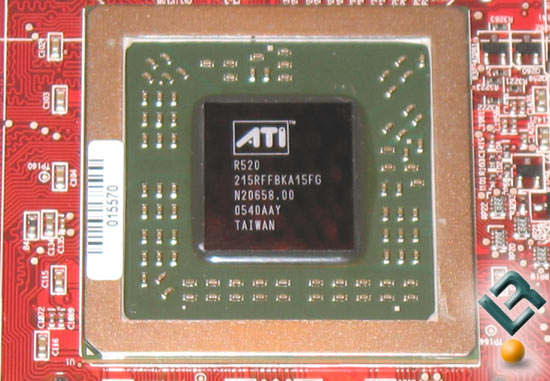
ATI X1800 GPU
BUT, you'd also have to squeeze all the other microchips that are on a high-end graphics card board... I don't know if you'd be able to squish all that into a CPU sized area. And if you can't, you're just changing the form factor & moving the graphics card onto a faster bus.
Anyone have a better idea how you can put quality graphics into a CPU? -
Where'd they get those numbers?While the article was somewhat interesting, I find it's data very suspect. It sounds like it was thrown together to make a point, not prove one. I'm not saying they don't have a point, I just suspect it's exaggerated. You can't just say - how many computers are there? How many run windows? How many are left on 24x7?
Even accepting the premise, how would this make MS a "green" company? The power saving features are really hardware features that are just supported by the software. In the end it is up to the computer owners to save power. The options are already there. If you really want a "green" computer, use the power saving settings. Or maybe buy a computer with a eden processor , or use a normal processor and underclock it!
-
Benchmarks!
Here's one from Toms Hardware.
Intel's right. On games it doesn't do any better. On video though, well, lets just say I know some architecture majors who would have loved these in their lab several years ago, when 1 frame took 10 minutes to render. And they had 300 frame videos to do. -
More at ocp and toms
http://enthusiast.hardocp.com/article.html?art=MT
I xOCwxLCxoZW50aHVzaWFzdA==
http://www.tomshardware.com/2006/11/08/geforce_880 0/
Although the toms article is pretty worthless as most benches are cpu bound with a fx64 cpu.
my favorite has to be this page, 8800 GTX SLI/3.80GHz Core 2 Duo SLI
http://www.extremetech.com/article2/0,1697,2053791 ,00.asp -
Re:XP cannot boot from flash?
XP currently boots from USB keys just fine. So why did you say it cannot boot from flash without significant bootcode changes? USB keys are flash memory, you know.
See Tom's Hardware, or BartPE.
http://www.tomshardware.com/2005/09/09/windows_in_ your_pocket/index.html
http://www.nu2.nu/pebuilder/
Old news. Sorry, but I just had to give the responder a clue. -
Re:65 nm is key
I think the 65 nm process is key here. It doesn't really surprise me that Intel can create faster and cooler CPUs on 65 nm than AMD can on 90 nm.
While they may be faster, they certainly aren't all that cool. For one, their "Enhanced Speed Step" power saving mode isn't nearly as miserly as AMD's Cool'n'Quiet. Remember, the AMD64 also includes the memory controller.
http://www.xbitlabs.com/articles/cpu/display/amd-e nergy-efficient_6.html
The Intel chipsets are also responsible for a bit of excess power consumption.
http://www.tomshardware.com/2006/09/25/green_machi ne/page4.html
Disclaimer: Most of those benchmarks are comparing apples and oranges (be careful to note which chips are the EE versions). I'm really just trying to point out that the new Intel chips are not wonder chips for power consumption, and are even disappointing (IMHO) considering they are on 65nm. -
Re:Overclocking is good?
Personally I think Darren E. Polkowski of Toms Hardware is right:
"We all want different things when it comes to advancements, but first and foremost we need better power management. The bottom line is simple: graphics makers must take a step back from feature brainstorming until the power issue is resolved."
see here in the concussion section. -
Re:1.21 gigawatts
Ooops, I ment to say LCD monitors not LED monitors. Keep in mind that I am not a tech or an expert on the different types of monitors.
I recently read a review of a computer that uses the EE (energy efficient) versions of the AMD Athlon 64 X2 processor which only used 54 Watts. Another alternative for someone doesn't need to run Windows XP or Windows Vista might be the NorhTec MicroClient Jr.which is a tiny PC that draws 8 Watts and is capable of running Puppy Linux. Puppy Linux is an extra-light weight stripped down version of Linux which has less impressive graphics than most other Linux distros. You could browse the Internet, send email and do word processing with it. I have never actually tried one of their computers. Perhaps it could be hooked to a small efficient LCD monitor (or whatever is most efficient). Just using a laptop would probably be an even simpler solution. A person could charge the laptop's battery for a few minutes ahead of using it.
The Watt-meter that I used on my computer was the $39.99 Kill-A-Watt meter.
In the article I just noticed that the photo shows a woman dressed up in nice clothes leisurely peddling in front of an inefficient CRT monitor. She isn't even sweating but then, apparently she isn't really powering the computer.
-
Yorkfield has 8 cores: 2 4-core dies on 1 packageTFA's specs for Yorkfield look incorrect to me. It seems to be mixing up the specs of two different CPUs from the same generation. This is what I have decyphered from other articles:
- Penryn is a quad-core notebook processor with 6MB of L2 cache. Unlike today's quad-core Kentsfield, Penryn is a "true/real" quad-core CPU with all four cores on one die. The 6MB of L2 cache is shared among the four cores.
- Yorkfield is an 8-core desktop processor with 2x6MB of L2 cache. Like Kentsfield, Yorkfield is a "cheat" and is really just two quad-core dies (two Penryns) on a single package. However, Kentsfield's early benchmarks have looked pretty good for a "cheat," so I'm reserving judgement on this design decision. I've also read that, similar to how Kentsfield trailed Conroe by a few months, Yorkfield will be released several months after Penryn.
Some links:
-
Re:The question I have been wondering....
As odd as it sounds...that may actually work. I'd suggest reading this: http://www.tomshardware.com/2005/11/28/are_three_
c ores_better_than_two/index.html
That's a dual-core Opteron and a single-core Opteron in a tri-core system. Highly unstable, but very close to working, and the cores in the processors they used weren't even identical.
A Core 2 Duo 2.66GHz and a Core 2 Quadro 2.66GHz would have six identical cores, with the exact same clock speed, bus speed, and instruction set. I'd really like to see some hardware review site try this. -
Re:AM2 inside? Have you looked at the benchmarks?
There is NO WAY anybody in their right mind would choose a chip that's clocked 200 mhz higher, but with 512k of cache over one with 1024k, but clocked 200 mhz lower. Can you tell the diffrence between a chip thats 2.4 ghz and one thats 2.6? Probably not. Can you tell the diffrence between a chip with 512k cache and one with 1024k? Uh, yeah.
Have you looked at the benchmarks? In many cases, the opposite is true of what you are saying for AMD processors because the memory controller is on the chip. Look at the pronounced difference between AM2 X2 3800+ & 4200+. They both have 2x512KB L2 caches, but the 4200 is clocked at 2.2GHz v. 2.0GHz for 3800+. However, the X2 4000+ runs at 2.0GHz and has 2x1MB L2 caches, but it barely outperforms the 3800+.
I really hate when people pull numbers or results out of their ass. -
Re:Core 2 Duo Happened
Intel does not seem to win the power and heat comparison if you consider desktop processors (see link below). You would probably have to use their notebook platform to achieve that.
http://www.tomshardware.com/2006/09/25/green_machi ne/page2.html -
linky on the 45nm quad coreHere's what Tom's Hardware had to say about quad-core single die at 45nm:
The climax of Intel's move to 45 nm will obviously be processors with as many as eight cores on a die. Technically, the Yorkfield and Harpertown cores are pretty similar, while Yorkfield steps into the desktop space and Harpertown harpoons the enterprise customer. Both will be 45 nm parts, with four cores and as much as 12 MB L2 cache. We can't say how the geometry of this chip is going to be and we suppose Intel is not entirely sure yet either.
I don't have a dog in this fight. I'll buy whatever has the best price/performance. -
fbucks
It's a video card, and bang divided by bucks, as bucks approaches zero the value of bang doesn't matter.
Actually, this article just divides graphics cards up into price categories and picks the best one from each group.
Once, Tom's Hardware did measure the "bang" of several different graphics cards and divide by bucks: fbucks. -
Re:Why all the negativity?
Yeah, I thought this list looked familiar.
-
print url
The mandatory print url link to the story http://www.tomshardware.com/2006/09/26/the_best_g
a ming_video_cards_for_the_money/print.html -
Re:Summary
Either those charts you linked too are really old or the 7600GT was so slow it was off of the bottom of the list!
This link has much newer charts and comparisons. -
Re:Summary
What they dont say, an Nvidia 7800 GT is twice as fast as an ATI 800, 140 bux or 100 bux, 40 bux buys a lot more power.
I like toms hardware video card graphs to help quickly show how a card stacks up.
http://www.tomshardware.com/2005/12/02/vga_charts_ viii/page16.html -
Re:Apples and Oranges (was Re:good idea but...)
-
Re:No bias there...
Obviously the author had an opinion that they wanted to share or they wouldn't have reviewed the the hardware so "one-sided". With regards to recognising the positive/negative aspects of a certain product, raises the question of who is sponsoring an author to write the review or what their motives are. The negative factors are almost NEVER raised, as for some reason people seem to think that testing/covering a peice of hardware limits them to telling readers what they LIKED about the product. I personally, am an Intel person. Not that I wish swift death to AMD fans or whatever, but simply because I've never had a reason to look for a different solution (perhaps I haven't experienced "Greener pastures"). However, I always find Tom's Hardware quite good for hardware reviews. http://www.tomshardware.com/2006/09/10/four_cores
_ on_the_rampage/ Everyone has a different opinion (much like, "I can honestly tell you right now that almost every application that is memory bandwidth limited is going to perform better on an AMD K8 chip than Core2/conroe. The K8's integrated memory controller supports much better memory throughput."), but it all depends on the overall build of the system. You can have one hell of a CPU and memory, planted on a motherboard that would serve better as toilet paper. Anyway thats enough out of me, for now. -
Re:micro-ops fusion - 32 bit only. DMA - lower 32b
This should enlighten you a bit: http://www.tomshardware.com/2006/09/10/four_cores
_ on_the_rampage/
My brief summary is this: For video and 3D rendering, quad core KICKS ASS. For more routine tasks, it's performance edge isn't a big deal and probably not worth it. Keep in mind though that these tests were done on "beta" chips, other performance areas and heat dissipation might improve .
I really wish sites would do benchmarks on things like compilation times (a bunch of sites used to do this based on compiling the source for the Linux Kernel) and web serving performance, which will help to better inform developers and small businesses of what they can get out of upgrading their hardware, as these two groups probably round out the consumers of high end hardware aside from the gamers, 3D guys and video guys.
And Because I can't stand the fact that Toms Hardware has become an ad whore, I give you their summary:
Compared with the already not-too-shabby Intel Core 2 Duo/Extreme, the Core 2 Quadro can give performance a mighty tweak - but only for specific applications. In the best-case scenario, performance can even be doubled. However, this depends on the particular program. Software makers have yet to initiate the needed optimizations for multiple physical CPU units. The table below lists a hodgepodge of applications that benefit from four cores right away.
The future belongs to HD content. If we take our benchmarks into consideration you can no longer get by without a quad-core processor. Test results with the software packages Main Concept with H.264 encoding and the WMV-HD conversion make this very clear. We noticed performance jumps of up to 80% when compared to the Core 2 Duo at the same clock speed (2.66 GHz). A Core 2 Quadro at 2.66 GHz and higher is the answer for HD video (editing and rendering) at full HD resolution (1920x1080).
Ambitious video geeks will want to have four cores or even more. But that's still a way off, even as the developers of both AMD and Intel are working on it.
Gaming fans, however, can confidently stick with the Core 2 Duo/Extreme or the legendary Pentium D 805. That's due to a lack of adaptations for four CPUs - in practice, only a maximum of two processors are used in games.
Overclocking fetishists can rest assured. Our test samples ran reliably at 3.33 GHz with no voltage increase - including a sound boost in performance.
With a maximum system power draw of 260 W, the power consumption of the Core 2 Quadro system levels out in the same league as a Pentium EE 965. In idle mode, the system required 167 W - this is the same amount of power that a Core 2 Extreme demands at full load. The reason for this likely lies with incomplete implementation of Intel's SpeedStep technology at this stage. In terms of computing performance, the Core 2 Quadro is worlds apart compared to the classic Pentium 4/D processors: It performs more than twice as fast than the Pentium EE 965, but requires less power input. A Core 2 Quadro does get hotter than a Core 2 Duo/Extreme, though.
Intel intends to offer the top-of-the-line version of the Core 2 Quadro for about $1,000. The customer will bring home a quad-core 2.66 GHz processor with 8 MB of L2 cache.
Topics Programs Performance
Core 2 Quadro vs. Core 2 Duo
3D rendering 3D Studio Max 8.0 100%
video editing Adobe Premiere Pro 2.0 80%
HD video encoding Main Concept H.264 70%
video encoding Windows Media Encoder 9 63%
video encoding DivX 6.2 27%
image editing Adobe Photoshop CS2 24%
file compression WinRAR 3.6 10%
Editor's Opinion
For me, working with one of the first quad core systems was amazing. No matter how many applications you run at the same time, the system reacts to user commands quickly. Some applications require half the time to finish tasks. To me, it's like being catapulted a year into the future and is unlike the past few years when computing power increased only marginally. Intel pumped out 30% more performance with Core 2 Duo and will double that again with Core 2 Quadro soon. -
Re:Hardly
Could you comment on THAT ?
http://images.tomshardware.com/2006/08/31/four_cor es_on_the_rampage/xvid.png
http://images.tomshardware.com/2006/08/31/four_cor es_on_the_rampage/multi_1.png
http://images.tomshardware.com/2006/08/31/four_cor es_on_the_rampage/ogg.png
http://images.tomshardware.com/2006/08/31/four_cor es_on_the_rampage/3dm06-cpu.png