Slashdot Mirror
Domain: afterstep.org
Stories and comments across the archive that link to afterstep.org.
Comments · 36
-
Re:This is what I'd like to see.
The problem is that the default Ubuntu GNOME window manager is trying to emulate Windows, but it's different, so they think it's going to be like Windows, but are surprised when "Hey, this doesn't work like it does on XP!" You need to give them something better than a Windows UI clone. You're one "apt-get" away from Unix-style WMs available for Ubuntu like AfterStep, FVWM, Enlightenment, or FluxBox. Getting accustomed to classic X window managers (not "I'm copying Windows" window managers) will not only show them "We're not on Windows anymore," but require them to see that there's more to the computing world than Windows.
Imagine you woke up one morning and found yourself in China. It's different, but you know it's different. If people in China act differently or have different customs, the language is different, places have different names, someone can just explain that you're in China, and even if you didn't know a thing about China, you would know that it's a foreign country and you need to learn some new things. New Linux users would understand it better, too. "I'm on Linux, things are different. This makes perfect sense. Why should Linux be exactly like Windows? VHS and Betamax are different, British cars are different, Linux is different too." Now if you suddenly woke up in a place that looked at first glance just like America (assuming you're American), and Wal-Mart becomes the most expensive store, people speak backwards Esperanto, and drive on the left side of the road, you would be confused, and maybe a little scared, wondering why these familiar-looking things suddenly act so strangely. It's the same thing with GNOME.
GNOME gives a false sense of familiarity, which would tend to scare users away. If users say that "Linux" is scary, it's probably because GNOME doesn't act how they expect. They wouldn't even mention something like AfterStep, because they probably don't even know about AfterStep OR know that the window manager could be easily replaced. There's nothing "automagic" about Windows. Windows takes just as much time to learn as any of these, and Windows is so 1995, anyway.
AfterStep
OpenWindows
Enlightenment
WindowMaker
FluxBox
FVWM
Your users (I'm guessing) probably never used anything except for Windows. Maybe the reason why they never got interested in computers is because of the unintuitive Windows 95 interface. Maybe they'd find one of these more intuitive. -
Re:They already have a common UI.
I think that the GUI experience was better like 10 years ago under Linux with things like AfterStep and WindowMaker, and Enlightenment.
You can pry AfterStep from my cold, dead hands. I still use it daily as my primary window manager. It is fast regardless of the hardware, and the way virtual desktops work is better than any other. -
Blind Costs. GNU/Linux UI Last Longer.
It's amazing how people can be so blind to the TCO of Windoze:
There are a lot of extra costs and little have to do with Linux but selling a product in an area where there is little demmand.
Now you understand the man's frustration with Vista. Really. Every few years M$ changes their UI without substantial changes to anything else. Vista is the most radical change since 3.1 to 95, yet people like you just take that cost for granted.
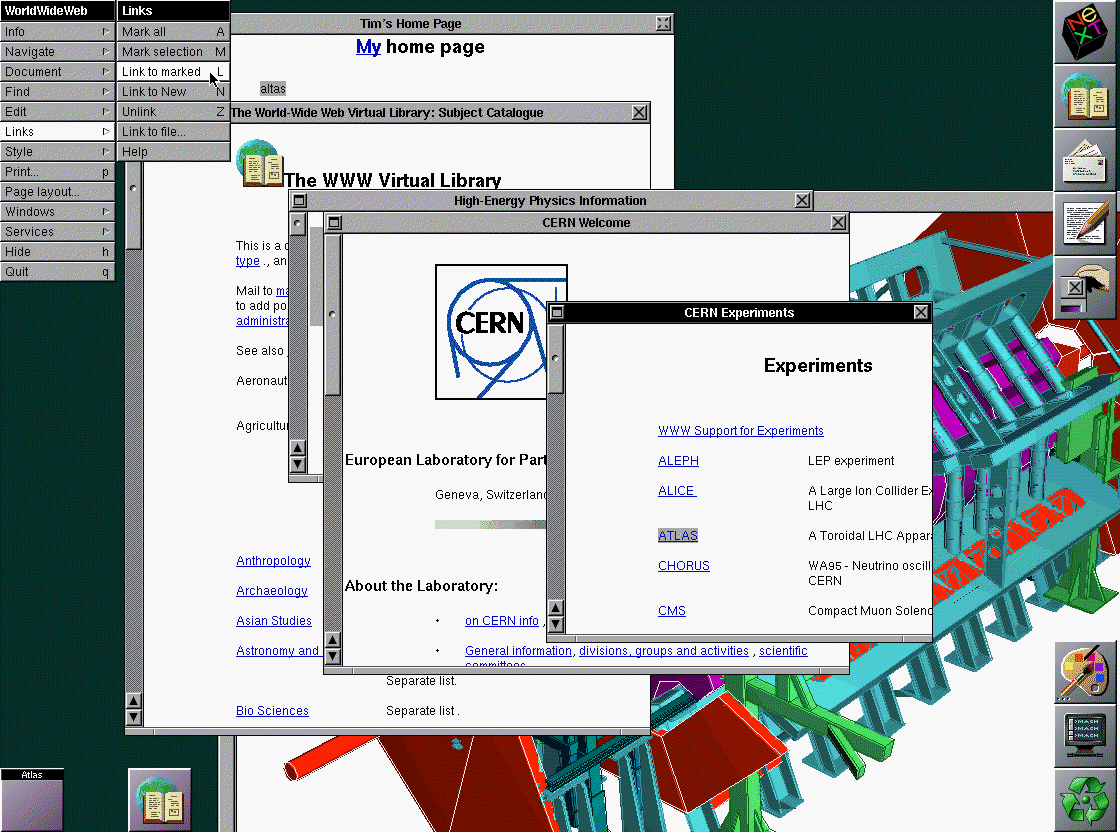
With GNU/Linux, on the other hand, you have a choice of UIs and they remain the same over decades. Have you ever seen the first web browser, made in 1990? Compare that interface to Window Maker or AfterStep, which have been stable for almost as long and is still available to those who want it. Those are only the beginning of your choices and they all work well together.
-
Re:I refuse to use it!
Wait no more!
http://www.afterstep.org/aterm.php -
Afterstep
I haven't tried it in a long time now (not since enlightenment (the windowmanager) but afterstep looks like a better version of NeXTSTEP - than, well NeXTSTEP itself.
http://www.afterstep.org/
I could well be wrong on this though. -
Re:Really want a 'dock' for Linux!
Well, Wharf has no scaling but adding transluscency requires just a little bit of fiddling in config files. Plus it has "drawers" - you click on an icon and a list of icons/applets roll out, i.e. click on "drives" and a list of all mountable drivers appears.
-
Linux GUIS and the Seldon Plan (ranty)
H. Seldon himself could not have come up with a better way** to improve Linux GUIs than the rivalry (mostly friendly) among the various approaches to Linux GUIs. (And though there are other Free Software desktops, I'm going to ignore them for part of this comment
KDE's approach looks a lot like Windows, is very well integrated down to having a "burn data cd" (with k3b) option in a menu reachable with a mouse click on any file. Neat. (I'm typing on a KDE desktop right now, appreciating how much more I like KDE now than I did a few years ago.) (Knoppix comes with KDE, this machine's installation was from the Knoppix HDD install script
GNOME is IMO slightly slicker graphically, and -- in ways that are not easy to pin down -- a little more user friendly. No accounting for taste (and I certainly have questionable taste), but I happen to like a lot of GNOME apps more than their KDE equivalents
The Seldonmost part of the KDE/GNOME "battle" (in which actual developers mostly get along well, share beers in pubs when they're not coding) is that their [conspiratorially arranged?] back-and-forth wrt feature lists and ease of use distracts people from, for instance:
- enlightenment
- blackbox (old) / fluxbox / etc.
- icewm
- and windowmaker / afterstep
The point being, KDE and GNOME may be the most complete / comprehensive approaches to Free Software desktops, but they're far from alone. Fluxbox and Afterstep in particular I like for defaulting to extremely clean desktops, making apps easy to get to through menus available with a mouseclick from anywhere. We're not all in the same gang, because we're not in gangs, gong long a gong a gong a long long fee phi pho fee phum.
Whenever people talk about "standardizing" as if this was an obvious good thing, I wonder if they feel the way to end illiteracy is to settle on one accepted book as The Standard, and making sure people know *that* book. Architecture, too, would be a lot less confusing if we didn't have all these different *types* of housing or approaches to engineering large buildings -- let's just settle on the right one, dammit!
Having only one choice in a given context might make sense -- but it depends on the context.The owner of Amalgamated Consolidated Products, Inc.* is free to declare that Windows 3.1 is the only acceptable desktop standard for his company's employees while they're at work: Fine. Dumb, or maybe it's smart for that company, but fine. Likewise, if NASA decides its billions in tax dollars would contribute the most to the commonwealth if some of them went to creating a standard GNOME-based desktop and ignoring KDE, well, that might make sense in that context.
When I hear lots of 1st-person plural handwringing about how "we" ought to adopt a standard *anything* though, the hairs on the back of my neck stand up, and I get a little defensive. 1st person plural is always annoying when someone seems to be speaking on my behalf but without my consent or agreement. What if I *like* the standard you don't? Think Low-flush toilets as a mandated standard. Think building codes that make inexpensive legal housing a legislated near-impossibility. Building codes, of course, are standards imposed for the good of all, and if you don't like it, you can stick it your ear, fill out this form in triplicate, and wait for the county inspector, who is currently on extended leave in Botswana. Citizen.
To the extent that actual programmers voluntarily combine their efforts, it's nice to see some convergence, even a lot of it. But there's no g -
Re:"The unavoidable-future-of-the-desktop"
what on earth are you talking about??? how in any way shape or form is shlashdot the biggest advocate of linux? how is linux window's main competition? for one thing, linux still has a smaller desktop usage percentage than apple. secondly, in the server market -- doesn't BSD have the upperhand? and third of all, slashdot has microsoft advertisements in their pages. this is not he future of my desktop. this is nopt he future of ANY desktop. thsi is the furture of crappy proprietary software that it mostly used for controlling the user's experience. if i want a different/better desktop i already got mine
-
Looks like Windoze wallpaperIs it just me, or does this wallpaper look like one from computer W9x theme?
-
Hmmm.This looks awfuly familar to me
<img src="http://www.afterstep.org/images/Translunacy-
b ig.jpg"> -
Re:Gentoo, slackware....
I like the Slackware way. If I remember correctly, its just a basic boot/root floppy set, and the rest of the installation is just tar.gz files with shell scripts stuck in for pre/post install stuff.
I played with LFS a while back and even had X up and running with my old window manager Afterstep. Too bad a friend needed the drive in an emergency, I never got the chance to "can" it for future use. -
Re:stick to e16 for a wm, but e17 has nice stuff
I just went to the above link, and it was actually the Official AfterStep Web Site, with a News entry dated February 2, 2003. The original poster might want to recheck the link he went to.
Note: the page is, if not broken, at least very ugly in my Gecko version.
-
Re:stick to e16 for a wm, but e17 has nice stuff
the E folk are to be commended for their excellent modular development -- many of these components are already being used by other projects (imlib2 in particular), and many of the others either are or soon will be in shape to be used in other projects too.
Yes and no. Here's a quote from the article:
ecore: Currently it has basic IPC wrapping, X wrapping, Evas wrapping, job handling
I think it's kind of a bad sign when you have to write a wrapper for your own library to be released with your library, so you can write your program which depends on... your library.
At the same time I commend them for the effort, and I'm glad they took the time to design it fully.
One thing I don't like is that Afterstep seems to have just disappeared. I remember going to their official homepage a few days ago (reflected by Google) but now is evidently the really broken homepage of some graphic design girl. A few years ago I was looking into Afterstep and noticed that their people had been working on a 2.0 release for quite some time, in the process creating libAfterImage which reportedly is blazing fast and produces beautiful results. I admit it, I kind of miss the crazy thousands-of-window-managers situation that Linux was in when I first got involved. And this whole GRFXGIRL thing is just weird. Especially since her copyright is last year and the Google page shows the afterstep page as being copyrighted this year.
--
Daniel -
I can't stand KDE or GNOME
Both camps have a lot of vocal jerks in them, who apparently hate each other for NO GOOD REASON.
That, and the fact that neither GNOME or KDE is worth the time of day as far as I'm concerned. They're both bloated Windows-wannabes. I'll pass. No thanks. I gave at the office.
Anyone out there who wants to try something that's ACTUALLY different, check out Enlightenment (which is what I use for Linux) or AfterStep or WindowMaker. Real people providing real alternatives to the twerps in the GNOME and KDE battalions. Psssst, you can even use GNOME and KDE software in them... -
This is nothing but great news
I really hope that this project gets all the attention it deserves, and becomes the new 'de-facto' look for KDE.
I am not a big fan of desktop environments (I use AfterStep alone), but this idea shows a big improvement over the rather old and boring start-menu-taskbar model of win95/NT4/98/me/2k/xp, GNOME and current KDE.
It really shows innovation, and moving away from what is already stablished cannot be anything but a good thing. -
Objective-C + OpenStep APIs
The Objective-C language has been around for a while, but kinda got locked-up in proprietary runtime implementations by NeXT (now part of Apple) or the Stepstone corporation which were amongst the first to come up with an Obj-C compiler (for x86). Now, GCC does Obj-C and MetroWerks also has an Obj-C capable compiler. Also, the entire runtime is now open sourced in Darwin, the core OS at the base of Mac OS X, in the form of "Core Foundation" and "Foundation Frameworks".
Couple that with the open-source API SPECs (oppose "implementation"), and you have an amazing combinaison.
On the Mac, this is now known as Cocoa. Cocoa is an object framework that's now mostly accessible via the Java programming language.
For Linux (x86, but soon PPC as well), thetre's AfterStep, an open-source implementation of everything that had made the NeXT a NeXT, including the dev environment.
If you have access to a Mac, get yourself some tutorial and explore Cocoa programming. If you only have access to a Linux box, get yourself a complete install and explore what you can do with this.
No amount of description actually gives any justice to how amazing this dev environment actually is.
If you're tempted to explore further, o'Reiley has a couple of Cocoa books, but the very best Cocoa books out there is written by Skott Anguish and al, and is called Cocoa Programming. -
Re:Try pwm
For a more heavy-duty WM, I recommend WindowMaker over GNOME or KDE. WindowMaker is fairly light-weight, and has a much cleaner appearance and feel. Another nice feature about WindowMaker is that it has a lot of the nice Apps that you see in OSX, like the mail program and the column-file navigator. Better, its easy to port an OSX program to WindowMaker if you have the source, as its based on OpenStep.
Window Maker is what I'm currently running at home. I used to use AfterStep, but got fed up with it for various reasons.
Contrary to what dh003i says, it is strictly a window manager - it doesn't have any applications associated with it, except for WPrefs.app). The applications like Mail.app (well, it's called GNUMail.app) and the "column-file navigator" (called GWorkspace.app) are part of GNUstep, not Window Maker. -
Re:Virtual Desktops
afterstep used to have a similar feature (maybe it still has it? haven't used it in a while), which I loved, and was one of the things I missed the most when migrating to WindowMaker. I've since become used to WindowMaker's "one-dimensional" paging which is also pretty good; I still use AfterStep's ctrl+arrow convention for switching (WM's default is shift+ctrl+arrow).
-
Re:Amazing
Grow balls and run Gentoo without the bloated KDE WM, you dumbass RedHat/Debian/Mandrake RPM/DEB faggot clone. You are the apex of suck, and you have just displayed your ineptness publicly. I hope you fry in hell because of your retarded "suggestion", faggot.
Personally speaking, I recommend Afterstep, so "kthxgg" [lame irc.enterthegame.com saying] you fucking newbie "elitist" commie pig. -
Re:Reason why KDE isn't more widely accepted
I use Afterstep but I still use apps like Konqueror, so I'm as happy as any KDE user when a there is a new release.
-
Re:agreed (as is Ximian and Red Carpet)
Look into some lightweight window managers, such as Afterstep. It's fully customizable and it doesn't take oogles of drive space. Unfortunately their web page has been down for the past week or so, but I'm sure you can find mirrors on google.
-
Re:A catch-22.
it's about twice as slow as Win2K/XP on the same hardware.
That really depends on what you're running.
I'll probably never hear the end of it if I say this, but I'm going to say it anyway: The most popular window managers for the XWS are also the most bloated.
Have you ever used Nautilus? It is a very pretty interface, but it is slow as all hell on a machine of reasonable specs. (PIII 500 / 256MB) Now take Gnome and Nautilus, plop it on to a system, and yeah... it's not going to perform as well as it should. Granted, the XWS isn't the best performing GUI out there, but the 4.x rewrites are solving a lot of those problems.
I've used Gnome/Nautilus as an example above, because I know less about the newer KDE releases with regard to frendliness, performance, and bloat. If someone would be kind enough to fill me in on how KDE is in these respects, I'd appreciate it.
Anyway. Gnome is a pretty hefty download, and tries to shove all of the crap they think you'll need into the package.
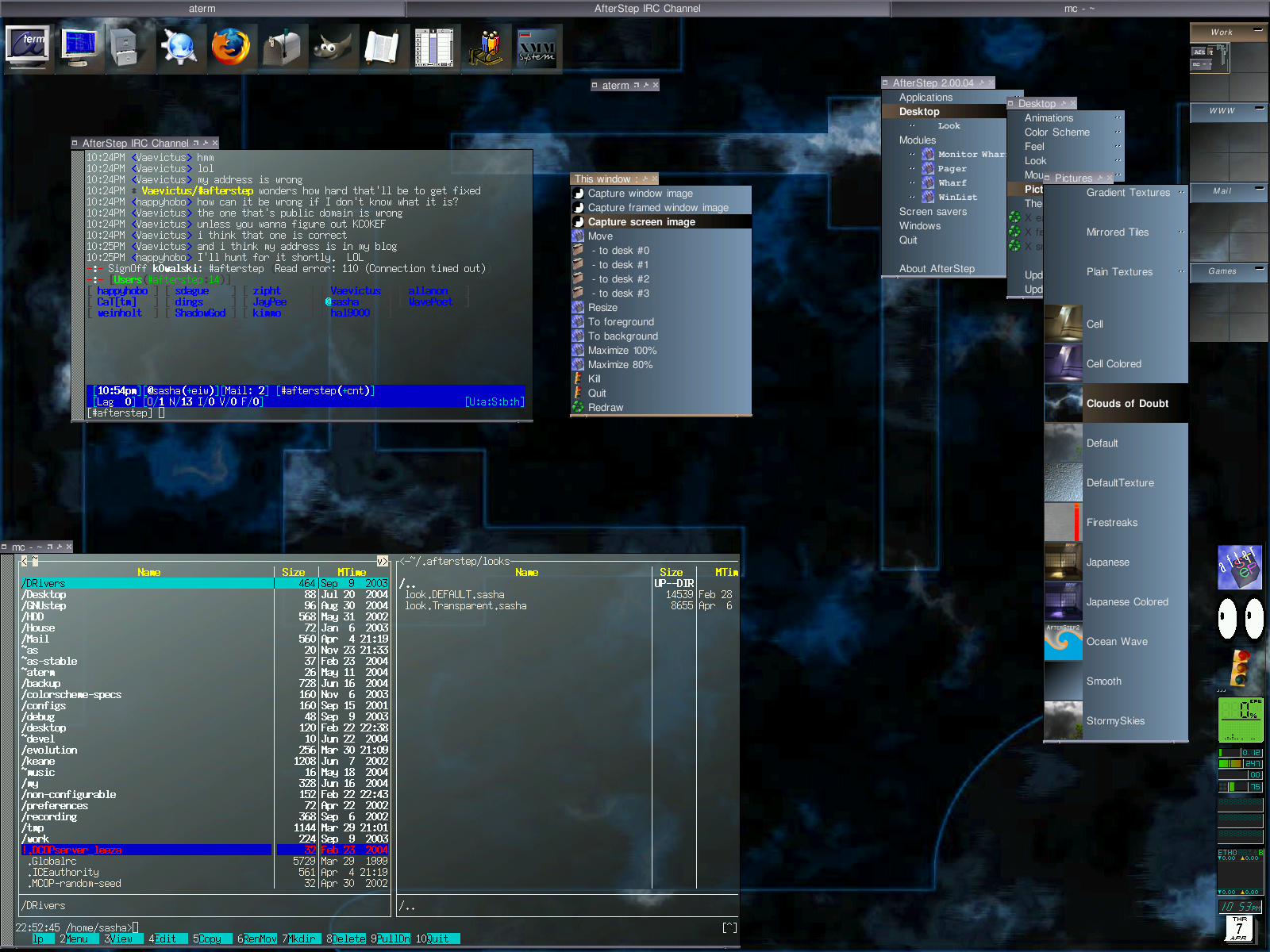
If you set your users up with something like AfterStep (which, by the way, can fit on a floppy), ditch the desktop pager, show them how to use Wharf and the Winlist, and install the apps they will need. Configure Wharf to make it easy to get the apps, then smack everything onto a kickstart server or something. Then whenever a new box enters the office, just kickstart the image on to the box and there you go. No configuring, and it would make administration much easier. (You could probably also hack in some cronjobs on the server and the workstations to automatically keep all packages up to date, but that's beyond the scope of this comment.)
This way, they have a fast, clean window environment, the apps they need, and the benefits of Linux. -
Afterstep
I run Afterstep and Mandrake 7.2 (came with that version, don't know why they took it off newer versions) on a 32mb machine at home. Afterstep has a very small footprint. If you are running a different version of Mandrake you'll have to grab the code from Afterstep.org (which seems to be dead in the water as I write this)
-
Excellent news.This is great news for the entire community. When I first used Enlightenment a good while ago, I was extremely impressed by it's configurability and the sheer volume of themes available for it, but my one complaint was its "sluggishness" as compared to AfterStep or WindowMaker.
I'm glad to hear that the project is still alive and doing so well and that this issue is being resolved. He's always been very passionate about E and no matter what window manager you use, you have to appreciate this kind of enthusiasm he has for his project. It's this kind of attitude that helps to continually drive the whole Linux community forward.
-
It also lives in GNU/Linux...While CDE is the standard commercial UNIX desktop, some of the most popular GNU/Linux window managers are inspired by or clones of the slick NeXTstep interface. The most popular is undoubtedly GNUStep is a fairly complete clone which is also the "official" GNOME WM. (Bugger off, E-freaks!
AfterStep actually used to be CmdrTaco's fave window manager, before he sold out to the Enlightenment camp. Fun fact: Taco is the author of the dockable CD applet "ascd", which looks really cool but dumps core more often than Shaft smacks hoes.
Apple may be trying some NeXTstepish things with OS X, but IMHO they should instead bring back the NeXT tradition of awesome, sleek black hardware. It is my hope, even though I don't use Macs, that the iMac's successor embodies this aesthetic philosophy... but I'm not holding my breath; despite the fact that Jobs wants to appear rebellious and artsy, he will never again sell a machine whose external appearance might frighten their now-core userbase of little kids and grandmas.
All generalizations are false.
-
Why a desktop environment at all?Why not just a plain old window manager? They seem to get the job done using hardly any system resources.
It's really well done, and you can run kfm on top of it to get the functionality of kwm's icons. My thoughts on the matter anyway.
-
Sure... If you cannot handle configureing your WM
If you're talking about the technically impared users that cannot configure anything, Gnome and KDE bloat the system to unuse. As a release to the masses system, you cannot say that the default X settings aren't slow. You could use Afterstep to cut out some of the performance loss, but you can't get rid of all of it. The article complains about trying to get a working system on a *single* floppy (with X), which i've seen easily done on 3, but the problem is not disk space and loading times. If we're trying to win over the populous that cannot program their WM, then we're competing against a 400~MB (?) default install of windows 2k. 3 floppies should be sufficient in this market.
-
Re:I know this will get me flamed, but...
umm...why not do both ??
-
enlightenment (offtopic)
If you want a really good looking and customizable desktop, run enlightenment by itself. Much nicer IMHO.
E is customizable in the way that emacs is. You know there's a way to do it, but damned if you know where/how to change it.
E is quick, but it's lacking in some serious respects. Namely in the themes arena. I'm not talking about the lack of themes (good lord! there's a lot), but the way themes are managed. If I want to change the color of my titlebar, I don't want to have open up some huge theme hunt around for the one line and change it from "SlateBlue" to "Salmon" or whatever. What E (and all themeable WMs in general) is a WYSIWYG theme editor, on the level of Windows's Contol_Panel|Display. Just a nice place where I can click on a title bar and say "make this putrid green" and WHALLA! It's done.
I also would like to have looks and feels seperated like how they are in Afterstep. (Which has config files that are pretty easy to understand). (In all honesty I haven't divulged down into the depths of E themes, just far enough to say, "This is too involved for such a trivial task. Fuck it.", so this may actually be the case in E, but if it is, it's not as obvious as it is in AS.)
The other feature I'd like to see introduced is more control over icons in E. 1. I'd like to be able to have icons uniconify to where they were iconified from, not always the active screen. 2. I wish the icons wouldn't constantly resort themselves. It gets damn confusing. (I icononify and uniconify alot. I can keep track of what's what if the icons would just stay put.) Finally I'd like to beable to turn that damn icon box off. I REALLY don't like icon boxes; they're too confining (which is coincifently why I don't like taskbars/lists and CDE style button-based pagers). I websurf in a VERY atypical fashion. As I read a page I open interesting links in a new window and continue to read the original page. I then group relavent icons together. For instance when I read
SSS
CCC
11
2
(where S = story, C = comments, # = newslink)
I can only work this way if icons go to the root window and can be moved anywhere I want. (forcing icons to stay in an icon corral on the root window is not acceptable. Infact it's just wierd.)
Because of these short commings I'm going to start playing with sawmill. -
MacOs X theme for AfterStep
For those who are interested : here is the theme for AfterStep that makes it look like OS X. No need to wait for E theme.
-
Re: How do you turn off the panel?Well, you need to no longer start a GNOME session. When you login, select one of the other options your display manager offers. I would do a straight X session; you can then set things up as the God of Unix Meant Them to Be;-)
I am quite fond of fvwm2; others like WindowMaker or AfterStep. If you have a slower computer, blackbox is very good. Be aware that with any of these, but especially fvwm2 or blackbox, you will feel as though you've gotten a processor upgrade. Everything is faster. Part of this is the lack of Gnome/KDE stuff running. Part of this is that these window managers are significantly faster than E or kwm.
Personally, I'd like to try out sawmill. It looks neat, and it uses Lisp to control everything. Pretty cool.
-
Re:Yet another....
cause i dont need one
-
Tried AfterStep?I use AfterStep and know quite a bit about configuring it. Although I never used these features extensively but you might want to know that you can configure all the necessary functions to completely eliminate the need for a mouse.
This is one window manager I know that allows you to configure practically any key and button to do practically anything (yes, they are working on that coffee-making function, too
AfterStep is not easy to configure so you'd have to spend a considerable amount of time learning it but once you are through I am sure you can just throw away this grey little rodent of yours. Give it a try in any case. URL: http://www.afterstep.org.
Disclaimer: yes, I am involved with AfterStep so my opinions are biased. -
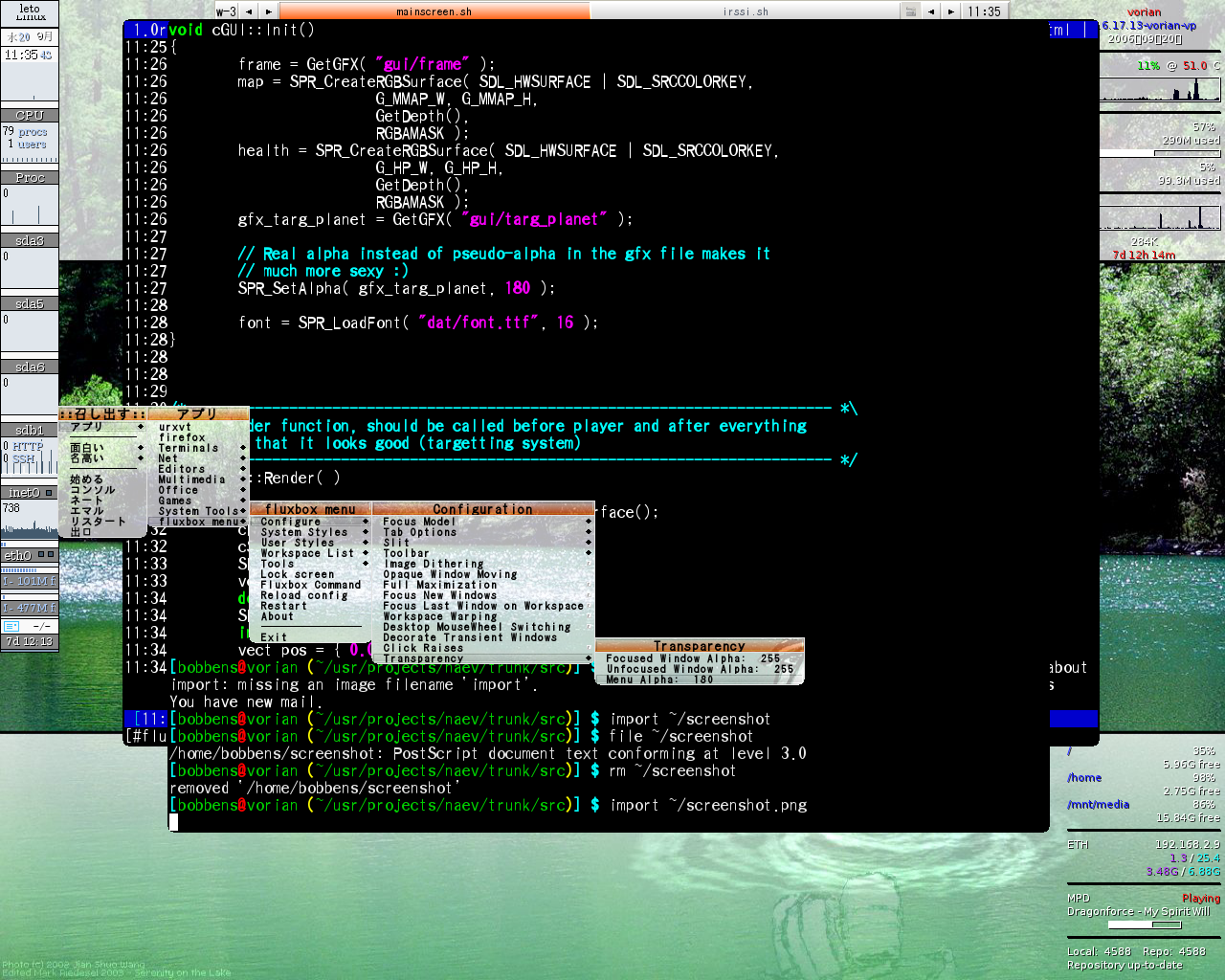
Re:transparent dock/root menus?i use afterstep (unfortunately the web site is the ugliest on earth), and one of my favourite features is the transparent wharf and root menus, which when combined with the transparent aterms makes for a nice-looking glassy desktop.
i have been thinking about trying windowmaker, but am wondering if they have or are planning to add more transparency support. anyone have any news? thanks
-
Mac == Cool
Hey. I think Mac is pretty (and) cool. If it wasn't for Steve Jobs there would be NO Window Maker and NO AfterStep. I currently use those and I think Mac has (and always had) the coolest and most user friendly GUIs. On the other hand, I share the #linuxwarez opinion about KDE =:P. OSes, unlike girls or women (which are human beings, not objects or binary code) can fit on the same hard drive. So you can run both MacOS/Rhapsody and Linux on the same machine without having to lie to
PS: This was written from a geekguy's point of view. -
possibility and a question
you can also design your own look and feel in AfterStep. And AfterStep has something Enlightenment doesn't have. Stability. It's hard to impress someone with a WM that blows up when you click something in it.