Slashdot Mirror
Domain: phroggy.com
Stories and comments across the archive that link to phroggy.com.
Comments · 50
-
Re:Cool story bro
-
Re:Higher Standards
I'm sure it won't.
I tried upgrading to Leopard on my G4 iBook. Tried it for a couple months, then downgraded back to Tiger.
Some of the UI decisions they made in Leopard, like folders in the Dock that display as all of their contents stacked in a pile instead of a folder icon, were completely brain-dead. There was enough public outcry (and third-party workarounds) that Apple added options to fix the behavior in newer versions, but they still go with the stupid options by default. Did they forget to do usability testing, or did they simply ignore the results? Did it not occur to them that when you've got four dozen items in your Applications folder, making the folder look almost like the Address Book is confusing? Or that a distant star shining through a transparent menubar looks like something's wrong with your screen?
Other problems I noticed:
- CUPS browsing is disabled by default
- Editing multiple items in iCal is more awkward; they fixed part of it, but the details appear in a popup instead of a sidebar so they're always in a different part of the screen depending on what you're editing
- Spotlight's "Show All" function doesn't group the results by categories
- The selected tab in an application like X-Chat turns gray whenever another window has focus, so you can't see which tab was selected
Also, I think getting rid of the rounded corners was a terrible choice. I found a hack that brings them back if you want.
I also ran into driver issues - I couldn't get my Canon scanner to work, and couldn't communicate with my Nokia phone over Bluetooth. It reminded me of Vista users complaining about their driver woes.
Then there are UI problems with Tiger that Leopard simply left unchanged:
- FTP still doesn't work (try ftp://ftp.mozilla.org/pub/mozilla.org/ for example)
- Windows like Spotlight's "Show All" search results window aren't associated with any application, so Cmd-Tab won't switch to them; in Leopard the "Add Printer" window has this problem too
I don't see how Snow Leopard could be worse.
-
Re:Hmm.
I find it easiest to not validate anything on input, because I don't know what my output is necessarily going to be - could be HTML, could be PDF (for example). If I am outputting to non-HTML I don't want to wade through HTML-encoded soup to get something sensible back out.
What I mean by input validation is aborting with an error if the user has submitted invalid data, e.g. entering "foo" in an e-mail address field. Nothing is encoded or escaped at this point. If I need to store it in a database, the data is stored as-is, using the Perl DBI's automatic escaping feature to make sure SQL injection attacks aren't possible (I can think of one occasion when this wasn't adequate and I had to wring my own routine). Whatever else I need to do with the data, any necessary escaping gets done only as the data is being used, it's never stored that way. If I need to send it back to the browser, HTML escaping doesn't happen until I actually print the HTML, or immediately before.
If I'm outputting to web, I then always validate / encode *all* content, usually using something like the Microsoft AntiXSS library. This stops user-inputted markup from being rendered, but it also stops markup that's been maliciously inserted into your database from being remembered. Remember the SQL injection attack that appended a javascript snippet to every field it could find? It was looking to do an XSS attack.
That's a very interesting idea. Because I use Perl's DBI, I don't normally worry about SQL injection, because I so rarely include a raw variable in a query string (and I'm very careful if I do - for example, I might use a variable that's looping through a list of field names, but the list isn't user-submitted, it's hard-coded into the script).
If you need to chuck out user-generated markup, make sure you contstruct your whitelist and ruleset very carefully.
Yes, I think I have done that. However, this sort of thing is very easy to get wrong, and one little slip can result in disaster. Hopefully I've done everything correctly.
-
Re:It seems ironic...
Yes, that was exactly my complaint too.
-
Re:Looking from afar...
...from the other side of the pond, Obama is the right choice. Palin's stance on creationism alone should be enough to decide this particular issue.
I'm a Creationist; I also consider myself to be more pro-life than Palin is. Palin's positions on those two issues certainly don't frighten me.
I voted for Obama.
-
Re:Argh...
-
Re:Who the hell is drinking this cool-aid?
BannerFilter, but I've been neglecting it for years.
-
Re:Crackpot theories can be discussed elsewhere
-
Re:Apple store employees are first rate.and it's always a huge relief to plug in a real multi-button mouse (and fire up my Logitech bluetooth keyboard) and get back to my "usability nightmare". I don't believe he was calling multiple buttons on a mouse a usability nightmare, just multiple buttons on a trackpad specifically. On a mouse, all the buttons are under your fingers, so you just click with a different finger to do a right-click or middle-click or whatever. On a trackpad, the way you use your hand is completely different. I think I do prefer the control-click and the gigantic single button on my iBook... when I'm away from my desk. When I'm at my desk, I use an Apple USB keyboard and a multi-button IBM mouse with 4-way scrolling whatchamacallit. found it *impossible* to reliably right-click with the "Mighty Mouse" Yeah, the Mighty Mouse sucks for that reason (although the scrollball feels sorta neat). or with the chorded touchpad. If you're having trouble holding the pointer still without letting go of the trackpad, something's wrong. Either you've got the sensitivity up way too high, or you have an atypical physical impairment. If the latter, I'm sorry, but please try to understand that for those of us without your limitation, Apple's current solution works better for us than something that would work for you. If the former, go to System Preferences / Keyboard & Mouse / Trackpad / Tracking Speed.
-
Re:Easier than Networking!With a web app, you also download your code with every single page. Graphics. HTML. Javascript. Every single time.
Yeah, or you could try caching stuff locally on the client machine. This can easily be done with expire-tags or similar. I'd also considering using inline CSS and JavaScript instead of linking them in externally as files. Surely this will reduce the network load. One could also use AJAX where applicable in order to keep pages from refreshing too often. This would also make the app quite snappy. Nope, you're definitely thinking backwards. Go ahead and use inline CSS and JavaScript during initial development, because it's simpler to debug, but once that's done, put it in a separate file. You're correct that there will initially be more overhead because the browser has to make several different connections to download each file, but these are all static files. The browser will cache them locally, and when you go to a different page that uses the same CSS or JavaScript code, the browser will just use its local copy, instead of requesting those files again. The browser may ask the server for information about the files, and compare their last-modified timestamp to the date on the files in the cache, then only reload if the file has changed.
Another thing the grandparent mentioned is that "you download your code with every single page", and while this is true of the HTML component of it, the actual logic that runs behind the scenes is not downloaded, and depending on what you're doing, that could be quite a bit larger. For example, I've got about 3,000 lines of Perl code to generate my home page (not because it needs to be that complicated, but because I was bored, and kept adding new features, because I could - it's my personal site, I can to do that if I want). That's not including the actual content.
You're absolutely right about browser compatibility. It was a problem 5-10 years ago; the problem is now mostly solved. Write valid HTML and check it with the W3C Validator, and it'll work on pretty much anything. CSS is a huge pain in the ass (the CSS validator doesn't help, because your errors are still valid code, they just don't do what you meant), but maybe you can hire somebody to build that for you. Sure, you may run into glitches here and there, and you should test all of your CSS and JavaScript in at least Firefox, Opera, Safari, IE6 and IE7, but compare that to testing a GUI application in WinXP and Vista, plus Mac OS X and Linux if you build for those platforms as well. -
Re:Hackers
Heh, you did that too?
Here's a HyperCard stack I created to disable FoolProof, which prevented users from dragging icons in the Finder (and probably did a couple of other things, but that was the main feature I remember). -
Re:use: SPAM as your username
Sometimes I'll use an address like whatever@NOSPAM.phroggy.com but the beauty of that is, I added DNS records to make the domain resolve as-is.
-
Re:How about an API
If you want to block adds get "bannerfilter" http://phroggy.com/bannerfilter/ It is free, easy to setup and use and catches most everything and you can add sites yourself just by editing a file. It works as an addition to "squid". You can install this on one machine on your local network and it can filter adds for the whole network. It is browser independent so the ads get blocked in Opera, Mozila, IE or whatever you use.
-
Re:Want to see something blocked by your ISP?
Sorry, but you have no idea what you're talking about.
Second method is too expensive to implement by ISPs, ie, check all packets pass thru the ISP for known IP addresses of sites they want to block.
Many ISPs use caching proxy servers such as Squid because it makes things CHEAPER for the ISP. Squid cuts down on bandwidth usage, while improving speed - I even use it on my LAN at home. Some ISPs silently redirect all traffic on port 80 through a proxy server transparently, so customers don't have to set anything up; WPAD is a better alternative.
I wrote a redirect script for Squid called BannerFilter, which blocks advertisements. Several ISPs are using it.
Tomahawk Desktop is probably the first desktop Operating System comes with its own DNS server. Therefore, Tomahawk Desktop, does not use your ISP's DNS server. It does its own DNS resolution. Its too expensive to block the Tomahawk Desktop
Just because it happens to be the first one you've encountered, doesn't mean it's the first one. Most Linux distributions ship with BIND, although it's not usually enabled by default because it's not normally a good idea on a desktop system (DNS resolution will be faster if you use your ISP's DNS servers, unless your ISP sucks ass). -
Re:Easiest way to make a Mac faster is go back to
Any of those things that were added on later were major hacks to the system. Some, like the non-preemptive MultiFinder (switcher) were ingenious hacks, but hacks nontheless.
One of my favorite hacks, introduced with System 7.1, is the Fonts folder.
Prior to System 7.1, all fonts were resources stored in the System suitcase. Since the System suitcase is always open, its resources are available to all applications, so any application can use any fonts that are in the System suitcase. If you were to use ResEdit to copy a font resource into a text file and open it in SimpleText, the font would be available in SimpleText as long as the document was open, even if the font was not installed in the System.
Prior to System 7, the typical way of managing them was to use the Font/DA Mover application to move font and desk accessory resources between suitcase files; System 7 added support for this in the Finder. A bit of trivia: the only time you'll ever see a "Move" progress bar in the Finder is when moving something into/out of a suitcase, since there's no UI to move a file between volumes (you can only copy, then delete later).
System 7.1 introduced the Fonts folder. All resources in any file placed in the Fonts folder that looks like it should be a font (i.e. a font file or a font suitcase) will be loaded as if they were in the System suitcase, and accessible to all applications. Notice I said all resources, not just all font resources. So, if you were to create an empty font suitcase, and use ResEdit to copy non-font resources (such as icons) to it, then drop the font suitcase in the Fonts folder, all those resources will be loaded as if they were in the System suitcase.
Yeah, I'm a Mac nerd. -
Re:It's your own fault!
uses a protocol that is not only open, but also an Internet RFC, and probably has more implementations than any other protocol; both clients and servers.
Obviously you've never actually read any of the IRC RFCs, have you? They're terrible. The RFCs were clearly written as afterthoughts to try to document the protocol that was already in use, but since each client and each server implements things slightly differently, no RFC (or combination of them) actually completely describes anything accurately.
What's the maximum length of a nickname? RFCs 1459 and 2812 both say nine characters, but most servers allow some other length.
RFC 2812 says the characters {}|~ are equivalent to []\^ for case-insensitive matching, e.g. when comparing nicks. RFC 1459 erroneously omitted the ~ and ^ equivalency. Many servers (e.g. what's used on FreeNode) don't adhere to this specification at all, treating them as different characters (so foo[] and foo{} can be two different users on the same network, which the RFCs forbid).
Which channel modes take arguments, and which don't? Show me where an RFC explains how to correctly parse
A solution to all these problems (ISUPPORT) was submitted as a proposed RFC, but never approved by the IETF. It's worth mentioning that ISUPPORT conflicts with the existing RFCs, but that's OK because nobody ever implemented the feature it conflicts with. If the server doesn't support ISUPPORT, you pretty much just have to guess.
Those are just examples I can think of off the top of my head. Yes, by your definition, I'm a proper hacker. -
Re:The label...
-
Re:Two Things
2) I would like to see what you P233 does when you try to use dynamic webpages (PHP, Perl, MySQL)? Anything below 1GHz will simply die under something like it with a medium amount of users.
That's a load of crap. A P/233 is fine for a web server, even with dynamic pages. Remember that a "medium amount of users" will not all be hitting the server simultaneously. My home page has some pretty damn complex back-end code (over 2700 lines of object-oriented perl) which takes about 0.6 seconds to execute normally (about half of which is just compiling) on a dual PII/300. You could assume it might take two full seconds to execute on a P/233. Those two seconds aren't that significant when you consider the big picture - remember that network latency is a bottleneck for most people. And simpler scripts would be MUCH faster than two seconds. Remember that he's talking about home use; that suggests that a second or two of delay isn't going to hurt anything.
As for a "medium amount of users", I get over 2,000 unique visitors per month, which only counts dynamic page views (not graphics or other static content), doesn't count known robots (they're excluded by user_agent), uses cookies to ensure each visitor is only counted once per browser session regardless of how many pages they view, and also checks IP addresses to avoid over-counting users with cookies disabled. From the perspective of a web server, 2,000 unique visitors a month is practically nothing.
Counting all hits, via "wc -l" on Apache's access_log, I get around 200,000 hits per month, give or take, mostly due to people running BannerFilter's update script from cron jobs. Again, from the web server's perspective, this is also practically nothing.
Don't underestimate the usefulness of an old, slow box. -
Re:Two Things
2) I would like to see what you P233 does when you try to use dynamic webpages (PHP, Perl, MySQL)? Anything below 1GHz will simply die under something like it with a medium amount of users.
That's a load of crap. A P/233 is fine for a web server, even with dynamic pages. Remember that a "medium amount of users" will not all be hitting the server simultaneously. My home page has some pretty damn complex back-end code (over 2700 lines of object-oriented perl) which takes about 0.6 seconds to execute normally (about half of which is just compiling) on a dual PII/300. You could assume it might take two full seconds to execute on a P/233. Those two seconds aren't that significant when you consider the big picture - remember that network latency is a bottleneck for most people. And simpler scripts would be MUCH faster than two seconds. Remember that he's talking about home use; that suggests that a second or two of delay isn't going to hurt anything.
As for a "medium amount of users", I get over 2,000 unique visitors per month, which only counts dynamic page views (not graphics or other static content), doesn't count known robots (they're excluded by user_agent), uses cookies to ensure each visitor is only counted once per browser session regardless of how many pages they view, and also checks IP addresses to avoid over-counting users with cookies disabled. From the perspective of a web server, 2,000 unique visitors a month is practically nothing.
Counting all hits, via "wc -l" on Apache's access_log, I get around 200,000 hits per month, give or take, mostly due to people running BannerFilter's update script from cron jobs. Again, from the web server's perspective, this is also practically nothing.
Don't underestimate the usefulness of an old, slow box. -
Re:Two Uses of Flash
And: what do you need flash or MNG/APNG for if all you want is a red/green-annoyance? To make really good fakes of Luna GUI elements?
GIF and PNG work fine for me... -
if you want a solution on serverlevel...
Or if you have a proxy, and you want everybody who connects to it to benefit from it you can use bannerfilter. It works with squid. Alot of rules are automaticly created and you can set your own rules as well ofcourse. Works as a filter for banners as well as popups (it replaces the popup with a self-closing javascript page). I'm using it for quite some time now and haven't been able to detect any flaws.
-
Re:We trust Google.... don't we.Which is part of the nature of cookies.
Excuse me? No it isn't. My home page uses cookies to track user preferences, but I don't use them to store a unique user ID. Come back to my site tomorrow from a different IP; I'll have no idea you're the same person - I can only tell that you're a previous visitor (or rather, my code can tell - I myself can't, because that's not logged at the moment*).
I've been thinking of changing the way this works, and tracking more detailed per-user and per-session data, just because I could. I haven't figured out what I'd do with the data, though, so I haven't figured out what to collect or a reasonable way to represent it.
* Your chosen theme is logged, so if you change it from the default and come back tomorrow, I could deduce that you're a returning visitor. Also, whether a particular hit is the first for your current session is also logged, so I can tell whether you quit your browser before returning. Reading the log is obnoxious, though.
-
Re:so-called "remove me" links
Why don't you post your honeypot address here? Mine is honeypot@bl.phroggy.com. I'll add yours to the list of hidden links on my home page, if you'd like.
-
(reference)
Isaac Asimov's Foundation series. I highly recommend it.
-
One of my favorites
-
Re:Hypercard could be used for programming?
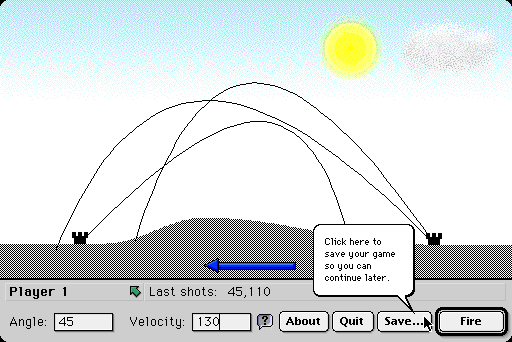
Cannons and Castles is my port of an Apple II game. Here's an old screen shot.
-
Re:Hypercard could be used for programming?
Cannons and Castles is my port of an Apple II game. Here's an old screen shot.
-
Re:Remember Hypertalk?
I created Cannons and Castles in HyperCard, a sort-of port from an Apple II game. I attempted to make it as unHyperCardlike as possible, which I accomplished with lots of XCMDs and a hell of a lot of coding.
I must agree with the AC: HyperTalk was great. It had a gradual learning curve, it made basic things simple, and reasonably interesting things possible, if occasionally tedius. It prepared me for OOP - in HyperCard objects such as buttons are tangible rather than abstract (you can create them, move them around, set various properties, etc. with a normal GUI interface), and you can call handlers and functions in them from other scripts ("get foo("bar") from btn "Click Me" if I remember correctly). Even lexical scoping was new to me, coming from BASIC. Ah, those were the days. -
My own thoughts
-
Re:Distrustful of Network Level Censorship
the supposed great harm of spam
My thoughts. -
Re:i have to wonder
Besides, Apple hasn't improved their font management at all since they added the font folder back in OS 8 (or was it 9?), it was due for an overhaul.
It was 7.1.
Prior to System 7.0, fonts were resources inside the System suitcase which could only be managed via applications like Font/DA Mover, or ResEdit and similar. In 7.0, the System suitcase could be opened in the Finder, which showed the fonts, sounds and keyboard layouts it contained. Each of these could be dragged out of the System suitcase into a font or sound suitcase, or into a folder to create a stand-alone file. Useless trivia: dragging items into or out of a suitcase is the only time you'll see a "Move" progress window in the classic Mac OS Finder.
System 7.1 introduced the Fonts folder, using an interesting hack: all resources in font suitcases or stand-alone font files (new in 7.0) in the Fonts folder were treated as if they were part of the System file itself; these resources were available to all applications. As I recall, the Finder would not allow fonts to be removed from the Fonts folder while applications other than the Finder were running, and new fonts were only available to applications launched after the new fonts were added. Naturally, fonts could no longer be added to the System suitcase.
Only slightly less useless trivia: notice I said ALL resources in font files and font suitcases in the Fonts folder would be used - not just fonts. When I used System 7.1.2 (the first version of the Mac OS to support the PowerPC, mostly via an m68k emulator), I was playing around with ResEdit and discovered how to make color versions of the many black-and-white icons used throughout the system without actually removing or modifying the original icons; I put the color icons into a font suitcase which you can download here if you're feeling so inclined. Simply drop it into the Fonts folder, and you'll have color icons!
Wow. This is all truly worthless. I should be ashamed of myself. Are there any other serious Mac geeks out there who actually remember all of this stuff? Speak up, so that we may all be pitied together.
It occurs to me that when PC users said Macs were toys for computer-illiterate people and couldn't be customized like PCs could, this is the sort of stuff they never imagined, and the reason we smugly laughed at them. Apple's GUI is so nice that people often don't realize there's anything under the hood. -
Re:image blocking
-
Re:Aren't you people missing something?
Thanks for making me aware of that interesting feature.
This page passes W3C validation, and still crashes IE. -
Re:Typists
I suppose anyone who programmed on their calculator during math class can answer this too.
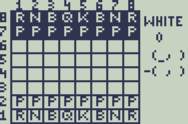
I wrote a two-player Chess game for my TI-82 (mostly) during math class. After awhile, you kinda get used to the buttons. -
Mirror
Here.
Please mod this down so I don't get slashdotted too badly. -
Re:Limiting to only Google!?
-
Re:Limiting to only Google!?
If you want to see something really funny check out Phroggy's website at phroggy.com. Haha, what a loser! No wonder he has to troll for dates among underage chat girls with low self-esteem...
-
Mozilla (almost) rules
I use Mozilla on all platforms I'm running but combine it with bannerfilter on squid. Mozilla doesn't support regexps yet for picture-blocking but is host-based until they fix bug 78104. Disk cache is switched on though as I'm the only user on my system so I don't see this as a possible security problem.
Cookies are selectively permitted and pop-ups are blocked.
Security is imho the biggest reason to use Mozilla in stead of IE. -
Re:From the article...
Well, Microsoft and Yahoo don't get paid just because some guy using a yahoo e-mail account e-mails someone using a hotmail account.
Uhh, of course they do. You can't check your mail on Yahoo or Hotmail without going to their Web site, which contains advertising banners. The companies are getting paid to run those ads.
(Whether you choose to see them or not is another matter, of course, but most people do, so the companies do get paid.) -
Mirror of the picture
Here is the picture that "says it all," since it's being Slashdotted.
-
oh yeah! Almost forgot!
My home page allows the user to choose among several different themes, many of which look like windows on a desktop in a variety of operating systems. Your default theme when you first visit the site is chosen based on your browser and operating system. If you use a 4.0 or better browser, it chooses one of the more complex themes based on your OS; if you run Netscape 3 (which doesn't support background graphics in table cells) you get the Plain theme, and if it doesn't recognize your browser, you get the Simple theme which renders nicely in Lynx.
Robots and spiders, such as those who might be trolling for e-mail addresses, aren't recognized and therefore get the Simple theme. At the bottom of the main home page, only shown in the Simple theme, in very fine print, appears a message that is tailored for your particular IP address:
Home page in simple theme -
oh yeah! Almost forgot!
My home page allows the user to choose among several different themes, many of which look like windows on a desktop in a variety of operating systems. Your default theme when you first visit the site is chosen based on your browser and operating system. If you use a 4.0 or better browser, it chooses one of the more complex themes based on your OS; if you run Netscape 3 (which doesn't support background graphics in table cells) you get the Plain theme, and if it doesn't recognize your browser, you get the Simple theme which renders nicely in Lynx.
Robots and spiders, such as those who might be trolling for e-mail addresses, aren't recognized and therefore get the Simple theme. At the bottom of the main home page, only shown in the Simple theme, in very fine print, appears a message that is tailored for your particular IP address:
Home page in simple theme -
Clap them in irons.
Now they are responsible for stopping all the pop-under ads, not caused by them. The patent is flat-out stupid, but it might help us out, unless they decide to "license" it.
Now's a good time to get bannerfilter. It runs as a squid redirector, so you wont have to give up your accellerated cache, like you would if you used junkbuster. -
Re:Here's an idea
If you really want to do this (and hopefully it's not just for slashdot, 99% of sites have worse advertising than they have here), grab squid from Squid, and a redirector script from here. There are instructions in the package for plugging it into squid - they basically involve setting 'redirector' in squid.conf to point to the redirector.pl script in the package.
In the redirector.pl script, set $WWW to the address of a local file or httpd, and $BANNERGIF to 'null.gif', which is a 1x1 pixel image that comes with the bannerfilter package. Point your browser's HTTP/HTTPS proxy to the local address squid is listening on, and you're now ad-free.
The bannerfilter script is customizable through simple text files, and has an sh script that uses wget to automatically update the ad definitions.
No, I didn't write it. I just use it.
-
Re:Banner ads? What banner ads?
Doesn't everyone use Junkbuster? What are these "banner ads" you refer to? =)
For those running Squid, I wrote BannerFilter. -
Good to hear...Good to hear that so many people are concerned about the future of HyperCard, and nice to see this sort of thing on Slashdot. HyperCard is amazingly powerful. Most people don't understand what it is or what it can do - and unfortunately Steve Jobs can be counted among that group.
If anyone's interested, Cannons and Castles is a HyperCard port I did of an old Apple II game. Well, sort of a port and sort of a rewrite. Anyway, if you've got a Mac, or Basilisk II or something, check it out.
--
-
Re:Web BugsI was going to say that might not be a good idea since it would destroy the layout of many web sites and negatively affect others. Then I realized that the use of 1x1 images is probably pretty low (since they're normally 'stretched' when used as page layout devices) So, yeah, you've got a decent idea there
You'd be surprised. One of the reasons I use 1x1 transparent GIFs is, say I've got a table, and one cell has a background, but no foreground text or graphics - just a background color, or repeating background pattern, and I'm using this cell (probably not very big) for layout and design purposes, because there's no other way to do it. Well, if I don't include that 1x1 GIF, then the browser thinks the table cell is empty and won't render it at all (so I don't get my background). This is remarkably annoying. I used to use instead, but then I started doing these with really small areas where a whole wouldn't fit, so I've switched to 1x1 GIFs. For an example of what I'm talking about, check out my home page.
--
-
Re:Lamenting the demise of HypercardShameless plug: Cannons and Castles is a HyperCard port of the old Apple II game. Largely done as an exercise in pushing HyperCard to its limits, and of course for the nostalgia of bringing back a game I loved in Junior High, but also to demonstrate some of the power of HyperCard to those infuriating masses who think it's a glorified Rolodex. Remember, the number one best-selling computer game in history was created in HyperCard (not that mine is comparable, but hey...).
If anyone still develops with HyperCard, and is interested in comparing notes, etc. I wouldn't mind finding a kindred spirit.
--
-
off topicYou're obviously not very familiar with Web design. Slashdot's HTML code is actually quite good; it works in nearly any browser and has some pretty nice formatting elements. The utility you're suggesting would probably break some of the pages I've designed (I've occasionally relied on nbsp characters), and some of the quote marks it removes are probably required by the official HTML specification.
I'd like to see what that program would do to my homepage, and whether the resulting code would render (and in which browsers, if it renders at all). Granted, there's some unnecessary whitespace, but really, do a few bytes matter? There's no way I could work on the code if I stripped the whitespace out; I'd have to maintain original copies and run this program again every time I changed something.
--
-
Re:Language?Definitely not, but Myst was a great example of the awesome power of HyperCard. If anyone cares, (shameles plug) I've got a game of my own developed entirely in HyperCard, though nowhere near as impressive as Myst. Cannons and Castles is a HyperCard port of the Apple II game with two castles and a hill; type in the angle and velocity of your shot and try to blow up your opponent's castle.
If you have any really pressing questions about HyperCard, feel free to e-mail me.
--