Slashdot Mirror
Domain: thinkgeek.com
Stories and comments across the archive that link to thinkgeek.com.
Comments · 3,072
-
Damn.. Guess I'll return this then.
-
Re:Chairbot Mech moves 3/5/0
That's exatcly the first thing I thought. But I would be glad if it had just a marshmallow shooter
Man, I miss the Mechwarrior pc games... -
More impressive
I think http://www.thinkgeek.com/computing/accessories/91
1 6/ would be much more impressive, if it could be set as a reset button.
I'd be a bit worried about being arrested as a terrorist, if I had one of those in a office, though... -
Re:Touch
Learn to count to 31 with just five fingers!
Step 1: Counting to ten -
morons
-
morons
-
Re:Keyboard technology
gilesjuk writes: Just shows that keyboard technology will have to change to prevent this sort of problem. The devices are harder to produce for USB keyboards than PS/2 style as you need to understand the USB/HID protocol.
Actually, the article says that the compromise happened on a laptop, which implies a software keylogger, not a device -- the software loggers tap into the keyboard events in the OS, so it doesn't matter how the keyboard is plugged in.
I recently noticed Thinkgeek is now offering the "KeyPhantom" USB keylogger for $199.99.I would think that it'd be easier to implement a hardware key logger for USB, as USB "hubs" are truly "hubs", so it should be possible to capture the cleartext keystrokes by "sniffing" on any device attached to the same USB bus, instead of having to be inline like traditional hardware PS/2 "Key Katcher" type loggers.
-
Thinkgeek knows it too
-
Re:FutureThey won't blink and wear their screen as clothing! Some "geeks" are already doing that. http://www.thinkgeek.com/tshirts/generic/8a5b/
-
Re:Enforcement
There are several RFID blocking wallets already on the market. Will students be allowed to block the signal if they don't want to be tracked? This reminds me of those some of those PBS nature shows where a wildlife biologist has tagged a animal with a radio collar and is tracking its movements by radio. It also reminds me of the book "1984."
-
Re:Enforcement
There are several RFID blocking wallets already on the market. Will students be allowed to block the signal if they don't want to be tracked? This reminds me of those some of those PBS nature shows where a wildlife biologist has tagged a animal with a radio collar and is tracking its movements by radio. It also reminds me of the book "1984."
-
i think
that this http://www.thinkgeek.com/stuff/41/wiihelm.shtml will immensely improve MP3.
-
Re:estarling
I just wanted to post the same suggestion. I don't have one, but I've seen it a while ago on ThinkGeek. Looks very nice and basically what the original poster asked for, although I'm not quite sure about the widescreen LCD. Most of my photos are 4:3, so they'd probably leave some screen space unused with black vertical bars unless it does some kind of ugly stretching or uses the space to show thumbnails or something.
-
Re:remember dihydrogen monoxide?
-
The recongfigurable keyboard is already here...A cheap(er) recongfigurable keyboard already exists:
Bluetooth Laser Virtual Keyboard:
http://www.thinkgeek.com/computing/input/8193/>
It's a projected keyboard so the ergonomics is even worse than on the Optimus, but hey for "only" $179.99 that's what you get. Anyone interested in writing drivers to make it reconfigurable?
p
-
Re:What I want
something kind of like this?
DX1 Input System -
Re:Wow... that's cool
we shouldn't need to look at the keyboard when we use it...
You could use one of these
-
Re:Mobility over quality
but for a phone that I'd actually want to be speaking/listening to for 1-3 hours, then mobile looses everytime.
Here you go:
http://www.thinkgeek.com/gadgets/electronic/7830/ -
$170 Scangauge
http://www.thinkgeek.com/gadgets/electronic/8426/
This should give you the numbers you want, and AFAIK is compatible with a huge number of cars. I am buying one for my [wife's] Accord Euro Luxury soon. -
Blue laser diodes = EXPENSIVE!
If this is any indication of what sort of premium the blue laser diode is worth, it's a shock to me that we can get a blu-ray capable anything for under $1000, nevermind ~ $600.
-
Re:Does anyone else
There's these...but they are kind of pricey:
http://www.thinkgeek.com/gadgets/lights/7aa8/ -
Re:Bahh.. CFL's are bad.
Much cheaper here: http://www.thinkgeek.com/clearance/7aa8/
-
Re:How about LEDs then
I don't know... but they sure look cool! I'm thinking we should just opt for UV lighting instead; unfortunately they don't yet have a model that screws into the typical socket
-
Re:Reminds me of a story...
I have the same problem, but that's just because I use the keyboard knee-pads from Thinkgeek.
-
Re:Vibration Alarm
Wow. It's actually cheaper on ThinkGeek. http://www.thinkgeek.com/homeoffice/lights/8f1a/ That's a first.
-
Re:As a CSR, I say "hear, hear!"
When I call tech support, 90% of the time it's because something is wrong outside of my control, if it was in my control I would have fixed it already.
Seconded; it's also sometimes the case that it's dead hardware. The problem is when the script reader tries to force an "almost" situation into the flowchart, or when the script writer faces a situation not in the flowchart. ("Not using Windows" is the classic.)
Here's an example that recently unnecessarily pissed me off. The product was not this flash drive from Think Geek, but one similar enough for illustrative purposes; let's call the manufacturer Foonly, since I don't think the actual company deserves their name attached to this anecdote. I bought a drive about six months ago, and it worked fine. Then, it randomly died, despite being carried around quite carefully in its little plastic case. (Less likely to lose than with the keychain hanger.) This sort of thing happens once in a while with flash drives. No big deal, just irritating.
So, I checked out the Foonly.com website, looking for a number for warranty replacement. After poking around in their self-help area (and being led in circles), I found a phone number for Foonly computer hardware support. The phone system there (a) put me on hold for half an hour, (b) finally connected me to someone that said their system had crashed and I should call back the next day, which (c) involved a second half-hour wait and (d) when I did get through, finally had someone tell me I had the wrong department, and that I should call Foonly Computer Media instead. So, I'm not in a good mood already when I reach the right department.
The script reader asks (with a slight tonal accent) if I'm using my Foonly computer (due to the previous call, no doubt) with the drive. I respond I don't own one of theirs. They ask what computer I am using. I cheerfully inform them that I've had the problem with my home Dell WinXP laptop, Shuttle Win2KPro mini-desktop, and LianLi/Gigabyte homebuilt Win2KServer; plus my work OS X.2 desktop, the OS X.4 desktop next to my office, the Win2K3 Supermicro server, Fedora 5 Supermicro x86 server, and Fedora 6 PPC server on the old G4 that was lying about. After a distinct pause from the other end from this list, I politely ask which of these machines the script tech would like to try to repeat the troubleshooting from.
After another pause, they elect (of course) the Windows XP laptop. I boot it up, log in, plug in the device, and get the cheerful "USB device not recognized" message wont to come from something that has fried it's self-identifying chip. There's a pause on the other end, in which I jump to the standard Microsoft Management Console and check the device manager; I mention that it's shown attatched as an "Unknown Device". After some thought (click, click, click), they ask if I've installed any software lately; I inform, just the regular Security patches on the Windows and Linux machines. The script person decides this is a way out, and insists that since my machine has trouble seeing the device, I should order an adapter from yet ANOTHER (toll-free) number. I ask if this is an adapter to change the USB adapter from the funny USB to a standard USB-A-Male connector; I'm told I should order one. I ask what makes her thinks this will fix the Mac problem, which has not had any software installed; I'm told I should order one....
I hang up; I note that the "adapter" information is on the web-based self-help troubleshooting guide, but for if the device is "not detected", as opposed to "not detected correctly". From morbid curiousity, I rustle around my box of SCSI adapters, Syquest drives, Elder Seals and other such, and pull out another company's bare-pin-USB-M to USB-A-M adapter from another manufacturer (which includes the adapter standard with its products). It fits. I test with the three machines at home. No effect; still d
-
Thinkgeek has one!
http://www.thinkgeek.com/electronics/audio/8be8/ Set Your Old Vinyl Free... Digitally It's a sad life being an outdated media format like the vinyl record. Once you were hi-tech and new with amazing sound... now everyone shuns you in favor of soulless shiny metallic discs. Is that the treatment a true audio pioneer deserves? Don't let your vinyl die a slow and lonely death moldering in your basement for years. Liberate it digitally with the Numark USB Turntable. Simply plug this high-quality turntable into the USB port on your PC (Windows or Mac) and use the included Audacity software to rip your vinyl directly to MP3 (or WAV format) for playback on all your newfangled devices like the iPod. You can even use the Audacity software to give your vinyl a digital facelift by removing unsightly clicks and pops. Now your vinyl can fade away happily knowing It's brain has been transplanted digitally into the future. If only it were so easy for all of us. Product Features & Specifications * Professional quality turntable connects to your PC via USB * Rip your vinyl directly to MP3 or WAV format * Ships with Audacity software (compatible with PC and Mac) for removing clicks, pops, and other undesirable characteristics of vinyl * Audacity supports high-speed recording, then returns music to original playback speed * Audacity software includes ability to export to WAV and MP3 * Anti-skating control for increased stereo balance * Support for both 33.33 and 45 RPM playback speeds * ± 10% adjustable pitch control * RCA line outputs * Plug and Play USB compatibility with both PC and Mac * Packaged with all necessary cables to interconnect with both a computer and stereo playback system
-
Re:Years ago...
Then you might like this clock
-
It really is hard to keep track...
Daily:
http://antwrp.gsfc.nasa.gov/apod/ I like to start every day with the Astronomy Picture of the Day
http://www.woot.com/ and the daily Woot.
http://www.slashdot.org/ Then I'll visit Slashdot about 30 times each day,
http://www.techbargains.com/ and I'm surprised more people didn't list Techbargains. I can't stay off this site.
http://www.ytmnd.com/ Finally, I'll spend countless hours each day viewing stupid YTMNDs.
Few times a week:
http://www.apple.com/trailers Movie trailers, keeps you up to date on what's coming out.
http://www.thepbf.com/ The Perry Bible Fellowship = best.
http://www.theonion.com/ The Onion
http://www.thinkgeek.com/ and Thinkgeek, of course.
Mix in the usual bbc, npr, cnn, espn, newegg, email, etc, and that's my rotation. Really, I'm surprised I didn't see more techbargains in these replies. That should be a staple in every rotation. -
Not necessarily in order...
http://slashdot.org/ for obvious reasons
http://engadget.com/ for all latest gadget news
http://gizmodo.com/ for all latest gadget news again
http://wired.com/ for amazing stuff happening lately
http://thinkgeek.com/ for all the geek toys released newly
http://sourceforge.net/ for the best open source project statuses -
T-shirt contest
How about http://www.thinkgeek.com/tshirts/pvp/789d/? Men's and women's versions available, too.
-
Re:Hmm
They just need the industrial version of these...
http://www.thinkgeek.com/stuff/41/wec.shtml
No wires needed.
-----
WP -
Re:Don't do it!
-
Don't do it!
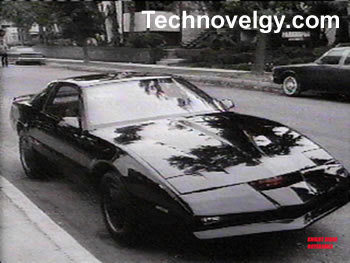
It's a trap! As has recently been discovered, KITT is a Cylon!
So, unless you particularly enjoy the thought of a genocidal car constantly messing with your mind and trying to take over your home planet, don't buy it. -
Re:I wish some of their 4/1 products were real
You're not alone. So not alone, they're actually working on making the ties. http://www.thinkgeek.com/apparel/hats-ties/9352/?
c pg=50T -
Re:8 Bit-Tie
The shirt is real, the tie is not. (Click the Add To Cart link on the tie and it goes here)
I wish the tie was real, I want one too. -
I WANT THE TIE!
-
I WANT THE TIE!
-
Availability
Did no one see this: Availability: Likely Everything from the email has availabilities like this.
-
Piranhaz with frickin' laser beams??
Piranhaz? That's an April fool.
Remember: You'll actually get Sharks with frickin' laser beams when you order those:
http://www.thinkgeek.com/stuff/41/rcbattlefish.sht ml -
Caffeine cigarette
While reading about the new Postgres engine, i decided to order a couple things from ThinkGeek
SurgeStix - Inhalable Caffeine Stix
and
Two finger volt-meter -
Caffeine cigarette
While reading about the new Postgres engine, i decided to order a couple things from ThinkGeek
SurgeStix - Inhalable Caffeine Stix
and
Two finger volt-meter -
Wireless power has been a reality.
Wireless power has been a reality for quite some time:
http://www.thinkgeek.com/stuff/41/wec.shtml -
ideas
As others have pointed out, if you can find an obsolete laptop, and just dedicate it for your 24/7 applications, that's going to be by far the most energy-efficient solution.
Get a Kill-A-Watt, so you can actually measure how much power various things are using. Until I got one, I had no idea that my computer's speakers were drawing 12 W all the time, even when the computer was shut down.
2.5" hard drives are more energy efficient than 3.5" ones. You need an adapter cable, and also an adapter to mount it in a standard desktop PC's cage. A 2.5" drive is more money for the same storage, but all hard disks are ridiculously huge for most people's needs these days.
Get an 80PLUS rated power supply. The 80PLUS thing means that not only is it efficient, but it's also made in a more ecologically friendly way, without lead, etc. I've heard a lot of conflicting claims about how you should choose the capacity of your PS compared to the power your machine uses. Some people say a switching PS is most efficient if you run it near its maximum capacity, and others say it's most efficient at 50%. I came across something on usenet recently where they actually collected data, and they found there really wasn't any clear relationship. It's dangerous to get a PS that's not rated high enough, because your machine may use an unusually large amount of power during the boot process, and it may boot unreliably if your PS isn't rated high enough.
Try to get all the ACPI power management features of your machine working. Unfortunately, that can be easier said than done. Many BIOSes default to only doing S1 sleep mode, which hardly saves you any power at all. That's because a lot of older hardware can't handle S3.
For your mobo, choose something with integrated video, rather than using a video card. If you're into gaming, this is yet another good reason why you don't want your always-on machine to be the same as your main machine you use all the time.
-
Re:Reputation does not prevent spread of viruses..
And I guess this T-shirt wraps it all up.
-
I live in Washington state and I approve
I'm not concerned about the new RFID cards. It's supposedly going to make things easier and I don't have a good reason to doubt that at this point. I have a photo on my debit card which makes my life easier because I don't have to show ID to make credit purchases. That means the only time I take out my license is to buy booze and cross the boarder. I have a better chance of my entire wallet being stolen at a bar than any of my personally identifiable information getting out through RF airwaves. Especially considering I bought this RFID Blocking Wallet a few months ago.
I say bring on the antennae! -
Already Exists:
Think geek sells the "Laser" keyboard.
Unfortunately, without tactile feedback as to the position of your fingers on the keys, it's pretty easy to get lost. You use the edges of the keys to calibrate your fingers on a moment-to-moment basis, even if you don't realize it. And the deceleration of a rubber mat is a lot more forgiving on your fingers than tapping away on a cheap particle board desktop.
So it's a good idea, but in practice it falls a little short. -
Sorry, neglected a few items.
Waterproof Bags: Make sure you have at least one waterproof bag to keep all your electronics inside within your backpack. This way, if your backpack gets soaked, since most of them are not entirely waterproof, your electronics will be safe.
GPS Trackstick: This is a nifty, tiny little device that tracks every single step you take, your altitude, speed, everything at whatever interval you choose. Decent battery life: even on the fastest recording interval setting (5 secs) you get a full days worth. It plugs right into your USB port and then the program converts the waypoints into Google Earth and overlays the paths you took on the satellite data. Works on two AAA batteries. Really fucking cool for checking out your hikes on satellite data. Needs to have line of sight (meaning as long as no metal or thickass shit's in between it and the sky it'll get signal -- so having it inside somewhere near the top of your pack is fine) You can purchase one here or alternatively there's another model here that I haven't tried but sounds more promising since they hint it doesn't have to have direct line of sight with the sky (aka can be mounted under a car).
Extra Camera Batteries: You'll need these if you have a digital camera. In some countries electricity access can be few and far between.
USB Thumb Drive: Great for storing data, documents, etc. I keep a backup scan of my passport and vital information on one in my pack secured using TrueCrypt.
Load it with portable versions of applications like Tor, Firefox, Gaim, Gimp, Open Office, and so forth. Lots of countries censor the internet and you might need a tool that allows you to get around the blocks.
Many of the computers at internet cafe's are riddled with viruses and spyware. This is why you use portable Firefox instead of the spyware riddled IE loaded by default on the machines. It may not protect you much more, but it's better than the alternative.
This bit is very important: Try and get a USB Thumbdrive that has some sort of write protection switch on it (if that exists) so that you can make sure no data can be erased from it. Make sure when you use USB card-readers or plug your digital camera into a computer to offload photos to a website or something that you SWITCH ON WRITE-PROTECT on the memory card first.
I've lost everything on my USB drive and and 2GB worth of irreplacable photos from my memory card due to virus's that erase everything on any inserted media instantly and load a self-replicating virus on in the data's place. I've since made practices like I described here a habit I never forget.
Getting burned like that hurts. Don't make the same mistake yourself. -
Re:What about
Perhaps something like this. (There are others, but this is nice and small.)
-
just hax your RFID!
[most]
get your RFID Experimentation kit now! http://www.thinkgeek.com/geektoys/science/907a/