Slashdot Mirror
Domain: gimp.org
Stories and comments across the archive that link to gimp.org.
Comments · 868
-
Re:How will this affect the industry?
The GIMP dead on Windows?!
The following was posted on the GIMP Website:
It's been a long time since we last had an active Windows-based developer. Consequently, GIMP has accumulated a plethora of bugs specific for that operating system. As much as we'd like to provide a smooth user experience for Windows users, we simply do not have the required human resources.
Hence, if you are an experienced Windows-based developer who is interested to help GIMP become a first-class citizen in the Windows world, please get in touch with us. Our main communication channels are the gimp-developer mailing list and IRC.
I received a copy of Photoshop Elements with a drawing tablet sold by Wacom for my daughter recently. It does seem to work. Perhaps Adobe is not improving it, but one does not expect Elements to do everything Photoshop does.
I think that Paint.net may have given way to PIXLR Editor for simple tweaking and enhancing.
There are a few Mac-only apps as well, but I gather you may not have a Mac, based on your statement about The GIMP.
-
Re:How will this affect the industry?
The GIMP dead on Windows?!
The following was posted on the GIMP Website:
It's been a long time since we last had an active Windows-based developer. Consequently, GIMP has accumulated a plethora of bugs specific for that operating system. As much as we'd like to provide a smooth user experience for Windows users, we simply do not have the required human resources.
Hence, if you are an experienced Windows-based developer who is interested to help GIMP become a first-class citizen in the Windows world, please get in touch with us. Our main communication channels are the gimp-developer mailing list and IRC.
I received a copy of Photoshop Elements with a drawing tablet sold by Wacom for my daughter recently. It does seem to work. Perhaps Adobe is not improving it, but one does not expect Elements to do everything Photoshop does.
I think that Paint.net may have given way to PIXLR Editor for simple tweaking and enhancing.
There are a few Mac-only apps as well, but I gather you may not have a Mac, based on your statement about The GIMP.
-
Re:The latter.
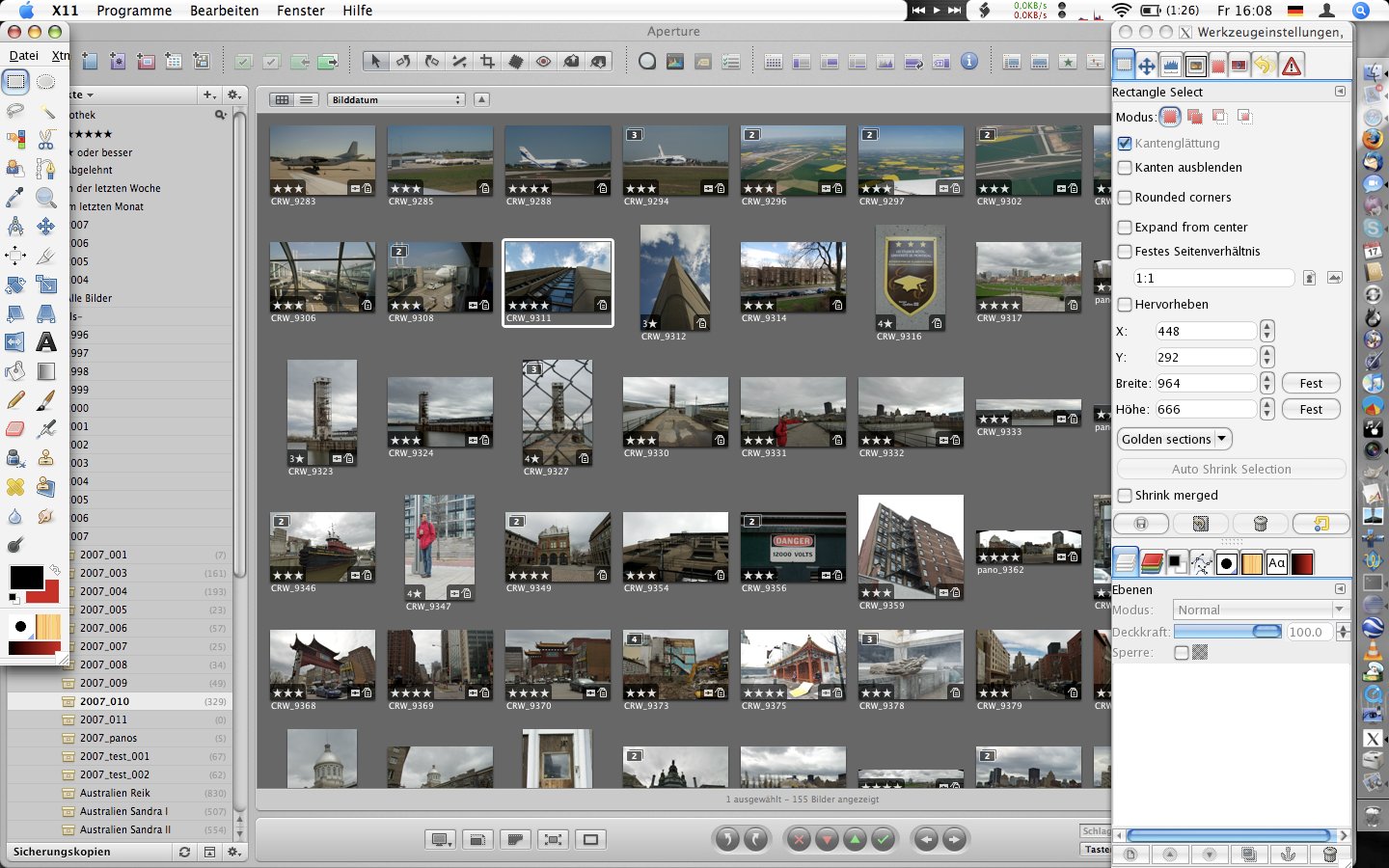
UI. Look at this mess from one of the official screenshots, no less! Those non-native menus on OS X completely kill it on Macs. Also, to very visual people (i.e. the sorts of people that would use it professionally), a lot of those widgets look like what misspelled words would to a writer. Okay, maybe you can still read it, but it hurts you inside. Looking at those all day would make me very unhappy.
-
Re:But how does it sound?
And PNG is alive and well, but I still can't figure out how to make animations in the format.
You need APNG format, not PNG. It's an "unofficial" extension to PNG, which I believe Firefox eventually wants to support. Didn't think any other browser is planning on supporting it -- Which is a big deal for "Animated Portable Network Graphics" unless you like "Best Viewed With" banners. None the less, to make animations with it I use GIMP.
P.S. I have it on good authority that PNG is pronounced like "Peeing". I guess it's a reference to the "Striesand effect"; i.e., "Removing an image from the Internet is like trying to remove pee from a pool."
-
Re:Good for them
Using that argument, GIMP should be the most popular and powerful image manipulation program out there, right?
Oh, it's not? Huh. Well then.
-
Re:Oh, this won't end well...
I wish GIMP allowed such a thing, it'd be a blast for sprite art.
It does - sort of. The supported languages are not very well-tailored to the application, but there is a Console and you can enter commands in there directly if you want.
I haven't checked if there's a 'apply pencil at x,y' - but I would imagine there is one
( I have only used it for some batch processing - specifically for a segmentation-based chromatic aberration removal process for a lens that makes the usual tools very unhappy (the equations they use just don't fit nicely). Admittedly, the lens is a piece of $20 e-bay crapI'd start with these two:
http://docs.gimp.org/en/gimp-using-script-fu-tutorial.html
http://www.gimp.org/docs/python/index.html -
Re:Oh, this won't end well...
I wish GIMP allowed such a thing, it'd be a blast for sprite art.
It does - sort of. The supported languages are not very well-tailored to the application, but there is a Console and you can enter commands in there directly if you want.
I haven't checked if there's a 'apply pencil at x,y' - but I would imagine there is one
( I have only used it for some batch processing - specifically for a segmentation-based chromatic aberration removal process for a lens that makes the usual tools very unhappy (the equations they use just don't fit nicely). Admittedly, the lens is a piece of $20 e-bay crapI'd start with these two:
http://docs.gimp.org/en/gimp-using-script-fu-tutorial.html
http://www.gimp.org/docs/python/index.html -
Re:next battle?
it won't do photoshop, the midrange photo editing apps like lightroom, development and lots of other things...
With Gimp 2.8 there isn't really a reason to use Photoshop. Now Gimp can handle high precision color with GPU acceleration and has a much improved interface. If you are too lazy to learn something better or have orders from your boss or have so much money that you need to send some to Adobe then feel free, but you don't have to.
-
Re:An example
I love Photoshop. I know it well, and can do things in it far easier than I can in GIMP, largely because of experience, but I do not have the time to invest to learn GIMP well.
If I want to make a quick button for me website, or clean up a photo, or make a nice card from my girlfriend, it is the tool I go to.
I am not well off.
Graphic design is -not- my career, therefore I really only have need to use Photoshop once a month or less.
I am not going to pay $700 or more for software that I only use 6 or 8 times a year. That equates to about $100 per project/use.
Sounds to me like you should try Paint.NET. It's my goto software for little projects like that, it's licensed Creative Commons for non-commercial use, and it boasts a very robust user base, with an abundance of plugins, tutorials and extremely helpful forums. For the casual usage you describe, I'd try it out. I've been told that the interface is very Photoshop-esque, much like a 'Photoshop Lite' (can't confirm, never used PS).
Also, the GIMP interface has improved noticeably in recent years, especially the version helpfully precompiled for Windows, but I switched over to Paint.NET when Gimp was still being a PITA, and I haven't really found any compelling reason to switch back to Gimp yet. I try it out every couple of years, to see what's new, but wind up going back to familiar ground
IMHO, Pirating should be the last resort, not just the first convenient resort. I also disagree with Adobe's extortionate pricing scheme, so I simply avoid using their products. Similarly for MS Office (Libre Office is simply da bomb). If there were no viable alternatives available to me...well, I'd still have to take a close look at 'wants' vs 'needs' before searching out a suitable
FWIW, I was the same way about the ThunderCats
-
Re:obvious....
-
Solution: The Gimp
I made the switch to the Gimp years ago. I got tired of pirating Photoshop. Then, when I switched to Linux, Photoshop doesn't run on Linux. Lo and behold, Gimp is an easy install, and I learned that. Now that I've switched to Mac (for the desktop), I still use Gimp. Ooh, and there's a new version out, and the development version handles high-bit images!
gimp.org -
The second name change
http://www.gimp.org/about/prehistory.html
1995-07-29: "a graphical image manipulation program" [yet unnamed]
1995-11-21: "The GIMP: the General Image Manipulation Program"
1996-02-15: "The GIMP v0.54 -- General Image Manipulation Program"http://www.gimp.org/about/ancient_history.html
1996-97 "A name change also occurred; The General Image Manipulation Program became the GNU Image Manipulation Program."So, there was already a name change. Please, consider one more. The second name change.
From what I have read here, Gimp is an offensive name for several reason. Go find them in the comments above...
-
The second name change
http://www.gimp.org/about/prehistory.html
1995-07-29: "a graphical image manipulation program" [yet unnamed]
1995-11-21: "The GIMP: the General Image Manipulation Program"
1996-02-15: "The GIMP v0.54 -- General Image Manipulation Program"http://www.gimp.org/about/ancient_history.html
1996-97 "A name change also occurred; The General Image Manipulation Program became the GNU Image Manipulation Program."So, there was already a name change. Please, consider one more. The second name change.
From what I have read here, Gimp is an offensive name for several reason. Go find them in the comments above...
-
Re:Here comes the complaning...
In how many more years? This morning I looked at the GIMP Roadmap, and it won't be until GMP 3.6 before it will have a rough parity with Photoshop 7 (released in 2002ish). GIMP development has been very slow to date, but if we were to assume they could do one release every 6 months, then we are talking 2.5 years before we get to that point.
In the mean time the goal posts keep getting moved forward. GEGL reached a stable release in 2006. GIMP still doesn't have support for high bit dept.
It is time we stop giving them a pass, and saying things like "now that they have supported XX, this feature can happen". It is time to hold the GIMP team to a high standard.
-
Actual release notes
Announcement: http://www.gimp.org/
Release Notes: http://www.gimp.org/release-notes/gimp-2.8.html -
Actual release notes
Announcement: http://www.gimp.org/
Release Notes: http://www.gimp.org/release-notes/gimp-2.8.html -
Re:Inadvertently...
You don't get to change my analogy before you refute it. Knowing how to drive a go-kart doesn't make you ready for a 747, now does it?
Except your analogy is broken. You're comparing Apples to Oranges; I'm comparing Apples to Apples. MS Paint and GIMP while they are respectively the Go-Kart vs F1 Racer or Cessna vs 747 respectively, they are in the same class of software. Notepad vs. GIMP would be equivalent to your analogy. Yes, you could use GIMP to edit text, but Notepad would be a better tool. Compare apples to apples, and I'll use your analogy AS-IS.
Gimp does copy/paste just fine. It looks a lot like any other copy/paste operation. Honestly, have you ever even tried Gimp?
I didn't need a manual the first time I used Gimp, and I have yet to consult one.
Yes, I've tried using GIMP for various simple tasks several times over the years. Tasks I have no problem using PhotoShop or MS Paint to do. Yet, every time from basic copy/paste operations, resizing images, or similar tasks GIMP fails in making the interface obvious on what to do; even as a programmer, I end up giving up and finding some other software (IrFanView32, MS Paint, etc.) to do the job and get it done quickly. I don't want to be spending hours learning a piece of software to do some simple task that I am only going to do once in a blue moon, and when I do do that task, need it done quickly so I can go on to other things.
Once GIMP can pass that kind of test, then I'll spend time learning the other features. I'd honestly rather use GIMP than PhotoShop. I'd like to be able to promote the use of GIMP over PhotoShop, but have yet to find it pass muster. The learning curve for basic operations is too high to promote it.
Yes, I keep GIMP installed on my Linux PCs just to be able to try it out every now and again. I use to install it on Windows PCs I would use too for the same reason. I do tell people about it; but I have yet to run across anyone that actually uses GIMP - even in the many FLOSS meetings I attend. Everyone admits GIMP has a very steep learning curve. And as evidenced from the GIMP FAQ (e.g. http://www.gimp.org/docs/userfaq.html#Lost) they developers don't seem to care - and FYI, PhotoShop doesn't have those kinds of issues; you don't need a book to tell you how to do basic things. -
Re:We should have ask this instead ...
For crying out loud, the GIMP authors still refuse users the basic 16-bit per channel support !!
No they don't.
http://www.gimp.org/docs/userfaq.html#16bit
When can we see 16-bit per channel support (or better)?
For some industries, especially photography, 24-bit colour depths (8 bits per channel) are a real barrier to entry. Once again, it's GEGL to the rescue. Work on integrating GEGL into GIMP began after 2.4 was released, and will span across several stable releases. This work will be completed in GIMP 3.0, which will have full support for high bit depths.There's also the UFRaw plugin for 16 bit image processing. http://ufraw.sourceforge.net/
-
Re:Piracy: Free Advertising
gimp has "Script-Fu" for macros (if you can't find or write your own plugin). experts who require a specific functionality would probably prefer a plugin to macros anyway (you can do macros by recording in MS Office apps too, but who actually uses it for anything expect getting the VBA code for the specific function they really want?). recording macros is about as noob as it gets.
http://docs.gimp.org/en/gimp-scripting.html -
Thank you!
I use GIMP daily. I like this program very much (by the way, the multiple widows do not bother me at all). I would like to thank the authors of this great program: Spencer Kimball Peter Mattis Michael Natterer (maintainer) Sven Neumann (maintainer)
-
Thank you!
I use GIMP daily. I like this program very much (by the way, the multiple widows do not bother me at all). I would like to thank the authors of this great program: Spencer Kimball Peter Mattis Michael Natterer (maintainer) Sven Neumann (maintainer)
-
Re:Open source names
how you can name a free 'clone' of photoshop after what Wikipedia calls "a type of sexual submissive in BDSM who may wear a bondage suit" and expect to be taken seriously
No, I think GIMP is still one of the stupidest of these naming blunders.
from http://www.gimp.org/about/ancient_history.html
GIMP had a lot of neat stuff attached to its first public release, version 0.54 (January 1996). It had an undo feature the likes of which was not found in any known image manipulation program. It had rather frequent crashes, that could be caused by plug-ins or problems in the main code. And GIMP had people making absurd claims that it was already more stable than Photoshop.
They didn't announce grandiose plans for vaporware - Spencer and Peter delivered a product that did something. It was not perfect, but it was an amazing feat for two college programmers without any outside influence.
In one corner....we have two people with a program still being maintained 15 years later...
and the challengers...two people sitting around complaining, wondering why nobody takes them seriously.
My personal belief is they call it the GIMP in reference to you two, and it is quite apt. What do you think?
-
GIMP Road Map
You might be interested in this:
http://wiki.gimp.org/index.php/Roadmap -
Re:Unified Transform Tool? nope.
Nope - a unified transform tool is slated for The GIMP 3.8.
http://wiki.gimp.org/index.php/GIMP_RoadmapBut at least we get "Merge the cage transform tool from GSoC" in this release.
So now an arbitrary vector shape can be deformed and its containing pixels will deform naturally with it.But we'll have to wait for version 3.8 before we can do rotation, translation and scaling in the same operation.
Priorities - The GIMP team has them.
Yeah, because it makes so much sense not to use some code some friendly person has written for you, and which does something which was impossible up to now, just because some other, unrelated feature which would give more convenience for doing things already possible now isn't finished yet.
-
Unified Transform Tool? nope.
Nope - a unified transform tool is slated for The GIMP 3.8.
http://wiki.gimp.org/index.php/GIMP_RoadmapBut at least we get "Merge the cage transform tool from GSoC" in this release.
So now an arbitrary vector shape can be deformed and its containing pixels will deform naturally with it.But we'll have to wait for version 3.8 before we can do rotation, translation and scaling in the same operation.
Priorities - The GIMP team has them.
-
Re:Performance
Visio -> dia
SharePoint -> no solution
MS Office -> open office
Photoshop -> gimp
anything AutoDesk -> Maya?
any and all proprietary CRM/ERM/etc -> Salesforce
Any and all medical systems, equipment, etc. -> nobody is getting near me with a medical machine running Windows that can kill meObviously, not every single Windows application has been replaced by Open Source, but many have and the trend is accelerating. Gimp in particular is an interesting question. I don't use anything else, and as far as I can see, the only reason anybody uses Photoshop now is interface preference. At a cost of several hundred dollars a seat, I will adapt my interface preference, thankyou. If worst comes to worst and I just can't stand it then I will whine to the Gimp developers. Believe it or not, they notice and are acting on the feedback. That is enough for me, until the shiny new one arrives I will just suck it up and enjoy Gimp's legendary quality and feature set.
Sharepoint is something I hear about as being wonderful, mostly from ex-Microsoft employees, but I have never seen anybody actually using it. I am sure they exist, I just haven't seen one. I don't even known what Sharepoint does or why I should want to clone it. Feel free to enlighten me.
-
Re:Regardless
Probably should learn to walk before running, in this case maybe The GIMP would be a better starting point.
You evil bastard.
-
Re:HTML and Javascript?
As a GTK developer, I have to say I don't get your lack of love for it! I've found GTK to be a useful, powerful, cross-platform toolkit with excellent image manipulation capabilities. (And it should, it's what GIMP was written with!)
Other than your silly Yoda reference, you give no reason: why the hate?
I might agree that for many projects, QT would be better, but even it has well-known bugs and documentation limitations on various platforms! The truth is that Win/Mac/Lin are all separate platforms with different primitives, strengths and weaknesses. QT tries to shove all that under the rug and pretend they are all the same and hide all that from the programmer by gluing events to O/S specific primitives, making it easy to get things going but making it harder to get things to work consistently across platforms. GTK, on the other hand, ignores the differences between platforms and implements its own primitives, so it looks "a bit wrong" on every platform except Linux. (where, it could be said, everything looks "a bit wrong")
Personally, I prefer the "it looks the same on all platforms" approach where, although my Macintosh version doesn't look like other Macintosh programs, it does look like the screenshots in our training manual, which were taken on Windows.
-
Re:Regardless
Probably should learn to walk before running, in this case maybe The GIMP would be a better starting point.
-
Re:Don't do it
Agreed. If you're working with Photoshop and Lightroom, you'll definitely be frustrated. CPU and mem usage may not suffer (although you better have a lot of RAM, I pushed my machine to 4.5GB actual mem usage recently doing an HDR w/PS and LR), but graphics will. Having an actual dedicated card that meets aero glass requirements is a must, and as far as I know, no VM host can do that. You'd get better performance via Wine.
Or you could always switch to the Gimp and Rawstudio and/or RawTherapee under Linux... -
Re:That is fucking awesome!
16-bit and 32-bit color? Oh wait...it can't?
CinePaint (aka. FilmGimp) most certainly DOES support 16 / 32-bit, and full color managed workflow. As for adjustment layers, there is some Script-fu to give you most of this:
http://the-gimp.deviantart.com/art/Adjustment-Layers-1473128
and
http://registry.gimp.org/node/20340Apparently, not enough people really cared, otherwise there'd be more contributions and improvements from others.
Additionally, Krita (http://www.koffice.org/krita/) also supports 16 / 32 bit, adjustment layers and full color managed workflow.
-
Re:Name
"Why not just grab a copy of The GNU Image Processor from the web to get the intern working on some of these images you want?"
Better yet, why not refer to it's correct name: The GNU Image Manipulation Program.
About GIMP Introduction to GIMP
GIMP is an acronym for GNU Image Manipulation Program. It is a freely distributed program for such tasks as photo retouching, image composition and image authoring.
It has many capabilities. It can be used as a simple paint program, an expert quality photo retouching program, an online batch processing system, a mass production image renderer, an image format converter, etc.
GIMP is expandable and extensible. It is designed to be augmented with plug-ins and extensions to do just about anything. The advanced scripting interface allows everything from the simplest task to the most complex image manipulation procedures to be easily scripted.
GIMP is written and developed under X11 on UNIX platforms. But basically the same code also runs on MS Windows and Mac OS X.From the GIMP website: http://www.gimp.org/about/introduction.html
-
Re:Adjustment layers
care to explain what an "adjustment layer" does? maybe gimp does have it, but it takes 4 steps instead of 2.
Hmm after a bit of looking around for what one is, it seems that all the feature does, is makes a new layer from the visible below layers, applies an effect, and then shows that layer to you. It is somewhat doable in GIMP.
1) Show only the layers you want to effect.
2) New layer from visible
3) apply effect to layer
4) Turn on above/all layers.This could be more polished that it is in GIMP, but the basic functionality seems to be there. Have you added it, with a good description of what you want it to do, see http://www.gimp.org/docs/userfaq.html#Requests .
-
Re:Bitching about gimp
-
Re:For a day?
The version of The GIMP I have on my Ubuntu laptop (2.6.8) is remarkably like older versions of Photoshop in its interface, so it's hard to call out The GIMP on its interface anymore. It's vastly improved over even a couple of years ago. Anyone with a modicum of Photoshop experience can make that transition very easily.
Scribus, on the other hand
Of course, CCI and Harris/MediaSpan's JazBox and NewsEditPro products (front end for InDesign and Quark) have database-based advertising- and copy-management systems built in to make things easier on the staff. They frequently suck hard, but at least they're there. A straight-ahead free-software solution isn't going to have that, especially since there's no way in hell JRC would hire anybody to design that software.
And let's not pretend this is some high-and-mighty moral and/or ethical effort by a newspaper corporation. JRC is considered the worst newspaper to work for. Its corporate philosophy is to squeeze a penny until it bleeds, then waterboard the penny to see if there's anything left in it.
-
Re:Could be useful as well as interesting
Well, that's an oft-heard complaint with any open source project, of course.. especially the free-as-in-beer ones; "You have the code, YOU make the changes if you think they're so important!" - completely ignoring that the user may not exactly be a programmer.
Even if you then say "enough of this" and pay somebody to make those changes for you (which your father could possibly do - perhaps get together with other people who also think it's a good idea and pool together the money), the odds of getting those changes included in the official distribution may be slim; meaning that for every update to the main version, the custom code may need review to make sure it still works when re-compiled. Before somebody suggests forking.. no, not everybody has the stamina to fork the project and eventually stage a coup or, by sheer popularity, have the main project integrate the changes after all. I rather suspect that parent poster's father wouldn't be interested in such a thing either.On the other hand, I guess us end-users to have to keep in mind as well that the project's programmers aren't exactly on our payroll to do our bidding. Between my wishes for The GIMP and those of thousands of others, I'm pretty sure they have little incentive to focus specifically on mine when they already lay out active development plans.
This is really not that much different from closed source counterparts. If I ask Adobe to -please- let me just change the positioning of an image within a print page layout -despite- the fact that "center" is checked (and automatically unchecking that option if I indeed change that positioning)... the odds of Adobe making it so on a minor interim release are slim to none.
In your father's specific case, though.. did he happen to publish these pages online somewhere? If nothing else, he might find like-minded end-users who can, together, have more sway.
On a similar note.. time to link to this one again as the subdomain is back up (who knows for how long):
http://gui.gimp.org/index.php/Transformation_tool_specification -
Re:Moot point
This is true, but they're in the process of integrating 16-bit per channel support. Note that this is per channel, so even 8-bit per channel is what you'd normally think of as 24-bit colour.
-
Re:I'm sure...
Well quick googling reveals that they have own IRC channels. So one can always try to find people to talk about it. Usual mail lists are available too.
There is no indication within GIMP that plugins to do interesting things might be found.
Even me, DTP illiterate, found it in under 1 minute.
-
Re:I'm sure...
Well quick googling reveals that they have own IRC channels. So one can always try to find people to talk about it. Usual mail lists are available too.
There is no indication within GIMP that plugins to do interesting things might be found.
Even me, DTP illiterate, found it in under 1 minute.
-
Re:I'm sure...
Well quick googling reveals that they have own IRC channels. So one can always try to find people to talk about it. Usual mail lists are available too.
There is no indication within GIMP that plugins to do interesting things might be found.
Even me, DTP illiterate, found it in under 1 minute.
-
Re:Interesting scenario
Now that Apple has had some success outside of their previously small, niche market, they seem to be taking a big crap on one of their largest supporters. It is an interesting example of power dynamics in the real world. Apple apparently doesn't lend much weight to their long term relationship, or what Adobe has done for them in the past. It seems to be all about Apple saying, "What have you done for me lately?"
It's because Adobe really hasn't done much for Apple lately. I might be out of the loop because I use gimp for mac full time now, but as far as I know Adobe never actually ported Photoshop to become a cocoa app. This is another bad problem: no 64 bit for macs, only windows. And that's been the Mac user's cross to bear for a long time now, companies like Adobe (or Bungie) that used to focus on the mac platform have made the calculation that when one OS manufacturer owns 90% of the market (MS), even if all of the remaining people buy their products, it's still only 10% of the total base and more sales could be had by focusing on the monopoly OS. In the past Apple had to bend over and take it. Now they don't. As a guy who started using macs in 1997, all I have to say is: Revenge is sweet. I hate flash anyway, slow as molasses.
-
Re:Hilarity
GIMP
-
The horrible, horrible UI
Personally I like the GIMP interface and I don't see what's so horrible about it
How about this: Straight Line Tutorial.
Now consider that for a moment. A tutorial for drawing lines? This is a graphics software purportedly meant for image manipulation, yet the developers haven't created a simple Line icon.
I rest my case.
-
Re:Gushing, ignoring the important issues
-
Re:Gimp Resynth
I was curious about this, so I gave it a shot. Turns out it doesn't work by default in the windows version, it always samples the top left part of the screen.
Was a real disappointment so I searched around a bit and found someone made a fix for the script:
http://registry.gimp.org/node/15118This solves that issue so it works great! Had a fun time editing people out of photos and such.
-
Re:Photo Editor, not Image Editor
What's the difference between a photo editor and an image editor?
Image editor is an application designed for manipulation of 2D bitmap raster image data, usually using a set of very complex, powerful and effective functions such as drawing tools, filters, layering and channel operations.
Photo editor is a piece of shit sold to gullible customers, "allowing" them to "manage" and "archive" all of their "digital photos" and sometimes even perform a limited set of "operations" on them, making the whole process "fun".
So, the only real difference is the feature set, the primary activities you do with the programs, and the feature set. Hope this clear things up. =)
-
Re:It's already been discussed on Slashdot
They summary already names a fix for Gimp (GEGL), but the posters only seem interested in whining instead of RTFS. Sigh.
I just selected "Use GEGL" from the "colours" menu in gimp, downscaled an RGB black&White chequerboard and got a uniform, and incorrect, grey of 128.
I dug a bit deeper and, if you read the Gimp help, it tells you that it's not working.
-
Re:Final cut pro == sad
Lets not forget things like Big Buck Bunny (http://www.bigbuckbunny.org/) the whole video was made with FOSS tools. Hell, here's the list of every program/software they used:
Blender http://www.blender.org/
GIMP http://www.gimp.org/
Python http://www.python.org/
Inkscape http://www.inkscape.org/
SVN http://subversion.tigris.org/ (I think thats the right link)
Ubunutu http://www.ubuntu.com/
-
Re:Smartest workflow move ....ever!According to that review, you had to type the text in a separate window, THEN place it. If he's wrong you had better write him and tell him. Apparently the idiots over at "gimp.org" have made mistakenly stated the same thing:
The Text tool places text into an image. When you click on an image with this tool the Text Editor dialog is opened where you can type your text, and a text layer is added in the Layer Dialog. In the Text Option dialog, you can change the font, color and size of your text, and justify it, interactively.
Better set them straight too.
-
Re:"... Two Steps Back"
I 100% agree with you. Dumping "Intelligent Save" is not smart but it seems that they're doing it.