Slashdot Mirror
Domain: rwth-aachen.de
Stories and comments across the archive that link to rwth-aachen.de.
Comments · 107
-
Recyling titanium
While this sounds almost sensible it also kinda sounds like complete hogwash.
Definitely not hogwash. There are issues of alloy contamination from the cutting tools, oxygen contamination, carbon contamination, and some others. Not necessarily insurmountable problems but not trivial ones either.
-
Re:Probably not native binaries on ARM
So instead of WINE the environment emulator, the article is talking about WINE's less talked about feature, WinAPI emulation via a shared library (not unlike nt2unix, windu or Willows Twin).
I've actually used products like this before. It isn't much different than using libC instead of the native OS API. It makes porting from Windows to Unix so much easier. The only performance cost is the thunk to the emulated API. But if you want to port your Windows app to a big iron server (POWER or Sparc), it is the way to go.
-
More info: Battery Leasing not included in $7k est
http://www.rwth-aachen.de/go/id/bhsj/
$7k price "envisaged". Hmm.... is that translation or are they simply hoping and guessing rather than have an idea of the actual price... battery leasing not included??
-
Re:... in lots of official mirrors
Some (not all) direct Links
North America
http://mirror3.mirrors.tds.net/pub/mozilla.org/firefox/releases/4.0b9/Europe Mirrors
http://ftp.halifax.rwth-aachen.de/mozilla/firefox/releases/4.0b9/
http://napoleon.acc.umu.se/pub/mozilla.org/firefox/releases/4.0b9/
http://mirror.informatik.uni-mannheim.de/pub/mirrors/mozilla.org/firefox/releases/4.0b9/
http://www.mirrorservice.org/sites/releases.mozilla.org/pub/mozilla.org/firefox/releases/4.0b9/Asia
http://jp-nii01.mozilla.org/pub/mozilla.org/firefox/releases/4.0b9/Japan Mirrors
http://ftp.jaist.ac.jp/pub/mozilla.org/firefox/releases/4.0b9/
http://kyoto-mz-dl.sinet.ad.jp/pub/mozilla.org/firefox/releases/4.0b9/Mid East Mirrors
http://mozilla.saudi.net.sa/firefox/releases/4.0b9/
http://mirrors.isu.net.sa/pub/mozilla.org/firefox/releases/4.0b9/South America
http://mozilla.c3sl.ufpr.br/releases/firefox/releases/4.0b9/Belarus
http://ftp.byfly.by/pub/mozilla.org/firefox/releases/4.0b9/ -
Re:That was rather pretty
-
Re:Old news
That doesn't make it old news. Can you provide evidence the principle has previously been articulated?
I'm not the original AC, but here is a link to a set of slides from the Technical University of Aachen (Germany), dated June 10th, 2002:
http://www.or.rwth-aachen.de/~fora/Veranstaltungen/Symposium/2002/VortragHermanns02.pdf
It's in German, but look at page 5. The pictures speak for themselves. Above the right picture is written:
"Improvement: place a column in front of the exit."
The talk was given apparently by a guy from this company:
http://www.gts-systems.de/index.php?lang=english -
Something like that is already in use
The network operations center at the RWTH-Aachen university in Germany automatically warns users when an infection of their computer is detected and after a short while, if the user does not remove the infection, takes the computer offline. They call the system "Blast-o-Mat", which hints at the cause of its inception. You can see the statistics here: http://www1.rz.rwth-aachen.de/kommunikation/betrieb/auto/status/blast-o-mat.php
-
Re:And I though . . .
Way back in 1997 :
-
Top ten list by HCI prof
Here's a list my former professor compiled:
1. Alan Dix, Janet Finlay, Gregory D. Abowd, and Russell Beale: Human-Computer Interaction
2. Ben Shneiderman and Catherine Plaisant: Designing The User Interface
3. Donald A. Norman, The Design Of Everyday Things
4. Jenny Preece, Yvonne Rogers, and Helen Sharp: Interaction Design
5. Jef Raskin, The Humane Interface
6. Terry Winograd (ed.): Bringing Design to Software
7. Brenda Laurel (ed.): The Art of Human-Computer Interaction
8. Apple Computer: The Apple Software Design Guidelines
http://media.informatik.rwth-aachen.de/HCIBooks
Keep in mind that testing your UI on real users is very important. Just because you think it's a good UI doesn't make it a good UI. -
Puck mouse
It may look much slicker, but Apple still could have learned from a similar design failure from a few years earlier. The old VAXstation 3100s used a round mouse, and everyone hated the fucking things. As with the Puck mouse, you couldn't easily tell by feel how it was oriented, and with three buttons instead of one it wasn't difficult to accidentally use the wrong one.
At least Apple avoided the other problem with them. The VAXstation mice didn't use a ball, but a pair of cylinders mounted so as to engage the surface at right angles to each other. When you were using it at the edge of the mousepad, one of they cylinders would invariably go past the edge so that the cursor would stop moving in one direction.
-
Re:Big red switch
For some reason, your comment reminds me of the power switch on some IBM PS/2 models.
In several of the early models, e.g. the Model 55sx... well, take a look at the photo of the interior. You'll notice that the power switch is in the front of the machine, but the power supply is in the back. And on the inside of the case, there is an additional power button on the power supply. Toggling the front switch moves a lever which then punches the power switch on the power supply.
The PS/2 series had some lovely interior design, but that bit was a head-scratcher for me. -
Re:Open is goood!
I own a HTC mobile phone/PDA running Windows Mobile 5 and I am using this program http://www-users.rwth-aachen.de/Dominik.Klein/index.html to learn Kanji. Nothing fancy but works great and it's free...
-
Re:Prepare for boardin' by the MPAA!
Arr, where isOliver Wendell Jones and his swashbuckling Banana PC when ye need them!
That's Banana Junior, matey. Didn't even need the full-on Banana to get the job done. Here's a glimpse at the wonder that is the Banana Junior. -
Re:Bizarro Slashdot
I've hit Wikipedia to learn that it's a comic strip about a penguin. Is this strip popular amongst nerds?
Well yes, at least among grey-beard nerds who remember the predecessor Bloom County comic strip taking sides on pre-internet, pre-Linux Mac/PC fanboy wars. Take a close look at the design of Oliver's PC, the Banana Junior.
-
Re:Apple isn't appealing to Corporations
For two-finger scrolling on older Apple laptops, you might want to check out iScroll2: http://www-users.kawo2.rwth-aachen.de/~razzfazz/
-
Sign Language Recognition
Hi,
The guys at RWTH Aachen University also work with sign language but their approach seems to be somewhat superior as they directly tackle recognition of sign language. -
Re:One button mixed message
iBooks for awhile now (memory says since late 2004, I could be off) have had trackpads that supported scrolling. Using iScroll 2, you can enable the two-fingered-right-click, along with good customization of the scrolling.
-
no big deal
I'm working at a university in Germany and we already have a small Windows cluster. However, this is more for research purposes, e.g. to answer questions like "now let's see how this would run on the Windows machine...". The clusters have AMD Opteron or SUN UltraSPARC processors. Check these links out:
http://www.rz.rwth-aachen.de/computing/events/200
6 /winhpc/index.php (German)
http://www.rz.rwth-aachen.de/computing/hpc/index_e .php (Egnlish and Gernam)At a recent workshop the Microsoft guy explicitly said that they know that they don't have the best product on the market and that they are not really trying to compete with the UNIX/Linux systems. They just want to be present in this computing field as well. In the scientific comunity there are people that would use Windows machines as well, simply because they (we) don't care. All that scientists need is the results of our calculations. Our desktops run various operating systems, according to each person's taste. But in the end we all give the guys at the Computing Centre thousands of lines of serial Fortran or C code that they have to parallelize (OpenMP and MPI) and then run. We can also use a cluster remotely, but in this case it doesn't matter which OS you are running. Depending on a person's field of geekness (e.g. chemistry vs. computers), one can either love a command line interface (because one gets to use his/her brain), or hate it (because it takes the focus off the chemistry). Nevertheless, we all know that when one has some serious programming to do, the UNIX systems really rock because of all the cool tools that are available (especially for optimizing and paralellizing code).
By the way, when the article talks about expence, it meens the expense of the hardware, that has been really expensive until now. The cost of the OS, of course, would add to that though.
-
no big deal
I'm working at a university in Germany and we already have a small Windows cluster. However, this is more for research purposes, e.g. to answer questions like "now let's see how this would run on the Windows machine...". The clusters have AMD Opteron or SUN UltraSPARC processors. Check these links out:
http://www.rz.rwth-aachen.de/computing/events/200
6 /winhpc/index.php (German)
http://www.rz.rwth-aachen.de/computing/hpc/index_e .php (Egnlish and Gernam)At a recent workshop the Microsoft guy explicitly said that they know that they don't have the best product on the market and that they are not really trying to compete with the UNIX/Linux systems. They just want to be present in this computing field as well. In the scientific comunity there are people that would use Windows machines as well, simply because they (we) don't care. All that scientists need is the results of our calculations. Our desktops run various operating systems, according to each person's taste. But in the end we all give the guys at the Computing Centre thousands of lines of serial Fortran or C code that they have to parallelize (OpenMP and MPI) and then run. We can also use a cluster remotely, but in this case it doesn't matter which OS you are running. Depending on a person's field of geekness (e.g. chemistry vs. computers), one can either love a command line interface (because one gets to use his/her brain), or hate it (because it takes the focus off the chemistry). Nevertheless, we all know that when one has some serious programming to do, the UNIX systems really rock because of all the cool tools that are available (especially for optimizing and paralellizing code).
By the way, when the article talks about expence, it meens the expense of the hardware, that has been really expensive until now. The cost of the OS, of course, would add to that though.
-
Re:DesktopBSD
"NetBSD will you a run for your money with that statement: http://www.netbsd.org/Ports/ "
NetBSD doesn't run on things like this http://handhelds.org/moin/moin.cgi/DellAximX50 It probably could be made to, but it doesnt. And gems such as this http://openwrt.org/ It might list the CPU on your page, but it just doesn't support the pieces of hardware I listed. Oh, and while I was looking around on that page on www.netbsd.org, the site went down, no more responses from the webserver. I'm serious, I could ping the site, but got no webpages from it, just that site others worked fine (and netcraft's 'refresh now' returned "We could not get any results for your selected site."). How about that as an example of reliability?
If BSD is so greatly designed, then why all the forks? Why isn't there a single BSD that is good at everything? Free/Net/Open... Needing so many forks is just a show of bad design. BSD is better engineered than Linux my butt.
"as an aside I'll also note that among NetBSD's ports, there's the International Space Station."
Running an OS on a PC104 stack is not a port, it's just a (embedded) PC version. There is no PC104 or PC104+ SBC out there that doesn't run Linux.
But wanna boast about being in space? Your link says the NetBSD is to be launched in 2000... Debian Linux was on the STS-83 space shuttle mission back in April 1997.
http://linux.org.mt/article/space and http://www.faho.rwth-aachen.de/~matthi/linux/Linux InSpace.html
And this http://www.sheflug.co.uk/featuresoft.htm Linux flew a testflight on STS-80, and is intended to be used for something mission-critical as docking, not just gravity measurements. (http://www.linux-magazine.com/issue/12/Linux_on_t he_International_Space_Station.pdf)
NASA didn't do projects like http://flightlinux.gsfc.nasa.gov/ this just for fun... NASA chose Linux not BSD for Beowulf back in 1994 for a reason.
"Are you taking this fact to mean that Linux wasn't originally developed for the PC?"
I'm taking point with the statement that Linux was made by lowly 'PC hackers' while the BSD pedigree is made by the great 'Unix hackers'.
It's an example of the baseless elitist environment of BSD that shuns away so many.
BSD would get a lot more acceptance if the fans and developers would come from cloud nine back down to earth.
http://www.worldwidewords.org/qa/qa-clo1.htm -
Re:solution:
I always wanted a Banana Junior 6000 computer!!!
-
Re:MacBook Pro
Here's the link to allow two-finger trackpad scrolling on older PowerBooks and iBooks:
http://www-users.kawo2.rwth-aachen.de/~razzfazz/is croll2/ -
No, but...You can get right click functionality by placing two fingers on the trackpad and then pushing the button.
Or at least this works if you are using iScroll. I don't know if the usual scrolling trackpad prefs have this option or not.
-
A history of odd computers
I never managed to own any of the common machines, until I got a PC. I think it has had a serious impact on my personality...
1. Philips G7000 (Magnavox)
This was actually a game console, but it had a (horrible) membrane keyboard, and there was a programming cartridge! Some variant of Intel 8048 assembler was my first attempt at programming. It didn't go so well, I was nine.
http://www.sothius.com/hypertxt/welcome.html?g7000 .html
2. ZX81
My first "real" computer. 1KB of memory. I had no tape recorder, so if I wanted to run a program, I had to type it in first... Programming Sinclair computers was odd, since you every command was printed on a button, and pressing that one button entered the whole command.
http://www.honneamise.u-net.com/zx81/
3. TI 99/4A
Okay, if you're American, this is not a very odd home computer. But here in Europe it was rare. Everyone had a Commodore 64 or a Sinclair Spectrum. Except me. I got beat up a lot by the other nerds for that. Well, they can blow themselves, my computer was 16 bit! (It was the first 16b personal computer.) Coming from the ZX81, I was blown away by its awesome color graphics (16 colors!) and huge memory (16KB). With the Extended Basic cartridge, sprites and sound could be programmed using high-level Basic commands, which rocked.
http://en.wikipedia.org/wiki/TI-99/4A
4. Commodore plus/4
Again I manage to find the odd duck. The +4 was big brother to the Commodore 16, and descendant of the C64. "Plus/4" referred to four built-in office applications. They of course sucked frozen goats through a straw. What was really cool though was that it had a built-in machine code monitor with a mini-assembler/disassembler. I actually learned some 6510 assembler this time around. And I knew I had entered the Space Age when I saw the +4's 128 colors(!!). It also had a better Basic than the C64, you could program graphics using what we called "Logo" commands, or "turtle graphics," basically vector drawing commands.
http://www.myoldcomputers.com/museum/comp/plus4.ht m
5. Ericsson PC
My first PC was an Ericsson 286 with a 9-pin printer in matching color. Since then I have owned and built countless PCs.
6. DECpc AXP/150
I still have the Jensen with some old Red Hat version on it. This was the first Alpha PC, and it was 64 bit even back then. Pretty cool stuff.
http://john.ccac.rwth-aachen.de:8000/alf/axp150/
7. Tandem Integrity s/2
This is the undisputed king of the computers I have owned. It cost around $250,000 when it was new in '91. Yes, that's two hundred and fifty thousand dollars. It consisted of a system cabinet and a disk cabinet (you could add up to four) with 6 1GB SCSI-2 disks. Every piece of hardware in it was doubled (except the CPU board which was tripled, one running checksums on the other two), including the fans and built-in battery backup. It was completely modular and every module could be changed while the machine was running (including CPU modules). It had a console with "smooth scrolling." It ran Tandem's Nonstop UX. It ran for four years without reboot before I got it from an insurance company. What can I tell you? It's cooler than any computer you've had.
http://www.speed-pac.com/i_shook/comp.jpg -
more similarities betweeb Apple and Sun
- Both companies were at one time the main producer of Unix workstations (Sun during the 90s, Apple today)
- OpenStep was the result of a collaboration of NeXT and Sun to create an object oriented API based on NeXTSTEP. It ran on NeXTs Mach/BSD OS and Solaris. After the NeXT takeover by Apple in 1996 OpenStep became what today is known as MacOS X, still running on Mach/BSD.
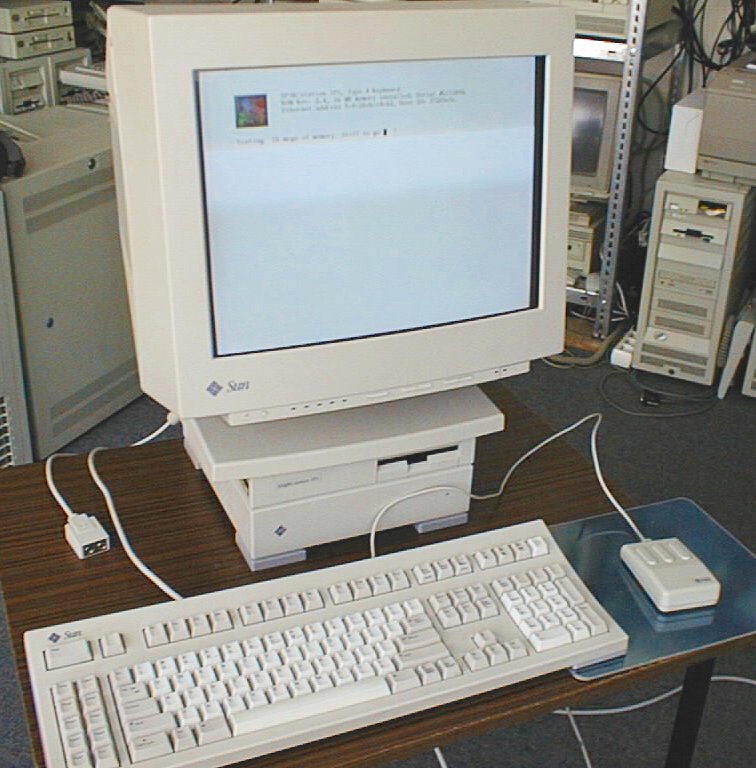
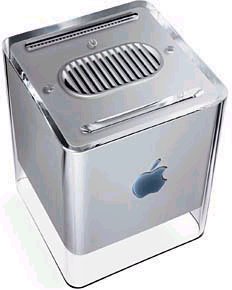
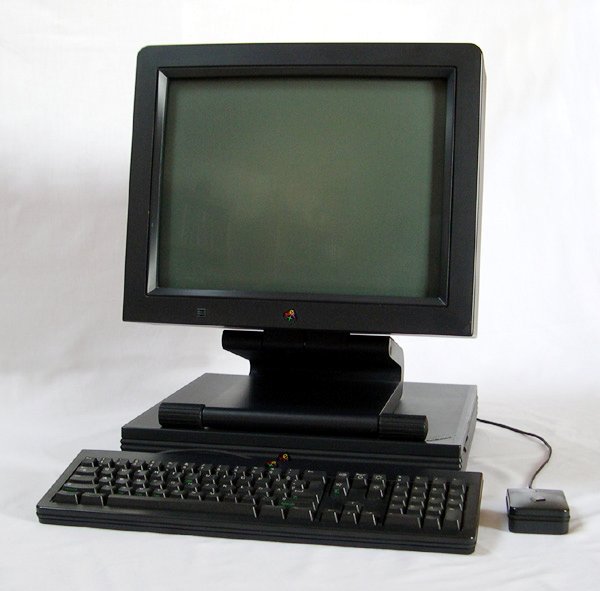
- Styling: Sun and Apple (and NeXT) released workstations in (almost) cubic (Sparcstation IPX, G4 Cube, NeXT Cube) and pizza box format (Sparcstation 20, Mac LC, NeXTstation)
- Their Unix based operating systems are open source
- Both are strong supporters of Java
- Both are based in California
- Both were founded in the context of Stanford university
- Both tried (and failed) to grab a larger peace of the desktop market
- Both were early integrators of network technology into their computers
- Both have been declared dead several times
- Both produced some of the first application servers (WebObjects, J2EE)
Chriss
--
memomo.net - brush up your German, French, Spanish or Italian - online and free -
Banana 9000 et al.
Am I the only one reminded of the Banana product line? Not that I want to make any comparisons...
http://www-i5.informatik.rwth-aachen.de/mbp/bloom/ -
Re:I Broke Safari's ACID2 Support
That's what surprised me. A friend with the iScroll2 driver installed for his touchpad wasn't able to scroll. Also, if you note, the scroll bar isn't shown.
Unfortunately (as you know) there are no other ACID2 compliant browsers to test against. -
you mean bananas?
-
iScroll2
Thanks for the link to iScroll2; I didn't know that my PowerBook trackpad was capable of two-finger scrolling. It doesn't work for all G4's, however; I tried in on a G4 Titanium PB and it reported that the trackpad was not compatible.
-
Re:PowerBook!?
he/she/it's prolly using iScroll2. I use it also, however it may not work with your powerbook, as you need specific touchpad modules to allow the driver to work. They show you how to check on the site.
-
Re:Finally
You can do something similar on the Powerbook/iBook with iScroll2. It can't detect which finger is on the touchpad (can't think how that'd be done) but if you tap with one finger already on the pad then it takes it as a right-click. Linky:
http://www-users.kawo2.rwth-aachen.de/~razzfazz/is croll2/
Even works on the "older" iBooks and Powerbooks that theoretically don't support the two finger scrolling... turns out it works just fine and Apple just enable some firmware switch on the new models which this hack does regardless. -
Re:You don't get it do you?
I know this is off-topic, but it may help you out a bit. A third-party developer was able to implement something very similar to Apple's two-finger scrolling on older PowerBook and iBook machines called iScroll2. It works on all the G4s, and I believe some machines older than that. Anyway, it works extremely well and is a good stopgap until its time to upgrade that PowerBook.
That is, of course, if you have a Power/iBook... you never really say.
iScroll2 -
Re:PowerBook!?They already have one.
-
Re:Extra mouse button!
iScroll2 adds two-finger scrolling capability to pre-2005 PowerBooks and G4 iBooks (I'm using it since its first release on my 12'' 1.33ghz PB).
Basically it is an alternative trackpad driver that allows you to scroll by using two fingers instead of one on the trackpad (one next to each other), either horizontally or vertically (I disabled the horizontal feature). It even enables a third 'circular' scrolling mode by emulating the iPod's wheel movement.
The neat thing is that, if you click the trackpad button while keeping both fingers on the trackpad itself, you get... RIGHT BUTTON CLICK!! So no need for two-buttons trackpad anymore, and no more trolling about the lack of a second button option.
Ever since I used this (free, open source) piece of software I've never used my mouse anymore.
(posting anonymously since I've already moderated in this thread) -
Re:Two Button Mouse
Depending on what type of laptop you have (if it's an Apple) you can scroll with the trackpad using two fingers. It's a nice feature. All 2005 PowerBooks ship with this feature as well.
-
Re:Huh?!?ASIDE: Market-share is up for some debate. Most put OS X at 3-4% tops & have Linux and OS X with comparable percentages (and Linux growing faster than OS X).
Your point regarding Win32 being the top dog is true, however that SHOULDN'T translate to the percentage of innovative and/or quality software. It isn't just the raw numbers; a higher percentage of windows apps seem to suck & I think that is due to not only "worse is better," but due to the history of the architecture. Desktop Win32 API hasn't changed much in 10 years & Redmond likes software made for previous versions of windows to be compatible, to a certain extent, with the newest version (and vice versa). This stagnates fixes, as vendors need to assure that their product works on Win 98 or NT, but not that it works in non-administrative mode by default. It is also an issue that the power users and enterprise customers who demand such features don't make up as large a portion of the MS customer-base for the simple reason that many choose to run OS X or Linux.
Many of the programs you list have native ports to OS X, which means the article's points could be valid, even with your concerns. Most also run under wine. I personally think all have cheaper, more powerful/flexible equivalents in Linux, but app-choice is so individual that I won't bother listing those here.
How is win32 free & how does OS X force upgrades down your throat? I know many people not running Tiger & most people I know who have gotten win32 for free can get OS X for the same cost (both those using it legally & those who...don't buy any software).
Comparing version numbers of different programs is ridiculous. Is IE 6x better than Firefox? Or, to borrow from your list:
- Mp3tag 2.31 must be half as good as ID3-Tagger
- Reason 3 and Ableton Live 4 must be worse than GarageBand 'O5, though Reaktor 5 might be on par
- SoundForge 8 is spanked by CoolEdit 2000, which must also be better than CoolEditPro 2
- You shouldn't use Picassa 2, in favor of iPhoto 5
- CDex 1.5 should be deprecated by the "slightly tacky," but twice as good Virtuosa Gold 3.10a or, better, MusicMatch 6
- Alcohol 1.9.5.2802 has NOTHING on Easy Media Creator 7.5
In short, your post is a tired troll. - Mp3tag 2.31 must be half as good as ID3-Tagger
-
Working mirrors
I had the page up to the mirrors, then even the routing pages died (so I had to extract that actual mirror link from the full URL...); anyway, here's one mirror that's zipping along for me. And I will post this reply as soon as my download finishes...
win32 zip at mirror.reachable.ca
You can figure out the base directory from that if you want it for another platform.
And a few more that I haven't tested, in various countries (trying to pick the ones that look the toughest):
gulus.USherbrooke.ca
mirrorservice.org
eclipse.objectweb.org
software-mirror.com
sunsite.informatik.rwth-aachen.de
Final note: some of these are definitely hosed; the first seems to work. Gotta hand it to the Canadians -- they're the ones staying up. -
Re:Laptop touchpads have this as well
Having used both the scroll "area" and the two-finger scrolling on the new PB, I can say that the two-finger scrolling is by far the better solution.
Having a section of the touchpad devoted to scrolling reduces the overall pointing surface of the pad. It also can cause misreads and accidental scrolls. The two-finger method is much more comfortable and can easily do horizontal scrolling as well.
It's great that a similar solution exists for the older laptops too. -
iScroll2
The biggest thing though is not having a scrollwheel.
Use iScroll2 which adds two-fingered scrolling of the new PowerBooks to older PowerBooks.
-
Upcoming Presentation on a Similar Topic
I'm giving a talk on a similar concept at the upcoming RECON. I call this concept 'honeyclients'. As part of the talk, a BSD-licensed honeyclient prototype will be released. Another person who is doing work in this area is Thorsten Holz, of the German Honeynet Project. His whitepaper is here.
-
Re:There is a GNU project related to this GIFT
A research group from RWTH Aachen University has also created a content-based image retrieval system called FIRE which looks pretty good. The system is available under the terms of the GPL, too and is easily extended. A demo is available here .
-
Re:There is a GNU project related to this GIFT
A research group from RWTH Aachen University has also created a content-based image retrieval system called FIRE which looks pretty good. The system is available under the terms of the GPL, too and is easily extended. A demo is available here .
-
Re:There is a GNU project related to this GIFT
A research group from RWTH Aachen University has also created a content-based image retrieval system called FIRE which looks pretty good. The system is available under the terms of the GPL, too and is easily extended. A demo is available here .
-
HoneynetFrom the Honeynet homepage:
More than 90% of these connection attempts were caused by a machine running Windows, whereas only about 3% could be identified as originating from Linux machines.
The first attempt to attack one of the honeypots was noticed about ten minutes after the whole honeynet was attached to the Internet. The system was systematically searched for weaknesses (port scan) and the attacker tried to exploit a known vulnerability in the Internet Information Server (IIS). After this short period of time, an unpatched version of this server would have been compromised.
The ports 445, 135, 137 and 139 - all belonging to Netbios, the protocol favored by the Microsoft Operating System family - see by far the most traffic.
Apparently they were using SUSE 8 Pro and Solaris 8 as the Honypots. My issue with the BBC article is that although (as can be seen from the Honeypot site) 90% of the attacks were aimed at, or originated from a Windows machine, the offending OS is mentioned only once.
They (the BBC) should spell it out, so that the general public actually gets notified officially, and thus make it a well known issue amongs non-IT literate people. -
Re:Meh
As as side note, I use (as do many others) a program called sidetrack,
There's also iScroll, for two-finger-scrolling on older iBooks and Powerbooks.
The absence of a second mouse button (or scroll-wheel on many of my mice) doesn't bother me - what does annoy me is when the hardware's there but not the software. A non-functioning scroll-wheel is far, far worse than the absence of one, but fortunately MacOS X doesn't have that problem when you plug appropriate hardware in.
If Apple is developing a two-button mouse, expect it to have some unique 'innovation' which (supposedly) justifies the development and waiting time. Like, say, a special, magical lever sticking out the side which does the equivalent of the Control key on the keyboard when clicking. Or something equally infuriating... -
Re:Why would you do this?
No SSH server
System Preferences -> Sharing -> check the Remote Login box and your ssh server is running.
No autoscroll on the trackpad (fixed but only for new powerbooks)
Not standard, but if you have newish trackpad hardware you can use: http://www-users.kawo2.rwth-aachen.de/~razzfazz/ (this was working last night but seems down at the moment)
Doesn't support focus on mouse
Would that even work for the Mac? With the application menu at the top of the screen, you'd be likely to lose the current focus as you move up the screen and pass over other windows.
No support for a folder of applications as a single widget on the dock.
That would be handy, though perhaps LaunchBar would cover it?
It's region locked.
As are all hardware players, as required by the DVD consortium - you can hardly blame Apple for that! There is a RPC2->1 hack for many of the Mac players, but not yet for the one in the latest G4 PowerBooks.
It only resizes to half/full/double/full screen instead of being arbitrarily sizable.
Try better placer, such as VLC.
Compared to MS Windows, OS X comes with a LOT of extra stuff already. Seems like you want it to be a little too much like the X window system. Still, I'd be surprised if there weren't 3rd party solutions for most things you're after... -
Networked audio was my thesis.
Forgive me for being late, forgive me for not having the time to read all the ~500 posts that were made already.
I saw many problems already pointed out in commments - synchronization, bandwidth, latency, quality - I know them, and I (more or less) solved them. My thesis was about a networked multichannel audio system, with an implementation for Mac OS X. It's called AudioSpace and you can read about it at the link. I hope I find the time to turn the whole thing into a conference paper, if you have any specific questions now, feel free to email me.
For the impatient, here a few figures:
* OS X native, full CoreAudio support, runs with any application
* multichannel, 16bits, tested with 48kHz sample rates uncompressed
* clients can have different sample rates and channel numbers
* latency ~20ms
* tested with wired Ethernet and 802.11b and 802.11g wireless -
if you had a mac...
If you had a Mac, you could use the audio space http://media.informatik.rwth-aachen.de/asp.html
It's a nifty system where you set up a single "audio server" and stream audio to that server via ethernet. The driver on the client machines just shows up as a regular output device in the Mac control panel. Quick, painless, seamless.
AC -
Kids... Introducing the CDC Cyber 175
At 13, my father ordered (for himself mostly) a ZX81. While waiting, I leared to program on a Control Data Cyber 175. I'd played with the PLATO system before, but that's not really "using" a computer, although I knew how to load programs from tape.
I kept the ZX81 for a long time, and managed to get everything there was to get out of it. I managed (in 16K) to write a two-player turn-based (what else ?
I finaly got an Apple ][e (128k!), that was a faithful computer for many years, for playing, working, and learning, until I got my first PC (386SX-16, 1M!).
I then went thru the usual upgrades, and finally stoped trying to possess the latest hardware, being content with a perfectly working, non-top-of-the-line PC.
An now my homepage is hosted on a 2.8Ghz Xeon xServe with 1GB ram, remote-backuped to a 1TB raid 5 array...
But never since the days of my Apple did I feel that I had reached the limits of the hardware. Since then, upgrades came before the need, and sloppy programming and bloatware make sure that the simplest tasks require a 4Ghz CPU with 4Gb ram.
Maybe that's why some of us like the challenge of porting to improbable platforms, or simply to try and do something useful on "old" hardware. There is challenge in trying to do something useful or surprising with limited resources. -
Clickable Links
ftp://gd.tuwien.ac.at/pc/OpenCD/
ftp://ftp.uni-bayreuth.de/pub/pc/TheOpenCD/
ftp://sunsite.informatik.rwth-aachen.de/pub/mirror
ftp://ftp.freenet.de/pub/filepilot/windows/tools/t he_open_cd/releases/
ftp://ftp.uoi.gr/mirror/opencd/
ftp://neacm.fe.up.pt/pub/OpenCD/
ftp://ftp.funet.fi/pub/mirrors/theopencd.org/TheOp enCD/
ftp://theopencd.hands.com/theopencd/
ftp://www.mirrorservice.org/sites/gd.tuwien.ac.at/ pc/OpenCD/
ftp://carroll.aset.psu.edu/pub/windows/opencd
ftp://planetmirror.com/pub/opencd/
ftp://ftp.heanet.ie/pub/TheOpenCD/
ftp://cs.ubishops.ca/pub/windows/opencd/
"Lameness filter encountered. Post aborted!
Reason: You can type more than that for your comment."
This text here to combat the lameness filter.