Slashdot Mirror
Domain: winsupersite.com
Stories and comments across the archive that link to winsupersite.com.
Comments · 620
-
Re:User interface blunders
About http://www.winsupersite.com/images/reviews/vista_
5 342_rev5_01.jpg
This will be turned off as soon as people can find the right button.. And we're all back where we started. -
Re:It's Paul Thurrott...
super-human Microsoft shill. Why would you trust him at all?
Yeah, why would trust a guy that admits and critizes Microsoft problems when they exist, that admits that most of the things in vista are inspired in mac os x, and that owns a mac and likes mac os x? -
He overlooks the biggest crime of all.
I am not very familiar with this guy, as I dont ussually read microsoft press, but how can he link to a dialog like this: http://www.winsupersite.com/images/reviews/vista_
5 342_rev5_00.jpg (it says 'You dont currently have permission to delete this file." and then offers the choices "Continue", "Skip", and "Cancel") - and not point out what a total usibility disaster it is? How can a company like microsoft in today's world put up something that abnoxious and unusable?
In case you don't get it its making a decarative statement and then presenting options that have no correlation to the statement, I'm a professional in computers, and have been using them for well over 15 years and couldn't possibly even guess what each of those options should do. Continue what? if I dont have permission to do it how can I continue. Cancel what exactly?, as far as I can tell it just said it wasn't going to do anything anyway. Skip? skip the delete I was just told I can't do? I am baffled... based on the article I guess that it should have said something like "You currently don't have permission to delete this file, what would you like to do?" and given choices like "Grant Permission", "Don't Delete" etc...
I haven't really used windows extensively in a very long time so maybe if I did I would be used to figuring out these obscure dialogues, but I don't think I would ever stop cringing when I saw them. It reminds me of the dialog windows used to put up when you went to access help for the first time in an app, it would ask how big the search database should be (or something) and give you three choices similar to "small (recommended)" "medium" "large" and no other info, not even a clue as to how this would effect your help at all. do they still do that nonsense? -
User interface blunders
The two dialogues from User Account Protection that Thurrott illustrates are pretty extraordinary. It's hard to believe that MS could have produced anything so shabby. They look like examples from the Interface Hall of Shame!
The first one - http://www.winsupersite.com/images/reviews/vista_5 342_rev5_00.jpg is really contradictory and confusing.
First of all - "File access denied" - you havent been denied access, you been denied the right to delete the file (or so it seems), THEN it says "You don't currently have permission to delete this file" - Okay, but THEN it says "CONTINUE" and allows you to delete it, but only through ANOTHER dialogue!
I mean that's bizarre! COMPLETELY against any principles of interface design that I was taught.
The second/next dialogue in the series - http://www.winsupersite.com/images/reviews/vista_5 342_rev5_01.jpg - is even more bizarre. "Windows needs your permission to use this program" "File operation". WTF? I mean, that is REALLY confusing, and again COMPLETELY against good principles of IU design!
I though all this stuff about MS getting in a tangle was just exaggeration, but now I seriously think they must be. Wow!
Cutterman -
User interface blunders
The two dialogues from User Account Protection that Thurrott illustrates are pretty extraordinary. It's hard to believe that MS could have produced anything so shabby. They look like examples from the Interface Hall of Shame!
The first one - http://www.winsupersite.com/images/reviews/vista_5 342_rev5_00.jpg is really contradictory and confusing.
First of all - "File access denied" - you havent been denied access, you been denied the right to delete the file (or so it seems), THEN it says "You don't currently have permission to delete this file" - Okay, but THEN it says "CONTINUE" and allows you to delete it, but only through ANOTHER dialogue!
I mean that's bizarre! COMPLETELY against any principles of interface design that I was taught.
The second/next dialogue in the series - http://www.winsupersite.com/images/reviews/vista_5 342_rev5_01.jpg - is even more bizarre. "Windows needs your permission to use this program" "File operation". WTF? I mean, that is REALLY confusing, and again COMPLETELY against good principles of IU design!
I though all this stuff about MS getting in a tangle was just exaggeration, but now I seriously think they must be. Wow!
Cutterman -
Re:Mr. Thurrott forgives MicrosoftIt's funny how one of Microsoft's biggest champions (and, despite that, a man I highly regard) really liked OSX and is honest enough to come down on MS when necessary.
This article and its points (good ones) make me respect Paul even more. Not to mention TFA has some really well thought out points. MS is blowing it, hard.
-
Re:Umm... Yeah
Perhaps you should quit hanging out with Hollywood types, women, and metrosexuals then. A nice blanket statement like that flies really well out in Georgia (USA), particularly about black people. That's why we still have KKK rallies. I don't know what you're *looking* at because if that's what you *see* I recommend a vision check. Do those three types use Macs? Quite possibly, and I can see reasons why. I see students buying them, parents buying them, and perhaps I'm the only one that read the news but universities buy them, secondary school systems buy them, crazy people buy them, and, oh yeah, even MICROSOFT buys them. I'd like to point to my own rabid Apple fanboy-ism as the bias for writing this, but clearly I keep seeing instance after instance of people buying Apple, or buying into Apple. Perhaps you should consider what your perceptions are filtering out if that is *normally what you see*
-
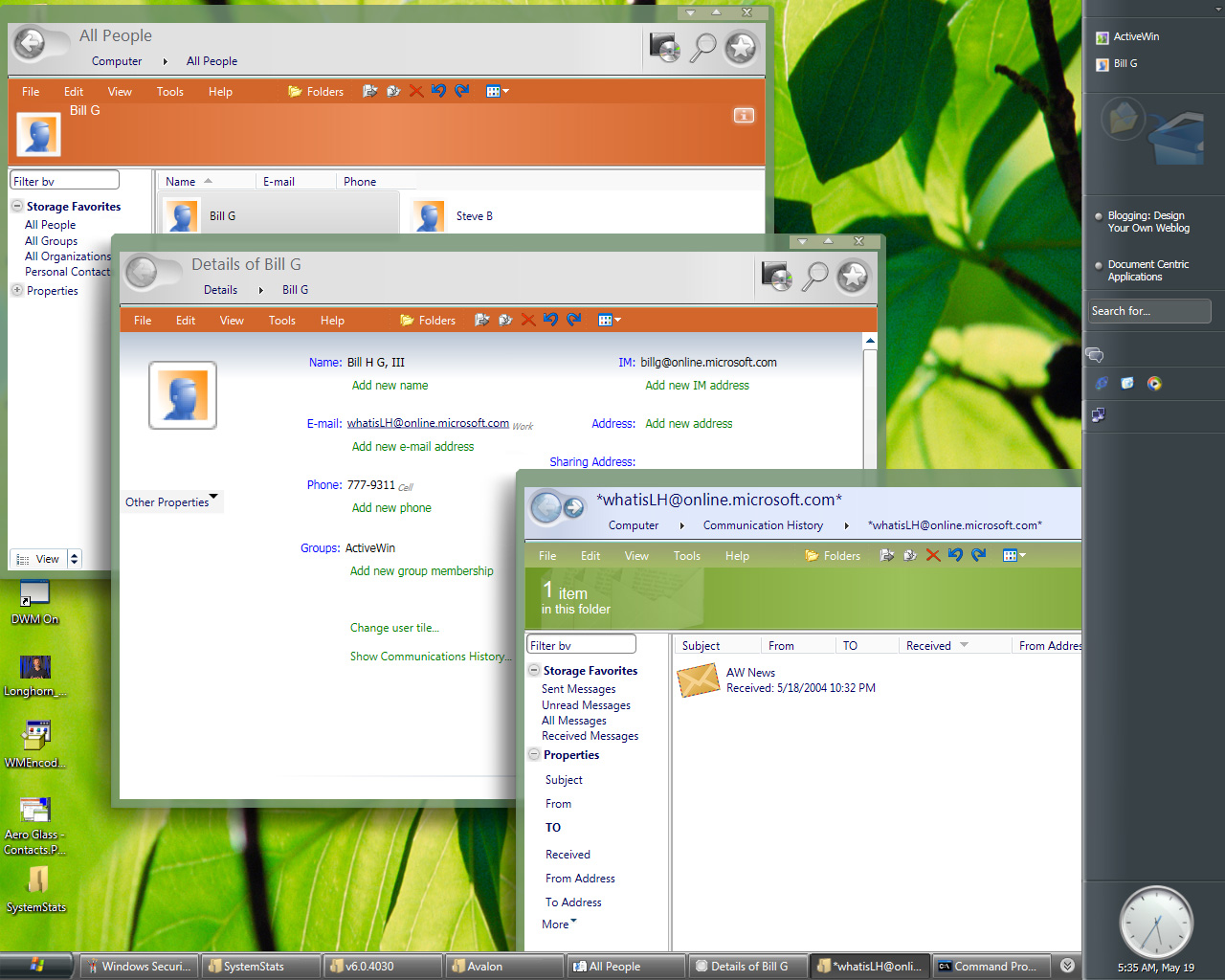
Screenshot is of 2-year-old pre-beta (Build 4074)
That screenshot looks plain awful
That screenshot of "Vista" (it was still called Longhorn back then) that he linked to (http://www.activewin.com/screenshots/longhorn3/Ae ro%20Glass%20-%20Contacts.jpg) is from Build 4074 (WinHEC 2004), a pre-beta based on Windows XP that was released only to WinHEC attendees on April 25, 2004. That's more than 14 months before Beta 1 (Build 5112, 7/2/2005). Heck, that screenshot was taken months before the infamous Longhorn development "reset".Wikipedia has an article titled "Development of Windows Vista" that summarizes and gives a timeline of the Longhorn/Vista builds from 2002-present.
A much better source for current Vista beta screenshots is Paul Thurrott's Supersite for Windows Build 5342 (3/24/06) Screenshot Gallery.
I'd like to think the GP made an honest mistake when he linked to 2-year-old Longhorn pre-beta screenshots to illustrate how lousy Vista is supposedly going to look. It looks suspiciously like he might be trolling, though.
-
The "corporate" workaround won't work this time
(Note - read the whole thing before assuming I went off at the hip on this post. It's stream of consciousness, something I know is rare at
Or at least, I thought it wasn't going to until I read this list:
http://www.winsupersite.com/showcase/winvista_edit ions.asp
The specific line to look at is "Windows Activation Services". If this is correct, Windows Vista Ultimate Edition is going to be about the most pirated version of Windows ever.
The original story I'd heard back when the rumors of seven different versions popped up was that only the basic Business version wouldn't have product activation code built into it - and that it would be lacking hardware Direct3D and OpenGL support, as well as Aero Glass. Since your basic office workstation doesn't need 3d hardware acceleration, (No, CAD/CAM/Maya/whatever is NOT your basic office workstation) and pirates would be more likely to look down on that version as "crippleware" that would keep the amount of piracy down to a dull roar.
From that chart, if it's accurate, it looks like ALL the business versions, as well as Ultimate, are lacking product activation, and since all business versions support Aero, they all have at least Direct3D implemented - no idea if Microsoft will continue to support OpenGL, however.
Then I noticed the little line at the top about how this page was out of date, and there's an updated page. The URL is:
http://www.winsupersite.com/showcase/winvista_edit ions_final.asp
I did a diff of the two pages... (Currently examining diff)
Nothing too radical, except the licensing line is missing. Hmm. Make of that what you will. Google isn't turning up a whole heck of a lot. Now that I'm looking even further, it looks like "Windows Activation Services" has something to do with IIS 7.0, not product activation.
Since I can't find anything on Google, and this is
All versions of XP except for volume-licensed versions of Business and Enterprise (which is only being released on a volume license deal) will have product activation. The number of corporate users who will actually buy the Ultimate Edition is a small enough fraction (and most likely, will wield enough political power - I.E. CEO types who think it's neat to have all the toys, and can make somebody else do all the gruntwork for them) that product activation isn't going to be a big deal for that version.
So, if you want any of the home features, you're going to be stuck with product activation IMO. -
The "corporate" workaround won't work this time
(Note - read the whole thing before assuming I went off at the hip on this post. It's stream of consciousness, something I know is rare at
Or at least, I thought it wasn't going to until I read this list:
http://www.winsupersite.com/showcase/winvista_edit ions.asp
The specific line to look at is "Windows Activation Services". If this is correct, Windows Vista Ultimate Edition is going to be about the most pirated version of Windows ever.
The original story I'd heard back when the rumors of seven different versions popped up was that only the basic Business version wouldn't have product activation code built into it - and that it would be lacking hardware Direct3D and OpenGL support, as well as Aero Glass. Since your basic office workstation doesn't need 3d hardware acceleration, (No, CAD/CAM/Maya/whatever is NOT your basic office workstation) and pirates would be more likely to look down on that version as "crippleware" that would keep the amount of piracy down to a dull roar.
From that chart, if it's accurate, it looks like ALL the business versions, as well as Ultimate, are lacking product activation, and since all business versions support Aero, they all have at least Direct3D implemented - no idea if Microsoft will continue to support OpenGL, however.
Then I noticed the little line at the top about how this page was out of date, and there's an updated page. The URL is:
http://www.winsupersite.com/showcase/winvista_edit ions_final.asp
I did a diff of the two pages... (Currently examining diff)
Nothing too radical, except the licensing line is missing. Hmm. Make of that what you will. Google isn't turning up a whole heck of a lot. Now that I'm looking even further, it looks like "Windows Activation Services" has something to do with IIS 7.0, not product activation.
Since I can't find anything on Google, and this is
All versions of XP except for volume-licensed versions of Business and Enterprise (which is only being released on a volume license deal) will have product activation. The number of corporate users who will actually buy the Ultimate Edition is a small enough fraction (and most likely, will wield enough political power - I.E. CEO types who think it's neat to have all the toys, and can make somebody else do all the gruntwork for them) that product activation isn't going to be a big deal for that version.
So, if you want any of the home features, you're going to be stuck with product activation IMO. -
Re:That's telling him!
Paul Thurrott actually makes a very similar argument to this in his recent review of Boot Camp.
One might wonder why Apple would create such a thing. After all, with barely 2 percent of the market for computer operating systems, should Apple be trying to win market share for Mac OS X and not offer a way for Mac users to run Windows? Not exactly. Unlike Microsoft, Apple doesn't actually make a lot of money directly from sales of its OS. Instead, Apple makes most of its money--even now, in the heady days of iPod supremacy--by selling computer hardware.
Now that Apple's operating system runs on Intel hardware, what's to stop the company from letting users install Mac OS X on any PC? As noted above, Apple actually makes much more money from hardware than it does from software, and given the rampant piracy in the PC market, it's likely that any move to open up Mac OS X like that would do little to help Apple's cause. Overall, Apple did the right thing: Under the current plan, it's likely that its hardware sales will go up. And as people discover Mac hardware, they could very well be tempted to consider using OS X as well.
Assuming that Thurrott is right with his loose facts regarding where Apple makes its profit, it's hard to argue really.
-
Re:Please Don't Interpret this Incorrectly
i don't know about people telling ballmer they couldn't do it, but what about paul thurrott's site?
go about a third of the way down.
********** watch out for adver-link-popup-windows-crap ************* -
Kidding? Way more than enough for Aero Glass
This might just provide laptops with enough power to run Aero Glass.
I'm pretty sure you were kidding, but for those who don't know the AC was kidding, the GeForce Go 7 Series (even the low-end 7200) has WAY more than "enough power to run Aero Glass." Low-end mobile NVIDIA GPUs from two generations ago (GeForceFX Go5100) will support Aero Glass.Aero Glass requires a DirectX 9 class GPU that supports Windows Display Driver Model (WDDM). Low-end mobile GPUs that meet this requirement include GeForceFX Go5100, Mobility Radeon 9500/X300, and Intel GMA 950. Even GMA 900 (which a lot of current Centrino users have) should work if they write WDDM drivers for it, but I doubt they will.
Here's some links for those who want to see the Aero Glass mobile GPU requirements:
- NVIDIA GPUs "Windows Vista Ready"
- ATI Vista Ready GPUs
- Current GPU Guidelines for Windows Vista Capable PCs
BTW, the "Vista Basic user experience" (formerly known as "Aero Basic") does not look like Windows XP (the GPU requirements will be similar to XP). In fact, I think many users will prefer this interface to Aero Glass. Here's some screenshots:
Windows Vista February CTP Screenshot Gallery 8: Windows Vista Home Basic
-
Re:Irony
In contrast, consider Windows, which has been successfully ported to...Alpha? Once, many years ago? Windows is far more intransigent about porting to new hardware platforms, because they've never needed to, never wanted to, and never put any friendly handles in to smooth the transition.
It's too bad you got modded insightful, because you don't know what you're talking about. NT was originally on the intel i860 (N-Ten) processor - the original source of the name NT - and NT4 was not only ported to DEC Alpha, but also PowerPC. I don't remember if it ran on CHRP or PREP but IIRC there was even a model of Macintosh that would boot it, probably a workgroup server. The PPC port was mostly meant for Power-PC based RS/6000 systems.
-
Re:God forbid this was an Microsoft Office review
There's no way in hell spin like this would be tolerated on slashdot.
Bullshit. The only thing even possibly biased in the entire review is the one paragraph "teaser" at the beginning designed to get the reader in. And it's not even biased, it's just making an odd comparison with something completely unrelated.
Anyway, I don't mind this review
When M$ tolerates balanced reviews on their own website then maybe we can talk about "balance" on slashdot.
Slashdot is a generally open source website. Open source websites are needed to balance out blatantly biased high volume sites like microsoft, msn and Paul Thurrott.
---
Marketing talk is not just cheap, it has negative value. Free speech can be compromised just as much by too much noise as too little signal.
-
Re:What about variety? Non-monopoly?
The hard drive is currently NTFS in a USB 2.0 enclosure, so I can just bring the drive and connect it easily. I want to be able to write to the drive from both Windows and Linux. Also, since they are living in the dorms, the firewall blocks many things such as Samba.
I have the MX700 mouse, with 2 thumb buttons and the scroll buttons above and below the scroll wheel. I believe I can use imwheel to capture the thumb button events (8 and 9). xmodmap only works on the corepointer, which I have the touchpad set as. I do like the scroll buttons working as default, though.
My keyboard is the Logitech keyboard that came with the mouse (MX Duo). The buttons I am referring to are the volume wheel and the buttons such as Media, media control (Play, Stop, Forward, Back), Web.
These buttons used to work perfectly using lineakd, but some update broke them so they no longer generate events in xev, despite having set the keyboard to the appropriate model, "logiinkse", in xorg.conf. Also, lineakd now just gives me a string of xkbsetmap errors when I start it.
As for Apple, if they come out with a 17" core duo with a keyboard that fits me (like the HP) and an exterior with the right connectors (not that I'd use them all), then I'd love to get one; however, I'd still need to run Windows for games -- and that would have to be Vista.
Vista so far has incomplete drivers (current ATI vista drivers have some functions like tv-out disabled). Vista 5270 has moved many options around just for the hell of it -- display control panel tabs are separated into different places, for example.
The HP:
http://www.notebookreview.com/default.asp?newsID=2 681
http://www.mobilityguru.com/2006/01/11/hp_pavilion _dv8000z_is_big_heavy_and_full_of_features/
Vista current build screenshots:
http://www.winsupersite.com/reviews/winvista_5270. asp
2 things I hate:
IGPs (even if ATI or NVIDIA, I still want more power -- I want HL2 at 1680x1050 if at all possible)
Companies moving things around just for the hell of it so you can't find anything -
Too much ram
According to this page Vista Starter will only support 256mb of ram. So the OS is the first thing you'll need to upgrade!
I'd love to see the error message when you try to boot it up with 512 mb of ram, oh how things have changed.... -
Leaked or disclosed?
"Microsoft Vista Info Leaked" is the title, but "Microsoft disclosed information" is in the summary. Which is it?
See also: http://www.winsupersite.com/showcase/winvista_edit ions.asp -
Re:Enough Choice To Choke A Horse
I remember seeing this useful guide a while back on the different versions. Enjoy!
-
Previously reported...
... http://www.winsupersite.com/showcase/winvista_edi
t ions.asp
The above link was out for quite a while. Not exactly sure how accurate it is. But it seems pretty close. -
Analysis
I found a pretty good analysis of the various editions.
-
Re:Old news
Thank you. This stuff has been posted and known about for a while. Readers of windows enthusiast sites like http://www.winsupersite.com/ have known about these versions for a while.
-
Re:Vista != Vista's 3D Interface
It's not like there's a major visual difference between Windows 95, 98, ME, NT4, 2000 or XP (with the classic theme and Start menu, as I prefer).
-
This is NOT true....
This is NOT true, do the Slashdot editors even know people that are in the Vista Beta or have a MSDN subscription?
Vista scales its graphics to three levels, the basic level which still supports all of the WPF applications, scales the OS UI back to look like Windows 2000. This level however does not use WPF effects for the UI, such as transparent 'glass' Window Frames, etc.
The second level is a cross between WindowsXP and the Vista Interface. Again it supports all the WPF applicaitons, however the UI, visually is themed and looks somewhat like the higher level 3D 'Glass' Vista UI.
The third level is the 'high' level 'glass' and basically works on any Video Card that has basic DirectX 9.0 features built in. This level brings the WPF and 3D effects to the UI.
You get Glassy WIndow Frames that not only are transparent but also do a blur effect on the Windowsw Frames with Shading. This level also takes full advantage of your cards 3D Acceleration features throughout the basic Windows UI.
However even in the 'basic' mode Vista will run on ANY video card, Vista will still do amazing looking 3D effects on a crap card with the WPF, and if possible take advantage of any 3D GPU acceleration features in your video card.
For example if you are running a 1998 ATI Rage 128 32MB Video card, you are going to run in the seconde level of quality, and can turn it down to the basic level if you choose. (See, even old cards run in the second level, just like they would be themed in WindowsXP.)
Now even if your video card is only able to run in the second level or lets say, it has no 3D acceleration features, Vista will still properly run WPF and 3D WPF designed applications.
For example the WPF Chess game that comes with Vista, has reflective tile, smooth lines, is a full 3D applciaiton workspace, and runs with or without a 3D GPU in the computer. (The power of software rendering of WPF and DirectX.)
What Vista won't do on older video Cards is map the UI to 3D RAM on the GPU, and slow down your computer interface to display cute animations or glass if your Video card is not fast enough to do that.
So if you are running a computer with a video diplay older than a Geforce FX 5200, then you won't get the pretty UI, but if you have an old FX 5200 you will, and most people can pick this level of card up for almost any computer for like 30-50 US. (You can even buy a PCI version for your 500mhz system that has no AGP port, get the pretty Vista high level Glass.)
There are some recent 'cheap' Intel onboard chipsets that don't support enough 3D to the high level 3D display mode, and there are also some onboard Video that uses shared Memory, etc that won't support the high level Vista display mode.
Sure these people won't get the 'glass' effect, but they will be able to do everything else. And if they want the prettier interface, buying a video card that is considered 'low level' by today's standards is not such a big thing. If these people are playing WoW or any other game released in the past few years, they already have had to buy a newer video card anyway.
And Vista without Glass is not ugly or losing a lot for people, all it means is that Windows itself won't be sucking your GPU power and RAM for 'pretty' effects, when it is not necessary.
This not much different than people turning off themes in XP, expect there is a new level of UI themes in Vista that is a full 3D UI implementation that Windows itself uses for displaying runing applicaitons and the Windows Shell Interface.
If anyone has any doubts or questions go to the WinSuperSite, he seems to have the ability to release information on Vista without breaking an NDA. http://www.winsupersite.com/ (You can even see him explain this, screen shots of the different modes, and why and how it works.) -It is actually pretty slick and smart of Microsoft.
One thing Microsoft if introducing with Vista is a new Display Driver Model Called the LDDM an -
options Re:Slipstreaming
this link on slipstreaming is quite interesting; btw, did you note that all necessary operations are carried by command line interface, and that in all commands (such as in "xpsp2.exe -x:c:\sp2 " ) the options are expressed as dashes, and not slashes ? Since when did Windows people start working as Unix/Linux people everdyday do?
-
Promises should be kept
I hope MS will keep its promises this time. SP2 was originally due in late 2003 and we only got it on August 2004. And I would like Windows XP SP3 to be issued this year 'cause I'm sick and tired of all those bells and whistles which are being prepared for Vista which in its turn will require at least 512GB of RAM and ~8GB just for installation.
-
Re:sleeping at the weel.
"don't be an idiot. OSX has had 4 paid upgrades and 5 release compared to XP and its two free upgrades. "
lol you're the fucking moron xp has has far more security patches than osx. I have an xp box and a g5 sitting next to me and I can definitely tell you which one makes me more nervous. Hey that doesn't matter anyway tadah! how about the latest neat exploit? that's right as of today there is a serious fucking gaping hole in windows. please remove your foot from your mouth.
"The only reason osx doesn't have the spyware and security problems that get published with XP is because nobody uses it. "
Lucasfilm would have to disagree but I guess they are nobody? owned your userbase theory is old and tired and has be disproved many times. mac osx is inherently more secure by design than windows xp. if you are trying to say it's not you would definitely be in the minority on slashdot. Nice try tho
"That's cute. Your statement is absurd on its face. You clearly aren't a developer of any stature. Linux people could make an argument, but macs sure as hell can't. In fact you and Steve Jobs are the only fools I've heard try and pretend xcode is in a serious alternative to a real dev suite like visual studio. lol. Keep dreamy buddy."
macs sure as hell couldn't as they are computers you fucking simpleton. I'm sorry you find that abortion that is visual studio great lmao I dont' know what to tell you. You obviously haven't used interface builder. There is nothing close. "I use both of them in my lab at home, and I support OSX at client offices (I don't know who Paul is). I can tell you they are not the same. Just so I understand, what is the same again?" paul thurrot disagrees -
Re:i don't get it...
Seems that msn 8 will have offline messages. http://www.winsupersite.com/reviews/msn8.asp
In Denmark it is the same picture. Once all I knew were on ICQ. Then suddenly a lot of new people found IM through MSN, and all the people who once had an ICQ got an MSN too, just to have contact to the new people. Today I know no one with ICQ, I've even disabled it on gaim, but gtalk is slowly popping up. -
Re:Screenshots of graphical installer
Sure thing: Graphical installer
-
Re:So we know that security will be covered
I'll be honest, I haven't followed the Vista track that closely, but I have yet to hear of any evolutional or even revolutional features that I can look forward to.
I don't think Slashdot is the best place to ask this question on, as you'll no doubt get the "no, Vista is reskinned XP".
Personally, I don't think an evolutionary OS have to be "innovative", just better. Goes for Linux just as it goes for Vista.
Anyway, here's an Vista edition comparison and here's a more detailed list of planned features. -
Re:So we know that security will be covered
I'll be honest, I haven't followed the Vista track that closely, but I have yet to hear of any evolutional or even revolutional features that I can look forward to.
I don't think Slashdot is the best place to ask this question on, as you'll no doubt get the "no, Vista is reskinned XP".
Personally, I don't think an evolutionary OS have to be "innovative", just better. Goes for Linux just as it goes for Vista.
Anyway, here's an Vista edition comparison and here's a more detailed list of planned features. -
Vista is not a rewriteAnd that's, from what I read, something that happened during Windows Vista developpment cycle. The developpers where pushing for a rewrite
Nope. It didn't turn into a rewrite, just a move from the XP to Server2003 codebase.
http://www.winsupersite.com/faq/vista.aspQ: I heard that Windows Vista was based on Windows Server 2003, not XP. Does that mean that Windows Vista is more stable/less consumer-friendly than XP?
A: Future Windows versions will always be based on the most up-to-date Windows version at the time, and today that version is Windows Server 2003 with Service Pack 1 (SP1). When Windows Vista development started two years ago, however, it was originally based on Windows XP. In mid-2004, Microsoft had to restart the core development of Windows Vista because it was too hard to go back and componentized the Windows Vista core code. So when it restarted Windows Vista development, Microsoft naturally used the Windows Server 2003 with SP1 code base instead of that of XP. -
Re:One little additional remark
A very simple guide to slipstreaming if Mr Thurrot can do it so can anyone, just as much hassle as downloading a new installation iso.
-
Re:Prognosticators, start your engines
But the centralized features of XBox Live Silver (gamer card, friends list, the whole micropayments thing) really make sense to have set up by the console manufacturer. I'm really kind of stunned that Sony is waiting until the PS4 to implement these.
-
Re:$50M verses $5M
What planet are you from?
Of the below, only Office 12, OpenOffice.org 1.1.5, and OpenOffice.org 2.0 have XML document format support. Office 12 is MSXML, and OpenOffice.org are OpenDoc.
Oh, and don't tell me they shouldn't upgrade from Office 2000, or Office 97, or whatever. I'm 100% Massachusetts has a site licensing policy; Office 2000 went End-of-Life on 6/30/2004. Office XP goes End-of-life on June 30, 2006. Neither of these makes for a good, forward-looking 'upgrade'. It's going to have to be 2003 or newer.
Office 12 preliminary system requirements:
Microsoft Office 12 will run on Windows XP Service Pack 2 (SP2) or later, or the Windows Longhorn client. Server components will require Windows Server 2003 or later and, potentially, SQL Server 2000 or later. Office 12 will support x64 platforms natively, though it's not clear whether this support will ship in the box with the initial release, or later as a separate add-on.
http://www.winsupersite.com/showcase/office12_prev iew1.asp
Microsoft Office 2003 system requirements:
To use Microsoft Office Professional Edition 2003, you need:
Component Requirement
Computer and processor
Personal computer with an Intel Pentium 233-MHz or faster processor (Pentium III recommended); optional installation of Business Contact Manager for Outlook® 2003 requires a 450-MHz or faster processor (Pentium III recommended)
Memory
128 MB of RAM or greater; optional installation of Business Contact Manager for Outlook 2003 requires 256 MB of RAM
Hard disk
400 MB of available hard-disk space; optional installation files cache (recommended) requires an additional 200 MB of available hard-disk space; optional installation of Business Contact Manager for Outlook 2003 requires an additional 190 MB of available hard-disk space
OpenOffice.org system requirements, version 2.0:
Microsoft Windows
* Windows 98, Windows ME, Windows 2000 (Service Pack 2 or higher), Windows XP, Windows 2003
* 128 Mbytes RAM
* 200 Mbytes available disk space
* 800 x 600 or higher resolution with at least 256 colors
Solaris: SPARC platform edition
* Solaris 8 OS or higher
* 128 Mbytes RAM
* 250 Mbytes available disk space
* X-Server with 800 x 600 or higher resolution with at least 256 colors
Solaris: x86 platform edition
* Solaris 8 OS or higher
* 128 Mbytes RAM
* 250 Mbytes available disk space
* X-Server with 800 x 600 or higher resolution with at least 256 colors
Linux:
* Linux kernel version 2.2.13 or higher, glibc2 version 2.2.0 or higher
* 128 Mbytes RAM
* 200 Mbytes available disk space
* X-Server with 800 x 600 or higher resolution with at least 256 colors
System Requirements for OpenOffice.org 1.1.x
Windows
Microsoft Windows 98, ME, NT (Service Pack 6 or higher), 2000 or XP
Pentium compatible PC, 64 MB RAM, 250 MB available hard disk space
GNU/Linux ("Linux")
Glibc 2.2.0 or newer
Pentium compatible PC, 64 MB RAM, 300 MB available hard disk space
X server and graphics card capable of 800x600 resolution
Performance testing, OpenOffice.org versus MS Office 2003:
http://www.matt13.com/computer/open_office_or_ms_o ffice/
OpenOffice.org uses less CPU, less RAM, and far less Hard Disk space.
Does OpenOffice.org start slower on -
Re:"Virtual folders", I believe it's used for
Nope, those virtual folders are actually search-parameters saved in a xml-format, which is known already. Paul gets them wrong or at least gives a shitty explanation (he says these xml files store the results, but that wouldn't be dynamic as he claims as well), instead you click 'em and the search is fired up using the stored parameters, e.g. *.mp3
-
Re:Bigger Screens good, Wider Screens bad
B) Second, everything still has to be on the same screen. With a dual-monitor setup, you can stick your comms and entertainment on one screen (the "distraction" screen), and focus on the task at hand on the other.
Maybe a kind of virtual desktops will work for you, if you are on Linux, chances are you already have them, if you are on windows try Virtual Dimension
Now, one thing I would love to have is an extension to those multi-desktop programs which let me see all my desktops (or some of them) at the same time on my screen (a la Microsoft Virtual Desktop manager desktop previewer). I think it could be possible via VNC but the last time I tried and connected to the localhost with VNC (On Windows XP), the screen was not usable (because of inifinte image recursion). -
Hrmm
I'm assuming he's using MS Windows. I'm also assuming he hasn't heard of Picasa. I guess he also hasn't heard of Aperture, by Apple. Personally, I'm more of an iPhoto kinda of guy, since my personal foto lib is about 3K (I like to take pictures), it does a good enough job.
Now, one thing I do remember about Dvorak is that he's almost as bad of a MS Apologist as Paul Thurrott, so in his mind, decent PC freeware and Apple solutions are probabally out of the question for him. Shame, he's mising out. -
If you want a simple illustration
of just how screwed up Windows Vista and the whole approach is, have a look at the Control Panel screenshot.
If that's not the sign of an OS in trouble, I don't know what is. 43 entries in the control panel. Wow.
Sensible defaults, anyone?
-
Re:Congratulations Open Office folks!!!
Inded, OpenOffice 2.0 is a great product, I saw the release story sooner today at OSnews as I said here
Now I wonder the following, in about 6 months or so, Microsoft will "unveil" its new Office suite (it may be in a Beta), along with the new Windows Vista technology. What does this has to do with OpenOffice you may ask, well, as I can see right now in the OO.o document I am writting, the interface of OO is (as all the interfaces in ALL the OS right now) "menu" driven.
As stated on thi link the new version of Microsoft Office will have a completely different option selection approach, and after looking at some Windows Vista reviews it seems MS will make a lot of programs share this "Tab based" approach.
I have never liked the menu based interface (from ANY of the programs) where you have to navigate around 10x10x10 submenues to be able to find how to "crop" a part of the image (really try to do it in OO 2.0, just press PRINTSCREEN key then paste the clipboard to the OOo document and try to crop the bottom and top of it).
My point is, it seems (and I am just waiting for it) what will happen is that applications will try to catch on with this new "tab based" option selection interface, and the question will be Is OpenOffice.org going to change that? , or more to the point, will OpenOffice copy the new MSOffice options selection behaviour?.
That will be an interesting issue, when the new MS Windows Vista comes with these approach, It will be nice to see how does that "affects" the OpenSource software relases (Linux distros, OSS software on windows, etc). And then we will see the real "influence" of Windows and MS over OSS.
I hope Slashdot does not take this as trolling, I am glad OpenOffice has come to what it is (I used it sometime when it was StarOffice 5.0 and they gave freecd's[or at least I got one for free =oP]). [Un]fortunately currently I use Latex as text creating package, and I do not have a lot of touch with any kind of WYSIWYG office documents. But, I do have installed OpenOffice and it has come a very long way. -
Re:seriously
I mean look at this. It's horrible. What are all those extra buttons? I can't tell what one of them actually does.
Am I the only one blinded by that weird title bar transparency? I could see that if the window was in the background, and it was subtle, but hell. They need to think simpler. This looks like an operating system designed by leet script kiddies. I mean, the security center stuff looks horrendous too, constantly telling you about some problem or another. With no real added functionality, I think I'll stick with Win2k Pro. -
Re:seriously
This screenshot of the control panel just screams clean & uncluttered...
I'm a big fan of simple, clean GUIs, but this isn't one of them. -
It's the classic view of the Control Panel
Indeed! I find these new attempts at GUI creation to be terrible.
I mean, look at this screenshot:
http://www.winsupersite.com/images/showcase/vista5 231_2_cpl.jpg
Look at all the text there! That's not a very good interface for finding the icon you want quickly and efficiently. There's too much textual distraction.
You're looking at the Control Panel in classic view in details mode, i.e. the nerdiest mode. I guess you point is the exact reason that they've added a categorized view since Windows XP. In XP you can stick with the classic view and remove the describing text by choosing another view mode like tiles. I'm pretty shure that Vista will keep these possiblities. -
I like that window selection thing
It's a really good idea: hit a button and this comes up.
Anything like that for enlightenment?
Actually scratch that, I guess it's probably possable quite easily with maximising the pager with some keybinding...still, I've seen some good ideas on quickly navigating to the window you want, which should be useful. -
Re:Cotton candy interfaces suck
Indeed! I find these new attempts at GUI creation to be terrible.
I mean, look at this screenshot:
http://www.winsupersite.com/images/showcase/vista5 231_2_cpl.jpg
Look at all the text there! That's not a very good interface for finding the icon you want quickly and efficiently. There's too much textual distraction.
There there is something like: http://www.winsupersite.com/images/showcase/vista5 231_wmp11.jpg
It takes forever to find out what it is you can click on, since buttons and other components are not well defined. I mean, is each album entry something I can click on? What will happen if I do click on them?
I hope that the Linux desktop community does not fall victim to the same shenanigans. GUIs are best when they consist of well-designed components, each with a clear and well-understood function. Microsoft's new fascination with random text/image mixtures is often counterintuitive and leads to applications which are difficult to use. -
Re:Cotton candy interfaces suck
Indeed! I find these new attempts at GUI creation to be terrible.
I mean, look at this screenshot:
http://www.winsupersite.com/images/showcase/vista5 231_2_cpl.jpg
Look at all the text there! That's not a very good interface for finding the icon you want quickly and efficiently. There's too much textual distraction.
There there is something like: http://www.winsupersite.com/images/showcase/vista5 231_wmp11.jpg
It takes forever to find out what it is you can click on, since buttons and other components are not well defined. I mean, is each album entry something I can click on? What will happen if I do click on them?
I hope that the Linux desktop community does not fall victim to the same shenanigans. GUIs are best when they consist of well-designed components, each with a clear and well-understood function. Microsoft's new fascination with random text/image mixtures is often counterintuitive and leads to applications which are difficult to use. -
Re:Not working
And did you read the comment about how it will work better than iTunes? That amused me. I couldn't even figure out what was going on with the media play via the winsite images, but how about the control panel/system panel. Here's a comparison:
Windows' Vista Control Panel OS X's System Panel
Which would you prefer to use? -
a site thats not ./'d and thoughts
http://www.winsupersite.com/reviews/winvista_5231
. asp
I'm personally anxiously awaiting to see what deformations the
http://www.winsupersite.com/images/reviews/vista_c tp2_01.jpg as it looks just as bloated as the one I'm using now. How much do you care about being able to view the album covers? My music is all mix cd's anyway.
I think translucent eye candy will be nice but not that big of a deal. The "Mobility" center doesn't seem to offer anything new from what I read. Just a new name/packaging. ActiveX opt-in is nice for grandma and grandpa, but most people have that setting now I'd imagine. Oh and I like the part about power management from the review. "Though the actual power management states--Sleep, Hibernation, and so on--haven't changed in this build, Microsoft tells me that it has improved the reliability of these states." So in other words its not as flakey, trust us. Independent volume control.. Now theres a feature I've been waiting for.. zzzz -
a site thats not ./'d and thoughts
http://www.winsupersite.com/reviews/winvista_5231
. asp
I'm personally anxiously awaiting to see what deformations the
http://www.winsupersite.com/images/reviews/vista_c tp2_01.jpg as it looks just as bloated as the one I'm using now. How much do you care about being able to view the album covers? My music is all mix cd's anyway.
I think translucent eye candy will be nice but not that big of a deal. The "Mobility" center doesn't seem to offer anything new from what I read. Just a new name/packaging. ActiveX opt-in is nice for grandma and grandpa, but most people have that setting now I'd imagine. Oh and I like the part about power management from the review. "Though the actual power management states--Sleep, Hibernation, and so on--haven't changed in this build, Microsoft tells me that it has improved the reliability of these states." So in other words its not as flakey, trust us. Independent volume control.. Now theres a feature I've been waiting for.. zzzz -
off google
I typed build 5231 into google
http://www.winsupersite.com/showcase/winvista_5231 _gallery_02.asp