Slashdot Mirror
Domain: ghacks.net
Stories and comments across the archive that link to ghacks.net.
Comments · 2,051
-
Re:Are these really that severe?
If a malicious software can access the RAM, my computer is already compromised.
But is the compromise retrospective? If someone breaks into my office and I have time to hit the "Lock" button on the password manager before they grab me, will they be able to extract anything from the computer?
ghacks points out that Keepass can be set to lock its workspace after a period of time of inactivity in the program, or inactivity from the global user, and that the program can be set to exit instead of locking.
-
Re:Even if the performance was bad
It should be pointed out that the new API being proposed will actually make adblocking more efficient.
But adblockers aren't inefficient. If Chrome's interested in efficiency then it should enable WebAssembly for add-ons, like Firefox does.
-
Re:Even if the performance was bad
Really, the goal here seems to be to make adblocking safer and more efficient, better for users, not to kill it.
That presupposes that adblockers are inefficient now. But, as linked to in the summary, simple measurements show that isn't true.
And I use an adblocker, advise everyone I know to use adblockers, and would switch to a different browser if Chrome were to block adblockers.
Adblockers work better in Firefox. You should advise everyone to switch to Firefox now instead of waiting. uBlock Origin uses WebAssembly in Firefox for better performance, but Chrome does not allow this yet.
-
Re:It's almost like... a monopoly?
And then there are the useful people like you who hated Google and Chrome so much that they completely missed the entire fucking switch that Firefox went through to set up the infrastructure necessary for the web browser to completely ignore the user in favor of the advertiser.
Try to fully understand what happened here. Even the article writer refrains from calling it out directly: https://www.ghacks.net/2017/12...
TL;DR. Firefox is not a reasonable fallback option from Chrome as its infrastructure was recently changed to allow the same behavior.
-
Live Bookmarks
This version kills Live Bookmarks. Some of us FF old-timers are hopelessly reliant on these things, and it's, as far as I have found, the fastest way to quickly scan lists of headlines from all your favorite sites at once. Seriously, one click and you can quickly mouse over the sites on your bookmarks toolbar to consume hundreds of headlines.
I really, REALLY hate that they're killing this feature, but this addon promises to restore it: https://www.ghacks.net/2018/07...
Here's the official GitHub: https://github.com/nt1m/livema... -
Re:No.
Which part of "CLUESS USER" was hard for you to grasp?
The part that says I haven't seen this get past Chrome or Edge, the clueless user's webrowser of choice.
By the the way if it's a zero day then how will your anti-virus detection help you?
With Comodo AV it goes "no bad stuff!"
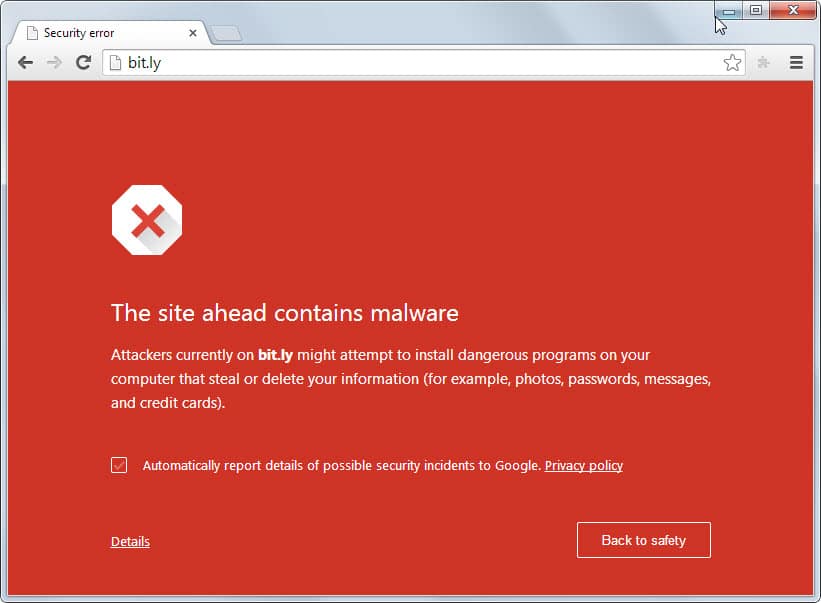
The clueless user is typically greeted with: https://www.ghacks.net/wp-cont...
-
Re:Can this be prevented?
-
Implications
What has become quite obvious recently is that add-ons for Firefox and Google Chrome web browsers (not sure about web browsers) should never be be trusted and if you really care about your security you should either give up on add-ons altogether or only use the ones which have a large enough user base (and this is not really a warranty of its safety).
For myself I've been using this workaround: I have a Firefox profile with all sorts of add-ons for my daily life and a I have a separate profile for banking which only has uBlock Origin installed - nothing else.
-
Re:I'd want to know how to disable the behavior
They did. Well someone did. I believe this came from documentation on the feature when it was in beta:
https://www.ghacks.net/2018/04/02/configure-dns-over-https-in-firefox/
-
Researchers release DEDA to anonymize laser printe
" DEDA is a new tool for Linux that researchers have created to read and decode the forensic information, and to anonymize information to protect against tracking.
The Electronic Frontier Foundation discovered in 2008 that nearly all major color laser printer manufacturers added tracking dots to any printed document. The yellow tracking dots were invisible to the eye and apparently added to printouts on request of the U.S. government."
Earlier discussion of this and more sophisticated printer tracking codes [src]
-
Re:How much more electricity will "tab warming" us
"How much more electricity will "tab warming"
Minimal.
Firefox Tab Warming explained:
-
Firefox lost me years ago
I was a huge fan of Firefox until 2013, when they made their big U/I change that most people didn't like. https://www.ghacks.net/2013/11.... Mozilla's attitude of making changes and ignoring their users will keep me from going back.
-
Re:Window's ain't done until Google wont run
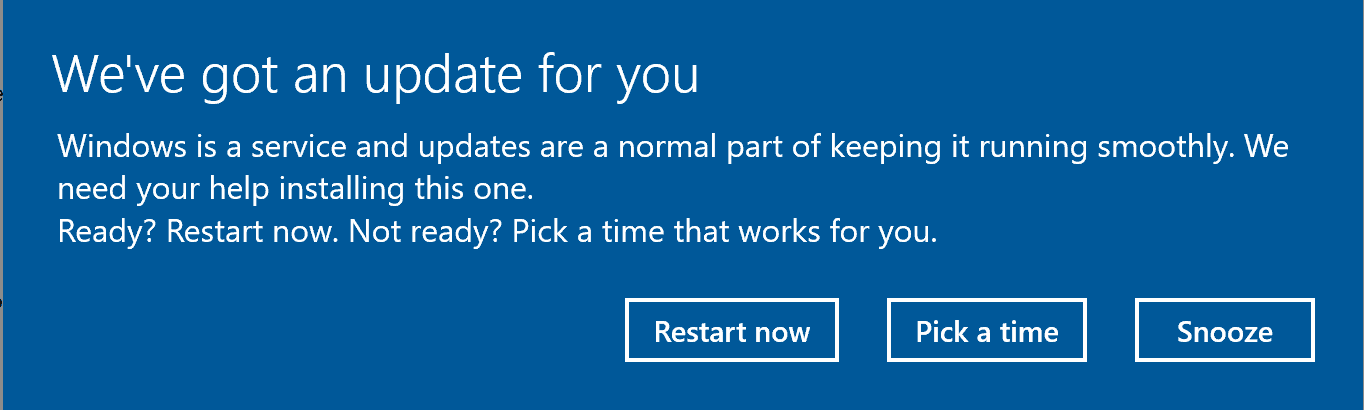
What part of the word "automatic" do you not understand? It will ask you, it will not automatically restart. You can simply click 'no' when it asks.
When it asks you, there is no way to tell it "never restart". You have to either let it restart or choose a time from within a time frame that Microsoft sets.
Wrong. It will tell you there is an update and ask you if you want to schedule a restart, you can simply click 'no'.
And if you check that setting then it won't.
There is no such setting. Either you have never used Windows 10 or you are a liar.
-
Re:CatTube
Have you heard about D-Tube yet? https://www.ghacks.net/2018/03...
-
Re:Tame Windows Updates, the sure way
Wrong. So wrong that you simply do not belong here.
https://www.ghacks.net/2018/03...
You should just stop trying to comment on shit you know nothing about.
-
Re:Tame Windows Updates, the sure way
On computers with diagnostics reporting disabled, Windows uses Update Assistant to force the upgrade even with Windows Update disabled.
Microsoft has lost almost all trust from its users.
-
Re:Partially they are correct
So replacing a 5 cent fuse on the PCB causes a security-issue?
Replacing a iPhone screen with a apple part causes a security-issue?
Having a re-pairing process with a fingerprint-reader from apple causes a security-issue?Having some random repair-shop doing a hardware mode to install a hardware-keylogger etc it not really likley... It will cost them money, and it can be traced back to the person that did it.
The big problem is that the big brands don't want you to repair your own device but either replace or send it to them to fix at 10 times what it would cost with a local repair-shop...If you have a look at the big brands out there..
Apple: Remember the recent issues where you could login as root without *any* password?
Lenovo: Remember the thing with Superfish where they installed a root-certificate on all their machines?
https://www.ghacks.net/2015/02...
https://www.techdirt.com/artic...HP: Remember the laptops with preinstalled keyloggers.
https://www.cnet.com/news/keyl...All the big brandnames all have big issues with security and they do not care about your security... They care about their bottom line and getting you buying a new version as soon as possible instead of keeping your old device.
https://www.cnet.com/news/unbo... -
Security & web pros disagree #1/2
Oliver Day (SYMANTEC/SECURITYFOCUS) http://www.securityfocus.com/columnists/491/ "Host file accessing the Internet - particularly browsing the Web - is actually faster... Spybot Search & Destroy offer lists of known malicious servers to add a layer of defense against trojans & other forms of malware"
Aryeh Goretsky/ESET/NOD32: hosts = good security http://it.slashdot.org/comments.pl?sid=7442373&cid=49747129/
Steve Gibson endorses hosts https://www.grc.com/sn/sn-045.htm/
"block known Bitcoin mining domains. One of the better options to do that is to add these to the hosts file" https://www.ghacks.net/2017/09/22/how-to-block-bitcoin-mining-in-your-browser/ GHacks
"use this classic Windows hosts trick to block the Coinhive or Crypto-Loot domains at the OS level" - https://www.bleepingcomputer.com/news/security/a-new-player-joins-coinhive-on-the-browser-cryptojacking-scene/ - BLEEPING COMPUTER
Malwarebytes hpHosts hosts & RECOMMENDS my program.
APK
P.S.=> More coming... apk
-
Re:"adding a new user interface"
Your fears are totally warranted as the new UI looks like modern shit we are already forced to consume in other OS'es like Windows 10.
Hopefully the new Thunderbird will be themeable but I wouldn't hold my breath considering that theming was essentially killed in Firefox (we can only apply a background image to its bars - that's it).
-
Bleeping computer & others use hosts files
"use this classic Windows hosts trick to block the Coinhive or Crypto-Loot domains at the OS level" https://www.bleepingcomputer.com/news/security/a-new-player-joins-coinhive-on-the-browser-cryptojacking-scene/ BLEEPING COMPUTER
"block known Bitcoin mining domains. One of the better options to do that is to add these to the hosts file" https://www.ghacks.net/2017/09/22/how-to-block-bitcoin-mining-in-your-browser/ GHacks
APK
P.S.=> Accept NO substitute for APK Hosts File Engine 10++ 32/64-bit https://www.google.com/search?hl=en&source=hp&biw=&bih=&q=%22APK+Hosts+File+Engine%22+and+%22start64%22&btnG=Google+Search&gbv=1/ for more speed, security, reliability & anonymity online for FAR LESS resource use & complexity vs. "so-called security or speed 'solutions'" via operating in kernelmode speed (vs. slower usermode) & only 1 part you already NATIVELY have... apk
-
Security pros blow you away #1/2
Oliver Day (SYMANTEC) http://www.securityfocus.com/columnists/491/ "Host file browsing the Web - is actually faster + Spybot Search & Destroy offer lists of known malicious servers to add a layer of defense against trojans & other forms of malware"
Aryeh Goretsky/ESET/NOD32: hosts = good security http://it.slashdot.org/comments.pl?sid=7442373&cid=49747129/
Steve Gibson endorses hosts https://www.grc.com/sn/sn-045.htm/
"block known Bitcoin mining domains. One of the better options to do that is to add these to the hosts file" https://www.ghacks.net/2017/09/22/how-to-block-bitcoin-mining-in-your-browser/ GHacks
"use this classic Windows hosts trick to block the Coinhive or Crypto-Loot domains at the OS level" - https://www.bleepingcomputer.com/news/security/a-new-player-joins-coinhive-on-the-browser-cryptojacking-scene/ - BLEEPING COMPUTER https://www.bleepingcomputer.com/tutorials/hosts-files-explained/
Malwarebytes hosts my program.
APK
P.S.=> EAT YOUR WORDS
-
Re:Firefoxalypse
It also goes against all OS design guidelines by removing the window title bar and system menus
You can turn on the Menu Bar in Firefox via the UI Customize settings (Hamburger menu -> Customize) or by pressing F10 to turn them on and selecting View -> Toolbars -> Menu Bar to keep them on.
So far I've been content to fix these problems using a UI addon, but every single one of those is made non-functional in version 57.
You can customize the UI via the built-in Customize settings. You can also modify the UI CSS if you really want to.
watching it turn into a mini-me of Chrome is soul-crushing. Honestly, I'm really hoping that the 57 fiasco
Firefox isn't a mini-me of Chrome and there is no fiasco. Relax. Don't worry, be happy. You'll feel better.
-
Re:Firefoxalypse
Some of us want sane, traditional "file" menus
The menus are in Firefox on Windows. Turn on the Menu Bar via the Hamburger menu -> Customize -> Toolbars options (or press F10 to turn them on and then select View -> Toolbars -> Menu Bar to keep them on).
Some of us want predictable forward, back, reload, and home buttons that are together, don't disappear in context, or are not combined into some moving monster.
That's how Firefox 57's UI is working for me. I use the Light theme (one of the three themes included in Firefox 57 by default) with the Compact density setting. See the Customize settings page.
And it is unclear if those will ever gain the ACTUAL improvements Mozilla has added to Firefox for performance, memory usage, and security.
So just use Firefox and customize the UI CSS if you really want to.
-
Re:Addons
This is because these new addons will not be allowed to modify the UI or underlying operation of the browser.
Not so much. Firefox's UI can be modified with CSS. Just like when Australis was first introduced.
Tree Style Tab is running in a customizable sidebar; normal tabs at the top can be hidden - with CSS. Try that in Chrome... The least useless SideTabs for Chrome is Sidewise, and it has to run in a completely separate window.
There's also Tab Center Redux - a continuation of Mozilla's Tab Center (Test Pilot experiment), which completely replaces top tabs with side tabs.
And for all the curmudgeons that reject change, there's the Basilisk browser which is "created and maintained by the team behind Pale Moon, and is a fully independent fork of the Mozilla/Firefox code".
There's also a hard-fork of Mozilla's XUL platform UXP - Unified XUL Platform.
More info over at ghacks (in the comments): https://www.ghacks.net/2017/08...
Re Waterfox, etc. -
Strong suggestions then... apk
Cut javascript off (classic Opera globally setting all sites to no script & exception sites IF demanded (BySite Prefs)) & block cryptominer servers via APK Hosts File Engine 9.0++ SR-7 32/64-bit https://www.google.com/search?hl=en&source=hp&biw=&bih=&q=%22APK+Hosts+File+Engine%22+and+%22start64%22&btnG=Google+Search&gbv=1/
Even if served from same site it works vs. mining clusters https://news.slashdot.org/comments.pl?sid=11268807&cid=55425191/ + security pros suggesting it's the right thing to do via hosts!
APK
P.S.=> "block known Bitcoin mining domains. One of the better options to do it is to add these to a hosts file" https://www.ghacks.net/2017/09/22/how-to-block-bitcoin-mining-in-your-browser/ GHacks
"use the classic Windows hosts trick to block Coinhive or Crypto-Loot domains at OS level" - https://www.bleepingcomputer.com/news/security/a-new-player-joins-coinhive-on-the-browser-cryptojacking-scene/ - BLEEPING COMPUTER
-
Strong suggestions then... apk
Cut javascript off (classic Opera globally setting all sites to no script & exception sites IF demanded (BySite Prefs)) & of course, blockout cryptominer servers via APK Hosts File Engine 9.0++ SR-7 32/64-bit https://www.google.com/search?hl=en&source=hp&biw=&bih=&q=%22APK+Hosts+File+Engine%22+and+%22start64%22&btnG=Google+Search&gbv=1/
Even if served from same site it works vs. mining clusters https://news.slashdot.org/comments.pl?sid=11268807&cid=55425191/ + security pros suggesting it's the right thing to do via hosts:
"block known Bitcoin mining domains. One of the better options to do that is to add these to the hosts file" https://www.ghacks.net/2017/09/22/how-to-block-bitcoin-mining-in-your-browser/ GHacks
"use this classic Windows hosts trick to block the Coinhive or Crypto-Loot domains at the OS level" - https://www.bleepingcomputer.com/news/security/a-new-player-joins-coinhive-on-the-browser-cryptojacking-scene/ - BLEEPING COMPUTER
APK
-
Security pros disagree
Aryeh Goretsky/ESET/NOD32: hosts = good security http://it.slashdot.org/comments.pl?sid=7442373&cid=49747129/
Oliver Day (SYMANTEC/SECURITYFOCUS) http://www.securityfocus.com/columnists/491/ "Host file accessing the Internet - particularly browsing the Web - is actually faster... Spybot Search & Destroy offer lists of known malicious servers to add a layer of defense against trojans & other forms of malware"
Steve Gibson endorses hosts https://www.grc.com/sn/sn-045.htm/
"block known Bitcoin mining domains. One of the better options to do that is to add these to the hosts file" https://www.ghacks.net/2017/09/22/how-to-block-bitcoin-mining-in-your-browser/ GHacks
"use this classic Windows hosts trick to block the Coinhive or Crypto-Loot domains at the OS level" - https://www.bleepingcomputer.com/news/security/a-new-player-joins-coinhive-on-the-browser-cryptojacking-scene/ - BLEEPING COMPUTER https://www.bleepingcomputer.com/tutorials/hosts-files-explained/
Want more? Ask.
APK
-
Not on mine due to hosts files... apk
"Windows hosts trick to block the Coinhive or Crypto-Loot domains" - https://www.bleepingcomputer.com/news/security/a-new-player-joins-coinhive-on-the-browser-cryptojacking-scene/ BLEEPING COMPUTER
"block known Bitcoin mining domains. One of the better options to do that is to add these to the hosts file" https://www.ghacks.net/2017/09/22/how-to-block-bitcoin-mining-in-your-browser/ - GHacks
&
* Via APK Hosts File Engine 9.0++ SR-7 32/64-bit https://www.google.com/search?hl=en&source=hp&biw=&bih=&q=%22APK+Hosts+File+Engine%22+and+%22start64%22&btnG=Google+Search&gbv=1/
APK
P.S.=> Accept NO substitute for more speed, security, reliability & anonymity online that does more for less vs. other SINGLE highly detectable/blockable inferior inefficient exploitable competitors... apk
-
Already answered (I'd do as recommended)
Pros recommend hosts for blocking out domains doing crypto mining and what they talk to/from with "use this classic Windows hosts trick to block the Coinhive or Crypto-Loot domains at the OS level" - https://www.bleepingcomputer.com/news/security/a-new-player-joins-coinhive-on-the-browser-cryptojacking-scene/ BLEEPING COMPUTER
&
"best option right now is to block known Bitcoin mining domains. One of the better options to do that is to add these to the hosts file of the operating system so that these domains redirect to localhost" https://www.ghacks.net/2017/09/22/how-to-block-bitcoin-mining-in-your-browser/ Martin Brinkman - GHacks
* Any site serving it directly STILL TALKS TO THE BITCOIN MINING SERVERS but again as I said before I'd block that site right off totally & never visit it again as there is always a substitute alternate one doing the same basic thing.
APK
P.S.=> See subject... apk
-
I made the best way you already have... apk
See subject & best option right now is to block known Bitcoin mining domains. One of the better options to do that is to add these to the hosts file of the operating system so that these domains redirect to localhost" https://www.ghacks.net/2017/09... Martin Brinkman - GHacks
+
"... use this classic Windows hosts trick to block the Coinhive or Crypto-Loot domains at the OS level" - https://www.bleepingcomputer.c... BLEEPING COMPUTER
* Via APK Hosts File Engine 9.0++ SR-7 32/64-bit https://www.google.com/search?hl=en&source=hp&biw=&bih=&q=%22APK+Hosts+File+Engine%22+and+%22start64%22&btnG=Google+Search&gbv=1/
APK
P.S.=> Accept NO substitute for more speed, security, reliability & anonymity online that does FAR more for FAR less vs. other "so-called 'solutions'", natively w/ what you already have in a hosts file - NO other SINGLE competitor does as much (& competitors many times more complex + exploitable also)... apk
-
Then why are 'pros' suggesting hosts for?
See subject: I can block whatever they talk back to (this defeats them & HOSTS ARE SUGGESTED AS A DEFENSIVE MEASURE by pros ala:
"the best option right now is to block known Bitcoin mining domains. One of the better options to do that is to add these to the hosts file of the operating system so that these domains redirect to localhost" https://www.ghacks.net/2017/09/22/how-to-block-bitcoin-mining-in-your-browser/ Martin Brinkman - GHacks
+
"... users can use this classic Windows hosts trick to block the Coinhive or Crypto-Loot domains at the OS level" - https://www.bleepingcomputer.com/news/security/a-new-player-joins-coinhive-on-the-browser-cryptojacking-scene/ BLEEPING COMPUTER
Hmmm?
I also use Opera classic v12.18: I set all sites to not run javascript globally & IF a site needs script I make an exception site preference
APK
P.S.=> Thanks for FAILING vs. me YET AGAIN, AssFux... apk
-
Imitation = sincerest form of flattery... apk
"the best option right now is to block known Bitcoin mining domains. One of the better options to do that is to add these to the hosts file of the operating system so that these domains redirect to localhost" https://www.ghacks.net/2017/09/22/how-to-block-bitcoin-mining-in-your-browser/ Martin Brinkman - GHacks & "... users can use this classic Windows hosts trick to block the Coinhive or Crypto-Loot domains at the OS level" - https://www.bleepingcomputer.com/news/security/a-new-player-joins-coinhive-on-the-browser-cryptojacking-scene/ BLEEPING COMPUTER
* See subject - says it all, & you can do it the fastest MOST EFFICIENT way using what you already have natively in hosts files!
APK
P.S.=> "Pats self on back", lol... apk
-
Hosts = FAR better & how/why
UBlock can't do 14 things hosts do:
1.) Protect vs. bad sites (past ads)
2.) Protect vs. botnet C&C servers
3.) Protect vs. downed DNS (reliability)
4.) Protect vs. DNS redirect poisoned/downed dns
5.) Protect vs. trackers
6.) Protect vs. spam payloads
7.) Protect vs. phish payloads
8.) Protect vs. caps
9.) Get past dns blocks
10.) Keep off dns request logs
11.) Speed up 2 ways (adblocks & hardcodes)
12.) Work on anything webbound multiplatform.
13.) Ez data edit
14.) Block ads more efficiently in cpu/ram/I-O use* BEST hosts file maker = APK Hosts File Engine 9.0++ SR-7 32/64-bit https://www.google.com/search?hl=en&source=hp&biw=&bih=&q=%22APK+Hosts+File+Engine%22+and+%22start64%22&btnG=Google+Search&gbv=1/
Hosts = native vs. illogically "Bolting on 'MoAr'" & not ClarityRay blockable like addons.
APK
P.S.=> Hosts (1st resolver) do MORE w/ less in fast kernelmode & before slow usermode addons
Hosts ~3mb vs. UBlock = 64MB -> http://cdn.ghacks.net/wp-conte...
-
Script blocking WILL work
I use a scriptblocking extension which has to be able to interact with every "tab" to be able to actually work.
And script blocking is probably the number 1 feature of Firefox-based browsers (this is technically impossible to achieve on Chrome according to professionnal developers).
That's why NoScript is currently in the process of being ported to webextensions.
Or, more precisely, Mozilla is in the process of adapting WebExtensions so that things that formely required XUL like NoScript could be ported.
So, unlike Google Chrome, it's very likely that either your favorite script blocking extension will eventually work on Mozilla, or you'll find a nice alternative to your taste.
-
Adblocker and Anti-Cross-Site
I hear that there's an ad blocker around,
uBlock Origin has a release candidate that has been made available for webextensions API.
but I hope that something like RequestPolicy will also exist in the new addon system.
NoScript is Currently in the process of being ported to webextensions. Or, more precisely, Mozilla is in the process of adapting WebExtensions so that things that formely required XUL like NoScript could be ported.
-
Adblocker and Anti-Cross-Site
I hear that there's an ad blocker around,
uBlock Origin has a release candidate that has been made available for webextensions API.
but I hope that something like RequestPolicy will also exist in the new addon system.
NoScript is Currently in the process of being ported to webextensions. Or, more precisely, Mozilla is in the process of adapting WebExtensions so that things that formely required XUL like NoScript could be ported.
-
AdBlock = inferior + 'souled-out' vs. hosts
Adblock can't do 14 things hosts do:
1.) Protect vs. bad sites (past ads)
2.) Protect vs. botnet C&C servers
3.) Protect vs. downed DNS (reliability)
4.) Protect vs. DNS redirect poisoned/downed dns
5.) Protect vs. trackers
6.) Protect vs. spam payloads
7.) Protect vs. phish payloads
8.) Protect vs. caps
9.) Get past dns blocks
10.) Keep off dns request logs
11.) Speed up 2 ways (adblocks & hardcodes)
12.) Work on anything webbound multiplatform.
13.) Ez data edit
14.) Block ads more efficiently in cpu/ram/I-O use* BEST hosts file maker = APK Hosts File Engine 9.0++ SR-7 32/64-bit https://www.google.com/search?hl=en&source=hp&biw=&bih=&q=%22APK+Hosts+File+Engine%22+and+%22start64%22&btnG=Google+Search&gbv=1/
APK
P.S.=> Ab+ does less vs. hosts less efficiently (a 151mb memory hog http://cdn.ghacks.net/wp-conte...)
ClarityRay defeats it
Ab+'s bribed not to work by default http://www.businessinsider.com...
AdBlock's SLOWER: http://superuser.com/questions...
-
UBlock = inferior + inefficient vs. hosts
UBlock can't do these as well as (or @ all) hosts do 4 speed, security, & reliability:
Protection vs.:
1.) Bad sites (past ads)
2.) Fastflux botnet C&C's
3.) Dyndns botnet C&C's
4.) DGA botnet C&C's
5.) Downed DNS (reliability)
6.) DNS redirect poisoned dns
7.) DNSChangers in IP stack OR routers
8.) DNS requestlog trackers
9.) Spam payloads
10.) Phish payloads
11.) Bandwidth capsAdditionally:
12.) Get past dns blocks
13.) Speed up 2 ways (adblocks/hardcodes)
14.) Work on anything webbound multiplatform.
15.) Ez data edit
16.) Block ads more efficiently in cpu/ram/I-O usage* UBlock now uses hosts (no DNS benefits vs. dns issues) - poor imitation = "sincerest form of flattery"
Hosts = native vs. illogically "Bolting on 'MoAr'" & not ClarityRay blockable like addons.
APK
P.S.=> Hosts (1st resolver) do MORE w/ less in fast kernelmode & before slow usermode addons
Hosts ~3mb vs. UBlock = 64MB -> http://cdn.ghacks.net/wp-conte...
-
AdBlock = inferior + 'souled-out' vs. hosts
Adblock can't do (or do as well) 16 things hosts do 4 speed, security & reliability:
1.) Protect vs. bad sites (past ads)
2.) Protect vs. fastflux botnet C&C servers
3.) Protect vs. dynamic dns botnet C&C servers
4.) Protect vs. DGA botnet C&C servers
5.) Protect vs. downed DNS (reliability)
6.) Protect vs. DNS redirect poisoned/downed dns
7.) Protect vs. trackers
8.) Protect vs. spam payloads
9.) Protect vs. phish payloads
10.) Protect vs. caps
11.) Get past dns blocks
12.) Keep off dns request logs
13.) Speed up 2 ways (adblocks & hardcodes)
14.) Work on anything webbound multiplatform.
15.) Ez data edit
16.) Block ads more efficiently in cpu/ram/I-O useAPK
P.S.=> Ab+ does less vs. hosts less efficiently (a 128-151mb memory hog http://cdn.ghacks.net/wp-conte...)
ClarityRay defeats it
Ab+'s bribed not to work by default http://www.businessinsider.com...
AdBlock's SLOWER: http://superuser.com/questions...
-
AdBlock = inferior + 'souled-out' vs. hosts
Adblock can't do (or do as well) 16 things hosts do 4 speed, security & reliability:
1.) Protect vs. bad sites (past ads)
2.) Protect vs. fastflux botnet C&C servers
3.) Protect vs. dynamic dns botnet C&C servers
4.) Protect vs. DGA botnet C&C servers
5.) Protect vs. downed DNS (reliability)
6.) Protect vs. DNS redirect poisoned/downed dns
7.) Protect vs. trackers
8.) Protect vs. spam payloads
9.) Protect vs. phish payloads
10.) Protect vs. caps
11.) Get past dns blocks
12.) Keep off dns request logs
13.) Speed up 2 ways (adblocks & hardcodes)
14.) Work on anything webbound multiplatform.
15.) Ez data edit
16.) Block ads more efficiently in cpu/ram/I-O useAPK
P.S.=> Ab+ does less vs. hosts less efficiently (a 128-151mb memory hog http://cdn.ghacks.net/wp-conte...)
ClarityRay defeats it
Ab+'s bribed not to work by default http://www.businessinsider.com...
AdBlock's SLOWER: http://superuser.com/questions...
-
Re: If firefox is just a chrome clone
It turns out Stylish is now spyware, the new maintainer of Stylish made some deal with some analytics vermin called SimilarWeb.
https://www.ghacks.net/2017/01/04/major-stylish-add-on-changes-in-regards-to-privacy/
I'll be switching to Stylus, instead. An open source fork maintained on github. And already updated for FF 57 - which is good, because the web would suck even more if it wasn't possible to fix the worst of the CSS abominations perpetrated by web designers with little CSS overrides and mark them " !important;".
https://addons.mozilla.org/en-US/firefox/addon/styl-us/
https://github.com/openstyles/stylus
Stylus is also available for chromium.
-
Old Reliable Firefox, I'll miss you
I can't wait to see how awful the web has become.
While NoScript is getting ported to WebExtensions, and GreaseMonkey is trying to port to WebExtensions, other useful extensions like Self-Destructing Cookies are giving up entirely [This add-on is no longer maintained. It is incompatible with Firefox 55+ and this will never change. Also, it will not be rewritten as a WebExtension.].
The site Are we WebExtensions Yet? lists some of Firefox's most popular extensions and their porting status to WebExtensions.
-
Some, not all, of those extensions are migrating
- NoScript is migrating to the WebExtensions API.
- DownThemAll is, rather famously, not moving to WebExtensions API and is calling it quits.
- GreaseMonkey appears to be a migration-in-progress, although it doesn't look great; meanwhile TaperMonkey can be used as a work-around.
- Nuke Anything was last updated in 2014 and appears to be abandonware
- VideoDownloadHelper believes they will be able to migrate to WebExtension API by FF57
- Status-4-Ever might migrate to WebExtensions eventually, but probably not by FF57. Details here.
- Classic Theme Restorer is not migrating and will eventually die.
- UnMHT appears to be a big fat question mark - which is to say that my Google-fu has failed me.
Others?
-
Firefox can stop autoplay videos
I recently switched from Chrome to Firefox because of one thing: Firefox has a setting that stops autoplay videos.
-
Re:More Important than a Screenshot Button
Yes, Firefox can stop autoplay videos. See https://www.ghacks.net/2015/06...
-
Re:Firefox 57
Indeed.
Wrecking legacy plugins needs a really, really strong justification. "Compatibility with other browsers' APIs" is not it. I'm not looking to run Chrome extensions; I'm not running Chrome. I want my _existing_ legacy plugins to work.
Mozilla (Firefox in particular) has become increasingly paternalistic over the years; the thing about mandating signed extensions most notably (although there is actually a viable workaround (at least for now). But the plugin API thing does not appear likely to have any kind of workaround.
-
Re:*sigh*
This is what I looked up regarding Noscript on WebExtensions
https://blog.mozilla.org/addon...
https://www.ghacks.net/2017/03...Some skepticism is understandable, the clock might run out leaving us with no suitable Noscript release ready for Firefox 57 or 58 or 59. But uncertainty aside I'm confident enough that Noscript WILL run on new Firefox.
Specifically the extensions system is a superset of the Chrome extensions API with Noscript support as a stated goal. I have about one extension which I fear might not be remade for Firefox 58 or 59 but we'll see. -
Re:Better links [formatting]
"Avast just announced that the company has acquired the software company Piriform, best known for the software program CCleaner for Windows.
Piriform's flagship product is CCleaner, a temporary file cleaner and traces remover for Windows. The company has created other respectable programs such as Speccy, a hardware inventory software, Defraggler, a file defragmentation program, and Recuva, a file recovery application." - via Ghacks!
-
Better links
Avast acquires Piriform, makers of CCleaner
"Avast just announced that the company has acquired the software company Piriform, best known for the software program CCleaner for Windows.
Piriform's flagship product is CCleaner, a temporary file cleaner and traces remover for Windows. The company has created other respectable programs such as Speccy, a hardware inventory software, Defraggler, a file defragmentation program, and Recuva, a file recovery application." - via Ghacks
-
Chrome extentions are the new toolbars.
Now that Chrome has the majority marketshare, the former toolbar programmers are now moving onto Chrome extentions. Mozilla has sold out too, putting Google Analytics into the about:addons page. Don't even suggest Pale Moon, as that is sold out with a custom home page add on.