Slashdot Mirror
Domain: plig.org
Stories and comments across the archive that link to plig.org.
Comments · 63
-
Re:Debian compromise: probably related...
"OpenSSH now has a blacklist feature for weak Debian-generated ssh keys." From: http://www.dragonflybsd.org/community/release2_0.shtml Please do just a LITTLE bit of research before posting.
Please do some research before telling someone else to do research before posting.
DragonflyBSD is a fork of FreeBSD and not exactly mainstream so you can hardly accuse me of not being aware of what it said. Further, apart from that remark on the page you linked-to claiming that "OpenSSH contains a blacklist feature", there's nothing to suggest that OpenSSH itself actually contains any such blacklist management.
My research: There's nothing in the OpenSSH ChangeLog at ftp://ftp.plig.org/pub/OpenBSD/OpenSSH/portable/ChangeLog which mentions blacklisting and there's nothing in the source tarball either. I've looked (both the core distribution and the portable version).
It may be that DragonflyBSD includes blacklist management, but if so, they didn't get it from OpenSSH.
I raised the bug https://bugzilla.mindrot.org/show_bug.cgi?id=1469 because I thought that such a feature should be included. If the OpenSSH developers were interested in supporting this, I'm sure they'd have (a) commented on the bug and (b) written the code or used some of the contributed code. They may well have good reasons for not including this, but they haven't commented either way.
-
Re:"wilder" desktops to choose from
E17 perhaps? Maybe some day... Enlightenment rocks. Here are a couple of screen shots of mine from back in 1999 (my other name back in the day was EvilGNU): http://xwinman.org/screenshots/enl-dfree.jpg and http://xwinman.org/screenshots/enl-dfree2.jpg
Enlightenment was the only reason I ever brought up a Linux machine at home. I was perfectly content with the BSD machines I had access to.
http://www.plig.org/xwinman/screenshots/enlightenment.jpg
that's the shot that made me "fall in love."
I mean, GNOME is nice and all, but seriously -- chasing after Windows' look and feel to try and bring in "converts" for some ill-defined reason seems doomed to failure to me. Show me something totally cool and awesome -- that's what got me, although I got my first UNIX exposure when I was 12 and was Captain of my high school's computer programming team (C/C++) for 3 years in a row, and captain of my college's ACM Team B my freshman year. I'd have ended up with it anyway. But to a 13/14 year old kid, Enlightenment screenshots were the sort of thing that made me go "so THAT'S what I can do!" -
Re:Hmmm....
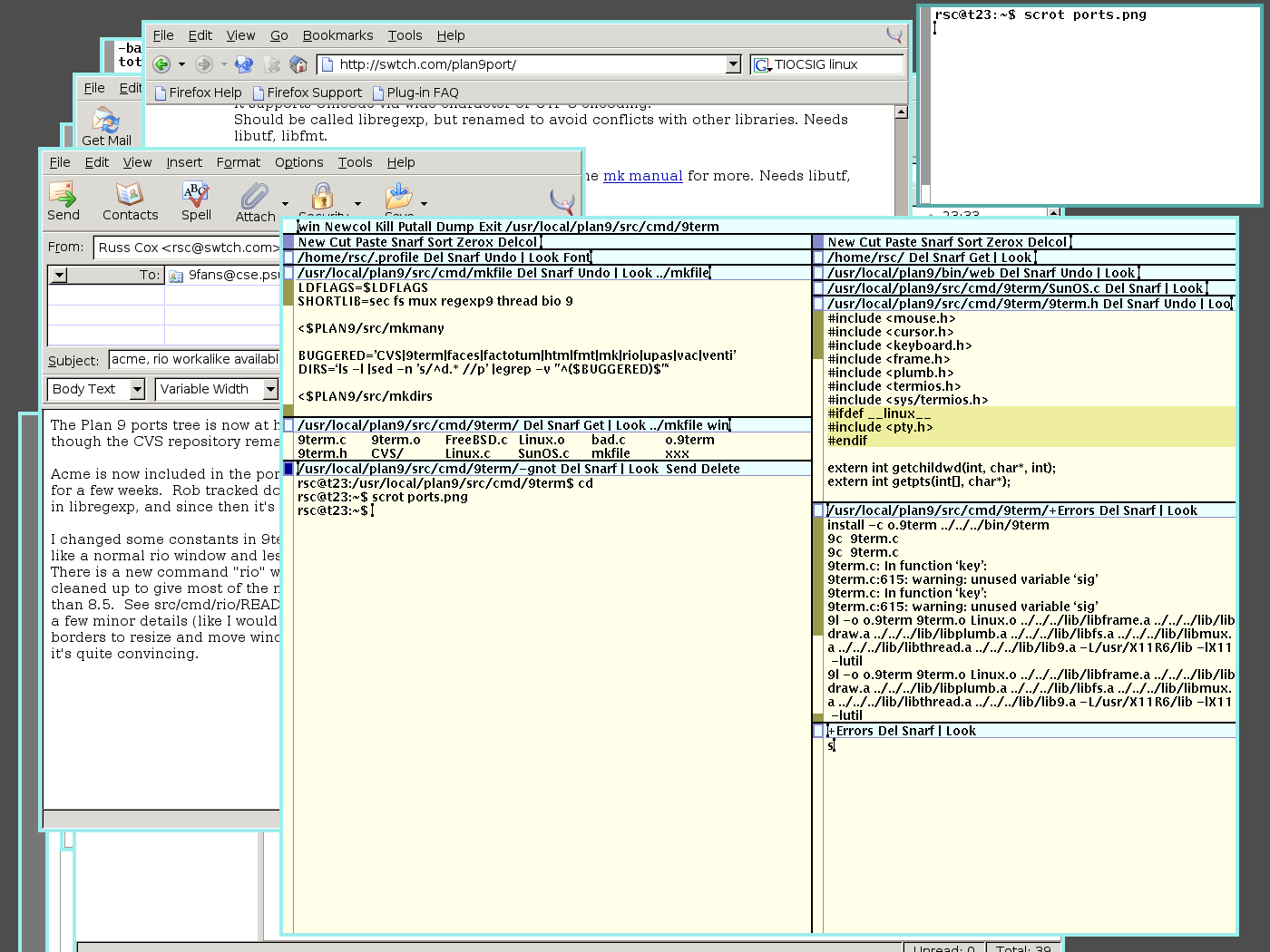
The rio (1) window manager gives me flashbacks to TWM, and gawdy color schemes inspired by 256-color displays.... More screen shots here. I'm not saying GNOME or KDE have the best look either. I actually was happy with OpenLook / OLVWM. If I have to go to a window manager look that's 10-15 years old, can I go to that one instead?
--Joe -
Re:Hmmm....
The rio (1) window manager gives me flashbacks to TWM, and gawdy color schemes inspired by 256-color displays.... More screen shots here. I'm not saying GNOME or KDE have the best look either. I actually was happy with OpenLook / OLVWM. If I have to go to a window manager look that's 10-15 years old, can I go to that one instead?
--Joe -
Re:Screenshots
-
Re:Screenshots
-
Re:Screenshots
-
Re:Look and Feel
XPDE, for one.
Mind, it's got the uncanny valley problem after a fashion. It looks, sometimes a lot, like WinXP. But it's decidedly different in subtle (and not so subtle) ways. In balance, I'd think the result is more unsettling rather than less. You're better off with an environment that uses familiar motifs, but doesn't just ape another model.
There are a large number of desktops for Linux, and most of them are highly themable. KDE and GNOME are probably the leaders, and both are highly themeable. I found XFCE4 is really popular among kids (6-18), and prefer WindowMaker myself: clean, configurable, light, stable, and out of my face.
-
Performance tips
My laptop is a 166MHz with 96MB of RAM and a 1.6GB hard drive. Running Debian.
With a 266MHz system, you're going to need to be careful about the weight of the software you run.
First, skip any of the major Office varieties for Linux (OpenOffice, KOffice, AbiWord, etc.)
If your laptop can take more RAM, install it. You'll need it. For my ThinkPad 760XL, installation of the SO-DIMMS wasn't too hard.
If you possibly can, do without X. That'll save you a world of time, especially when loading your OS off a USB flash disk. If you need X, go with a lightweight windowmanager, like twm. If that's a bit too extreme, try oroborus.
You're going to want as little memory footprint as possible. However, you're still probably going to need swap space, so I'd recommend against a flash device. Get one of the USB hard drives.
That's all I can really think of ATM. -
Re:what about xPde ?
Also, Microsoft often seem reluctant to go after people for interface copying - remember fvwm95, a window manager for X which cloned (at the pixel level, mostly) the windows 95 look'n'feel?
-
Re:"all but surpassed"
I was maybe a tad harsh, given you weren't actually originally planning on showing those screenshots to the whole of slashdot
It's just that kde can look as 'lickable' as any other desktop these days, and when so many people line up to slag of kde and linux in general, I want to jump up and down and say 'linux can look pretty, honest! It doesn't all have to be pixellated fonts and monochrome boxes!
Anyway, kudos for the effort you put into it, hopefully it'll get a few more people seing the power of a kde desktop - lets just hope they're not put off by the twm style colour scheme
-
Re:Slashdotted
Here's the Google cache.
Since google cache doesnt show gfx, and you want to see some pictures, go check out xwinman, a nice list of different types of xwindow managers and a history of each. Not everything has to be a GUI for a microsoft OS. http://www.plig.org/xwinman/
-
Troll!
Whatever.
Rhapsody has nothing on this.
Ha! I got modded as a Troll!
Would anyone seriously consider TWM to be more attractive than anything from Apple?
ROTFLMAO!
The sarcasm-challenged are out tonight! -
Re:Pity about the os9 GUI
Whatever.
Rhapsody has nothing on this. -
Re:Sounds like Apple's Expose.
Here's a screenshot of a CTWM desktop from 1998 with "multiple scaled desktops" ala Apple Expose (clunkly looking I know, but look at the window titled "WorkSpaceManager"). This feature of the CTWM virtual desktop functionality has been part of CTWM since about 1996, I believe. The virtual desktops have been there since about 92. Also, according to one article I read, this feature in CTWM was inspired by an HP window manager that came before it called "VUEwm", presumably in the late 80's.
-
Re:you could do this in twm, too!
Wasn't that ctwm?
-
Not necessarily Linux only
I've seen some pretty unusual Windows desktops at Customize.org which use third party applications to replace everything from the Windows shell to system fonts. There's a handy little utility called Resource Hacker which lets you edit Windows executable files, allowing almost infinite customization. Some of the finer results of using Resource Hacker can be seen in the tutorials here.
As for the UNIX desktop front, everything these days seems to want to copy the better points of the MacOS and Windows. A notable exception is XFCE which is a Gtk2/Gnomed clone of CDE. If you wanna see some odd attempts at user interfaces, I urge you to check out some of the others at http://www.plig.org/xwinman/ (yes the site still exists and is actually fairly recent). I honestly believe this site is a MUST READ for anyone that is going to use UNIX on the desktop). -
Re:People will keep using it, regardless...
Dude, here's a list of window managers for you.
Please do yourself a favor and try blackbox (or fluxbox) on your machine.
Use galeon (or links) for browsing.
Maybe look into mutt for E-Mail.
You'll like it.
I dunno why everybody keeps complaining about "old hardware". Esp. old notebooks can be so damn useful.
Okay, KDE on a p133 is a bit *cough* optimistic. But who needs KDE anyhow.. -
Re:Tries to shy away from the debate
Third or fourth?
There are many more. -
Re:Stone Age
Point him in the direction of Blackbox. Nearly as slim as TWM, while actually looking reasonably good.
What do you mean? TWM is really beautiful. -
Most useful in an existing Solaris environmentI think the most relevant point made is that Solaris x86 would be most useful in and environment where the are already a large number of SPARC Solaris machines and the advantages (to both users and administrators) of a homogenous environment outweigh the hardware hassles. A lot of scientific and medical institutions are still largely Solaris-based, so for them it would be useful.
That said, Linux or BSD with olvwm or XFce can be made to look so much like Solaris that most users won't care, and the hardware compatibility won't be a problem. I guess it depends on what is more important in a given context, really.
-
plig.org has a nice list
-
plig.org has a nice list
-
Re:Name-calling doesn't help
X is not a window manager. It is an X server. It is properly called the X Window System, which XFree86 is an implementation of. You can familiarize yourself with X and window managers here. HTH. HAND.
-
Re:Errr...what??
-
slashdotted
Here is a page with some info and links to other screenshots
-
Already have a Windows Workalike: FVWM95Linux already has something that looks and feels like Windows. It is called "FVWM95", the free virtual window manager. It emulates Windows 95 very well.
Still, FVWM95 has not helped Linux to penetrate the corporate desktop market even though FVWM95 has been available for at least 3 years.
However, there is good news. The vehicle that is helping Linux to penetrate the corporate desktop market is the powerful 80x86 chips by Intel and AMD. Numerous small American companies (like those in Silicon Valley and Boston's Route 128) are moving en masse away from Unix workstations with crappy processors like UltraSPARC to Linux desktops with powerful processors like the Pentium 4, the Athlon, and the PPC 970.
In fact, the CEO of one company developing radio-frequency chips deploys only Linux desktops and servers. The Linux desktops are powered by Pentium 4s. To quote her, "Linux running on an 80x86 chip creates a desktop that gives 3x the performance and 1/3 the cost of a Sun workstation."
The bell tolls. It tolls ominously for Sun.
-
Re:Windowmaker + AS
Actually, more like a fork of bowman, which in turn was a fork of fvwm.
See this page:
AfterStep is based on Fvwm, but it is designed to emulate some of the look and feel of the NEXTSTEP(R) user interface, while adding useful, requested, and neat features. It started life under the name of Bowman, by Bo Yang, but has since moved past simple emulation and into a niche as its own valuable window manager. -
Re:Stupid!
I suspect that the IP they're referring to isn't just source code. Off the top of my head, for example, check out this fvwm95 screenshot. I'm sure MS considers the Windows UI as its intellectual property, and though IANAL I suspect they may be right.
-
Re:One and for ALL!!!
Sorry mate but that's not quite right. KDE is not a window manager but a desktop environment (the DE part of KDE). KDE by default uses a window manager called KWin.
For alternatives to the bloat of KDE and GNOME, look here -
Re:Why does everyone want to copy MS products in O
Shouldn't OSS be about solving problems that people want to work on rather than trying to be a cloning engine for Microsoft software?
Bingo. Sometimes I shake my head at the lengths people go to bash M$ at every chance they get, then spend tons of effort to clone them. The first blatent one was when RH shipped thier default windowing system to be FVWM95. I still havn't gotten over that one. KDE and to an extent GNOME are not too far behind either. For example. Why in the world do they put the start thingy/taskbar/icon collector at the bottom of the screen? Because M$ put it there first. Take a look at your browser. See all the menus up top there? See the titlebar to move the window and close it etc? Shouldn't the taskbar be up there too?
Look at StarOffice and OpenOffice. They seem familiar. And there are plenty of others, but I think you get the point.
Another thing that M$ gets bashed on here is because they "embrace and extend". Many, many open source projects do exactly this.
Don't get me wrong. I like OS and there are beautiful examples of its success, like Apache, Linux, Galeon/Mozilla. The last one is an excellent example. I never thought of what I would want out of a browser, I just knew they all sucked a few years ago. However, Galeon is exactly what I want out of a browser.
So, what software do I use on a daily basis? Linux for an OS, WindowMaker for a window manager, mutt for email, vim for an editor, and lord forbid a closed source calendar called corporatetime. I believe that Oracle bought this, its difficult to find info about it anymore.
So what is my point? I get along just fine without M$ nor do I use any software that really has a M$ equivalent. Why do these topics come up all the time? Maybe we should be cloning M$'s slogan too. "Where do you want to go today?" It is a fitting question, right now the answer seems to be "Wherever M$ was yesterday?" -
Re:I tried Plan 9
"What would really be cool is if some of the GUI concepts made it over to Linux..."
They already have. Have a look at these:
9wm - a window manger that acts like 8 1/2 from Plan 9
Wily - a clone of Plan 9s programmers editor, Acme (v cool)
There's also WindowLab, another window manager which uses the same window resizing system as Plan 9.
I'm sure there's more that I don't know of... -
FVWM: The window manager I keep returning to
My first experience with Unix-esque systems and X-Windows was in 1993 when I started college. At the time my choice was TWM or FVWM. FVWM was clearly the more advanced option and one of the more advanced window managers at the time. (CDE looked advanced, but was more of a hassle than it was worth.)
Since then I've tended to be lazy and taken what I was given, stuck with whatever was the default. As a result I spend a long time with Enlightenment followed by SawFish/SawMill. I've dabbled with a number of other window managers.
Then last year (2002), I took a job back at my old university. The default was still FVWM! And while FVWM had matured, it remained instantly identifable. I hadn't used it in five years, but it came back instantly. It felt right. Sure, it lacks classy menus, but the configuration file was easy enough to use and let me set things up how I wanted. Most window managers are determined to stick the various window management buttons where they want them. FVWM makes it easy to stick them where I want them. It's a minimal WM, I don't run any of the modules except for the pager (to switch between virtual desktops) and the IconMan, a very minimal list of windows on each desktop. My desktop is spartan and I've discovered that I really like it.
-
Others
"Nostalgically twm would be more cool. fvwm, fvwm2, fvwm95, icewm, sawfish are the 'other' window managers."
Actually, I think twm would be an 'other' as well. I believe the original window manager was xwm.
http://www.plig.org/xwinman/others.html
-
Re:Replacing X is worse than pointless
trust me there's nothing elite about Tab window manager, as far as I know anyhow. it's a bit dated, but i still like it, and it works just fine even on a machine with low resources..
-
Re:What about for X?
Not quite a screenshot history for X, but you can view a lot of screenshots for different X window managers that have been around over at: http://www.plig.org/xwinman/.
-
Re:Average User
You're looking for FVWM95. Now go install it before you or they have finished compiling the binaries.
-
Re:Average User
I think one of Linux' weak points is that it doesn't offer any real *alternative* when it comes to the GUI. I think Linux needs some sort of wildly different GUI, perhaps not even based on the WIMP metaphore.
has it been so long already, that the Great X11 Window Manager Chaos is beginning to be forgotten?
say, here's a beginner's guide sort of site for you. for the really exotic, not-even-WIMP-based ideas you'd really need a completely redesigned and rewritten application suite, which would take some little time to create, but a few of the more... exotic... WM's already out there might be good starting points. TreeWM, maybe Ion, maybe PWM, perhaps 3Dwm. or just go googling for "window manager", see how long that'll keep you busy...
maybe it's a sign of getting old, when you can clearly remember the days of "unix has too many GUIs!" and seeing the good point that was therein made.
-
Where to begin1. Do they need to know how to install the OS first, or should I let them look that up on their own while I make them power-users?
I learned how to use Linux on a coworker's computer at an internship I had. I didn't learn how to install Linux until I was comfortable using it at work, and I found the installation to be pretty simple.
You'll run into a bit of a chicken-and-egg problem here if you think about it too hard. In order to learn how to install the OS they will have to deal with a bunch of things all at once: partitioning, filesystems, mountpoints, and thousands of names of programs that sound cool. Installation is pretty easy if you have a handle on these concepts, but if you don't you'll find it very exasperating--little documentation and a lot at stake. But if you make then a power user first, then they get hands-on experience with the OS, they have a reason to want to install it, and they'll be more capable at installing the OS itself on their own when it comes time to do that.
2. What distributions of Linux and BSD should they be first introduced to? (I'm only familiar with Debian, and I know virtually nil about *BSD.)
If you focus on Unix, and what the Unix philosophy is, then it won't matter much. Being able to cast around sed & awk, make command lines with for loops, and configure networking manually is a lot better than knowing how to use a graphical system configuration/installation utility like linuxconf or dselect. Plus, focusing on the tools is more likely to carry over to other operating systems. Teach them regular expressions. Teach them loops and conditionals. Don't teach them how to run RPM just because they might have to someday; it's rote, they won't remember it when they have to use it, and they'll be falling asleep as you explain it.
3. Initially, do they need to be more adept at the GUI, or do they first need to know how to use the shell?
No question: the shell. Even if you use the GUI all day (I run KDE!), lots of low-level things are written in bash/ksh/csh. If you're going to be able to sit down at any Unix computer and use it, you're going to have to be competant with at least sh/bash. The first thing I do when I sit down is fire up a console. They should be doing that automatically by the end of your class: the console is where the work is done.
There's a lot of variety with GUIs, and it can be great fun to mess around with window managers and so forth. Give them the ability to change these things (teach them how to edit their
4. Should I give away Debian CDs no-questions-asked, or should I talk with the almighty Parents so little Daniel doesn't install Linux over Dad's 'work computer.
Make the CDs available, but do talk to the parents. Make sure the parents realize that if the kid is going to do anything with "partitioning" they should go out and buy a copy of Partition Magic so they don't permanently screw everything up. That software was the best $50 I spent in high school, when I was a big OS installing weirdo. My parents never lost any data.
Clearly, some of the kids are going to want to install it at home, and it's not necessary that their parents understand the whole idea behind partitioning (though it would be nice). It's also not necessary to scare the parents into preventing the kid from doing what they want to do out of fear. I geniunely believe PM is the right answer to this problem: it's got undo until the last possible moment, and it's very user-friendly, which helps a lot when you're just getting started. Once that's taken care of there is very little that can be screwed up (most installers either ignore other drives or assume that if it's type "vfat" it shouldn't be formatted).
5. Are there any other key issue I need to think about?
Yes, definitely try and think of a curriculum. Kids who are interested can absorb tons of material, but you've got to keep it interesting. The best way to do that is to not focus on the rote doing of things, but to talk about the possibilities of things. Don't just say, here's regular expressions, instead say with regular expressions you can strip out everything in a file you don't want, get a list of all the email addresses on this webpage, etc. Keep them interested in the possibilities that you're opening up for them by teaching them the software.
Be aware of your philosophy and how it affects your decisions. If you believe in focus-follows-mouse, set up all the machines that way. Let them change it but make them try it out first: expose them to as many possibilities as possible. Have vi and emacs on the machines, and let them pick. You've probably got a whole set of quasi-religious beliefs about Linux. This is your chance to instill those beliefs in other people, but make sure that you point out your biases. Most of the kids who take your class are going to take Debian home to install, which is fine as long as you don't focus on the "Debianness of it all."
Show them the Linux that newbies don't usually get to see, because of the religious wars that go on. Regular expressions are another great example, because vi and emacs both support them. You may not be able to extend vi in lisp (and you might with vim), so don't focus on that. Keep it open.
Here's my advice on the actual software to talk about:
- Shell: bash
- Distribution: Debian or Redhat
- Window Manager: Blackbox or WindowMaker
- Browser: Galeon
I suggest bash because of it's ubiquity. Everybody uses it and knows it, and it's very expressive in its weird little way. Debian or Redhat because they are also everywhere, but don't focus on rpm or apt. I suggest Blackbox or WindowMaker because they don't have a bazillion settings that you can spend all day on. If they fire up GNOME or KDE they'll be so absorbed in the coolness of it all that they'll spend the whole day configuring it and not listening to you. Galeon is simpler than Mozilla but uses the same rendering engine, and makes webpages look pretty decent. If you have them firing up Netscape 4.7 or Mozilla, they'll either be disappointed or distracted (my guess). Past these options I don't think the software matters much if they have choice.
Good luck with your project! It sounds like a step in the right direction to me.
--
Daniel -
try mwm...did you know that 4dwm was a enchancement to mwm? you can find mwm and information here. as a fellow sgi user (indigo2 and o2), i can say there isn't a great deal of difference between the two. compare:
-
try mwm...did you know that 4dwm was a enchancement to mwm? you can find mwm and information here. as a fellow sgi user (indigo2 and o2), i can say there isn't a great deal of difference between the two. compare:
-
Re:Screenshots...
I'm not arguing about those innovations. I'm asking for someone to show me a UI environment that doesn't look like Windows! And I'm not talking about a skinned window manager. I'm talking about something really innovative unlike all the other desktops out there.
Here is a collection of window managers. There are some for all flavors. First, notice there is one for just about every other operating system standard. One for Plan9, one for Amiga (and IceWN), one for NeXT (actually, several). I know - no innovation.
Then see Enlightenment Windowmanager, which added anti-aliasing and alpha-blending BEFORE Windows and Mac did (no alpha-blending for them), as well as non-regular shaped widgets for your windows. Then pwn and FluxBox with tabbing on all windows.
But User Interfaces HAVE NOT been innovative for much of anything for about 20 years since Mac came out looking a lot like Xerox PARC. But, see the list, there are lots to go from. My favorite are the minimal memory consumption ones, like Blackbox and pwm and twm, but there is something for everyone. Unlike Windows or Mac, where you can have any flavor you like as long as it is vanilla. -
Re:APSL takes away rights
Firstly, there's a big difference between Ford copying Porsche's features and an OSS / FS project copying Apple's features. Ford is commercial and competes with Porsche. OSS / FS projects are not commercial and don't compete.
Secondly, as you implied, Ford could have come out with rounded headlights the next year, or day; just it would have to be their own implementation of them. Similarly, the Aqua themes I've seen so far for Linux or Windows are not copies of Apple's implementation of a glassy/bluish look & feel; they're different, separately generated, implementations.
The idea that a "look and feel" can be patented & copyrighted is absurd. Xerox was trying to make that point when they sued Apple because Apple sued MS for "ripping off their look and feel"; essentially, Xerox said that you shouldn't legally be able to own the rights to a look and feel.
Think about how backwards what your saying is. You want a world where one person discovers something useful, and then no one else can use that something without paying them. Its like saying that if I find a better way to do business, and that becomes widely known, I can prevent anyone else from doing business that way.
The entire market is dependant to some extent upon competitors copying eachothers efforts. This is the only way you can create real competition.
Yes, I know the only thing that makes the GPL work is copyright law. However, the GPL is a brilliant tool designed by Stallman to use Intellectual Property laws against themselves, so to speak. It is not the end goal. The end goal is to either eliminate intellectual property all-together, or vastly reduce its duration and scope.
As for being an ass, I call it as I see it; if I think someone's full of it, I'll say so.
As for a dock before NeXT, what do you call this in TWM? -
Re:translucent windows and other nonsense
A huge breakthrough would be to ONLY RAISE THE WINDOW WHEN THE USER CLICKS ON THE TITLE. In particular stop raising it on clicks, and don't raise it when a child window is raised!
Try twm (again)!
-
Re:New to Linux world (please be gentle)
This link is pretty good.
-
Right answerAbsolutely correct. GNOME and KDE attempt to reproduce all the functionality of Windows. They'll probably never be as bloated as Windows (or as inflexible), but there's a minimum amount of overhead for all those features.
There's a lot of good work being done in window managers, and most of them are a lot less resource-hungry than GNOME or KDE. (My particular favorite is Enlightenment, mainly because I find the design very creative.) Of course, they all cater to folks with a serious let-me-tweak-everything mindset. But then, who else wants to run a GUI on old box that most people would just throw out?
-
Re:honest question about WMs...
Try:
http://www.plig.org/xwinman/index.html
There are them all. -
CtwmI use Ctwm, which is a variant of twm which looks a bit nicer but is still pretty lightweight. I've run it for years, on everything from a 386/25 to my current 1.2Ghz Athlon, and I don't find I need anything more to shuffle the windows around the desktop.
Nice features over twm : Virtual desktops, pixmap `themes' if you want that kind of stuff. Probably others, but I'm a bit of a minimalist so I don't go for WM fluff.
Obligatory links : -
SDL for Amiga
-
My favorite TWM - CTWM!
One TWM I've not seen mentioned here is CTWM, which is a TWM I used for quite a while after TWM.
It actually stands for "Claude's Tab Window Manager", which is rather funny given how they took out "Tom" The two things I liked most were the virtual screens (I think one of the first, but I'm not sure about that), and the color support...
It had great support for customizing the look of the WM with pixmaps and various colors, and I think more options that TWM had - I remember having nice gradient shaded menus. I think it also had the easiest to use virtual room support of anything I've ever tried since, but I haven't used that feature in the newer VM's much and have been too lazy to really customize my WM as much as I used to.
I like to think of TWM as the "VI" of WM's, as no matter what machine you connect to you know TWM will be there and it's easy to use (OK, in one way it's like VI...). I use TWM all the time when connecting to various machines around the company if I'm using a lightweight X server like WierdX on an NT box.