Slashdot Mirror
Domain: musichall.cz
Stories and comments across the archive that link to musichall.cz.
Comments · 43
-
Re:macurmudgeon
-
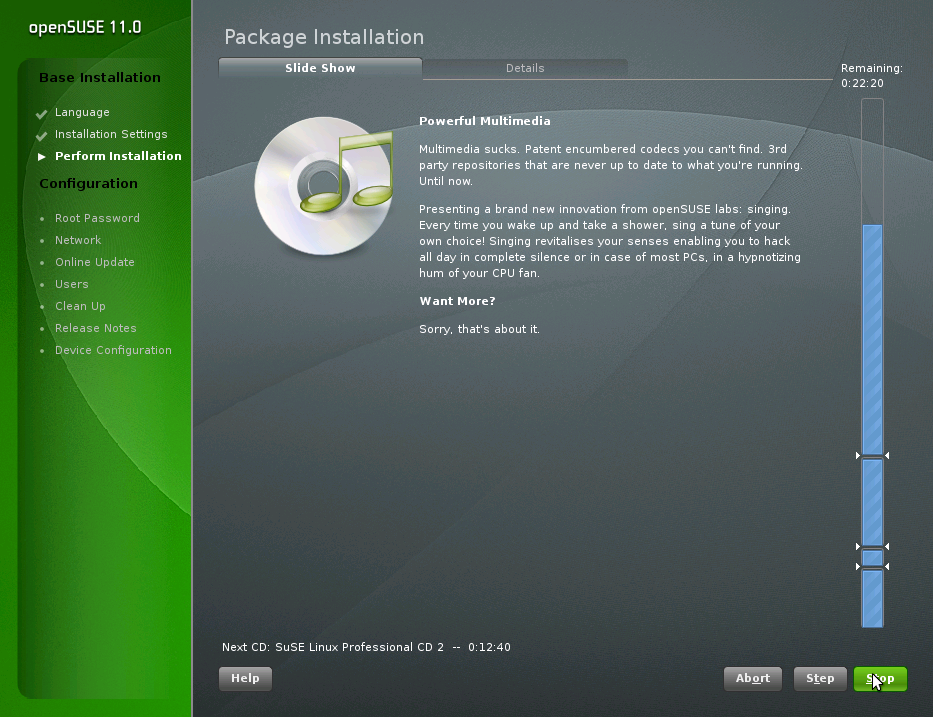
The second screenshot is great!
"Multimedia sucks."
http://jimmac.musichall.cz/images/blog/qt4-rocks.png -
Re:I wonder
I agree, but let's come up with some specific examples for the OOo developers,
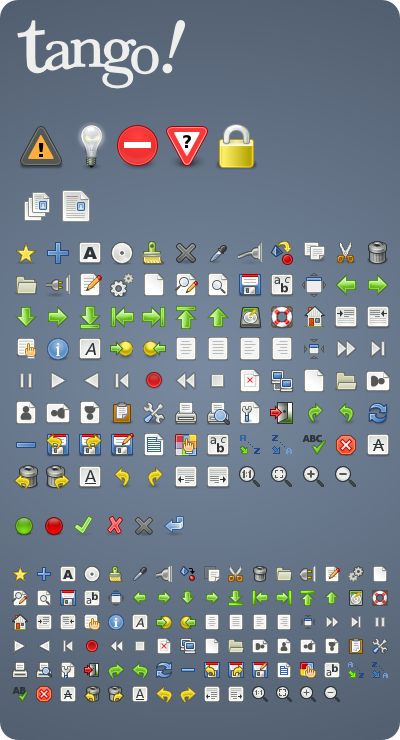
1. Use Tango Icons (another example).
2. Ditch the floating toolbars, dock everything by default.
3.1 Simplify the toolbar: only show toolbar icons by default that are used every hour (eg, open, save, bold/italics, etc.). Eg, I haven't tried 2.3 but in Ubuntu 2.2 there's a button to toggle AutoSpellCheck. It's not used that frequently -- move it to a dropdownlist. And then we might even see the OpenOffice.org help button.
3.2 Group toolbar items into tabs (call them the Office Ribbons if you want... the Office Ribbon is just a ripoff of Dreamweaver UI Tabs anyway and I'm sure they borrowed the idea from someone else. Stealing good ideas is a good thing).
4. Don't flicker in the spreadsheet when scrolling through lots of selected cells (eg, select a whole page and scroll)
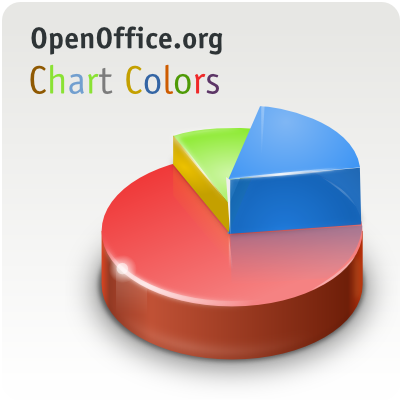
5. Choose good default graph colours and design. Get gnome's jimmac to pick some... he may be colour blind but that guy knows colours.
6. Grey-out icons with alpha, not with a every-second-pixel-grey mesh.
7. Make better HTML output targetted at profiles of browsers... the current one doesn't understand shadows or borders, and with CSS3 you can support that stuff. For older browsers that don't support CSS3 drop shadows then fake it with nested DIVs or something.
8. Have a strict ISO OpenDocument profile to save documents as... not just ODF 1.0 but check for proprietary stuff all through the document.
9. Don't use Java for ODF... well allow it as an option but come up with some JavaScript syntax (Java is too heavy to type, prefer Javascript/Python/Ruby or something). Use a P4X syntax for accessing a document object.
10. Allow arbitrary border images. Allow acronyms and abbreviations for disabled users.
Some of these are probably addressed in 2.3... sorry for the dups -
Re:I wonder
I agree, but let's come up with some specific examples for the OOo developers,
1. Use Tango Icons (another example).
2. Ditch the floating toolbars, dock everything by default.
3.1 Simplify the toolbar: only show toolbar icons by default that are used every hour (eg, open, save, bold/italics, etc.). Eg, I haven't tried 2.3 but in Ubuntu 2.2 there's a button to toggle AutoSpellCheck. It's not used that frequently -- move it to a dropdownlist. And then we might even see the OpenOffice.org help button.
3.2 Group toolbar items into tabs (call them the Office Ribbons if you want... the Office Ribbon is just a ripoff of Dreamweaver UI Tabs anyway and I'm sure they borrowed the idea from someone else. Stealing good ideas is a good thing).
4. Don't flicker in the spreadsheet when scrolling through lots of selected cells (eg, select a whole page and scroll)
5. Choose good default graph colours and design. Get gnome's jimmac to pick some... he may be colour blind but that guy knows colours.
6. Grey-out icons with alpha, not with a every-second-pixel-grey mesh.
7. Make better HTML output targetted at profiles of browsers... the current one doesn't understand shadows or borders, and with CSS3 you can support that stuff. For older browsers that don't support CSS3 drop shadows then fake it with nested DIVs or something.
8. Have a strict ISO OpenDocument profile to save documents as... not just ODF 1.0 but check for proprietary stuff all through the document.
9. Don't use Java for ODF... well allow it as an option but come up with some JavaScript syntax (Java is too heavy to type, prefer Javascript/Python/Ruby or something). Use a P4X syntax for accessing a document object.
10. Allow arbitrary border images. Allow acronyms and abbreviations for disabled users.
Some of these are probably addressed in 2.3... sorry for the dups -
O.R.I.G.I.N.A.L
-
Re:Gates knows best
I mean, M$ has pleasing to look at icons, whereas OO has old Windows 3.1 looking icons.
I think Jakub Steiner would probably take offense at this statement. I mean, the dude spent all this time designing a huge set of icons for OpenOffice. Now, why OpenOffice doesn't actually uses them, that's another story. -
It's Already Being Done
It's called the appeal project (http://appeal.kde.org/ and this Tango project has simply been dreamed up as a response. It's a direct rip-off actually. I mean come on:
The Tango Project is a collaborative effort of a variety of free/open-source software designers and artists
Jakub Steiner even talks about standards (freedesktop.org!! - standards!!) on his weblog (http://jimmac.musichall.cz/weblog.php). Err, sorry but you're not creating yet more non-existant standards to throw around just so you can say certain people aren't collaborating. This is a solution looking for a problem because the problem is already being alooked at. I can't see KDE adopting anything like this as a standard, and I doubt whether Gnome would as well because it would mean some large changes to their HIG as well as other things. This sentence kills the project stone-dead before it has even started:
While there are things you can already grab and start using on your desktop, we are making this public in an early stage as the key elements of the project are the actual standards we want people from various projects agree on.
Right. So we create an independent project, create lots of Gnome-oriented stuff, possibly submit it to Freedesktop and then push it as a standard? Right......
and he makes this comment further down:
Chris, the goal here is to find a sane compromise. We need to get rid of those icon attributes that would make an application feel out of place. If everyone else is using saturated colors, going against the stream isn't going to help us.
What project is going to adopt that! This guy has certainly got the wrong end of the stick here. I can't see this lasting at all.
If making apps not look out of place really is their goal though they can do worse than to just ask the KDE people and adopt the QtGTK theme engine and work on it. Somehow I can't see any of that happening. -
Re:Will it be usable?
Are you joking Jakub Steiner makes some of the best and most usable icons ever.
-
print arrow
I know they spent a lot of time on thinking up these icons, but I still would prefer to see the print document icon with an arrow going into it (intead of out of it as depicted by the icon). Conceptually I think of it as the document going to the printer, not the paper coming out of the printer. Does anybody really care though? I'm nit-picking.
-
Jimmac is the real author...
jimmac [http://jimmac.musichall.cz/%5D made the icons - he was making it for a long time.. Oh. And hi also produced windows decoration that you see. It is called Industrial (as theme) and it is owned by Novell...
I don't like cheating - be it slashdot post - but it also puts the mentioned (in shity as usual) Slashdot post. -
Re:GimpShop?
Who created wilbur?
Probably Jimmac, if it wasn't him he is likely to know who it was. http://jimmac.musichall.cz/
If you want to make an effort to find out for yourself you might check the gimp cvs logs -
Jimmac's GNOME icons
If you like icons, you may also want to check out Jimmac's ikony. You've probably seen a lot of his icons already, if you use GNOME. Really great stuff!
-
Re:Rolling your own
From the page you linked:
* - Altorught this version is known as "SVG", the icons are still in PNG format, the SVG files will be relased once the support for the format improves in KDE.
Not SVG. And Jimmac doesn't agree with you anyways. -
For those just joining the discussion
For those just joining the discussion, you MUST read the whole thread, "roadmap status update/update request", Luis Villa, http://mail.gnome.org/archives/desktop-devel-list
/ 2005-March/thread.html#00078
They didn't tell her to STFU or to F off & die. They gave her reasons why her idea for an official poll would not work. They gave her reasonable suggestions on how & why feature requests may go unfulfilled. She rallied & reiterated her points but they did not fall on dead ears. Read through the mailing list and see it for yourself. She is just one person and is guaranteed to have her own opinion. They are devels working on it & they have their own opinions.
See also a coincidental GNOME dev blog, March 10 Jakub Steiner's blog on how to request features: http://jimmac.musichall.cz/weblog.php -
The splash is widely disliked.
-
Free Software Icon Howto
jimmac has a nice site on this very topic
Much more to it that you probably guessed. -
Scalable desktop.
Good article on this is SVG and its Path into the Linux Desktop. Some games in GNOME 2.6 already run in SVG; all (supposedly) will by GNOME 2.8.
Check out the Gorilla icons for GNOME as well. There's a video demonstrating the hotness. (The video's not that great-quality, but it's an adequate demonstration.) (More information about SVG themes available at Spheres and Crystals SVG theme.)
Coming as well: themed colors; SVG graphics can refer to a color from a system or user stylesheet instead of having them hardcoded. Lots of possibilities. Vector graphics rock.
--grendel drago -
Scalable desktop.
Good article on this is SVG and its Path into the Linux Desktop. Some games in GNOME 2.6 already run in SVG; all (supposedly) will by GNOME 2.8.
Check out the Gorilla icons for GNOME as well. There's a video demonstrating the hotness. (The video's not that great-quality, but it's an adequate demonstration.) (More information about SVG themes available at Spheres and Crystals SVG theme.)
Coming as well: themed colors; SVG graphics can refer to a color from a system or user stylesheet instead of having them hardcoded. Lots of possibilities. Vector graphics rock.
--grendel drago -
Re:What makes this a killer? -----AMEN
-
Re:More about them at
Would it kill you to put anchor tags around a short word instead? If there's one thing I hate about slashdot (One? HA!) it's having to copy and paste links, and then hunt for the frigging space in the middle that slashdot added via the wraparound on the text box.
To be fair, your URLs were short enough to avoid this problem... but I still had to check the second one, just in case
But it's not hard -
Reviewer proceeds from misunderstanding community.
I just can't understand why anyone would want to go to so much effort for so little reward. It's like scaling a craggy mountainside and getting to the top to find that there's no view!
Large scale projects routinely produce something less than desirable; this is a part of any creative process. I'm sure nobody knows what major flaws exist better than GIMP hackers (similarly, I'm sure Photoshop's developers can point out big flaws with Photoshop). I don't mind repeating flaws or bringing them to wider public attention, but I get no impression that this reviewer is aware of the process by which free software is developed and how that process includes the users far more than proprietary alternatives.
Also, along the lines of "why would people [bother]?", people bother because not everyone wants to become dependant upon a corporation that treats us like crap (remember whose actions held Dmitry Sklyarov in US jail?). Some people want software freedom and are willing to work to get it.
That this person paid for support they're not getting is unfortunate but that is just one firm from whom they could have bought support. The nice thing about a free market is that you can have multiple vendors competing for your business. Monopolies don't make this possible, software freedom does. All proprietary software are monopolies.
The font rendering demonstration--is that the result of not being able to leverage Apple's patented font rendering technology or a bonafide GIMP flaw? If the former, we see the same lack of software freedom hobbling the ability to provide competition. If it's the latter, is this flaw seen on other platforms too? I'm not against addressing real flaws, I'm against not having enough information with which to assess the problem.
How much of the problems noted have to do with the artist and not the program? Jimmac produces impressive work using The GIMP. How long did Jimmac spend with The GIMP and what difficulties does a long-time user see? This input would be valuable to know as well.
The GIMP needs work, no doubt, but so many points in this review leave me with more questions that I am left with a bad impression overall. I look forward to further GIMP improvements and revised reviews that track the progress of the GIMP.
-
Re:PNG, great.
perhaps you will find this helpful. i haven't looked at it myself, but i understand its a piece of javascript code you can implement to fix the problem rather than converting all of your pings to gifs.
-
Tutorial Videos
Jimmac has made some awesome GIMP2.0 tutorial videos at jimmac.musichall.cz
-
Re:When is enough enough?
ha ha... I was just thinking of the sticker they used to have on that album. Interestingly, I looked through all 547 google image results, and found only two with the sticker I remembered: both looked like this. And in that picture, the sticker isn't where I remembered it.
-
Icon Reactions
My initial reaction to these icons was simply utter disgust. I snapped the tab closed and tried to repress the whole thing.
Generally, when something's announced on Slashdot, I assume it's something new or exciting; if it's for something like an icon theme(?!) on an obsolete OS, I foolishly assumed it would at the least be eye candy.
Anyway, the whole situation reminded me to be oh-so-thankful for the graphic artists working for FOSS projects. My personal favorites are tigert and jimmac for who the gnome project owes most of their icons.
When you have to use icons plastered on all your widgets everyday, be happy they didn't come from a broken time machine. -
MS has a fix?
I've seen Jakub "Jimmac" Steiner use this "horrid" piece if code (which he rightfully calls it).
From the site:
AlphaImageLoader Filter: Displays an image within the boundaries of the object and between the object background and content, with options to clip or resize the image. When loading a Portable Network Graphics (PNG) image, tranparencyâ"from zero to 100 percentâ"is supported.How come MS hasn't integrated this, uhhh fix, into IE by default?
Oh wait, I know - embrace and extend indeed! BTW, I don't use IE.
z -
Re:ChangesHowever, IMO, the shadows suck. They look like a really cheap ripoff of Windows 2K/XP's shadowed cursors. The alpha-blendedness is pretty, but not much else.
You might want to have a look at these cursors - Jimmac doesn't seem to be working on them anymore, or at least the last update was last October and there's no package. But you can use any of the other cursor themes as a template and just copy the images from the web page (no scalability, though).
Personally I couldn't stand either the redglass or whiteglass themes; Jimmac's cursors, OTOH, are pretty close to perfect.
-
Re:"beautiful"?
Umm
Take a look at this site and this one. As far as GUI artwork goes, it's about the best I've ever seen. The OSX stuff may give it a run for its money, but the Microsoft folks can't offer anything close (obviously this is just my dumb opinion). Keep in mind that the truly "good" artwork hasn't really shown up until Gnome 2.0, and I think quite a bit of it is only packaged with 2.2 and beyond. -
Ximian-South
Ximian or not, everyone still uses XMMS. And why not spice that one up a bit with the kick-ass Ximian-South-skin which can be found here.
-
Re:I'm sure someone else will mention the Gimp...Not really.. as great as the GIMP is, it still has a ways to go before it can pry photoshop out of the cold dead hands of the people who use photoshop what it is intended for rather than just for general cropping and resizing.
Indeed, a better comparison would be to Paint Shop Pro, which is in fact what I'd gues 90% of the Photoshop users actually should be using. I know so many people who just pirate Photoshop so they can feel "pro" and use "the best" that it's not even funny. Get over it!
Not to mention the GIMP looks horrible on every OS
Looks OK to me, running in GNOME on Linux (which is in fact its "native" OS) - note that screenshot is quite old now.
Considering that the GIMP will run on basically anything, and Photoshop runs on Windows or Mac OS (unless you count Wine), I think the:
I guess you get what you pay for though.
line is extremely old. No, hard to believe though it is, there's this thing called charity and it means sometimes you get something great for absolutely nothing.
-
Re:Aren't APPS the real issue?You seem to be under the impression that "Linux" is doing one thing. Not so! If you happen to like the MS way of doing things, or want to minimize retraining costs etc, you can:
Use KDE with OpenOffice and Konqueror like this
The best software on *nix does it differently. Look at Apache. Anyone who wants it can figure out how to edit an httpd.conf file. It's not terribly hard. Why would anyone want to give it an IIS-like interface?
Because some people prefer GUIs? GUIs aren't evil you know, and editing text files aren't necessarily inferior either.
As an aside, anyone notice how much better the command-line paradigm deals with chaining/piping programs together?
No. The command line sucks at program componentization. Piping is an incredibly crude component system - you can't even get the exit code of a program half way along a pipe without pain. Stuff like COM/CORBA/.NET is soooo much better. Note that not every command line app can be scripted/joined easily either, they have to be specifically designed for that.
-
Re:It Shouldn't Be Surprising...since Linux is looking more and more like Windows every day. I'm amazed at how much KDE tries to ape Windows rather than trying to adddress the problems of the Windows interface.
I fear that if Linux continues in this problem we may end the problem of being weighed down by a monopolistic regime but we will still not have bettered the PC computing environment.
Well, GNOME2 is trying to come up with new interface ideas. Take a look at some of jimmacs screenshots
Unfortunately there's a very good reason that these projects are similar to Windows - namely that they have to be. Most people are NOT willing to learn anything in order to use a new system. That's why software meant for joe public rarely comes with user manuals. Online training can go some way towards fixing this, but you've still got the problem that you've got to be similar to Windows in order to get people to switch.
Note that doesn't mean you always have to be like Windows. KDE has a truckload of cool stuff that Windows doesn't have, and Linux also has usability features Windows doesn't (no, really) like single-click. There was a huge thread on the KDE lists about this: namely some people double click on icons when they don't need to. Which is better, single or double? Usability says single is more consistant, makes more sense and is easier to do, but people are used to double.
KDE is a great launchpad for Windows converts. They can always migrate to GNOME, Enlightenment, FluxBox or whatever later.
-
Re:I have a questionAlso, you don't need to emulate Windows using KDE/GNOME. Their default configurations just include a panel at the bottom of the screen with a K or a foot where the Windows Start Button is.
Actually this isn't true of GNOME any more. The default layout is as far as I can tell unique. You can see a screenshot of it here.
There is a bar across the top Mac style (though that's the only similarity to the mac), and a taskswitcher with desktop switcher at the bottom. There are two menus, Applications and Actions (which makes sooo much sense I can't help but think, why did nobody think of this before?). You can add your own applets to the panels, or add your own. It's not only extremely flexible, but very intuitive as well.
Having said that, I wouldn't recommend GNOME2 for new users yet. I'm using it now, and it's interesting as much for what it lacks as for what it's got. It's clearly a fantastic foundation to build on, and I await the 2.2 release with interest. Hopefully Nautilus won't suck then.
But anyway. The old bottom panel with the foot system has gone (unless you use RedHat) - I suggest you check out those screenshots of Jimmacs. They are too sweet. And nothing like Windows or the Mac, or KDE.
-
Re:The problems: fonts and XOK, it's been done before but I'll do it again. Major gripes with X and the answers:
- It's slow: not any more. Many years ago, all X communication took place via network sockets. This involved lots of unnecessary overhead. So the XFree team implemented the shared memory extension, eliminating the need for network IO. Result? Big speed gain
- It's old: so is the Windows GDI, I don't heard anybody complaining about that. X has a great design in fact, the people who tend to state otherwise usually don't know much about
windowing system design
- Fonts suck: this is largely because good fonts are difficult to make and cost money. Until recently XFree didn't support TrueType fonts, so you couldn't use the Microsoft ones either (which are very good and available for free). Recently some new (good) fonts were donated to XFree by a font company, I forget the names. This, combined with true antialiasing as seen in the GNOME 2 screenshots (and in KDE too), mean fonts finally look good on a well set up Linux box. It'll take some time for these changes to filter through to all Linux distros, but really, fonts are well on their way to being an ex-problem.
- Drivers suck: there's nothing anybody can do about this except reward companies that produce good Linux drivers. My next card will be an nVidia for exactly this reason, I know I'll get max performance from them as the drivers are excellent.
- It's not like other systems: in fact, X is quite similar. Let's look at Windows and X. Windows is based on message passing, so is X. Windows is based on repainting damaged areas, so is X. Windows has separate drawing engines and control libraries, so does X - except it's more noticable in X as there are multiple control libraries/widget toolkits. Windows is not network transparent however
- It's ugly: I beg to differ
- It's bloated. Compared to what? I would bet a lot of money the people saying these things have not totalled together the size of X and the size of the Windows GDI, Windows OpenGL, all the different common control DLLs, the window manager DLLs etc.
- It can't do transparency. In fact XFree has hardware accelerated alpha blending (assuming the right drivers). What you mean is, apps can't get what's underneath them, preventing stuff like window drop shadows. Keith Packard is working on this as we speak, and will be also an ex-problem in the next few months.
- We need something new. A long time ago, X really did suck and was behind the times even then. The talk was of Berlin, and how it'd revolutionise Linux graphics. Except we're still using X, and why? Because when it came to the crunch, the big problems with X were solved, and Berlin never really got off the ground. Linux doesn't need something new. X is just fine, and I challenge anyone who thinks otherwise to give me hard, reasoned statistics, not just idle opinions.
- It's slow: not any more. Many years ago, all X communication took place via network sockets. This involved lots of unnecessary overhead. So the XFree team implemented the shared memory extension, eliminating the need for network IO. Result? Big speed gain
-
Re:screenshots
-
Re:screenshots
-
Re:screenshots
-
Re:screenshots
-
Re:screenshots
-
If you want that low-end feel...
Try installing the Scalable Gorilla theme for Nautilus on your Gnome box. It's all SVG so it is very nice, but resource-intensive.
I tried it on my dual PIII-550 machine and it slowed it way down. The SVG fun pegged the processor at 100% quite often. But, I just return to a simple theme, or run Midnight Commander, and speed, speed, speed of Linux returns!
-- -
Re:What kind of crack are you smoking?
Those are SVG icons, you can resize individual icons to any size you want, and there will be NO pizelation
-
What kind of crack are you smoking?
1. Bonobo has been out for a while now and used as the core of Evolution, Gide, Dev Help, Nautilus and many others... ever wonder why Open Office is intergrating with Bonobo?
2. nope, no such recomendation at that link. May I remind you that Galeon just won an award for the best linux browser?
3. Absolute unsubstantiated bullshit.
4. I'll just let the pictures speak for themselves:
5. Hurd was started in 1990, before linux, further more, the GNOME people are not employed by Gnu and are associated only substantially by name.
G/K are here to stay, deal with it.
-
1998 statements by cddb authors
The following are excerpts of a cddb howto from an early 1998 document by the authors of cddb, found at http://mp3.musichall.cz/download/source/informati
o n/cddb.howto. Its neat what you can find with google. It seems to raise license issues.The CDDB data format and the CDDB servers are designed to be open, and are now used by many other client application software requiring CD information. The list of CDDB-capable applications is growing rapidly and a current list of these applications is available via the CDDB web site: http://www.cddb.com/
The xmcd package and the CDDB server software are both released as free software under the GNU General Public License, and we would like to foster the concept of free software. Moreover, the public CDDB servers all run on sites that have graciously volunteered their disk space, computing and network resources, not to mention occasional maintenance and support chores, all for free.
Given this, we provide full assistance to freeware authors who desire to incorporate the use of CDDB into their software. In addition, shareware programs are also supported, because it is our understanding that shareware authors, like freeware authors, usually develop their software because they enjoy doing so, and they rarely make significant enough money from their shareware programs. Users of CDDB-capable freeware and shareware applicationa may use the public CDDB servers for free.
Commercial uses of CDDB data and/or servers are subject to negotiations with the CDDB Project. Write to us at cddb-support@moonsoft.com for information.
The xmcd and CDDB server software are both released to the public with full source code. You may inspect the source to see how it works. but please be aware that the source code to both of these packages are released under the terms of the GNU General Public License. The full text of the GNU GPL is in the COPYING file in each of these packages.