Slashdot Mirror
Domain: openoffice.nl
Stories and comments across the archive that link to openoffice.nl.
Comments · 49
-
Re:Why Apple is good
Apple products are somewhat ok if you don't test the boundaries or use them too creatively. Otherwise all bets are off.
I haven't found anything I could do in Windows or in Ubuntu I can't do on a Mac. Hell I can install both Windows and Ubuntu, or other Linux distros, on my Mac. I've been doing prep work planning to install Lucid Lynx (Ubuntu 10.04) on my internal HDD and Oneiric Ocelot (11.10) on an external drive. Tomorrow I plan to actually do the installations.
Now tell me what you can do with MS Windows and or Linux you can't do with a Mac. That is what task not what specific application. For an office suite I was using NeoOffice but now I use LibreOffice. For those who need it MS has MS Office for Macs. For development I have can use Xcode, Eclipse and Bluefish. Databases? I have choices there too. Graphic arts and photo editing? Many firms only use Macs for those. I have Photoshop Elements 10 installed on my Mac but I'm hoping to upgrade to Photoshop CS5.
Falcon
-
Re:notepad++ dude. And an answer...
LWATCDR inquired:
Okay how about Kompozer and Bluefish http://bluefish.openoffice.nl/index.html and http://kompozer.net/
Bluefish is just a text editor. It's a powerful, capable, lightweight text editor that can handle a huge number of open files simultaneously - but it's just a text editor. Handy for coders, but the OP asked for WYSIWYG editors, not text editors. (Personally, I still use good, ol'd PFE 32 1.01.000.)
Kompozer does a pretty good job of cut-and-paste for tables, and I like the integrated FTP client and the ability to call W3C's HTML validator service from within the app. That said, it's still a beta application, and there hasn't been any development on it since 2009 (which means, among other things, that it's still broken on Linux). On the good foot, it's OS, so anyone with coding skills is free to fix any bugs or add any features they like.
-
Re:notepad++ dude. And an answer...
Okay how about Kompozer and Bluefish
http://bluefish.openoffice.nl/index.html
and http://kompozer.net/ -
Re:Recommendation
Third it. Feature list.
Oh! I never realized Bluefish was available for Windows as well. This may mean retiring Arachnophilia altogether, if the Windows version of Bluefish is as good as the Linux version.
Granted, there's nothing wrong with Arach, but I would rather standardize on the same app across platforms.
-
Re:Recommendation
I use Bluefish on Ubuntu. It's very functional and has enough longevity as far as I know.
I second the recommendation for Bluefish on the *nix side of things. That has replaced Quanta Plus as my standard html editor on my Debian systems, since QP is no longer in Sid.
On the Windows side of the house, Arachnophilia is a good one to use.
Third it. Feature list.
-
Re:Why the new name?
I understood that they had to call it OO.org instead of simply OO because they do not own the trademark on that name, at least not in every country. The Dutch homepage of OOo has a disclaimer on their page, saying that there is already a local company with that name. From what I understood they are far from being a trademark troll: they predate OOo, own the trademark in the BeNeLux and actually appear to be some open-source-friendly consultancy bureau. I am not sure about the status in other countries. Anyhow, Sun did a bad job choosing the name OO, but at least as a brand-name it sucked a lot less than LibreOffice.
-
Bluefish
For all my web development needs (incl html, css, javascript, java, php and mysql) under Linux there is Bluefish!
-
Re:Is Dreamweaver good?
I'm quite partial to Bluefish myself for web development work.
-
Re: OpenOffice.org is also a web app!
It's a trademark issue. These people had the trademark first, I gather. OpenOffice.org's web site has this to say about the question: Because of trademark issues, OpenOffice.org must insist that all public communications refer to the project and software as "OpenOffice.org" or "OpenOffice.org 1.x," and not "OpenOffice" or "Open Office."
-
Are there gui apps ready for it yet?
Before anyone starts pestering me on this, I want to mention that I've been using *nix based systems for a long while now. I'm a software engineer, and I worked at a linux based ISP for two years on top of it. I've installed countless distro's and eventually stopped using them all (mostly for gaming reasons). The one problem I have every time I go back to loading up gentoo (still my fav) is lack of applications I like.
Example: Trillian for windows / Adium for mac (click on Xtras, top right of screen). They're pretty looking, they're functional and have lots of addons. Linux has gaim (which I love actually, but it's the point of the matter. I don't have the option to switch from "clean and basic interface" to "fun with extras").
I'm a web developer, and my favorite database program to date was for Mac (Yoursql
Next is editors. Simple fixes here and there, I use Vi(m). But for my Php/xml/html/javascript/css, I want to see a program that just does web languages. For Windows and Mac there are TONS of them. For linux, there are a few, and most are either bloated to hell (eclipse, since it handles ALL programming languages for the most part) or just unstable with practically no features (line numbers? good color switching between php/html/css? tabs for multiple windows?). Given Bluefish is good stuff, but programs like this (IMHO) are few and far between.
Mac, I believe has it down the best. There are many programs, and (which is also the problem IMHO) many of them are not meant to do EVERYTHING. In the end though, you have a bunch of options(programs) to choose from, and they're really well built for what they need to do (lots of planning to put only what is generally NEEDED, while spending time to make sure the DESIGNS look good and are simple. The whole "i don't like it because it took too many mouse clicks" mentality that mac users have), instead of one or two programs that are meant to try and do everything =/. As much as I hate to admit it, eye candy is a major player. It's sad because Desktop wise, linux is AMAZING at it Linux vs Vista (I'm not trying to bash Vista here, i'm just making a point).
While I mentioned web development based things, I'm sure this is generally true for most people in most aspects of computing (I've had a lot of friends mention this about various things). I believe that biggest problem is the idea that "a program should do everything" mentality. When we build some more basic programs that are quick, clean and easy to use for any and all purposes (even basic text editors), then I believe that many more people will start to use linux because they won't be so lost from needing to search all over the internet for "a program to do X" (ubuntu / gentoo / suse all that those threads in their forums, the stuff really isn't that easy to find...) or overwhelmed by seeing the 500 options when they just wanted to write a few notes to themselves. Ubuntu was a great step at simplifying and getting people curious to install, now we just need to add more "stuff" to keep people here! The "Ready for Desktop" can be thrown out as it IS ready for desktop. Now we just need to work on the "Simple and Easy to Use"
-
Re:Good, but the interface is still lagging
"That seems fair to me, since they
I've not used 2007 yet, so correct me if I've wrong, but it doesn't look like a big jump from the menu in Bluefish that I've been using for years. -
Bluefish
Bluefish is a text based web editor which allows far more code-based freedom. For code, frankly, it works better than Dreamweaver. It's not exactly user friendly, but is efficient and works surprisingly well once you know HTML coding. It has tons of Wizards, too, so people can insert things like pictures and charts with ease.
-
Re:Anyway
I've been running (K)Ubuntu for a while now on some lower-end hardware, and find that Bluefish (http://bluefish.openoffice.nl/) answers all of my web development needs. It's lightweight, responsive (except on some remote-editing edge cases), has a great UI, and is just generally fun to use.
-
Re:Old fashioned
Bluefish is pretty good, too.
It's currently a *nix app, but they are working on a native win32 port.
There's a kludgy win32 version out now that runs on top of cygwin, but its a very old version, unfortunately. -
"Ribbon" is not new
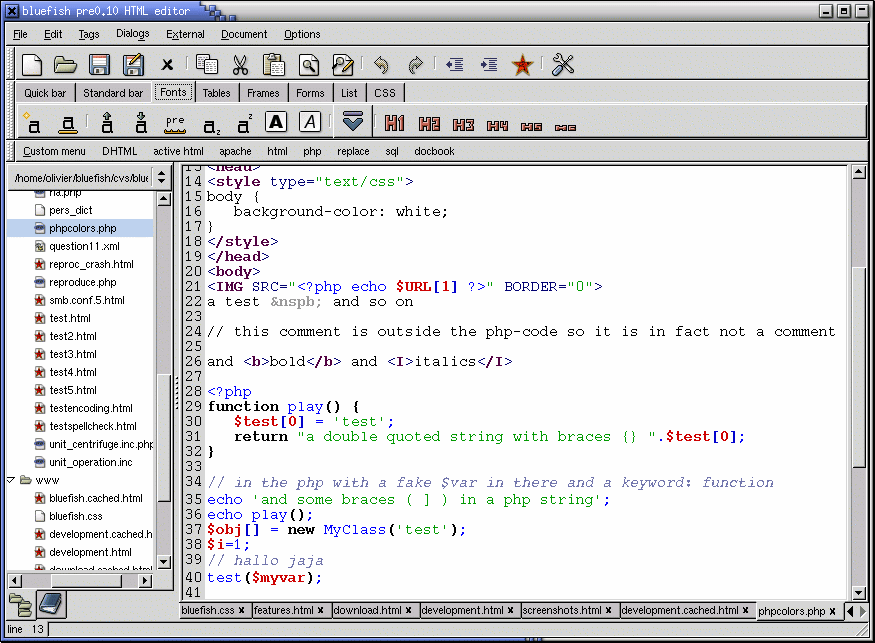
Except for the name. It's nothing more than a tabbed toolbar, right? Bluefish has also been using similar design for years. http://bluefish.openoffice.nl/screenshots/main_wi
n .png -
Re:I'm Jumping Ship
I run both Linux and OS X (I have also run Windows quite a bit), and I do a reasonable amount of web design. I'll add some thoughts here that may be helpful to you if you're considering switching.
OS X:
* Slickest interface, most friendly "automatic" daily experience, but nowhere near as configurable
* Photoshop, Microsoft Office and Macromedia Studio available (BUT not in native Intel mode, unfortunately, so there will be a performance penalty)
* Full set of UNIX tools and a shell to get things done that way if you're a UNIX user
* Lots of open source utilities from the Linux world also available here
Linux:
* Decent interface, can also be very slick (I'm a KDE user, so I'm referring to that specifically) - and you can customize to your hearts' content, unlike with OS X
* If you're willing to pony up about 40 dollars for Crossover Office, you can run Dreamweaver Studio MX, Photoshop 7, and Office 2003 quite well under Linux. I've tested them all and had very minor problems, if any. The Photoshop performance actually tested out at pretty near native speeds except for very complex rendering tasks, from what I remember of the original case studies.
* Open source tools like GIMP, several high quality text editors (try "Kate" under KDE, for instance), and so on
* For web design, also check out Quanta, Bluefish, and nvu. I've used all three, Quanta probably the most. I always ended up giving up on any sort of WYSIWYG tool because I'm insanely particular about the XHTML output of my sites, but all three seem reasonably solid tools, and NVU is cross platform as a bonus.
There are other benefits to each platform, but from a web development and designing point of view, these were a few I could think of offhand. Hope that helps.
-Jay -
Re:Inkscape works great
Yes, I use Inkscape a lot also to do my initial visual design and will often generate graphic elements (custom buttons, for example, or logos) directly from the program in PNG then do the final touchups/format conversions in GIMP. I use Bluefish http://bluefish.openoffice.nl/index.html for the actual page coding.
I wish I could say that I've extensively tried other Linux graphic apps/code editors but I haven't. XaraLX is just now getting to the stage of usability for Web stuff; I'll have to spend more time with it. Other HTML/programmer's editors I've got but haven't explored yet: Screem and Quanta Plus. I know a lot of people use emacs and vi; I just don't seem to be able to find the time to learn all the key combinations to get really efficient in either.
Nvu is enjoyable simply because I used to do a lot of down-and-dirty page designs in the old Netscape Composer on Windows and Nvu seems very similar in the user interface and functionality (I think Nvu was derived from the Mozilla codebase), but I don't use it for much of anything important because I enjoy the brain stimulation of hand coding.
* * * * *
What happens if a big asteroid hits Earth? Judging from realistic simulations involving a sledge hammer and a common laboratory frog, we can assume it will be pretty bad.
--Dave Barry -
Re:How can we take this seriously...
Because unfortunately there is an extremely large number of web developers that wouldn't have the slightest clue where to begin without Dreamweaver, Frontpage, Flash etc. Perhaps something like Bluefish would help them make the transition (I've never used it so I can't really offer much of an opinion there). For the small amount of HTML/CSS that I do I've always found jEdit to be quite nice and it's supported on multiple platforms.
-
Re:WYSIWYG Followup: server side scripting?
but a WYSIWYG html editor with syntax highlighting of PHP for my initial development efforts would be kind of handy for working on my local machine. Do either of these editors happen to include that feature?
Try Bluefish
http://bluefish.openoffice.nl/index.html
Enjoy, -
some tools
A true (X)HTML freak will probably use a sophisticated text editor (like EditPad for Windows, nedit, bluefish or even emacs for Linux...), but for beginners a tools like Dreamweaver or Mozilla Composer or its next version nvu might be a good place to start. With NVU / Mozilla Composer, if you need something special in your source, you can switch to source-edit-mode and change or insert it.
A big disadvantage of many hight-level tools is their inability to cope with PHP. (By the way, the parent is right to say that PHP is a much better beginner's choice, since it is not as cryptic in syntax.)
On the client's side, you might find javascript useful. With a HTML layout tool, PHP and javascript, you can probably do most pages. -
With Links
Forgot the link to the article...have included all relevants links in this one.
Linux.com ran a story about web development tools.They approach it as "web development tools for Linux," but most are available for win32 and OS X. I have almost no experience with commercial web development tools (except when trying to tidy up their ugly code). I use content management systems/wikis/etc. where possible (so others can add content & no one need worry about the code or an editor) & a text editor () when not. That being said, Bluefish, Quanta, and Nvu are all nice. All of these options are discussed in the article, as is Screem, which I haven't seen first-hand. -
bluefish and nvuTwo to consider are:
bluefish which is available for MacOSX
and nvu which is also available for MacOSX. -
Re:PHP editorfor Linux, anyone?
Bluefish is great. It's highlighting is different (in colors) from many others, but I've found that it's quite easy to use.
-
Re:Linux web authoring app? Bluefish
Don't forget bluefish too
-
Choices some good , some not so good.
-
Re:naming
There is a company in the Netherlands that's called Open Office, they provide OSS for company's.
-
Re:Future viability in question?
4. I should have been saying Kate, not Kedit. Kedit is devoid of features.
In that case, maybe try bluefish if you want something powerful. I've recently started using it for *ML editing, and it's very nice. The custom menu editor is reason enough to switch. -
Running on a Mac
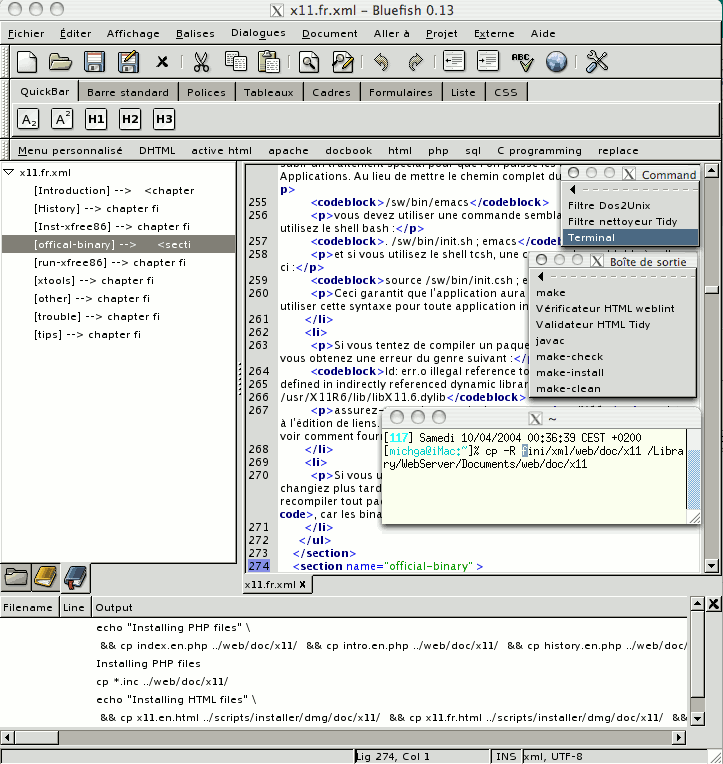
Well, according to the description of the following image on the screenshots page it runs on MacOS X:
-
Re:So....What, exactly, is Bluefish?
Oddly, they don't bother to tell you what it is on either the main page or under Features.
A little digging here reveals:
Bluefish is a powerful editor for experienced web designers and programmers based on the GTK2 GUI interface. Bluefish supports many programming and markup languages, but focuses on editing dynamic and interactive websites.
-
Bluefish?
How does this compare against Bluefish? Which *does* run on a Mac, and now that I check, I see that they finally went gold.
-
bluefish, blosxom
-
Re:What we need more (from a member of OOo MarketiIn the Benelux (Belgium, Netherlands, Luxemburg), the trademark for Open Office belongs to a company called 'Open Office'. See their website (in Dutch).
They do ICT work for offices, based on Linux and other free software. They distribute OpenOffice.org, among other things, but are completely unrelated to the OpenOffice.org project.
Jan
-
Re:Surely?
Slackware, you insensitive clod!
Actually on a serious note, I install (for my mother, family and friends)...
7-zip
gs / gsview
Firefox / Thunderbird
AVG
WinPT
Eraser
OpenOffice
Gimp (depending on the family member or friend)
Gaim
FileZilla
Amaya (only because bluefish is not available on win32 yet)
RealVNC
VIM
irFanview
Azureus (depending on the family member or friend)
Daemon Tools (depending on the family member or friend) -
Re:Being platform dependentBeing a small software company is always a risky business. I didn't say to opensource is a sure way to make money. But there are successful examples, like Bluefishhttp://bluefish.openoffice.nl/, among many others.
You'd probably say Bluefish is platform dependent on Linux. It certainly is. But that suits the niche market it targets. And there are myriad small companies live on proprietary software products.
Therefore, the key isn't about how many platforms it runs on, nor opensource or not. It is how it fits into a niche market.
-
Performance tips
My laptop is a 166MHz with 96MB of RAM and a 1.6GB hard drive. Running Debian.
With a 266MHz system, you're going to need to be careful about the weight of the software you run.
First, skip any of the major Office varieties for Linux (OpenOffice, KOffice, AbiWord, etc.)
If your laptop can take more RAM, install it. You'll need it. For my ThinkPad 760XL, installation of the SO-DIMMS wasn't too hard.
If you possibly can, do without X. That'll save you a world of time, especially when loading your OS off a USB flash disk. If you need X, go with a lightweight windowmanager, like twm. If that's a bit too extreme, try oroborus.
You're going to want as little memory footprint as possible. However, you're still probably going to need swap space, so I'd recommend against a flash device. Get one of the USB hard drives.
That's all I can really think of ATM. -
Re:Bloat solution?
This might be a troll, but I'll bite.
Don't like GNOME? Use windowmaker. If that's still too fat for you, use oroborus. Still too big? Try setting your window manager to "twm".
Don't like OpenOffice? MS Office isn't much better...maybe you'd better stick to HTML and CSS with Bluefish. Or maybe vim or Emacs.
FireFox still too slow? As long as you're dropping features by moving away, try w3m or lynx...two very capable text-based browsers.
Don't have a 3D accelerator? Play software-rendered Quake. Or (using that same project) use the SDL's aalib target. -
Re:Meh. Innovation, please?
Totem? (the gnomification of Xine)
-
Re:WebDAV support in Macromedia apps
-
For small office/home networks...which is where I do most of my work.
- dnsmasq - A DHCP+DNS server that is simple to configure, lets you set up names for local machines and local services, lets you block external names of your choice, etc, etc
- masqmail - A mail server for machines with intermittent connections to the internet (dialup, laptops, wireless)
- Xmail - A slightly bigger mail server for when you want to run your own domain. Linux and Windows.
- Icewm - The window manager for people who want to get their work done
- Bluefish - Text/HTML/Perl/PHP/Java/etc editor that just works.
-
Will it spit out as ugly code as dreamweaver?
In that case no thanks...
I stick with my Bluefish editor
Way more elegant (non bloat) design...
-
Nice...
-
one fish, two fish, red fish...
BlueFish has occupied this space for quite some time. The spin is vintage Michael Roberson of course. We've been here before, people. He's an early adopter with a megaphone that's twice the size of yours. After all, HE KNEW ABOUT MP3 BEFORE YOU DID.
There are times I'd really wish that the tech media would genuinely research the subject matter instead of just amplifying hype. Hard-working, often-silent open source incumbent projects deserve nothing less. -
Re:Only good news
Glad to see you not succumbing entirely to the Borg. However, check out Bluefish sometime. It does a lot of what you mentioned with the other obvious side-effects (gpl, gtk1 and gtk2 ports, etc.) Dunno if there is work to port it to win32.
-
I'm a dumbass!If I had more brains and fewer ethical concerns, I'd be like Bill Gates.
If by "mainstream" he means dominant and common, Uncle Sam gave us the answer, illegal monopoly. Yep, if free software came installed on PCs right out of the box and enjoyed it's obvious price advantage, it would be dominant by now. There's nothing more difficult about maintaining a Linux box than an M$ infected computer that the end of anti-competitive practices would not prevent. New M$ junk won't even run on some of my computers. As someone else pointed out Apple has taken Open software and sold and supported it without any technical problems. We can also point to the fact that there are just as many, if not more happy Linux users as there are happy Mac users.
It's happening anyway. Despite the best efforts of the "entertainment" industry to push DRM, people are turning from M$. They are willing to put up with the possible inability to listen to new music formats (WMA) and watch digital movies for the sake of ownership of their computers and their information. That is mainstream! Joe sixpacks is not going to go for the $1,000 stereo that breaks every two years that is WinXP. If that's all Joe is interested in, he may abandon computers alltogether for set top boxes. The rest of the computer using population will continue to move towards free software for it's superior tool sets. It's so simple even a dumbass like me can see it.
What kind of graduate student would be asking questions like this and holding forth such eleitist attitutdes? Let's look at the page. Hint one, name of course, " New Product Development." Product? Oh Lord! He's a Mechanical Engineer like me. Here's some help, Prabhu,
- Front page does not comply with W3C or IEEE specs, so I can't read the buttons on your page. Try Bluefish.
- The differences between Open and Free software are a source of contention, but you can find a good opinion here.
- Don't Slashdot your page!
- When you need software for your Mechanical Engineering Project, hire someone with a BS in CS, or find a reputable consultant. If they mention M$, keep looking.
Good luck with your paper.
- Front page does not comply with W3C or IEEE specs, so I can't read the buttons on your page. Try Bluefish.
-
Re:HomeSite and C++Builder
I totally agree. Homesite is the best web authoring tool I have found for Windoze. It has good-intuitive shortcuts, bookmarks, syntax highlighting, great online help for html, and good css help.
Unfortunately, I also have to agree with the statement about *nix lacking a program that even comes close to Homesite. Though, I do have to give props to the author of Bluefish for a good attempt that keeps getting better. Someday, I hope I can use Bluefish instead of paying my US$50 for Homesite.
-
Nedit
Get it here
Not really an IDE but a super editor with a lot of customization capability. Does syntax highlighting for a ton of languages out of the box and you can define new highlighting patterns and export/import them to/from files. It's what I do the majority of my PHP programming in. It's free to boot. I also use Bluefish some for the HTML work. It's pretty decent with some specialized PHP support. It's nice for forms, you don't need to remeber the exact syntax for all the different input types. -
Re:Dreamweaver equivalent?
Not sure if this is exactly what your looking for, but supposedly BlueFish is pretty nice html editor.
-
Bluefish
I have been using bluefish for some time now, and I am very impressed. Although the authors says it is not finished yet, I have had no problems using it, it is very stable, and feature packed.
Cut n' paste from their web page:
FEATURES:
- A What You See Is What You Need interface
- Nice wizards for startup, tables, frames, and others
- Dialogs for all HTML 4 tags that have a lot of options
- HTML toolbar and tearable menu's
- Open any URL directly from the web, or using drag and drop, etc.
- Fully featured image insert dialog
- Thumbnail creation and automatically linking of the thumbnail with the original image
- A custom menu, specify your own tags or sets of code, and define your own dialogs
- Project management, link management, etc.
- Per project customized default dialog settings
- Reference for PHP3, PHP4, SSI and RXML (over 900 functions referenced)
- Preview options for dynamic HTML
- One of the most complete CSS dialogs
- Syntax highlighting with configurable regular expressions
- A nice configuration dialog, customizable shortcut keys
- A very powerful search and replace dialog, allowing regular expressions
- WML support (WAP enabled websites)
- Preview window (experimental)
-
Re:Still with NT on the Desktop
Well, I've never heard of HomeSite so I don't know much about it, but for highlighting and quick HTML editing (along with toolbars for commonly used HTML tags/constructs), you may consider the Bluefish project: http://bluefish.openoffice.nl/ I thoroughly enjoyed writing my first fairly large PHP project in it, but the only gripe I have about it (and maybe it's a bug) is the fact that I had to sometimes hit F5 or whatever it was to tell Bluefish to re-highlight everything. But when it does it looks nice.