Slashdot Mirror
Domain: barefeats.com
Stories and comments across the archive that link to barefeats.com.
Comments · 91
-
Intel losing to ARM, not just on mobile
Basically Intel is losing to ARM. But not just on mobile. They're also in trouble for tablets, and desktops are going to get real close. Bare Feats regularly does comparative synthetic benchmarks between Apple's tablets (ARM) and laptops (Intel). Last time was in June: http://barefeats.com/ipadpro20...
Below, Intel means 3.5GHz Dual-Core i7 processor + Iris Plus Graphics 650 GPU. And ARM means Apple's ARM-based 2.39GHz A10X processor. As you can see, these tablets are getting really close to laptop performance.
Single-Core (highest=fastest):
Intel: 4650
ARM: 3951Multi-Core (highest=fastest):
Intel: 10261
ARM: 9332GPU compute score (highest=fastest):
Intel: 26353
ARM: 27814GFXBench Metal Manhattan (highest=fastest):
Intel: 37 FPS
ARM: 42 FPSI for one, am really happy. Intel has needed some competition desperately. Now there's AMD, and there's ARM, and we as the consumers are getting more and better options.
-
Re:Walk before you run
ARM has only been doing 64-bit out-of-order execution and branch prediction for two generations
In a single-core benchmark, Apple's A9X @ 2.25 GHz already defeats Intel's 1.3 GHz Core M7 CPU.
The idea is not to compete with a desktop Xeon but instead, to nibble at Intels feet at the bottom end. Check out this 2016 benchmark between the 12" MacBook (Intel @ 1.3 GHz) and the 12.9" iPad Pro: http://barefeats.com/macbook20...
GeekBench 3 single-core, higher is better:
MacBook Intel @ 1.3 GHz: 3194
iPad Pro: 3249GeekBench 3 multi-core, higher is better:
MacBook Intel @ 1.3 GHz: 6784
iPad Pro: 5482GFXBench Metal, more FPS is better:
MacBook Intel @ 1.3 GHz: 26.1 FPS
iPad Pro: 55.3 FPSJetStream javascript benchmark, higher is better:
MacBook Intel @ 1.3 GHz: 175.68
iPad Pro: 143.41 -
Re:An article in search of a problem
Apparently you enjoy playing Tomb Raider at 15 fps and think that makes for "a helluva gaming rig"
-
Re:Can anyone really see the difference?
Diablo III @ 5120x2880: 31 fps. That's with the R295X (mobile) card, and presumably also with the i7. I'm not sure if that's average, or minimum. Some games may be playable at those sorts of framerates, but they might not be enjoyable.
Text and photos on the iMac look as high resolution as those in a glossy magazine-- that's the main benefit.
Other possible benefits include editing 4K video with room for palettes and the like.
-
Re:I would buy a Mac
A Quadro is not built for gaming. A cheap videocard like the 8800GT approaches the amount of FPS you'll be drawing with that 5600. See some benchmarks and learn that just because it's expensive doesn't mean it's suited to the task at hand.
-
Re:Apple needs better hardware for gameing...
Not to mention the fact that the previous gen iMac had an optional card that actually significantly outperforms the current generation of iMacs by a significant amount when it comes to gaming. I just don't get Apple's strategy here. On one hand you make a huge deal at the WWDC about game development(including having CEOs of 2 big gaming companies come to speak), but then the first computer you release post WWDC is actually SLOWER at playing games than the model it replaced! Not to mention you are right about the mac pros, paying top dollar for video cards that are going on 2 years old is insane. The macbook pro video card isn't too bad as far as laptop video cards go, but the macbook pro isn't cheap either.
Maybe Steve is brooding in his ivory tower in Cupertino over some master plan for the mac that will make our tiny heads spin, but otherwise I just don't get what Apple is trying to do here. -
Re:hardware
Atleast you can change the graphics card in the Mac Pro if you are one of the people who needs something faster, but yes, it's very expensive and comes with a very low end graphics card.
Mac mini and Macbooks suck for gaming, yes, but hopefully the buyers are aware of that. Sadly it doesn't help that mac fanatics argue that this and that games can play oh so fine on them.. No they can't, the graphics might show up thought.
Anyway, the reason I answer is because of your iMac point, yes, the iMacs comes with laptop CPUs, but what is wrong with that? They uses less electricity, doesn't run as hot and are plenty fast. The graphics cards are quite low-mid end by todays standards, but atleast the 24" model had decent graphics card when it came out. After the next update it will probably have something decent again, even thought it's very likely not beeing a high end card, but what high end über gamer buy a mac anyway?
The 24" iMac 7600 GT (and probably 7300 GT) aren't mobile versions, they are real desktop versions on MXM slot. I guess the X1600 in the 20" are mobile version thought.
Yeah, you can get a higher end desktop gaming rig for the same money as a high end laptop, what else is new?
Macbook Pro benchmarks for those who care: http://www.barefeats.com/santarosa.html -
Re:Blah
USB 2.0 is *nowhere* near as fast as FW 400,
My understanding is that this is only a real problem with Macs, due to the poor hardware/software implementation of USB. Check out this comparison: http://www.barefeats.com/usb2.html. They find sustained speeds of 28-38 MB/s with Firewire on the Macs, but only 16-18 MB/s with USB 2.0. On the other hand, with Windows XP, they get 27-33 MB/s with USB 2.0.
So, with a good implementation, Firewire is maybe 25% faster than USB. Not a showstopper for USB 2.0 in my book. Availability is a much larger concern with portable devices.... and FW800 beats the piss out of both.
No contest there! -
Re:Apple Policy gagged
while it's not notebooks, the statement holds mostly true for quad g5 vs quad xeon:
http://www.barefeats.com/quad16.html -
Re:USB flash as extra memory
Not even close.
USB2 is theoretically 480Mbps, but in reality it maxes out around 260Mbps. (33MB/sec)
http://www.barefeats.com/usb2.html (read the "tested on Windows" part)
Plus, if you look into it further, using USB devices saps CPU power. USB2 is a polled I/O bus meaning that the CPU must constantly do work monitoring each device for activity. Even empty USB connectors require constant CPU effort to scan for device insertion.
Next, 7200RPM drives max out around 60MB/sec. We really don't have a reason to be using anything past ATA/66 if you have just one drive on each channel. I mean, look at the max speed for the 160MB Seagate desktop drive and the fastest 7200rpm notebook drive ever. Not 60MB/sec.
http://www.notebookreview.com/default.asp?newsID=2 840
Finally, the fastest class of USB2 flash drives is the dual channel ones. Essentially RAID stripe across two chips. It puts out data at 28MB/sec. http://www.ocztechnology.com/products/flash_drives /ocz_rally_high_performance_usb_2_0-dual_channel-f lash_memory_drive
Flash drives have the advantage in seek time, but the majority of time you're working with RAM on disk, it's going to be pages, which the bandwidth can easily negate the seek time advantage. -
Re:What does this imply about PC's and mac's
Ah, pardon. I hadn't realized that there isn't yet a Universal Binary of Photoshop yet. Thus, you are right that many applications are as of yet faster on Windows XP, the fact remains that Mac OS X is a generally more efficient OS.
-
Re:gaming benchmarks?
Found these gaming benchmarks for the macbook pro core duo (not the new core 2 duo) but uses the same graphics card:
http://www.barefeats.com/mbcd3.html
In comparision my boyfriend's dell xps laptop with a 7900 GTX GO gets 60fps consistently anywhere in WOW compared to the 38 reported here. -
Re:Egads, go configure a comparable Dell!!!!1
You can always just shoehorn it in:
http://compreviews.about.com/cs/pchardwarebasics/t p/aatp1394pccards.htm
http://www.lacie.com/products/product.htm?pid=1048 2
with at least some indication that performance will be fine:
http://www.barefeats.com/fire42.html
The Apple used in that test might have better cardbus support than a Dell, who knows, but at least cardbus can reasonably support firewire 800.
So really, firewire 800 isn't really where you should be making your decision; software preferences and the like are going to be more important. -
Re:I haven't heard this one in a while.
Like ethernet and Firewire, USB 2.0 performance depends largely on the quality of the USB controller and drivers. The early benchmarks that I saw used USB 2.0 PCI cards of questionable quality and non-mature drivers. Firewire was the more mature technology at the time.USB can handle more types of devices and can handle hard drives at least 95% as well as Firewire 400
Uh no. USB2 is crap at handling throughput. I wish I could remember where I saw it, it was ars technica or hothardware or something, but some guys did a study where they hooked the same drive up to the same PC, but first through USB2 and then through FW400... USB2 is CRAP and anyone who uses it for storage when they have access even to FW400 (let alone -800) is losing out on performance.... USB2 doesn't even manage to come close to its supposed 480Mbps of throughput.Better implementations of USB 2.0 (e.g. built into Intel chipsets) performed nearly as well (in throughput, not CPU utilization) as Firewire 400. For example, in May 2004, the Mac-centric site Bare Feats benchmarked Mac implementations of USB 2.0 vs Mac implementations of Firewire 400 and 800, and Mac FW400 easily beat Mac USB 2.0. However, they also noted that the "Windows PC implementation of USB 2.0 puts the Mac to shame." Windows USB 2.0 achieved "33MB/s READ and 27MB/s WRITE", which was pretty close to the Firewire 400 performance of a G5 Power Mac (37MB/s READ, 28MB/s WRITE).
Using current mature implementations, FW400 hard drives still outperform USB 2.0, but the differences aren't so great anymore. While CPU utilization is still higher for USB 2.0, it is significantly lower than those early implementations and today's faster processors make it less troublesome (remember DVD decoder cards?).
That said, I always make sure my motherboards have a built-in Firewire controller.
-
Re:I guessThat's a good point about the number of DIMMs. I don't know if it translates to double though. From barefeats:
DUAL CHANNEL vs QUAD CHANNEL
Note, I don't have a Mac Pro to 'test' all this myself. But I believe Barefeats, since they've been providing accessible Mac hardware tests ala the PC tweaker sites.
In order to get the full benefit of the Mac Pro's 256 bit memory data path, you'll want to populate both memory riser cards, each with at least one matched pair. If you put your memory on only one riser, you are dropping from quad channel to dual channel mode. See Apple's Mac Pro memory notes for more this.
Does this translate into faster real world speed? Not always. Though the Xbench memory fill rate test showed a 34% gain, it doesn't necessarily translate to faster application speeds. We ran some typical tests from our suite of real world tests (iMovie render effect, Final Cut Pro render clip, Cinebench CPU render, Motion render RAM preview, iMaginator Core Image morph). None of them showed any gains from Quad Channel mode. -
Re:Except for the fact
yes, of cource i'm the flaimbait when the parent is the one with many outraged responces due to his FUD, and it's entirely my fault for pointing out that he's posting completely incorrect information http://www.barefeats.com/bootcamp.html OS X is faster than windows http://www.macworld.com/2006/08/opinion/dellmacpr
o followup/index.php Macs are in general cheaper or about the same price as equally configured pc's, though this is a hard thing to do if you put some work in to find a truly equally specced machine apples come out cheaper. and the argument about reliable hardware is moot, apple has not switched manufacturers, they still use asus and foxconn, they still use the same high quality pcb and they design all their own motherboards the same as before, the only difference is they order the cpu and chipset from intel instead of IBM/motorola. Some of those things may of been true of apple 10 years ago, but people need to open their eyes and quit with the blind faith, I run OS X windows and linux and each has their advantages, to label OS X a bloated toy thats not a real option is naive. -
Apple? Games? Ha!
This has to be a total friggin' joke.
Look, they can't even get Open GL to run at reasonable speeds on OS X. Actually, it's so bad that 1-year old laptops such as mine (12" powerbook) don't even reach minimum specs to play friggin' Civilization IV , for chrissake.
Actually, their latest move of not including a decent GPU on the Macbook is a pretty strong indicator that they don't give a fuck about games, gamers, the gaming market, or game publishers. What, do they really expect even casual gamers to shell out 2000 bucks for a system (iMac Core Duo or Macbook pro) with decent (not even top-of-the-line) graphics?
But oh, wait, of COURSE: the article is about shipping games to the goddamn iPod. What a bunch of total friggin' idiots. They should get out of their happy iPod bubble and take care of their computer division sometimes. Now that they have a decent processor, they'll still manage to ruin the show by using crappy integrated graphics like they're some cheapass Walmart assembler.
(note to Apple: this is not just my rant, everybody remotely interested in playing games on mac just went berserk on the Macbook graphics fiasco. Just put an X1300 or better on the black-expensive Macbook and all the complaints will go away). -
Re:New Mac mini video chipset! Made for Home theat
No. FireWire pretty regularly trumps USB2 in speed tests. The 400 Mb/s and 480 Mb/s is raw throughput, but then you have to subtract the bus overhead and FireWire usually comes out ahead. But even more important is that there is a really bad bug in OS X that limits USB2 transfer speeds. My new Mac Book Pro has an Intel chipset and it still suffers from the problem, so it must be software. And it is even worse than the article mentions, because on both my 15" PB and my new MBP, I can never get over 11 MB/s (same device gets over 30 MB/s through FW400). What is really odd is that if I hook up a USB2 hub so that I have multiple devices running through the same port, each of them can get 11 MB/s. Further evidence that it is a software problem. I haven't seen any explanation from Apple, but given that FireWire works so well, I can't imagine they have any excuse. But it is the same on my 10.3 boxes, so this has been around for a long, long time. Complete crap.
Maybe now that they are starting to phase out the importance of FireWire, they'll spend some time on their USB 2 drivers. -
Re:I am _so_ sick of the x86 architecture
Note the number of processors in blue gene i.e. useless in the desktop PC market. Refer to http://www.barefeats.com/macvpc.html for some real world benchmarks in the desktop PC market.
-
Re:Replace ghosting for eye strain? No thanksTrue, most LCD's have crappy contrast ratios, so make sure you get one that doesn't suck.
The LCD I've been lusting after for months -- and that stylish Apple Cinema ripoff victims have been bashing -- is the Dell 24" LCD.
-
Re:Release Dates?
Nope. Check this link, where a 1.6Ghz G5 is only 10% faster than a 1.5Ghz G4 (in a laptop) rendering in Final Cut Pro 4.
-
Re:Yikes!Apparently you don't fuck up the air flow by putting drives there:
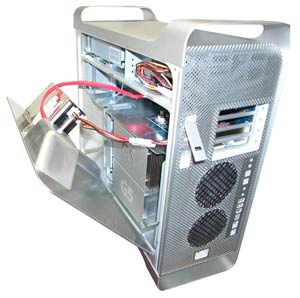
When I tested the Swift, the only concern I had was the effect the drives "invading" the CPU bay might have on the temperature control system of the G5. The fan that blows air over the CPUs now sucks air over the three drives. How will those drives affect air flow? Will drives heat up the air being blown over the CPUs? I used to ThermographX to monitor the 7 temperature probes in the G5. The temperature readings were not significantly affected by the presence of the extra drives. -- Five Drives in a G5 -
Re:Been using a USB 2.0 Drive....
I read an article indicating that USB 2.0 on Apple machines was subpar:
http://www.barefeats.com/usb2.html
You might get better performance from a FireWire enclosure. -
this is not NEW news. check bareFeats.com
from Feb 4th 2005
REVIEW: Mac mini -- internal and external hard drive tests
http://www.barefeats.com/mini01c.html
good analysis w/ lotsa pretty graphs
-
given the prior lackluster gaming performance...
... of Doom 3 on the iMac G5, and the Quartz Extreme changes in OS X 10.4 outlined by John Siracusa over at ars technica, one wonders if the G5 iMac is now a credible gaming machine -- at least for OpenGL games.It seems like the hardware should be up to the task, and now, with OS X 10.4, the software can properly use the hardware.
-
Errrr...
-
Re:Slashdot..
If I had mod points, I'd mod you a troll.
I know a million other people are going to say this, but...
The G5 at 2.7 GHz is significantly more powerful than a P4 at 3.8. The best comparison is to the Athlon64 or Opteron (also a 64-bit cpu.) And as has been said before, 2.7 is actually higher than the fastest current A64 (which appears to be the 4000+ at 2.4 GHz.)
And don't forget the whole apples to oranges deal.
http://www.barefeats.com/g5op.html
Thats for the 2.0 GHz chips, but you get the idea. Thats been posted before too. Go ahead mod me redundant. Does it show the G5 is always faster than an Opteron. No. So what? Pick the tool you like/that does the job you need. If you like OS X, doesn't get better than that. If not, you can still get your x86-64 box for less.
Am I totally impressed by the G5? No. Too much money, and I don't need that much power anyway. I recently replaced my Powerbook G4 with a Mini. 80-90% of the capabilities but at 20% the price.
I'd love to have a G5 dual-core Mini with a Geforce 6800GT, but that just ain't gonna happen anytime soon. -
Re:So the difference?
(on a side note , does anyone have any benchmarks comparing a pentium m procesor to a G4)
Yea, it's not pretty: http://barefeats.com/al15b.html
PM beats G4 per-clock in CineBench. Keep in mind that the PM is 500Mhz faster than the G4 now, and has twice as much cache as it did when that test was run. -
Re:Proudly dying for 20 years
I see on Dell's website a 2.8Ghz PC for $499. Already, we have a faster chip than the most expensive G5 Powermac...
Hahahahah! Oh, too easy!Listen to me, toddestan. If you're a real geek, you know better than to imply that clock speed is everything. Clock speed is almost nothing.
-
From several different sources
http://www.g4tv.com/freshgear/features/39129/USB_
2 0_Versus_FireWire_pg3.html
http://www.barefeats.com/usb2.html"
http://www20.tomshardware.com/storage/20040402/fir ewire800-06.html
Those last two include FireWire 800 (1394b) and 400 (1394a) -
factual correctionsStatement: "Apple is shipping 1394b (FireWire 800) on almost all of its products, save some of the "consumer" oriented products."
Fact: Firewire is only available in PowerMac and two models of Powerbook (15" and 17"). It is not available in the rest of Apple's products (iBook, iMac, eMac, Mini, iPod, peripherals (e.g. iSight), and software, obviously).
Statement: "FireWire 400 is faster in all benchmarks than USB 2.0"
There are some benchmarks showing that USB2 has higher burst rate than FW400 but I will grant you that FW400 is the better performer overall.
This still does not explain/excuse the poor performance of Apple's implementation. USB2 implementation in windows (~30 MB/s) is nearly twice as fast as Apple's (~18 MB/s)! See Barefeat, a Mac benchmark review site: http://www.barefeats.com/usb2.html.
-
Re:Which raises the question:
You know how to google, don't you?
Here. -
Re:PPC games optimizationhere's a link to a site reviewing mac verus PC perfomrance on the latest machines. They find that on games optimized for PPC the PPC is better but without optimization the PPC is about half as fast as the best Athalon system available.
http://www.barefeats.com/mac2pc.html
-
Re:*snort*
www.barefeats.com
here is a page I found as a similar comparison pretty quickly on the barefeats website -
Re:1499 is too much
>>Of course, then they wouldn't be able to sell many dual systems since even a lot of professionals really don't need the tiny speed boost one gets from using a dual CPU machine if a fast single CPU machine is available.
Notice the tiny speed boost that the dual 1.8 gets over the single 1.8, particularly in the Cinebench test. -
Re:Our experience ( I agree )
I understand people getting mad and being biased because apples ARE very expensive, compared to a similar windows box. and they really aren't easy to compare, because things just don't work the same.
Feature for feature, function for function, you will be hard pressed to find a company that isn't propped up by either electronics sales (Sony, HP, etc.) or other computing markets (IBM, HP, Toshiba, etc.) that is more than moderately competitive with the modern-day Macintosh. I've done the comparisons, I have spent the time on it, and there's basically no argument outside of building the machine yourself.
Unless you're just itchy for bleeding edge parts in certain specialized applications, the offerings from Apple are quite competitive anywhere but in gamming. Also, depending on what you're doing with them, Opterons can lose to the G5. Don't believe me? It's in more than one test, too. I'll go ahead and admit, right now, that they need the newer Opterons to test against, but it's one guy who does his best to wrangle systems out of vendors.
http://www.barefeats.com/g5op.html
http://www.barefeats.com/pentium4.html -
Re:Our experience ( I agree )
I understand people getting mad and being biased because apples ARE very expensive, compared to a similar windows box. and they really aren't easy to compare, because things just don't work the same.
Feature for feature, function for function, you will be hard pressed to find a company that isn't propped up by either electronics sales (Sony, HP, etc.) or other computing markets (IBM, HP, Toshiba, etc.) that is more than moderately competitive with the modern-day Macintosh. I've done the comparisons, I have spent the time on it, and there's basically no argument outside of building the machine yourself.
Unless you're just itchy for bleeding edge parts in certain specialized applications, the offerings from Apple are quite competitive anywhere but in gamming. Also, depending on what you're doing with them, Opterons can lose to the G5. Don't believe me? It's in more than one test, too. I'll go ahead and admit, right now, that they need the newer Opterons to test against, but it's one guy who does his best to wrangle systems out of vendors.
http://www.barefeats.com/g5op.html
http://www.barefeats.com/pentium4.html -
Re:USB 2.0 is faster
yes, at 480 mbps (as opposed to 400mbps for firewire).
Yes, in theory USB2 can do 480Mbps. In practice it doesn't achieve that kind of speed, it's slightly slower than Firewire 400.
When you recall that Firewire supports isochronous transfers and daisy-chaining, which USB lacks, speed isn't the only advantage.
Now if only Apple could fix the Panther Firewire stack so I could use my Firewire drive stack they way it used to work... -
Re:Conservative and don't like Debian?
Those retail prices for SATA disks are pulled from Pricewatch. Yes, you can find special sales, sales with rebates, etc, that drop the price, but people putting together RAID systems generally don't want to wait over a period of 5 months to get all the drives they need for their RAID systems.
Check out this quick review where premium U-320 4 drive array spanks SATA in every test, and this was merely for RAID 0. That's no extra processing overhead. Tom's Hardware has a more thorough article, but is heavily slanted in SATA's favor. I especially love this quote:
As incredible as this may sound, SATA has performance advantages over Ultra320 - provided it's used correctly and in conjunction with a sufficiently fast interface with the system. That is because each SATA hard drive communicates with the controller via its own fast (150 MB/s) point-to-point connection while the SCSI bus is used jointly by all devices.
Yes, it sounds incredible to anyone that knows anything about how to setup SCSI RAID. First, there's not a drive made that comes anywhere near 150 MB/s continuous transfer speed, only the data in the buffer could theoretically be transferred at that speed, so that red herring is pretty smelly already.
Second, the configuration issue is definitely something to be considered with SCSI. Proper setup will actually have SCSI hitting near its theoretical peaks data transfer more consistently than not. There are also ways of utilizing multiple channels on a single controller to gain significant speed advantages. To hit the 66MHz 64 bit limit of 512MB/s data transfer would take roughly 9 striped drives for a single call. For a SCSI U-320 bus, it takes about 5-6 drives to fill up a single channel. (Note, this is for a single read/write operation, multiple concurrent read/writes add additional complexity to the tests)
Lasltly, this article utilizes the most expensive SCSI 320 products in a test that much lower hardware could have smoked with ease. Any 4 10K or 15K SCSI drives could have gained the same performance advantages over SATA as the uber SCSI drives, and at a fraction of the cost. What you gain with U-320 is not speed in the sense that the drives are faster, but the max number of drives on a single channel before reaching saturation along with slightly faster messaging speeds.
So, basically, SATA appears to be fine for most single-user desktops, but for real servers, use SCSI. One of these days, I'll actually do a real benchmark test of my own, maybe.... Except I don't have SATA RAID hardware to compare against.
-
Follow the Money
Why is there no publication that presents honest reviews and objective evaluation of TFT monitors (and other hardware, for that matter). I would buy it.
The manufacturers wouldn't advertise in the magazine. Magazines make money mostly from advertising, not subscriptions. Something like Consumer Reports is the exception but they're typically lacking in the methodology department.
One counter-example on the web is Bare Feats. They have some good reviews but I don't know if buying one-of-every LCD panel is in their budget. I think they use people in the field for some of their hardware, but if actual instrumentation is required for measuring response rates, etc., it's going to be trickier than having somebody run a benchmark tool. -
Opteron vs G5 is a wash
According to Barefeats the Opteron and G5 are basically neck and neck.
http://www.barefeats.com/g5op.html -
Video Editing
If you're editing Uncompressed HD with SATA drives, you're going to need 4 striped drives. Period.
Of course it makes a difference, it's the difference between being able to edit or not being able to edit... just ask any pro video editor or check out BareFeats
But for your average user...I don't know and don't care...I don't trust a single hard drive with my data let alone less than a single drive. No way. -
Re:More drive space is always niceExternal firewire... Hmm. The author of the Swift article explains why this isn't a good idea:
"FireWire 800 RAID is NOT a viable option for the G5. You probably read my rantings on other test reports. Suffice to say that the write speed is slow -- slower than G4 Power Macs and G4 PowerBooks -- slow enough to make it useless for high throughput video and audio".
The point of doing the Swift upgrade is not primarily capacity, but speed. For more info, check out the Firewire 800 speed comparison charts at the same review site. Multi-channel SATA performs much better for writes, at least according to the review.
-
Re:4 or 5 bay Firewire case?
Firewire on the G5 has sucky performance.
" The PowerBook G4 does sustained WRITES to the dual drive RAID set faster than the G5 Power Mac! I've included a graph below to highlight the issue. Something is radically wrong with the built-in FireWire 800 controller on the G5 when the Dual 2GHz model gets beat by PowerBook with a single G4/1.33."
FW on the G5 is not fast enough for HD video.
-
Re:Sweet Jebus...
-
Re:Sweet Jebus...
-
Re:PLEASE TELL ME I'M WRONG! - THERE *IS* A WAY!!
Fortunately there is a way to put 5 drives in a G5.
Quite how this will affect the cooling system however I'm not sure. -
Re:My Machine costs nearly that much...
I don't care if you bought the machine to exclusively play games or not. That's not the issue, so stop with the strawmen. You claimed the G5 can keep up with a $4K Intel-based Alienware box, AND you were running at a higher resolution. That's why I'm calling your shit out. It's preposterous.
BullSHIT. Bull-fucking-shit. Mac users like you are why I cannot stand the Mac community sometimes, and fuckall man, I'm typing this on my Powerbook.
You think a dual G5 can even SORT OF keep up with a fast x86 machine in UT2K4? You're fucking high. Hell, your assertation even implies that the OpenGL engine within UT2K4 is as fast as the DX engine, which is DEAD FUCKING WRONG.
But hey, don't believe me, liar zealot armed with only anecdotal bullshit pie-in-the-sky stories. See what Barefeats -- a Macintosh advocacy site -- came up with when they compared their G5 UT2K4 scores versus those of an Athlon 3400+ single-processor Windows box. Check it right here.
In case you don't want to click the link and have crow shoved into your mouth, I'll sum it up for you: a single A64 3400+ over doubled the dual G5s UT2K4 framerate. Now, imagine what a FX53 or something similarly cutting-edge will do. While you're at it, imagine that same FX53 with an X800 XT or similar GPU, which aren't available for Apple yet.
Stop. Fucking. Lying. You do a great disservice to the Apple community by spewing complete bullshit, and Mac users like you are a great embarrassment to Mac users everywhere.
Have yourself a nice weekend, slappy. -
Ahtlon faster for editing, slower for games
AMD Athlon XP does appear to be consistently faster than Pentium 4 at various math-intensive tasks like Photoshop filters but slower than Pentium 4 on OpenGL and Direct3D (most games). It is deceptive when looking to buy a new system and you see a choice "Athlon 2200Mhz" or "Pentium 2800Mhz" for around $100 more and one assumes the extra $100 will get you a faster system... depends on if you're playing games or doing video editing.
-
Re:G4/G5 benchmarksCheck Barefeats.com who test the G5 against an Athlon, a P4, an Opteron and various other Macs. from http://barefeats.com/p4game.html
One "handicap" that Macs may never overcome: Direct X. Most PC 3D graphics apps are optimized to run best in Direct X graphics mode, not OpenGL. For Windows PC apps, OpenGL is an afterthought. When those apps are converted to run on Mac under OpenGL... well you get the picture.