Slashdot Mirror
Domain: videohelp.com
Stories and comments across the archive that link to videohelp.com.
Comments · 97
-
Re:Everybody On Windows Uses MPC-HC Anyways
MPC-HC lives on.
-
Re:Sorry but you are screwed
audio/video drift sync is totally machine correctable. http://forum.videohelp.com/threads/49752-Fixing-Audio-Drift-Without-Postprocessing
-
Re:Uh oh...Batman becomes real?
Turning smartphones into sonar devices to monitor movements. I'm torn between "this is really cool!" and "these people are so full of shit and just trying to publish something to get tenure!"
I wonder how they solve the problems of directional discrimination without multiple microphones? How can they tell what direction a response comes from, with only one mic?
They don't, and they don't need to. Think of the ultrasound motion sensors in car / room alarms: if you emit chirps inside a closed volume they'll bounce off everything solid, and the pattern received at any point depends on everything inside, so you'll know if something moves. If you can keep track of the changes, you know if it's moving rhythmically and at what rate. Using multiple frequencies makes it more sensitive to changes, roughly speaking.
And how do they intend to make this work on multiple phones, for that matter...with their vast differences in both microphone and speaker setups? I'm really skeptical of this.
They also talk about using ultrasonic frequencies...which I also doubt most phones can actually produce.
Again, no need. Put on some earplugs, or stick your head in a box, and you'll still recognize the beat of your favourite song in drastically altered acoustical conditions. The app is not measuring the transfer function to compare against some carefully calibrated curve, but the changes that tell it that something's moving, and with some smart processing it can tell apart your respiratory movements from the cat wandering in. A second person in the room might throw it off, though.
They also talk about using ultrasonic frequencies...which I also doubt most phones can actually produce.
This is the part that got me wondering. A cursory Google search gave me plots like this and this for the speaker and this one for the mic (yeah, condenser microphones have a pretty good range). So for this particular bit my answer is "feasible, and effectively inaudible if you're over 30".
-
External TBC
>> To avoid frame dropping, you need an external TBC (different from the TBC in the VCR) acting as a frame sync.
^This
Let me add for the person asking the question that I found an external TBC extremely useful back when I was transferring family movies from VHS. Even though I used a nice SVHS unit with an internal TBC, some of the worst older tapes still had lots of dropping out, tearing, and sync issues that magically all but disappeared when I fed the signal through the external TBC. Perhaps you don't need it in your case, but I definitely did.
Here's an in informative thread where someone asked about the need for an external TBC. Be sure to look at the images in post #7.
If I have a VCR with TBC, why is a separate unit needed anyway?
-
Pfft. How about since 1997?
My Sony cd/dvd player dvp-s535d still works and I bought it 12 years ago.
Literally just yesterday I finally threw out my Sony DVP-S7000 DVD player http://sites.thestar.com.my/audio/story.asp?file=/1997/5/15tydvd that still worked perfectly. Been using that sucker since 1997 so it was 15 years old and showed no signs of dying.
Of course that was from the days when companies were still willing to build a DVD player that weighed 7kg and sold for $1200.
-
Re:What do you expect?
My Sony cd/dvd player dvp-s535d still works and I bought it 12 years ago.
-
Re:Bad enough I pay for microtransactions in MMO's
yeah I really don't understand why vlc is so popular, aside from not having hardware acceleration the video colors are wrong, smplayer/umplayer is better but I still had some issue when seeking x264 videos, right now I'm using potplayer and it's probably the best video player, mediaplayer classic hc is really good as well
-
Re:No reason to change from H.264
Yeah, but no PC editor support mkvs, only mp4 (and no, mkvmerge being able to split an mkv is not editing)
Huh? That doesn't seem right. But even if that were the case, the beauty of MKV is that it is so easily muxable. Pull it apart, edit the component streams in whatever editor you like (any good editor should be able to handle individual component streams), put it back together. Tada! Edited MKV.
MKV is a container, and a relatively simple-to-mux one at that. The fault is not with MKV, but with video editors that spend time doing the hard work (editing H264 is not easy) and then skimping on the easy part.
-
Re:Disappointing Experience
The key with MP4 files is the audio: the XBox will only play files with two-channel AAC audio (the 4GB limit is mainly just a problem with HD stuff*). If you've a Mac then get a copy of MP4Tools - it works very well. For Windows I recommend FFCoder wholeheartedly. Note that the former is nagware but worth the few dollars it costs to fix that; the latter is free.
Personally I'd give my I teeth for MKV or at least soft-sub support.
*I've used WMV-HD and Expression Encoder - CLI scripting is there with a little work - but if I run up against anything with soft-subs I need to re-encode with something else and burn the subtitles in. Of course one needs as close to lossless encoding as is possible and that intermediate step practically doubles the amount of time it takes to get something that the XBox will play. Incidentally, WMV-HD is pretty damn good IMO, sub issues aside.
-
Re:I could agree if...
Not to go OT, I was trying to find where I can chop the upper and lower black portions of 4:3 video footage for a true 16:9, all the sites I found are bankrupt forums describing using the crop mode in Adobe Premeire (which doesn't work) or useless answer such as "google for instruction manual" (there is none).
Here Put in 'crop 4:3' in the search bar. Have fun. -
Re:Not THAT Hellacious
It sounds like you spent too much time on researching the ripping and not enough researching the media center softwares. I found MS's Media Center to be boorish at best, often forcing me to use third party media managers for pulling movie and TV show information.
If you're sticking with Windows, MediaPortal has a great community (especially for skins) and installing both ffdshow and haali media splitter will cover all codecs needed. MediaPortal also has great support for DVR functions and works with most DVB cards (even my old ATI All-In-Wonder Pro from '97). When I was running it, I found the tv-over-ethernet stuff very useful when I used the DVB cards (one computer with tv tuners that shares to all media centers), and would definitely use it again if we decide to get cable or satellite.
These days I'm using XBMC due to the lack of interest for DVR functionality. main room running Linux Mint and the bedrooms running XP. I particularly enjoy the built-in media manager and extreme ease of setup. If you have media on different machines, you can add them all to one folder similarly to how Win7 uses the libraries feature (But better. Much, much better). There's also a quality iPhone app that you can use to browse media, use as a remote, etc. I use that in addition to the webpage and IR remotes so I never have to be too far away from the remote. This is a key feature when dealing with children under the age of 5.
I did try Boxee for a stint, but it seemed to be too internet-focused and took an unacceptable amount of time to display local files through the Movies or TV show displays. I thought it did a great job of displaying and playing the online content, but when the primary source is local media and all pertinent bug reports get set to "will not fix", I'll pass. The $199 boxee box is tempting, but only if I can run XBMC on it instead.
If you don't have kids, I recommend the Gyration media center remotes. They do all that a universal remote does in addition to being used as a mouse/keyboard/media remote for the computer. If you do have kids, go with an older Phillips MCE remote. The older IR receivers work with XP, Vista, Win7, and Linux, whereas the newer ones only do Vista, Win7, and Linux. Not a huge deal if you have new equipment, but if you want to use older equipment that can make a difference. -
Re:Not THAT Hellacious
It sounds like you spent too much time on researching the ripping and not enough researching the media center softwares. I found MS's Media Center to be boorish at best, often forcing me to use third party media managers for pulling movie and TV show information.
If you're sticking with Windows, MediaPortal has a great community (especially for skins) and installing both ffdshow and haali media splitter will cover all codecs needed. MediaPortal also has great support for DVR functions and works with most DVB cards (even my old ATI All-In-Wonder Pro from '97). When I was running it, I found the tv-over-ethernet stuff very useful when I used the DVB cards (one computer with tv tuners that shares to all media centers), and would definitely use it again if we decide to get cable or satellite.
These days I'm using XBMC due to the lack of interest for DVR functionality. main room running Linux Mint and the bedrooms running XP. I particularly enjoy the built-in media manager and extreme ease of setup. If you have media on different machines, you can add them all to one folder similarly to how Win7 uses the libraries feature (But better. Much, much better). There's also a quality iPhone app that you can use to browse media, use as a remote, etc. I use that in addition to the webpage and IR remotes so I never have to be too far away from the remote. This is a key feature when dealing with children under the age of 5.
I did try Boxee for a stint, but it seemed to be too internet-focused and took an unacceptable amount of time to display local files through the Movies or TV show displays. I thought it did a great job of displaying and playing the online content, but when the primary source is local media and all pertinent bug reports get set to "will not fix", I'll pass. The $199 boxee box is tempting, but only if I can run XBMC on it instead.
If you don't have kids, I recommend the Gyration media center remotes. They do all that a universal remote does in addition to being used as a mouse/keyboard/media remote for the computer. If you do have kids, go with an older Phillips MCE remote. The older IR receivers work with XP, Vista, Win7, and Linux, whereas the newer ones only do Vista, Win7, and Linux. Not a huge deal if you have new equipment, but if you want to use older equipment that can make a difference. -
Re:Handbrake
Fair Use Wizard is pretty decent.
It costs money, but they released a free full version 2.8 a while back that you can still find on this page...
http://www.videohelp.com/tools/FairUse_Wizard -
Re:I really want XBMC-HD for PS3
I know it isn't really the same, but those looking for one, mkv2vob (PS3 Video Converter) is a really nice tool to convert 720p mkv files to format that PS3 supports. Usually you don't even need to transcode, so it takes like 1 minute per video file.
avi/xvid files work directly.
To stream them from computer, TVersity is the best one.
Once you get those set up, it's actually quite nice and convenient. PS3 software and menu is actually really nice for media center, a lot better than 360's. Again not probably the same as XBMC, but it's pretty convenient anyway.
-
Re:Buy Quality Blanks!!!
This entry appears to imply Falcon OEMs from Ricoh. http://www.videohelp.com/dvdmedia/falcon-media-dvd-r-ricohjpnd01-8/4722
-
Re:Disney vs The Teaching Company
Assuming you've got access to a Windows machine (which is sadly the only platform for which 'hardcore' dvd ripping tools are written for), you should be able to attack the disk with a combination of AnyDVD (installs a device driver that will remove all known protection) and vStrip.
A word of warning: vStrip is NOT an easy tool to use (there are guides all over the place though), but it's by far the most powerful DVD ripping software I have ever found.
-
Re:Why Matroska?
Actually AVI can do that too
-
Ripit4meSorry to repeat some of the other things said, but I haven't found a good Linux solution either. I still use my windows box to do it. I use RipIt4Me, which in turn uses DVD Decrypter and DVD Shrink. Works on 99.9% of all DVDs. Only thing I had an issue with was Wall-E (chapters were all out of order for some reason!).
In general, I go to http://www.videohelp.com/ [videohelp.com]for any information about ripping, converting, or anything to do with audio/video help (as the name would imply).
-
Re:Problem with DVDs was...
I'm guilty of buying a region-enforcing Pioneer at Best Buy. I had just blown through two $25 generic players in two years and was willing to pay more so that I wouldn't have to buy a new one and hook everything up yet again in another year. Plus, Pioneer seems to "get it" and will play formats like DiVX.
That aside, just look at this page to make sure the player you are about to buy has an unlock code.
-
Re:why?
So this isn't so much MP3 with additional information as it's a lossless format which happens to use an MP3 stream as a component and is formatted such that MP3 players recognize just that stream.
I've seen some comparisons at another site. A 41 MB wave file gives a 20 MB FLAC, and 22 MB MP3HD. So if the MP3 was indeed a skeleton of the lossless portion, it isn't very efficient. It's the same size as a normal lossless format + a separate MP3, stuffed into the same file. Actually, I doubt the MP3 has any use at all in the lossless playback, but I am ready to be corrected if anyone can cite something and not just speculate.
Dunno where you're getting your numbers, but a 320kbps CBR mp3 of a 41MB wave is a lot bigger than 2MB (about 9.3MB). A 2MB mp3 of a 41MB wave would be an average of about 68kbps. So yes the lossless+lossy skeleton of mp3hd IS more efficient than FLAC+320CBR-mp3.
-
Re:why?So this isn't so much MP3 with additional information as it's a lossless format which happens to use an MP3 stream as a component and is formatted such that MP3 players recognize just that stream.
I've seen some comparisons at another site. A 41 MB wave file gives a 20 MB FLAC, and 22 MB MP3HD. So if the MP3 was indeed a skeleton of the lossless portion, it isn't very efficient. It's the same size as a normal lossless format + a separate MP3, stuffed into the same file. Actually, I doubt the MP3 has any use at all in the lossless playback, but I am ready to be corrected if anyone can cite something and not just speculate.
-
Re:Sold
-- the idea that a TV show should be able to disable parts of your home theater (for example, if MTV is worried that your Dolby sound outputs might be used to record the audio portion of music videos, they could shut down those outputs and only allow you to hear sound via the speakers in your TV).
The Motion Picture Association of America (MPAA) has asked the Federal Communications Commission (FCC) for permission to engage in "selective output control" (SOC). If the FCC agrees, the MPAA and the movie studios it represents (Paramount, Sony, Fox, Universal, Disney, and Warner Brothers) would be able to "turn off" any output plug they choose,
If I am unable to use my expensive surround sound speakers, and I'm stuck with the cheap speakers in my TV, I'm going to be very pissed.
-
Re:VLC - VideoLAN Client
http://forum.videohelp.com/topic259354.html
This article will tell you how to stream from VLC using a TV tuner (assuming you have one) to the Windows media player. The article is for an older version of VLC, but it should still work. -
Re:Way to be out of touch
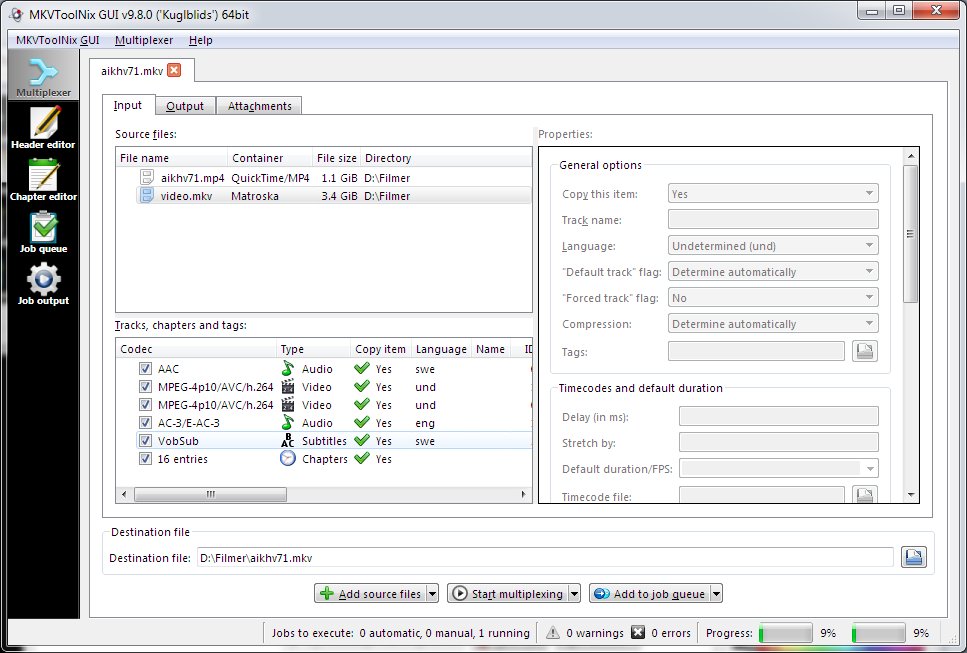
mkvtoolnix?
It's a pretty nice GUI frontend to the (admittedly arcane) mkvmerge and friends that runs on windows, mac and linux. I use it all the time, and like any good CLI frontend should it tells you the command line it's using to aid in your future scripting efforts.
-
Re:Hidden Cost & Annoyances
Welcome to DRM.
I remember trying to copy some old VHS tapes that I'd picked up somewhere, so I didn't have to use/lose the original in a possibly abusive environment, and running across that problem. It was some encoding scheme by Macrovision that screwed up the recording circuits in a VCR, but wouldn't do anything to the playback circuits. There was a circuit diagram floating around somewhere at the time - you could probably still find it, maybe one of the links from here: http://forum.videohelp.com/topic246129.html - for a Macrovision scrubber. It would probably do the job for you in this case, too.
-
Re:Price?
then you should rent, until the price/premium goes down. and it will.
if you don't like renting, remember that anydvdHD from slysoft now handles BD+ encrypted discs. combo a Blu-ray burner, (i think they're down to $400 now) plus the cost of anydvdhd well, the price is quite high, 79 euros, for just anydvd with anydvdhd, but still, they're the only guys who've got BD+ cracked at the moment.. add $12 a disc for bulk quantity of a decent grade of BD-r and if you rip 100 movies, you've spent $17 a movie, about the same cost as buying DVD, but getting blu-ray quality.
only problem, dvd shrink won't do HD content... ATI's avivo will encode mpeg2 into h264, and claims to transcode as well, but otherwise there is 'TSReMux' a very user unfriendly application is one of the few that can shrink blu-ray content, there was also a guide for encoding to h264 for PS3/xbox 360 playback here http://www.videohelp.com/guides/ripbot264-ps3-xbox-360-h-264-encoding-guide-id1079#1079
oh well, someone will come along and write a easy to use blu-ray shrink app soon, the economy is already there for the pirate willing to do the leg work, of h264 transcoding.
knowing the county i live in, soon there will be a guy doing DVDs for $3 or blu-ray for $20 a pop, and when the price for him/her goes down, so will the blu-ray pirate discs, and most likely i would just have to ask my county case manager who does it because 'everybody' knows who does it. yeah that sounds wierd, but nobody cares in rural areas. copyright that's for fancy places like Hollywood.
-
My feeds.
The technology stuff:
Slashdot
ThinkGeek Clearance
ThinkGeek What's new
Was a promising Image Editor. - Pixel Image Editor
Great discount on technology and sometimes other gear.
More technology discounts.
Latest video tools.
Mac Software discounts.
discounted product sales.
More Mac Software discounts.A few local feeds:
Durham, NC food reviews. - Carpe Durham
Durham, NC drink specials.
Raleigh, NC drink specials.
Raleigh, NC Photo blog. - Goodnight, Raleigh!
Chapel Hill, NC drink specials. -
Re:Already Done Via Clever Users?
Here's an interesting read on this subject. http://forum.videohelp.com/topic336882.html
-
Re:rippage
just to add to the list of nifty ripping software, Streambox VCR Suite is also rather good.
-
High quality youtube videos are already here!
See this link for a guide, and any of my recent uploads for an example. For a really extreme example that demonstrates how terribly inefficient the Flash H.263 decoder is, see this 720p 8megabit clip of Transformers. Its quite possible already.
Of course, on a serious note, I welcome the ability to upload high quality videos without relying on absurdly high bitrates to compensate for H.263's crappiness. -
Re:Wow!Do whatever else you might do with it? Sure... except watch it again and again. To do that you have to re-rent. Slight problem there...
Problem? Solution.
-
Re:Would someone please clarifyI was under the impression that standard DVDs use a different type of laser for reading and recording than blu ray.
So is this some type of hybrid/dual laser device? Or is it a blu ray that uses the blue laser to record on conventional DVDs? Or what exactly? They do. However, Blu-Ray players also have the correct laser so that they can read conventional DVDs and CDs. I'm not sure if they do this with a totally separate diode, or if they have a diode that can be switched between two different wavelengths, or what. But it would be pretty dumb to make a "next gen" video disc player that wasn't backwards compatible.
What this machine (the one in TFA) does, I think, is record a regular DVD-R with highly compressed HD video. This isn't that much of a trick; right now you can go to Apple's site (or a lot of other places on the net) and get tons of HD content as Quicktime or MPEG-4 files. They're just dumping it onto a disc in the format and filesystem structure that a Blu-Ray player expects.
Basically, this is just an HD version of some of the CD/DVD crossover formats that were popular for bootlegs a few years back. There were a bunch of unofficial formats that basically involved building a DVD or VCD filesystem and putting MPEG-2 content onto a CD. (SVCD was probably the most popular.) If you used a low enough bitrate, you could fit a movie onto a disc or two at reasonable -- or at least watchable -- quality.
That's what they're doing here. They're using DVD media, but taking HD content, compressing it -- assumedly at a much lower bitrate than a store-bought Blu-Ray disc would -- and making a faux Blu-Ray disc, one with 9GB of capacity instead of ~30.
Personally I've always wondered why people didn't do something like this from the beginning. There's no reason why you have to wait for Blu-Ray or HD DVD to get HD movies on disc. Particularly if you're willing to swap or flip discs, you can get perfectly watchable HD content on standard dual-layer discs, if it's properly and intelligently compressed. My feeling has always been that the media companies and the studios really wanted the new disc formats, because it's an opportunity to force everyone to purchase a new player, and jack the price of movies up to $50 each for a while. Plus they can tack on a lot of new copy-protection that they wouldn't have gotten with a simpler format (one that was just MPEG-4 AVC video on a UDF filesystem, for example). And all that interactive shit that they love to burden discs with.
At the very least, this format will probably be the final nail in the coffin of D-VHS (which is too bad, I thought D-VHS was pretty neat, and a true "bit bucket" digital-tape format would be awesome if it ever got popular), and if it's not overburdened or totally hobbled by copy-protection, might even have a chance at doing well, at least until the cost of Blu-Ray writers and discs come down to DVD-like levels (say sub-$1 a disc). -
Re:That's because it is very hard to do...I don't really want to actually burn it, though, I'd rather it stay as a file that my Media Player hooked up to my TV can play. This is why I was trying to get it into
To create a high-quality
- A ripping program to rip (not compress) the
- AutoGK (Auto Gordian Knot) . This tool will create a simple
- A ripping program to rip (not compress) the
-
Re:Well...
I'm not "in" this industry, but a friend of mine spent a long while using Cinelerra (http://www.videohelp.com/tools/Cinelerra). He said it doesn't do nearly everything that Premiere can, but it is open source.
-
Re:fscking A!!
-
Re:Unlike the state of Florida or parts of itDownloading random-ass binaries off of somebody's ISP-provided homepage is rarely, if ever, a "better alternative". Quicktime Alternative, in this case, is a much better (and well-known on Slashdot) alternative than that crapware Quicktime Player for Windows (QT Player is not nearly as bad on OS X). QT Player for Windows is bloated, slow, and ugly nagware that tries start background programs every time you boot your PC and hijack file/program preferences.
Since you've never heard of Final Builds (which gives 11 mirrors for Quicktime Alternative), here's some more links for Quicktime Alternative:
Also, the parent post mentioned nothing about installing QuickTime on a Windows PC. The parent post was bitching about problems on his/her Windows PC. This is what the parent said in the original post (emphasis mine): Firefox on Windows seems pretty sketchy with it's media support, by default there seem to be some handlers for relevant mime types missing (works fine once they are added manually though).I was mostly having problems with WMV files (though also with some MPEG's), hopefully this will make things better (my only Windows machine is for gaming, so I tend to be using it to look at game related info when I'm browsing - which is where a lot of the crappy WMV files come from).
The decision to use WMV is undoubtedly a stupid one borne of ignorance though. From experience, I know there are plenty of ways to do streaming video in a non proprietary way that work fine in WMP, QT and other native video players
-
Virtualdub
I had good results in past years using Virtualdub to capture video from a capture card/video card combo in windows. I used the huffyuv codec to losslessly compress down to about 30GB/hour for DVD resolution capture. There are a lot of free video processing plugins that can really clean up the video and make the encoded video much better (noisy video gets noisier when you encode to mpeg for DVD, particularly at lower bitrates). You can serve the filtered stream directly to your encoder (I used the non-free but very high quality TMPGenc, similarly priced consumer-grade CCE is also excellent). You can also use avisynth to serve and filter on the fly.
I agree with a previous poster about using a high-quality VCR, as they can clean up a noisy tape before it even gets to your computer. I do NOT agree, however on using dedicated A/D conversion hardware. Most consuemr grade products of that type are of poor quality. They're not as bad as in the usb 1.1 days, but in general the high quality converters are expensive. The consumer-level ones are a minefield of poor-quality gimmicks.
Honestly, most people have a pretty high tolerance for noise and video degredation, so you may be well served by a mid-level A/D converter or a DVD recorder. Particularly when you see the learning curve of doing everything with the 'best possibly quality' methods. I did it for fun, but I don't have the time to do it anymore.
If you're looking to learn a lot, check out Videohelp and ignore all the goofballs trying to rip their DVDs. -
Re:No problem
Three questions if I may:
1. Are you telling me that there are people who would pay as much as $2,000 for a board that digitizes the three YPbPr component video signals and two analog stereo outputs of an HDTV device and sends the data to a PC for recording (or plugs into the PCI bus and is accessed via device drivers), or would that price also require downscaling of the image and MP4/XviD compression? I believe that fast enough FPGA boards with high speed ADC's and builtin PCI interface plus DMA can be had for around two or three hundred dollars.
2. How much would the MP4 and/or XviD compression portion of the operation be worth (perhaps as an optional extra-cost feature)? At the moment I have no idea how feasible MP4 compression would be for an FPGA. If it's very complicated it may require a very expensive FPGA or even a custom VLSI chip in order to have enough logic circuitry available.
3. Is http://forum.videohelp.com/ representative of the type of "Videohelp & AVS's forums" you referred to, or do you have some better suggestions as to where I could go to sell my YPbPr/MP4 converters after I've built a couple of them?
P.S.
This kind of thing is made considerably easier thanks to the Open Source sharing of Verilog and VHDL designs at places like http://www.opencores.org/ where you can find pre-existing tested and free (as in freedom) designs for things like USB and Ethernet interfaces (not sure about MP4 compression though), so I wouldn't be doing the whole thing from scratch and that's why I gave such an optimistic schedule estimate. -
Re:Ritek?
When choosing which media to buy, you have to take your DVD-burner into account.
I did that, and ended up buying Memorex 8x DVD-R with mediacode CMC MAG AE1, for my Hivision DRW3S121 (which is really a LiteOn 1213S with a slightly different firmware).
I bought 200 of them, I have burned 110 or so by now, and I've had ZERO coasters. Of course, they were all burned with dvd+rw-tools in Linux(Debian), which might be why I have such good "mileage" with DVD-burning.
This website; http://www.videohelp.com/dvdmedia was a great help for determining which ones to buy.
PS: I remember Ritek as total crap from when I bought CD-R discs, so I avoid them like the plague. Ritek had their chance, and they blew it. Completely. Never again. -
Re:Sort of Cracked
As an aside, I recently bought (by mistake) a bunch of region 2 & 5 DVDs, while I only have a region 1 player. I used DVDecrypter to brute-force break the keys and download the DVDs to my hard drive. I then promptly burnt them region-free to DVDs and enjoy them on my regular home entertainment system.
Try This Instead -
Re:How about not treating me like a criminal in th
The *only* way you can use such broadcasts with a PVR (without going through the analogue hole) is to buy Sky's own Sky+ PVR system.
I've not tried it, but apparently you can use a Dragon CAM module; check out this post: http://www.videohelp.com/forum/archive/t277041.htm l -
Re:For those who run Windows...
-
Re:*cough* *cough*
DivX 6.1 Supports 720p. plans for 1080i and even 1080p in the works
Stay away from the standard profiles and you can do 1080p (that's 1920x1080@24p), which covers 95%+ of all movies.
DVD players should be out in time for Xmas, at price points only slightly above current SD DVD players.
A number of players that support DiVX HD (as well as WMV HD, and some that support MPEG-4 HD) have been available for well over a year.
screw new discs, new hardware, new DRM, and new high prices.
Hear! Hear!
Xesdeeni -
Vote against Blu-Ray and HD-DVD with your $$$
I agree with the OP. Neither side deserves to win. But what's the alternative? How about HD on one of today's red laser DVD±R/Ws? Well, DivX, WMV, and even MPEG-4 can fit, but it's not practical if you have to have a PC to play it.
But there are a number of Sigma-Designs based DVD players that can play HD content available TODAY . Even better, they can also play HDV content recorded with today's HD camcorders. And they are networkable (some include wireless), so you can preview your HD masterpiece on your TV via network from you PC, while you are editing!
Prices range from $250-$400. Let's tell both the Blu-Ray and HD-DVD camps to take a hike!
Xesdeeni -
Re:A somewhat related problem:a
GuiforDVDauthor. Free, simple. Can make menus or just autoplay.
I can't seem to find a good answer with the typical google searches
Start here. It has a a lot of links to other authoring tools if you don't like gfd.
-
Re:A somewhat related problem:a
GuiforDVDauthor. Free, simple. Can make menus or just autoplay.
I can't seem to find a good answer with the typical google searches
Start here. It has a a lot of links to other authoring tools if you don't like gfd.
-
Re:A somewhat related problem:a
GuiforDVDauthor. Free, simple. Can make menus or just autoplay.
I can't seem to find a good answer with the typical google searches
Start here. It has a a lot of links to other authoring tools if you don't like gfd.
-
DivxtoDVDThere are a bunch of forums to get you going. Slashdot isn't one of them. VideoHelp is one of the larger, and friendlier, ones, with links to tools and such. Afterdawn has a very good archive of software.
Simple, free, one-click solution: DivxtoDVD. Fast and easy, quite good results.
If you want to get into it more, you need Avisynth (to load the AVI, scale it, apply filters); a video encoder (I like HCenc), an audio encoder (like BeSweet), an authoring app (like GUifor DVDAuthor, finally a burning app (use Nero or whatever came with your burner).
These are all free Windows software, you can do it all in Linux, but it's not so user-friendly. Most Mac users tend to use commercial software.
-
Wrong URL
You entered the wrong url in your browser. Instead of slashdot.org try videohelp.com.
Dan East -
Re:I bought an HD-DVD player and am glad I did
What evidence do you have of this?
According to this:
http://www.videohelp.com/dvd
Standard NTSC DVD: 720x480
720p stands for the number of rows, not the number of columns. Standard DVD is 480p
approximately resolution, it can be higher or lower
See also: http://www.dvddemystified.com/dvdfaq.html#3.4