Slashdot Mirror
Domain: notebookcheck.net
Stories and comments across the archive that link to notebookcheck.net.
Comments · 105
-
Re:Out of character
I've paid my Apple premium price before because I specifically didn't want to deal with questionable quality in any aspect.
This isn't a QA thing. It's a consequence of prioritizing form over function. Apple has managed to convince users that their product design is superior even when it's inferior. For example, consider the widespread misbelief that a metal frame is better than plastic. Droves of misguided reviewers have probably convinced you that a metal chassis is better than a plastic chassis. In fact, it's the other way around. A plastic frame bounces back from impacts while a metal frame instantly deforms. Metal construction is superior if you're building something large enough that it can survive typical impacts without deformation. But for something as small and thin as a phone or tablet, you can't build a metal frame strong enough to withstand typical impacts. You're better off designing the device with plastic so it bends and bounces back from impacts.
Aluminum case warpage today, cheap SSD selection tomorrow.
The SSD thing has already happened (as a consequence of dropping Samsung as the supplier for the SSD). Scroll down to "Storage Devices". You'll see that the 2018 Macbook Pros have inferior sequential speeds and some of the worst 4k speeds of any SSD put in any laptop. Typical 4k speeds are 40-70 MB/s reads, 100-150 MB/s writes. The 15" 2018 MBP manages just 10 MB/s 4k reads, 20 MB/s writes.
https://www.notebookcheck.net/Apple-MacBook-Pro-15-2018-2-6-GHz-560X-Laptop-Review.317358.0.html
https://www.notebookcheck.net/Apple-MacBook-Pro-13-2018-Touch-Bar-i5-Laptop-Review.316648.0.html
It's just not widely known because the new version of OS X these devices ship with defaults to making links (like a shortcut) instead of actually copying data, which breaks most of the disk benchmarks used by reviewers. The copy isn't made until the link is edited to be different from the original. If you do a search, you'll find hundreds of reviewers who were taken in by this ruse and raving about how the SSD on the new MBPs are "the fastest they've ever measured." It's not because the SSD is fast, it's because a software change to cover up an inferior SSD broke their benchmarks. -
Re:Out of character
I've paid my Apple premium price before because I specifically didn't want to deal with questionable quality in any aspect.
This isn't a QA thing. It's a consequence of prioritizing form over function. Apple has managed to convince users that their product design is superior even when it's inferior. For example, consider the widespread misbelief that a metal frame is better than plastic. Droves of misguided reviewers have probably convinced you that a metal chassis is better than a plastic chassis. In fact, it's the other way around. A plastic frame bounces back from impacts while a metal frame instantly deforms. Metal construction is superior if you're building something large enough that it can survive typical impacts without deformation. But for something as small and thin as a phone or tablet, you can't build a metal frame strong enough to withstand typical impacts. You're better off designing the device with plastic so it bends and bounces back from impacts.
Aluminum case warpage today, cheap SSD selection tomorrow.
The SSD thing has already happened (as a consequence of dropping Samsung as the supplier for the SSD). Scroll down to "Storage Devices". You'll see that the 2018 Macbook Pros have inferior sequential speeds and some of the worst 4k speeds of any SSD put in any laptop. Typical 4k speeds are 40-70 MB/s reads, 100-150 MB/s writes. The 15" 2018 MBP manages just 10 MB/s 4k reads, 20 MB/s writes.
https://www.notebookcheck.net/Apple-MacBook-Pro-15-2018-2-6-GHz-560X-Laptop-Review.317358.0.html
https://www.notebookcheck.net/Apple-MacBook-Pro-13-2018-Touch-Bar-i5-Laptop-Review.316648.0.html
It's just not widely known because the new version of OS X these devices ship with defaults to making links (like a shortcut) instead of actually copying data, which breaks most of the disk benchmarks used by reviewers. The copy isn't made until the link is edited to be different from the original. If you do a search, you'll find hundreds of reviewers who were taken in by this ruse and raving about how the SSD on the new MBPs are "the fastest they've ever measured." It's not because the SSD is fast, it's because a software change to cover up an inferior SSD broke their benchmarks. -
Re:Soldered CPU?
The Mac Mini is made using laptop parts. AFAIK, there are no socketed mobile CPUs anymore - they're all soldered. This is done to keep power consumption (and thus cooling requirement) to a minimum, allowing a smaller total package.
The lack of a M.2 socket for a SSD is a big negative. But Apple has been going with non-Samsung NAND lately with pathetic 4k read/write speeds. 10-20 MB/s vs 30-70 MB/s for the Samsung SSDs (even the EVOs). So preventing owners from upgrading the storage is probably their strategy to keep users from realizing how they're being ripped off. With SSDs, it's the slowest benchmark speed which makes the biggest difference in performance, since that corresponds with the operations which keep you waiting longest.. -
Re:Cool story, gramps #2
lol - https://gadgets.ndtv.com/lapto... - " HP Leads Global Laptop Market, Apple Takes Fourth Place" I think you meant Apple, not HP.
https://www.notebookcheck.net/... - "Market intelligence provider IDC has released a report detailing the state of the worldwide traditional PC market for the first quarter of 2018 (1Q18). According to the data, both Dell and HP have seen increases in market share in comparison to the first quarter of 2017 (1Q17). -
Re:Was the device plugged in for 2-3 years?
Oh clever little man, you posted a link that says your Apple product will just wear out if you leave it plugged in, not explode. But then, there are these exploding Apple products, which is it? Do they suck because the battery wears out when plugged in, or do they suck because they explode if left plugged in? Or both?
It would seem that A) from the news reports and B) Apple's own blogs that the answer is "both". Not like we had to ask.
Now scurry away and fix your products.
No. Apple's statement is that you might experience reduced battery life if you leave your product plugged-in. That's because Apple's guidelines for best-practices include a suggestion that you do at least a monthly deep-cycle discharge and recharge. That isn't Apple's suggestion; it's the battery industry's.
That's because LiOn/LiPo batteries, no matter who's device they are in, while not experiencing much "memory effect" (look it up), DO experience SOME "memory effect". This, plus the fact that the internal controller chips inside these batteries become slightly miscalibrated over time of many shallow discharges, and a deep-cycle keeps them calibrated. This is most certainly NOT an "Apple Thing:
https://www.androidcentral.com...
https://lifehacker.com/5875162...
https://www.notebookcheck.net/...
So yes, facts ARE "clever".
Now go away.
-
Re:Thank you AMD
I see your point. Maybe this part? solves the problem. Not sure about the socket or number of PCI lanes. Anyway, it's hard to complain about the 2400G at $150 as a throwaway placeholder, maybe even a keeper.
-
Re:Have they also invented an OLED screen...
As anecdotal evidence, I have a Galaxy Tab S 10.5 (released 2014) that I've used extensively for 2.5 years. it substitutes as my TV (Plex, DirecTV Now) when I'm away from my TV, so stays on for long periods of time. I'd estimate 4-8 hours a day (I often leave it on in the background while I'm working on the computer).
I recently bought an Amazon Fire HD 10, and was immediately disappointed by the image quality. It looks like crap compared to the OLED screen, especially when displaying dark scenes. I was going to exchange it for a different tablet, when I learned that the Fire HD 10 has one of the better screens available on LCD tablets, and the best one on an Amazon device.
And no I'm not talking about color saturation. By 2014 Samsung had included a movie mode which targeted sRGB, and I generally leave the tablet in that mode all the time. So no super-saturated colors. It's all about the blacks and contrast. LCDs just can't come anywhere near OLED. I'm now waiting for the Tab S4 to be released so I can have a newer non-4:3 tablet with an OLED screen. -
Not a new poblem
The Macbooks have been thermal limited for close to a decade now for one simple reason: Apple refuses to cut ventilation grilles into the bottom of the laptop because it would mar their precious aesthetics. This is why the 15" MBP has always relied on special CPUs (28W TDP versions instead of the regular 45W TDP version) and can only handle a low-to-mid grade GPU. And why Apple ditched the GPU in the 13" version and went with a souped-up version of Intel integrated graphics.
-
Re:Laptops with 128 GB of RAM...
Between 1 and 10 hours for the P71, a bigger version of this. In real-world use, I see about 5-8 hours on a charge, doing a mix of CAD, surfing, and e-mail. Apparently you can watch around 14 hours of video on a charge... So plenty of battery life. Of course, it's not "courageously" thin, but then this is a real man's computer, not something for a limp-wristed pantywaist who traipses around with skinny jeans raving about saving 0.1m thickness on the latest phone because COURAGE!
A "Real Man's Computer"
Now I KNOW you've got issues...
-
Re:Laptops with 128 GB of RAM...
Between 1 and 10 hours for the P71, a bigger version of this. In real-world use, I see about 5-8 hours on a charge, doing a mix of CAD, surfing, and e-mail. Apparently you can watch around 14 hours of video on a charge... So plenty of battery life. Of course, it's not "courageously" thin, but then this is a real man's computer, not something for a limp-wristed pantywaist who traipses around with skinny jeans raving about saving 0.1m thickness on the latest phone because COURAGE!
-
Pictures
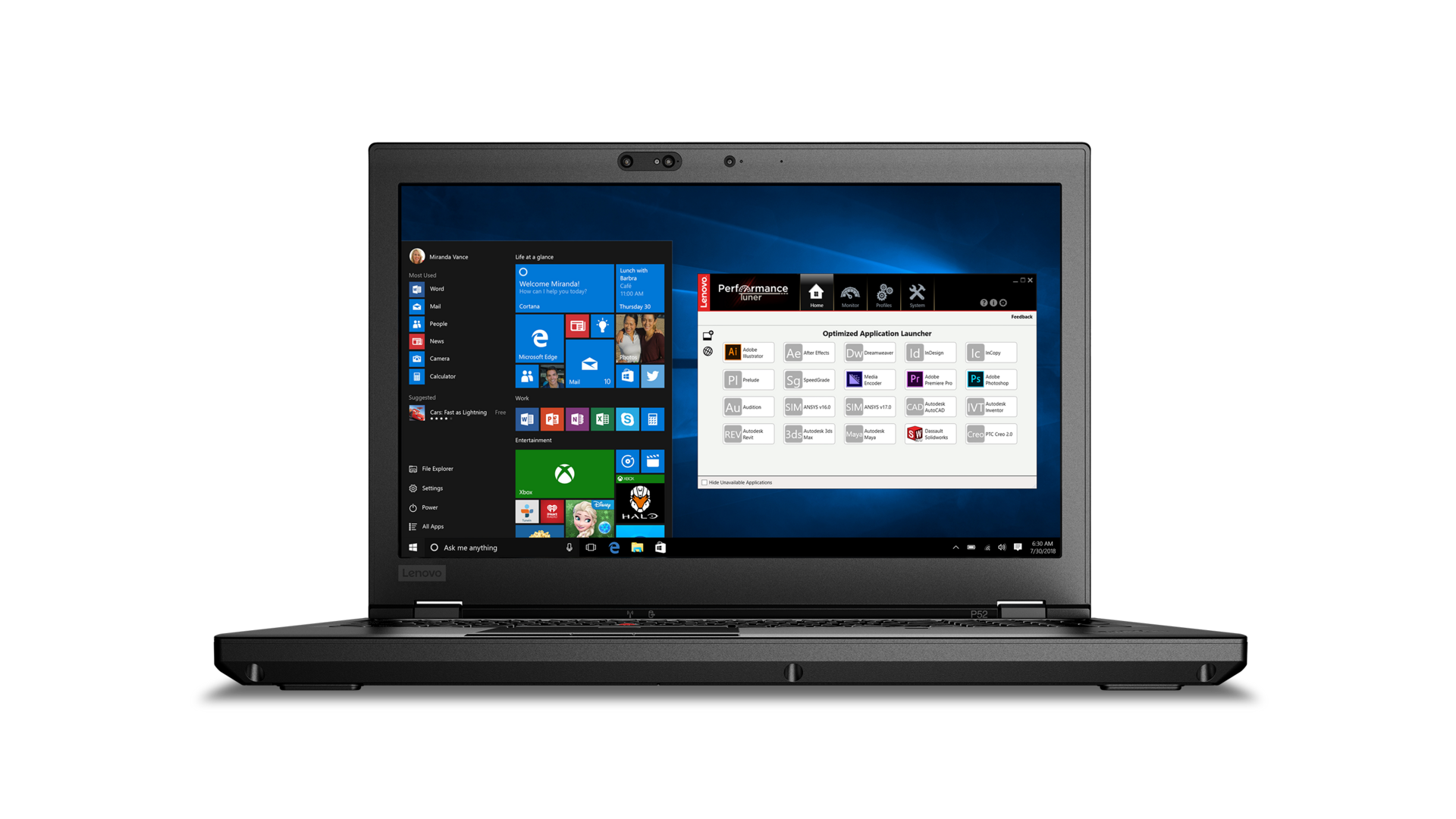
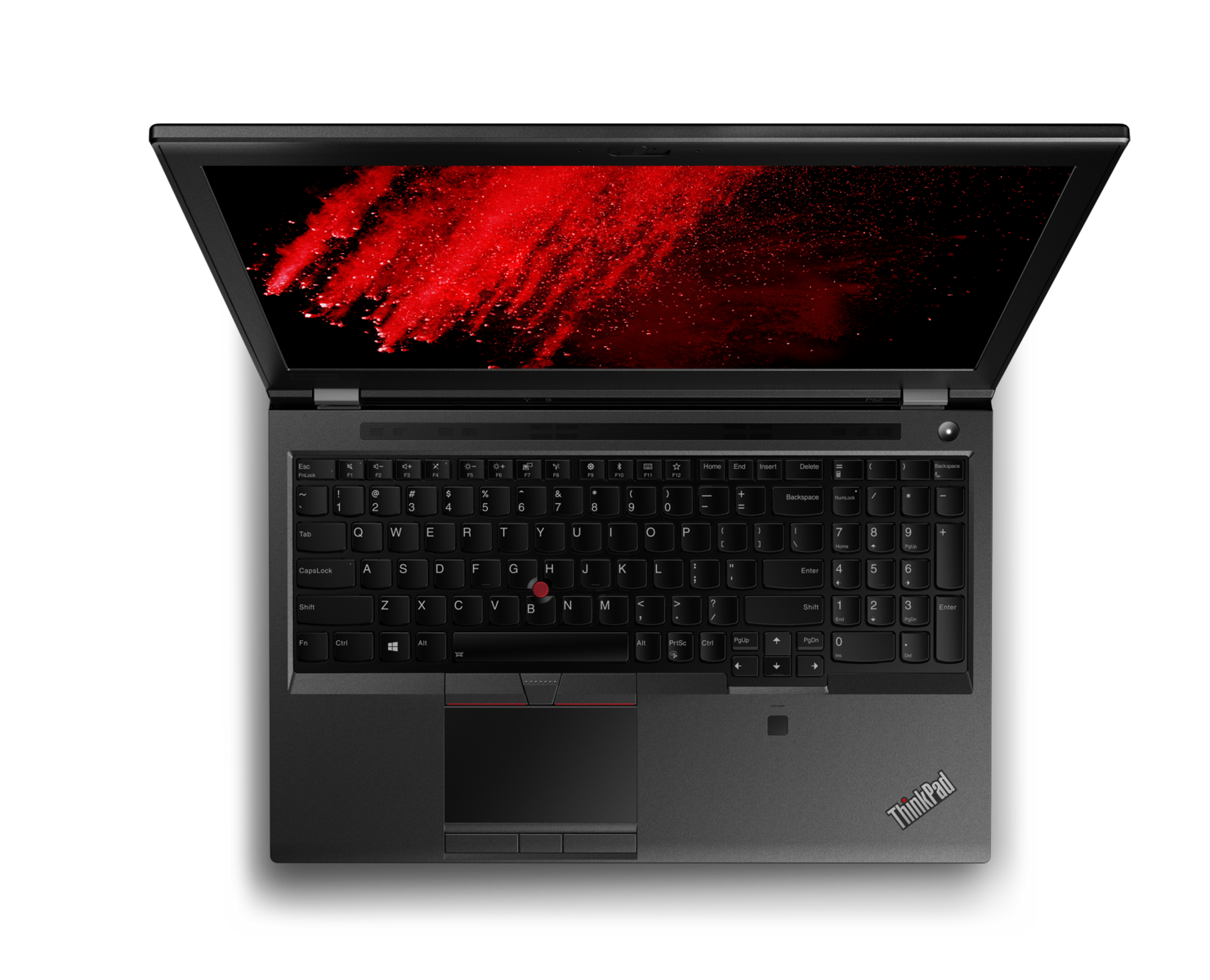
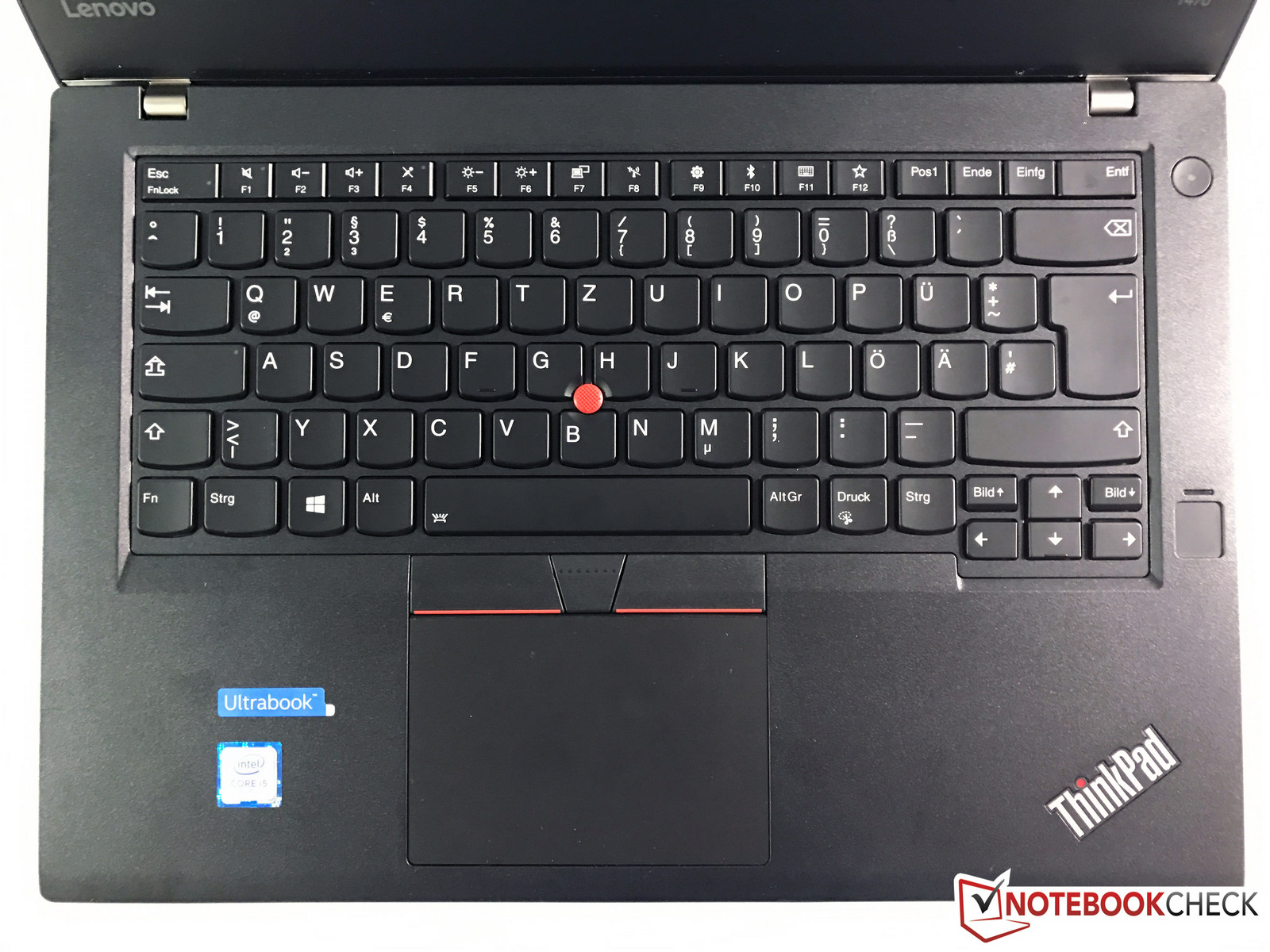
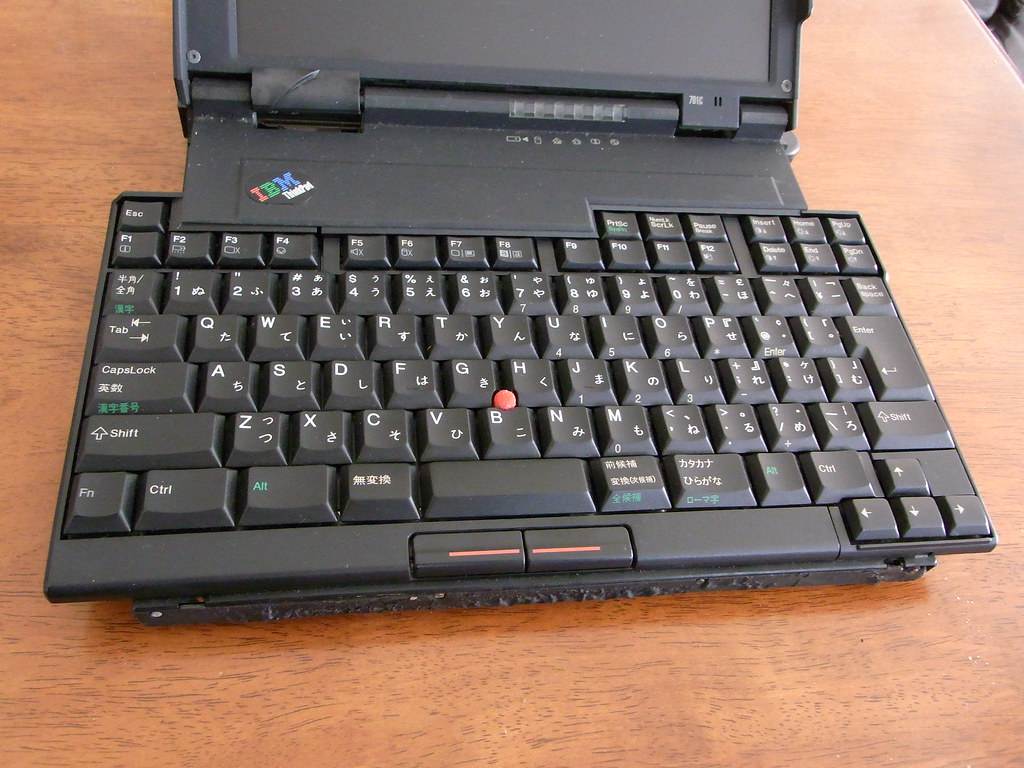
I was curious to see how this beast looked like. I can't find pics on Lenovo's own site, but notebookcheck.net has an article. Pics from the article:
-
Pictures
I was curious to see how this beast looked like. I can't find pics on Lenovo's own site, but notebookcheck.net has an article. Pics from the article:
-
Pictures
I was curious to see how this beast looked like. I can't find pics on Lenovo's own site, but notebookcheck.net has an article. Pics from the article:
-
Re:Bad battery tech
For one the phone battery is always pushed to 100% charge and it is kept there for extended periods of time.
Maybe in a crappy Android phone.
But in iPhones (and other Apple battery-operated equipment), Apple only charges the battery up to the industry-recommended limit of around 90% (IIRC), to avoid overcharge issues. So, when your iPhone/iPad/MacBook shows 100% battery charge, it is actually at or around that "industry maximum" charge for LiOn batteries.
Here's some non-Apple-biased information supporting what I am saying (and curiously enough, what Apple themselves recommend and say:
https://www.notebookcheck.net/...
Now compare that to what Apple says:
https://www.apple.com/batterie...
https://www.apple.com/batterie...
And some good discussions about this topic:
-
Re:I hope AMD keep making desktop/server chips
The only problem AMD currently have is that they are not really competitive with Intel for low power mobile chips.
I suppose it depends on what you mean by low power. AMD doesn't have anything that competes against Atom in the ~5W range, but at that power threshold it seems like most people just go with an ARM SoC anyways.
However, AMD did just release their mobile Zen-based APUs a few months back and they've been trickling out into the market. These are all 4-core/8-thread chips with onboard graphics in a ~15W TDP envelope. That's the same as Intel's U series processors. I think that they're reasonably close in terms of CPU performance but I haven't seen a lot of benchmarks yet, but AMD wins hands down on the GPU side. -
Re:aggressive play in the laptop space?
AMD's Ryzen Mobile chips are now available in laptops/notebooks and all-in-ones. Performance is good, and power consumption/performance-per-watt is substantially better:
-
Re: So
Plus of course Intel probably do everything they can legally to keep OEMs from using anything but Intel CPUs.
They've done lots of illegal things as well. They paid Michael Dell (amongst other OEMs) millions to reduce AMD volumes during the Athlon 64 years, when AMD CPUs beat out Intel CPUs on almost everything that wasn't compiled using the ICC (Intel's compiler). They were found guilty and ordered to pay a ~1.25 billion USD fine. A fine they still haven't paid. This did massive damage to AMD at a time when they were expecting increased revenues as the fruit of their investment in R&D.
So I'd like to AMD to be competitive. Right now it seems like AMD is competitive for desktop machines, not so much on mobile. Which is a shame.
It seems to be competitive enough, it just needs a better laptop surrounding it, and the Vega iGPU needs better drivers. The problems seem fixable in few months time.
-
Re:My suggestions: Current Apple or classic ThinkP
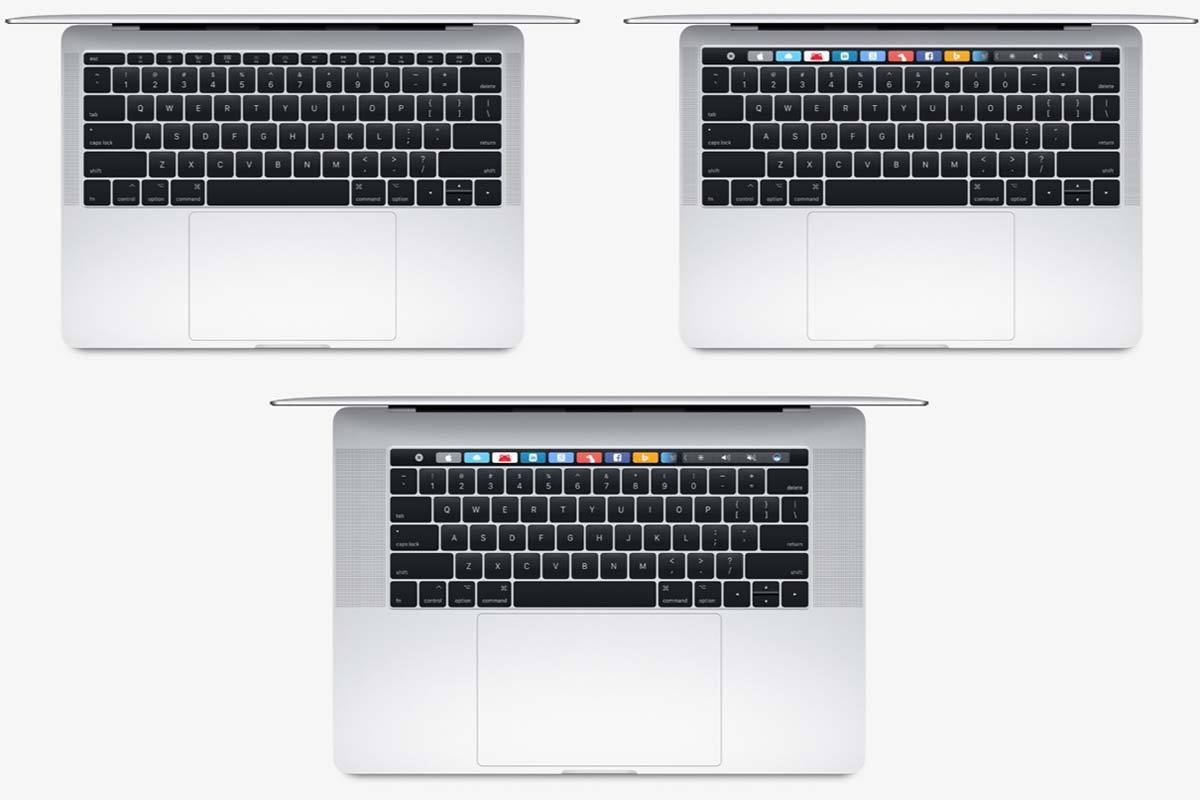
For most people looking for a great keyboard, the Macbooks are a non-starter even if they can accept the OS change, because of the half-height arrow keys and lack of spacing between every 4 function keys (or lack of physical function keys on the touch bar models). For some reason this is glossed over in all the MBP reviews. Every PC laptop which dares to commit these transgressions gets dinged for it in all the reviews, but in the Mac reviews it's never mentioned.
The Thinkpads have shrunken their arrow keys slightly compared to their old keyboards. But they remain suitably large for comfortable editing, and the function keys mimic the spaces between every 4 keys like a desktop keyboard for touch typing. -
Re:I think I know the problem
you do realize the NVMe drives are "standard", they're just soldered in, IIRC
I've had my rMBP open, the m.2 drive is replaceable, actually, held in with a single screw. The soldered RAM is really annoying, though; my PC with RAM sockets is thinner than my rMBP and "thinness" is the excuse I always hear, so there's really no excuse for it.
Moving on, yes, they totally screwed up both the mac pro and mac mini in 2013. They've finally admitted it in 2016, at least on the mac pro. I'm hopeful they'll also correct their mac mini mistake this year. Coming out with a nice tower and a mini block that can be put into a grid was where I thought they should have gone in 2013. Instead we got design over technology. It's a computer, make it do neat computer things. Imagine if I could automagically hook up a MBP to a network with a couple of pros/minis on it, and when I want to edit/render video, it automatically allowed me to utilize the other machines on the network, provided I had access to them, of course. That 2 hour rendering job on a single machine could be cut down to tens of minutes, at least in my house.
I almost didn't quote this because I really have nothing more to say other than: agreed.
I'm guessing you accounted for the up to 4 or so GB caching utilized within a machine? It's pretty impressive what goes on within the OS.
If they've come up with a way to fill that cache with data from disk before it's been read, I'm sure there's an award somewhere they should be receiving. We're talking about read speeds, here; disk caches are only useful for caching writes and reading recent writes that haven't yet been flushed, they're not really helpful for large sequential reads of files not already present in (or exceeding the size of) the cache. I'm fairly certain Samsung's benchmark utility takes that into consideration; if it does not, nine 32GB passes with CrystalDiskMark surely didn't fit into the portion of my workstation's 64GB of RAM dedicated to disk cache. Considering that 4x PCIe 3.0 lanes total up to 3940MB/s, topping 4GB/sec wouldn't require much compression at all, mind you, and I ran these benchmarks without any sort of OS-level filesystem compression (it's an option with NTFS, but not enabled on the drive in question), so it has to be being done at the driver or chipset level. I will say I wasn't seeing much over 3GB/sec before applying the most recent firmware update and the performance I noted after the update far exceeds what Samsung specifies for the drive in question.
On the Mac, BlackMagic Disk Speed Test is more or less the standard test and it agrees with the benchmarks listed here for the SM0512F (utilizing Samsung flash) found in my rMBP. Apparently in 2014 they were running 2x PCIe 2.0 lanes; it wasn't until 2015 that Apple started using 4x PCIe 3.0 lanes for storage in the MacBook lineup. At least, that's what I just read. Even so, with 4x PCIe 3.0 lanes totaling up to 3940MB/s, that's as fast as you're gonna see without compression, so we're already at the point where a run-of-the-mill consumer part available at Fry's is as performant as the underlying technology allows; Apple can't do better than that.I'd guess the data on disk is compressed, which would explain the much slower write speeds.
Who said anything about much slower write speeds? I'm seeing sequential writes in excess of 3GB/s, which also exceeds the performance level specified by Samsung for the drive in question.
Just color me skeptical
I would be, too, had I not seen it with my own eyes, then re-run the benchmarks in disbelief.
I'm not sure about that, with them going all full USB-C or USB-C only on the latest laptops.
-
Re: Develop a MOBILE GPU, yes?
1. Fastest SSD on market - not even close. I've got PCI-E SSDs a year old that are faster than anything in any Apple hardware, period.
2. The most I/O bandwidth on market - not in their gimped as fuck GPUs
3. Thermal design - yea, doesn't go anywhere. I've got a stress-test program that ignores all the safety stuff and does a real stress test, no matter the machine. Every Apple product burns up.
4. Uhh, my Sager notebook has dual GPUs. I can drive EIGHT 4K displays without issue, at the same cost as your shitty craptop.
Mediocre, beyond belief.
1. Fastest SSD. Not my benchmark; but, BTW, where's yours?
2. Most I/O b/w. Four TB 3 ports say 80 Gbps of raw I/O. Sorry.. Dem's da facts.
3. Sorry, the new MBP DOESN'T even GET to the thermal limits. According to multiple reviews, Both the CPU and GPU run flat-out 100% duty cycle 24/7. They really did fix it. Try again, Slashtard.
4. Dual GPUs. And at nearly THIRTEEN POUNDS, (nevermind the power bricks you have to lug around!) that Sager is more properly classified as a "luggable", than a laptop. You can't rest that thing on your lap for more than five minutes without your legs going numb! But that's ok, since you won't be venturing far from an AC outlet for long...
-
Re:In related news...fire!
Samsung store catches fire: http://www.notebookcheck.net/S...
That's what happens when a company ships such hot devices.
-
In related news...fire!
Samsung store catches fire:
http://www.notebookcheck.net/S... -
Re:That's what happens when you're offering 1 prod
Apple has simplified their product parts bin so that everything is using laptop parts designed for their thinness at all costs product goals. This means even their desktop units are constrained by the same thermal throttling that kicks when put under load.
That was REALLY true with the 2015 MacBook Pros; but isn't at ALL a problem with the 2016 MacBook Pros. That is one of the biggest reasons why the 2016 MBPs are actually MUCH faster than the 2015's, even though the CPU is slightly slower at max. speed.
Of the 2015 MBP:
"Once we had noticed some occasional GPU throttling, it is hardly surprising that the losses in the stress test are even more dramatic. After our one-hour stress test with Prime95 and FurMark (Windows), the CPU runs at only1.2 GHz, while the graphics card is also limited to just 400 MHz. Even though devices from Asus, Acer & Co. also throttle, none of the direct rivals loses that much performance. "
Vs. the 2016 MBP, the same publication said:
"The analysis of our initial benchmarks shows that the new MacBook Pro is on par with the replaced MBP with a Haswell i7-4870HQ CPU in the Cinebench R15 Single test, while it is 12% faster in the Multi-Core Rendering test. All in all, the results are within the expected range of all tested 6700HQ processors. Cinebench R15 Multi clearly shows the advantage over the current Apple MacBook 13: +115%.
The MacBook Pro 15 is a little bit slower than the previous model in the PCMark benchmark test (Bootcamp Windows). It is on par with other powerful multimedia notebooks like the Dell XPS 15 9550, Asus N552VX or the ZenBook UX510, for example.
[...]
We could not determine throttling of the GPU performance in the Unigine Valley benchmark. The GPU reaches a decent temperature of 70 C and even managed a slightly higher score once the system was warmed up.
[...]
The sensors show much higher values for the internal temperatures. The GPU reaches uncritical 70 C in Unigine Valley, but the CPU will level off at 91 C in Cinebench R15. The scores do not collapse in macOS though, so there should not be any problems with throttling."
So, it seems like the combination of the lower-power Skylake, and Apple's improved Thermal Management has created a laptop that is significantly faster OVERALL (and especially at long-term CPU and/or GPU-intensive tasks, like video editing) than its predecessor. -
Re:That's what happens when you're offering 1 prod
Apple has simplified their product parts bin so that everything is using laptop parts designed for their thinness at all costs product goals. This means even their desktop units are constrained by the same thermal throttling that kicks when put under load.
That was REALLY true with the 2015 MacBook Pros; but isn't at ALL a problem with the 2016 MacBook Pros. That is one of the biggest reasons why the 2016 MBPs are actually MUCH faster than the 2015's, even though the CPU is slightly slower at max. speed.
Of the 2015 MBP:
"Once we had noticed some occasional GPU throttling, it is hardly surprising that the losses in the stress test are even more dramatic. After our one-hour stress test with Prime95 and FurMark (Windows), the CPU runs at only1.2 GHz, while the graphics card is also limited to just 400 MHz. Even though devices from Asus, Acer & Co. also throttle, none of the direct rivals loses that much performance. "
Vs. the 2016 MBP, the same publication said:
"The analysis of our initial benchmarks shows that the new MacBook Pro is on par with the replaced MBP with a Haswell i7-4870HQ CPU in the Cinebench R15 Single test, while it is 12% faster in the Multi-Core Rendering test. All in all, the results are within the expected range of all tested 6700HQ processors. Cinebench R15 Multi clearly shows the advantage over the current Apple MacBook 13: +115%.
The MacBook Pro 15 is a little bit slower than the previous model in the PCMark benchmark test (Bootcamp Windows). It is on par with other powerful multimedia notebooks like the Dell XPS 15 9550, Asus N552VX or the ZenBook UX510, for example.
[...]
We could not determine throttling of the GPU performance in the Unigine Valley benchmark. The GPU reaches a decent temperature of 70 C and even managed a slightly higher score once the system was warmed up.
[...]
The sensors show much higher values for the internal temperatures. The GPU reaches uncritical 70 C in Unigine Valley, but the CPU will level off at 91 C in Cinebench R15. The scores do not collapse in macOS though, so there should not be any problems with throttling."
So, it seems like the combination of the lower-power Skylake, and Apple's improved Thermal Management has created a laptop that is significantly faster OVERALL (and especially at long-term CPU and/or GPU-intensive tasks, like video editing) than its predecessor. -
Re:battery life a braindead argument
you obviously don't do anything processor intensive, while on the face of it the clock speeds haven't changed much the actual raw performance change from a sandy bridge to a haswell is massive, it is close to a 50% step up.
There is none. Go to www.cpuboss.com. The newer cpus are about 5% slower than the ones a few years ago. Massive my ass
But, since they are so much lower in power-consumption, they more than make up for that 5% in the fact that the laptops they are in, such as the 2016 MacBook Pro, don't have to throttle AT ALL due to thermal constraints, and thus keep chugging along at full speed, when their older counterparts used in, for example, the 2015 MacBook Pro, have to throttle as much as arouind 66% PERCENT.
About the 2015 15" MacBook Pro, with that "Faster" CPU:
"After our one-hour stress test with Prime95 and FurMark (Windows), the CPU runs at only1.2 GHz, while the graphics card is also limited to just 400 MHz. "
So, tell me again: What good is a "faster" CPU, if it can only be "Faster" for a FEW SECONDS? Again, regarding the 2015 MBP:
"The CPU does at least start at 3.3 GHz in the Cinebench Multithread tests (battery and mains identical), but consumes far more than 60 watts and reaches almost 100 C (~212 F). As a result, the clock drops to around 2.8 to 3.0 GHz after a few seconds and can maintain this level. This means that unfortunately, the i7-4780HQ is not any faster than the old i7-4850HQ; the i7-4770HQ and the i7-4980HQ should be on par under sustained load as well, which means the performance differences between the different models will be limited to short peak load or poorly parallelized software" -
Re:battery life a braindead argument
you obviously don't do anything processor intensive, while on the face of it the clock speeds haven't changed much the actual raw performance change from a sandy bridge to a haswell is massive, it is close to a 50% step up.
There is none. Go to www.cpuboss.com. The newer cpus are about 5% slower than the ones a few years ago. Massive my ass
But, since they are so much lower in power-consumption, they more than make up for that 5% in the fact that the laptops they are in, such as the 2016 MacBook Pro, don't have to throttle AT ALL due to thermal constraints, and thus keep chugging along at full speed, when their older counterparts used in, for example, the 2015 MacBook Pro, have to throttle as much as arouind 66% PERCENT.
About the 2015 15" MacBook Pro, with that "Faster" CPU:
"After our one-hour stress test with Prime95 and FurMark (Windows), the CPU runs at only1.2 GHz, while the graphics card is also limited to just 400 MHz. "
So, tell me again: What good is a "faster" CPU, if it can only be "Faster" for a FEW SECONDS? Again, regarding the 2015 MBP:
"The CPU does at least start at 3.3 GHz in the Cinebench Multithread tests (battery and mains identical), but consumes far more than 60 watts and reaches almost 100 C (~212 F). As a result, the clock drops to around 2.8 to 3.0 GHz after a few seconds and can maintain this level. This means that unfortunately, the i7-4780HQ is not any faster than the old i7-4850HQ; the i7-4770HQ and the i7-4980HQ should be on par under sustained load as well, which means the performance differences between the different models will be limited to short peak load or poorly parallelized software" -
Not exactly a high bar to clear
The older 650m, 750m, and M370X were all mid-tier laptop GPUs when released, and passed on to low-tier within a year even though Apple kept selling them for 2-3 years. Benchmarks for the 455 aren't in yet, but it's expected to come in around the 950m or 960m. Which leaves the MBP dedicated GPUs a distant runner up against laptops equipped with a 970m or 980m. It'll fall even further behind the newer 1060m-1080m when they're released, and Apple doesn't update the MBP GPU for 2-3 years as per the pattern.
The problem stems from Apple's insistence on using a unibody aluminum chassis without any vent holes. That traps hot air inside (the superior heat-conducting properties of metal make no difference when there's an insulating layer of air between the hot components and the chassis). That makes the MBP designs extremely heat-constrained. They're already using special Intel quad core CPUs with a 25W TDP instead of the regular 45W TDP. And the GPU is limited to about a 35W TDP while other laptops use GPUs with up to a 120W TDP. -
What's not to like?
I hadn't seen the original mini, and I'm looking at this and wow, it is SMALL. Of course, this is a SoC device, and definitely not for even older games. Still, it's only a bit more than a laptop with the same specs, so if you don't need a built-in screen, why not?
-
Seems like a step backwards
Just to sidestep the PC vs Mac comparison, let's compare this to its predecessor the UX305CA.
UX305: $699, Core M, 8 MB RAM, 13.3" 1080p matte IPS screen (option for 3200x1800) covering 90% of sRGB, 256GB SSD, 3xUSB 3.0, mini HDMI, 12.3mm height, 1.192kg, 45 Wh battery giving 6+ hours. About the only thing it was missing was a backlit keyboard and a fan.
Zenbook 3: $999, Core i5, 4 MB RAM, 1080p IPS screen (implied touchscreen), 256GB PCIe SSD, 1xUSB 3.1/Thunderbolt, presumably HDMI via Thunderbolt, 11.9mm, 0.910kg, supposedly 9 hour battery though I usually reduce claims to 2/3 which would put it at 6 hours. Backlit keyboard, has a fan.
The UX305 was a worthy ultrabook that I've been recommending to a lot of people who otherwise would've settled for a low-end laptop. Usually their budget was around $500, while the UX305 frequently went on sale for $600 - the size, build, SSD, screen, and generous number of ports made it an easy up-sell for an extra $100. The Core M processor isn't a limitation for most people's computer use.
The new Zenbook 3 comes in at an extra $300 putting it out of reach of budget shoppers. It has a better CPU but lower base RAM, a faster SSD but only people doing video editing will notice the extra speed, loses all those ports (many people I know leave a nano receiver plugged in and use a wireless mouse), shaves a little off the weight and height, and has a backlit keyboard. Honestly, that doesn't seem worth an extra $300. -
What was wrong with the other one?
I'm no brand or design guru (like most people here on Slashdot) but I did rather like the other logo they had on the HP Spectre 13.
Wonder why they didn't go with that one?
-
Re:Ad Blocking
Strange: it uses the popular webkit engine to render pages * In my aging Acer Aspire One Netbook the difference of it to bloated Firefox/Chromium is very noticeable!
-
Re:Laptop stuff
Indeed. Here's how Fujitsu does it. A small slot with a removable cover. Much better than having to disassemble large parts of the machine just to remove the dust which is bound to accumulate there anyway.
-
Re:"U" About as Fast as a 4-Year Old "M"
Some Numbers: http://www.notebookcheck.net/I...
-
Re:Good!
You play War Thunder on a PS4? Thx, we love you guys, you make REALLY great target practice LOL! In fact you are your PS4 brethren are usually targeted right along with the AI for the easy kills, thanks again!
And I'm sorry but any Phenom II X4 (or in my case X6) when paired with an R9 280 3GB will absolutely curbstomp your PS4 and the reason why is both simple and obvious....we have a CPU with dedicated RAM and a GPU with dedicated RAM, you only have an APU which means you are stuck with bandwidth contention because your CPU and GPU have to compete for every byte of memory, mine does not. With everything cranked except *AA (which is really pointless at 1080P) the benchmark built into the game has me hitting consistently over 60FPS...how does yours do in the benches? Does your PS4 version even HAVE a benchmark or ability to change quality settings?
At the end of the day I'm sorry but even AMD lists the Jaguar as a netbook and tablet APU which was designed to compete with the Intel ATOM, and NOT designed for any kind of performance beyond beating the Atom/ION combination. You are welcome to look at your benches yourself and even if you DOUBLE those figures (to compensate for the fact that the PS4/XB1 Jaguar is two Jaguar quads in a MCM housing) you'll see that the scores are pretty bad, and this is coming from somebody who sells AMD exclusively and actually uses the Jaguar arch for his HTPC builds.
I'm not even gonna bring up all the advantages the PC has over the console, because it is already so lopsided it isn't funny. PCs get lower prices, free MP, its just too tilted. But just looking at what you can get for the money today, hell looking at what you can grab on Craigslist for a little of nothing? Its really no contest, the PC will just obliterate the PS4/XB1 both on FPS and on picture quality when paired with pretty much any $110-$180 GPU. Of course this not only affects your picture but also your gameplay which is why guys like me just loooove to hunt guys like you, your shorter draw distance gives us a serious advantage when it comes to targeting. I've had a PS4 tanker dead in my sights from 1km away and you could tell from the horrible blind shots he literally could not see me when I was just standing in the open, this despite the fact it was my first time taking out that tank and thus had ZERO upgrades to tank or crew.
But you just can't change the facts and the fact is the Jaguar arch is a severely cut down APU designed for tablets NOT a gaming chip, even AMD lists it as such.
-
Still not The Year of Linux on Desktop
I'd like to interject for a moment. Sadly, the desktop is still extremely glitchy. Let me show some examples.
1) Notebookcheck a new Intel NUC. Intel HD Graphics 6000 was missing Linux support at the moment of writing. That's not the end of the world, but how does Linux Mint report about it? Nope, you don't get an informative "device not supported" message, nor does X.org fall back to a VESA mode. Instead you get corrupted graphics! Nice failure mode there. Just look at the screenshot in the article. Does that look professional to you?
2) When you install Linux, various manual hacks are needed to correct all sorts of little glitches here and there. Read the installation report of this guy. Does that seem familiar?
3) Laptop brightness adjustment still goes in multiple steps! I can't believe this bug is still around. The same issue is in Ubuntu in Mint and affects most laptops. Bug #527157. Just try pressing the brightness keys of your laptop under Linux and you see what I mean. An everyday feature like this should Just Work without me having to even think about it.
Conclusion: I need an desktop operating system that is more deterministic in behavior. I want robust and predictable user experience. This is not rock solid at all.
-
Re:Better cooling = better performance
Notebookcheck is helpful in this regard. They test precisely how the thermal solution acts under maximum CPU/GPU load, in terms of temperature, noise and clock rate throttling.
-
Re:OK, based upon notebook shopping thus far
Unless you have enough room for a proper GPU, low end discrete GPUs are increasingly somewhat pointless, since they always add complexity and cost; but don't necessarily outperform integrated ones by all that much.
Here are game benchmarks for the Intel HD5500, nVidia 820m, and AMD R7 M265 (older 35 Watt tech I throw in only for comparison since their current lowest-end R9 is equivalent to an 840m).
The 820m is a 15 Watt part, and best case hits nearly 2x the framerate of the HD5500. Probably about 1.7x faster on average, with a few titles being CPU-bottlenecked. The R9 M265X is also a 35 Watt part like the 840m and performs slightly better, so I imagine if/when AMD puts out 15 Watt version of the R9 to compete with the 820m, it'll roughly double the HD5500's FPS as well.
Having a discrete GPU does complicate the cooling solution (the iGPU on the Intel gets cooled by the CPU's cooler). But if you're planning to do some gaming, you should still opt for the dGPU over the iGPU if at all possible. The exception would be if you only play titles not needing powerful GPUs, like Sims, DOTA, LOL, WoW. -
Notebookcheck tests this stuff
You will benefit from the reviews at Notebookcheck.net.
For every machine they test precisely the thing that you are talking about. They run the laptop at maximum load and keep an eye on temperatures and CPU/GPU operating frequencies.
-
Re:Bose is overpriced crap and always has been
The screen on the Lenovo has an odd 48Hz refresh rate. The MBPr does 60Hz.
The chip in the Lenovo is a year older and not as battery efficient.
http://ark.intel.com/compare/8...Using a similar Y50...
http://www.notebookcheck.net/L...
The Sequential read/write on the Apple SSD are roughly 200MB/s faster (using LAST years SSD on the Mac as a comparison.)
http://www.notebookcheck.net/A...
Getting a SATA SSD to halve that gap costs $375 (850 pro). To actually close the gap requires PCIe and about $500.Lenovo's abysmal 54Wh vs Apple 95Wh battery. You can't even get a replacement or extended battery from Lenovo.
And then there's build quality.
-
Re:Bose is overpriced crap and always has been
The screen on the Lenovo has an odd 48Hz refresh rate. The MBPr does 60Hz.
The chip in the Lenovo is a year older and not as battery efficient.
http://ark.intel.com/compare/8...Using a similar Y50...
http://www.notebookcheck.net/L...
The Sequential read/write on the Apple SSD are roughly 200MB/s faster (using LAST years SSD on the Mac as a comparison.)
http://www.notebookcheck.net/A...
Getting a SATA SSD to halve that gap costs $375 (850 pro). To actually close the gap requires PCIe and about $500.Lenovo's abysmal 54Wh vs Apple 95Wh battery. You can't even get a replacement or extended battery from Lenovo.
And then there's build quality.
-
Re:Imagine, a Beowulf cluster of these!
That sounds low, here's a test of the iPhone 5 and at maximum power draw they killed a 6000 mWh battery in two hours meaning a power draw of ~3W. Of course that includes the screen and the whole SoC, but if you can put a 5W processor in a tablet I'm thinking 1W in a smartphone seems reasonable. P.S. My Google-fu says that <10 mW is only if the CPU is in suspend/standby mode, basically it's off and waiting for the network or user input to wake it up again. Idle but active draw seems to be more like 30-50 mW which is the target Intel would need to reach. Not Core M territory though, they'll still make Atoms for that.
-
Re:Windows 8 app store?
Take the absolute lowest Intel and AMD quads, the Atom and Jaguar respectively, and put it against the most expensive top 'o the line ARM quad and what happens? the ARM gets a curbstomping
Wrong, you can see the Atom chips getting smashed by the Exynos 5 chip.
And here in monte carlo and FFT benchmarks.
And here in h.264 encoding, zip compression and PHP compilation benchmarks.
Also here it's more of a mixed bag but the Atom gets thoroughly beaten and the Tegra4 and Jaguar trade the lead.
I understand running a business that depends on PCs is where your obvious bias comes from but the facts don't lie, this isn't to say that ARM is better than x86 but in some cases it is and it most certainly isn't the "curbstomping" you claim it to be.
But your analysis is only correct if you live in the past. With baytrail Intel is again stomping ARM and this is only getting worse now that Intel has set ist sights on this market segment.
-
Re:Windows 8 app store?
Take the absolute lowest Intel and AMD quads, the Atom and Jaguar respectively, and put it against the most expensive top 'o the line ARM quad and what happens? the ARM gets a curbstomping
Wrong, you can see the Atom chips getting smashed by the Exynos 5 chip.
And here in monte carlo and FFT benchmarks.
And here in h.264 encoding, zip compression and PHP compilation benchmarks.
Also here it's more of a mixed bag but the Atom gets thoroughly beaten and the Tegra4 and Jaguar trade the lead.
I understand running a business that depends on PCs is where your obvious bias comes from but the facts don't lie, this isn't to say that ARM is better than x86 but in some cases it is and it most certainly isn't the "curbstomping" you claim it to be.
-
cough cough Newton cough cough
It was all demoed to Jobs in 1999 as it happens.
Ahem. Development started 12 years before 1999.
The people who keep insisting that Apple did everything first essentially know nothing about the history of mobile devices.
You were saying?
-
Re:too bad it's HP
Low quality laptops? What the hell are you talking about? We send people all over the world with HP laptops. The EliteBook series is a freaking trooper.
http://www.notebookcheck.net/R...
I don't know what low end you are buying but don't put all their laptops in one basket. We order these with 16GB RAM and 240GB SSDs. I've never had to have one returned for service that is under 3 years old. Like I said, these are traveling all over the world and used by on-site aerospace engineers.
As far as support, I've never experienced more that a three day turn around.
-
Re: woo
Let's hope they get their right left foot replaced with a right foot in Windows 8.2.
There are some interesting rumors that 8.2 would actually bring the Start Menu back. Those might not mean anything of course, but it's nice to dream.
-
Re:My top sites
LOL. I came here to post exactly those three sites.
For laptops, I would add NotebookCheck. It's an English translation of a German site, but their reviews are incredibly consistent and thorough. They even tell you how hard it is to take apart if you want to replace/fix some of the components. -
Re:Remember that TRS-80 you threw away in 1982?
I'm curious as to exactly what 2 watt processors can compare to a 3.2 GHz P4 from 2003
It's not easy to compare, and I had to jump around benchmarks a bit, but some of the recent SoCs look to be ballpark with the P4.
x86 Atom Z2760 Vs ARM
http://www.notebookcheck.net/SoC-Shootout-x86-vs-ARM.99496.0.htmlAtom D510 Vs P4
http://www.tomshardware.com/reviews/atom-d510-pentium-4-nettop,2649-10.htmlAtom D510 Vs Atom Z2760
http://www.cpubenchmark.net/midlow_range_cpus.html -
Re: What fud
Oh, and the iMac *HAS* had SSD caching for over a year now - the much better "Fusion Drive" implementation, even.
As for the "seriously strong graphics" of the 750M?
According to NotebookCheck, the 750M is:
Depending on clock speed and memory configuration, the GT 750M performs slightly above the GT 650M or GTX 660M. The fastest models with GDDR5 may even match the GTX 670M.
Oh, look at that, the current iMac offers, as its minimum spec on the 27" model, a GTX 660M. And "may even match" the 670M, while the high-end iMac offers the 675MX, with the 680MX as an option. So sorry, even this new Dell doesn't reach the *LAST GEN* iMac that is about to be replaced with something faster.
-
Re:Translation:
I'm sorry but according to Notebook check the chip you have is faster than the Atom it was originally made to compete against and has a faster CPU to boot. Before you take too much stock into what a particular benchmark says you might want to look up "Intel cripple compiler" to see how badly rigged anything compiled with the Intel compiler comes out, in one test they took a Via CPU and simply by changing the CPUID from "Centaur Hauls" to "Genuine Intel" they scored a full 30% HIGHER on the benchmark! Wow, amazing huh?
As for your specific situation I can tell you what the problem is AND how to fix it, the problem is...you bought an Acer. Sorry but Acer is pretty notorious for skimping in every way they can if you will look up "replace thermal paste" and that model you will find many Youtube videos showing you how to remove the shitty thermal pad they used and replacing it with something that works. I would suggest Arctic Silver, first pre-treat both the CPU and the heatsink to get the paste into the tiny imperfections, followed by putting a grain of rice sized drop on the CPU and reseating the heatsink. I have had to do that trick a few times on acers that end up in my shop because of "being slow" and you'd be amazed how much having an actual functional heatsink helps.
As for Intel getting busted...citation please? The only thing I heard of was a payoff to AMD to get them out of court, that is NOT "getting busted", that is bribery. and you name the Intel CPU and I can produce a nice long errata sheet for it as well, i don't think there has been a CPU since the 286 that didn't end up with a long errata list. I also frankly don't put much stock in an "errata" that is only being seen by some guy running an EXTREMELY niche OS and then ONLY when he compiles with a certain version of GCC. AMD offers their own compiler, based on GCC as a matter of fact, so why this dude doesn't use that? who the fuck knows.
Meanwhile I've sold hundreds of AMD units, both desktop and laptop, no complaints about speed. I was impressed enough that my entire family is on AMD, 5 desktops a laptop and I too have a netbook but unlike you I went with the better build quality Asus EEE and am VERY pleased by the performance, in fact after 3 years I still get over 4 hours on a battery watching movies, 5 websurfing, and I can slap an HDMI cable between my netbook and any TV and use it as an HTPC which I have done on several occasions, works great.