Slashdot Mirror
Domain: logitech.com
Stories and comments across the archive that link to logitech.com.
Comments · 617
-
Re:Using mouse hurts!!!
Meh, I use trackballs at all my workstations, but thumb-trackballs are no good, I agree. I use the Logitech Marble Mouse on my laptop and at work, and the Logitech Cordless Trackman Optical ($60) at my home workstation (KVM'd between Windows and Linux). Neither use the thumb for pointing, they use the pointer and middle finger for pointing, the thumb for clicking and the ring finger for right-click. They have solved all my RSI issues in short order.
-
Re:Using mouse hurts!!!
Meh, I use trackballs at all my workstations, but thumb-trackballs are no good, I agree. I use the Logitech Marble Mouse on my laptop and at work, and the Logitech Cordless Trackman Optical ($60) at my home workstation (KVM'd between Windows and Linux). Neither use the thumb for pointing, they use the pointer and middle finger for pointing, the thumb for clicking and the ring finger for right-click. They have solved all my RSI issues in short order.
-
Re:fast and loose definitions
What about things like the DiNovo Edge?
I've been using this keyboard for a while now and mouse and kb movements are pretty much the same, my hands never leave the keyboard and I have all the benefits of a mouse. It took me a few days to get used to it but it seems much more efficient for most people out there. It's definitely not for everybody as there is no number pad but for the majority of workers out there I think it would work very well.
I know in my own experience I use it for scripting a lot, it has some keys for text selection so it basically becomes a two-handed mouse.
-
Trackball all the way for me
I get pains in the tendons in the back of my hand when using a regular mouse so I use a trackball: http://www.logitech.com/index.cfm/mice_pointers/t
r ackballs/devices/189&cl=gb,en
It has the benefit of always being in the same place, just off to the right of my short (no num pad) keyboard. The short keyboard has stopped my shoulder blade clicking every time I reached out and over the num pad to get to the track ball. As a 10 finger typist I'm pretty handy with the numbers along the top of a keyboard but I've got a USB num pad for longer data entry type jobs. Been using this setup for three pain free years. -
Logitech
If we're allowed to go with third party controllers, the Logitech Cordless Action Controller for the PS2 is hands down my favorite. They fixed up the d-pad to make it smoother for slide movements on action games, and the grips in back are much more comfortable than the original. The wireless has great range, and the battery life is something like 200+ hours with rumble turned off. The only downside is it can be a pain to get it to sync with the receiver.
-
Re:More details
I have a G-15 from logitech. I dont' sit at it typing all day, but it's backlit keys and LCD screen are great for what I do at home. It also has 15 programable keys that can be assigned to one of 3 custom definitions (M1,M2,M3) for a total of 45 key definitions. If your looking for a typing board, I prefer the MS Natural Pro. It has a great feel to the keys and is very comfortable.
http://www.logitech.com/index.cfm/products/details /US/EN,CRID=2166,CONTENTID=10717 There is a new version the G11 wich is about $25 less, and looks like it removes the LCD screen.
OR
http://www.microsoft.com/hardware/mouseandkeyboard /ProductDetails.aspx?pid=022&active_tab=overview
Heh, I gues its the MS Natural "ELITE" now... -
Good flat keyboards not so rare now
One of the reasons I was originally interested in this product is that I wanted a relatively flat keyboard that had a good typing feel to it while requiring minimal key impact. While I love my Model Ms, I'm finding the amount of wear and tear on my hands typing on it leaves behind exceeds my tolerance nowadays.
Unfortunately for Optimus, they've now taken so long that I have a solution I'm perfectly happy with that I'm already typing on. I picked up a Logitech diNovo Edge keyboard recently. Great typing feel, much less hand movement to type and less resulting pain than any keyboard I've ever owned. Despite the label it works fine across lots of operating systems without even installing their crappy software; only some of the useless keys aren't supported with the generic keyboard drivers in Linux and Windows 2000. It has a decent trackpad mouse as well, and it's wireless.
Retail is $200, but considering how well it works and the fact that's it's pretty sexy as such things go I feel it's fairly priced. Optimus, not so much -
Re:HDMI
if a sound system is used, it's still better to route the signal through the TV so you can control the volume with the same remote as the TV.
I just bought a fancy remote so that I can change the chanel on the cable box and the volume on the amp and the power on the TV without having to flip through options to select which component to control. Get something from here http://www.logitech.com/index.cfm/products/product list/US/EN,CRID=2080 and never mess with piles of remotes again. -
Re:Blindingly obvious
The one thing TVs are lacking to be ubiquitous is a voice-activated remote that auto-detects the TV brand and model to translate voice commands to TV remote commands.
It's not exactly what you're getting at, but the Logitech Harmony remote does make life a heck of alot easier.
Also, I'm not sold on the whole voice command thing. That's great for a single person watching TV by themselves in a quiet room. Add in three kids, a dog, someone talking on the phone in the next room, and other noises and voice activation quickly loses its appeal and effectiveness. -
Re:mindless drivel about the future of computers
No one will buy desktop PCs. in 2017 everything will be similar to what we call a laptop today.
While I think you're right that (barring major societal shocks) laptops will be a massive majority, there will still be some reasons for a "desktop". Primarily, users who are elderly and disabled. My sister has secondary progressive MS; she uses a two-monitor setup (one for the desktop, one for Windows magnifier) to improve visibility. She's considering switching to a flat panel TV or to an overhead LCD projector after she the house purchase is finalized, but the two LCD screens gives more desktop pixel-acreage. Also, there's no way she could use a laptop keyboard or trackpad; she uses a BigKeys keyboard and Trackball Mouse for manual input when coding, but mostly relies DragonVoice for input in word processing and email.
Of course, "desktops" for most of these users may look more like a Mac Mini than a Lian Li Server Case. There will also be (as you note) the fringe crowd, running giant honking servers from paranoia or for amusement, fiddling with technology just to see what it can be made to do; but I bet this group will be smaller than those who use small desktops from need.
-
Linux problems
Writing this as AC, because many here will most likely don't like this comment, but...
Linux has the problem that it's too fragmented. There are 20 million distro's out there, and not one that's as easy to use and as workable on various hardware as Windows.
People should stop trying to make their ultimate distro number 20million1 and just make a few distro's that are adaptable, and that actually work.
The linux nerds are too much like "ooohw, that's easy, just pop up bash, and run #tar zxvf program_name.tar.gz #configure #make #make install #make clean
Well, that's not really easy for the average user that's used to double-clicking a
It's just not user-friendly.
Same with hardware support. Linux users should pressure companies more to provide Linux drivers, or like that initiative started a while ago, where spare-time programmers offer their services to create Linux-drivers under non-disclosure agreements. I've got an HP Color LaserJet 1600. Doesn't properly work in Linux. I've got a Logitech Cordless Optical Trackman. I haven't been able to get that to properly work either.
Or how about phone synchronising software?
I love linux, I really do, but to be frank, useability, hardware support, etc, sucks big time. Even if it's there, it's impossible to implement for johnny average.
Linux users and programmers should get their acts together, and stop making the millions of fragmented distro's, and make a few that actually and properly work. Where hardware works just as easy as it does on Windows, where you can tell the firewall to show a pop-up if a program wants internet access instead of silently blocking it.
I know that if we all combine our efforts we can make an operating system that's both easy to use for john average, aswell as powerfull enough for the 1337, and just works on all hardware be it a Core2Duo, AMD64 or PPC, but we gotta unite because currenty we still ain't achieving much, and are always a bit behind on stuff that even windows just supports.
my 2 cents.. -
Re:Not ReadyHa! I saw a few days ago that Logitech is doing the same thing:
This Camera will not work with Windows Vista. Please see our list of newer Vista compatible cameras.
Nice. -
Re:Renamed?
Presumably they've cleared this with ELO, manufacturers of iTouch touchscreens. If your bank's ATM has a touchscreen CRT, it's probably an iTouch.
Then there's Logitech's iTouch., and the Logitech iTouch cordless keyboard and mouse.
And yes, both have registered trademarks.
-
Re:Don't playa hate, congratulate!
#2 Did I mention the remote control is is a Buck Twenty Five? You've GOT to be shitting me. Not only is that ridiculous, it's IR only, sure you can probably program it to run your stereo, but it should work via radio to interact with the 360, from what I hear it does not...not really inspiring me to shell out $125.
The MS remote is $30, not $125. You must be thinking of the Logitech Harmony, which is a rip off. -
Re:Microsoft Pain
Might I recommend a nice Logitech for your gaming needs? I have one and can't praise it enough. Its a pity that they no longer make (and few programs anymore actually support) the iFeel line of mice they had. Force-feedback mouse, or basically a mouse with a servo-rumble pack. It was tuned very well, and I enjoyed the tactile responce on my desktop and in a few games (Tribes 2, Serious Sam 2, Black and White, Jedi Outcast, and others).
-
Re:Try playing a video game on a remote
I have a Logitech Netplay keyboard/controller.
Now that's what you should use to control a giant robot car! -
This is nice...
-
Re:So long Slim Devices...
Since Logitech already has (probably a poor equivalent to Squeezebox):
http://www.logitech.com/index.cfm/products/details /US/EN,CRID=2653,CONTENTID=11828
will they use this acquisition to squash the best kept secret in music streaming?
I've been listening to my Slimp3 box since they first shipped them sans the snazzy case and Slim Devices remote control! It still rocks and I wouldn't consider any alternatives until it dies.
I wonder too about Logitech dropping Linux support since I have a Harmony remote control too and they promised Linux drivers several years ago and never delivered. Also they are slow to integrate feature requests. -
Will they kill Slim Devices?
Since Logitech already has (probably a poor equivalent to Squeezebox):
http://www.logitech.com/index.cfm/products/details /US/EN,CRID=2653,CONTENTID=11828
will they use this acquisition to squash the best kept secret in music streaming?
I've been listening to my Slimp3 box since they first shipped them sans the snazzy case and Slim Devices remote control! It still rocks and I wouldn't consider any alternatives until it dies.
I wonder too about Logitech dropping Linux support since I have a Harmony remote control too and they promised Linux drivers several years ago and never delivered. Also they are slow to integrate feature requests. -
Re:As long as it's not blasting out data...
What the heck do you need a wireless mouse for, anyway?
I've just bought a wireless mouse as it happens. The benefit I've found (obviously), is that I can just pick it up and us it more comfortably while I'm sat at my desk. For example, this slashdot comments page is very long, and I'm not going to be typing or clicking much, so rather than sitting upright, I'm leaning back and scrolling the wheel with my thumb, with my hand at 90 degrees to the normal position. I can also (as it's optical), control the cursor using my shirt as the surface, which means unless I need to type something, if I'm just sitting reading on the web, I can recline in my chair.
This may seem slightly petty and lazy, and indeed it's not what I bought the mouse for (check it out!), but it's just more comfortable. I will not be purchasing wired mice at all in future. -
Re:Power?
I agree, or worse, mice that contain embedded rechargable batteries that require you to place the mouse on a charging station. I had the Logitech MX1000 and loved it except for the charging issue as I would often forget to place it on the charger at the end of the day leaving me with a useless mouse at some point.
There is however a mouse that doesn't have this problem. The Logitech G7 Laser Cordless Mouse is perfect. It comes with two small Li-ion battery packs and a charging station. So while you are using one the other is charging. They don't last terribly long, but it takes about 10 seconds to swap them out. I can't understand why Logitech continues to put out new mice without this type of a battery pack/charging solution and keep using the embedded Li-ion batteries.
http://www.logitech.com/index.cfm/products/details /US/EN,CRID=2135,CONTENTID=10716
Logitech lists it at $99.99 but it can be had for around $60 at many vendors. -
Re:Left handers need love too.
Try holding that nice Logitech bluetooth mouse in your left hand. You'll find that it's uncomfortable just sitting there. Never mind moving it around on your desk.
it's not bluetooth, but i just bought this mouse from logitech. a little big for my hand, but overall, not too bad. i didn't even need a new mouse, i just bought it to "vote with my wallet" (as they say) and support the manufacture of left-handed peripherals.
i have to admit, this is starting to concern me about the wiimote. i refused to buy a DS until i finally saw a demo of metroid prime: hunters in a store which allowed you to change to a left-handed stylus configuration. i was hoping similar support would be offered for the wii, but now... i'm thinking i won't get one at launch and wait until i can see another in-store demo. and since i have a gamecube anyway, i'll probably get the 'cube version of twilight princess.
-
Re:Get over it already!
There is a solution to the keypad on the right...
Either a Logitech diNovo desktop, which has a separate keypad (unfortunately, it comes with a righty mouse,) or a Happy Hacker keyboard plus a notebook-style external keypad. -
Interesting...
I have never tried to create a setup like the one that you are attempting, but I have had good experiences with Logitech webcams. Is there an existing program that combines the 3-camera stereo image or are you starting from scratch? What computer system are you using? Make sure that you are not running so many things off of USB (or IEEE1394) that you cannot keep up the throughput from your webcam. This could happen, for example, if you are streaming at maximum quality and saving all of the data to an external webcam. I wish you all the luck.
-
Moderate Posting -1, Dork
Do suppose he's starting this campaign using his l33t gaming keyboard?
-
Logitech V200 mouse
The Logitech V200 cordless mouse comes in plastic packaging that is so thick, I would say that a circular saw is the most appropriate tool for opening it. It's probably at least twice as thick as it needs to be. I think that the only explanation for that is to make you so thoroughly mangle the package that you would feel bad about returning it if you change your mind.
-
Re:Had a wireless mouse...
For the life of me, I can't remember to put my mouse on its charger at work. At home, I use a Logitech G7 which charges a second battery pack while you are using the mouse. When the one you are using dies, you just swap them out.
-
Re:Demand
Get me there, then we'll talk about adding new components.
It's already here: Harmony remotes do exactly what you ask for. -
Re:How about not moving your wrist anyway?
I even play my games that way, if only at high sensitivity (I have very fine motor control).. The only problem is that smaller movements tend to be limited by the friction of the mouse pad/sliders, but that can be accounted for. The Logitech mx518 gaming mouse is a joy for me since it has buttons that control the sensitivity on the fly. Using one setting I can reach all the way across my dualmonitors, and on another I have very fine control for things like Photoshop/sniping etc. I used to have an mx700 wireless mouse, which although had the same shape, it was quite heavy due to the batteries, going from the heavy one to this über light g15 is a night and day difference. Not to mention that it's physical design allows me to grip teh moues with my thumb and ring and pinky finger quite nicely. It makes me want the g5 http://www.logitech.com/index.cfm/products/detail
s /US/EN,CRID=2142,CONTENTID=10715 because that one has adjustable weights. I figure that a computer is only as usable as it's input and output devices, so I figure a sacrafice in memory and processor speed is well worth haveing useful and accurate mice and keyboards. Now if only I was rich and could figure out a way to get a crossfire setup that can run 4 monitors at once... -
Re:Mighty Mouse!
"Can be used as a standard 2-button mouse just fine."
No third button? No scroll wheel? Why not get a real mouse? -
Re:Too bad it doesn't work with the PC...
there are lots of actually.
trust mi5300m
trust mi5400x
anycom btm100
kensington pilotmouse mini bluetooth
level one blm3000
logitech v270
sony vgpbms30
targus amb02us
targus amb03us
shall i go on? -
Re:So...Not true. I have a Clie I bought in 2002 that I can't use anymore because the battery is not user replaceable. Heck, it's not replaceable by anyone-- Sony soldered it to the mainboard.
Same goes for the Logitech MX-1000 mouse I use at the office. The rechargeable battery is non-replaceable. Heck, there isn't even a single screw on the damn thing that would allow me to open it up without totally fucking with the casing. It's 18 months old and still alive, but when the battery dies, it's going straight into the trashcan.
-
Re:finger mouse
I was thinking the same thing: when exactly do you use a thumb with your mouse? I've got pretty much a plain "Logitec Optical Mouse", and I never use my thumb with it. I lay my hand on the mouse with the thumb on the side (but it doesn't ever move from there), index on left mouse button, middle finger on scrollwheel/middle mouse button and my ringfinger on the right mouse button.
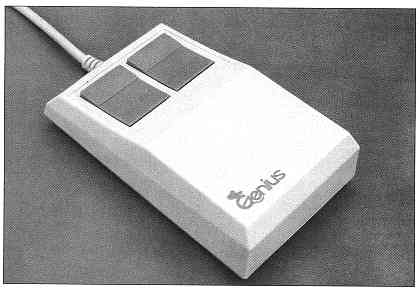
Works like a charm.... I used to have wrist pains when I was younger, but that was in the day that mice were square bricks like the Genius Mouse
-
Re:Synaptics touchpad - the best input device ever
A related option is a keyboard with a built-in touchpad. Lots of folks here use the ergonomic layout with these here where I work. You get a full size, ergonomic keyboard (unlike with a laptop) but still have the touchpad. They're quite handy. Alternatively, check out the Logitech Marble Mouse. Your thumb becomes the left-clicker (like with a touchpad), and that's the only thing it does. You work the trackball with your index finger and right-click with middle finger. A guy in our office with pretty painful carpal tunnel swears it was a godsend for him.
-
Re:The answer is Foot Mouse
Simple answer. Switch hands. I'm assuming she's only having problems in one of her thumbs. If this is the case. Get her to use the other hand for the mouse. It will take a little getting used to, but within a couple of weeks, all the problems should be gone. The other option is to get a Logitech Marble Mouse, and use that. If you use your left hand, or swap the buttons, then the clicking can be done with the pinky finger, and, right click may be a problem, but it's easy enough to move your hand over if you're having that many problems with your thumb. You don't need to right click that often that it would cause too much stress for the thumb.
-
Here's what I did...
Sorry, this is a bit stream-of-conciousness, but it's past my bedtime...
Here's the rub. There generally isn't a quick fix. I had a similar RSI problem. I was able to find relief with a combination of the following:
Goldtouch split keyboard (cheap on ebay, and you can still type on flat keyboards in a pinch)
http://www.goldtouch.com/
Logitech Thumb Trackball (you really don't move the thumb much with it)
http://www.logitech.com/index.cfm/products/details /US/EN,CRID=2150,CONTENTID=5002
IMak Keyboard and Wrist Rests (I love their stuff)
http://www.imakproducts.com/
Under desk keyboard and mouse tray (generic off ebay)
IMak Pil-o-splint
helps you relax your hands when you sleep, often people clench their hands while the sleep
And last, I learned dvorak
http://en.wikipedia.org/wiki/Dvorak_Simplified_Key board
Posture is also VERY important. If you slouch when you type, nothing will help.
The most important thing though was the rest my hands received by forcing myself to learn Dvorak and thus type at 5 words per minute instead of my former blazing speed.
Unfortunately, computer related injuries form over time from repeated stress. The general rule is healing time takes as long as it took to injure yourself.
Good luck.
Oh yeah, I'm not a doc, so this isn't medical advice. Go see a doc. IMHO, it's a bad idea to get surgery for this though. -
Re:Marble Mouse
I had some similar problems a few years ago when I first started programming full time. I went with the mouse you mentioned and it helped but then caused other weird pains in my hand. The perfect solution for me was their wireless trackball. This holds the hand in a more neutral position whilst mousing. Shortly after the mouse I also added a Kinesis keyboard and have been pain free for over 3 years now.
-
Marble Mouse
Logitech makes a sort of trackball they call a "marble mouse". Perhaps it's the kind you've already tried, but I thought it was worth a mention. You can see some info from their site. The bottom line it that it's a trackball that you operate with your index (and/or middle) finger rather than your thumb (as is traditional). I still use my thumb to click buttons, but it's a lot less work. If that's an issue, you can probably configure the computer to reverse left and right clicks, which would make the action even less frequent. I found it a bit akward to use at first, but I got used to it pretty quickly.
-
these work wonders
-
Re:Optimized for MMO?
I've found this logitech mouse to address both my FPS and MMO needs. The ability to change the DPI on the fly is AWESOME. I'm playing Counter-Strike and this round I want to be a sniper. Ok, I increase the DPI to its max and I'm able to twitch from one side of the screen to the other in a split second. I switch to my shotgun in the next round and lower the DPI and I've got the control to take the corners and jump right at the perfect time everytime. I'm playing Eve: Online and I'm out in a giant space battle zoomed way out to see the whole battlefield. I turn down the DPI and have perfect percision for clicking on the targeting icons and activating my weapons. We loose the battle and start running away, then I turn up the DPI and can twitch around space to find my next destination. I dock and start managing my account and I'm not frustrated by the super high resolution of my mouse making me click the wrong thing as it zooms around the screen. And don't get me started on the ability to change the weight of my mouse. This mouse is perfect for any need because it doesn't assume it can fill them all at any given moment. Yay for user choice!
-
Re:Best Keyboard I ever bought..
Rather than cutting off the LCD display, take a look at the Logitech G11 gaming keyboard instead. It is the same as the G15, without the LCD display. According to Logitech, it will be available in the US and Europe this July
-
Re:Best Keyboard I ever bought..
I think you meant G15, rather that G16? Assuming so...
I have a Logitech G15 keyboard and it is pretty good for gaming. Its too bulky for normal use, and the cord is... well, a cord.
However, for the best typing experience I have found, give the Logitech DiNovo a try. I absolutely love the feel of the keys, as well as the way it sits comfortably in my lap.
As a bonus, the DiNovo is nice and small, and if you are a true touch typist and do not use the numeric keypad, you are in luck, because the numeric keypad is detached.
Regarding unlabeled keyboards, all I have to say is, Bah! If you want to learn touch typing, just don't look at the keyboard. It is really just as simple as that. -
Re:Best Keyboard I ever bought..
I think you meant G15, rather that G16? Assuming so...
I have a Logitech G15 keyboard and it is pretty good for gaming. Its too bulky for normal use, and the cord is... well, a cord.
However, for the best typing experience I have found, give the Logitech DiNovo a try. I absolutely love the feel of the keys, as well as the way it sits comfortably in my lap.
As a bonus, the DiNovo is nice and small, and if you are a true touch typist and do not use the numeric keypad, you are in luck, because the numeric keypad is detached.
Regarding unlabeled keyboards, all I have to say is, Bah! If you want to learn touch typing, just don't look at the keyboard. It is really just as simple as that. -
lighted imput devices
-
Re:Cheap
wireless mice designed for people giving powerpoint presentations are a nice cheap solution. E.g: http://www.logitech.com/index.cfm/products/produc
t listns/US/EN,crid=1999,categoryid=371
If you find one that's not wireless, it might be a whole lot cheaper.
Also I used to have a finger mouse I got for like 2 bucks that had a little trackball on top for the thumb with the mouse button as trigger, but lost it.
If you have some time and expertise, you can do some motion tracking with webcams. The lower the resolution, the faster, actually!
For software though I have no choice but to selfishly invite people to join the interreality project (http://interreality.org) which can't do a CAVE out of the box but could if you synced up several clients (one for each projector) -- not hard, we did it with an older version of our software. -
Re:space goggles?
Oh boy, if we look into implementing such a feature, we could integrate this one -- facial tracking recondition, and turn your 45 year old floppy wife into a 25 year old super model, perhaps even britney spears!.. no wait, that's a dirty fat whore.. but you get the picture.
-
Re:The Things I Want...
I forgot to mention the other thing I want.
I want to be able to plug in this alongside of this, using both in the same game.
And it'd be real nice if you could also use this, and set it up as a bank of effects pedals, with one of 'em kicking off "rock out" mode.
It might just be better for all concerned if they leave this peripheral out for now, though. -
Re:First Things First
Harmony remotes 4tw!
-
Re:You're right, it's a small box
Do you know how many freaking remotes I have right now?
May I suggest the Harmony remote... Best home theater gadget I ever bought (I got lucky, I only paid $99 CDN for the 659 model).
As a nice side-effect, it also eliminates the support calls from your SO asking how to watch a DVD, etc... -
Creating a market
The professor in question is probably an undercover agent for Logitech. They need to create a market for the Digital Pen somehow... That's one classroom down.