Slashdot Mirror
Domain: mplayerhq.hu
Stories and comments across the archive that link to mplayerhq.hu.
Comments · 775
-
Re:I figured this might happen.
these patches were already sent to the MPlayer project.
but were rejected for various reasons.
here is the post which announced the coreavc-linux project:
http://lists.mplayerhq.hu/pipermail/mplayer-dev-eng/2007-July/052959.html
the coreavc codec is still faster than ffmpeg's ffh264 decoder. ffdshow has a multithreaded ffh264, but it was rejected by ffmpeg developers.
ffmpeg has a GSoC project for multithreaded decoding of most codecs.
http://code.google.com/soc/2008/ffmpeg/appinfo.html?csaid=9FD2BF705A5D5DBB -
New Google App Engine Proxy Saves British ISPs
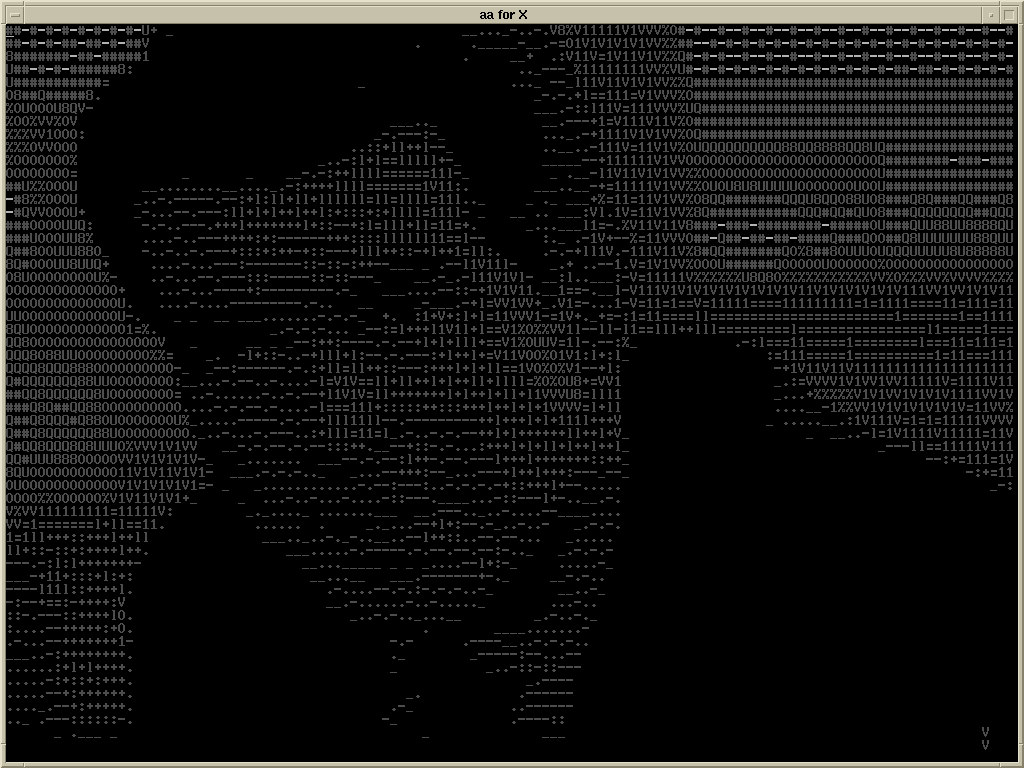
LONDON (AP) -- Google Apps today announced its first big hit: an AsciiArt video streaming proxy aimed at struggling British ISPs.
Coded by a Melvin Haymeggle, a young college student, in a little under 18 hours, the proxy uses the open-source video player MPlayer, and the video display library aalib, to convert streaming video on-the-fly into ASCII art.
"At first it was just a joke between me and a few friends," said Haymeggle. "Me and my roommates used it to mess with people leaching our wireless to watch porn. But then Google App Engine was announced, and we figured it would be fun to write up some Python bindings for it."
The announcement comes at a perilous time for British ISPs, who have been struggling to come to terms with the increased demand for on-demand video as a result of BBC's iPlayer.
"We were shocked -- shocked! -- to realize that new Internet applications result in increased use of resources like bandwidth," said Charles Freskell, a spokesman for the British ISPs Association. "We were on the verge of sending a bill to the BBC when this proxy came along."
"Of course, we're still going to be monetizing content ruthlessly," he added quickly.
The application quickly and seamlessly converts the iPlayer's 1024x960, 24-bit colour, 30 frame-per-second video stream into an 80x25, 8-bit greyscale, 4 frame-per-second video stream. It is estimated that the proxy will save over 9 petabytes per furlong-fortnight.
Free Software Foundation founder Richard Stallman could not be reached for comment. "He's just mad that everyone has forgotten this was available in Emacs since 1997," said a source close to the open source figurehead.
-
...strangely familiar
AMD Open Sources the AMD Performance Library
-
Re:XBOX 360
-
Re:Not really
You keep saying "store the codecs" which means you're not thinking about this problem in a sane fashion.
You must store the codecs because you are still talking about mapping between R,G and B channels (or YUV or whatever), n sound channels and a single stream of data. Yes, I know that some file systems store multiple streams in one file but this must be synchronised.You don't compress
You do, but you do it in a lossless way and with an open codec. For audio, we know about things like FLAC, but there are also ways to do it for video. Examples include ffmpeg and Lagarith amongst others. -
pHR33 L394L /\/\P3z!!!1!!
I checked this out earlier when CNN pointed it out. While imeem doesn't make it easy for you to download music, they are streaming standard Flash video with MP3 soundtracks, which makes it easily downloadable e.g. using DownloadHelper. The MP3 files can then be extracted using e.g. MPlayer ("mplayer -dumpaudio -dumpfile foo.mp3 foo.flv").
End result: free, often decent quality (128 kbps), legal MP3s of music from major labels (where fair use applies; the usual disclaimer about not being a lawyer also applies). -
Vuln in libavcodec ?
libavcodec, and thus ffmpeg, mplayer and cousins, have had a native decoder since 2004:
http://svn.mplayerhq.hu/ffmpeg/trunk/libavcodec/flac.c?view=log
Besides, it's the svn version, but I don't see any configure option to use FLAC library...
Maybe heise could have more accurately pointed out which version are affected, because flac support from an external library must be an out-of-tree patch that I doubt most distros would apply. -
codecs?
Well, ffmpeg (http://ffmpeg.mplayerhq.hu/) can play these media files.
Unfortunatelly, because ffmpeg developers did the right thing and said [1] that they don't care about software patents, ffmpeg is boycotted by all US linux distributions. Yeah, go use binary codecs.
[1] http://ffmpeg.mplayerhq.hu/legal.html -
codecs?
Well, ffmpeg (http://ffmpeg.mplayerhq.hu/) can play these media files.
Unfortunatelly, because ffmpeg developers did the right thing and said [1] that they don't care about software patents, ffmpeg is boycotted by all US linux distributions. Yeah, go use binary codecs.
[1] http://ffmpeg.mplayerhq.hu/legal.html -
Saw it coming...
Who didn't see this coming? Anyone trying to encode 640x480 h.264 videos for playback on the iPod/AppleTV certainly did, as they've left the format completely undocumented, require a stupid arbitrary UUID atom to be there or iTunes won't copy it to the player, and perhaps even worse, iTunes imposes other restrictions on the encoding options that hobble the quality, yet such files play fine on the iPod hardware, you are just forced to use a 3rd party app to copy such files over.
http://lists.mplayerhq.hu/pipermail/ffmpeg-devel/2006-September/015930.html
IMHO, everyone should load up the RockBox firmware on their iPods, and tell Apple to screw themselves and their proprietary lockout nonsense, before they try to stop people from upgrading their firmware, too. As an added bonus, you are then able to use higher quality and open/patent-free audio formats (Ogg Vorbis/MPC Musepack). -
mplayer for video (not wmp!)
MPlayer plays anything I throw at it, and is open source. I used to have VLC, but got disappointed in its buggy subtitle support. Best of all, Mplayer doesn't have a GUI, so the visual bloat is minimal.
-
MPlayer
http://www.mplayerhq.hu/design7/news.html
It uses a CLI (it's got a GUI too but who needs that pffft) and it keeps its codecs locally rather than using system ones. This might not be a plus in all cases, but it sure makes it portable and easy to set up (after a system reinstall I don't have to worry about reinstalling codecs).
-
how about mplayer...
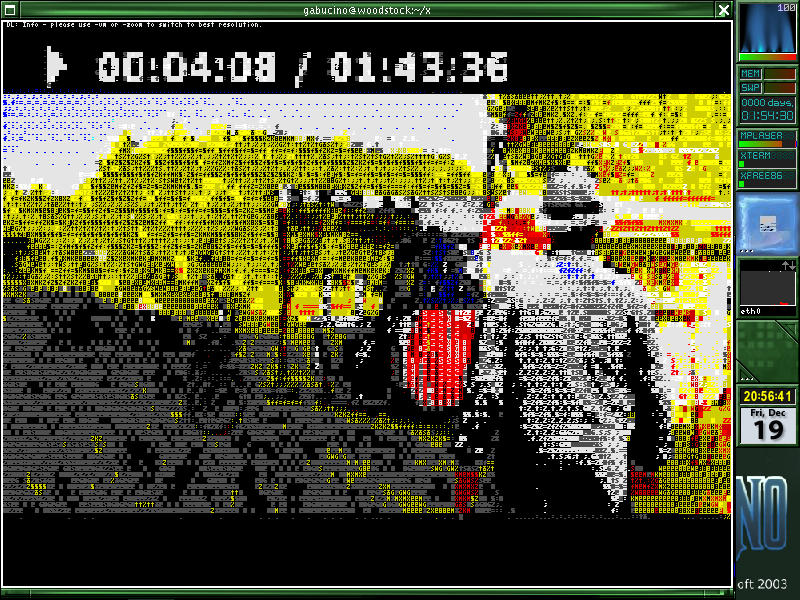
there's mplayer with aalib, with libcaca, or even matrixview
-
how about mplayer...
there's mplayer with aalib, with libcaca, or even matrixview
-
Re:LiveCD DSL linux or Mac OSX Simple Finder
There are lots of things (embedded Windows Media, etc) out there that I wouldn't expect to work on this setup
Using mplayer-plugin with Firefox and the full array of mplayer codecs works fine for me. On my Fedora box, just adding the Livna repositories enables yum to install everything in one shot with a "yum install mplayer*". -
Re:Probably common
The ffmpeg group has so many of them, they've started using the bugtracker to keep track.
-
Re:This may be a "grey" area ...
-
Where can you get it?
Is it part of Mplayer?
http://www.mplayerhq.hu/design7/dload.html -
Use MPlayer?
Another article on what Vista doesn't do.... While I don't use any MS "operating system" products, if you feel you 'need to', perhaps MPlayer from http://www.mplayerhq.hu/ is your answer. The Windoz pre-compiled port is incomplete but people I know, that use Windows, pick MPlayer. (In Europe, the media player is not normally bundled as its seen as an anti-trust issue.) If the 'DRM' is only in the media player, this should work and its "free". It might be a hack to get Vista to accept it though. Please send them a few bucks if you use a pre-compiled version, but they'd probably prefer someone to complete the port over money. The entire source tree and API is also available from the MP site and mirrors.
BillSF
PS: I use a EUR 30,-- ATI Radeon RV370 X550 which should be all the video card you need. $1000 is more than I pay for an entire dual-core amd64/3000MHz (2800MHz in 64bit mode) system with 4G of RAM and two 500G hard drives! -
Re:Oh, sweet irony... thou name art WinderzIdiot, they aren't even close to being the same thing. The Klite codec pack is a collection of codecs wrapped in a fairly hostile windows installer - gstreamer is a multimedia API. Gstreamer is a great API, that's getting better and more popular by the minute. And Ubuntu might want to consider moving the fluendo gstreamer mp3 package into restricted or main and install by default. By similar I meant the large collection of gstreamer packages that Ubuntu creates for codecs, bundled into -good, -bad, and -ugly, but mostly w32codecs, which is nearly EXACTLY like K-Lite, without the spyware. While it's not terribly hard to find infringing users once you nab the server, I don't think the codec owners are likely to go as far as RIAA has in suing their users.
And as I already said, end users don't care -- they want zero cost software, so they'll continue to download warez and ignore intellectual property, and generally ignore efforts to fix the legal code they live under. The people who host should care whether they have permission to distribute things they don't own, as should the people who believe that the GPL should be respected. The GPL provides extra rights above and beyond simple fair use to all people on the basis of copyright; the way to promote it certainly not by disrespecting other people's copyright.
Mplayer hosts several binary codec packages. It's not clear to me whether they have rights to distribute copies of someone else's codecs, and it seems like the sort of thing that they should have better documentation of. If they do in fact have permission to redistribute those DLLs, then Ubuntu may have a chance to provide these in multiverse.
Medibuntu is the group currently hosting w32codecs and other things Ubuntu refuses to package "for legal reasons". They provide the software under a bullshit "it's up to you to determine whether this software is legal for you." They can do this because they don't have to worry about taking an entire distro down with them; Ubuntu is gaining more and more OEM support, and it's likely causing Microsoft pain at contract negotiation time. I'd think if Ubuntu went around distributing Microsoft software within Ubuntu, or even adding the Medibuntu repo by default, they'd quickly find out how many lawyers the 10 million in the Ubuntu Foundation's name would garner them. -
Re:Hunagary and open-source
and don't forget MPlayer
-
Re:Ah, don't underestimate MS
Try out a LiveCD of Ubuntu or Kubuntu to see how well your hardware works (which should all work based on what you've said).
For image editting, on Kubuntu (or any KDE-based distribution really), try out Krita which is a lot more similar to Photoshop than Gimp ever will be. There is also cinepaint for an Aperture-like program.
For video editting, there's Kino and Cinelerra (I don't believe this is in the repository, so installing it isn't as easy as tick the box -> install). There is also Avidemux, but that seems to be more suited for small edits and transcoding videos (GNOME program as well, not that it matters if you don't care about desktop environments).
For office, check out KOffice (faster and better than OpenOffice.org).
For video, you can still use VLC of course, but you can also check out Kaffeine with libxine1-ffmpeg and the win32 codecs (download at http://www.mplayerhq.hu/design7/dload.html, get the essential codecs, extract to
If you need more help, you can contact me via Jabber (in profile), or you can go on IRC (Konversation's a good client for that) on Freenode at #kubuntu. There are also the Ubuntu Forums as well as alt.os.linux.ubuntu (for some reason, I can't find the group on Google Groups, but it's available in AT&T's Usenet mirror). The community is very friendly and helpful, so don't be shy! -
Re:It's not a copyright problem - it's a patent on
Wrong. We have open-source (GPL and LGPL) decoders for most formats and encoders for many formats inside ffmpeg (that used by MPlayer, vlc, xine and others).
Your information is obsolete by five years, if not more (when I started using MPlayer at ~2002, I already need not DLL crap for playing mpeg-{1,2,4} [and I need not other formats at that time; MPlayer/ffmpeg already supported [natively] many more even at that time, and support much more now, usually faster and/or better quality than commercial/closed/DLL crap]).
Yeah, but FFMpeg isn't the be all and end all. MPlayer also provides a buttload of other codecs - and that's where the copyright illegality comes in. Do a search for ".dll" on this page, and you can see the ones that are of highly questionable legality.
MPlayer HQ codecs status page -
Re:It's not a patent problem - it's a copyright on
People did this in the past, but it really isn't necessary anymore. There are open source codecs for pretty much everything nowadays. The only thing that might not work is realvideo, but there's a LGPL decoder for that being developed.
-
Re:Does this have something to do with porn?No. Mencoder and Mplayer (Media Encoder and Media player) are high-performance (much less CPU usage during playback then other media players), cross platform, open-source applications easily available from http://mplayerhq.hu. The above command, mencoder dvd:// -ovc lavc -oac mp3lame -o thematrix.avi Reads "dvd://" as the input file, and uses lavc (a codec distributed with mencoder) as the Output Video Codec, and uses mp3lame (to convert the audio to mp3) as the Output Audio Codec, and uses "thematrix.avi" as the Output_file. From this, we can conclude that the grandparent poster had a copy of the matrix dvd and an open terminal / Konsole window when he posted.
-
Re:What about OGG?Any format that Mplayer can play can also be saved. Just use the -dumpstream switch. For example, if there's a realplayer stream you like, use this:
mplayer rtsp://host/path/file.rm -dumpstream -dumpfile 'local.rm'
This is particularly useful to get rid of the "buffering" message. Just open an xterm and stream the file as above, then wait half a minute and open a second xterm and start playing the *local* file while it's still downloading at the same time:
mplayer local.rm
-
Re:What about OGG?
Flash also uses H.263+, and since encoding to that is supported in FFmpeg (and not On2 VP6), that's what sites like YouTube use.
Ogg Vorbis is gaining support in all sorts of places (e.g., tons of videogames, Wikipedia et al., some online music stores, etc.), and once Ogg Theora is fully standardised and better supported by other open source codecs (like FFmpeg), it can become more ubiquitous.
Oh, and if you were trying to praise On2's VP codecs, note that Theora is based on On2's VP3 (which they generously put all their patents into the public domain essentially). It's too bad that Xiph is a lot more focused on audio solutions rather than complete multimedia ones.
And for pure speculation, perhaps Adobe will add Theora and Vorbis to the list of acceptable codecs in a future version of Flash since they are patent- and royalty-free. -
Who should be liable?
Here's an example - probably bad, because it's not based on Microsoft patents (as far as I know, anyway).
FFMpeg's legal page clearly states:
"Q: Does FFmpeg use proprietary/patented intellectual property?
A: Yes. There is a lot of multimedia available in proprietary/patented formats so it becomes necessary to support such formats and even reverse engineer them where required."
Who should be liable here - the developers of FFMpeg for including this patented code without paying the royalty fees, developers that incorporate FFMpeg into their products, people that use FFMpeg derivatives to do stuff with video (I assume Google is one of these as FFMpeg is/was one of their Summer of Code projects), or people that just use FFMpeg to play video? Or, of course, all of the above. -
Re:Big Surprise
This is why mplayer is nice. Play any title immediately, without the stupid menu games or the mandatory FBI warning.
-
Try MPlayer
You might have more luck with MPlayer than you are currently having with the proprietary player.
http://www.mplayerhq.hu/design7/dload.html -
Re:Why would MS support Linux?
-
GGI
Let's assume this is a "because it's there" hack, because as others have pointed out, if all you want is a large video screen, you'd be better off spending the time doing a McJob and spending the proceeds on a projector.
So, you're doing it because it would be kinda cool. Have a play with GGI. It's a portable graphics layer with various targets implemented. e.g. there are kernel targets for various graphics cards, a Windows target, a VNC target, etc.
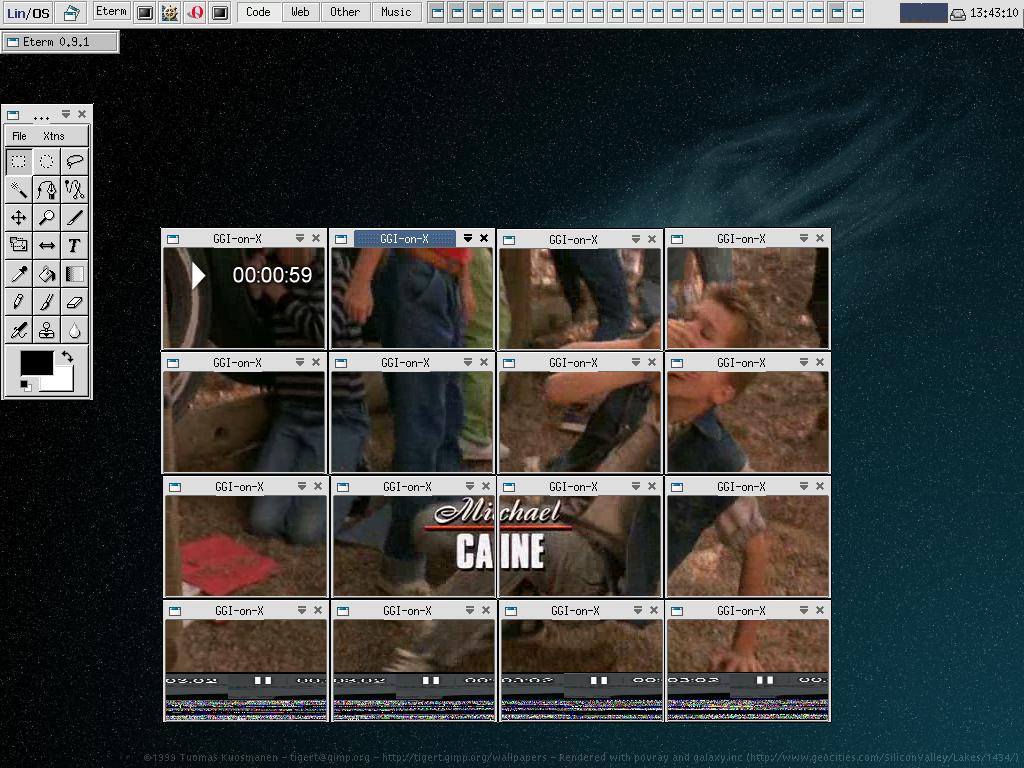
What'll interest you is the display-tile target, which is a proxy target that splits its input into tiles and forwards them to a set of other targets.
So:
- find the most efficient way you can to display video on a GGI target. Mplayer can do it. here is a screenshot of mplayer tiled across a load of X windows via display-tile.
- Set up each of your displays to be a GGI target that your central box can display to (be it VNC, X, or something more original)
- configure display-tile to forward the right tiles to the right targets
- point mplayer at display-tile
- profit!
The tiles don't have to be a regular size. I'd quite like to see a video wall made up of various sized screens - a 32" TV here, a 17" monitor there, a PSP there, etc... maybe a vt100 in there displaying the aalib target...
Fun! -
Re:Glitching and poor resolution
SUre my computer is 5 years old. But could they not at least admit they don't play on 800Mhz computers?
It'll play. You just need the right tool for the job. -
Here's what I use
I bought a TV card specifically to do this but never used it because this has worked so well:
I play the tape on a good VCR. The video and stereo audio output are hooked up to a Sony Digital Handycam (it's a DCR-TRV350). And the camcorder Firewire cable is connected to the PC.
This lets the Camcorder do all the heavy lifting. It outputs standard digital video which I capture with kino. I also use kino to do the clean-up, capture a frame (as a jpeg) and export some sound to use as the title screen for what will be the final DVD. The sound gets exported as a
Still with kino, I break up the video into chunks (about 4-6 minutes each) for chapters so I can skip through the DVD when it done. I then export the video in DVD format, telling kino to split chapters into seperate files (this makes chapter creation automatic in the next step).
I then use 'Q' DVD-Author to build the DVD filesystem. Although 'Q' DVD-Author can create the DVD automatically (calling dvdauthor), I prefer to tweak the dvdauthor.xml file to do some fun menu things and run dvdauthor manually.
I check my DVD (while still a directory on my hard disc) with totem, or mplayer. Finally I write it out using growisofs from the dvd+rw-tools project.
All this is running on a Debian system that is several years old. Nothing fancy or top-of-the-line here.
That's pretty much it. Been working great for me.
As for that TV card? Well, I watch TV with it - it's hooked up to my cable. -
Here's what I use
I bought a TV card specifically to do this but never used it because this has worked so well:
I play the tape on a good VCR. The video and stereo audio output are hooked up to a Sony Digital Handycam (it's a DCR-TRV350). And the camcorder Firewire cable is connected to the PC.
This lets the Camcorder do all the heavy lifting. It outputs standard digital video which I capture with kino. I also use kino to do the clean-up, capture a frame (as a jpeg) and export some sound to use as the title screen for what will be the final DVD. The sound gets exported as a
Still with kino, I break up the video into chunks (about 4-6 minutes each) for chapters so I can skip through the DVD when it done. I then export the video in DVD format, telling kino to split chapters into seperate files (this makes chapter creation automatic in the next step).
I then use 'Q' DVD-Author to build the DVD filesystem. Although 'Q' DVD-Author can create the DVD automatically (calling dvdauthor), I prefer to tweak the dvdauthor.xml file to do some fun menu things and run dvdauthor manually.
I check my DVD (while still a directory on my hard disc) with totem, or mplayer. Finally I write it out using growisofs from the dvd+rw-tools project.
All this is running on a Debian system that is several years old. Nothing fancy or top-of-the-line here.
That's pretty much it. Been working great for me.
As for that TV card? Well, I watch TV with it - it's hooked up to my cable. -
AAC isn't locked to Apple; there IS an OSS decoder
Doesn't anyone use Google anymore? Do a quick search on AAC and do a little reading; you'll find that the same wonderful people who created MP3 also had a huge hand in creating AAC. Like MP3, it's a technology available to anyone who wants to pay a licensing fee. And like MP3, you should be able to create a LAME-like codec that doesn't infringe upon anyone's copyright. Suspecting you won't take the time to look this up either, I decided to do the research for you.on this point too. Guess what? FFMPEG has an AAC decoder and the code is non-infringing! Moreover, the iPod isn't the only portable player supporting AAC -- there are lots of them. Heck, even the Zune supports AAC! Do you think that would happen if Apple owned all of the rights to file format?
-
In the meantime, ffmpeg violation
http://lists.mplayerhq.hu/pipermail/ffmpeg-devel/
2 007-March/026102.html
It seems that these fellows (http://www.mp4converter.net/dvd-to-appletv-conver ter-mac.html), took ffmpef, renamed it to avc, put it in a nice box and are making money on the work of others without even giving credit where it's due. -
Re: AV Software Isn't Dead
AV software?
Why should someone use something else than MPlayer http://www.mplayerhq.hu/ for Audio/Video playback? -
Apple TV/MP4 container HOWTO
So it seems like it ought to be possible to 'recontainerize' a Divx
Get mencoder for demuxing from avi, MP4Box for muxing into mp4 and optionally AtomicParsley for metadata. Windows binaries: [1] [2] [3]
On Linux install the packages MPlayer and gpac.
Sample code
mencoder -ovc copy -nosound -of rawvideo -o "temp.264" "the.avi"
mencoder -ovc frameno -oac copy -of rawaudio -o "temp.aac" "the.avi"
MP4Box -fps $fps -add "temp.264"#video -add "temp.aac"#audio -new "the.mp4"
atomicparsley "the.mp4" --stik "Music Video" -WYou can find out the framerate (frames per second) of the avi with ffmpeg [4].
ffmpeg -i "the.avi" nul 2>&1
Look for the line with fps in it.
RTFM of the parsley to see what sort of metadata you can add.
Now mod me up, bitches.
-
Re:Apple TV and Divx
mp4 is not a proprietary Apple format, but an ISO standard that anyone can support. VLC Media player supports it. Also, ffmpeg has h264. When it comes to which has better hardware support, mp4 wins. When it comes to software support, mp4 wins. MPEG4 is an open standard. There are patents involved, but no royalties. Matroska was created to avoid patents, whereas mp4 has many patents in it. Matroska surely violates someones patents, but we just don't know whose yet. MPEG 4 has all the patent issues sorted out.
I actually just finished transcoding all of my video to mp4 as i prefer its subtitle support over the cheesy avi hacks. DivX was created during the non standard days of MPEG4, as the spec was not finalized. That spec is now finalised, and the standard codec is h264 in an mp4 container. These videos play in Windows, Linux or any other OS which has an h264 codec. They can be imported into iTunes as best as i know. My iTunes question of the day is actually which subtitle formats they use, as I don't know the answer to that. -
Re:I think you want a mac.I agree with you. The command line is very scary.
Also,
if books are ever going to return to mainstream, they need to replace all those words with pictures.
The (in your terms) Luser must never, ever, ever HAVE to experience a config file, nor HAVE to type in some INCANTATION into a CLI. Period.
I suppose you'd find it acceptable to have to write an XML file to record a program on your DVR, too?
Oh wait! I forgot! The MUST HAVE Linux DVD PLAYER, MPlayer, *still* runs from the Command Line by default, doesn't it?
Heck, the MPlayer GUI isn't even in the BUILD by default!
From the MPlayer Docs: "MPlayer comes with a GUI that is not build by default. The GUI section of the documentation explains how to enable it. Several external MPlayer frontends provide alternative GUIs."
I rest my case.
-
Re:Screw YouTube...
If you are happy to host the video yourself, create the FLV with FFmpeg, there's a tutorial on it here: FLV encoding with ffmpeg.
..and use Jeroen Wijering's Flash Video Player for playback.
-
Re:France24
I don't know about you, but it plays fine on my Kubuntu Edgy with Firefox. Have you tried Mplayer with mplayer-plugin? Don't forget the w32 codecs from mplayer's site.
I went to France24 and clicked Live Feed and it played fine.
-
Re:Problem
Here are a few choices:
http://www.mythtv.org/
http://xinehq.de/
http://www.mplayerhq.hu/design7/news.html
You could also by a DVD player from any of a large number of SouthEast Asia based companies that don't implement region locking, MacroVision, and customer skip lockout flags. I bought an Apex 600-A years ago for just that reason. -
Re:Looks like I'll stay with Tiger then
-
Re:Good luck with thatThey'd probably be legally unable to be as good as MPlayer, (a universal video player, home page, debs), as licensing some codecs will require signing up to agreements to play nicely with DRM. Huh? Such as what?
This is a CODEC ffs - it can tell the player 'macrovision on' but the codec doesn't talk to the device that enforces macrovision, that's up to the player. Which is open source and you can hack it.
I doubt the codec handles DVD IFOs so it won't control no-skip sequences. If it allows you to play DRMed WMV content then that's no loss, is it? So is there an actual problem here or just FUD? -
FFMPEG
I haven't scrolled to the bottom yet to see if this is redundant, but FFMPEG has recently added WMV9 and VC1 decoders. http://ffmpeg.mplayerhq.hu/ It works fine for all of the Legacy content that I have. They also have MPEG/2/4 and a whole bunch of others. The only codec that I seem to be missing is Indeo 5
BBH -
Nice try, but...
I think someone should point them to the ffmpeg changelog. Actually it does open lots of proprietary formats and VLC uses the same codebase for his own engine.
-
Good luck with that
I suppose the market is Linux distributors who can't bundle MPlayer for legal reasons. Can't see anyone buying this directly, though.
They'd probably be legally unable to be as good as MPlayer, (a universal video player, home page, debs), as licensing some codecs will require signing up to agreements to play nicely with DRM. MPlayer is good because there's none of that nonsense: it just works, for every video that I've tried. -
Re:Heard of Youtube?
Since Oct/06 MPlayer can decode WMV9.