Slashdot Mirror
Domain: fujitsu.com
Stories and comments across the archive that link to fujitsu.com.
Comments · 181
-
Full picture
The article only shows an excerpt of the photo so we can't really judge the quality of the processed photo. Here's the full picture (and original PR in Japanese).
In my opinion, the processed image looks too much blueish for a good quality photo. -
Re:If only I/O speeds could also grow as fast
You could turn it around and say that, since the disks are not using their full bandwidth, the disks spend most of their time waiting for requests.
Only by specious reasoning. I'll disprove by counterexample. If I continously tell the disk to seek to one extreme and read a cacheful, then seek to the other extreme and read a cacheful, it will neither be waiting for requests nor using its full bandwidth. A and not B disproves (A => B).
Latency and throughput are unrelated only if there can be infinitely many requests produced and satisfied in parallel. In the case of a hard disk, there can be only one active request per head because it can only be at one place at once. Let's consider the example of my laptop hard drive. It's rated at a data transfer rate of 150 MB/s. But look at the seek speeds - 1.5ms minimum, 12ms average read, 22 ms maximum. It can read a 1 MB file in 6.7 ms, but if that 1 MB file is fragmented into ten chunks across the drive, it'll take around 130 ms.[*] So in this case it actually transfers at 5% of its rated speed. And depending on the application, the data may be in many, many tiny chunks.
That being said, disk latency is one of the major causes of poor performance. But "bottlenecks" only have to do with throughput.
Latency limits throughput. The requestee usually can only satisfy a limited number of requests at once (see above), and the requestor may not be able to produce the next request until it's received the previous response.
Simple example: I'm performing a binary search. I need to see what's at location mid before I know if I'll next be interested in location (low+mid)/2 or location (mid+high)/2. In some cases, I can do a speculative fetch for both locations, but you can only extend that out so many generations before you've used up most of your bandwidth on data you'll never use.
Processors are smart about re-ordering instructions to keep working while they're waiting for stuff to happen, but still they frequently get to a point where they can't execute anything more because of ordering constraints - the results of some instruction are dependent on a previous instruction that hasn't completed yet because it's waiting for a value from memory. That value can be the actual instruction to be executed or an operand...either way, your shiny new processor's stuck doing nothing.
[*] - It might beat the average if it's smart about ordering. At the very least, 22 ms has to get added if one request is at one extreme and one request is at the other extreme. That brings it down to 23% of the rated speed.
-
half right..
it does trash the original book.
I have one of these
http://search.ebay.com/search/search.dll?from=R40& satitle=qcm-1200e
and one of these
http://www.fujitsu.com/us/services/computing/perip herals/scanners/workgroup/fi-5120c.html
and I can cut the spine off a book, and feed it through the scanner, and turn it into searchable PDF PDQ
I do this to search books for specific text.. research.. I haven't shared any files, but I'll bet I could have a new harry potter book scanned in & trackerable before stores even opened on the west coast... -
Re:But it is modern!
There are a few implementations of object oriented COBOL for
Fujitsu COBOL and NetCOBOL for
Micro Focus Net Express
Both of those are rather expensive, and I've not seen any open-source ones yet. I thought it would be fun to write a COBOL compiler for -
Re:Motion or angle?
Then there's a fundamental limitation to accelerometer devices: rotations can't really be distinguished from translations. Just think about it -- a given resultant acceleration vector could be the result of pointing the Wii-mote in any given orientation, added to a specific acceleration in a specific direction. You just don't have enough information to distinguish between the two -- not with accelerometers alone, at least.
I thank you for your knowledgeable post. Out of curiosity, if they were using more than one 3-axis accelerometer like this one would they still have difficulty with determining pure rotation from other movements? -
Re:Is this new?
Are the United States really so far behind in environmental issues?
No.
" California e-waste law took effect on January 1, 2005, and requires charging customers a fee at the time of purchase to cover recycling of certain electronics products at the end of the product's useful life."
"Effective January 1, 2006, Maine's new e-waste law will take effect"
"Effective January 1, 2006, Maryland's new e-waste law will take effect."
I think the US should change from "we only care about economics and hate to pay for others" into something more responsible.
I think the rest of the world should not apply sweeping generalities to what happens in the US. -
What I've seen
If you're doing low volume work, using a camera may be fine. However, once you start getting into the higher volume work, you want a scanner with a document feeder. Also, non-sheetfeed scanners are generaly cheaper than 6-8 megapixel cameras, so I'm not sure why one would use it. Especially since OCR really only needs B&W and any camera of that quality is going to be color only. A black and white scan takes a lot less time than a color.
Back to the sheet feeds, I've worked with the Fujitsu fi-5220C series scanners before. The only time I've ever had a problem with the document feeder was when I forgot to remove a staple or paperclip. It's also quite fast, 3 seconds tops for a BW scan of an 8.5x14 and that includes the time to transfer the scaned image to the PC. I'd challenge you to find a camera that could keep that up for long, especially as you would have to manually change the pages yourself. -
Desktop duplex scannersOver the last two years, I've scanned about 200,000 pages using several low-cost desktop duplex scanners. I particularly like the Xerox/Visioneer Documate 262 (street price around $800) and the Fujitsu ScanSnap fi-5110EOX2 (street price around $500). Earlier, lower-end versions of these (DM252, f1-4110) are still available, nearly as good, and significantly less expensive.
These units scan both sides of the document in the same pass, at between 4 and 30 monochrome sheets per minute depending on resolution (up to 600 DPI) and model. They can also do color (and grayscale), but that tends to be slower and the files MUCH bigger. The Xerox is faster, but more persnickety; the Fujitsu is unflappable and optimized for one-step desktop use. With either one, you can just drop a stack of pages, checks, receipts, or whatever into the sheet feeder, press a button, and PDF files appear on your disk. This is VASTLY more convenient than feeding, or photographing, one sheet at a time, and the scanners are small--footprint is not much bigger than a sheet of paper.
Speed isn't as important as you might think: unless you're scanning huge stacks of paper, the time spent fussing with the paper itself tends to dominate the process, and it's easy to do something else productive while the sheets are whirring through the auto-feeder. I've used them for everything from manuals to business cards, and I think they're the ideal solution to getting rid of all that paper. The software is idiosyncratic and not extremely stable (I occasionally have to reboot the machine that the Xerox unit is connected to), but it gets the job done.
-
Re:Useful for Vi users
And we that prefer the superior editor can replace it with Ctrl, to ease the strain on the wrist.
I'd have taken that to be the opinion of a die-hard Apple II user which swapped the position of the two. I used to use my old Apple IIgs ADB keyboard with my Macs for that layout until I decided I couldn't do without the cluster between the main keyboard and numeric keypad (really just the forward-delete key). Though the IIgs still had better positioning for the tilde/backquote and pipe/backslash keys on either side of the spacebar (US model), which the HHKB places more inconveniently for Unix/Linux users. -
Re:Useful for Vi users
I use happy hacking keyboard which has the cntrl key in the caps lock space
http://www.pfu.fujitsu.com/en/hhkeyboard/ -
This technology isn't even new
screen
http://www.fujitsu.com/global/news/pr/archives/mon th/2005/20050713-01.html And Im not even counting eink which wouldn't be considered a convential LCD display. -
Re:BoringNot even close. With a PetaBox you get a rack filled back-to-back with really low end PC hardware (VIA C3) and a boatload of IDE disk.
With the Eternus you get a disk array that you attach to your SAN.
They are two completely different products for totally different jobs.
You'd run you financial database on a Sun attached to a Eternus.
You'd run your Google clone off of a PetaBox. -
Spin?
There are a few articles that point out that the software that Fujitsu Transaction Solutions developed for these devices is not, in fact, responsible. I heard a quote in a radio soundbite yesterday afternoon from a Fugitsu spokeperson suggesting that there is no security vulnerability in their ware. In either event, it seems like there is more to the story than we know today. Is this simply a ploy by Visa (or others?) to spin public (read, media) opinion?
-
Fuji Scansnap
You need one of those. I was looking for similar solution that wouldn cost over 1000 USD andonly scaner i forund in the range of 500 USD is this.
http://www.fel.fujitsu.com/home/v3__wgroup.asp?wg= 40
Scans a page form the feeder in about 4 seconds and dose both sides in one pass.
Does directly to pdf. So they can be shared over net easily. Does take max about 20 pages. -
Re:Woo Hoo!!!Core memory doesn't rely on any physical movement of the rings. It remagnetizes them in one direction or the other.
For modern, commercially available magnetic memory, you could use FRAM (ferroelectric RAM).
-
Waste of time. THIS is The One True Keyboard...
http://hardware.slashdot.org/comments.pl?sid=1506
4 7&cid=12636161
The Fujitsu 4726 is the One True Keyboard. No others compare. No others should waste their time applying to compare, until they get the ergonomics and quality of construction down pat.
http://www.fcai.fujitsu.com/pdf/FKB4726.pdf
Buy one, and you'll never buy another keyboard again. -
Hey dude, where's my Delete Key?!?
Nice. So now do I have to rewire my BIOS to accept some key combination other than Control-Alt-Delete? It seems like they've squandered the use of so many of these keys! On a keyboard of only 53 keys, WHO needs two Sym keys next to each other? My 105-key keyboard doesn't even have ONE Sym key! This layout MIGHT work if they got over the Qwerty bigotry and simply offered us a super-compact solution, with a Del key...but I guess that's been done before.
-
Re:My keyboard has only 60 keys
Even with fewer keys, I still manage to hit a few wrong ones. Here are the correct links:
At home my happy hacker keyboard has only 60 keys. At work I splurged and spent my companies money on a 65 key happy hacker II keyboard. -
Re:My keyboard has only 60 keys
Even with fewer keys, I still manage to hit a few wrong ones. Here are the correct links:
At home my happy hacker keyboard has only 60 keys. At work I splurged and spent my companies money on a 65 key happy hacker II keyboard. -
My keyboard has only 60 keys
At home my happy hacker keyboard has only 60 keys. At work I splurged and spent my companies money on a 65 key happy haker II keyboard.
-
THe perfect combo?
Hey I got out of the cubie farms (not by choice) and I've got time. Let me get one of these bad boys http://www.pfu.fujitsu.com/en/hhkeyboard/hhkbpro/
i mages/Pronl_sumi_top1_a.jpg and see if my typing goes to ludicrous speed...
As long as it doesn't remap ASDF for my classic Quakin I'll be fine. -
Phooey. Article Text With Links
Kailash Nadh writes to tell us ABC News is reporting that IBM is teaming up with several other companies to form a group called Aperi. This group will attempt to "push the open source idea deeper into computing" and "free up the bottlenecks that can occur when a business has bought tape and disk storage systems from a variety of vendors." The partnership is to include companies like Cisco, Sun, Fujitsu, and several others.
-
Re:Another block in placeWhy is it a requirement?
First of all, because even though color is actually needed in a minority of cases, it is still too high a figure to ignore, in light of the fact that almost every book or magazine you'll ever pick up that was printed in the past 20 years has at least _SOME_ color pages in it, somewhere.
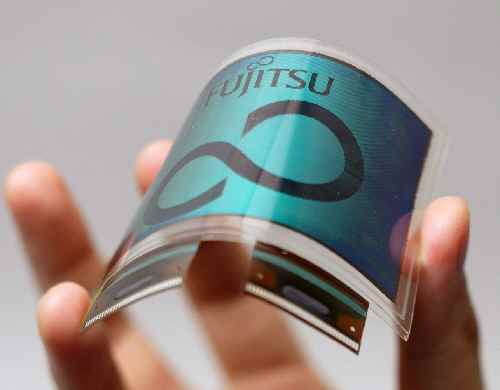
Secondly, Fujitsu has already invented color e-paper, so it's kind of annoying to keep seeing so-called "new" technologies that are still incorporating the old, gray-scale style e-paper.
-
Fujitsu 4726!
Don't waste your time with newer knock-offs! The Fujitsu 4726 is the best keyboard ever made, and they're making more of them now. There's no point in pining away for the old Model M: The Fujitsu fills that void perfectly.
If you want to be able to use your keyboard as a defensive weapon in case of intruders, look no further.
In a previous post, I discussed the exact whys:
The Fujitsu is a superior keyboard, and probably the best keyboard that is currently on the market, and I'll describe why, in nice convenient bullet form.
. The backslash is big (double-wide!) and right near the top-right where it's supposed to be.
. There are almost no obnoxious extra keys that take up the space where other keys used to be. The Windows key is the only addition, and it's right in where the empty space between Ctrl and Alt used to be. Big deal.
. The Function, Printsc/etc, Esc, Insert->PgUp, Arrow Keys, and Numeric Keypad, are all in the classic layout and where we all learned they'd be. PgUp and PgDown aren't transposed.
. The numeric keypad isn't missing.
. The Shift and Backspace keys are triple-wide and easy to see.
. Control is at the bottom-left, right where you'd expect it to be. Even a former Commodore user like myself can find them without hunting.
. The tactile response of the keyboard is a buckling spring; therefore, you're not wondering whether you hit the key. If you felt it go past the buckling point, you hit it. No need to verify whether or not you did.
. The audible click of the keyboard is a secondary feedback mechanism that also tells you very clearly when you've hit one of the keys. It's not so loud it's obnoxious though. The clicky sound is about on par with the old IBM M line of keyboards, or maybe just a tad less.
. It's still for sale. Fujitsu still makes them!
. They're heavy duty. Really heavy-duty. You could easily brain someone with one and plug it back in and keep working. I've often pounded hard enough to break any lesser keyboards. Mine seem indestructible. The only time I ever broke a key was when a 2-lb flashlight landed on it from about seven feet up, and the only thing it did was shatter a single key: the underlying mechanisms were intact and fine. Plus in a replacement from another old keyboard and I'm off to the races.
. The keys are sturdy and can be easily removed and repositioned to match your current keyboard layout, without fear of hurting the keyboard. In the slightest.
What point is there in leaving the glyphs off the keys? You're never going to learn where F6 is by heart: you don't use it enough. Other keys are similar. I've been typing for something like 20 years and more, and I can type without looking at the keyboard, even without using a standard hand position: that doesn't mean I don't need to peek every once in a while.
Besides, when you're in the dark in front of your computer screen you can't see the keys anyway: but they're there as a convenience for you if you need them.
Telling people they'll type faster if they have to learn key position is pretty condescending. Wouldn't it be better to take a design like the Fujitsu and try to improve on it, instead, hard as that may be?
Here's a PDF describing the features and quality of the Fujitsu 4726:
http://www.fcai.fujitsu.com/pdf/FKB4726.pdf [fujitsu.com]
Be informed! Join the anti-crappy-keyboard revolution! -
Re:happy hacking keyboard blank keytop
I wonder why you linked to Happy Hacking without mentioning their Blank Keytop model that more closely relates to the article. They even have it in Charcoal Black .
"Why does it cost $260?!" you might ask. Well the answer is that it uses capacitive keyswitches for both the greatest durability and tactile feel. They register key presses when a metal plate on the key moves between two parallel plates on the board that discharges a capacitive charge. Therefore there is no contact taking place to register the key press and therefore no wear on any contact points. To give tactile feedback each key has a standard mechanical spring mechanism (i.e. IBM Model M - note that Model M does NOT use capacitance, though).
There you have it. The ultimate luxury geek keyboard. It also has the CTRL key swapped with CAPS LOCK by default and the ESC key is where ~ would be on a US layout (to the left of '1'). A good bonus for UNIX nerds that have to work on a variety of boxen and don't want to setup the keyboard every time. Yes, hardware nerds can accomplish the same thing with some solder and wire. But for us software nerds that make a good salary it's a nice bonus. -
HHKB - Blank Key model
http://www.pfu.fujitsu.com/en/hhkeyboard/hhkbpro/
n okeytop.html
And, yes, they have charcoal grey, too. Or better yet, a model with barely visible labels for the occasional search for the Print Screen key.
I can testify that the HHKB Lite is a great keyboard. I have two.
Has anyone tried a Pro model? -
Not hype enough
Get a Happy Hacking Blank Key keyboard instead. It is three times the price but it is a lot smaller, doesn't have that totally useless numeric pad no one uses nowadays, or those retarded so-called Windows keys. It is a lot lighter, too. What is the use of having the best keyboard if you cannot carry it and brag around with it?
-
happy hacking keyboard
go w/ the happy hacking keyboard instead
0 0B.jpg http://shop.store.yahoo.com/pfuca-store/haphackeyl it1.html -
2 Days Old News: Link to Press-Release on Fujitsu
-
Screenshot
http://www.fujitsu.com/img/PR/2005/20050713-01.jp
g
At 2:19am, I just want to look at pictures. -
Re:hacking?
I knwo what you mean, but I didn't write the song.
Here's a link with the song and translation. As a bonus, it includes the non-dirty version of the "Elephant Song". -
Happy HackingYou can also get a blank keyboard from Fujitsu, the makers of the Happy Hacking keyboard.
-
Happy HackingYou can also get a blank keyboard from Fujitsu, the makers of the Happy Hacking keyboard.
-
Re:a tipThere's a 'blank' version of the Happy Hacking Keyboard.
Also, check this review for another unusual keyboard.
I can't believe nobody has posted the above info yet. Slashdot has really gone downhill as of late.
-
Why a Fujitsu 4726 is a superior keyboard.
The Fujitsu is a superior keyboard, and probably the best keyboard that is currently on the market, and I'll describe why, in nice convenient bullet form.
. The backslash is big (double-wide!) and right near the top-right where it's supposed to be.
. There are almost no obnoxious extra keys that take up the space where other keys used to be.
. The Function, Printsc/etc, Esc, Insert->PgUp, Arrow Keys, and Numeric Keypad, are all in the classic layout and where we all learned they'd be. PgUp and PgDown aren't transposed.
. The numeric keypad isn't missing.
. The Shift and Backspace keys are triple-wide and easy to see.
. Control is at the bottom-left, right where you'd expect it to be. Even a former Commodore user like myself can find them without hunting.
. The tactile response of the keyboard is a buckling spring; therefore, you're not wondering whether you hit the key. If you felt it go past the buckling point, you hit the key.
. The audible click of the keyboard is a secondary feedback mechanism that also tells you very clearly when you've hit one of the keys. It's not so loud it's obnoxious though. The clicky sound is about on par with the old IBM M line of keyboards.
. It's still for sale. Fujitsu still makes them!
. They're heavy duty. Really heavy-duty. You could easily brain someone with one and plug it back in and keep working. I've often pounded hard enough to break any lesser keyboards. Mine seem indestructible.
. The keys are sturdy and can be easily removed and repositioned to match your current keyboard layout, without fear of hurting the keyboard. In the slightest.
What point is there in leaving the glyphs off the keys? You're never going to learn where F6 is by heart: you don't use it enough. Other keys are similar. I've been typing for something like 20 years and more, and I can type without looking at the keyboard, even without using a standard hand position: that doesn't mean I don't need to peek every once in a while.
Besides, when you're in the dark in front of your computer screen you can't see the keys anyway: but they're there as a convenience for you if you need them.
Telling people they'll type faster if they have to learn key position is pretty condescending. Wouldn't it be better to take a design like the Fujitsu and try to improve on it, instead, hard as that may be?
Here's a PDF describing the features and quality of the Fujitsu 4726:
http://www.fcai.fujitsu.com/pdf/FKB4726.pdf
Be informed! Join the anti-crappy-keyboard revolution! -
innovation
-
Other Options
If you want an even more exceptional option, you could always go for the Happy Hacker Professional keyboard. This has the added benefit of not having discrete keys for function and cursor keys which is going to be extra specially annoying without key legends!
-
Happy Hacking blank keyboards
PFU Systems (the Happy Hacking people) also have blank keyboards in white and gray. These are the true geek keyboards, as they have the right keys (Ctrl, Esc) in the right places.
-
Unique?
Blank keys is hardly a unique feature. Take a look at Happy Hacking Pro.
-
Re:Availability
I've been using a Fujitsu AMD laptop for some time. The following URL should work from your town just fine:
http://www.computers.us.fujitsu.com/ -
Re:OS X
The deal is that in the 80's, when the GNU command line stuff was written, common Unix keyboards had the Control key on a better place, above the left shift (pic of some old Sun keyboard).
Nowadays there exists the "Happy Hacker Keyboard", see layout here, which seems sensible. Need to try one once.
-
Re:Keyboard has a "Windows" key
You want the Happy Hacking Keyboard.
-
Re:favorite keyboard
What about this one?
-
WIFI SD card with support for Linux?Is there any wifi SD card with support for Linux?
I only knew one from Fujitsu, but it seem it has been removed for end users.
Due to tremendous number of inquiries from our System Module Products prospects, Fujitsu will be basically selling the System Module Products to OEM customers only, unfortunately, it will not be available for end-user. Sorry for the inconvenience. Fujitsu appreciates your understanding in advance.
SD cards -
Fuji* [was:Hey, look right next door!]
Interesting! Certainly Fujitsu acknowledges its roots in Fuji Electric, so I see your point. However, the relationship still appears to be one of accidental name resemblance - the company that currently operates as Fuji Electric denies being related to Fuji (Photo) Film...
-
Uh, no [was:Hey, look right next door!]
Fuji Xerox is a joint venture between Fuji Film and Xerox. Whereas Fujitsu is a computer company, analogous in a number of ways to IBM.
-
RC, ARC, PARC, SPARC
Ok, I should have seen this coming. Fujitsu sells RC extraction tools, has licensed an ARC core and they make SPARC processors. Obviously PARC was the missing link!
-
Re:Awful and vacant, and vaporware, tooIt gets worse. See the Dataslide web site. The site consists of a press release from 2002, a contact form, a "mission statement", and a content-free "background and possible applications" page. The home page has a title of "Untitled Document".
They claim to have a patent application, but there is no "Dataslide" anywhere in issued US patents or pending applications. The only name on the site, "David Barnes", doesn't bring up anything relevant in patent searches, either.
Piezoelectric actuators for disk heads have been built. They're a fine-tuning device, to tweak the head position by tens of nanometers to keep it on track. They work, but the extra cost and complexity only yielded a 35% positioning improvement for Fujitsu. Seagate has also played around with this technology. It may be shipping in some drives already. But it's only used for fine positioning; the coarse positioning is still a motor drive.
-
Re:Noisy Hard Drive = No Thanks
Call me picky, but I find even the quietest hard drives (Seagate Barracuda line is the quietest I've found) are unacceptably loud when used in a media PC in my living room.
Have you tried a 2.5" laptop drive instead? They're slower and more expensive, but my PVR uses one of these and it is very quiet indeed -- often I only notice it on spin-up and spin-down. Not sure what it would sound like in a Media PC enclosure but may be worth a try.
I have the 60GB version in the Fujitsu range:
http://www.fujitsu.com/global/services/computing/s torage/hdd/mhdd/mht2xxx-catalog.html -
Re:Huh?GPS doesn't work inside.
That's not true for many of the new GPS receiver designs being developed for E911 use with cell phones. An example. That's a 20-30 dB improvement in sensitivity when compared to a typical handheld GPS receiver.