Slashdot Mirror
Domain: artlebedev.com
Stories and comments across the archive that link to artlebedev.com.
Comments · 175
-
Re:special tactile mouse needed ..
Like an Optimus Keyboard?
I can't help but think that it would take too long to find each individual key. I suppose they could just display the numbers that are in your PIN and perhaps put them in the correct order so that it would be easier to find them.
Why dont they ask for just 2 or 3 numbers from your PIN, like the way they do on online banking systems? Works well for me... -
Re:Any Key
That's one of the features already.
http://www.artlebedev.com/everything/optimus-mini/ presentation/
Go there and click Any. -
Re:For a full keyboard?
Not only is that exactly what the full-sized keyboard is designed for, they have pictures of just such a thing (or perhaps concept renderings, but I think they were actual photos) being done here (scroll down).
Well, they've got application-specific keyboard layouts anyways, not entirely unlike the Z-board (though much cooler); one could only assume that the modifier keys will actually modify what's being shown accordingly, and do so specific to the app. -
Re:Packaging?For the full keyboard it'd probably be better to use some kind of e-paper like system
If I remember correctly their FAQ states that, rather than color, they chose OLED over e-paper because current e-paper technology is way too slow.
-
Re:Don't worryMaybe they could be convinced to open source the drivers and let the community take a shot at it. Or do we think this is hardware limitation?
See here for hte docs and code. This is really an Alpha version, but rapidly evolving according to TFA.
-
Re:It probably won't change much more
the Optimus keyboard:
http://www.artlebedev.com/everything/optimus/
It is out there, but people need to catch up. -
The Human Computer Interface
Ideally the computer should just know what you want to do and do it for you. The problem is telling the computer what to do. I'm surprised that voice-recognition hasn't progressed further. The Apple OSX voice stuff is pretty cool but not responsive enough to be useable. And all it does is integrate into the window manager. Why would I want to ask the computer to open a window if I just want to ask a question? For instance, say I want to know what time it is. I can't just ask the computer, "Computer, what time is it?" Instead, I have to say, "Computer, open clock" and then read the time. Maybe some feedback would make it better. Communication requires feedback. Maybe the computer could respond, like the XO of a ship responds to the captain: "Make turns for 30 knots" XO: "30 knots, aye"
I think a big problem is the mouse. The mouse is so great for so much, yet it falls short. I know they have mice that have practically a whole keyboard on them. I'd like to see that idea extended beyond the window manager also.
One thing that has really excited me recently is the Optimus dynamic keyboard over at artlebedev.com. Thinking more about adapting the interface around the user and the software is important. A lot of that will be workflow analysis, such as "User A always saves before printing, so if they save, make the print icon easier to find and click." will be necessary.
A lot of what needs to be done the computer can do for us. The hidden options in MS Word are a good example of this. Although it was a support nightmare when it first came out, it really helps speed up the work when you are doing common repetitive tasks. This could be expanded to allow different hidden options depending on what you're working on. For instance, if you're writing a letter, addresses and envelope stuff should magically appear, but it should not show up if you're writing a scientific paper.
One thing that the MS monoculture has brought us is a somewhat standard UI experience for most users. That would be impossible with 100 competing OS's. The web does not offer that opportunity except maybe through some toolkits like Swing (which sucks), or Ruby on rails with the prototype.js. The monoculture has stifled innovation, however, so I hope in the future there will be more people thinking about design when they make their interface and MS being open enough with this Aero stuff to allow designers freedom to make something new. I seriously doubt that will happen, however. -
Re:Overlapping windows
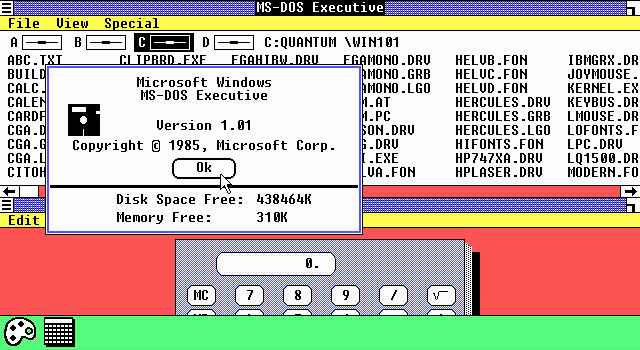
I don't like working that way personally, and I suspect the reason we've moved away from that model is because most people don't. Remember the early Windows versions?
I think the throuble with tiling is that it simply doesn't work that well as a generic concept, there are simply to much applications around that are just to small to make sense in a tiled workspace, ie. a small calculator should overlap, not tile, since else he can't be seen in full and wastes a lot of screenspace. However in Blender or Emacs tiling works great, much better then MDI solution which present windows in a window, this is probally because Blender and Emacs deal with one kind of data only and don't have to work with hundreds of different applications which made have wastly variing requirements.
However, while tiling has a fair share of problems, our way to manage windows is also far from optimal, there is a lot of time wasted with moving windows around and aranging the screen in such a way that it is actually usable Apples Expose helps a bit, but real solution is probally to move to a fully zoomable desktop, so that one isn't restrited by screen borders, but can simply zoom out when more space is needed. This also helps a lot with orientation, since you can simply place everything side by side and still reach it and don't have to lower/raise yourself through a stack of windows.
It's not reasonable to expect such mnemonics, input through an alphanumeric keyboard, to work any other way -- unless you can think of a better one where alphanumeric input is both easy to remember and language-independent. Good luck.
How about an LCD Keyboard that actually displays those shortcuts so that you don't have to type them blindly in the first place? Might of course still take a while those are actually available and affortable, but the problem with shortcuts is certainly solvable in a better way.
I remember when some word processors and the like included a "smooth scrolling" option. No one used it. It turned out that most people wanted the screen to scroll quickly instead.
That isn't because smooth scrolling is a bad idea, but because it simply was badly implemented. Now I don't necesarily blame the developers for that, because some things simply can't be implemented well with todays hardware, ie. when I press down I don't want the screen to scroll automatically for half a second, thats just not really a good way of doing it. However I also don't want the screen to just jump around, since that is extremly disorientating. So what could the solution be? How about a pressure sensitive scroll button, the harder I press the faster it scrolls and scrolling both starts instantly when I press and stops when I depress. Or how about a scroll wheel that actually scrolls smoothly instead of just sending up/down events on every click?
-
Re:missing part of the mod: transparent handhah, me too, and I'm even more waiting for the plugin that will make Vim control the keyboard and help me find laTeX math symbols in a fast way.
By the way, I just checked the site and the 3-key pad seems delayed again, till september 2006. I guess "end 2006" for the big one is still a bit optimistic.
But in the mean time that we're waiting, they seem to have introduced a cool pointy mouse and funny computer-related pins for in the office
Actually they have some stuff that would really make a good addition to the thinkgeek offers.
-
Re:missing part of the mod: transparent handhah, me too, and I'm even more waiting for the plugin that will make Vim control the keyboard and help me find laTeX math symbols in a fast way.
By the way, I just checked the site and the 3-key pad seems delayed again, till september 2006. I guess "end 2006" for the big one is still a bit optimistic.
But in the mean time that we're waiting, they seem to have introduced a cool pointy mouse and funny computer-related pins for in the office
Actually they have some stuff that would really make a good addition to the thinkgeek offers.
-
Re:missing part of the mod: transparent handhah, me too, and I'm even more waiting for the plugin that will make Vim control the keyboard and help me find laTeX math symbols in a fast way.
By the way, I just checked the site and the 3-key pad seems delayed again, till september 2006. I guess "end 2006" for the big one is still a bit optimistic.
But in the mean time that we're waiting, they seem to have introduced a cool pointy mouse and funny computer-related pins for in the office
Actually they have some stuff that would really make a good addition to the thinkgeek offers.
-
Re:missing part of the mod: transparent hand
Obviously, the mouse isn't for actual use.
I think these mashups have just gone too far, but I like the idea of LCDs in keyboards and am really looking forward to the Optimus when it arrives.
The first page of the article made me think it was just a bad photoshop job, but he did end up with a nice mouse.
It ends up with a good color scheme at the end and would consider getting a normal one (sans screen) given half a chance. -
Almost had a heartattack!
I was almost about to whip out the credit card ready for the event when I realized this wasn't the keyboard I thought it was. I got it confused with the Optimus keyboard, the one with a color TFT in every single key for key redefinition
-
Re:Large Trackball and Dvorak keyboard.
Thanks! I'll give that a look. One keyboard I'm holding out for is the Optimus Keyboard by a Russian design business, Art. Lebdev Studio.
Either it's going to be the coolest keyboard ever made, or it is going to be a very expensive disappointment.
-
Re:Large Trackball and Dvorak keyboard.
Thanks! I'll give that a look. One keyboard I'm holding out for is the Optimus Keyboard by a Russian design business, Art. Lebdev Studio.
Either it's going to be the coolest keyboard ever made, or it is going to be a very expensive disappointment.
-
Re:How does the keyboard backlight work?
Even though it looks like each letter is individually lit, there is only one light underneath the keyboard. The letters on the keys are simply transparent. Of course, there is a keyboard that can truly take advantage of individually lit keys:
http://www.artlebedev.com/portfolio/optimus/ -
Re:+5 to ePeen
Well, the all black keyboard would be great for some geek cred, especially 'round the office.. but I'm just not going to pay that kind of cash for it.
I'm waiting for the Optimus Keyboard. It has a free Das Keyboard emulation mode of displaying nothing on all the keycaps.
And for those who actually miss their old hunt-and-peck learning curve, consider programming it to randomly reorder the keys with every keystroke. -
Optimus Keyboard
just get an optimus keyboard, they have lots of OLEDs and it's touch sensitive since it's a keyboard. http://www.artlebedev.com/portfolio/optimus/ oh, you may have to wait a little while for the release of this product, the prototype will be ready any day now...can't wait to use it to play DN Forever.
-
Re:typing
indeed. however i would prefer a kana keyboard. maybe when the Optimus keyboard comes out i can switch back and forth between kana and english!
-
Looks cool and all
.. but I'm still waiting for this thing to come out: http://www.artlebedev.com/portfolio/optimus/
-
Re:Targeted links to adware sites cropping up?
Should forum administrators block links to websites in the former Soviet Union?
Bah. I've seen plenty of bad sites from the US. Occasionally, I see a pretty interesting site from russia. (Famous example: http://www.artlebedev.com/portfolio/optimus/) I think blocking all russian sites would be shooting yourself in the foot.
-
The reason for the delay
They're having trouble with the drivers for the Optimus Keyboard.
-
Natural Keyboard
According to this picture (13.8 MB, are you kidding me?) Artemy Lebedev uses what appears to be a Microsoft Natural Pro keyboard. I hope that since the designer is concerned about ergonomics that they release an ergonomic version of the Optimus as well.
-
Re:5000 hours?would be easy to have a screensaver mode for this, after xx seconds going on blank.
Actually, these kind of problems is exactly where they make the 3-key keyboard for: to test and develop plugins for the big one when it's coming. But I guess one cannot blame people for not rtfa, since it was slowed down too much.
-
Re:their portfolio
I like the "Fax Quixote" http://artlebedev.com/portfolio/fanquixote/
at the ends of the blades.
(ps I know it's a one off for an exibition) -
their portfolio
-
5000 hours?
From the FAQ, the expected lifetime of these displays is 5000 hours. That's a little over 200 days. Even with a "key saver", this severly impacts the usable lifetime of this device. I'm as excited about this keyboard as anybody else, but I think I may have to wait until people have had one on their desk for a year to see if I'm going to plunk down a significant amount of coin to buy one.
-
Their email press release
Ladies and gentlemen,
I'm delighted to inform you that we are rolling out the Optimus mini three
keyboard.
Details with images are available at http://www.artlebedev.com/portfolio/optimus-mini/.
It's a three-key keyboard with big color OLED screens. The price of the
keyboard is $100 until April 2, 2006. We are looking forward to receiving a
fresh lot of the keyboards ready for shipment on May 15. We are planning to
give you the opportunity to pre-order the keyboard at our online store this
week.
P. S. As regards the full-fledged Optimus keyboard, we still expect to
obtain its samples by the end of this year. Production is slated for next
year. But before that, we are planning to make another model, of which you
will be immediately notified.
Artemy Lebedev -
Re:Keep it clean will ya
Well, I actually prefer it - guess it depends what you're used to. It's also quieter, which saves me getting in trouble with the downstairs neighbours when I'm working late. Seriously, I tried a Microsoft internet keyboard for a bit when I built my new machine, and the guy downstairs rang me up complaining my typing was keeping them awake. I want to move.
I think I'll be tempted to move to the Optimus keyboard though, if they actually are in production. I'm sure the price will make me go back to cleaning... -
Re:Cost
total price: $233.79. And that's JUST for mouse + keyboard and games, not to mention new graphics card etc etc.
On my most recent system I sent spent ~ 800 UKP on the CPU (AMD FX-57), and have 2 x (for SLI) 360 UKP GeForce 7800 GTX graphics cards (which are not even the top of the like 512 MB's, which come in at 460 UKP!). Note that's USP (total 2,679 USD) - a price which doesn't include the 2 GB of fast (2-2-2-6) DDR RAM, motherboard, 10K RPM SATA Disks, 600 W PSU, etc.
My old (at the time, brand new) DiNovo Logitech keyboard and mouse (with media pad) cost me 199 UKP - way more than 233 USD (I bought it over the Microsoft one because I was using my PowerBook for so much work stuff, it made transitioning between the two easier as the keyboard is essentially a laptop one, which made a difference in fast paced multiplayer FPS games).
While I don't think much of this system (other than that it's a neat idea) I would happily plonk down 500 UKP for something like a production version of the Optimus - while I agree gamers are often cheap (given a high percentage of them are 20, and have little to no disposable income) I don't think cost will be a barrier for those of us with a decent disposable income and who looking for the best gaming system and peripherals they can get their hands on. -
This is about 10 years old...
I remember seeing these things about 8-10 years ago in high street stores (I bet there are some old dupes for this one...
In other news, the Logitech G15 Gaming Keyboard (with backlit keys, macro buttons and a programmable backlit LCD display) finally started shipping today (after being hyped last year) - an update on the Optimus is due out on the 1st of February too. -
THE customizable keyboard
is located here.
-
Re:Anyone got the user's manual tell me
Use this Optimus keyboard... Ehr, or not. Let's wait until February 1 for more news.
-
Where is the Optimus?
I think these kinds of 'gadget' based keyboards have a limited future, if they can ever get something like that Optimus OLED keyboard on the market. Of course, it'll cost more, but can be customized for *any* game and any application.
-
Optimus ZBoard
Back in October 2005, Wired Magazine showcased a keyboard called the Optimus Keyboard. This is truely the ultimate keyboard. It uses tiny organic-LED screens on the keys to dynamically change the keys for whatever your using them for. http://www.artlebedev.com/portfolio/optimus/ ZBoards are overprices and you have to pay for each additional key layout. Personally I'm waiting for the Optimus.
-
Not high-rez at all
If you look at the keys, they're 32x32 icons. That's not very high-rez, and those are the concept pictures: the real thing may use 16x16 or less.
Likewise, my understanding was that the larger the display, the more expensive it becomes. This, like chips, is because of the increasing fragility and the increasing likelyhood of a manufacturing defect sending it all to pot. But these are postage-stamp size screens, and as such should be much cheaper.
And except for the red background in one of the pictures, the normal keys are all black and white. They'll probably dump the red and go with B&W images on the regular keyboard keys, further driving down cost.
A bunch of low-rez postage-stamp sized color screens, and about 90 low-rez black-and-white keys? And about a million miles of tiny little wires? Should be do-able in 300 bucks. If they needed to drive costs down further, go traditional LCD on all of the normal keys with one big glowing backlight... that I could see coming in at 100 or less, though looking pretty crappy.
On the other hand, realistically they're probably not launching on Feb 1st. That's probably when they will make the announcement about the release date, or even announce the date they will announce the release date. -
Re:Optimus
Check this FAQ on artlebedev http://www.artlebedev.com/portfolio/optimus/answe
r s/ "...less than a good mobile phone" -
Re:My Theory of Keyboard Design
To help you until you memorize, it could be a keyboard in which each key is a programmable, changeable screen, a la the Optimus keyboard from Art Lebedev http://www.artlebedev.com/portfolio/optimus/
-
A better keyboard design.
In my opinion, this is a far more innovative keyboard:
http://www.artlebedev.com/portfolio/optimus/
This way I can set the keyboard any way I choose, whether it be QWERTY, Dvorak, or any other way that fits my needs. And I can also program it for specific functions, in gaming for example. The best part is that the keys reflect those changes.
There are already a few novel keyboards like this one on the market and laptop keys already allow for added functionality in a limited space. I never liked multiple keystrokes to perform functions and I never will. -
Not 4 me...
I'm still waiting for the Optimus Keyboard to come out! For me, that's the definition of innovation!
-
Re:I used a laptop for gaming until I got serious.
The Logitech DiNovo is the right size and has an excellent feel, but it's wireless. Perhaps you can hold out for the Optimus?
-
Re:Nothing to do with being better
And now Microsoft wants to take this one step further, and change menus and buttons based on what "tab" you are on too? Bad design decision, Microsoft. Very bad. This is like if your keyboard would rearrange itself depending on what you're typing, and which keys you use the most.
Actually I quite like the concept of the Optimus keyboard by the Art Lebedev design group. It uses OLED displays inside the keys and for example shows upper-case letters when Shift is pressed. Pretty nifty and totally uber-geeky. -
Re:not cute
It looks like a combination of a radio transmitter and a kettle: http://www.artlebedev.com/portfolio/flamma/globus
2 005/ -
Could this be used....in the much desired optimus keyboard? http://www.artlebedev.com/portfolio/optimus/
Or is the resolution/refresh rate too poor?
-
Re:Forgot about Europe?
The one keyboard that rules them all
http://www.artlebedev.com/portfolio/optimus/ -
Re:Numbers?
Yeah, but how do you know that WebSideStory's numbers aren't taken from sites that attract mostly Windows-only users? For all we know, some of the sites that they monitor could exclude all non-IE browsers.
That seems highly unlikely, given that many of WSS's customers are large global corporations that have big, professionally-created websites- Disney, Best Buy, Fox News, Bank of America, Freddie Mac- a wide range of clients in a variety of sectors. Surely some of their sites exclude non-IE browsers, but they are unlikely to make a significant difference in WSS's numbers.
But my point was not that WebSideStory's numbers are accurate, although by the fact that it is their business to know this kind of stuff and they seem to have been around a while I tend to believe them, but merely that the visitors to your site are not likely to be anywhere near a representative sample of the internet at large. There's lots of info out there that seems to corroborate WSS's numbers. Your little window on the world is nowhere near the big picture that WSS is seeing.
Google used to list this stuff in their zeitgeist, but they seem to have stopped that. Too bad... -
the future of keyboards
is the optimus keyboard.
yes, i know its not out yet. but having a display on keys is the only way to go. -
Re:I must be old.
maybe if/when the much hyped OLED Keyboard comes out, and someday it made its way onto laptops, that would solve that problem...
-
WHO CARES!!!!!
How could anyone even think about another keyboard knowing this OLED keyboard is coming out http://www.artlebedev.com/portfolio/optimus/ this is the future of keyboards.
-
As someone who uses multiple languages...
Logitech definitely isn't the first company to consider a keyboard which can be used for gaming. I'm really excited about: http://www.artlebedev.com/portfolio/optimus/
Now THAT looks cool! As someone who uses multiple languages (English, German, a bit of French) and has to keep a piece of paper with keycodes attached when entering numbers in sexagesimal truetype fonts in openoffice, this keyboard would be perfect. Please say there will be ways to program the layout AND key displays under GNU/Linux. The help when using sexagesimal would be worth it alone!